
What Base style and tone is
Base style and tone is where you pick ChatGPT's personality. OpenAI defines the term: "A personality is the style and tone ChatGPT uses when responding to you. It combines traits, voice, and behavior to shape how answers feel, whether that is friendly and casual, concise and professional, or something else."
To change it on the web, select your profile icon, select Personalization, and use the dropdown next to Base style and tone. On iOS and Android, open Settings from your profile icon, go to Personalization, and use Base style and tone.
What it changes, and what it doesn't
The setting is narrower than it looks. OpenAI is explicit about the limits.
It doesn't change capability or safety. "Changing your personality does not change what ChatGPT can or cannot do, or the safety rules it follows. It only guides how ChatGPT communicates, so you can choose a style that feels most useful or enjoyable."
It doesn't control every output. "Personality also does not control every type of content you ask ChatGPT to create." The article's examples are an email draft, a code snippet, a social media post, or a résumé. For those, ChatGPT matches "the tone and style to your instructions and the context, not necessarily to the personality you selected".
OpenAI gives a concrete case: with Friendly selected, a request for Python code to calculate shipping costs gets clear, functional code, without Friendly's usual reflective or conversational style.
So the personality mostly shows in conversation: how ChatGPT explains, reacts, and frames an answer. When you ask it to produce a document in a particular voice, your request takes over.
The personalities you can choose
You can keep Default or choose one of six others. OpenAI's one-line descriptions:
- Default. "Default is clear and neutral."
- Professional. "Polished and precise." Formal language and professional writing conventions.
- Friendly. "Warm and chatty, reflecting your thoughts back with calm clarity and light wit."
- Candid. "Direct and encouraging." Honest feedback with clear next steps.
- Quirky. "Playful and imaginative." Humor and unexpected ideas.
- Efficient. "Concise and plain." Direct answers without extra words.
- Cynical. "Sarcastic and dry." Blunt help with wit.
The help article includes the same prompts answered in each personality. In the coding examples, Efficient skips the introduction entirely, while Quirky adds an emoji. The differences are mostly in framing, not in the code itself.
How it combines with your other settings
Base style and tone is one layer among several. OpenAI describes the stack in both directions.
From the personality article: "Your selected personality works alongside any saved memories or custom instructions you've set. This can add nuance to any personality you choose."
From the Characteristics article: "They work alongside your selected personality, custom instructions, and any saved memories."
Here's how the layers differ:
- Base style and tone sets the overall personality.
- Characteristics fine-tune specific traits. OpenAI says they let you "keep the same capabilities, but adjust the vibe (brevity, tone, formatting, emoji level, etc.)". The four listed are Warm, Enthusiastic, Headers & Lists, and Emojis, each adjustable toward more or less.
- Custom instructions let you "share anything you'd like ChatGPT to consider in its response". They're limited by plan: "Free and Go users can save up to 1,500 characters in custom instructions. Plus, Pro, Enterprise, Business, and Education users can save up to 5,000 characters."
- Saved memories are, in OpenAI's words, "details that you explicitly ask ChatGPT to remember or that ChatGPT saves as useful context when that behavior is available".
- What you say in the chat applies to that conversation.
The help articles describe these as working together. They don't give a fixed order of precedence for every case, with one exception: memory.
Why a saved memory can override your personality
OpenAI names this as one reason a personality can seem not to work. OpenAI's article addresses it directly: "If a saved memory contains guidance that conflicts with a personality's style, such as a preference for serious and professional responses, it may override or reduce the visible traits of that personality."
Saved memories can be easy to forget about. Months ago you may have told ChatGPT you prefer formal answers for a client project, and it saved that as a memory. Today you pick Quirky, and the formal preference is still there and can pull responses back toward serious.
Conversation instructions do the same thing in the short term: "Instructions you give during a conversation can also adjust or obscure a personality's behavior."
How to find the conflict. OpenAI's memory article describes Sources: "When ChatGPT uses relevant personal context, Sources may appear below the response." It adds that Sources "can help you review information such as a past chat, saved memory, custom instruction, file, or connected email that contributed to personalization". If a response seems off from your personality, check whether Sources point to an old memory or instruction.
How to fix it. Open Personalization, then Memory, and review saved memories for style guidance that no longer applies. OpenAI notes what deleting does: "Deleting a saved memory prevents it from being used in future personalization, but it does not remove mentions of that information from past conversations."
You can also correct a memory instead of deleting it, or tell ChatGPT not to use the information in future responses.
Why it changes existing chats too
Personality and Characteristics behave differently here, and the help articles say so.
Personality applies everywhere at once. "When you change your personality, the update applies across all chats, including existing conversations."
Characteristics apply forward. "When you set a characteristic, ChatGPT will try to follow that style in this chat and new chats going forward."
Custom instructions also apply broadly. OpenAI's custom instructions article says: "Updates to custom instructions settings are applied immediately across all chats (including existing conversations)."
This explains the second surprise from the introduction. If you switch to Efficient for a project and go back to an older chat about something else, that chat's next reply follows Efficient too. The personality setting isn't per chat.
If you want a different style for one line of work, the per-chat tool is the conversation itself. Tell ChatGPT the style you want at the start, and remember that, as OpenAI says, instructions in a conversation can adjust a personality's behavior.
When the personality seems to change on its own
Sometimes the tone shifts without you changing anything. OpenAI's article on model changes addresses this: "Changes in how a model responds, even when subtle, may affect workflows or how you experience conversations."
The same article describes what carries over: "To support continuity, your prior conversations can carry over to newer models, including any background you've shared about your interests, preferences, or goals. While tone or style may change, that retained context helps the conversation remain attentive, responsive, and grounded in what you've already shared."
And it points back to the settings in this guide: "We also offer tools that allow you to shape how ChatGPT responds over time."
So if ChatGPT's personality feels different after a model update, re-check Base style and tone and Characteristics first. They're the tools OpenAI points to for shaping how ChatGPT responds.
One more case: voice. In ChatGPT's newer voice experience, preset personalities don't currently apply, which we covered in our guide to the retirement of Standard and Advanced Voice.
Other settings that shape how answers look
Personality and Characteristics shape tone. A separate setting shapes layout. OpenAI's article on Intelligent UI says: "You can choose a simpler response style in your ChatGPT settings on the web." It's under Personalization, then Layout and Visuals, then Simple, and OpenAI notes this reduces visual and interactive elements, though some may still appear.
If responses feel cluttered rather than off in tone, that's the setting to check.
What people try first
Switching personalities repeatedly. If a saved memory conflicts with the personality, it may override or reduce its visible traits.
Expecting a personality in drafts and code. For emails, code, posts, and résumés, ChatGPT follows your request and context.
Setting a personality for one chat. The change applies across all chats, including existing ones.
Rewriting custom instructions when the problem is memory. Check saved memories for old style guidance.
Assuming a model update reset your settings. Model changes can shift tone. Check Base style and tone and Characteristics.
The Fix: Get the style you chose
Step 1: Pick the closest personality
Choose the Base style and tone that fits most of your conversations, not one project.
Step 2: Tune with Characteristics
Adjust warmth, enthusiasm, formatting, and emojis toward more or less.
Step 3: Clear conflicting memories and instructions
Review saved memories and custom instructions for style guidance that contradicts the personality, and correct or delete it.
Step 4: Keep project styles in writing
For work that needs its own voice, write the style rules down and give them to ChatGPT at the start of those chats.
Setting this up in MemoryLake
A personality setting is account-wide, and a project's style rules often aren't. A client's voice, a team's terminology, and a document template's conventions are context you'd want to apply only where they belong, and in more than one tool.
MemoryLake is a memory layer for that kind of working context, such as style rules, terminology, and project details, kept in one place you maintain and available to the assistants you connect, such as ChatGPT, Claude Code, and Codex.
You write the entries yourself, in your own words. Nothing is read out of, written to, or deleted from your Personalization settings, your personality, your Characteristics, your custom instructions, your saved memories, your chats, or any vendor's store. Base style and tone, Characteristics, and memory work the way OpenAI describes them.
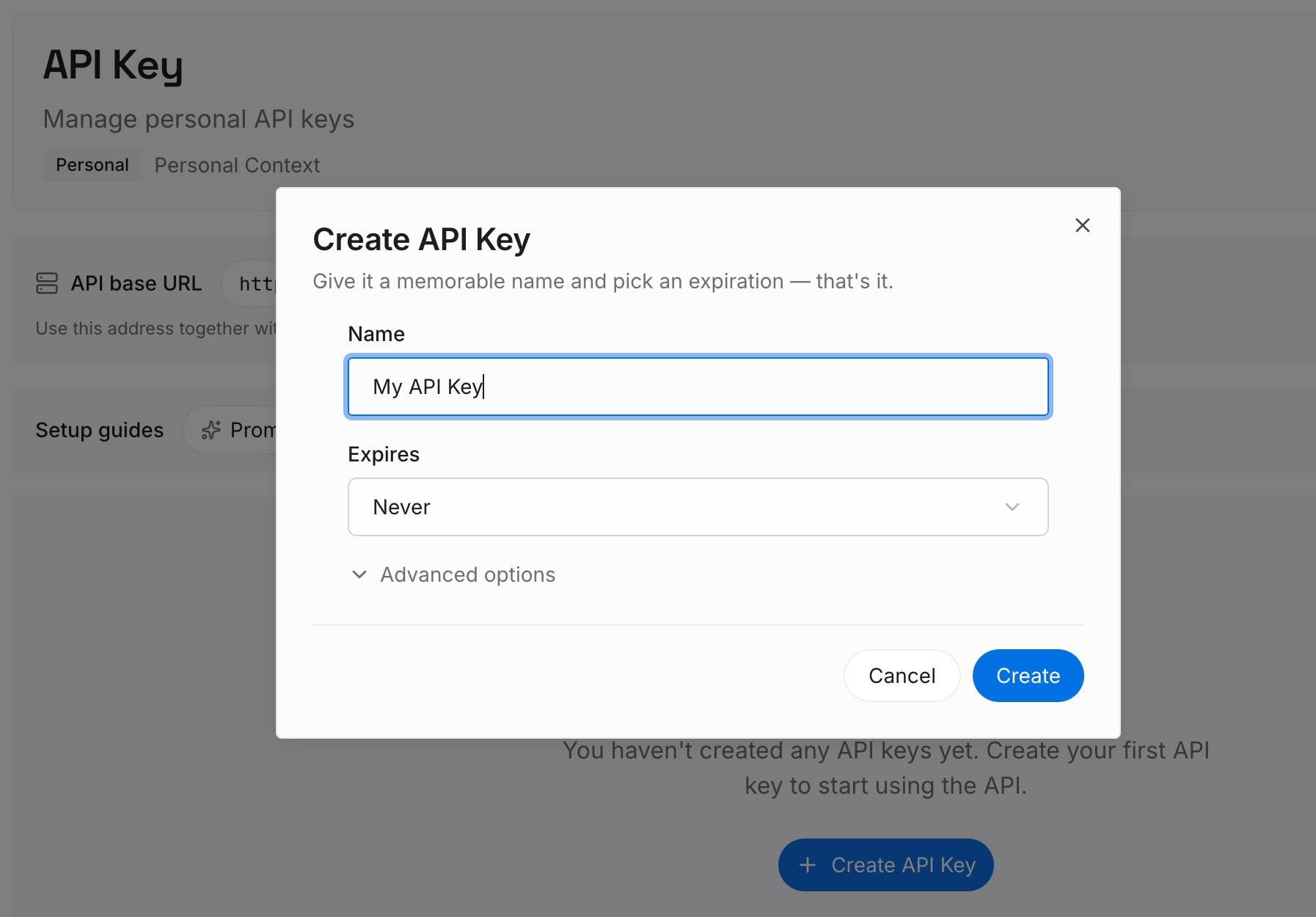
Step 1: Create an API key
Sign in and generate a key from the dashboard. The key belongs to your MemoryLake workspace and is separate from your ChatGPT account.
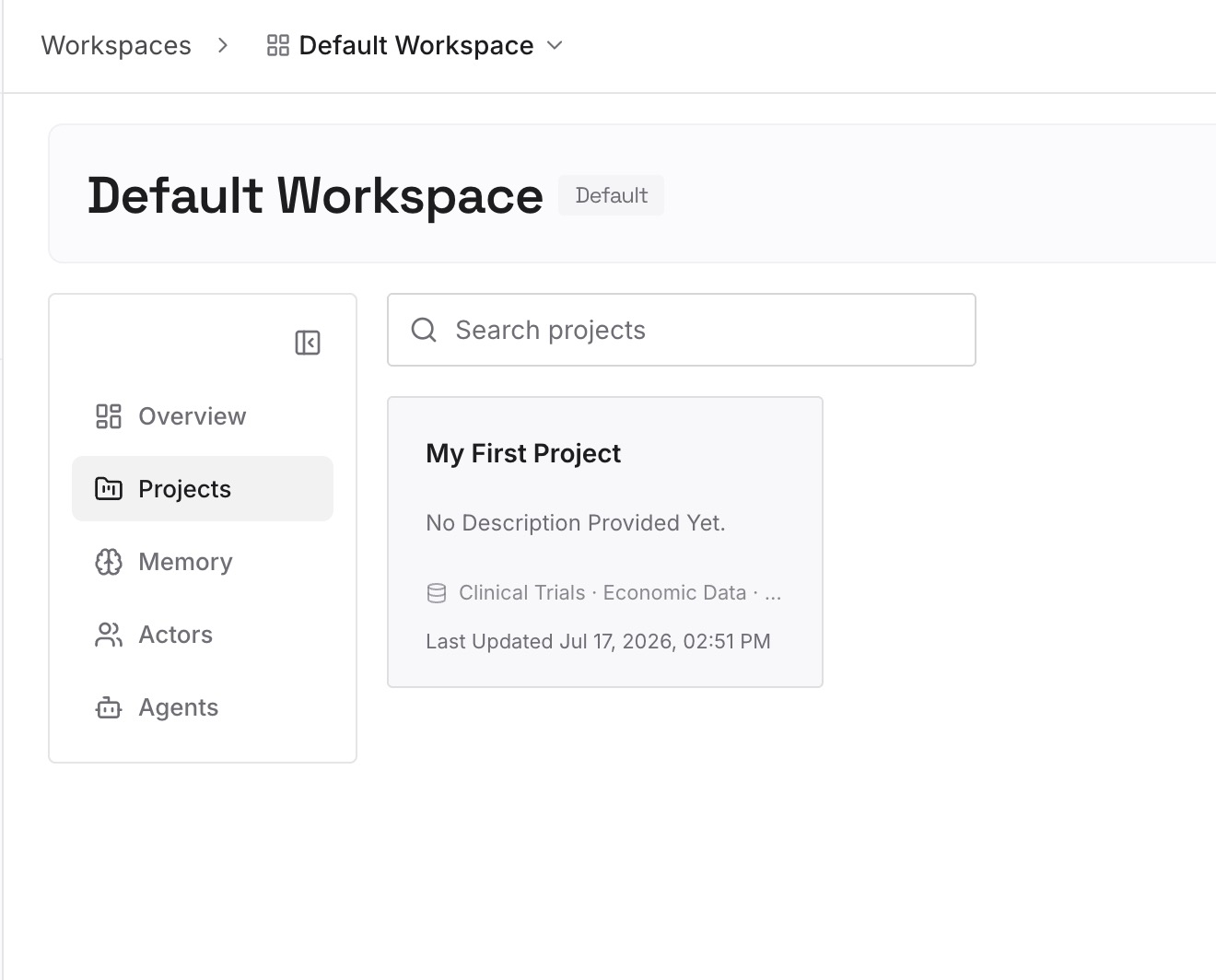
Step 2: Upload your first memories
Start with what you wrote in Step 4 of the fix: each project's voice, the terms it uses, and the formats it expects. One project or rule per entry.
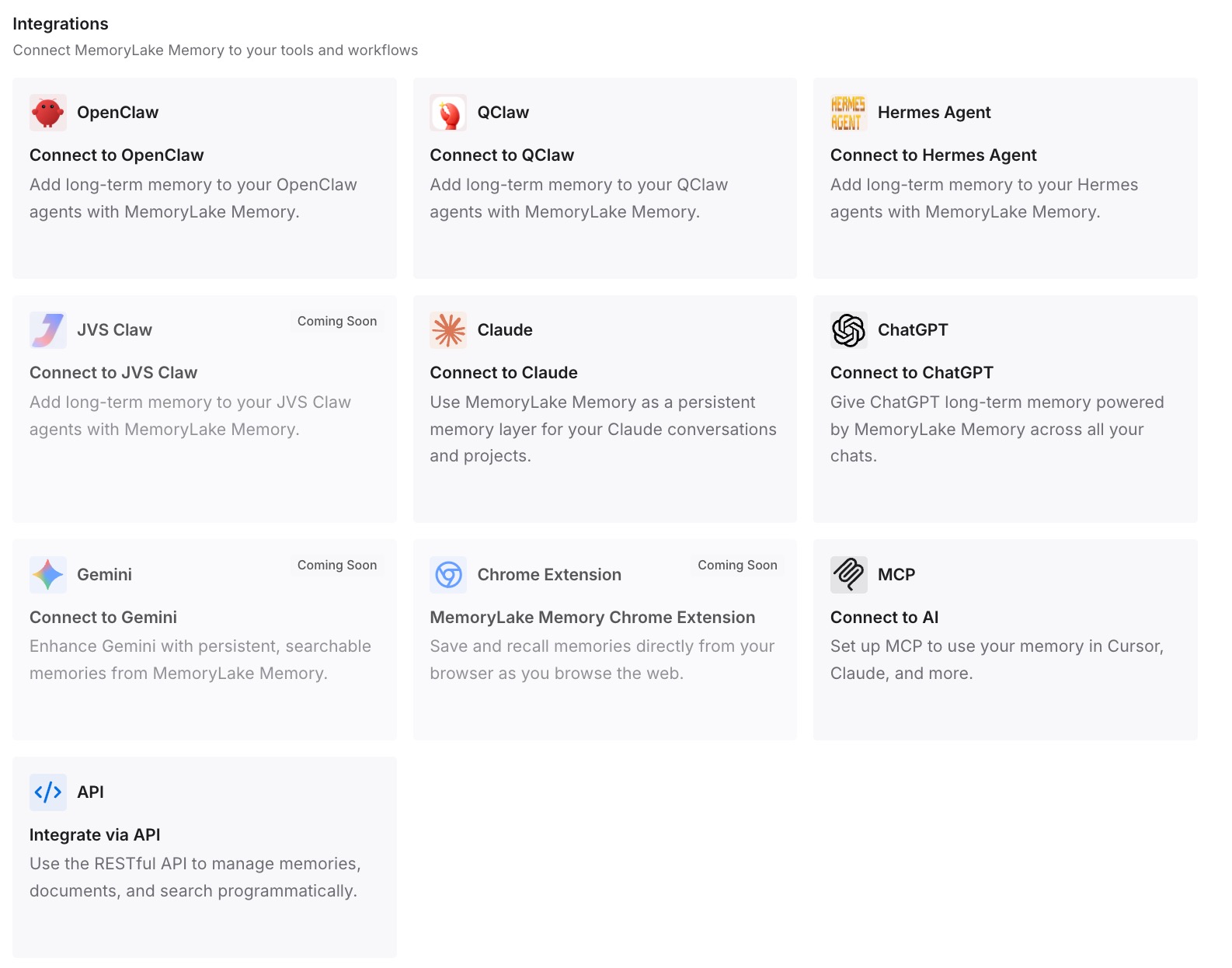
Step 3: Connect your AI & agents
Connect ChatGPT, Codex, Claude Code, or the other assistants you use. Your account-wide personality stays as it is, and project styles are available where they apply.
What this changes in practice
The first difference is fewer conflicts. Project-specific style rules don't have to live in your account-wide memory, where they can pull every chat toward them.
The second is a personality setting you can leave alone. You pick it once for general use, instead of switching it for each project.
The third is consistency across tools. The same style rules are available when the draft moves from ChatGPT to another assistant.
Best practices for ChatGPT's Base style and tone
Choose for most of your chats. The setting applies everywhere, including existing conversations.
Use Characteristics for fine-tuning. They adjust specific traits and apply going forward.
Check memory when the style seems off. A conflicting saved memory may override the personality.
Use Sources to find the cause. They can show which memory or instruction contributed.
Don't expect it in drafts. Your request sets the voice for documents and code.
Re-check after model changes. Tone can shift with a new model.
Keep project styles separate. Write them down and apply them where they belong.
Conclusion
Base style and tone sets ChatGPT's personality: Default, Professional, Friendly, Candid, Quirky, Efficient, or Cynical. It shapes how ChatGPT communicates, not what it can do, and it doesn't control every output, such as drafts and code. It works alongside Characteristics, custom instructions, and saved memories, and OpenAI says a conflicting saved memory may override or reduce a personality's visible traits.
When you change it, the update applies across all chats, including existing ones, while Characteristics apply to the current chat and new ones. If the style isn't what you chose, check saved memories and Sources first, and keep project-specific styles written down where they apply.