
Why ChatGPT forgets your coding style
Nothing in a chat app plays the role of a rules file
This is the whole structural difference, and it's worth stating before the workarounds. Cursor's own documentation explains why rules files exist at all: "Large language models don't retain memory between completions. Rules provide persistent, reusable context at the prompt level."
Every coding tool that seems to remember your style is doing that — re-supplying the same text with every request from a file on disk. Cursor reads .cursor/rules, Claude Code reads CLAUDE.md, Codex reads AGENTS.md. Which is why Claude forgetting your coding style and Cursor forgetting it are usually fixable by writing a better file.
ChatGPT has no such file. There's no path on your machine it reads before answering. So the mechanism that makes style persist in every other tool simply isn't available, and the substitutes are all much smaller.
Memory is sized for preferences, not style guides
ChatGPT's saved memory is short by design — it's carried alongside every prompt, so its size is a per-request cost. There's no published figure; the estimates that circulate put it around 1,200 to 1,400 words total, or roughly 200 entries, and they don't agree with each other. Treat it as a page or two.
A real style guide doesn't fit in a page or two. And if you try, you'll hit the ceiling: once memory is full, ChatGPT stops adding new long-term facts until you delete something — which is a separate frustration in its own right. The rebuilt memory system OpenAI announced on June 4, 2026 improved this — a readable memory summary that stays current over time, and twice the capacity for Plus and Pro — but doubling a page or two still isn't a style guide. It's also worth knowing that the newer system synthesizes rather than storing your exact words, so a precisely-worded convention can come back paraphrased.
Style is a hundred small decisions, not one instruction
"Follow our coding style" reads like one instruction. It's actually: naming for booleans, error-handling shape, where types live, whether you barrel-export, how you order props, when a comment is warranted, which utility you reach for instead of writing a loop, how tests are named.
Most of those never get stated. You notice them by seeing a violation — which means your style guide is being discovered incrementally, in chats, and each discovery lives only where you made it. Ten sessions in, ChatGPT has been told ten different subsets of your conventions and retains none of them.
The paste decays
Everyone converges on pasting a conventions block at the top of a session. Then it gets shorter. You're typing from memory, and the exceptions are the boring part, so week four's paste is the punchy half of week one's. The style drifts because your own restatement of it drifts — the ordinary version of re-explaining context by hand.
Worth separating this from a nearby problem: if you did put conventions in custom instructions and they're still ignored, that's instructions set but not applied — a different failure. This piece is about conventions that aren't present at all.
What people try
Custom instructions. The right first move and genuinely effective for a handful of hard rules. The block is small, so you'll be choosing which five conventions matter most, and it applies to all your work — which is wrong if you write Go at work and TypeScript at home.
Saved memory. Works for two or three stable preferences ("I use TypeScript strict mode"). It's the wrong container for a guide, and filling it with style rules spends a budget you also want for everything else about you.
A Project with a conventions file attached. The best of the built-in options: scoped to that project, no global spillover, and a real document rather than a summary. Limits are that it's scoped to ChatGPT, files don't stay reliably in context across long sessions, and it doesn't help the quick question you ask in a normal chat.
A custom GPT with the style guide in its instructions. Effective and a genuine step up, because the instructions are longer than the custom-instructions block. You now maintain a separate assistant per project and remember to use it, and updating the guide means editing a GPT.
Pasting the guide every session. Reliable in principle, decaying in practice, and it costs tokens on every conversation.
A linter and formatter. The professional answer for everything mechanical, and it deserves top billing rather than a footnote — see below.
The Fix: Give ChatGPT a Style Guide It Reads Every Time
Split your style into two halves first, because half of it should never be in a prompt at all.
The mechanical half belongs in tooling. Quote style, semicolons, indentation, import order, line length, trailing commas, and most naming patterns are enforceable by Prettier, ESLint, Black, gofmt, rustfmt, or your language's equivalent — with a config file committed to the repo. A formatter cannot forget. If you're asking an AI to remember your indentation preferences, you're using a language model as a linter, and it will be worse at it than the linter forever. This is the highest-leverage move in the whole piece and it has nothing to do with memory.
The judgment half needs a memory layer. No formatter expresses "we don't use inheritance in the service layer," "prefer a named helper over a clever one-liner," "we allow any in the generated API client and nowhere else," or "error messages are user-facing, write them accordingly." These are conventions with reasons, and reasons are what stop them being re-litigated.
That second half is what to put in a store ChatGPT reads from on every request — not a paste you retype, and not a two-page memory budget it competes with. MemoryLake is a memory layer for that job: your conventions document lives in one store, retrieved when it's relevant, and readable from Claude, Codex, and other agents too — so the style guide stops being a per-tool artifact.
One honest boundary. Supplying conventions reliably raises how often they're followed; it doesn't guarantee compliance, because whether a model acts on what it reads is model behavior. That's exactly why the mechanical half goes to the formatter — for anything you need enforced, use something that enforces.
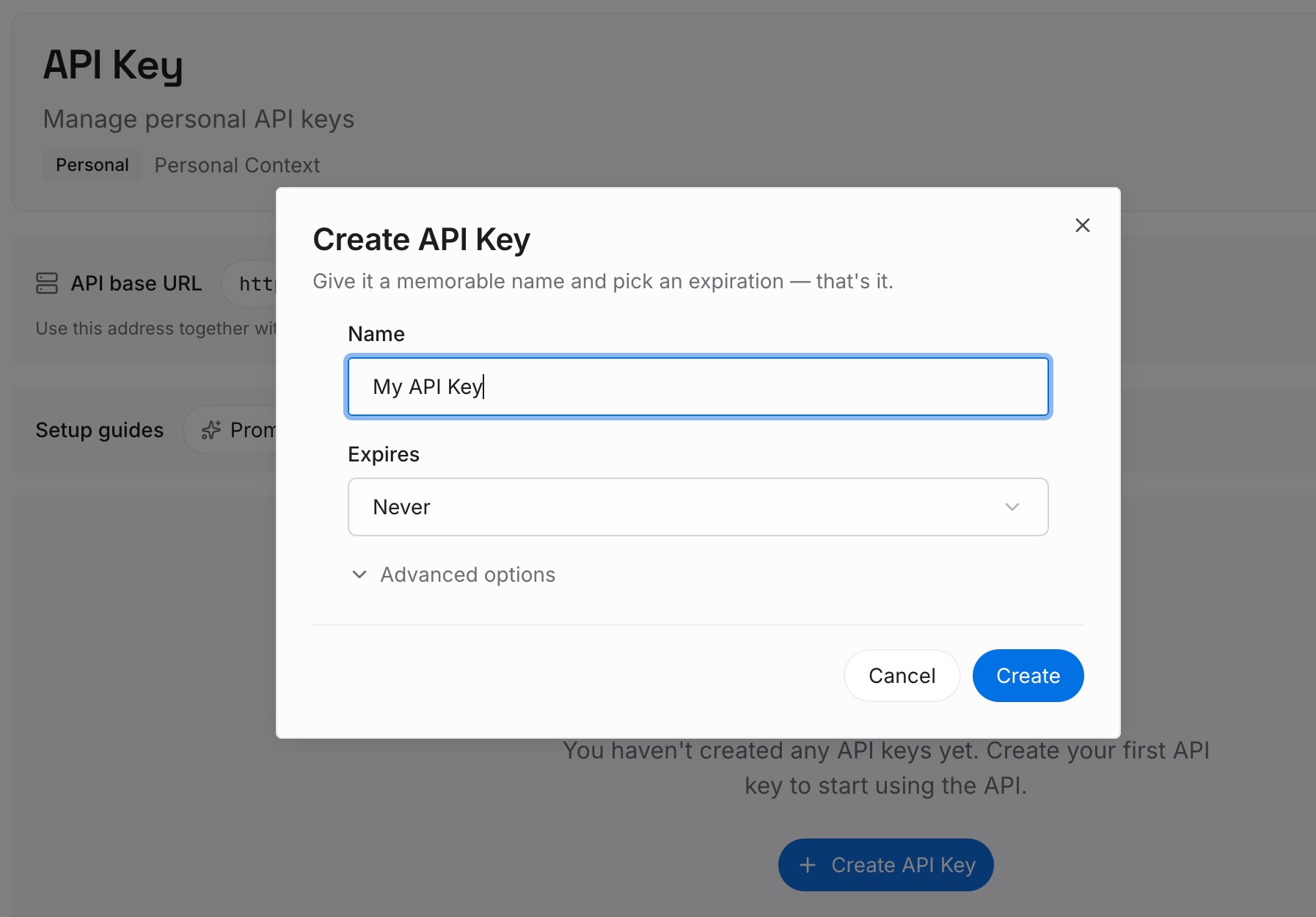
Step 1: Create an API key
Generate a key and make your first request in about 30 seconds. Keep it in your environment or a secret manager rather than pasting it into a chat or committing it.
Step 2: Upload your first memories
Drop in the documents, images, and files that hold your actual conventions: the style guide, the "how we write services" doc, the review checklist your team argues from, examples of code you consider exemplary. Include the reasons. A convention without its reason gets overridden the first time it's inconvenient — by the model and by you.

Step 3: Connect your AI & agents
Give Claude, Codex, OpenClaw, and other AI agents access to memory via MCP or the API. ChatGPT has no MCP client, so the path there is the API: retrieve the relevant conventions and inject them into the prompt, a custom GPT's instructions, or the workflow that calls the model. Tools that do speak MCP read the same store directly, which is the point — one style guide, every assistant.

What this changes in practice
The first change is that your conventions stop shrinking. What ChatGPT sees is the document, not your recollection of it, so week twenty's output is held to the same standard as week one's.
The second is that the guide grows correctly. When you notice a new convention mid-review, you add a line to the document instead of a sentence to a chat that's about to end. Over a few months that's the difference between a real style guide and a folk memory.
The third is that reviews get useful. "Does this match our conventions?" only means something if the conventions are retrievable. Right now the answer is generic best practice — which is also why ChatGPT arriving without your project's context makes its code review feel simultaneously confident and beside the point.
And it stops being ChatGPT-specific. A convention is a property of your codebase, not of your assistant. Once it's in a shared store, moving to a different tool doesn't restart the teaching.
Best practices for consistent style from ChatGPT
Make the linter the source of truth for anything it can express
Commit the config, then let the AI's output be checked by it rather than governed by your prompt. This shrinks what has to be remembered to the part that genuinely requires judgment, and it makes violations visible instead of debatable.
Write conventions as rules with reasons
"Use early returns" is a preference and gets overridden. "Use early returns — nested conditionals in this codebase have caused two production bugs where the else branch was missed" is a rule with a defense. Reasons also help you notice when a convention has stopped being true.
Include an exemplar, not just prose
The fastest way to convey a style is a short file you consider correct. Models generalize from examples more reliably than from lists of adjectives, and an exemplar carries the dozens of small decisions you never articulated.
Keep the always-loaded part small
Whatever gets injected into every request — custom instructions, a short conventions header — should be your five most-violated rules, not the whole guide. The rest belongs in retrieval. A wall of style rules in front of every question crowds out the question.
Note the exceptions explicitly
Every real codebase has "we do X except in Y." Unwritten exceptions are where the AI looks most wrong while following your stated rules exactly — and where you end up correcting the same thing repeatedly because the correction never made it into the guide.
Conclusion
ChatGPT forgets your coding style because there's no file it reads before answering. Coding agents solve this with rules files loaded on every request; a chat app offers a small custom-instructions block, a memory sized for preferences rather than guides, and Project scoping — and your conventions end up living in whichever conversation you last explained them in.
The fix is a split, not a single move. Put everything mechanical in a formatter and linter with a committed config, because a formatter cannot forget and a language model will never be as good at indentation as a tool built for it. Put the judgment half — the conventions with reasons, the exceptions, the exemplar — in a store your assistants read on every request. Then the guide stops decaying at the speed of your own memory, and it stops belonging to one product.