
Why the answer stopped being simple
Start with the Temporary Chat FAQ, which OpenAI updated on September 14, 2026. Its opening paragraph reads: "By default, Temporary Chats don't create new memories or appear in your chat history. They can use your existing memories, custom instructions, and plugins to personalize responses, with the option to turn personalization off when you start a chat."
So there are two kinds. The FAQ draws the line explicitly: "A personalized temporary chat can use your existing memories, custom instructions, and plugins to tailor its responses. It does not create new memories and will not appear in your chat history unless you save it. A non-personalized temporary chat does not use memory, custom instructions, or plugins, and it does not create new memories."
Asked directly whether the personalized kind can add to memory, the page answers: "No. A personalized temporary chat can reference your existing memories, but it will not create or update memories while the chat remains temporary."
Now read the Memory FAQ, a separate OpenAI help article whose own header says it was updated roughly two weeks earlier. On the question of keeping information out of personalization, it says: "If you don't want information from a chat to be used to personalize responses, you can turn off memory or use Temporary Chats. Temporary Chats do not use existing memories or create new memories." Further down, in the section on the legacy saved memories system: "To chat without using saved memory, use Temporary Chat."
Both pages are live. Both are official. They agree completely on the write side — a Temporary Chat does not create or update memories — and they describe the read side differently.
The reconciliation is not mysterious. The Temporary Chat FAQ is the specific page, it is the more recently updated one, and it describes a personalization choice that the Memory FAQ's sentence predates. If you want the current behaviour, follow the specific page. But a reader who arrived through the Memory FAQ, which is exactly where you land if you were reading about memory in the first place, would come away with the older description and no reason to doubt it.
There is one more sentence on the same page that applies whichever kind you are in: "ChatGPT Temporary Chat may still use information from prior conversations for limited safety and security purposes." OpenAI states that turning off memory and personalization "does not disable safety features that may use limited, safety-relevant context in rare, high-risk situations." That is a narrow carve-out, described plainly, and it is not the thing most people are asking about — but it is part of an accurate answer.
What people try instead
Assuming the pill button means "blank." The Temporary toggle is a single control with a single appearance, and it is easy to read it as one behaviour. OpenAI describes starting a chat this way: "To start a Temporary Chat, open a new chat and click the pill-shaped 'Temporary' button in the top-right corner of the page." Which kind you get depends on the personalization choice you make at that moment, not on the button alone.
Turning memory off account-wide instead. This works, and it is heavier than the situation usually requires. It also has a documented tail: the Memory FAQ notes that if you turn memory back on later, "ChatGPT may create new memories from chats that remain in your chat history, including older chats." We went through the full set of controls and what each one actually touches in what ChatGPT's memory can and cannot hold.
Reading the memory summary and assuming that is the whole input. Reasonable, but OpenAI describes the summary as partial: "While the memory summary should capture the most important details, it will not include everything that ChatGPT remembers based on your chats." A personalized temporary chat can draw on more than the summary shows, which is the same gap that makes the summary a poor inventory.
Archiving afterwards instead of choosing up front. These are different controls for different moments, and it is worth keeping them apart. Archiving acts on a conversation that already exists, it is reversible, and OpenAI documents that archived chats stay in your account under your normal retention settings — we covered that in what archiving a ChatGPT chat actually hides. Temporary is chosen before the conversation exists, and the personalization half of that choice is fixed once it starts.
Assuming custom instructions are always in play. They are not, and this catches people whose instructions carry a lot of working context. OpenAI: "Only personalized temporary chats use your custom instructions. Non-personalized temporary chats do not." If you rely on instructions to set your role, your stack, or your writing rules, a non-personalized temporary chat will not have them. The same split applies to plugins: "Plugins are available in personalized temporary chats. They are not available in non-personalized temporary chats." If your instructions go missing more generally, that is a different problem with a different fix.
The Fix: Make the choice deliberately, then confirm it on the response
The check has three parts, and the first one is the only one that is irreversible.
Step 1: Make the personalization choice knowingly, because it locks
OpenAI is unambiguous about when this is decided: "No. You choose whether the chat is personalized or unpersonalized when you start it. This setting cannot be changed after the conversation begins."
That single sentence is the reason this guide exists. Every other control in ChatGPT's data settings can be revisited — you can archive later, delete later, turn memory off later. This one is settled at the moment you open the chat. If you want a clean room, you have to ask for it before you type, and if you realise mid-conversation that you wanted the other kind, the answer is a new chat.
One more constraint sits above your choice: "Account-level and workspace restrictions take priority over the personalization choice for an individual temporary chat." On a managed account, what you pick is a preference within whatever your workspace already allows.
Step 2: Confirm it from the response, not from the setting
Settings tell you what you asked for. The sources panel tells you what was used. OpenAI describes it on the Memory FAQ: "You can see what sources were used to personalize a response such as custom instructions, past chats, files, and memories by tapping the book icon below the response." Tapping a memory there "will open an explanation on why that memory was used to personalize a response."
That is the verification. Send one throwaway prompt in the temporary chat, open the book icon under the reply, and look at whether memories appear in the list. A non-personalized chat has nothing to show there; a personalized one does.
Read the result with the caveat OpenAI attaches to it: "Sources are designed to make memory easier to understand and control, though they may not show every factor or source that shaped a response." So a memory listed is proof that memory was used. An empty list is strong evidence, not a mathematical guarantee.
Step 3: Decide what happens to the conversation before you close it
Temporary Chats are, by design, not in your history: "Temporary Chats won't appear in your history unless you choose to save them. ChatGPT won't create memories from an unsaved Temporary Chat. For safety purposes we may still keep a copy for up to 30 days."
If the conversation turned out to be useful, OpenAI supports keeping it — but keeping it is a conversion, not a bookmark. "Saving converts it into a regular chat. From that point forward, it follows your account-level personalization and model improvement settings." And on the non-personalized case specifically: "It will then follow your account's personalization settings and your model-improvement preference. For example, if memory is enabled, the saved conversation may be referenced to personalize future responses."
So the decision at the end of a temporary chat is a real one with two real outcomes. Let it expire and it stays out of your history and out of memory. Save it and it becomes an ordinary chat, subject to everything an ordinary chat is subject to. There is no third option inside ChatGPT where the content survives and the chat stays exempt.
Setting this up in MemoryLake
That third option is the one people actually want, and it exists — outside the chat. MemoryLake is a separate store you write the useful parts into yourself, so keeping a conclusion does not require keeping the conversation that produced it. You write the entries yourself, in your own words. Nothing is read out of, written to, or deleted from OpenAI's systems or any other vendor's store — your ChatGPT history and memory stay entirely under ChatGPT's own controls.
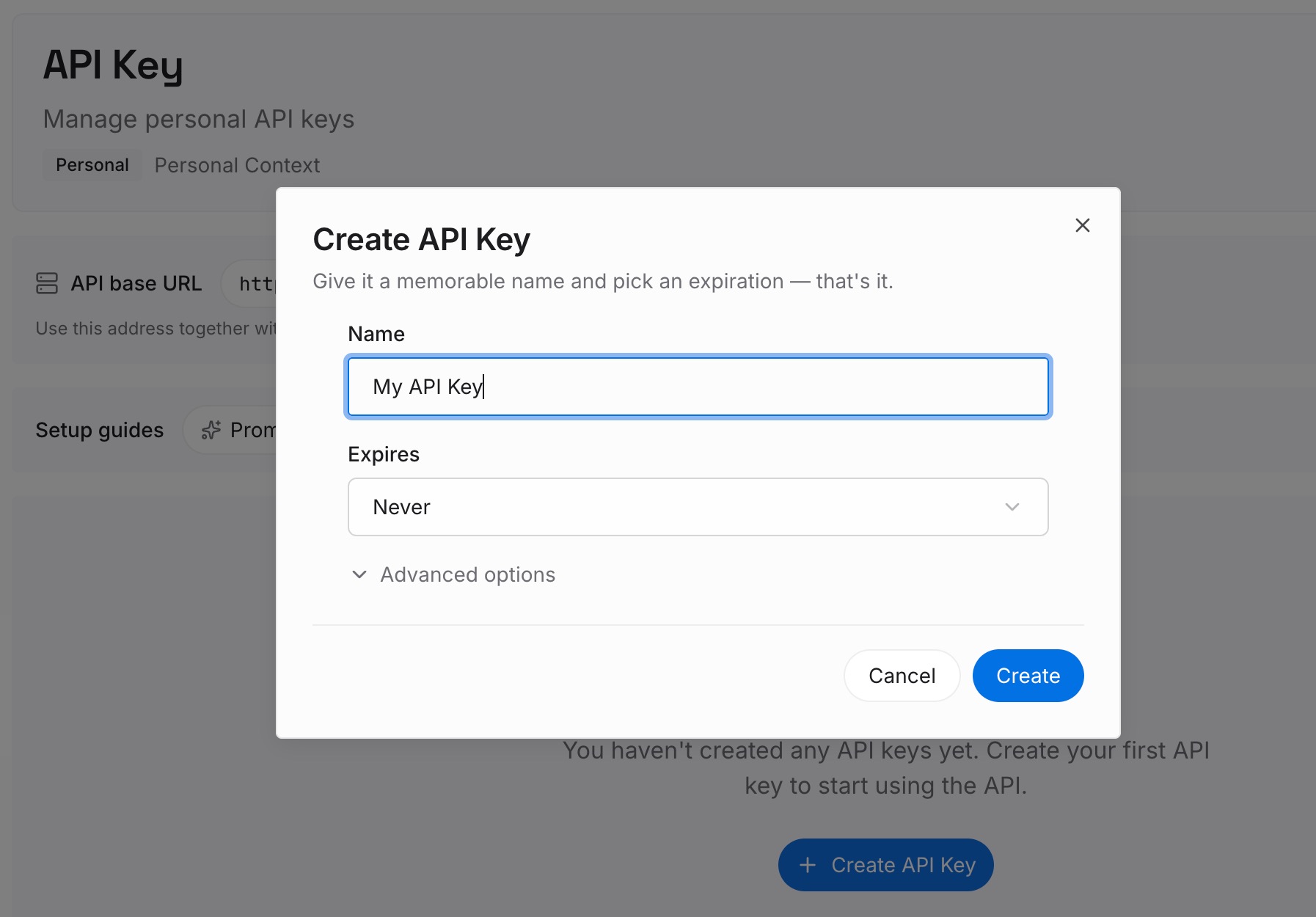
Step 1: Create an API key
Generate a key from the dashboard. It is what lets every assistant you use reach the same set of facts, whichever chat mode you happen to be in.
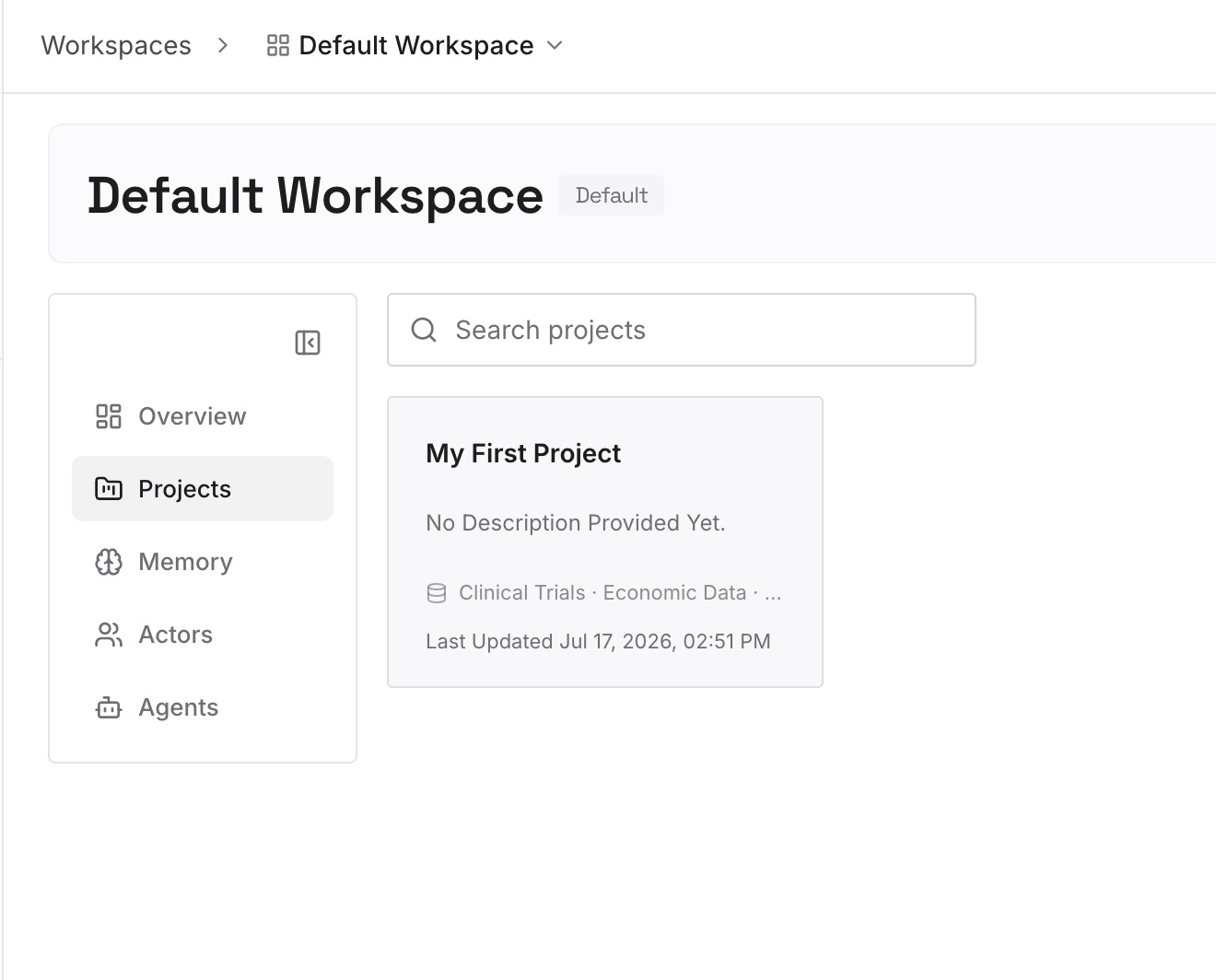
Step 2: Upload your first memories
Before you close a temporary chat that went well, lift out the part worth keeping: the conclusion, the number you looked up, the wording you settled on. Two or three sentences usually does it. The conversation can then expire exactly as you intended, without the result expiring with it.
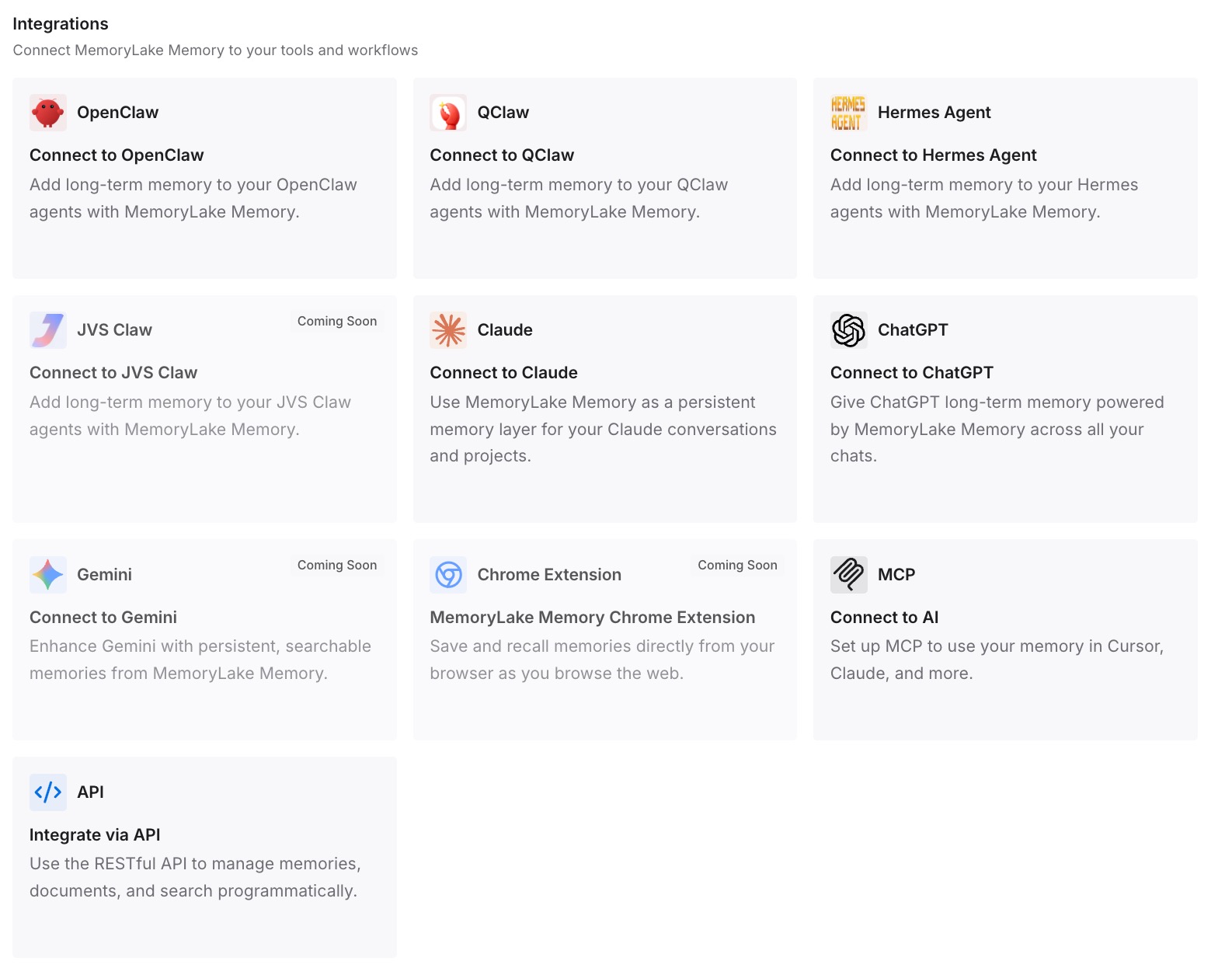
Step 3: Connect your AI & agents
Point your tools at the layer so those facts are available at the start of a conversation rather than reconstructed from history. Then check it the way that proves something: open a fresh chat and ask for one of the facts back. If it answers, "should I save this chat" stops being a question you have to get right under pressure.
What this changes in practice
The first change is that Temporary Chat gets to be genuinely temporary. Most people who hesitate over the save prompt are hesitating because the chat is the only copy of something. Once the result lives elsewhere, letting the conversation go is the easy choice rather than the risky one.
The second is that "clean room" becomes a thing you can confirm instead of assume. Once you know the personalization choice is made at the start and visible in the sources panel afterwards, a ten-second check replaces a belief about what the button does.
The third is that the account-wide switches stop being your only lever. Turning memory off is a blunt instrument with a documented tail, and most of the time the requirement is narrower: this one conversation, not this one account.
The fourth is portability. Anything that matters enough to survive a chat you deliberately made temporary is, by definition, worth keeping somewhere you control. If you have never taken a copy of what one assistant holds, backing up your ChatGPT memory is the first pass, and the wider history controls are the second.
Best practices for using ChatGPT Temporary Chat without surprises
Decide the kind before you type. The personalization choice is made when the chat starts and OpenAI documents that it cannot be changed afterwards. Treat opening a temporary chat as a two-part action.
Check the sources panel on the first reply. It costs one prompt and it answers the question the settings page cannot: what was actually used.
Follow the Temporary Chat FAQ where the two pages differ. It is the specific page and the more recently updated one. The Memory FAQ remains right about the write side.
Do not use Temporary Chat as a privacy guarantee. OpenAI states that a copy may be retained for up to 30 days for safety purposes, and that limited safety-relevant context can still apply.
Remember that saving is a conversion. A saved temporary chat becomes a regular chat and, from that point forward, follows your account-level personalization and model-improvement settings.
Lift the result out before you close the tab. The one thing neither outcome gives you is the conclusion without the conversation.
Conclusion
A ChatGPT Temporary Chat reliably does one thing: it does not add to what ChatGPT remembers. Both of OpenAI's relevant help pages say so, and that has not changed.
Whether it can read what ChatGPT already remembers now depends on a choice you make when the chat opens. The Temporary Chat FAQ, updated September 14, 2026, describes a personalized temporary chat that "can reference your existing memories" and an unpersonalized one that "does not use memory, custom instructions, or plugins." The Memory FAQ, updated earlier, still carries the flatter statement that "Temporary Chats do not use existing memories or create new memories." Where they differ, the specific and more recent page is the one to follow — and the sources panel will tell you which kind you are in without either page's help.
None of this is a flaw. It is a feature that gained an option, documented accurately on its own page, with a more general page still describing the version before it. The practical takeaway is smaller than the confusion suggests: make the choice on purpose, verify it on the first reply, and keep the part you wanted somewhere a temporary conversation was never going to hold.