
What actually transfers
AGENTS.md — the actual bridge, read by both. Cursor supports AGENTS.md "in the project root and subdirectories," combining nested files with their parents so that "more specific instructions taking precedence." Cline's supported-rules table lists AGENTS.md and ~/.agents/AGENTS.md as a "Standard format for cross-tool compatibility." If your rules are already in AGENTS.md, you are most of the way done, and you can run both tools against the same file while you decide.
Skills — through exactly one shared directory. Cursor loads skills from .agents/skills/, .cursor/skills/, ~/.agents/skills/, and ~/.cursor/skills/, plus a compatibility list: "For compatibility, Cursor also loads skills from Claude and Codex directories: .claude/skills/, .codex/skills/, ~/.claude/skills/, and ~/.codex/skills/." Cline reads project skills from .cline/skills/, .clinerules/skills/, and .claude/skills/. Compare the two lists and there is one directory on both: .claude/skills/, which belongs to neither tool. Park your skills there and both read them. The SKILL.md shape is the same on both sides, so this is a move, not a rewrite.
Your models — including OpenAI ones, if that is why you are here. Cline documents two OpenAI paths: an API key entered in settings, and "OpenAI Codex (Subscription OAuth)" where you "Sign in with OpenAI and complete browser OAuth," with "no API key entry required" and "available models depend on your OpenAI plan." Worth comparing against Cursor's own bring-your-own-key page, which limits OpenAI to "Standard, non-reasoning chat models" and notes that "Custom API keys only work with chat models."
What does not transfer: .mdc frontmatter as a scoping language. This is the real work. Cursor's four rule types are built on three frontmatter fields, and its documentation spells out the interaction: alwaysApply: true means "Always included. Globs and description are ignored"; false with globs means "Auto-attached when a matching file is in context"; false with a description means the "Agent reads the description and pulls the rule in when relevant"; false with neither means "Included only when you @-mention the rule in chat." Cline has no equivalent metadata. It "processes all .md and .txt files inside .clinerules/, combining them into a unified set of rules." Everything is either in or out, with a manual toggle per file.
Also gone: Team Rules as enforcement. Cursor's Team Rules are created in a dashboard, follow a documented precedence of "Team Rules → Project Rules → User Rules," and can be marked so the rule is "required for all team members and cannot be disabled in Customize." Cline's model is the opposite by design: "All detected rule types appear in the Rules panel, where you can toggle them individually." Every rule is switchable by the person using it. That is a genuine loss for a team that relied on enforcement, and no file carries it across.
And gone: remote rule sync. Cursor can import rules from a GitHub repository into .cursor/rules/imported/<repoName> and "pull and sync" them. Cline's equivalent is that .clinerules/ is in your repo, which covers the same need for a single project and not for rules shared across many.
The manual migration
Step 1: Inventory your rules by how they activate, not by which file they live in
Open .cursor/rules and sort every .mdc file by its frontmatter, because that is the only thing that determines where it should land. Four piles.
alwaysApply: true. These are your always-on rules, and they move directly. Put them in AGENTS.md if you want both tools reading the same file, or in .clinerules/ if you are committing to Cline. Both work; the first keeps your options open.
globs set. These have no direct equivalent. Cline's rules are not conditionally attached by file pattern, so a rule that only applied to src/components/**/*.tsx becomes either an always-on rule (paying context cost on every task) or a toggled rule you switch on when working in that area. Choose per rule; do not blanket-convert.
description set, alwaysApply: false. These have a better home than you would expect, and it is not the rules system. Cursor describes this type as applying "When Agent decides it's relevant based on description." Cline's skills work the same way: "When you send a message, Cline sees a list of available skills with their descriptions. If your request matches a skill's description, Cline activates it using the use_skill tool, which loads the full instructions from SKILL.md." Same mechanism, different name. A description-triggered rule converts to a skill more faithfully than to a rule file.
Neither field set. These were @-mention-only. In Cline they become rule files left toggled off, or skills you invoke explicitly. Either is honest; the toggle is closer to the original.
Do not delete the .mdc files while you do this. They are the only record of what was scoped to what.
Step 2: Land the files, wire up models, and watch the context cost
Create .clinerules/ at the project root and keep one concern per file — Cline's own advice, and it matters more here because toggling is your only scoping tool: "Split rules by topic ... This makes it easy to toggle specific rules on or off."
Three things to get right.
Mind the token bill. Cline carries this as a warning: "Rules consume context tokens. Avoid lengthy explanations or pasting entire style guides. Keep rules concise and link to external documentation when detailed reference is needed." In Cursor, a globbed rule cost you nothing until a matching file was in context. Convert several of those to always-on and you have quietly moved that cost to every task.
Know where global rules live and who wins. Cline's global rules directory is ~/Documents/Cline/Rules on macOS and Linux and Documents\Cline\Rules on Windows, and it also reads ~/.agents/AGENTS.md. When both exist, "Workspace rules take precedence when they conflict with global rules" — the same direction as Cursor's project-over-user ordering, so your instincts transfer.
Watch one reversal in the skills layer. Cline states that "When a global skill and project skill have the same name, the global skill takes precedence." That is the opposite of how the rules resolve, and the opposite of most tools. If you keep a personal skill and a project skill with the same name, the personal one wins.
Then configure your provider — API key or Codex OAuth under OpenAI in Cline settings — and re-add your MCP servers, which do not come across from any editor.
That covers the written half. What is left is the reasoning behind it, and neither tool has a place for that.
The Better Way: Put the Reasoning Somewhere Neither Editor Owns
Cline's answer to persistence is Memory Bank, and it is worth understanding precisely because it is honest about what it is. Six markdown files in your repository — projectbrief.md, productContext.md, activeContext.md, systemPatterns.md, techContext.md, progress.md — plus a rule file that tells Cline to read them. The instructions it ships with open with a line worth quoting in full: "I am Cline, an expert software engineer with a unique characteristic: my memory resets completely between sessions. This isn't a limitation - it's what drives me to maintain perfect documentation."
That is a documentation methodology, and a good one. It is also scoped to a codebase: six files describing the state of one project, updated by asking Cline to "update memory bank." The things that do not fit are the things that were never about the code — why a standard exists, what your team tried and rejected, who to ask, which deadline moved.
MemoryLake is a memory layer that sits outside any single tool, so that material survives this migration and the next one. Setup is three steps.
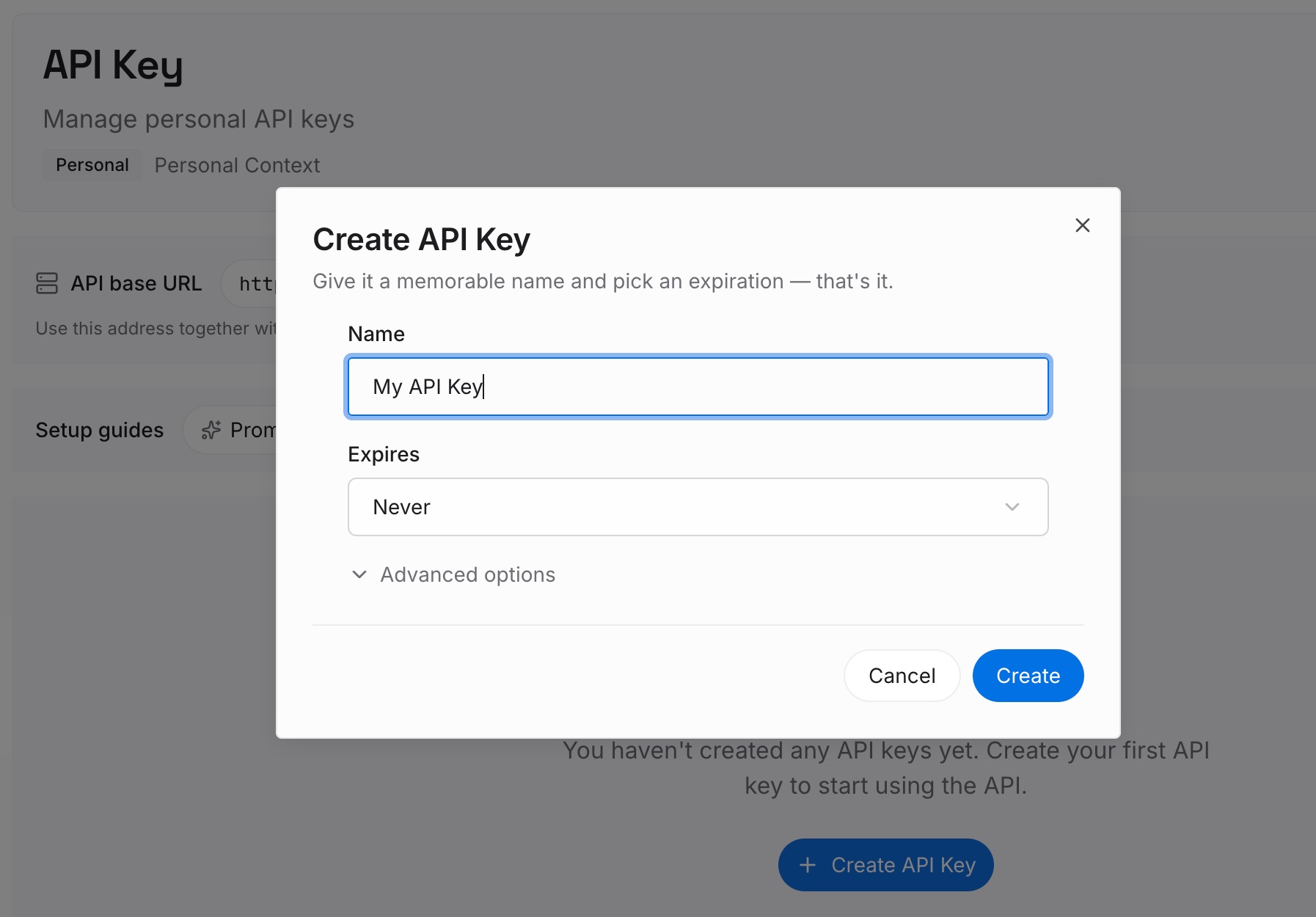
Step 1: Create an API key
Sign in and create an API key. One credential across the tools you connect.
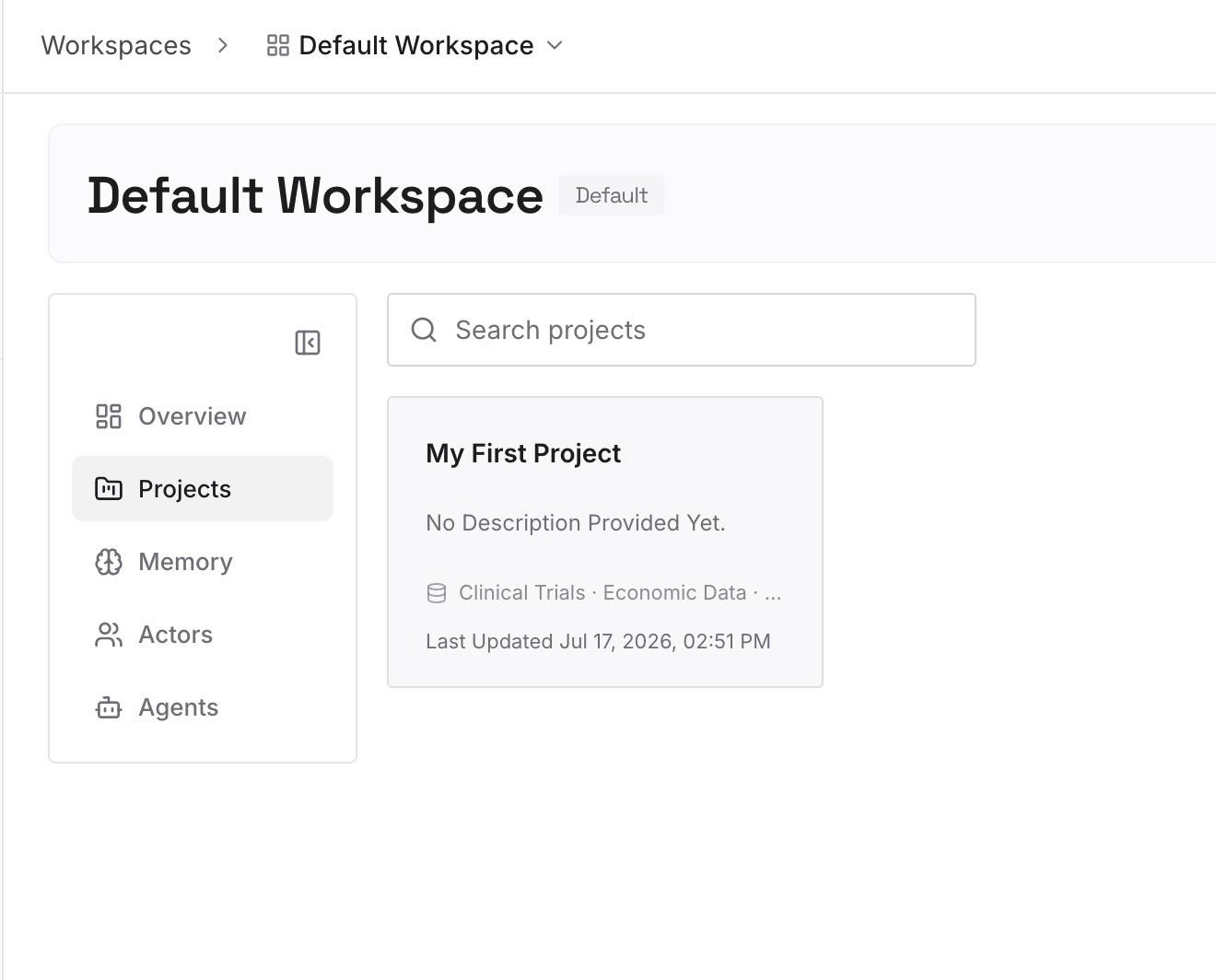
Step 2: Upload your first memories
Short entries, one claim each. Your source material is what you could not fit into frontmatter:
Why each always-on rule is always on. You just made a judgement call on every globbed rule you converted. Record the call and the reason, or you will make it again differently in three months.
What the enforced Team Rules were protecting. Enforcement does not survive the move. The reason it existed should.
Corrections that stuck. The approach the team tried and abandoned. No rules format on either side has a field for this.
Working context that isn't code. Ownership, frozen areas, current priorities, the runbook. Memory Bank's activeContext.md covers some of this for one repo; this covers it across all of them.
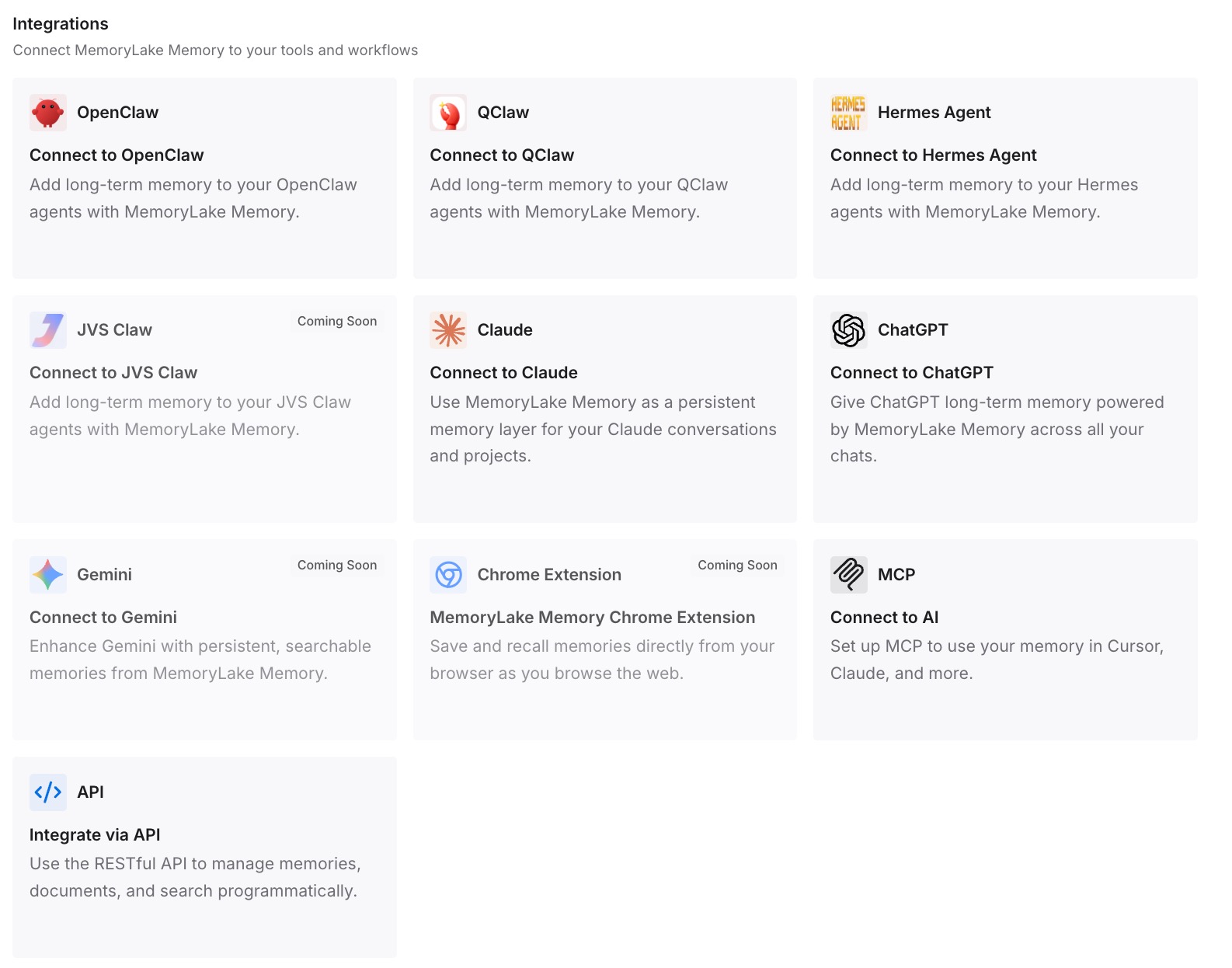
Step 3: Connect your AI & agents
Connect what you use. MemoryLake is reachable over MCP and over an API, and Cline supports MCP servers, so the same memory is available in Cline immediately. Cursor, Claude Code, Codex, and OpenClaw connect the same way — which means you can keep both editors open during the transition without maintaining two copies of what you know.
Three honest limits. This does not convert your .mdc files — the frontmatter mapping in Step 1 is manual, and it should be, because it involves choices. It does not restore enforcement; a memory layer cannot make a rule undisableable in Cline's Rules panel. And memory is context, not enforcement — Cursor's documentation makes the same point about its own enforced rules: "AI guidance should not be your only security control."
What this changes in practice
Rule scoping becomes an explicit decision. Cursor decided it from frontmatter. Cline makes you choose per file, once, in the open.
Description-triggered rules land somewhere real. Converted to skills rather than crammed into an always-on file, they keep the behaviour you actually wanted.
Skills stop belonging to an editor. One directory both tools read, so switching editors is not a skills migration.
The reasoning stops living in a chat window. Which is the only reason any of this survives the next tool change.
Best practices for moving from Cursor to Cline
Convert by activation mode, not by file. The frontmatter is the spec. Filenames tell you nothing.
Use AGENTS.md for always-on rules while you decide. Both tools read it, so nothing is stranded if you change your mind.
Send description-triggered rules to skills. Cline's skill activation matches Cursor's "Apply Intelligently" behaviour more closely than any rules file does.
Put skills in .claude/skills/ if you want both editors. It is the one directory on both supported lists.
Audit what you made always-on. Every converted glob rule now costs context on every task, and Cline warns about exactly this.
Write down what enforcement was for. It is the one property that does not survive, and it usually existed for a reason someone can still name.
Keep the .mdc files until the dust settles. They document the scoping you are about to reimplement.
Do not confuse Memory Bank with cross-project memory. It describes one codebase's state — the broader distinction is in why long context isn't memory.
Conclusion
The migration Cline appears to offer for free is not the one you need. Its rules table detects .cursorrules, a format Cursor's current documentation no longer mentions, while the format you actually have — .cursor/rules full of .mdc files — appears nowhere in Cline's docs. The bridge that does exist is AGENTS.md, which both tools read, plus .claude/skills/, the single skills directory that appears on both supported lists.
What costs you time is the frontmatter. Cursor's three fields produce four activation behaviours, and Cline's rules are all-or-nothing with a manual toggle. Sort by alwaysApply, globs, and description before you copy anything: always-on rules move directly, globbed rules become a per-rule judgement about context cost, description-triggered rules convert best into skills, and @-mention rules become toggles. Team Rules enforcement does not convert at all.
And the layer under all of it — why these rules exist, what was tried and rejected, who owns what — was never in either tool's format. Cline's Memory Bank is honest about resetting completely between sessions, which is exactly why the reasoning belongs somewhere neither editor owns. If the symptom that brought you here was rules quietly not applying, both sides of that story are covered in why Cursor forgets your project rules and why Cline forgets your project context.