
Why an export is a snapshot, not a backup
Start with the scope. Anthropic states that "data exports are available to individual Claude users on Free, Pro, and Max plans" and that they "include conversation data and the user data for your account." If you are on a Team or Enterprise plan, the documentation says only your organization's Primary Owner can access data exports.
The path is documented precisely: from Settings and then Privacy, on the web app or Claude Desktop. The docs add a detail people trip over — "it's not possible to run an export from Claude for iOS or Android." You click Export data, and then you wait, because the file is not handed to you in the browser: "Once the export has been processed, you will receive a download link via email."
Now the two constraints that change what this artifact is for.
The first is a clock:
"The download link will expire 24 hours after delivery."
Not the export — the link. If you request one on a Friday evening and open your email on Monday, you are requesting it again. The docs are reassuring about that ("if your link expires, you can always request a new one by repeating the export process"), but it means the export is not something you file away and forget. It is something you have to be present for.
The second is the sentence that reframes everything:
"Exported data can't be imported into another personal Claude account, and we don't support migrating data between personal accounts."
That is as clear as vendor documentation gets. The export is not a portable account. You cannot hand it to a fresh Claude account and pick up where you left off. The one documented exception runs in a different direction entirely: "if you're joining a Team or Enterprise organization, you don't need an export to bring your work with you—you can migrate your personal account directly into the organization's workspace."
So an export is a readable copy of what you said, produced on request, downloadable for a day, and not re-importable. Which makes it exactly one thing: material for an audit. That reframing is the same one that makes backing up your ChatGPT memory a more complicated job than the export button suggests.
There is a deadline on the source material, too. Anthropic documents that when you delete a conversation it is "removed from your chat history immediately" and "deleted from our back-end storage systems within 30 days." Anything you have already deleted is not coming back in an export.
What people try instead
Treating the export as a backup and never opening it. A file you have not read is not a backup; it is a hope. And since the link expires in a day, the common outcome is a stale archive from six months ago that no longer matches what you would want to keep.
Waiting until they are leaving. This is the worst time to do it. You are under time pressure, you have hundreds of conversations, and you are trying to identify what mattered while also setting up somewhere new. The audit is much cheaper as a periodic habit than as an exit task.
Assuming it can be loaded into a new account. The documentation says otherwise, in plain language. Planning a move around re-importing the export is planning around something Anthropic states is not supported.
Reading it chronologically. An export is ordered by time, and time is not how value is distributed in it. Ninety per cent of any chat history is scaffolding — restating the problem, correcting a misunderstanding, asking for a rewrite. Reading from the start means burning your attention on the least useful material first.
Searching it for facts instead of decisions. A fact you can re-derive. The thing worth rescuing is the conclusion you reached and the reason you reached it, which is precisely the material that never got written down anywhere else. This is the gap behind the feeling described in why AI assistants feel forgetful.
The Fix: Treat the export as an audit with a deadline
Step 1: Request it when you have an hour, and check your settings first
Because the link lives for 24 hours, request the export at the start of a block of time you have actually set aside, not at the end of a workday.
Before you click, look at two settings, because they determine what the export is a snapshot of and what happens to the originals afterwards.
Check your model improvement setting. Anthropic documents that if you allow your chats or coding sessions to be used to improve Claude, "we may retain your data in a de-identified format for up to 5 years in our model training pipelines," and that this "only applies to new or resumed chats after the model training setting has been enabled." Turning it off is documented as forward- and backward-looking for future training — "we will not use your previous or new chats or coding sessions for future model training" — with one honest caveat: "your data will still be included in model training runs that are already in progress, or in models that have been trained."
Check what you have in Incognito. Anthropic states that "your Incognito chats are not used to improve Claude, even if you have enabled Model Improvement in your Privacy Settings." Whatever you did there was deliberately outside the normal flow, and you should know whether anything important is sitting in it.
Then handle the file like what it is. An export of your conversation data is the single most concentrated collection of your own words in existence, and it will contain things you typed without thinking — credentials pasted for debugging, client names, personal details. Put it somewhere encrypted, work from it locally, and delete it when the audit is done. Do not drop it into a shared folder or upload it anywhere as a convenience.
Step 2: Read it by decision, not by date
Open the file and go hunting for a specific shape of sentence rather than reading through.
Search for the moments where something was settled. In practice that means looking for phrases you use when you conclude things — "we decided", "let's go with", "the problem was", "turns out", "instead of", "because". Those markers find the twenty conversations that mattered out of the several hundred that exist.
For each one, write a single line somewhere else. Not a summary of the chat — the decision and its reason, in one sentence. "We use whole-day billing because the finance system rejects partial days." "Dropped the queue-based approach because retries double-fired on timeout." "The 2024 numbers are not comparable to 2025 because the definition changed."
You will find, doing this, that a few hundred conversations collapse into perhaps thirty lines. That compression ratio is the actual product of the export.
Pay particular attention to anything involving files, because file context is the most fragile kind. The export contains what you said about a document, not necessarily a copy of it in usable form, and the general shape of that problem is covered in when Claude forgets uploaded files.
Step 3: Put the thirty lines where the next tool can read them
This is the step that turns a one-off chore into something that compounds.
The thirty lines are not Claude-specific. They are decisions about your work, and they are equally true in whatever you use next month. But if you paste them into a single assistant's memory, you have recreated the original problem one layer along: a store you cannot re-import, tied to one account, requiring another export to escape.
Keep them somewhere addressable instead, and the next audit starts from thirty lines rather than from zero. The cross-tool version of this problem is set out in cross-tool memory for knowledge workers.
Setting this up in MemoryLake
MemoryLake is a place to keep those thirty lines. You read your own export, you decide what was worth keeping, and you write those entries into it yourself, in your own words. Nothing is pulled out of Anthropic's systems; your chats stay where they are, managed through Anthropic's own settings and controls.
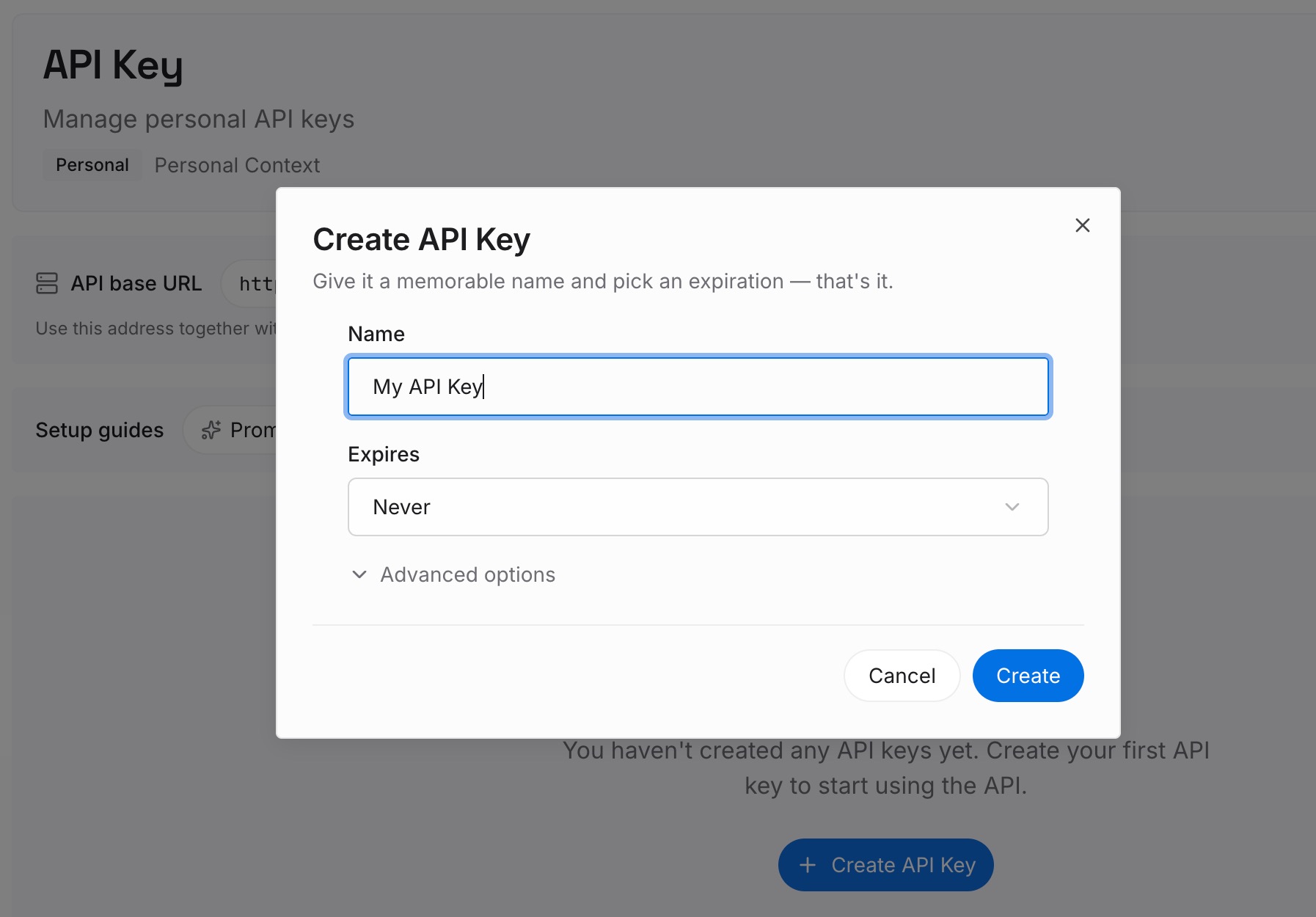
Step 1: Create an API key
Sign in, open your workspace settings, and generate an API key. This is the credential your assistants use to read the same layer, so create it once and keep it reachable from every tool you work in.
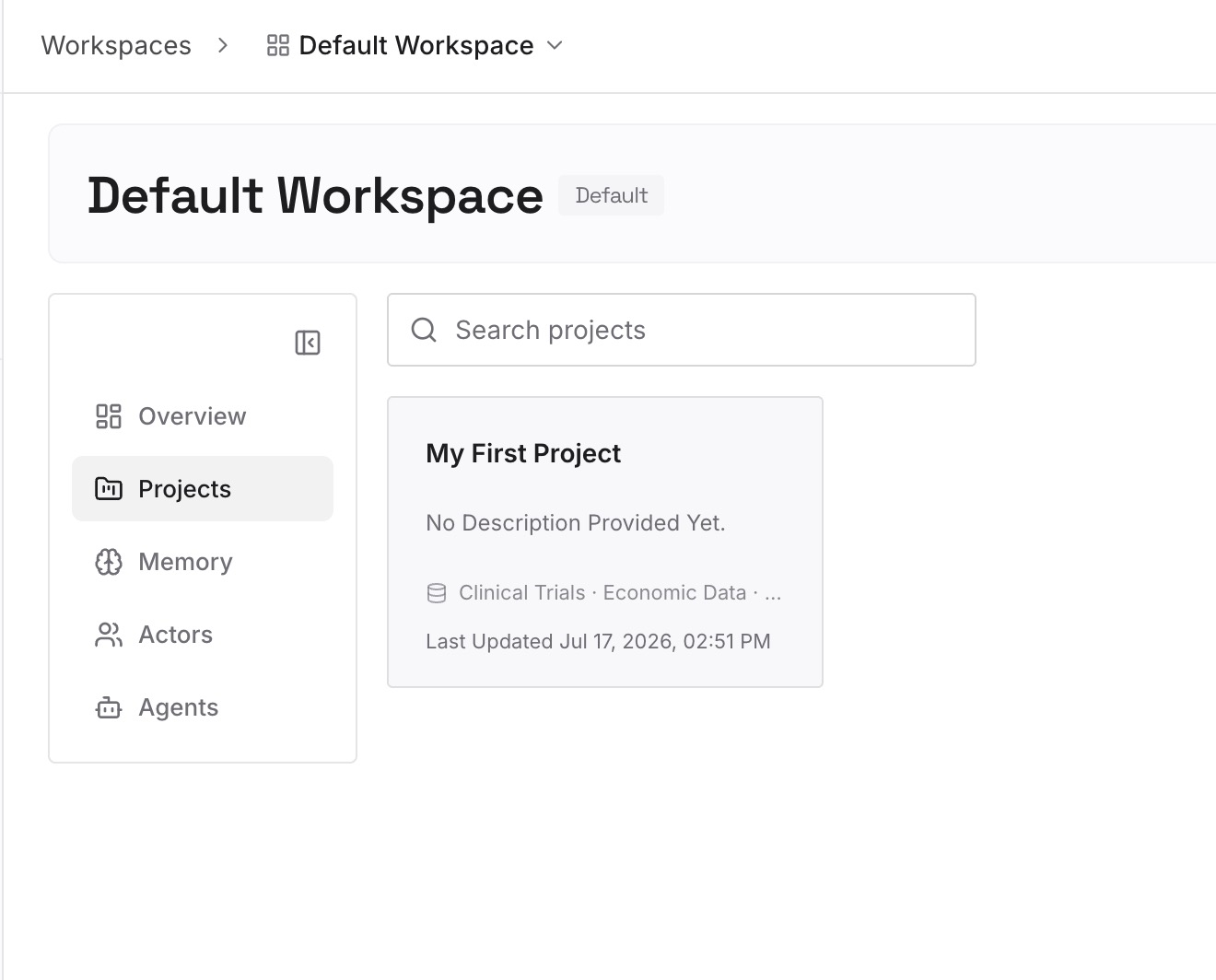
Step 2: Upload your first memories
Start with the decisions from your audit, one per entry, each with its reason attached. Add the constraints that were expensive to establish and are cheap to record: which approach you rejected, which dataset is authoritative, which question you have already closed.
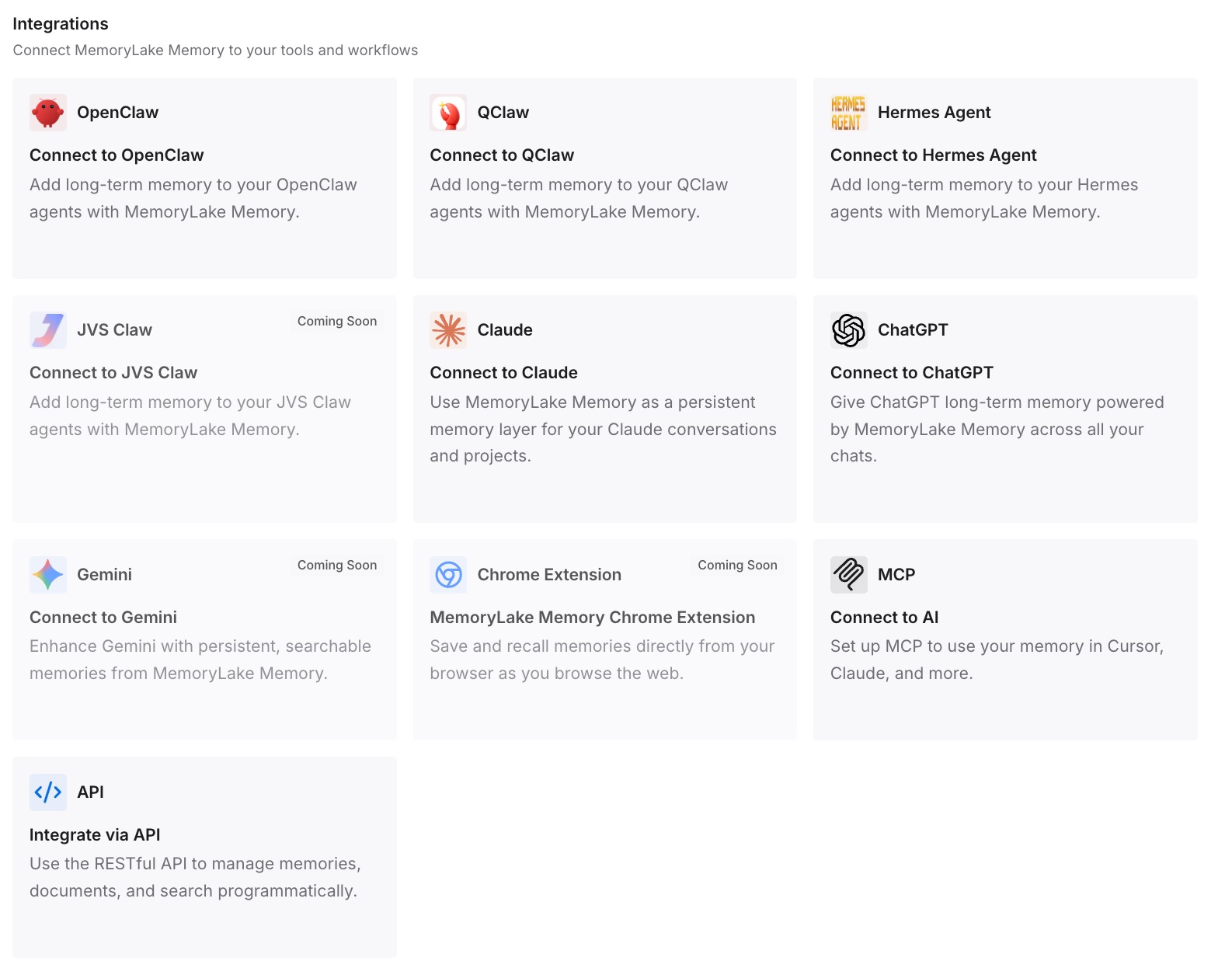
Step 3: Connect your AI & agents
Connect Claude and whatever else you use. The same conclusions arrive in each, so a new conversation opens knowing what the last six months established instead of asking you to explain it again.
What this changes in practice
The first difference is that the 24-hour link stops being stressful. If the decisions already live outside, an export becomes a routine check rather than a rescue operation, and missing the window costs you an afternoon rather than a year of thinking.
The second is that the non-importable property stops mattering. Anthropic says the export cannot be loaded into another personal account, and that is a perfectly reasonable boundary for a vendor to draw. It only hurts if the export was your only copy of the reasoning.
The third is that deletion becomes a clean decision. Once the conclusions are recorded, deleting old conversations is housekeeping — removed from history immediately, gone from back-end storage within 30 days, as documented — rather than a loss you will feel in six months.
The fourth is that the next migration is short. Anyone who has run the move described in migrating Claude memory to ChatGPT knows the hard part is never the mechanics; it is reconstructing what you knew. And project-level context, the kind covered in when Claude forgets project knowledge, is exactly the material that an audit rescues and a raw export buries.
Best practices for handling a data export
Schedule it, don't request it impulsively. The link expires 24 hours after delivery, so request it when you have time to act on it.
Do it quarterly, not on the way out. Thirty conversations is an hour. Six hundred is a weekend you will not spend.
Read for decisions, not for content. Search for the sentences where something was settled. Skip the rest without guilt.
Write one line per decision, with the reason inside it. A conclusion without its reason cannot be checked later, and will be re-litigated.
Treat the file as sensitive by default. It is a complete record of what you typed. Keep it encrypted, work locally, and remove it when you are done.
Know which retention rule applies to you. The documented timeframes differ depending on your model improvement setting, whether a chat was flagged, and whether you used Incognito. Read them once so you are not guessing.
Don't plan a move around re-importing it. Anthropic states that exported data cannot be imported into another personal Claude account and that migration between personal accounts is not supported.
Conclusion
Anthropic documents this feature honestly, including the parts that limit it. The export covers conversation and account data, it arrives by email, the link lasts a day, and it cannot be loaded into another personal account. None of that is hidden and none of it is unreasonable.
What it means is that the export is not a backup and not a moving van. It is a reading copy of everything you have said, available on request, useful for exactly one job: finding the decisions you made and never wrote down anywhere else.
Do that job once a quarter, keep the output as plain sentences somewhere every tool can reach, and the export stops being something you scramble for on your last day. It becomes what it should have been all along — a periodic look at your own thinking, with the conclusions filed somewhere that outlives the account they came from.