
What shipped, and what it actually passes
Cross-session messaging requires Claude Code v2.1.224 or later and runs on macOS and Linux, including Linux inside WSL 2 — it isn't offered on native Windows. When a session meets the requirements, per the docs, "messaging is on with nothing to enable."
Two tools power it: ListAgents to discover which agents Claude can reach, and SendMessage to deliver a message to one of them by name. You don't invoke either — "Claude discovers the target with ListAgents and sends with SendMessage, so you never call either tool yourself." You'd prompt something like "Ask the session running in my other terminal whether the migration finished," and Claude writes the actual message.
An arriving message looks like this, which is the documentation's own example:
Schema migration finished: the new column is tenant_id, and rebasing on main is safe now.That's the shape of the whole feature, and it's genuinely useful. When one session makes a change that breaks what another is building on, Claude can warn that session before you notice. When one settles a question another is blocked on, the answer goes across. The documented cases are handing over a finding, coordinating parallel worktrees, getting status from long-running work, and replying across machines.
The limits are worth knowing precisely, because they define what you still have to solve yourself:
- Text only. The Limitations section says "Plain text only." And the key sentence: "A message is a piece of text one Claude writes to another, never conversation history or files. To move a whole conversation or its context, resume the session instead." The receiving session "gets only that text, never the sender's conversation history or files."
- Cross-machine is reply-only. Same-machine messages travel over a per-session socket and never through Anthropic servers. Messages to your sessions on other machines or on the web travel through Anthropic servers via Remote Control — and from here, Claude "can only reply. It can't start the exchange."
- Discovery is filesystem-based. Each session registers itself in files on disk and binds an inbox socket there, so two sessions reach each other only when they can see the same files. A session inside a container and one on the host can't reach each other; two inside the same container can.
- Delivery isn't guaranteed. Each message is checked against the receiving session's inbound controls and ends up Delivered, Held, or Refused, governed by
crossSessionInbound(accept/hold/refuse). A held message opens an approval dialog that expires —dialogExpirydefaults to five minutes — and Claude Code holds at most 100 messages, dropping the oldest past that, with a cap of 50 accepted messages waiting to be read per session. - A message has no authority. It "can't approve anything," it can't change configuration — Claude is instructed never to change permission settings,
CLAUDE.md, or other config because another session asked — a/compactin the text "arrives as plain text" and is never executed, and permission prompts still fire on the receiving side. - Once delivered, it costs. A delivered message "counts toward usage like a prompt you type."
None of that is a complaint. It's a well-bounded coordination channel, and the boundaries are deliberate — a message that could approve permissions or rewrite CLAUDE.md would be a security problem, not a feature.
Why sessions still don't share context
Passing a message is not sharing a memory
The distinction is the whole thing. A message is a one-time transfer of one Claude's summary of something, at one moment, to one other session. Shared memory would mean several sessions reading from the same durable record — where writing something once makes it available to every session, including ones that don't exist yet.
Messaging gives you the first. It's the difference between shouting across the office and writing in the shared doc. Both are useful; only one of them is still there tomorrow.
The message is a summary, and summaries are lossy on purpose
Claude writes the message itself — the docs note that "what Claude sends varies" even for the same prompt. That's correct design for a coordination ping and wrong for knowledge transfer: the caveat you'd have wanted is exactly what gets compressed away, and there's no record afterward of what was dropped.
The same pattern shows up one level down with subagents, where each "runs in its own context window" and "returns only the summary." Summarization is how Claude Code protects context budgets throughout. It's also why nothing accumulates.
Nothing survives the sessions
Close all three terminals and every message that passed between them is gone with the conversations that held them. Next week's session starts from your files, exactly as before — which is why Claude Code still begins each session without your project context no matter how well your sessions talked to each other last Thursday.
Three features get confused for one
The documentation is careful to separate these, and using the wrong one is the most common way people end up disappointed:
- Resume a session — continue one conversation elsewhere, or share its context with a new session. This is the documented way to move context, and it moves one conversation's context.
- Cross-session messaging — independent sessions you start and steer, passing text.
- Agent teams — a coordinated team of sessions Claude spawns and supervises, with structured protocol messages that stay within the team.
Plus agent view for watching many sessions, Remote Control for steering from another device, and channels for pushing external events like CI results into a session. Six mechanisms, and none of them is a place to keep what your project knows.
What people try
Resuming instead of messaging. The right move when you actually want the context, and it's what the docs point you to. It gives you one conversation continued — not three sessions sharing a base.
Putting everything in CLAUDE.md. The standard answer and genuinely the right home for standing rules, since every session loads it. It's a per-request cost, so it stays short; and it holds what you decided to write down, not what you learned yesterday.
Copy-pasting between terminals. What messaging was built to replace, and Anthropic frames it that way — "instead of you copy-pasting between terminals." Better now, still a manual transfer of a summary.
One giant session instead of several. Avoids the coordination problem by recreating the compaction problem: long sessions lose the middle of their own context.
Worktrees with per-worktree notes. Disciplined and workable. You're now maintaining N sets of notes that don't know about each other, which is the same divergence problem in file form.
Agent teams for everything. Right when you want a supervised team on one goal, wrong as a general context-sharing mechanism — team protocol messages stay within the team, and the team ends.
The Fix: Give Every Session One Store to Read
Keep the coordination channel for coordination and put the knowledge somewhere all sessions read from.
That's the layer none of the six features covers: a store that outlives every session, that any session can write a finding into and any other can read — including sessions on your other machine, inside a container, on native Windows, or in a different tool entirely. Not a message that gets consumed, and not a file that grows until it's expensive to load.
MemoryLake is built for that job — one memory layer your sessions and agents read over MCP or the API, holding the decisions and documents your work produced. Messaging tells session B about the schema change now; the store is why session D knows about it next week.
Two honest boundaries. This doesn't replace cross-session messaging, and shouldn't — a mid-task warning that a change just broke something needs to arrive now, and that's exactly what messaging is for. And a shared store doesn't guarantee a session acts on what it reads; that's model behavior. What it changes is that the knowledge exists somewhere durable and retrievable instead of only inside conversations.
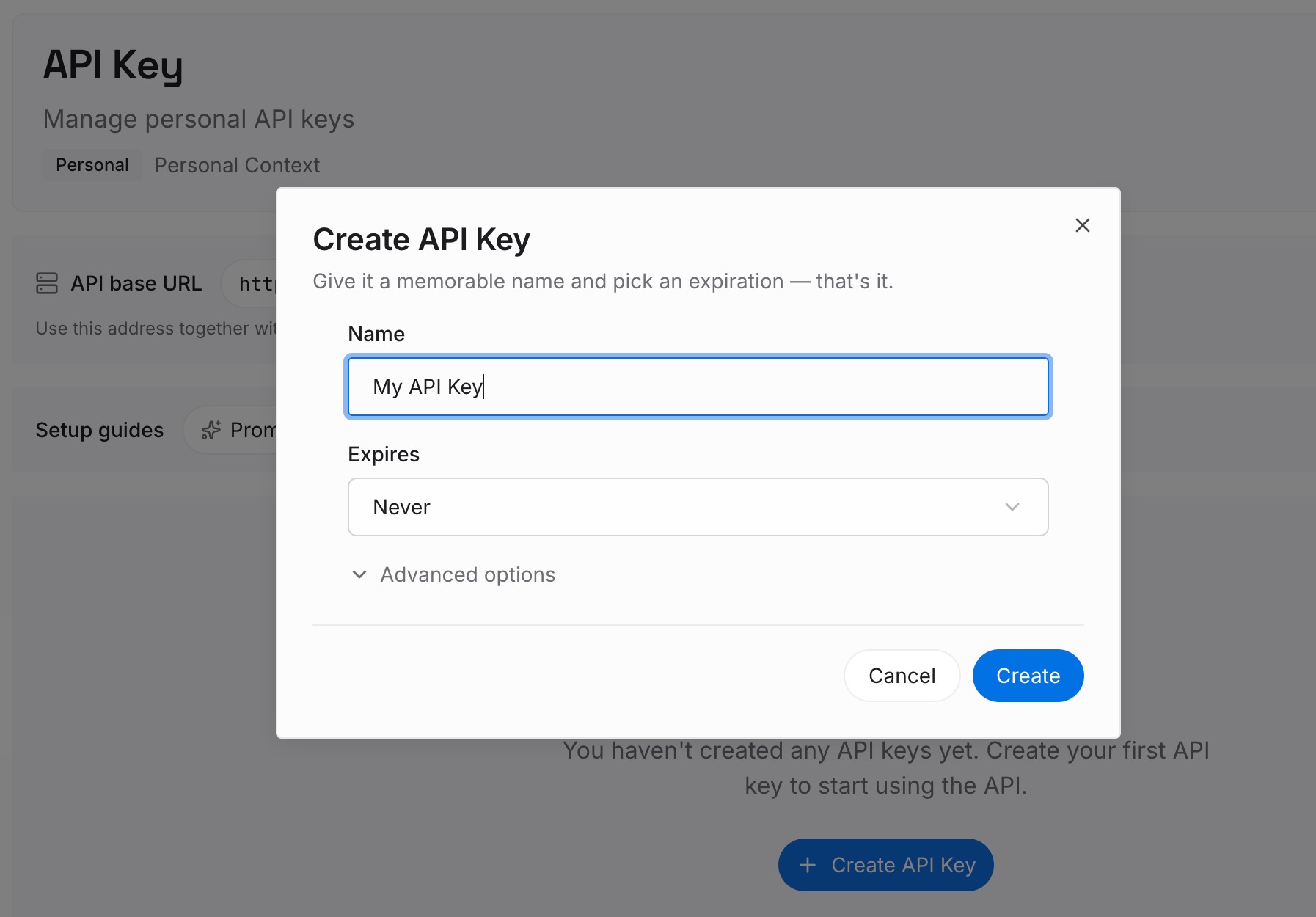
Step 1: Create an API key
Generate a key and make your first request in about 30 seconds. Keep it in your environment or a secret manager — note that a message from another session is explicitly barred from changing your configuration, and your credentials deserve the same treatment.
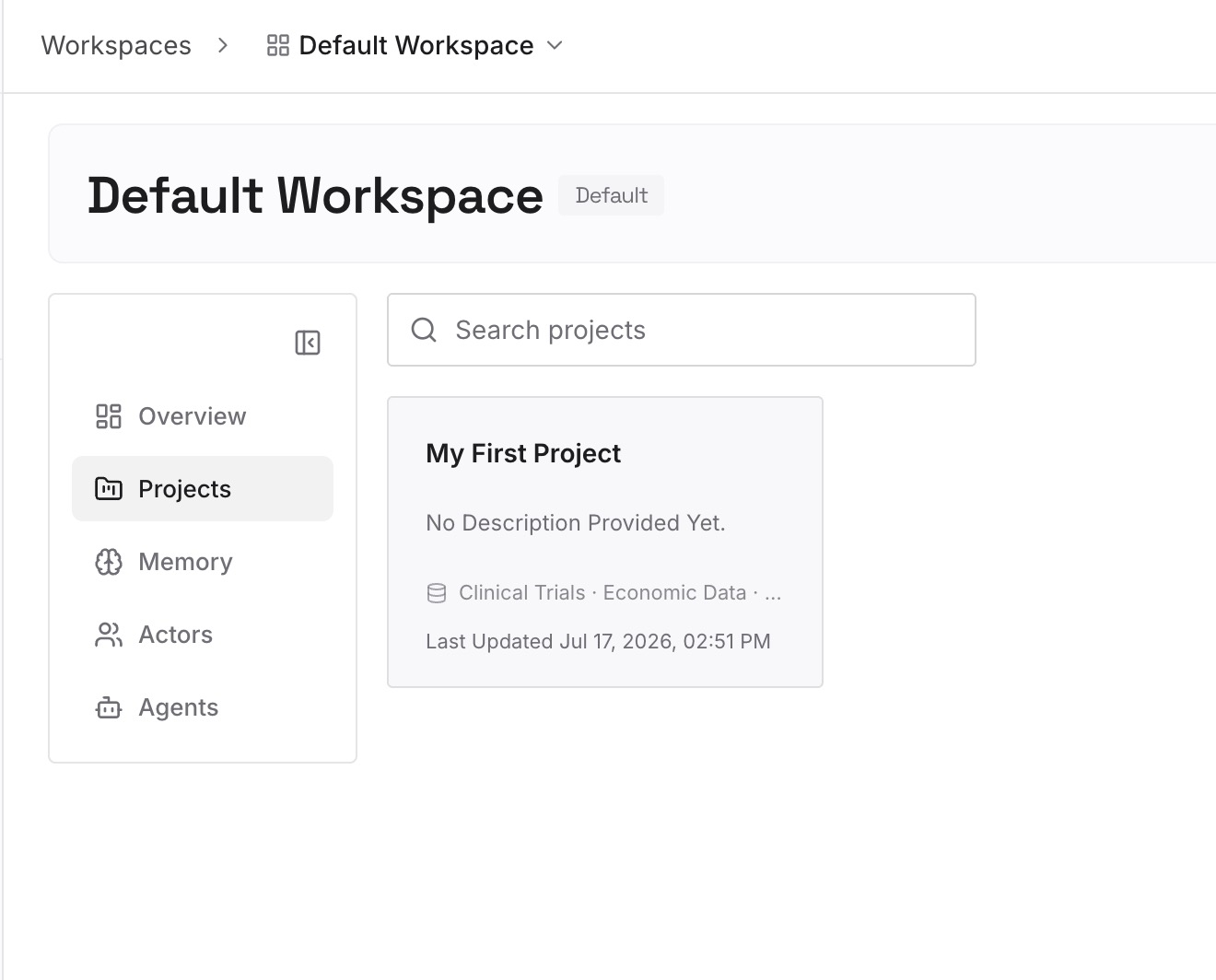
Step 2: Upload your first memories
Drop in the documents, images, and files that hold what your sessions keep re-discovering: the architecture decisions, the schema notes, the constraints someone hit last week. Upload sources rather than summaries where you can — the whole problem with a passed message is that it was already a summary.
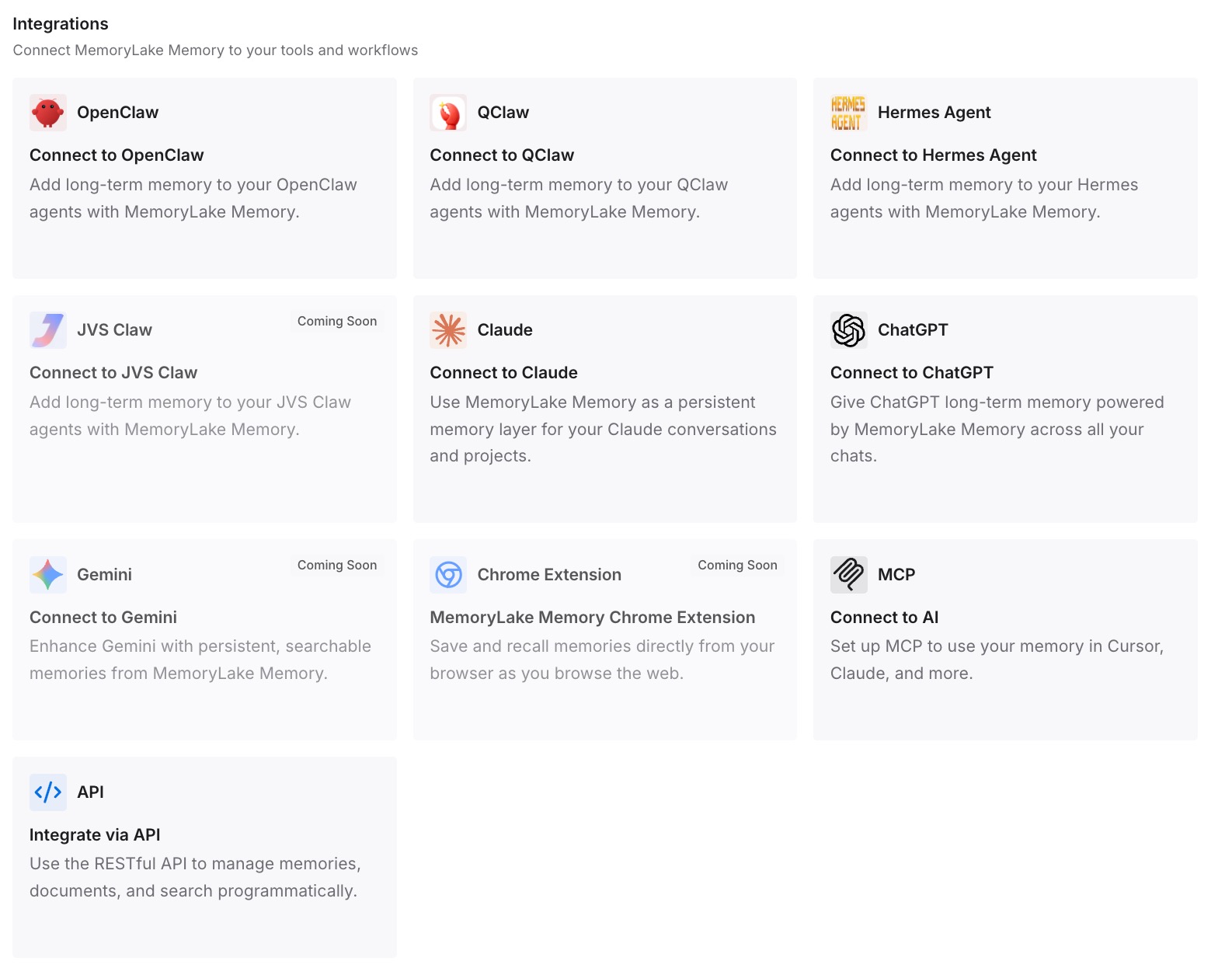
Step 3: Connect your AI & agents
Give Claude, Codex, OpenClaw, and other AI agents access to memory via MCP or the API. Claude Code supports MCP servers, so each session reads the same store from its own configuration — including the ones messaging can't reach, like a session on native Windows or inside a container isolated from the host.
What this changes in practice
The first difference is that a finding stops being a message and becomes a fact. Session A discovers that the vendor API returns 200 on failure; instead of pinging session B and losing it when both close, it goes in the store and every future session has it.
The second is that the machines and containers messaging can't bridge stop being a problem. Cross-machine messaging is reply-only and container-isolated sessions can't see each other's sockets — but they can all reach an API. Your work laptop and your container both read the same knowledge, which is the practical version of not losing context across machines.
The third is that messages get shorter and better. When the shared base is already there, the message only has to carry what's new — "rebasing on main is safe now" rather than a paragraph re-establishing what the migration was.
And it survives the tool. A schema decision is true in Codex and Cursor too. Kept in conversations between Claude Code sessions, it's a Claude Code artifact; kept in a store, it's reachable from any agent that speaks MCP.
Best practices for running multiple sessions
Name your sessions
A session answers to the name you set with /rename or the --name flag; without one, Claude Code derives a name from the working directory's folder, like myapp-3f. Two sessions can end up with the same name, distinguished by working directory in /list-agents. Naming them for what they're doing — migration, payments-api — makes Claude's addressing reliable and makes the messages readable to you later.
Use /list-agents to diagnose, not to send
You never need to run it before asking Claude to send, since Claude finds the target itself. Where it earns its keep is troubleshooting: if /list-agents isn't recognized, the session doesn't have the feature — check claude --version first. If it works but a message didn't arrive, something narrower applies: a permission deny rule, the receiver's inbound controls, or the reply-only limit for sessions beyond this machine.
Decide inbound policy deliberately for unattended workers
A claude -p worker binds an inbox socket and appears in the listing, but it can't show an approval dialog, so a held message stays held. If you want a headless worker to accept messages, set crossSessionInbound to accept in its --settings — not in your user settings, which would apply to every session you run.
Send decisions to the store, statuses to the session
A good rule of thumb: if it's true only right now ("the test run finished," "I'm rebasing"), message it. If it will still be true next month ("we chose tenant_id over org_id because of the shared-schema constraint"), write it to the store. Statuses expire; decisions shouldn't.
Don't rely on messaging where it isn't available
Beyond the OS requirement, cross-session messaging isn't available on Amazon Bedrock, Claude Platform on AWS, Google Cloud's Agent Platform, or Microsoft Foundry, and it stays off when environment variables like CLAUDE_CODE_DISABLE_NONESSENTIAL_TRAFFIC, DISABLE_TELEMETRY, DO_NOT_TRACK, or DISABLE_GROWTHBOOK disable the feature-flag evaluation it depends on. If your setup hits any of those, a shared store is the only channel you have.
Conclusion
Claude Code sessions messaging each other is a real improvement and worth turning your workflow toward — it removes the copy-paste between terminals for exactly the case where one session needs to tell another something mid-task. Just read the documentation's own framing: a message is text, "never conversation history or files," and moving a conversation's context means resuming the session.
So use the channel for what it is. Coordination goes over messaging, one conversation moves by resuming, a supervised group uses agent teams — and the knowledge that should still be true next month goes in a store every session reads. That last layer is the one Claude Code doesn't ship, and it's the one that makes three terminals feel like one project.