
Why chat and agents follow different instructions
Start with Project rules. JetBrains' documentation describes them as guidance for chat: "By default, project rules are automatically added to each chat session, so AI Assistant adheres to the provided guidelines." You create one in settings, and "This creates an .aiassistant/rules folder with the .md file in it."
Each rule has a type, which decides when it applies:
- "Always – applied automatically to all chat sessions."
- "Manually – applied only when explicitly invoked in the chat using @rule: or #rule:, or added via the Add attachment action."
- "By model decision – applied when the model considers the rule relevant." For this type, "You must also provide an Instruction so AI Assistant can understand when the rule should be applied."
- "By file patterns – applied when a file referenced in the chat matches the specified file pattern (for example,
*.ktorsrc/**)." - "Off – the rule is inactive and not applied."
Every one of those descriptions mentions chat. That is deliberate. JetBrains' page on agent instructions draws the line explicitly: "Project rules are configured in the IDE and apply only in AI Assistant chat mode."
Agents use instruction files instead. "Agents can be configured using instruction files in your project that define how they should behave in your codebase, including coding conventions, architectural constraints, and common workflows." And which file depends on the agent: "Most agents rely on an AGENTS.md file for reusable guidance, though some use their own format. For example, Claude Agent gets its instructions from CLAUDE.md."
The agent pages confirm it. "Junie reads instructions from the AGENTS.md file in the root project directory, so you can keep them under version control and reuse them across the project." And for the other agent: "Claude Agent reads instructions from the CLAUDE.md file in the root project directory."
JetBrains even states the intended division of labor: "Use instruction files to share guidance across tools and environments, and Project rules to customize behavior within AI Assistant." The difference in reach matters too. Instruction files "are used by the selected coding agent and travel with your repository," while Project rules, in JetBrains' words, are "configured in the IDE."
Put together, one project can have three instruction sources, and which one applies depends on a dropdown.
Junie's standalone CLI adds one more wrinkle: it has its own discovery order for guidelines, which checks .junie/AGENTS.md before the root file. That route is covered in placing Junie guidelines without cutting off your rules folder. This guide is about AI Assistant's chat mode and the agents inside the IDE.
What people try instead
Writing everything as Project rules. The rules UI is right there in settings, with types and file patterns, so it feels like the main place for instructions. It is the main place for chat. Agents follow instruction files.
Writing everything in AGENTS.md. Better for sharing across tools, and Junie reads it. But chat mode applies Project rules, and Claude Agent reads CLAUDE.md.
Keeping one CLAUDE.md from an earlier Claude Code setup and assuming Junie will pick it up. Junie's page names AGENTS.md. If your team is moving between the two formats, migrating CLAUDE.md to AGENTS.md covers what to watch for.
Setting every rule to Always. Always rules are applied "automatically to all chat sessions," which is fine for a short list but expensive for a long one. Other tools with trigger modes face the same trade-off, as choosing a trigger mode for every Windsurf rule shows.
Assuming the agent saw your rules because the chat did. Different modes, different sources. The only reliable check is to look.
The Fix: Make AGENTS.md the shared source, then give each mode what it reads
The goal is one set of team conventions that every mode follows, with chat-only tweaks where they genuinely belong.
Step 1: Map what each mode reads in your project today
Open the project and list three things.
The rules folder: every file in .aiassistant/rules, with its type. Note which are Always, which depend on file patterns, which are manual or model-decided, and which are Off.
The root AGENTS.md: whether it exists, and what it covers. JetBrains' agent instructions page suggests a typical file includes project context, development rules, repository conventions, common tasks, restrictions and a definition of done.
The root CLAUDE.md: whether it exists, and whether it says the same thing as AGENTS.md or has drifted.
Then compare. Anything that appears in only one place is an instruction some modes may not receive. Anything that appears in two places with different wording is a conflict waiting to surface.
Step 2: Put team conventions in AGENTS.md, mirror them for Claude Agent, and keep chat-only guidance in rules
Move the conventions every mode should follow into the root AGENTS.md: build and test commands, architecture boundaries, naming rules, what not to touch, and what "done" means. This is the file JetBrains recommends "to share guidance across tools and environments," and it travels with the repository, so teammates and other agents get it too.
If anyone on the team uses Claude Agent, give CLAUDE.md the same conventions. Pick one file as the source of truth, and make updating the other part of the same change. A short note at the top of each file saying which one is canonical saves a lot of confusion later.
Then trim the rules folder to what is genuinely chat-specific: how answers should be formatted, which explanations to favor, reminders that only make sense in a conversation. For each remaining rule, choose the type deliberately. Use Always for the few rules that apply to every chat. Use file patterns for language- or folder-specific guidance, such as a rule scoped to *.kt. Use model decision for broader rules, with a clear instruction describing when they apply.
If a rule duplicates something now in AGENTS.md, remove the duplicate from the rules folder or reduce it to a pointer. Two copies of the same convention will eventually disagree.
Step 3: Verify in each mode, not just one
Chat mode has a built-in check. JetBrains explains: "To check whether the rules were applied, expand the list of attachments at the beginning of the AI Assistant's response." Ask a question that should trigger a specific rule, then look.
For agents, ask directly. Start a short task with Junie and ask it to list the project conventions it is following before it begins. Do the same with Claude Agent. If either one misses a convention, the file it reads is missing it.
Finally, run the same small request in Chat, Junie and Claude Agent and compare. The answers will differ in style, since chat mode "provides responses and suggestions but does not apply changes to your project automatically," while agents "can perform multi-step actions in your project, modify multiple files, and report progress during execution." But the conventions they follow should match.
While you are there, check .aiignore. JetBrains notes that "Junie respects the existing .aiignore file, so if you have one configured in your project, it will not process any files or directories listed there unless you explicitly permit it to do so." Make sure it excludes what it should, and nothing an agent needs.
Setting this up in MemoryLake
Aligning the three files covers conventions that belong to one repository. Some context is bigger than that: decisions that span several projects, the reasons behind a convention, lessons a team learned the hard way, and the same background needed in tools outside JetBrains. MemoryLake is a place to keep that layer so every assistant your team uses starts from it.
You write the entries yourself, in your own words. Nothing is read out of, written to, or deleted from your .aiassistant/rules folder, your instruction files, or any vendor's store.
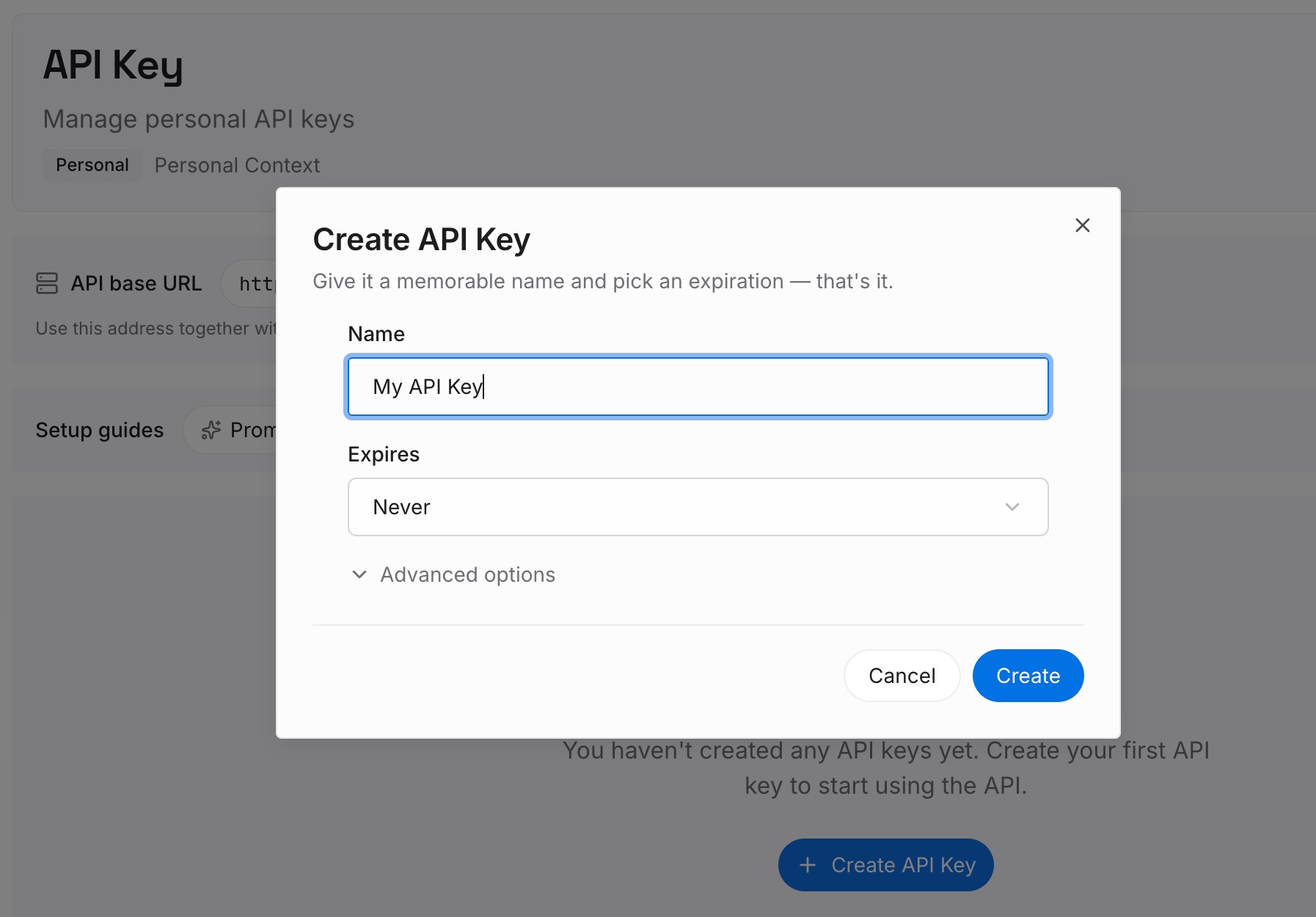
Step 1: Create an API key
Sign in and generate a key from the dashboard. The key is what lets an agent read the entries you have written, whichever IDE or mode it runs in.
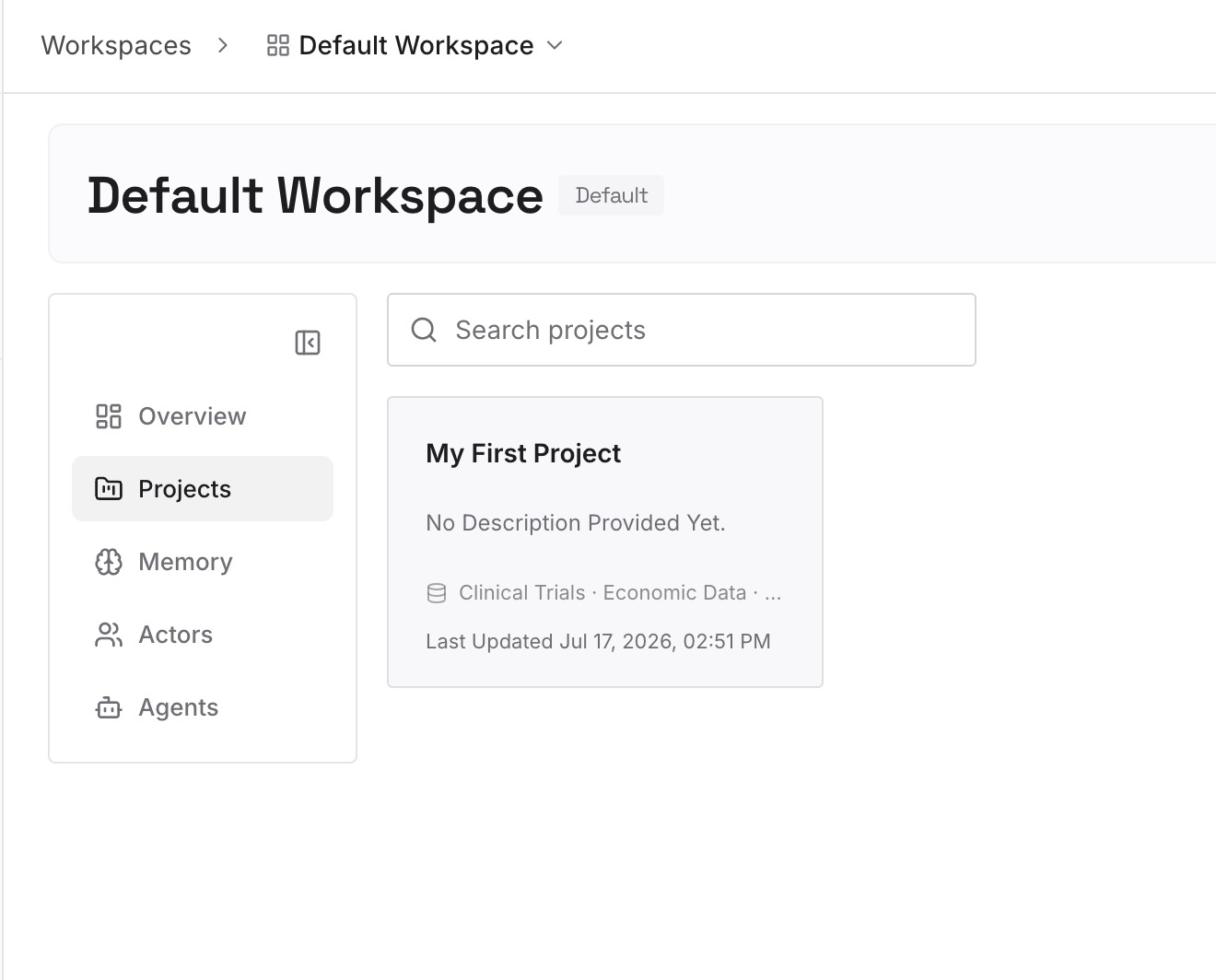
Step 2: Upload your first memories
Start with what Step 1 surfaced that no single repository file should hold: cross-project decisions and the reasons behind your conventions. One decision per entry, with the reason attached.
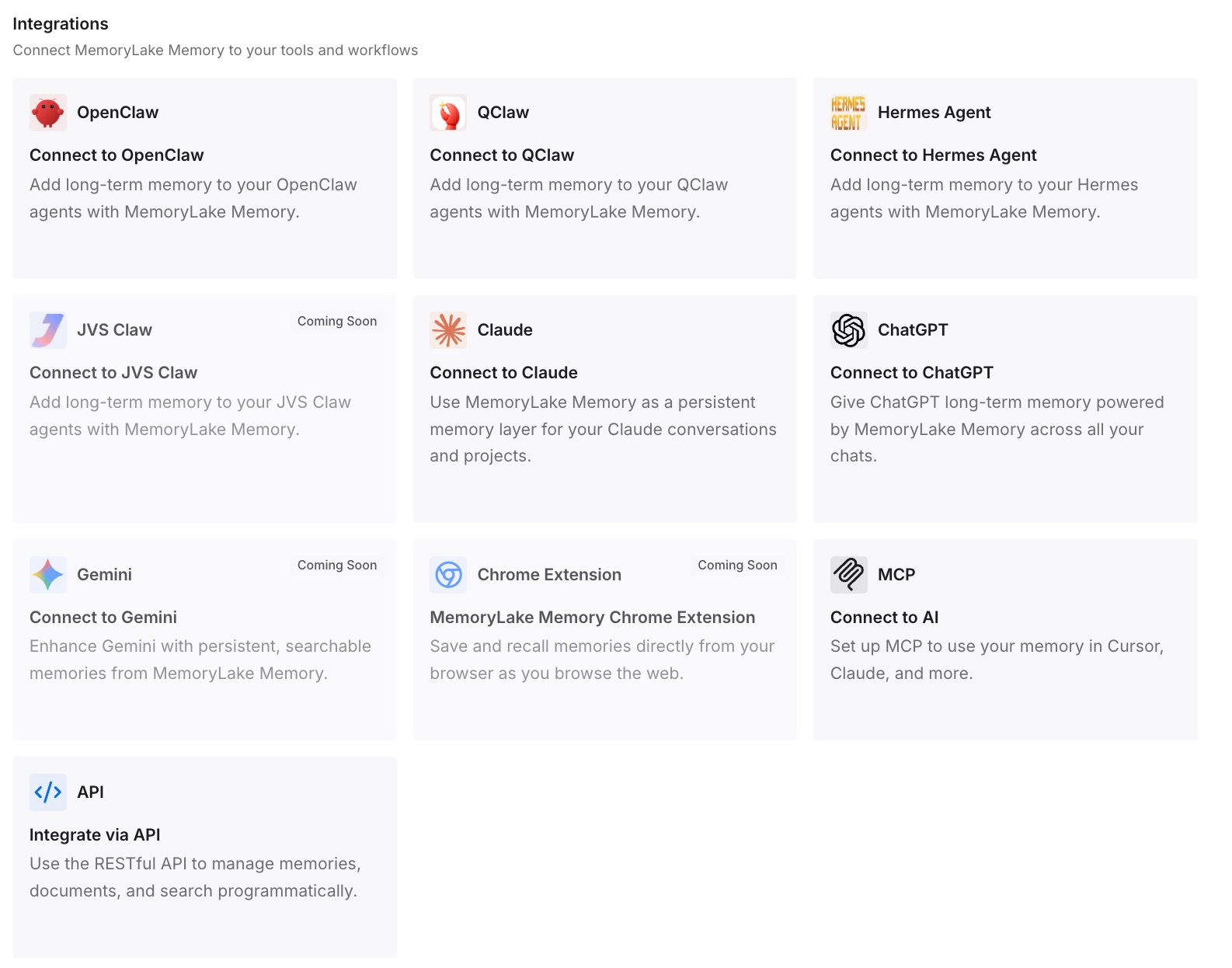
Step 3: Connect your AI & agents
Connect the assistants and coding agents your team uses. The same background is then available alongside AGENTS.md, including in tools that read neither it nor your rules folder.
What this changes in practice
The first difference is that switching modes stops changing the rules. Once conventions live in AGENTS.md and CLAUDE.md and the rules folder holds only chat-specific guidance, moving from Chat to Junie to Claude Agent keeps the same standards in force.
The second is that the repository becomes the source of truth. Instruction files travel with the code, so a new teammate, another IDE or another agent picks up the same conventions. It is the same principle behind Claude Code reading AGENTS.md when there is no CLAUDE.md: shared files beat tool-specific settings.
The third is that "the agent ignored our rules" becomes diagnosable. With a map of which mode reads which file, you can tell whether an instruction was missing, out of date, or simply never loaded. The broader version of this problem is covered in why AI agents ignore the instruction files you wrote.
The fourth is fewer silent conflicts. Two copies of a convention in two files will drift. One canonical file, with the other mirroring it, keeps disagreement visible.
Best practices for JetBrains AI Assistant instructions
Treat Project rules as chat settings. JetBrains states they "apply only in AI Assistant chat mode."
Keep team conventions in the root AGENTS.md. Junie reads it, and it travels with the repository.
Mirror conventions in CLAUDE.md if anyone uses Claude Agent. Claude Agent reads CLAUDE.md from the project root.
Name one file as canonical. Update the mirror in the same change.
Choose rule types deliberately. Keep Always rules few; use file patterns and model decision for the rest.
Check the attachments list in chat. It shows which rules were applied to a response.
Ask agents to state their conventions. It is the quickest way to confirm what an agent actually read. Other tools offer similar checks, as in telling which Tabnine guidelines are in effect, and the same discipline prevents Cursor forgetting project rules.
Conclusion
JetBrains AI Assistant is clear about where each mode gets its instructions. Chat mode applies Project rules from .aiassistant/rules. Junie reads the root AGENTS.md. Claude Agent reads the root CLAUDE.md. The documentation even says how to divide the work: instruction files "to share guidance across tools and environments," and Project rules "to customize behavior within AI Assistant."
The risk is that the three sources drift apart behind a single dropdown. Map what each mode reads, put team conventions in AGENTS.md and mirror them for Claude Agent, keep chat-specific guidance in rules with deliberate types, and verify in every mode.
Keep the context that is bigger than one repository in a layer every tool can reach, and switching between chat and agents will stop meaning switching between different sets of rules.