
What Manus said, precisely
The dates, in the time zones you actually use
Manus published all three conversions, which is unusually considerate, so here they are as stated.
Backup window: open now, running until 7:59 p.m. EDT on August 22 / 1:59 a.m. CEST on August 23 / 7:59 a.m. SGT on August 23, 2026.
Deletion: "from 8:00 a.m. on August 23 through August 24, 2026 (SGT)."
Restore portal opens: 8:00 p.m. EDT on August 24 / 2:00 a.m. CEST on August 25 / 8:00 a.m. SGT on August 25, 2026.
The gap in between is not optional. "Once the backup window closes, affected users will not be able to access their Manus account until the data restoration portal opens." Manus expects "affected users to lose access for two days—from August 23 through August 24, 2026 (SGT)."
Who is affected, and how you'll be told
Only some users, and only some data: what's in scope is "data generated by certain users on/after December 29, 2025." The FAQ explains the date — "On December 29, 2025, Meta acquired Manus. Data generated by some users on/after Meta's acquisition of Manus needs to be deleted to comply with regulatory requirements in specific jurisdictions."
Notification goes out through the Manus app and by email, with one specific gap Manus flags itself: "For users who registered for Manus using an Apple ID or Facebook account, please check your in-app notifications, as we do not have your email address." If that's how you signed up, email won't reach you. Manus also says it will "send you multiple reminders before 7:59 a.m. on August 23 (SGT)," and points to a help center guide for checking whether your own account is affected.
Unaffected users: "Unaffected users can continue using Manus as usual throughout this period, without taking any action." They won't get an email, just an in-app notice confirming they're unaffected.
What the backup tool does — and the detail people will miss
Manus says it developed "data backup and restoration tools to make this process as easy as possible for affected users." The important operational detail is this one: "The backup tool supports multiple backups. If you generate new task data after backing up, please back up again to ensure the latest data is saved before it's deleted from August 23 through August 24, 2026 (SGT)."
So a backup you run today does not cover work you do tomorrow. If you're actively using Manus in the days before the window closes, the last useful action is another backup. Set a reminder for August 22.
Manus is also waiving charges during the window — "We won't charge affected users during the data backup period (August 11–August 23, SGT)" — and says it will provide "welcome back bonuses after you restore your data."
What this is not
Worth stating clearly, because a headline about scheduled data deletion invites the wrong assumption. Asked directly whether this is due to a breach, Manus answers: "No. This measure stems from Manus transitioning to independent operations and to comply with regulatory requirements. It is not the result of any security incident."
On where data lives afterward, Manus says its data is stored in the United States and Singapore, and points to its trust center for handling details.
What the backup covers, and what it doesn't
The tool does its job: your Manus data goes out, and after August 25 it goes back in. What that gives you is continuity of the account — your tasks and artifacts return to the place they were.
What it doesn't give you is portability of the knowledge. Two consequences follow, and only one of them is about this week.
During the two-day blackout, the work doesn't stop. Whatever your Manus agent had learned about your project — the constraints, the decisions, the approaches you'd already rejected — is inside an account you can't open. If you continue the work in a different tool for those two days, you start from nothing, because your project context and your Manus account were the same thing.
And the general case is the point. A backup format designed to restore into one product is, by definition, not a format any other product can read. That's true of every assistant, not just Manus: memory accumulates inside the tool that helped you build it, so the tool's availability becomes your knowledge's availability. This week just happens to put a date on it. If you've felt the smaller version of this, it's what's behind Manus forgetting project history and Manus forgetting research notes between runs.
What people will do instead
Run the backup and hope two days is quiet. Reasonable, and it works if your Manus work isn't on the critical path this week. Check your calendar before assuming.
Screenshot the important tasks. Fast, and it produces images nothing can query. Better than nothing for a two-day gap; useless as a working setup.
Re-explain everything to a second assistant for the interval. What most people will actually do. It's a full re-derivation of context you already paid for once, and it gets thrown away when Manus comes back.
Copy conclusions into a document. The right instinct, wrong container. A document nothing reads is an archive; you'll be re-reading it to a chat window by hand.
Move to another tool permanently. An overreaction to a documented, time-boxed transition — Manus has been explicit about the mechanics and is covering the cost. If you were already migrating, moving Manus to ChatGPT and moving Manus to Claude cover the routes; a two-day maintenance window is a poor reason to start.
The Fix: Keep the Knowledge Somewhere the Blackout Doesn't Reach
Do the official backup — that's not optional and nothing here replaces it. Then spend twenty minutes doing the thing that makes the next event uneventful: write down what your agent knows, in a place that isn't inside any one account.
That's what MemoryLake is: a memory layer your assistants read from, holding your project's durable knowledge independent of which tool is available today. Setup is three steps.
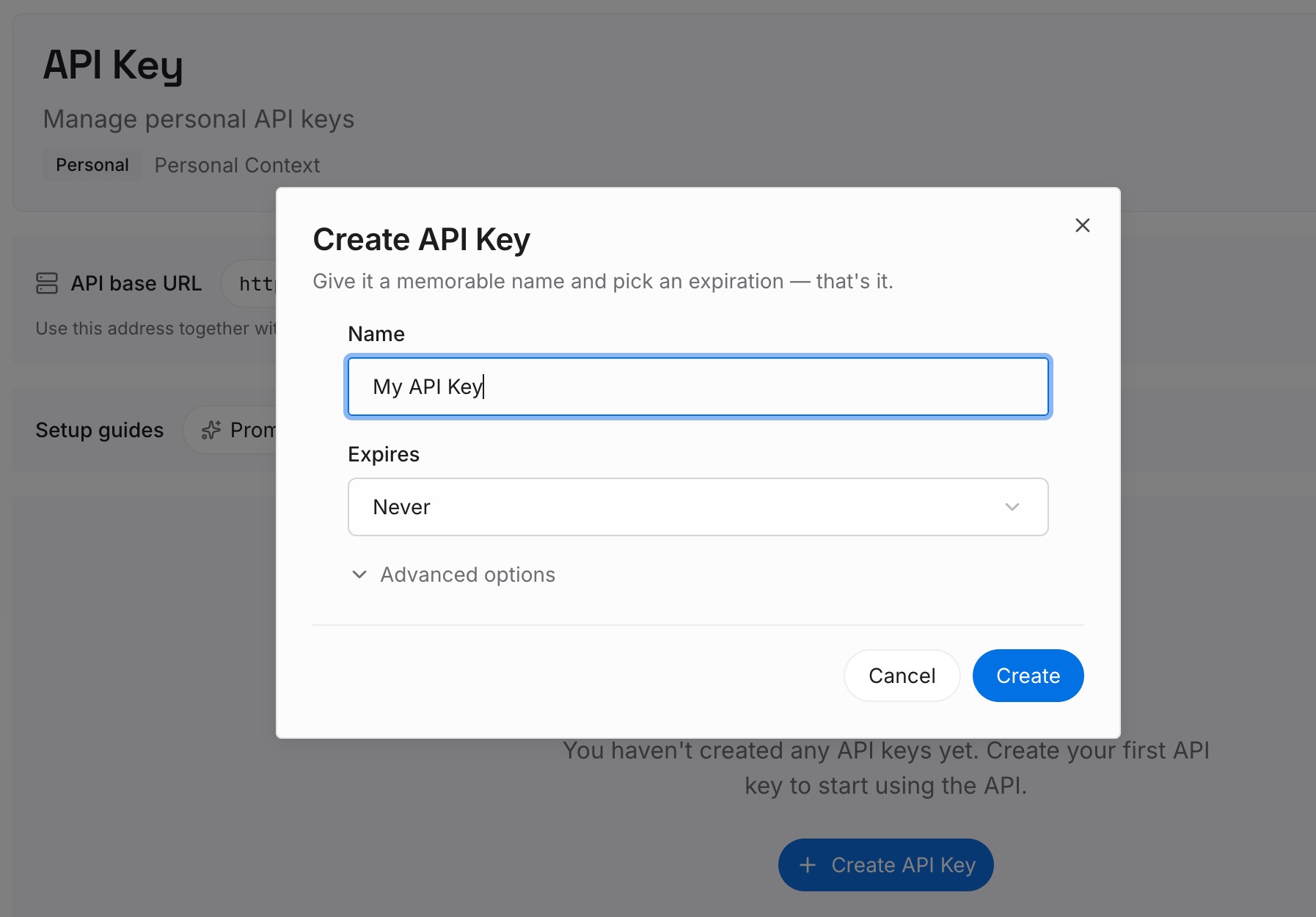
Step 1: Create an API key
Sign in to MemoryLake and create an API key. One credential across the tools you connect — and deliberately not tied to the account you're currently backing up.
Step 2: Upload your first memories
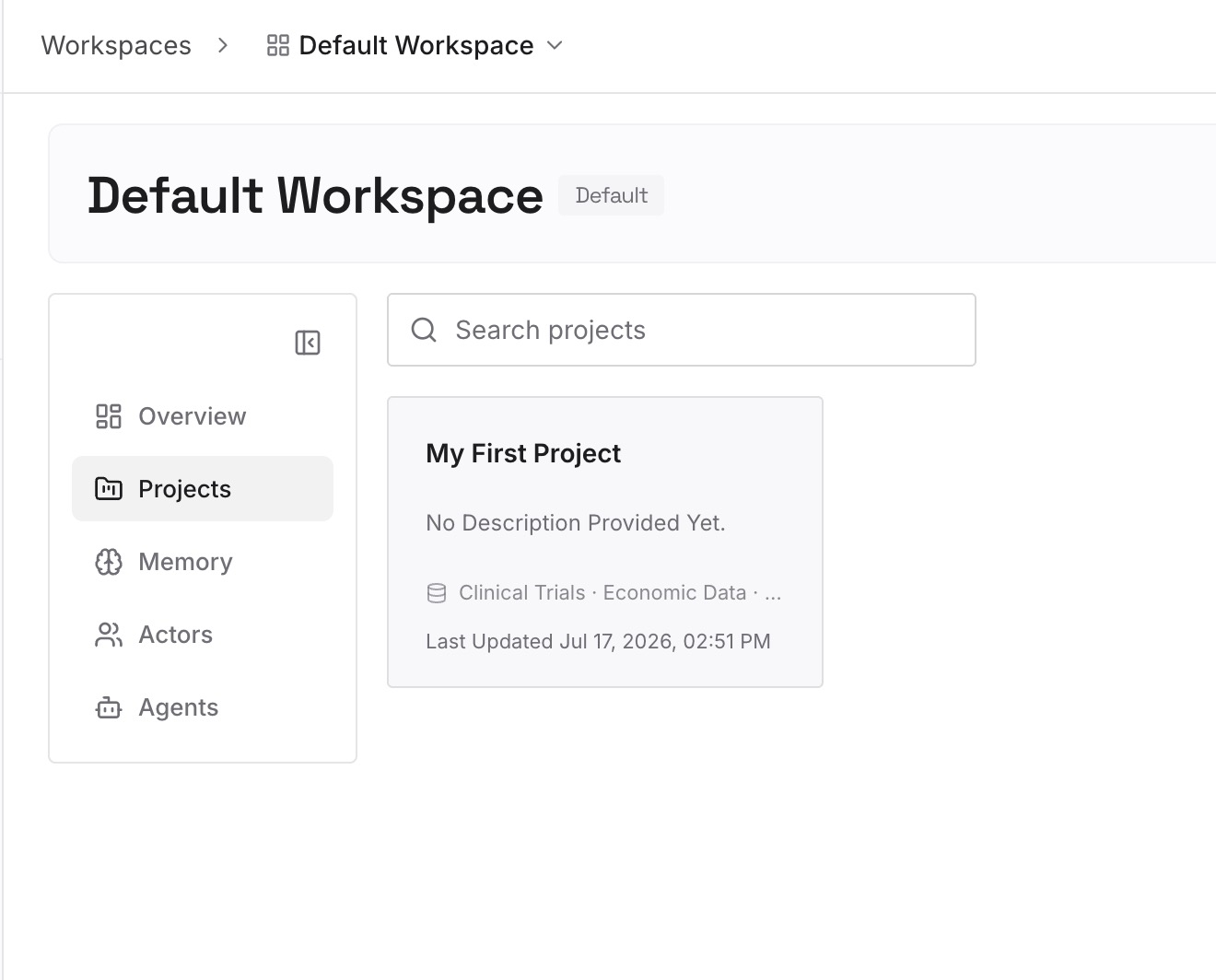
While you still have access, go through your active Manus work and write out the knowledge rather than the artifacts. The tasks and outputs are what the backup tool handles; what it can't hand to anything else is the reasoning. Capture:
The decisions and why. What you settled on, and the constraint that made it the answer.
The rejections. What you tried in Manus that didn't work, with the reason. This is the highest-value category and the one that costs the most to rediscover — every fresh agent will propose it again.
The constraints that look arbitrary. Deadlines, data limits, client requirements, the API that rate-limits differently than documented.
The corrections you've repeated. Anything you've had to tell an agent more than once is a missing memory entry announcing itself.
Keep entries short — one claim each, plainly stated. Twenty minutes of this covers more than an hour of screenshots.
Step 3: Connect your AI & agents
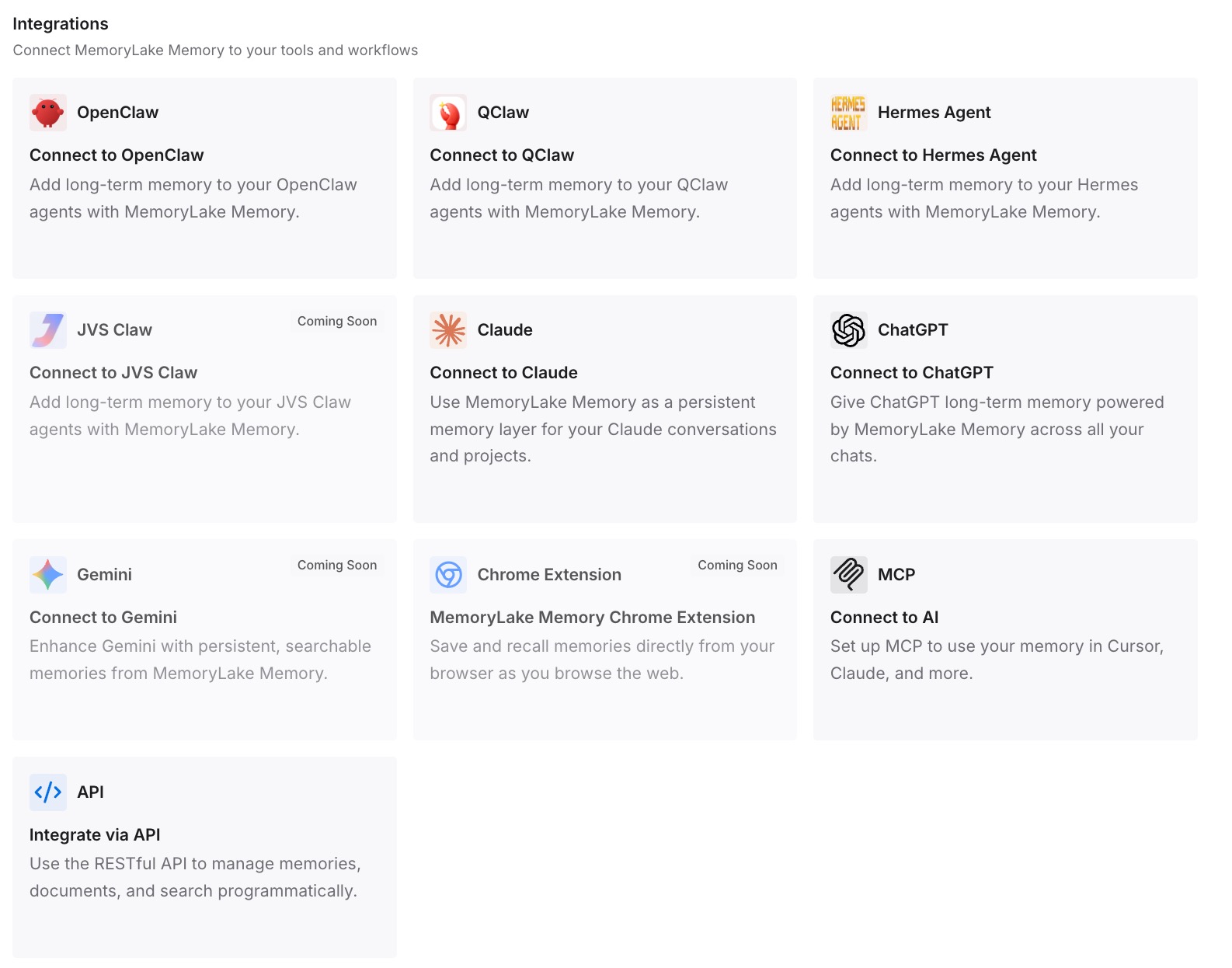
Connect the tools you use. MemoryLake is reachable over MCP and over an API, so MCP-native agents — Claude Code, Codex, and OpenClaw among them — connect by pointing at the MCP server, and other assistants read the same memory through the API. Then the two-day gap is a tool outage rather than a knowledge outage: you work somewhere else with the same context, and when Manus comes back on August 25 you pick up where you were.
Three honest limits, and they matter this week. MemoryLake is not a Manus backup tool — it cannot export your Manus tasks, cannot restore them, and is not a substitute for running the official backup before the deadline. It holds only what you or your agents write into it. And it isn't a compliance or retention system.
What this changes in practice
A scheduled outage stops being a work stoppage. Two days without an account is survivable when the context isn't in the account.
Corporate events stop being your problem. Acquisitions, spin-offs, regional compliance changes, plan migrations — these happen across this whole category, on someone else's schedule. Knowledge kept outside any single vendor is unaffected by all of them.
Re-explaining stops being the fallback. The default plan for an interruption is to brief a second assistant from memory. When the briefing is already written down and retrievable, the second assistant starts informed.
Restore day is faster. After August 25, you don't have to reconstruct what you were doing on the 22nd — the reasoning is written down, whatever happened to the tasks.
Tool choice becomes a preference again. The reason people feel locked into an assistant is the accumulated context, not the features. Moving that out is what makes the next choice free — the shape covered in cross-tool memory for knowledge workers.
Best practices before the deadline
Check whether you're affected first. Manus points to a help center guide for this. Don't infer from silence — especially if you signed up with Apple ID or Facebook, since Manus says it doesn't have your email address in that case.
Back up now, then back up again on August 22. The tool supports multiple backups, and Manus explicitly asks you to re-run it if you generate new task data. The last backup before the window closes is the one that matters.
Set the deadline in your own time zone. 7:59 p.m. EDT August 22 / 1:59 a.m. CEST August 23 / 7:59 a.m. SGT August 23. Put it in your calendar with a two-hour buffer.
Plan the two days, don't discover them. Move anything Manus-dependent off August 23–24 (SGT), or make sure you can do it elsewhere.
Write down the reasoning before you lose access, not after. The tasks come back on the 25th. The reasoning was never in the tasks.
Don't panic-migrate. This is a documented, time-boxed transition, with the mechanics published, charges waived, and tools provided. Treat it as maintenance.
Take the lesson, not just the action. Once you've written your project knowledge down somewhere portable, this class of event stops requiring a response at all.
Conclusion
Manus handled this about as well as a compelled deletion can be handled: published dates in three time zones, backup and restore tools built for the job, charges waived during the window, repeated reminders, and a direct answer that this is not a security incident. If you're affected, run the backup — and run it again on August 22, because new work since your last backup isn't covered.
The part worth carrying past this week is the structural one. The backup restores your data into Manus, which means for two days your project's accumulated context is exactly as available as your account is. That's not a Manus flaw; it's how memory works in every assistant. The twenty minutes you spend writing down decisions, constraints, and rejections somewhere portable is what turns the next scheduled outage — anywhere, any vendor — into something you read about rather than something you plan around.