
Why "export my data" isn't a memory backup
The export contains conversations, not the memory model
Think about what memory is for a moment. It isn't a file that lives somewhere retrievable; it's a running summary the model maintains and consults. A conversation archive contains the inputs. Recreating the summary from the inputs would require re-having all the conversations.
One thing the export does include, and it's worth knowing: custom instructions. The custom instructions FAQ answers "Are custom instructions included in my ChatGPT data export?" with a flat "Yes." So the part of your setup that you declared explicitly is backed up. The part that was inferred is not.
The only documented way to read your memory is to ask for it
There's no memory export, and OpenAI is direct about the limits of the summary view: it "will not include everything that ChatGPT remembers based on your chats," followed by the practical advice — "If you want to know if ChatGPT has remembered something, just ask in chat."
Take that seriously as a backup instruction, because it's the documented method. Open a normal conversation and ask ChatGPT to write out what it knows about you and your work, verbatim. Then ask again from different angles — what it knows about your writing style, about this specific project, about things you've asked it not to do. A synthesis has no index, so each framing surfaces different material. If the summary looks emptier than expected, there's a documented refresh path: Settings, then Personalization, then Memory Summary, then Manage, then Refresh from the three-dot menu. General troubleshooting is in what to do when ChatGPT memory isn't working.
Three timing traps in the export flow
The export itself is straightforward — Settings, then Data controls, then under Export data select Export, then Confirm export — but three documented details catch people at the worst moment.
It can take up to seven days. OpenAI states "Exports can take up to 7 days to arrive," delivered by email or SMS. If you're exporting because something is about to change, seven days is a long lead time. Request it before you need it.
The download link expires in 24 hours. "The download link expires 24 hours after you receive it." Miss the window and you request again — and wait again.
You must be signed in to the same account. "Download the export while you are signed in to the same account that requested it." Obvious until you're exporting because you're losing access to that account.
One more: if you've already requested an export, wait for it to finish before requesting another.
It isn't available on Business or Enterprise
This is the constraint most teams discover too late. The availability rules for exports requested from ChatGPT settings: "Available for Free, Plus, Pro, and eligible ChatGPT Edu workspaces," "Not available while you are logged out," and explicitly "Not available for ChatGPT Business or Enterprise workspaces."
If your work account is on Business or Enterprise, the self-serve export isn't your path. The Privacy Portal route exists for consumer accounts — Make a Privacy Request, select "I have a consumer ChatGPT account," then "Download my data" — and for Edu there's a separate admin-enabled flow. On Business and Enterprise, this becomes a conversation with your workspace admin rather than a button you press.
What can actually remove memory, all of it documented and mundane
None of this requires a dramatic scenario. The documented ways memory or its sources disappear:
An admin turns off workspace Memory. OpenAI states that if a workspace owner turns off Memory for the workspace, "existing saved memories for members in that workspace are deleted." A configuration change by someone else removes what you accumulated.
You delete conversations. Reasonable housekeeping, and it removes the source material — plus, if you use connected apps, "Deleting a conversation deletes any synced app data retained in that conversation." More on that boundary in why ChatGPT connectors don't remember your decisions.
You reset memory, or delete the account. Both are intentional and both are thorough. Custom instructions tied to a deleted account are removed within 30 days as part of that process.
Your account changes. Memory is per account — "Tied to each individual account. Not transferable to other users, even within the same Business workspace." Change jobs, change accounts, start over.
And the general shape of it, from OpenAI's own guidance about deletion: "To fully delete something ChatGPT may know about you, you'll need to delete every source where it appears, including past chats, archived chats, files, the memory summary, and disconnect any connected apps." Read that from the backup direction and it's a map of everywhere your context lives — which is exactly what makes a single-button backup impossible.
What people try
Clicking Export and filing the ZIP. Necessary, insufficient. You've backed up the transcripts and your custom instructions; the derived layer isn't in there.
Screenshotting the memory summary. Better than nothing, and it captures the part OpenAI says is incomplete. The summary is a view, not the whole store.
Copying favorite conversations into a document. Preserves specific exchanges, and it's the transcripts again rather than the conclusions.
Assuming the account will always exist. The most common plan. It survives right up until an admin changes a workspace setting or you move jobs.
Waiting until something goes wrong. Guaranteed to collide with the seven-day export window and the 24-hour link.
Starting a new account to "clean up." Loses everything that was working. And the accumulation problem restarts immediately — the wall described in when ChatGPT memory is full.
The Fix: Two Artifacts, and a Home That Isn't the Vendor's
Do the backup properly, then stop needing to do it again.
Artifact one: the export. Request it now, before you need it, from Settings → Data controls → Export data. Store the ZIP somewhere you control. Remember the seven-day lead time and the 24-hour link.
Artifact two: the memory snapshot. In a normal conversation — not a Temporary Chat, which per OpenAI does "not use existing memories or create new memories" — ask ChatGPT to write out what it knows about you verbatim, then ask again by topic. Save the output as text. That's the derived layer, captured the only documented way it can be.
Then the part that changes the arithmetic: put artifact two somewhere that isn't inside any one assistant, so the next backup is unnecessary. That's what MemoryLake is — a memory layer your assistants read from, holding your context independent of any vendor's account state. Setup is three steps.
Step 1: Create an API key
Sign in to MemoryLake and create an API key. One credential across the tools you connect, and not tied to the account whose memory you just snapshotted.
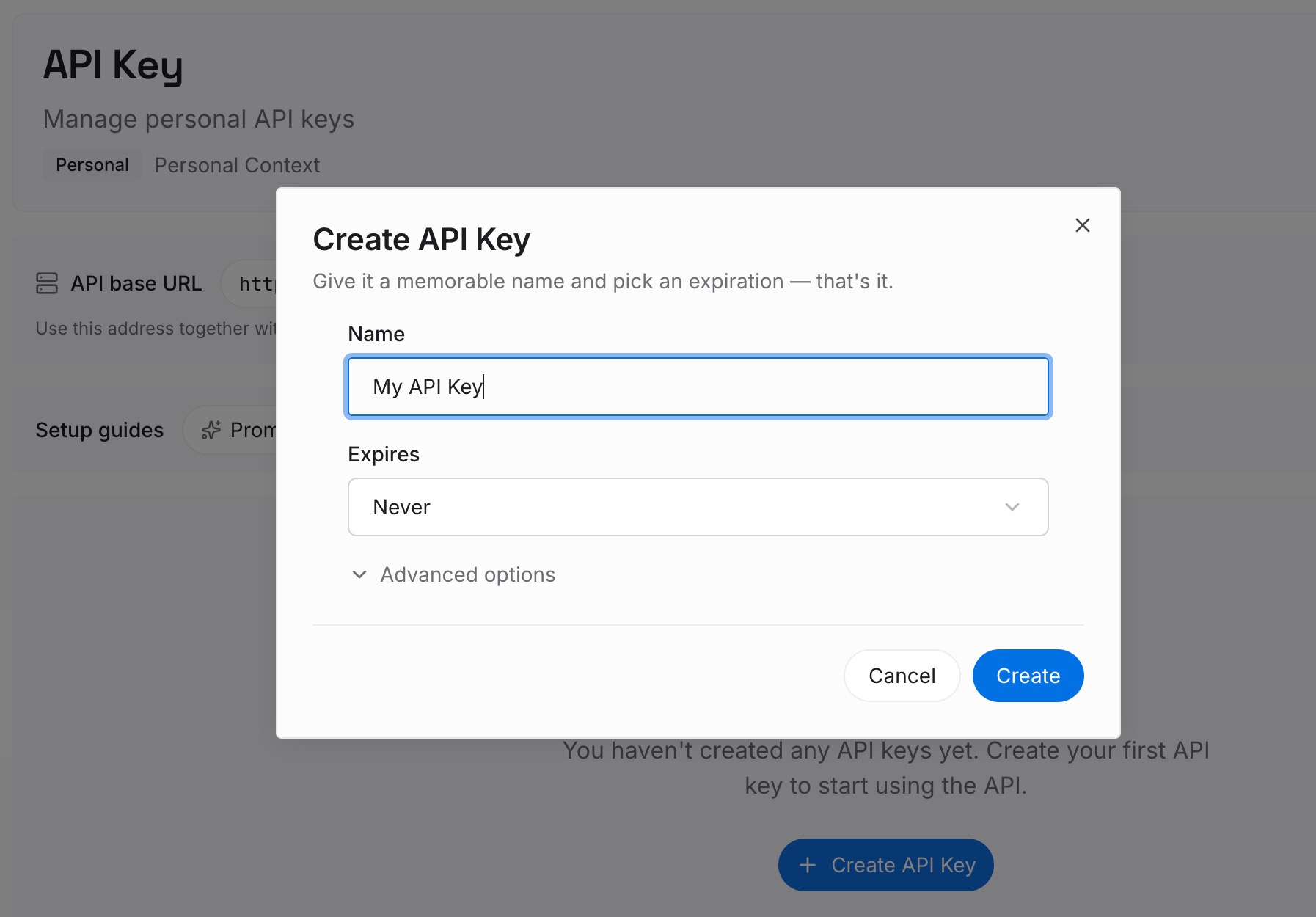
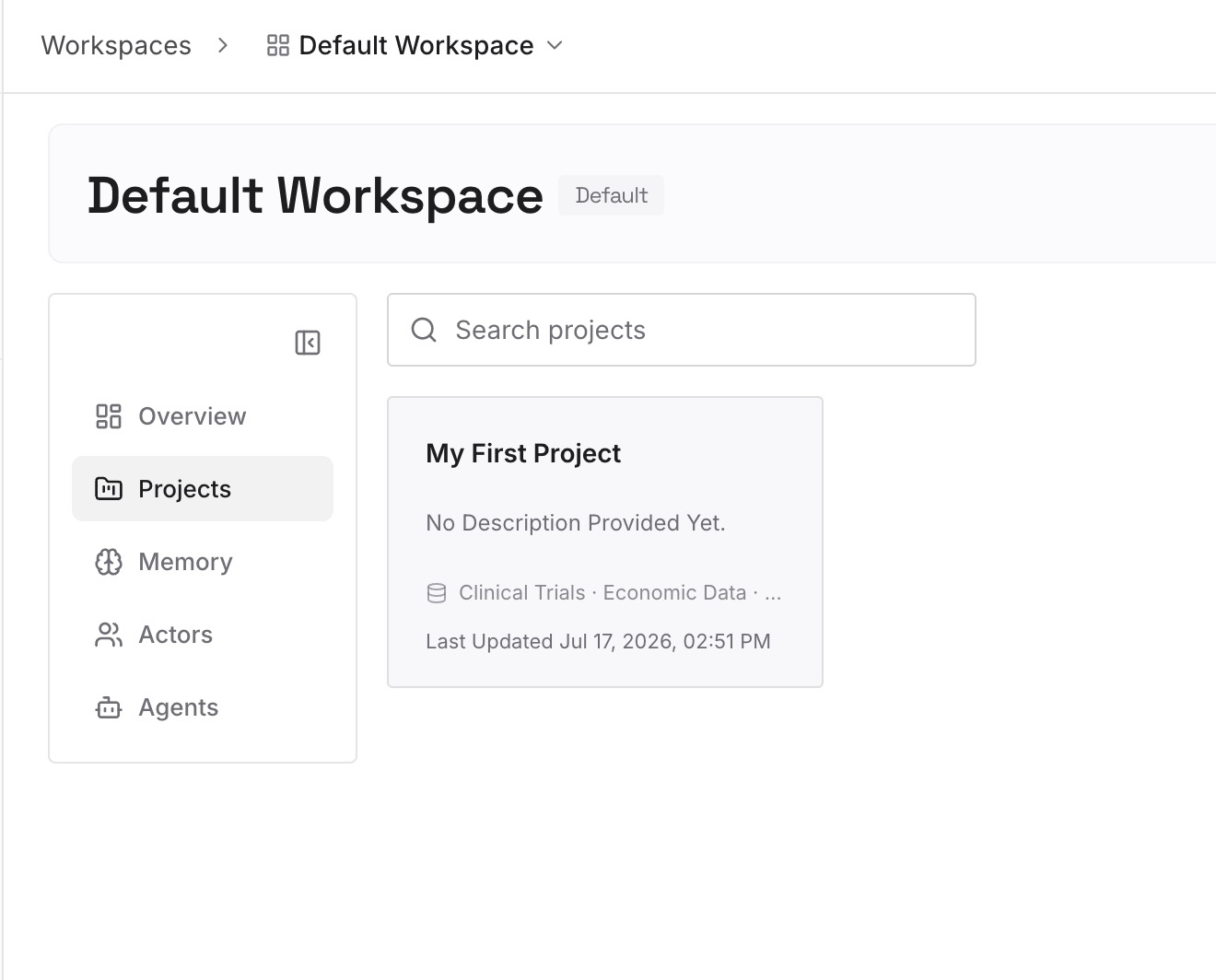
Step 2: Upload your first memories
Take the snapshot and split it into entries — one claim each, rather than one giant paste. As you go, prune: a synthesis accumulates old conclusions alongside current ones, and a backup is the best moment you'll get to drop the ones that stopped being true. Keep the durable material: how your work is structured, your constraints, your decisions and the reasoning behind them, the preferences you'd hate to re-establish.
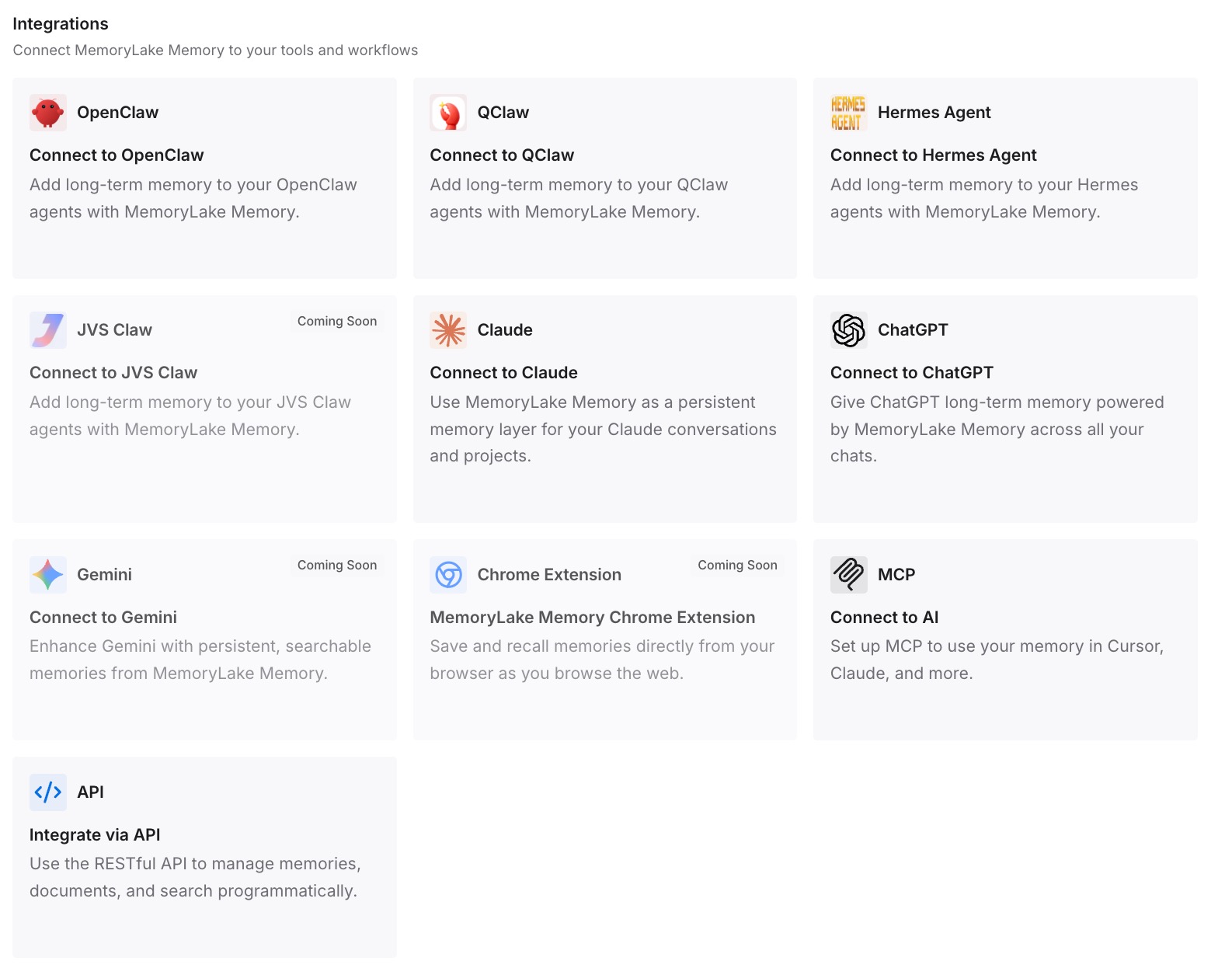
Step 3: Connect your AI & agents
Connect the tools you use. MemoryLake is reachable over MCP and over an API, so MCP-native agents — Claude Code, Codex, and OpenClaw among them — connect by pointing at the MCP server, and other assistants read the same memory through the API. From then on your context isn't something you back up out of one product; it's something the products read from.
Three honest limits. MemoryLake is not a ChatGPT backup tool: it can't reach into your account, it doesn't export your memory for you, and Step 2 above is manual work. It doesn't preserve conversations — that's what the ZIP is for, and you should still keep it. And it isn't a compliance or retention system.
What this changes in practice
Backing up becomes a one-time migration. The point. You do the extraction once, and after that the durable context isn't inside an account that can change.
Admin changes stop being data loss. A workspace owner turning off Memory deletes members' saved memories. If the important knowledge already lives outside, that's an inconvenience rather than a loss.
Job changes stop resetting you. Memory is per account and not transferable. Everything you taught a work account stays there — unless it was never only there.
Chat hygiene gets cheap. Deleting old conversations is good practice and it removes source material, including synced app data retained in those conversations. When the conclusions live elsewhere, cleanup is just cleanup.
Your context works in other assistants. The side effect that turns out to matter most. A snapshot in a text file is an archive; a snapshot in a memory layer is something Claude, Cursor, and your agents can also read — the shape covered in giving ChatGPT long-term memory.
Best practices for backing up AI context
Request the export before you need it. Seven days is the documented ceiling. A backup that arrives after the deadline isn't a backup.
Calendar the 24-hour link. When the email or SMS arrives, download it that day, signed in to the same account.
Ask for the memory in several passes. One question gets one slice. Ask about work, style, projects, and standing prohibitions separately.
Prune while you extract. Old preferences and abandoned decisions aren't worth carrying forward, and a synthesis will happily hand you both.
Keep the reasons, not just the rules. "Don't propose the queue-based design" survives one round. "…because ordering guarantees broke under retry" survives forever.
Check your plan's export path today. If you're on Business or Enterprise, self-serve export isn't available — find out now what your admin process is, not during a transition.
Don't rely on a single vendor's list. OpenAI's own deletion guidance names past chats, archived chats, files, the memory summary, and connected apps as separate places your context lives. Any backup that covers one of them covers one of them.
Re-snapshot after major changes. A new project, a new role, a big pivot. Ten minutes, twice a year.
Conclusion
The button labelled "Export data" does what it says: it gives you your chat history and account data, custom instructions included. It doesn't give you memory, because memory isn't a file — it's a synthesis the model maintains, and the only documented way to read it is to ask.
So back up both. Request the export early, allow for the seven-day window and the 24-hour link, and check whether your plan even permits self-serve export. Then ask ChatGPT to write out what it knows, prune it, and put the result somewhere that isn't inside the account you were worried about. That's the version of this task you only have to do once. If you want the full picture of what the memory feature can and can't hold, ChatGPT memory limitations covers it.