
Why Cursor starts fresh, and what actually carries over
There are four places a rule can live
Cursor's documented set:
Project rules live in .cursor/rules as .mdc files and are version-controlled. They're "scoped using path patterns, invoked manually, or included based on relevance."
User Rules are "global preferences defined in Customize → Rules that apply across all projects." They're used by Agent (Chat) and are the right home for communication style and personal conventions.
Team Rules are "team-wide rules managed from the dashboard," available on Team and Enterprise plans.
AGENTS.md is described as "Agent instructions in markdown format. Simple alternative to .cursor/rules." Nested support exists: place AGENTS.md in any subdirectory and it's automatically applied when working with files in that directory or its children, with instructions "combined with parent directories, with more specific instructions taking precedence."
Most people have written exactly one of these and assumed it covers everything.
Only one rule type is guaranteed to be there
This is the core of it. Cursor's four rule types, per the docs:
| Rule type | When it applies |
|---|---|
| Always Apply | "Apply to every chat session" |
| Apply Intelligently | "When Agent decides it's relevant based on description" |
| Apply to Specific Files | "When file matches a specified pattern" |
| Apply Manually | "When @-mentioned in chat" |
Underneath, three frontmatter fields decide it. alwaysApply: true means "Always included. Globs and description are ignored." With alwaysApply: false and globs provided, the rule is "Auto-attached when a matching file is in context." With a description and no globs, "Agent reads the description and pulls the rule in when relevant." With neither, it's "Included only when you @-mention the rule in chat."
So a rule you wrote three weeks ago with no frontmatter fields set is waiting for an @-mention you've never typed. It isn't lost. It was never invited.
Cursor's own FAQ answer is the fastest diagnostic: "Check the rule type. For Apply Intelligently, ensure a description is defined. For Apply to Specific Files, ensure the file pattern matches referenced files."
A plain .md file in .cursor/rules is silently ignored
The failure that wastes the most time, because nothing tells you. Straight from the docs: "A plain .md file in .cursor/rules is ignored by the rules system because it has no frontmatter to specify description, globs, and alwaysApply. If you prefer plain markdown, use AGENTS.md instead."
If you've been maintaining notes.md inside .cursor/rules and wondering why nothing changed — that's why. Rename to .mdc and add frontmatter, or move the content to AGENTS.md.
The rule loaded, but what it referred to didn't
Rules are short by design. Cursor's guidance says to keep them under 500 lines, to split large rules into composable ones, and — importantly — to "Reference files instead of copying their contents—this keeps rules short and prevents them from becoming stale as code changes." You can pull a file in with @filename.ts.
Which creates a second-order gap. "Follow our service conventions" only works if the conventions are reachable. A rule is a pointer plus direction; it isn't the knowledge itself. That distinction, across tools, is why agents ignore the instruction files you wrote.
Where the rule was saved isn't always where you think
Rules get checked into git, which is how a team shares them — but a new rule lands in the .cursor/rules of the folder you're working in. Open a subfolder as your project and your rule is scoped to that subfolder. It's a five-second check that saves an afternoon.
What people try
Re-explaining the project at the start of every chat. Works, permanently, at the same cost every time — the loop in how to stop re-explaining context to AI.
Writing one enormous always-on rule. It does apply every session, and it's included at the start of the model context every single message. Cursor's own list of things to avoid names "copying entire style guides" — use a linter instead — and "documenting every possible command," since Agent already knows npm, git, and pytest.
Keeping one chat open forever. Postpones the boundary rather than crossing it.
Setting everything to Apply Intelligently. Reasonable-sounding, and it hands the decision to a description you wrote in five seconds. If the description is vague, the rule doesn't come in.
Pasting architecture decisions into a rule. The right instinct, wrong container — rules are meant to stay short and point at things. That's the case behind why Cursor forgets architectural decisions.
Syncing rules between machines by hand. Common, and it drifts. The machine-boundary version is covered in how to stop Cursor forgetting across machines.
The Fix: Type Your Rules, Then Keep the Reasoning Outside Them
Two passes. The first makes Cursor load what you wrote. The second gives the knowledge a home that a 500-line ceiling can't hold.
Audit what you have and fix the extensions. Open .cursor/rules. Anything ending in .md is being ignored — convert it to .mdc with frontmatter, or move it to AGENTS.md.
Assign each rule the narrowest type that's always correct. Universal constraints get alwaysApply: true. Language- or directory-specific conventions get globs. Situational guidance gets a specific description so Agent can actually judge relevance. Rarely-needed procedures stay manual and get @-mentioned.
Split what's global from what's local. Communication style and personal conventions belong in User Rules under Customize → Rules. Repo conventions belong in project rules or AGENTS.md, checked into git so your team gets them too.
Use nested AGENTS.md instead of glob gymnastics. A root file plus one per major directory gives you scoping with no frontmatter at all, and more specific instructions win.
Point at canonical examples rather than copying them. Use @file references. Cursor's docs make the reason explicit: copies go stale as the code changes.
That handles loading. What it can't handle is the layer rules deliberately exclude — why the architecture is the way it is, which approaches you already tried and abandoned, the constraint that makes an odd decision correct. Cursor's guidance is to add a rule when you notice Agent repeating a mistake, which is good advice and also an admission that rules capture conclusions, not reasoning.
That's what MemoryLake holds: your project's durable knowledge in a layer your tools read from, so rules stay short and the reasoning stays available. Setup is three steps.
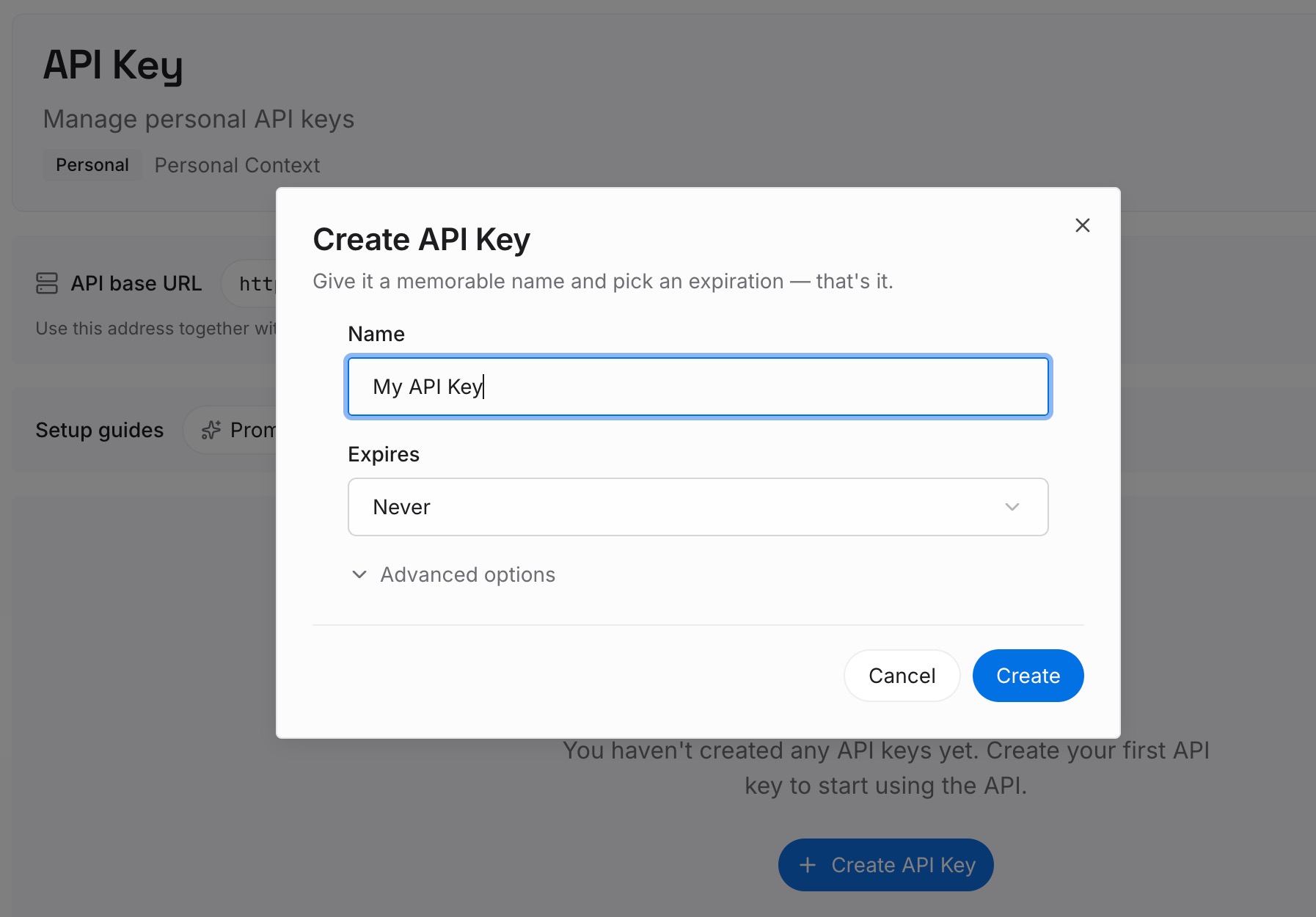
Step 1: Create an API key
Sign in to MemoryLake and create an API key. One credential across the tools you connect.
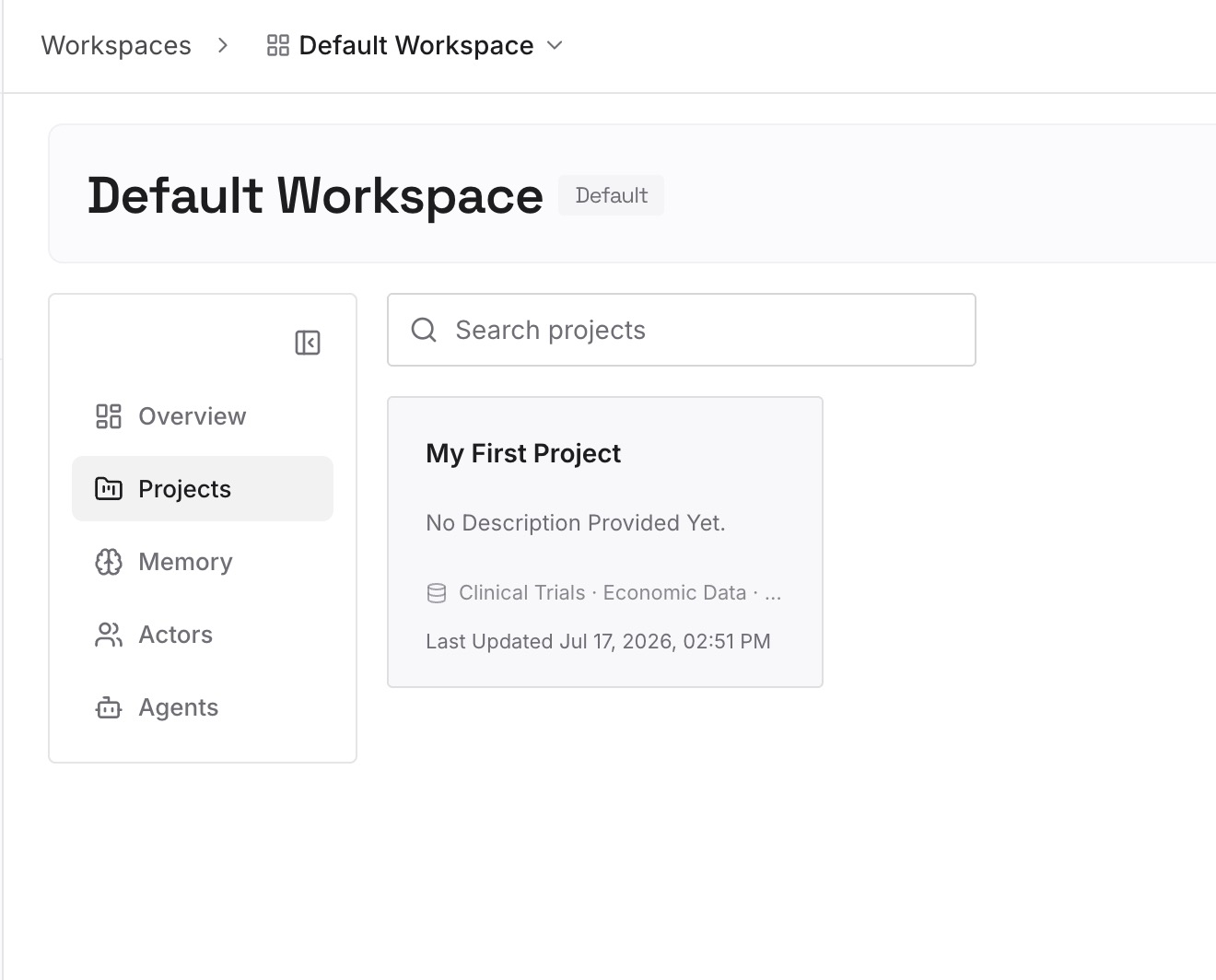
Step 2: Upload your first memories
Write short entries — one claim each — covering what a rule file is the wrong shape for:
Decisions with their constraint. "Queries go through the repository layer because the ORM's eager loading broke pagination." A rule can state the first half. Only this version stops the suggestion coming back.
What you already rejected. The highest-value category and the one that exists nowhere in the repo. Every new session proposes it again.
Cross-repo knowledge. Domain vocabulary and standards that apply across projects. Project rules are per-repo by design; this isn't.
Corrections you've made more than once. Cursor's own heuristic for writing a rule — and the reasoning behind the correction belongs here, next to it.
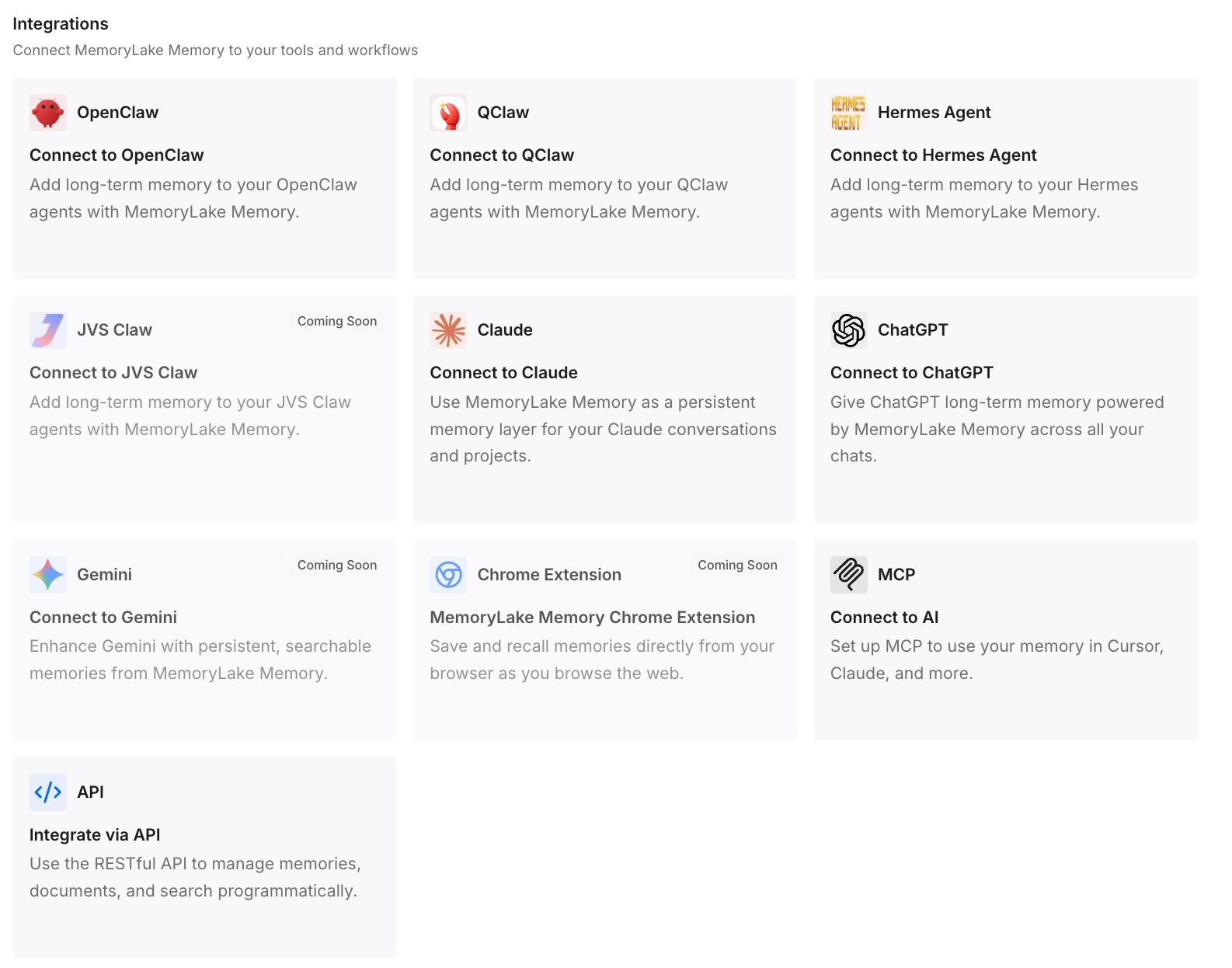
Step 3: Connect your AI & agents
Connect the tools you use. MemoryLake is reachable over MCP and over an API, so MCP-native agents — Claude Code, Codex, and OpenClaw among them — connect by pointing at the MCP server, while other assistants read the same memory through the API.
Three honest limits. MemoryLake does not write your Cursor rules and isn't a replacement for them — rules are how you steer Agent, and you should still type them properly. It holds only what you or your agents write into it, so Step 2 is manual. And rules are prompt-level context rather than enforced configuration, which is Cursor's framing, not ours; a memory layer doesn't change that.
What this changes in practice
"Why didn't it follow the rule?" becomes a two-second check. Extension, then type, then pattern. Almost always one of the three.
Always-on rules get short. When the substance lives elsewhere, the always-on file goes back to being a handful of genuine constraints rather than a document shipped with every message.
A new repo isn't a fresh start. Project rules don't travel between repos. Knowledge kept outside them does.
Team onboarding stops being oral history. Checked-in rules give conventions; the memory layer gives the reasons. New people need both, and only one of them is usually written down.
Your other tools see the same context. The reasoning behind your architecture is identical whether Cursor, Claude Code, or Codex is reading it — the shape covered in what persistent memory actually means.
Best practices for Cursor rules that survive
Use .mdc in .cursor/rules, or use AGENTS.md. Never plain .md inside the rules directory — it's ignored.
Set the type deliberately, once per rule. Don't leave frontmatter blank and hope. Blank means manual.
Write descriptions a stranger could route on. "RPC service conventions and patterns for the backend" is routable. "Backend stuff" isn't.
Keep rules under 500 lines and split what grows. Cursor's own number, and composable rules are easier to retype when scope changes.
Reference files, don't copy them. Copies go stale; @file references don't.
Add rules reactively. The docs say it plainly: add a rule when you notice Agent making the same mistake repeatedly, and don't over-optimize before you know your patterns.
Check rules into git, and keep updating them. You can even tag @cursor on a GitHub issue or PR to have Agent update a rule for you.
Prefer nested AGENTS.md for directory scoping. Less frontmatter to maintain, and precedence is predictable.
Store reasons outside rules. Rules are for direction and pointers. The why is what makes an agent handle the case you didn't anticipate, and it doesn't fit in 500 lines — the general problem in why RAG isn't memory.
Conclusion
Cursor is explicit that models don't retain memory between completions and that Rules are the mechanism for persistent, reusable context at the prompt level. So carrying context across sessions is a matter of getting four things right: the file extension, the rule type, the scope, and where the rule was saved. Fix those and the majority of "it forgot" disappears.
What remains is the part rules are designed not to hold. They're capped, they're meant to point at files rather than duplicate them, and they capture the conclusion rather than the argument. Put the decisions, the constraints, and the rejected approaches in a layer your tools can read, keep your rules short and correctly typed, and each new session starts with both the instruction and the reason behind it.