
What changing your email keeps
The key point is that you're changing the address on an existing account, not moving to a new one. OpenAI's article lists what stays: chat history, projects, workspace memberships, settings, and preferences.
Two more details are worth knowing:
- ChatGPT and the API share one account. OpenAI says: "Changing its email in ChatGPT also updates your API sign-in."
- Your subscription doesn't need to change. OpenAI says changing the email on your existing account "doesn't require canceling your personal ChatGPT subscription".
After the change, you're signed out on all devices, and you sign back in with the new address.
Who can change it themselves
OpenAI's article lists the conditions before you start.
You're not in an organization-managed setup. "You can't change your email yourself if you belong to a Business, Enterprise, or Edu workspace or your account uses your organization's single sign-on (SSO)." OpenAI adds that this applies even if you also have a personal workspace.
You can reach both inboxes. You must be able to sign in and access your current and new email inboxes.
The new address is free. It must not already belong to another OpenAI account.
Domain rules allow it. Your organization's email-domain restrictions may prevent switching between a work or school address and a personal one.
You have an email at all. If you signed up with only a phone number, OpenAI says to add an email first.
How to change it
OpenAI's steps work on the web. The article says: "You can't change your email address from the ChatGPT iOS or Android apps."
If you signed up with Google, Microsoft, or Apple and haven't added an OpenAI password, add one first. Go to Settings > Security, select Add next to Password, and follow the prompts. OpenAI notes that adding a password doesn't change the eligibility requirements above.
Then:
- Go to Settings and select Account.
- Select Email.
- Enter your new email address and select Send verification email.
- Follow any prompts to verify your sign-in.
- Enter the code sent to your new address and select Verify.
You'll be signed out everywhere. Sign back in with the new address.
Limits and address reuse
OpenAI sets a few limits on changing your email yourself:
- Account age. Wait at least 24 hours after creating your account.
- Frequency. Up to 2 changes in a rolling 24-hour period.
- Lifetime. Up to 20 changes over the life of the account.
Your old address doesn't become available to anyone else. OpenAI says: "Your previous email address stays reserved for your account." You can change back to it if you meet the requirements, but you can't use it for a different account.
That reservation matters if you were planning to free up the old address for a second account. It won't work that way.
When only an admin can change it
If your account belongs to a Business, Enterprise, or Edu workspace, or signs in through your organization's SSO, the change goes through your organization. OpenAI says your administrator "may be able to update your existing account email through your organization's sign-in service", and that availability depends on your organization's setup.
So the first step is a message to your admin, not a settings page. If you're leaving the organization and want your work in a personal account instead, that's a different process. Our guide to migrating ChatGPT Business chats to a personal account covers it.
When the email option isn't there
Sometimes you can't make the change at all. OpenAI's article covers three cases.
You can't access your current inbox. Then you can't change the email yourself, and OpenAI is firm about it: "OpenAI Support is unable to make an exception to this requirement." For an organization-managed account, check with your administrator.
There's a temporary security hold. If you see one, wait for the period shown and try again.
There's no email-change option. OpenAI says you can create a separate account instead, and is direct about the cost: "Your chat history and workspaces won't transfer." A subscription can't transfer to a new account either.
If you go that route, OpenAI points to one way to keep old conversations within reach. Its article on transferring exported conversations describes exporting from the old account and uploading the conversation file to a new chat in the new account, where ChatGPT "can use the uploaded file as reference in that conversation". OpenAI is clear that this isn't a migration. It doesn't recreate your chats, restore your sidebar, or move memories, custom instructions, or settings.
Before creating a new account, export from the old one. Exports from settings are available on Free, Go, Plus, Pro, and eligible Edu workspaces, and not while you're logged out. Our guide to fixing a ChatGPT data export that isn't working covers common problems.
How sign-in methods decide which account you open
A lot of confusion about email changes is really about sign-in methods. OpenAI's article on changing sign-in methods explains a few rules.
Same email, different method, same account. If you signed up with email and password, you can later sign in with Google, Microsoft, or Apple "as long as the email address matches". OpenAI says the account will combine both login methods.
Hide My Email is its own address. If you signed up with Sign in with Apple and chose Hide My Email, your account is tied to Apple's private relay address. OpenAI says that to reach that account, you keep using Sign in with Apple with the same Apple ID, and "using your personal email or another social login method will open a different account".
MFA follows the login method. If you've turned on multi-factor authentication, OpenAI says to disable it, sign back in with the new method, and turn it on again.
If you signed in one day and found an empty account with no history, check which method and address you used. It may be a different account, not a lost one.
Deleting is not a way to change your email
It can seem simpler to delete the account and start again with the right address. OpenAI's articles advise against that path for this purpose.
The deletion article lists changing your email address as something you may be able to do "without deleting your account". The sign-in method article adds: "Deleting your account is permanent and does not change its sign-in method."
And a new account after deletion starts empty. OpenAI says it doesn't restore the chats, files, or saved memories from the deleted account.
If you end up with two accounts
If you had to create a separate account, you can keep both available. OpenAI's account switching article says you can stay signed in to up to 2 accounts and switch between them. "Each account keeps its own chats, files, memory, settings, and subscriptions."
Switching doesn't move anything between them. OpenAI lists that switching doesn't move chats between accounts or share memory or conversation history. Our guide to switching between ChatGPT accounts explains what each account keeps to itself.
What people try first
Looking for the option in the mobile app. Email changes work on the web.
Asking Support to skip inbox verification. OpenAI says Support can't make an exception.
Freeing up the old address for a new account. The previous address stays reserved for your account.
Deleting the account to start fresh. Deletion is permanent, and the new account starts empty.
Signing in with a different method and finding no history. It may be a different account.
The Fix: Change it in place, or plan the move
Step 1: Check whether you can change it yourself
Confirm you're not in a Business, Enterprise, or Edu workspace or on SSO, that you can open both inboxes, and that the new address isn't already used for OpenAI. If you're organization-managed, contact your admin.
Step 2: Make the change on the web
If you signed up with a social login, add a password under Settings > Security first. Then go to Settings > Account > Email, verify the new address, and sign back in.
Step 3: If you can't, export and plan a separate account
Export your data from the current account. Write down the preferences, custom instructions, and project details you rely on, because a new account won't receive them. Then create the new account and add that context back.
Setting this up in MemoryLake
Changing your email in place keeps your context, because it stays in the same account. When that isn't possible, the context stays behind with the old account: the chats, the memory, the custom instructions. What comes with you is what you wrote down.
MemoryLake is a memory layer for keeping those preferences and decisions in one place you maintain, available to the assistants you connect, such as ChatGPT, Claude Code, and Codex.
You write the entries yourself, in your own words. Nothing is read out of, written to, or deleted from your ChatGPT account, your chats, your saved memories, your custom instructions, your data exports, or any vendor's store. Email changes and account switching work the way OpenAI describes them.
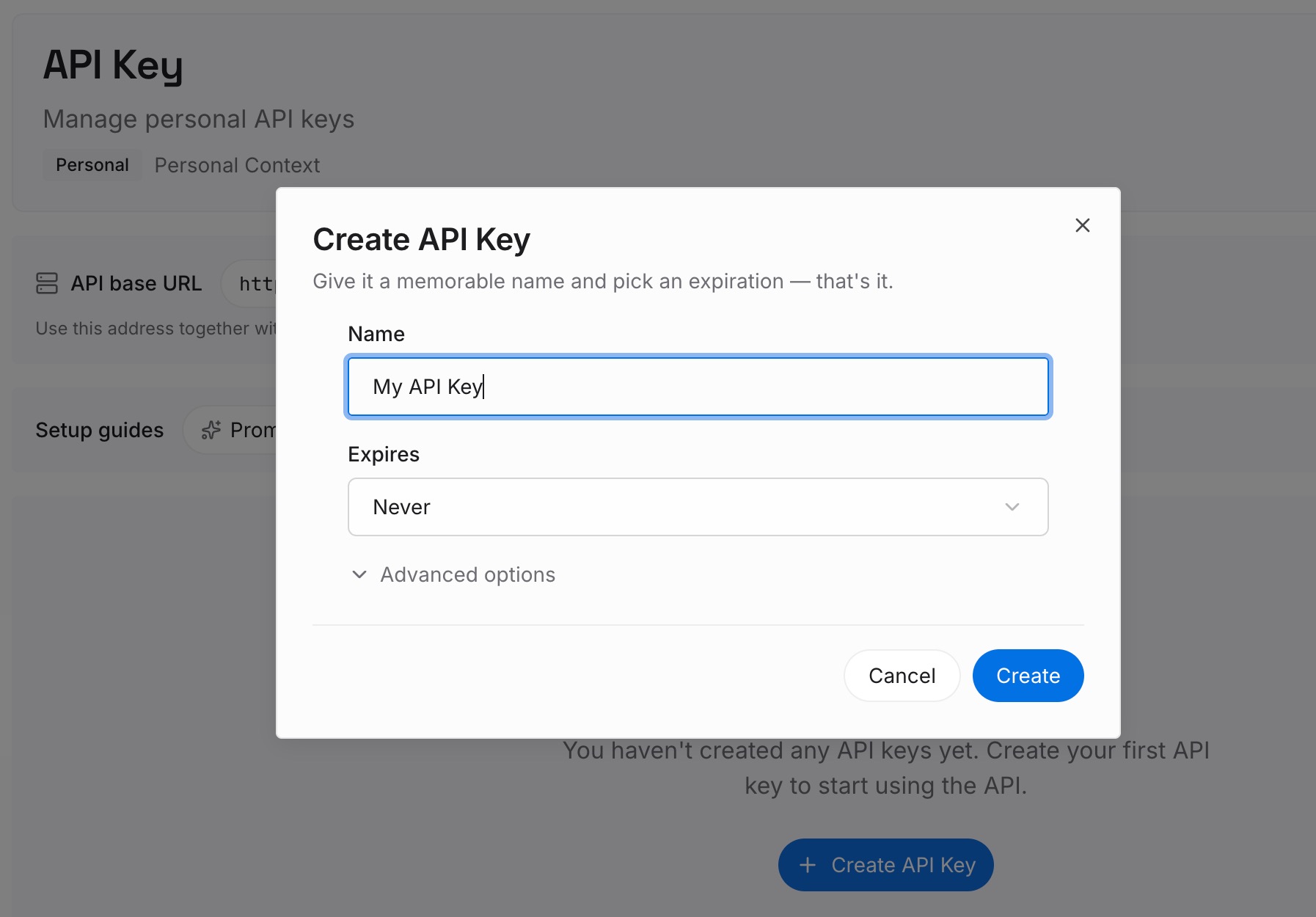
Step 1: Create an API key
Sign in and generate a key from the dashboard. The key belongs to your MemoryLake workspace and is separate from your OpenAI account.
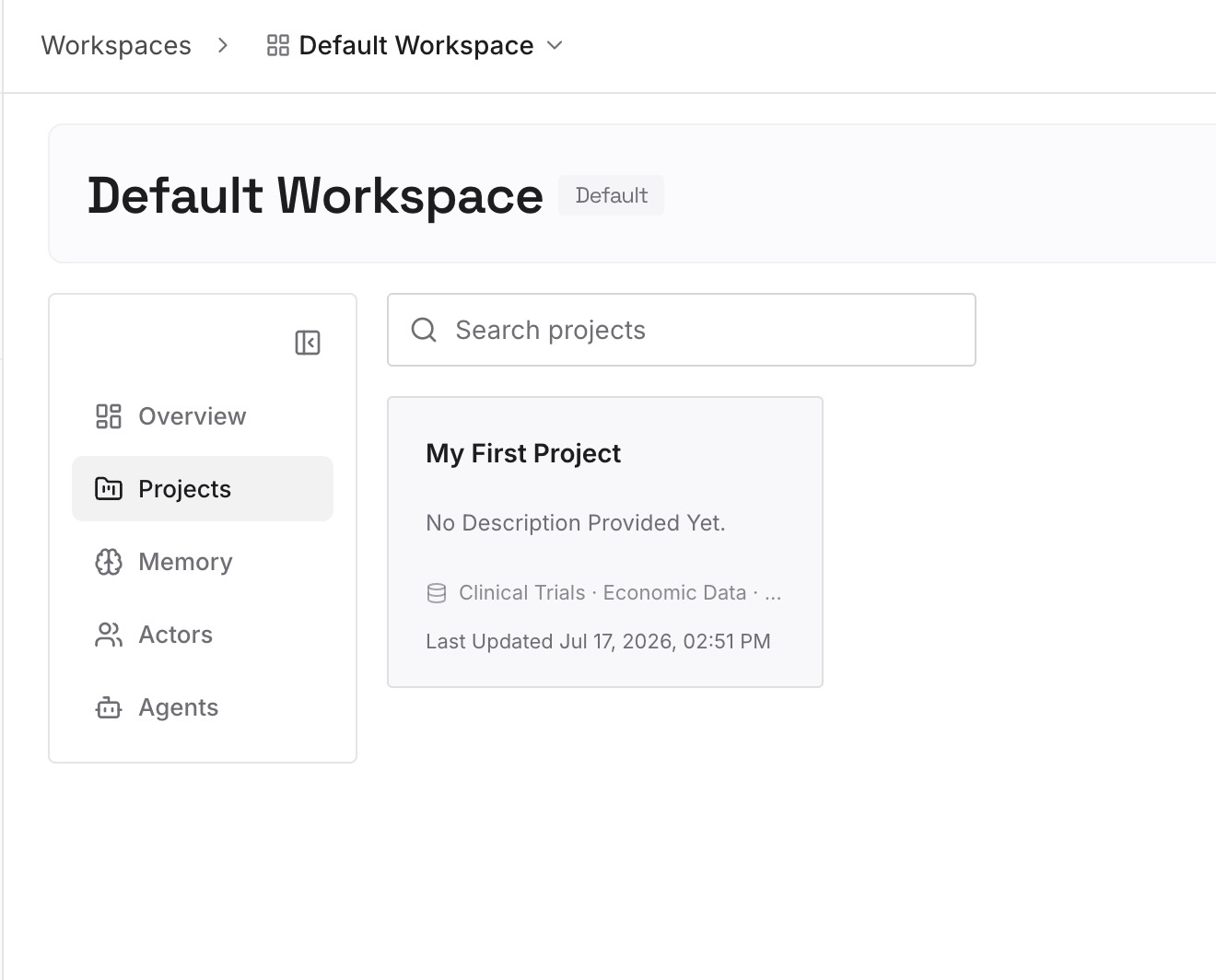
Step 2: Upload your first memories
Start with what you wrote down in Step 3 of the fix: your preferences, custom instructions, and the details of ongoing projects. One item per entry, so you can update one without rewriting the rest.
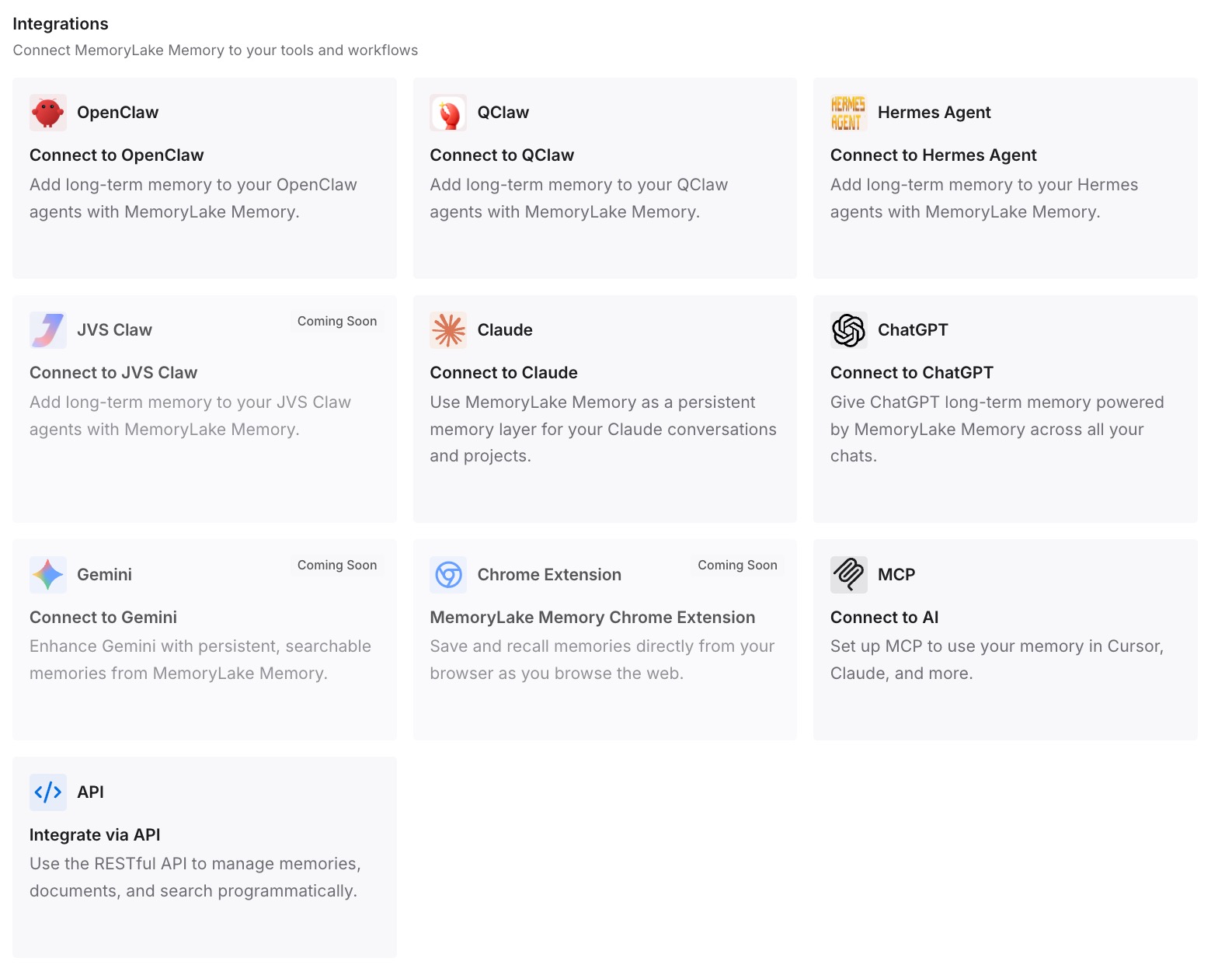
Step 3: Connect your AI & agents
Connect ChatGPT and any other assistants you use. The same entries are available whichever account you sign in to.
What this changes in practice
The first difference is a lower-stakes account change. If you end up with a separate account, your working context is already written down.
The second is a faster start in a new account. You add context from your notes, not from memory.
The third is less dependence on one address. The context you rely on isn't tied to the account that holds it.
Best practices for changing your ChatGPT email
Change it on the web. The mobile apps don't support it.
Add a password first if you use social login. Then make the change.
Make sure you can open both inboxes. Support can't bypass verification.
Remember the old address stays reserved. It won't be free for another account.
Ask your admin for organization accounts. You can't change those yourself.
Don't delete to change your email. A new account starts empty.
Export before creating a separate account. Chats and workspaces won't transfer.
Conclusion
You can change the email on a personal ChatGPT account from Settings on the web, and OpenAI says the change keeps your chat history, projects, workspace memberships, settings, and preferences. You need access to both inboxes, the new address can't belong to another OpenAI account, and there are limits on how often you can change it. Your previous address stays reserved for your account.
If you're in a Business, Enterprise, or Edu workspace, or use your organization's SSO, only your admin may be able to change it. If you can't change it at all, the alternative is a separate account, and OpenAI says your chat history and workspaces won't transfer. Export first, write down what you rely on, and don't delete your account as a shortcut.