
What Character.AI announced
The announcement is short and careful. The company says it hopes the sale will keep the platform running, and it says plainly what happens if it doesn't: "We hope that the sale process will yield an actionable proposal that will allow continued operations of the Character.ai platform. If such a bid is unavailable, however, the platform will be wound down."
Its FAQ answers the questions most users will have:
- Is the platform still working? "The Character.ai platform remains up and running, and you can continue to access all services at this time."
- How long will this take? "We currently expect that the court-supervised sale process will be complete by the end of November or perhaps early December 2026."
- What about subscriptions? "Yes, your subscriptions remain active, and billing is unchanged for now." The company adds that it intends to notify subscribers in advance if paid features change.
- What about data and chats? "Your information continues to be protected under our Privacy Policy, and our data privacy and security practices are unchanged." The answer then reminds users that they can delete their account or export their data.
That last answer is worth reading twice. It describes how your data is handled today. It doesn't say whether user data is part of what's being sold, or what would happen to it if the platform is wound down.
The dates in the court filings
The case is pending in the U.S. Bankruptcy Court for the District of Delaware, and Character.AI's claims and noticing agent, Stretto, hosts the filings on a public case website. The company's motion to approve bidding procedures sets out the schedule it's asking the court to approve:
- November 13, 2026: deadline for objections to the sale.
- November 20, 2026 at 5:00 p.m. (ET): the bid deadline for other buyers.
- November 23, 2026: the auction, if there are competing bids.
- November 24, 2026: the sale hearing, subject to the court's calendar.
The motion adds that the Disney agreement has an outside date for the sale to close on or before December 17, 2026. These dates can move. The motion lets the company extend the bid deadline, and the court controls its own calendar. Treat them as the current plan, not a guarantee.
The motion is also blunt about the alternative. It says the company will run a sale process to look for higher or better offers, and "If such offers are unavailable, or if the transaction with Disney is not approved, Character's platform will be wound down."
If you want to follow the case, the company's first-day declaration says it "intends to publish the Notice of Commencement on the Claims and Noticing Agent's website and the Debtor's blog", and to post notice on its community pages or its platform. Those are the places to watch.
What Disney's bid covers
Disney is the stalking horse, the first bidder whose offer sets the baseline others have to beat. What it's buying is narrower than the company itself.
The sale motion describes it this way: "The Disney Target Assets include a perpetual, worldwide, non-exclusive license to certain of the Debtor's intellectual property and related technology and the purchase of unreleased claims (if any) against the newly hired employees."
The stalking horse agreement filed with the motion then lists what the license doesn't include. Among the excluded items are the company's brand names and domains, its consumer apps, its trained models and chat styles, and, in the agreement's words, "Licensor's end user data or databases, any personally identifiable information of Licensor end users, any input entered by Licensor end users when engaging with Licensor's products and services, or any outputs generated for end users by Licensor's products and services".
In plain terms: your messages are inputs, and your Characters' replies are outputs. Under the agreement as filed, neither is part of Disney's deal.
That answers one question and leaves another open. The motion says other "prospective bidders may also seek to acquire the Debtor's other Assets", and the company hopes a buyer will keep the platform running. The schedule gives the company until November 9 to designate additional stalking horse bidders, and the first-day filings don't name one. Nothing in the company's FAQ says what happens to user data if a different bid wins or if no bid arrives.
So the honest summary is this. Disney isn't getting your chats. Whether anyone else does, and what happens to them in a wind-down, hasn't been described.
What the privacy policy already allows
Character.AI's privacy policy, effective July 1, 2026, has two clauses that apply directly to a sale like this one.
The first covers business transfers. "We may disclose certain information, in connection with or during negotiations or closing of any merger, sale of company assets, financing, or acquisition of all or a portion of our business to another company." It means the policy itself doesn't rule out user information moving with a sale.
The second matters if you've published Characters. Under the heading Popular Characters, the policy says: "If a Character you create has been made available to other users, then we reserve the right to preserve that Character's characteristics and to keep that Character active on the Services, even if you otherwise delete your data and your account." The policy adds a practical warning: "please avoid submitting any such information as part of the Character creation flow if you are creating a Character that you plan to make available to others."
The policy also lists rights you may have depending on where you live, including a right "To request access to and/or a copy of certain information we hold about you (including in a portable and/or machine-readable format)". The Export Data option in your settings is the self-serve route the help center describes.
Why the export can't wait
Here's the timing problem. Character.AI's help article on downloading your data says: "You can request a copy of your account data from your profile settings. Please note that exports can take 3-4 weeks to process."
When the export is ready, "we'll send an email with a download link to the email address associated with your account." And the window to use it is short: "The link will be valid for 7 days from the time the email is sent, so be sure to download your data before it expires."
Put that next to the court calendar. If the estimate holds, a request made in mid-October should arrive in the first half of November, before the November 20 bid deadline, with a week to download it. A request made in mid-November could arrive after the sale hearing. The company says the platform remains up during the process, so this isn't a reason to panic. It's a reason not to wait.
Two more details from the help center. Character.AI's older FAQ is titled "How do I export all my data? How can I export my chats?" and it answers both questions with the same Export data steps. But neither article lists what the file contains. When yours arrives, open it and check before you rely on it.
What people assume instead
Assuming Disney is buying the whole app. It's licensing technology, and its agreement excludes user data, inputs, and outputs.
Assuming the platform will shut down in December. That's one possible outcome. The company hopes a buyer keeps it running.
Assuming the export is instant. It takes 3–4 weeks, and the link expires after 7 days.
Assuming deleting your account removes your public Characters. The privacy policy reserves the right to keep popular Characters active after deletion.
The Fix: Request the export now, write down what matters, then decide about your account
Step 1: Request your data export today
On the web, the help center's path is Profile, then Profile Settings, then Account, then Manage Account & Data, then Export Data. On mobile, it's your Profile, the Settings icon, Legal & Privacy, then Export Data. You'll get a confirmation that the request was submitted.
Then make sure you'll see the email. Check that the address on your account is one you still read, and add a reminder for early November. When the link arrives, download it within 7 days and keep a copy somewhere other than your downloads folder.
If the export hasn't arrived by mid-November, consider contacting Character.AI support through the help center before you request it again and restart the 3–4 week wait.
Step 2: Write down your Characters and the details your chats depend on
The export is a file. What makes a Character yours is often scattered across several places in the app, and some of it you'll want in a form you can read and reuse.
For each Character you've built, copy its name, greeting, tagline, description, and Character Definition into a document. The help center notes that "Tagline and Description are visible to users; the Character Definition is optionally visible." If you use Lorebooks, copy their entries too. Character.AI's own rule of thumb is that "always relevant goes in the Definition, sometimes relevant goes in the Lorebook", which is a good way to organize your notes.
For the chats you care about, the details that matter are usually few: the relationship, the running plot, the facts the Character keeps getting wrong. Pinned Memories are a good starting list. The feature "allows you to save and pin 5 messages in each chat to help your Character remember important details throughout your conversations." Copy those pins into your notes, along with anything else the story depends on.
If you've struggled with these details slipping before, our guide to Character.AI forgetting your persona and our guide to Character.AI losing relationship history cover which details are worth writing down first.
Step 3: Decide about deletion and public Characters after the export arrives
Don't delete anything until you have the export and your notes. The help center is clear that "Account Deletion is permanent and cannot be reversed."
If you're considering deletion because of the sale, read the Popular Characters clause first. Deleting your account may not remove a Character you've made public. If a public Character contains personal details about you, edit those details out of the Character itself, and decide whether to change its visibility before you delete.
If you're staying, keep an eye on the company's blog and the Stretto case website for notices. If you subscribe, the company says it intends to tell subscribers in advance if paid features change.
Setting this up in MemoryLake
Your notes from Step 2 are the part of your Character.AI history that doesn't depend on any one company's future. MemoryLake is a memory layer for keeping that kind of record in one list you maintain, available to the AI assistants you use next.
You write the entries yourself, in your own words. Nothing is read out of, written to, or deleted from your Character.AI account, your data export, or any vendor's store. Leave out other people's personal details, and anything you wouldn't want stored outside the app.
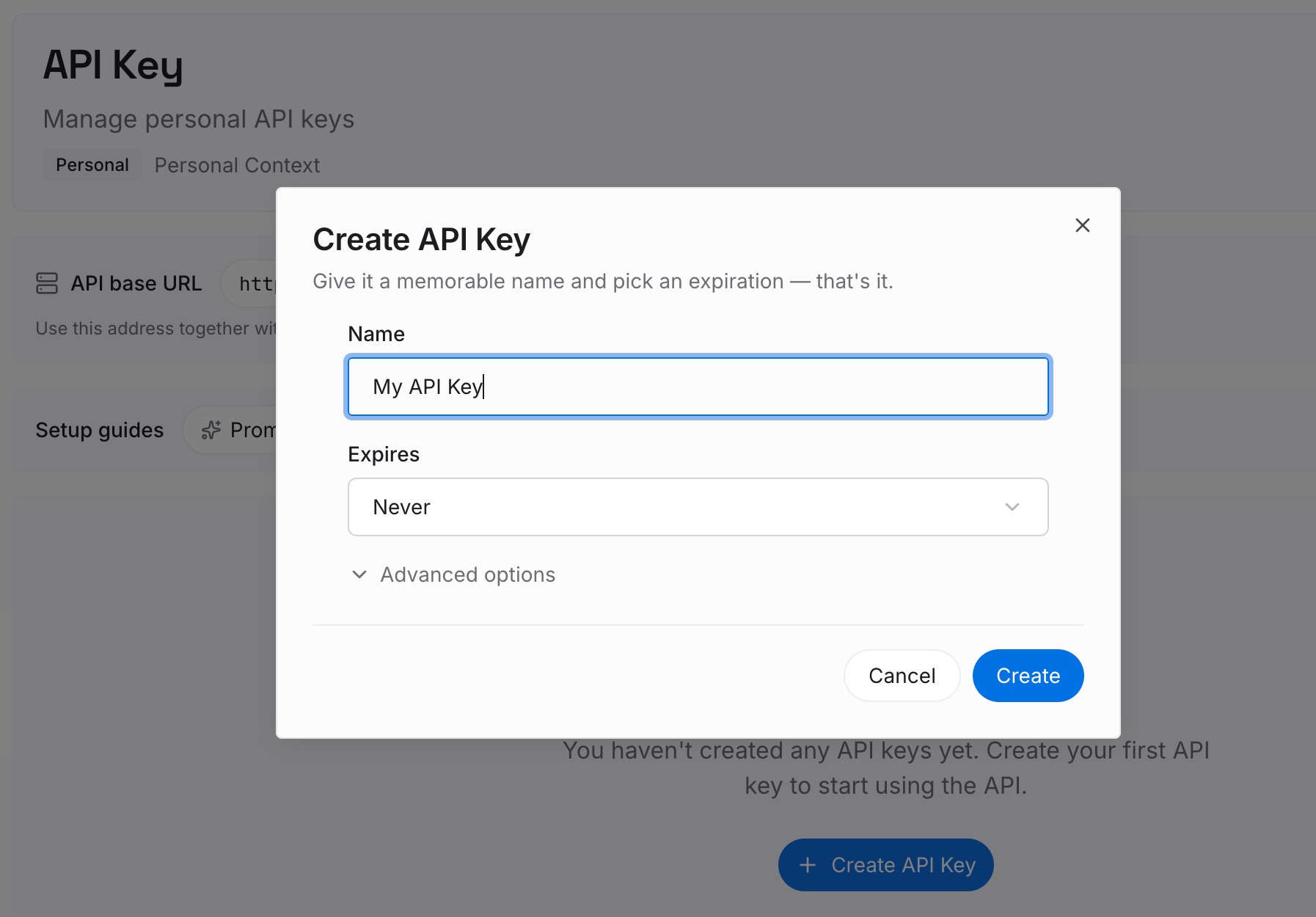
Step 1: Create an API key
Sign in and generate a key from the dashboard. The key belongs to your MemoryLake workspace and is separate from your Character.AI account.
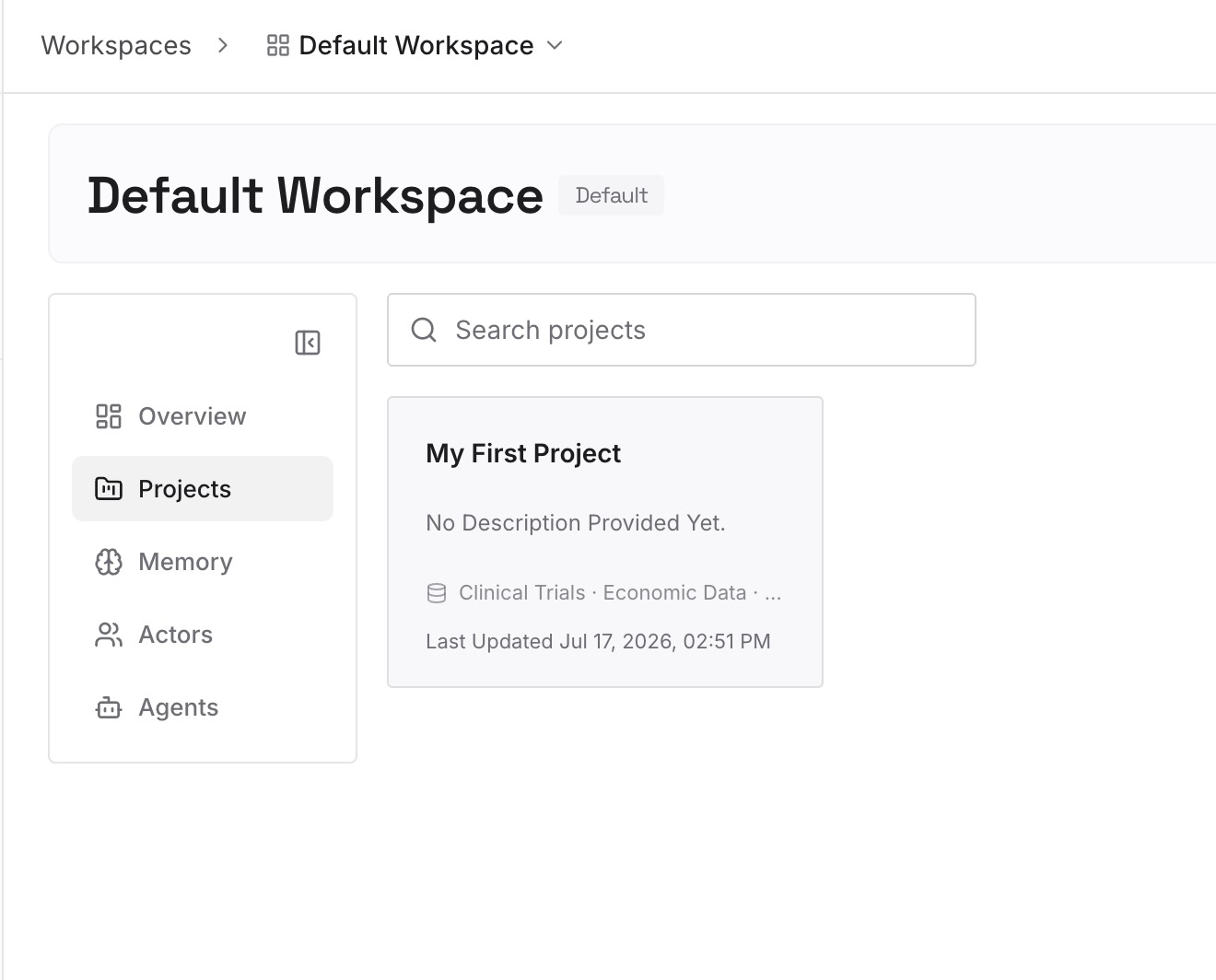
Step 2: Upload your first memories
Start with one Character. Add its definition as you wrote it down, then the handful of details your story depends on, one per entry, each with a date.
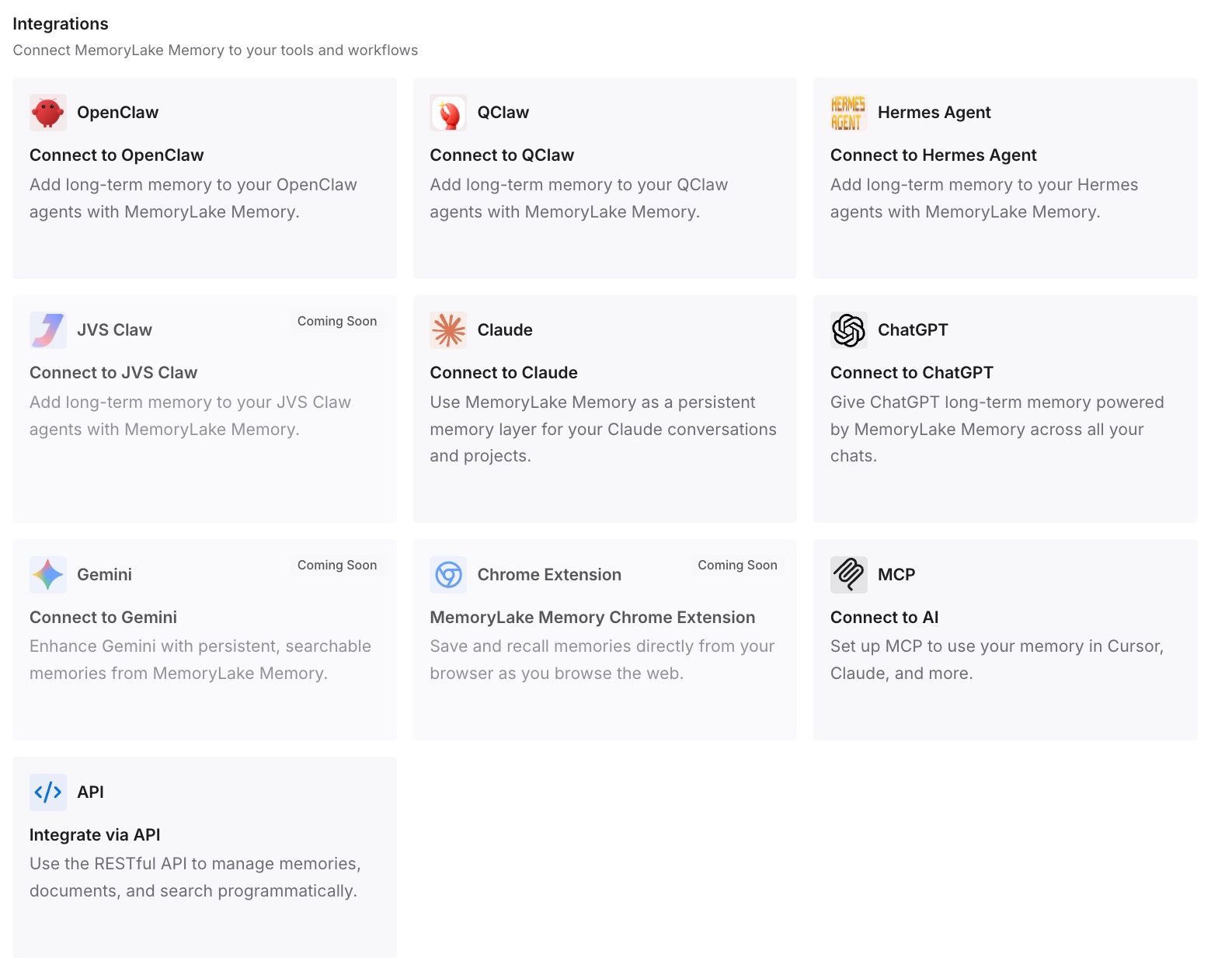
Step 3: Connect your AI & agents
Connect the assistant you plan to use next. The same notes are then available if you rebuild the Character there, as our guide to moving Character.AI characters to Claude describes.
What this changes in practice
The first difference is time. Requesting the export now should put the file in your hands before the bid deadline instead of after the sale hearing.
The second is clarity about what's at stake. Disney's license doesn't include your chats. What happens to user data in any other outcome hasn't been described, and your own copy doesn't depend on the answer.
The third is portability. A written Character Definition and a short list of story facts can be rebuilt anywhere, the same way people move SillyTavern character cards to ChatGPT. Other services have closed or removed data on a schedule, as with Manus's data deletion and Claude Design's standalone site closing, and the lesson was the same: export early, and keep the parts you'd rebuild in your own words.
Best practices while the sale is pending
Request the export once, early. It takes 3–4 weeks.
Watch your inbox. The download link expires 7 days after the email.
Open the file. The help center doesn't list what's in it.
Copy your Character Definitions by hand. They're what you'd rebuild from.
Save your pins. Pinned Memories hold the details you chose to keep.
Don't delete in a hurry. Deletion is permanent, and public Characters may stay.
Follow the official notices. The company's blog and the Stretto case site are where updates will be posted.
Conclusion
Character.AI is in Chapter 11 and is trying to sell itself. The platform is running, subscriptions are active, and the company hopes a buyer will keep it that way. If no suitable bid arrives, the platform will be wound down.
The court filings set the pace: a bid deadline on November 20, an auction on November 23, and a sale hearing on November 24. Disney's stalking horse bid is a technology license, and its agreement excludes user data, inputs, and outputs. The filings and the FAQ don't describe what happens to user data under any other outcome.
The export takes 3–4 weeks and its link lasts 7 days. Request it this week, write down the Characters and details you'd want to rebuild, and make any decisions about your account after the file is safely in hand.