
How to tell which one happened
The message is the same for both. The difference is in your email.
OpenAI's troubleshooting article says to check your inbox, including spam and junk, for a message from OpenAI. Then:
- If you deleted the account, you'll have received emails confirming the request and its completion.
- If you didn't delete it, look for an email about deactivation, age verification, or a policy issue.
If you find deletion confirmations, your account was deleted. If you find nothing about deletion, treat it as a deactivation and look for the notice that explains why.
If you deleted the account
A deleted account is final. OpenAI's troubleshooting article says: "If your account was deleted, unfortunately it cannot be reactivated."
What you can do is create a new account. OpenAI says you may be able to use the same email address after 30 days, provided the earlier account was fully deleted, not deactivated. If you need an account sooner, OpenAI suggests using a different email address, or an alias if your email provider supports one.
A few limits apply to reusing details:
- Some emails can't be reused. OpenAI doesn't permit reactivating addresses that were associated with an Enterprise organization, or that were disabled for a violation of its terms or policies.
- Phone verification limits don't reset. A phone number can verify the first API key for up to three accounts, and deleting an account doesn't reset that count.
- Your sign-in method doesn't change by deleting. OpenAI notes that deleting your account "does not let you change your sign-in method".
While you wait, you can still use ChatGPT signed out. OpenAI's deletion FAQ says that when you're signed out, ChatGPT supports one conversation at a time, and that to save a conversation you need to sign in or create an account.
If more than 30 days have passed and the same email still doesn't work, OpenAI says to confirm the old account was deleted rather than deactivated. If it was deleted and you still can't sign up, contact OpenAI Support.
If the account was deactivated
Deactivation is different, and so is the fix. The new account article says: "Waiting 30 days does not reactivate a deactivated account."
OpenAI's article on account closures lists the reasons an account may be deactivated: "a policy violation, a security concern, repeated misuse, or an incomplete verification requirement". The email you received should tell you which one applies.
Identity or age verification. If your account was deactivated because a required verification wasn't completed, OpenAI says to follow the instructions in the verification email, or contact Support to have it sent again. For accounts deactivated after missing Italy's age-verification deadline, OpenAI says you can sign in and select Verify your age on the deactivation screen.
Security concerns. If activity suggests someone else accessed your account, OpenAI may restrict access. Its guidance is to change your password, review activity and charges, and contact Support if you can't get in.
Policy violations. If you believe your account was permanently closed by mistake, OpenAI says to use the appeal link in the closure email, or the account closure appeal form if you can't find that email. OpenAI notes: "Requesting a review does not guarantee that your account will be restored."
There's one more case that looks similar but isn't. A temporary safety suspension signs you out and blocks sign-in while it's active. OpenAI says that once it ends, you can sign in again unless a separate account action affects your access. A suspension doesn't, by itself, mean your account was closed.
If you don't know why your account was deactivated and can't find an email, contact OpenAI Support through the Help Center.
What deletion does to your chats and memory
If your account was deleted, the content went with it. OpenAI's deletion article says: "If you delete your account, we will delete your data within 30 days, except we may retain a limited set of data for longer where required or permitted by law."
For chats specifically, the same article says deleted chats are permanently removed from OpenAI's systems within 30 days, with limited exceptions, and: "You cannot recover a deleted chat."
That's why the new account article's line matters so much. Starting over with the same email gives you the same address, not the same account. Chats, files, and saved memories from the deleted account don't come back.
Our guide to recovering a deleted ChatGPT chat covers what deletion removes for individual conversations, if you're dealing with lost chats rather than a lost account.
Starting over with the same email
If you're setting up a new account after deletion, OpenAI's steps are simple: wait at least 30 days, open ChatGPT, select Sign up, and use the same address.
What the new account won't have is any of your history. You'll start with an empty sidebar, no saved memories, and none of your old settings.
If you exported your data before deleting the old account, there's one way to bring some of it back into view. OpenAI's article on transferring exported conversations describes uploading the conversation file from an export into a new chat in another personal account. ChatGPT "can use the uploaded file as reference in that conversation". OpenAI is clear that this doesn't recreate your old chats, restore your sidebar, or move memories or settings.
If you didn't export first, OpenAI doesn't describe a way to bring any of it back. The rest has to come from what you remember and what you write down.
Before you delete an account on purpose
If you haven't deleted your account yet, and you're reading this to see what would happen, OpenAI's deletion article starts with alternatives. It says: "If you only want to stop paying, change your email address, change how you sign in, or remove a conversation, you may be able to do that without deleting your account."
If you still want to delete it, two things are worth doing first.
Export your data. OpenAI's export article says exports from settings are available on Free, Go, Plus, Pro, and eligible Edu workspaces, and aren't available while you're logged out. An export can take up to 7 days to arrive, and the download link expires 24 hours after you receive it. It also says: "An export cannot restore chats that have already been deleted." Our guide to fixing a ChatGPT data export that isn't working covers common problems.
Check your subscriptions. OpenAI says: "Deleting your account does not cancel an Apple subscription." Cancel any App Store or Google Play subscription you no longer want before deleting.
Self-service deletion isn't available in Business, Enterprise, Edu, or ChatGPT for Healthcare workspaces. For a managed account, OpenAI says to contact your organization. If your situation is a deactivated workspace rather than an account, our guide to a deactivated ChatGPT workspace covers that case.
What people try first
Waiting 30 days for a deactivated account. OpenAI says waiting doesn't reactivate it.
Asking Support to restore a deleted account. Deleted accounts can't be reactivated.
Signing up again right away with the same email. You'll need to wait 30 days, or use a different address or an alias.
Expecting the new account to have old chats. It won't restore chats, files, or saved memories.
Deleting without exporting. An export can't restore chats that are already deleted.
The Fix: Work out which case you're in, then rebuild what matters
Step 1: Find the email that explains it
Search your inbox, spam, and junk folders for messages from OpenAI. Deletion confirmations mean the account was deleted. A deactivation, verification, or policy email means it was deactivated.
Step 2: Follow the path for your case
If it was deactivated, complete the verification, secure the account, or request a review, depending on the reason given. If it was deleted, wait 30 days to reuse the email, or sign up now with a different address or an alias.
Step 3: Rebuild your context in the new account
Write down the preferences, projects, and decisions you relied on in the old account. If you have an export, open it and pull out what you still need. Add stable preferences to custom instructions, and set up projects for ongoing work.
Setting this up in MemoryLake
A deleted account shows how much of your context lived inside one account: the chats, the saved memories, the custom instructions. When the account went, all of it went with it, and a new account with the same email starts empty. Our guide to switching between ChatGPT accounts explains what each account keeps to itself.
MemoryLake is a memory layer for keeping those preferences and decisions in one place you maintain, available to the assistants you connect, such as ChatGPT, Claude Code, and Codex.
You write the entries yourself, in your own words. Nothing is read out of, written to, or deleted from your ChatGPT account, your chats, your saved memories, your data exports, or any vendor's store. Account deletion, deactivation, and reviews work the way OpenAI describes them.
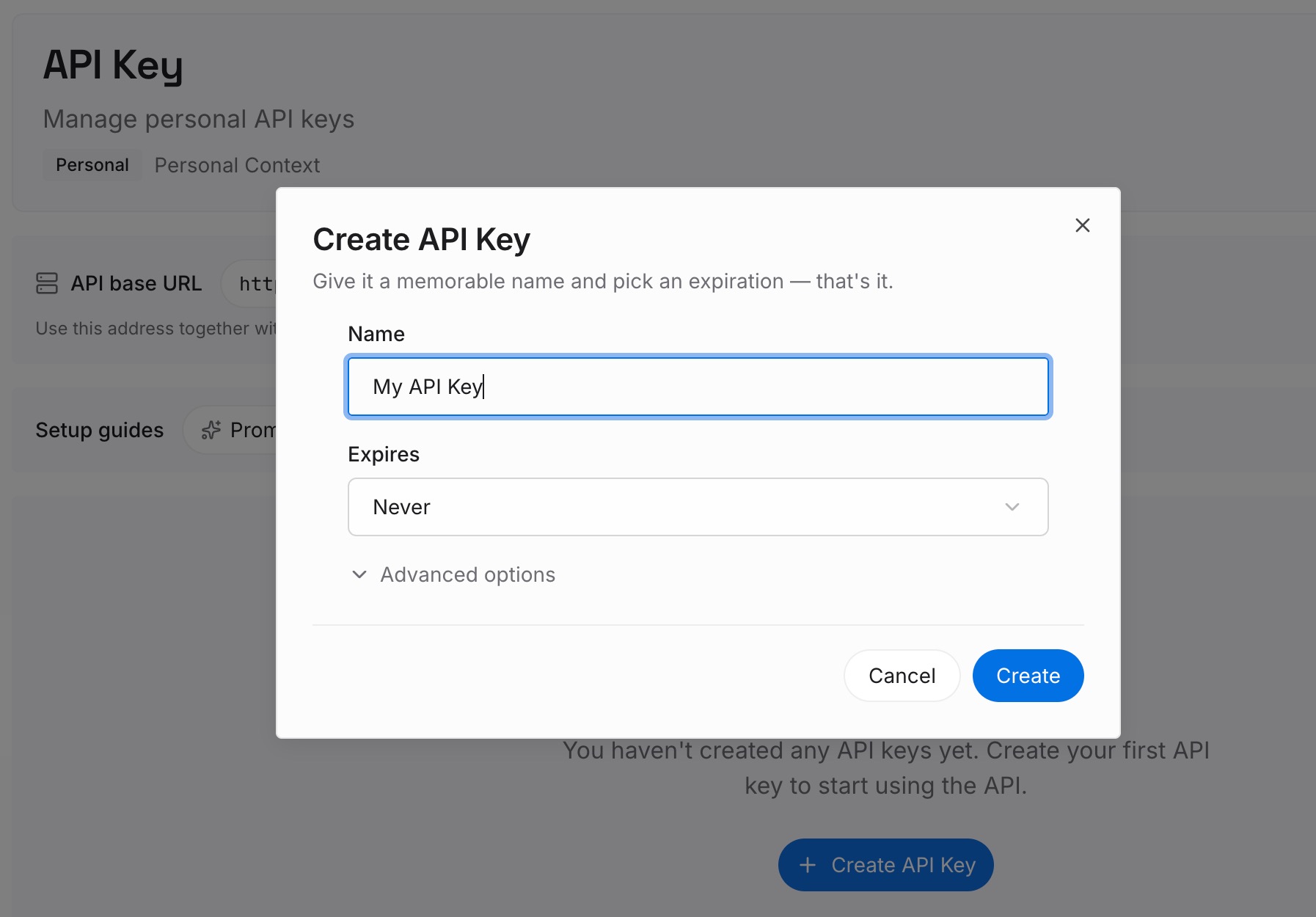
Step 1: Create an API key
Sign in and generate a key from the dashboard. The key belongs to your MemoryLake workspace and is separate from your OpenAI account.
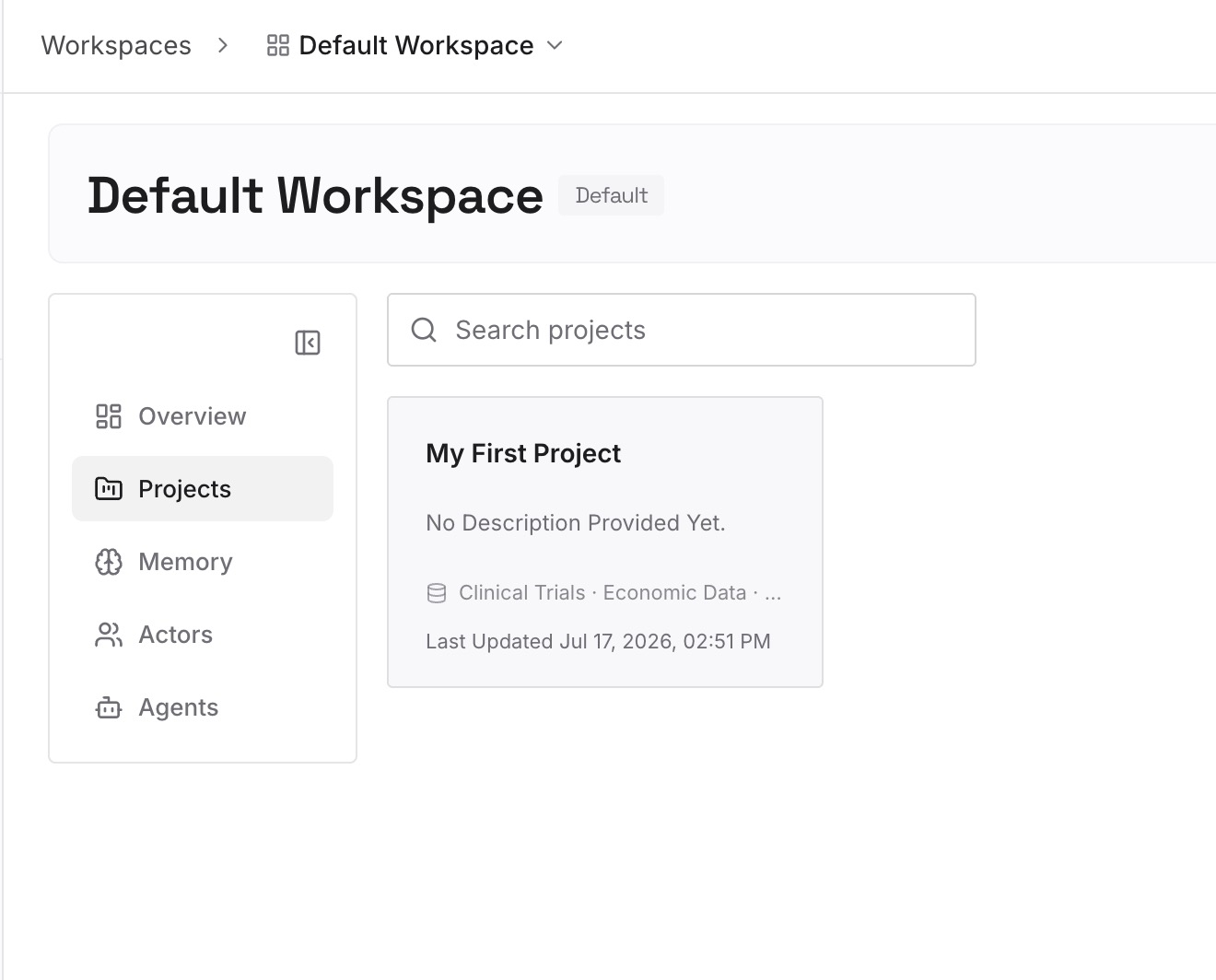
Step 2: Upload your first memories
Start with what you wrote down in Step 3 of the fix: your preferences, ongoing projects, and the decisions you'd hate to rebuild again. One item per entry, so you can update one without rewriting the rest.
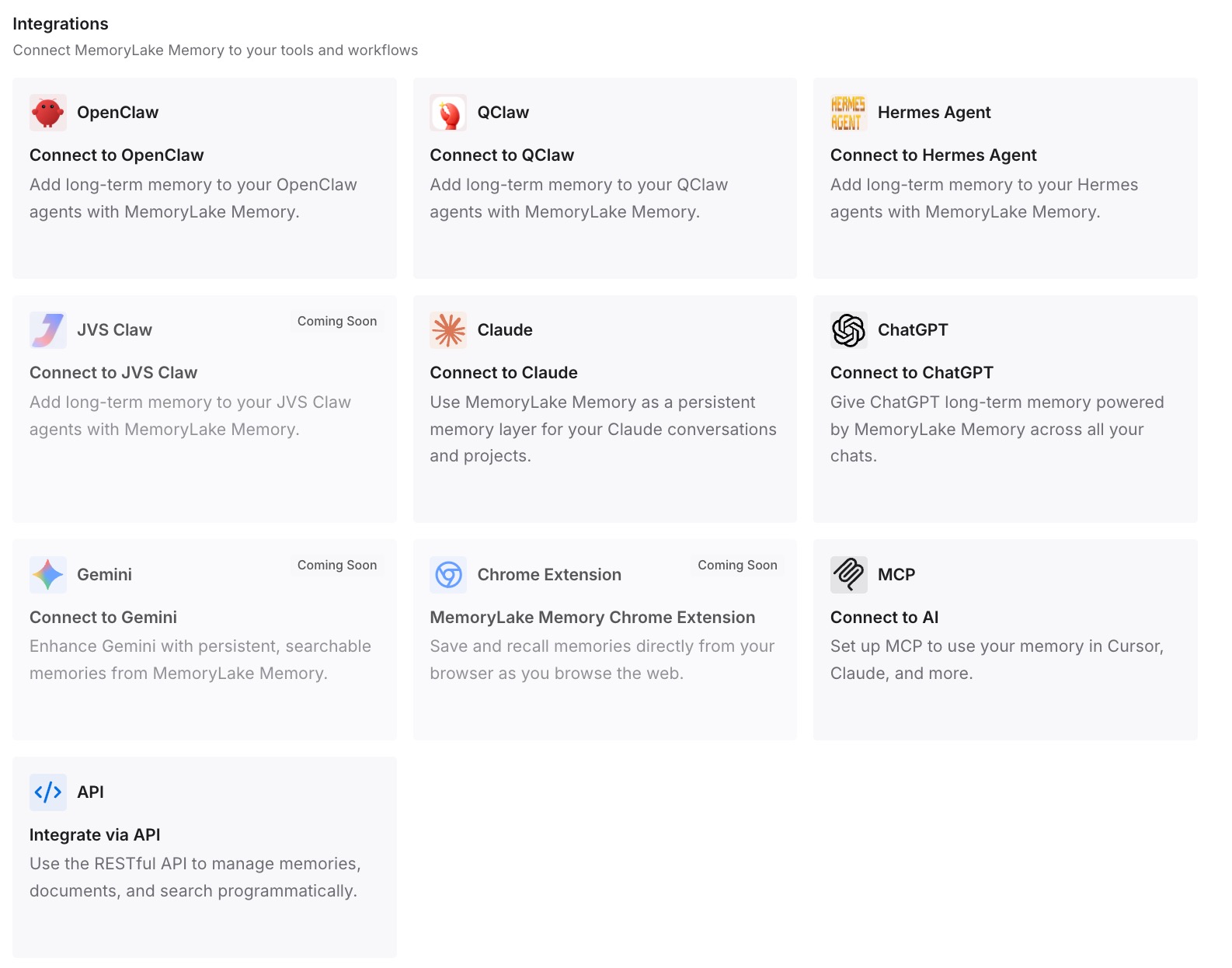
Step 3: Connect your AI & agents
Connect ChatGPT and any other assistants you use. The same entries are available in your new account from the first chat.
What this changes in practice
The first difference is a faster restart. A new account begins from your written context, not from nothing.
The second is less dependence on one account. If you change accounts again, the same entries are still there.
The third is fewer things to rebuild from memory. Decisions you wrote down once don't have to be reconstructed.
Best practices for a deleted or deactivated ChatGPT account
Check your email before anything else. It tells you which case you're in.
Don't wait out a deactivation. Waiting 30 days doesn't reactivate it.
Use an alias if you need access now. The same email needs 30 days after deletion.
Export before you delete. An export can't restore chats already deleted.
Cancel app store subscriptions separately. Deleting doesn't cancel an Apple subscription.
Write down what you rely on. A new account starts without your history.
Conclusion
The message that your account has been deleted or deactivated covers two different situations. If you deleted it, it can't be reactivated, but you can create a new account with the same email after 30 days, as long as the old one was fully deleted. If OpenAI deactivated it, waiting doesn't help. Follow the email that explains why, complete any verification, or request a review.
Either way, a new account starts empty. OpenAI says it doesn't restore the chats, files, or saved memories from a deleted account. If you exported first, you can upload old conversations as reference in a new chat. Everything else comes back only if you write it down.