
What OpenAI announced
OpenAI's help article on usage limits states the change in its first sentence: "Starting in December, Plus, Pro, and Business plans' usage allowance will be shared across ChatGPT and Codex as we bring the agentic capabilities of Work into the main ChatGPT experience."
It also changes how usage is counted: "Your usage for ChatGPT and Codex will be measured in tokens, the units of information a model processes and generates."
The article gives one exception: "Instant chat will not draw from your usage."
And it sets expectations: "We expect most users won't need to wait for their usage to reset more often than they do now."
Some accounts see this early. The article says: "A small group of users may see the usage changes before December so we can learn from early feedback before expanding more broadly." TechCrunch reported that the rollout began with a small group of Pro subscribers, and that an OpenAI spokesperson said a small fraction of the heaviest users may reach their limits sooner.
How the allowance works today
To see what changes, start with what's already shared.
OpenAI's article on managing usage in Work and Codex says: "Work and Codex share the usage allowance included with your plan."
The Codex help article goes further: "For plans that use shared allowances or credits, Codex, ChatGPT Work, ChatGPT for Excel, and Workspace Agents use a shared allowance and credit pool when those features are available on your plan."
Regular Chat sits outside that pool today. Describing GPT-6 Pro in Chat, OpenAI writes: "Its message limits are separate from the shared Work and Codex allowance and vary by plan."
So today there are two budgets on a paid plan: one for Chat, and one shared by Work, Codex, and a few related features. December merges them, except for Instant.
What changes in December
Three things change for Plus, Pro, and Business users.
One pool. Chat, Work, and Codex draw from the same allowance. A long Codex session and a long research chat on a capable model now compete for the same budget.
Tokens, not messages. Usage is measured in tokens. The article on Work and Codex already says: "Your allowance does not correspond to a fixed number of messages or tasks." That now applies across ChatGPT.
Cost depends on the work. OpenAI's usage article says: "How much of your allowance you use will depend on the model you choose and the task you ask it to do. More advanced models and complex tasks generally use more of your allowance."
The Work and Codex article lists what increases usage: "Larger inputs and outputs, higher reasoning settings, Fast mode and tasks with multiple steps can also increase usage."
Not everyone is affected. The announcement names Plus, Pro, and Business. It doesn't mention Enterprise or Edu, which OpenAI covers in separate usage articles for workspace admins.
What doesn't count against the shared allowance
Some usage stays separate.
Instant chat. As noted, Instant doesn't draw from your usage. TechCrunch reported that Instant conversations remain unlimited and that you can keep using Instant after reaching your limits.
Uploads, images, and voice in Chat. The Codex help article says: "ChatGPT file uploads, image generation, and voice have separate usage limits, reset periods, and banners." Those limits don't apply to Codex.
Auto-review checks in Codex. The same article says that when you're signed in with a ChatGPT account, "auto-review safety checks are free and don't count toward your plan's usage limits."
API usage. OpenAI's article on Work and Codex says: "Signing in to Codex with ChatGPT uses your ChatGPT plan's usage and billing. Using your own API key uses API pricing."
Five-hour and weekly windows
The shared pool isn't one number. Depending on your plan, it has two windows.
OpenAI's Work and Codex article says: "Depending on your plan, usage limits may apply over a five-hour window and a weekly window. Where both apply, you need allowance remaining in both to continue".
It also explains a common surprise: "You may reach the five-hour limit before five hours have passed, even if you still have weekly usage remaining."
That matters more once Chat joins the pool. A heavy morning of research on a capable model could leave less of the five-hour window for a Codex task right after.
Where to check your usage
OpenAI's usage article says: "You will be able to see your combined remaining usage and reset times in Settings → Usage."
For Codex specifically, the Codex help article says to open Settings or your usage dashboard, and in an active Codex CLI session to enter /status.
Check before a large task. The Work and Codex article recommends it directly: "Check Settings → Usage before a large task to see your remaining allowance, usage windows and reset times."
On eligible Enterprise and Edu workspaces, the desktop app has its own Work and Codex usage view. OpenAI notes that "Regular Chat usage is not included in these Work and Codex usage views."
What happens when you hit a limit
When you reach the shared limit, OpenAI lists three options: "If you reach your limit, you can wait for it to reset, upgrade your plan, or buy credits to continue using eligible features."
A few details from the help articles are worth knowing.
Switching models doesn't help. The Work and Codex article says: "Switching models does not restore allowance in a shared usage pool."
A new chat doesn't reset anything. The Codex help article says: "Starting a new chat does not reset your usage limits."
Support can't reset it. The same article answers the question directly: "No. OpenAI Support does not reset ChatGPT or Codex usage limits."
A running Codex turn can finish. The Codex article says that if you reach a usage limit during an active turn, "Codex can continue working on that turn, subject to fair-use limits." After that turn, you choose from the options on the limit banner.
Higher effort isn't always better. The Work and Codex article says: "Higher effort can use more of your allowance and does not always produce a better result."
Resets and credits
Two paid options sit alongside waiting for a reset, and they work differently.
Instant resets. OpenAI's article on paid weekly resets says eligible Plus and Pro personal accounts can buy one, and that "A completed purchase immediately restores both 5-hour and weekly usage." It also changes your schedule: "It pulls your normal weekly allowance forward rather than adding a separate usage entitlement." The article adds that a purchased reset "applies immediately. It cannot be banked or scheduled for later".
Credits. The same article describes credits as "a separate pay-as-you-go balance." It explains the order: "Your included usage is used first; after you reach plan limits, supported usage draws from that balance."
If you're close to a scheduled weekly reset, waiting may make more sense than either. Check the reset time in Settings → Usage before deciding.
What stays separate
Sharing an allowance doesn't merge anything else.
History. OpenAI's article on ChatGPT Work and Codex says Codex "remains a separate view in the ChatGPT desktop app", and adds: "Its history remains separate from ChatGPT history." On desktop, Chat and Work chats appear together in Recents.
Memory. The Codex memories documentation says: "ChatGPT web uses ChatGPT memory, while local Codex clients use a separate local memory store and controls."
The same documentation describes one interaction with usage. Local Codex memory generation "can also skip a background pass when your Codex rate-limit remaining percentage is below the configured threshold, so Codex doesn't spend quota when you're near a limit."
So the shared allowance changes how much you can do. It doesn't change where your conversations and context are kept.
We covered where Codex keeps its chat history, and how to find a missing thread, in our guide to finding missing Codex chat history.
What people try first
Switching to another model to keep going. Switching doesn't restore allowance in a shared pool.
Starting a fresh chat. A new chat doesn't reset your limits.
Asking Support for a reset. Support doesn't reset usage limits.
Turning reasoning up for every task. Higher effort uses more allowance and isn't always better.
Forgetting about Instant. Instant chat doesn't draw from the shared allowance.
The Fix: Plan around one shared allowance
Step 1: Check Settings → Usage before big work
Look at both windows and the reset times before a long Codex task or research session.
Step 2: Use Instant for quick questions
Save the shared allowance for work that needs a more capable model.
Step 3: Match effort to the task
Start at a lower reasoning level and raise it only when the result falls short.
Step 4: Write down where long work stands
Keep a short note of the goal, decisions, and progress, so a limit doesn't cost you the thread of the work.
Setting this up in MemoryLake
When a limit stops you mid-task, the context of the work lives in that one thread: what you were trying to do, what you decided, what's left. OpenAI's own advice for a stalled Codex task is to start a new chat with a short summary of the goal and the work completed. That summary is worth keeping somewhere that doesn't depend on any one thread or allowance.
MemoryLake is a memory layer for that kind of context, kept in one place you maintain and available to the assistants you connect, such as ChatGPT, Claude Code, and Codex.
You write the entries yourself, in your own words. Nothing is read out of, written to, or deleted from your ChatGPT chats, your Codex threads, your ChatGPT memory, your local Codex memories, your usage settings, or any vendor's store. Usage limits work the way OpenAI describes them.
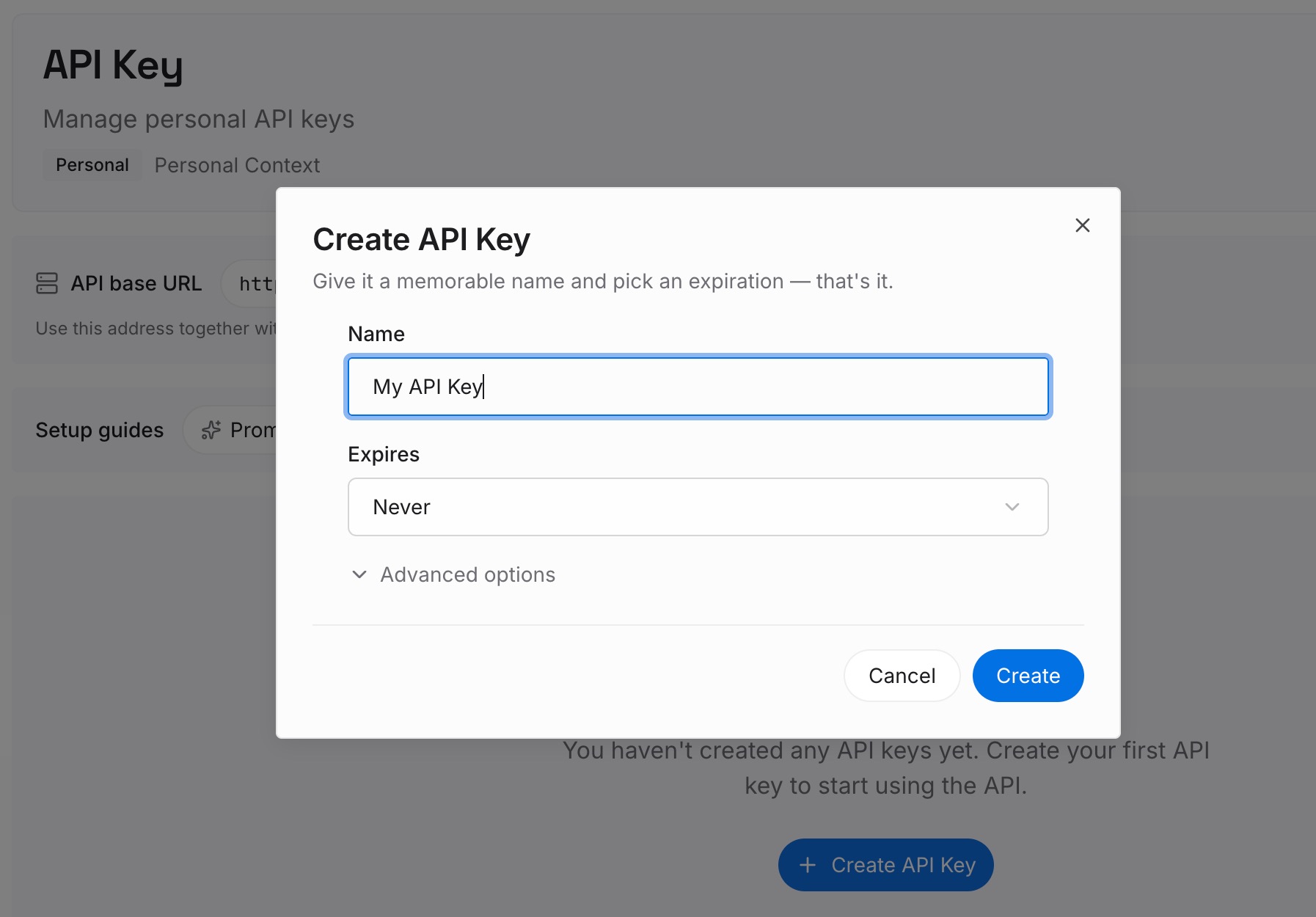
Step 1: Create an API key
Sign in and generate a key from the dashboard. Keep it somewhere private.
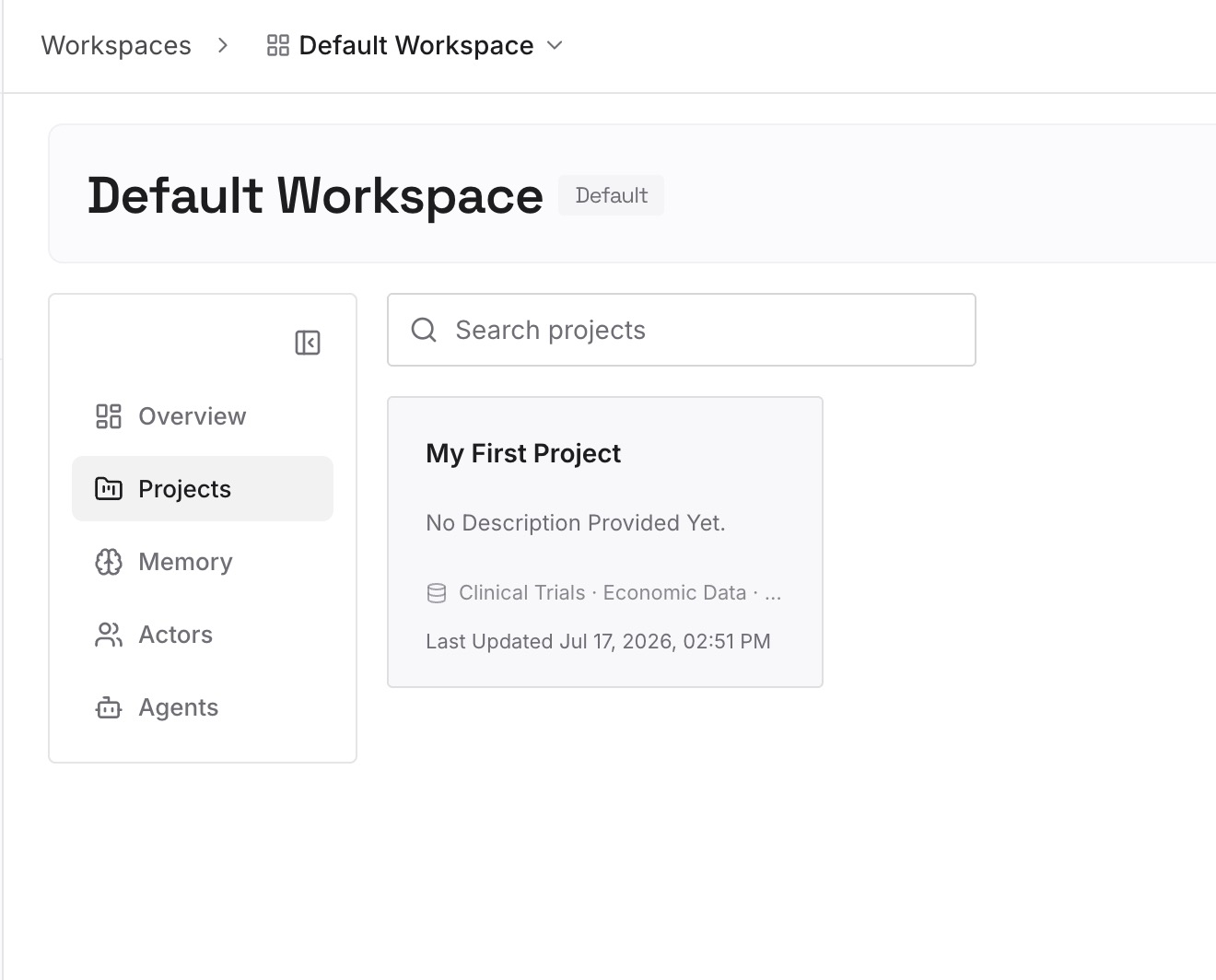
Step 2: Upload your first memories
Start with what you wrote in Step 4 of the fix: goals, decisions, and progress on your longer work. One project per entry.
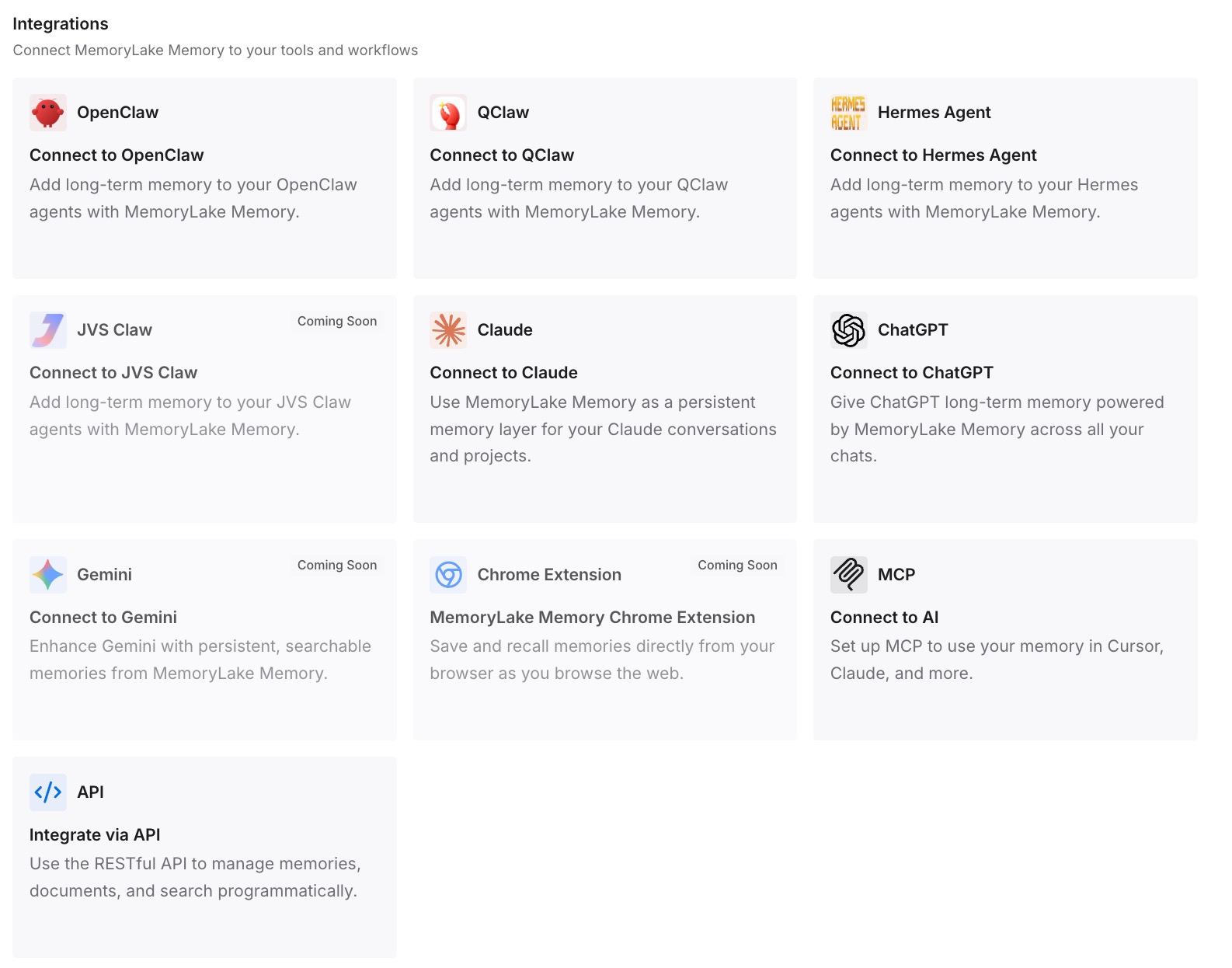
Step 3: Connect your AI & agents
Connect ChatGPT, Claude Code, Codex, and the other assistants you use, so a fresh chat starts with the same context.
What this changes in practice
The first difference is a cheaper restart. A new chat or thread starts from your notes, not from a long recap.
The second is less re-explaining. The decisions behind a project are written once.
The third is flexibility. If the shared allowance runs low, you can pick up the work where you have room to continue.
Best practices for ChatGPT and Codex usage limits
Check both windows. The five-hour and weekly limits are separate.
Use Instant where it's enough. It doesn't draw from the shared allowance.
Start effort low. Raise it only when the result needs it.
Don't expect a new chat to help. Limits don't reset with a new conversation.
Keep a running summary. It makes restarting after a limit faster.
Watch for early changes. Some accounts see the shared allowance before December.
Conclusion
Starting in December, Plus, Pro, and Business plans share one usage allowance across ChatGPT and Codex, measured in tokens. Work and Codex already share an allowance today; the change brings Chat, apart from Instant, into the same pool. Instant chat doesn't draw from it, and uploads, images, and voice in Chat keep their own limits. OpenAI expects most users not to wait for resets more often, while reporting suggests the heaviest users may reach limits sooner.
Check Settings → Usage before large tasks, use Instant for quick questions, and match reasoning effort to the work. Switching models, starting a new chat, or asking Support won't restore allowance. Histories and memory stay where they were, so keeping a short summary of long work in one place makes it easier to continue when a limit gets in the way.