
Why connected apps don't remember your decisions
Sync indexes sources, and your decision isn't a source
The mechanism is document indexing. OpenAI's documentation describes a "one-time initial syncing of files," after which "files and permissions are updated frequently and typically reflect changes quickly," running through three stages — Sync Initiation, then Partial Sync where "your most recent data is now available and ready to search" (approximately the past 30 days, though the docs note it "may vary"), then Complete Sync. Depending on organization size, the full pass "may take up to a few days."
Every one of those stages operates on files. That's exactly right for the question "what's in the Q3 plan?" and structurally useless for "what did we agree to do instead of the Q3 plan?" The second answer exists in someone's head, in a thread, or in a ChatGPT conversation — and none of those are in the index. Connectors close the gap between ChatGPT and your document stores. They do nothing about the gap between your document stores and what your team actually concluded.
Retrieval is scoped to the question, not to your history
Even for material that is indexed, what reaches the model is a selection. OpenAI states it directly: "The most relevant data is sent to the model based on query intent, limiting performance in scenarios requiring aggregation from numerous sources or very complex queries, such as financial data aggregations."
This is honest documentation and it has a consequence people miss. Retrieval is per question. It doesn't accumulate. Ask about the pricing decision on Monday, get three documents; ask again on Thursday, get the same three documents selected fresh, with no trace of the fact that you already read them Monday and concluded they were incomplete. There's no memory of the search, only a new search — the same distinction covered in why RAG isn't memory.
The record of the decision lives in the chat — and deleting the chat deletes it
This is the one that surprises people, and it's spelled out in the data controls section. "Deleting a conversation deletes any synced app data retained in that conversation." And disconnecting doesn't undo the past: "Disconnecting stops future syncing and access to that app, but does not delete existing conversations that already used that data." The documented way to remove connected data from your account is to "delete the conversations where it was used and related saved memories."
Read that as an architecture statement rather than a privacy statement and the picture gets clearer. The conversation is where retrieved material and your reasoning about it end up sitting together. That makes the chat the de facto record of the decision — and the chat is also the unit of deletion, the thing you clean up when your sidebar gets messy. The most valuable artifact of the whole workflow is stored in the most disposable container in the product.
Memory partially covers this, and the docs are precise about how: "If you have Memory enabled, ChatGPT may save and use relevant information it has accessed, including from connected apps, to interact with you and provide more relevant and useful responses." Note the shape of that sentence. May save. Relevant information. It's a personalization mechanism doing its job, not a decision log — and it's a synthesis rather than a transcript, which is why people who go looking for a specific conclusion often can't find one. If you've hit that already, what to do when ChatGPT memory isn't working covers the diagnostics.
Permissions are per person, so there is no shared answer
Connectors respect access control, thoroughly. "Existing permissions are fully respected and kept regularly up to date," and apps "are designed to enable users to only discover content via ChatGPT that they can already access in the respective sites." The docs then state the consequence without flinching: "For Business and Enterprise/Edu plans, this means each employee may receive different responses for the same prompt."
That's correct security design and I wouldn't want it any other way. But it means a connector-backed answer is inherently personal. Two people on the same team, asking the same question, working from the same connected sources, can get different answers — and neither of them is looking at a shared record of what the team decided. Whatever else connectors are, they aren't a shared brain, because the retrieval surface is different for every member.
Worth knowing about availability too, since it shapes who hits this at all: the docs note apps with sync "are solely available for select paid plans" and that they're "available for Enterprise and Edu workspaces with Enterprise Key Management (EKM) enabled." And the packaging changed recently — as of July 9, 2026, OpenAI migrated the app directory into the plugin directory, where "apps remain the integrations that connect ChatGPT or Codex to external data and actions, while plugins make it easier to enable workflows in ChatGPT."
What people try
Putting everything in a Drive doc. The instinct is right — make the decision a document so the index can find it. In practice the discipline fails within two weeks, because writing a decision doc is a separate task from making the decision, and the sync lag means a doc written this morning may not be searchable when you need it this afternoon.
Pinning the important chat. Keeps it findable in the sidebar. Doesn't make its contents retrievable in a new conversation, doesn't help teammates, and leaves the record inside the unit of deletion.
Pasting the context into every prompt. Works, and it's what most people quietly do. It also means the durable knowledge lives in your clipboard and your habits, it burns context on every message, and the moment you're on your phone or a colleague asks, it doesn't exist.
Connecting more apps. More sources means more coverage of documents that exist. It does nothing for the class of knowledge that was never a document. Adding the fifth connector doesn't help ChatGPT remember that you ruled out the queue-based design in March.
Relying on Memory to catch it. Memory does absorb some of this, including material from connected apps. But it's a synthesis built for personalization, it's tied to an individual account, and it isn't browsable as a decision log — the boundaries are covered in ChatGPT memory limitations.
Using a Project. Closer — a Project gives shared files and shared instructions. But project memory has its own walls in both directions, which is a different problem covered in why ChatGPT Projects don't share memory.
The Fix: Give Derived Knowledge a Home Outside Your Sources
The pattern in all of the above is that people keep trying to solve a derived-knowledge problem with source-retrieval tools. Connectors index what your company has written down. What you need is a place for what your company figured out — the decisions, the constraints, the things you tried and rejected — that isn't a document in any connected system and isn't buried in a deletable chat.
That's what MemoryLake does: a memory layer your assistants read from, holding the conclusions rather than the sources. Connectors keep doing what they're good at, finding the deck; the memory layer holds the sentence that says which deck is current and why the other one was abandoned. Setup is three steps.
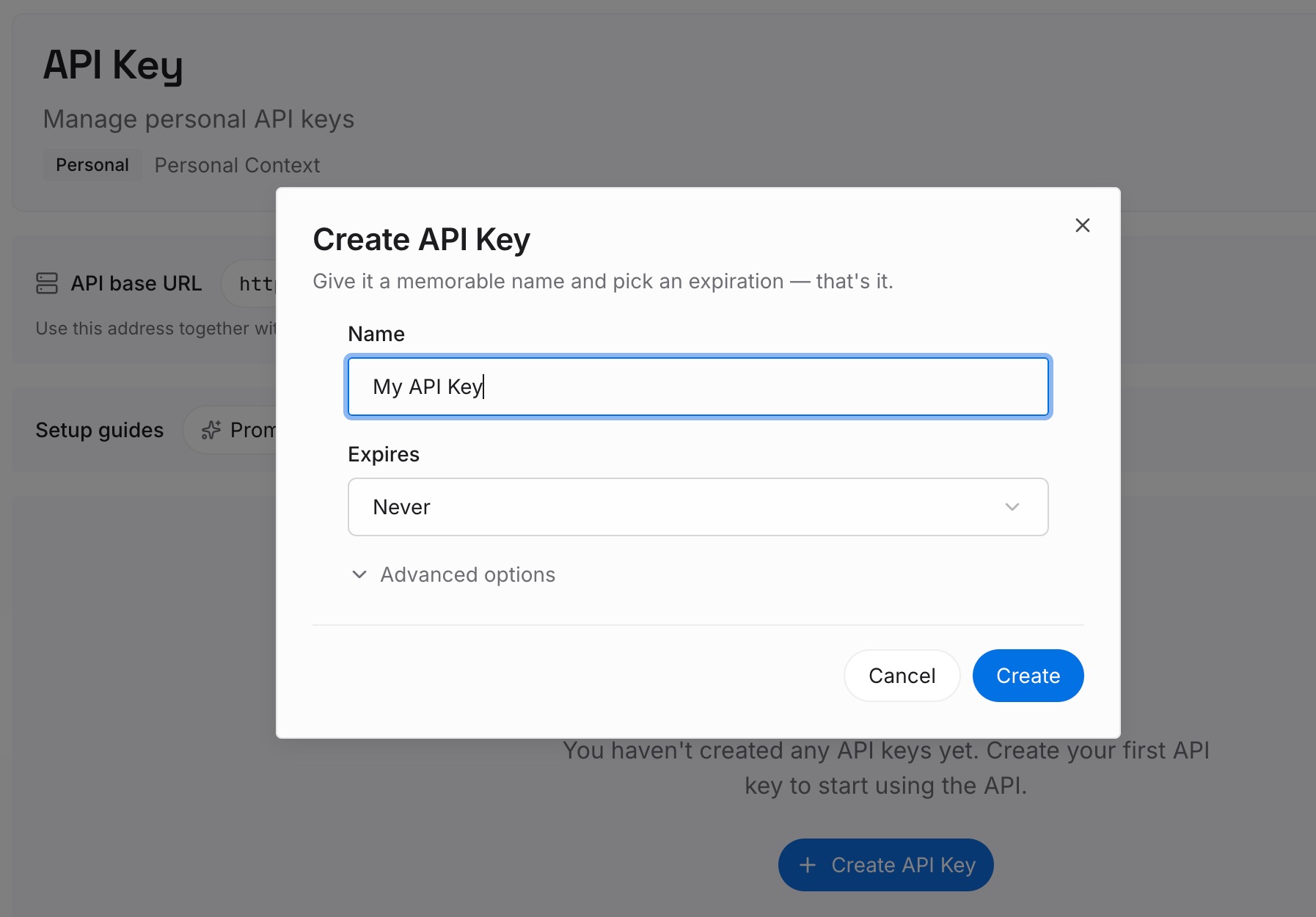
Step 1: Create an API key
Sign in to MemoryLake and create an API key. This is the credential your tools use to read and write memory, and it's deliberately independent of any one assistant — the same memory serves whatever you're using next year.
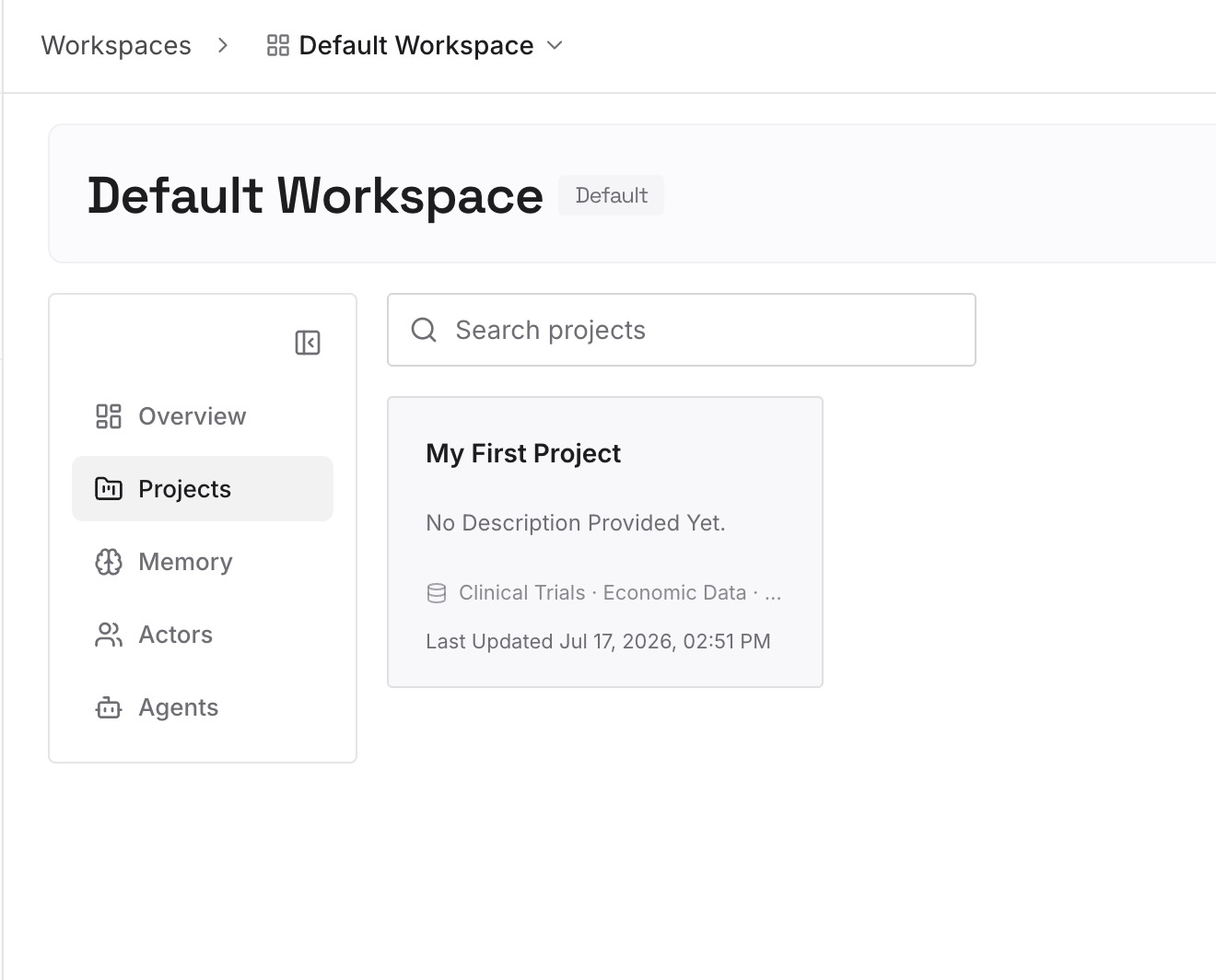
Step 2: Upload your first memories
Start with the decisions, not the documents. Your connected apps already have the documents. What they don't have is the layer above them: what was decided, what was rejected and why, which constraints are non-negotiable, which of two conflicting docs is authoritative. Keep entries short — one conclusion per entry, stated plainly enough that a colleague could act on it without asking a follow-up question. Entries recording rejections are the highest-value ones you'll write, because a rejection is the thing every fresh assistant will otherwise re-propose.
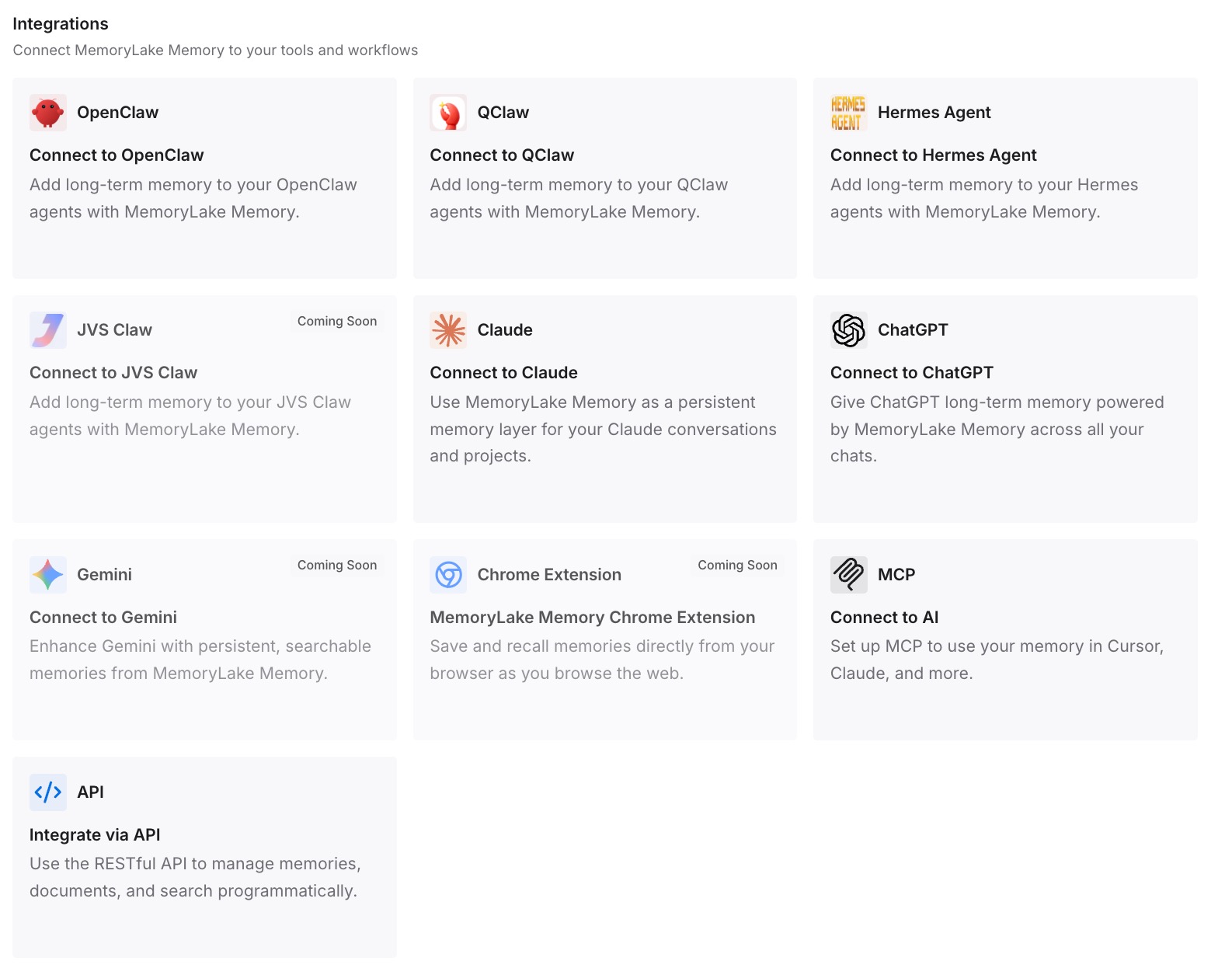
Step 3: Connect your AI & agents
Connect the tools you actually use. MemoryLake is reachable over MCP and over an API, so MCP-native agents — Claude Code, Codex, and OpenClaw among them — connect by pointing at the MCP server, and other assistants read the same memory through the API. The point is that the decision layer stops being per-tool and per-person: the same answer to "what did we decide about pricing tiers" is available wherever you ask it.
Three honest limits, because the fairness matters more than the pitch. MemoryLake is not an enterprise connector: it doesn't index your Drive, it doesn't inherit your file ACLs, and it isn't a replacement for apps with sync — if you need permission-scoped retrieval over a corpus, that's exactly what connectors are for and you should keep them. It also only holds what you or your agents put into it; it doesn't watch your meetings. And it isn't an enforcement layer — it's what your assistant knows, not a rule your assistant can't break.
What this changes in practice
"What did we decide?" becomes answerable. Not by better search over the same sources, but because the answer finally exists as a retrievable statement instead of as an inference across three documents that never mention it.
Chat hygiene stops being risky. When the conversation isn't the only record of a conclusion, deleting old chats is housekeeping rather than data loss. Given that deleting a conversation also deletes the synced app data retained in it, that's worth more than it sounds.
Answers stop diverging by person. Permission-scoped retrieval means colleagues legitimately see different sources. A shared decision layer means they at least share the conclusions — so a disagreement becomes about substance instead of about who had access to which folder.
Aggregation questions get less bad. OpenAI is upfront that queries requiring aggregation across many sources are where sync-backed retrieval struggles. A lot of those questions aren't really aggregation questions — they're questions whose answer someone already worked out once. Recording the worked-out answer sidesteps the weakness entirely.
Onboarding shortens. New people don't need access to five years of documents to be useful. They need the twenty sentences that explain why things are the way they are, which is precisely the content that has no home in a connector.
Best practices for working with connected apps
Keep sources and conclusions in separate places. Connectors for sources, a memory layer for conclusions. Trying to make either do the other's job is where the frustration comes from.
Write the decision down the moment it's made. Not a document — a sentence. "We're not doing per-seat pricing; churn risk on small teams was the blocker." Ten seconds, and it outlives the chat.
Record rejections with reasons. The reason is the load-bearing part. Without it, the rejected idea comes back, and you re-litigate it with an assistant that has no idea you've been here before.
Use @ mentions when you know the source. The docs describe explicitly asking ChatGPT to search a specific app via @ mention or the tools menu, and including a prompt like "don't search internally" when you'd rather it didn't. Being explicit beats hoping the router guesses well.
Expect sync lag on new material. Initial indexing can take up to a few days, and Partial Sync covers roughly the last 30 days first. A document you created an hour ago may not be findable yet — that's documented behavior, not a failure.
Don't rely on connectors for numeric aggregation. OpenAI names financial data aggregations as a weak spot. Pull the numbers with a tool built for it; use ChatGPT for the reasoning around them.
Remember Memory is per account. It's tied to individual accounts and not transferable between users, so anything the team needs to share can't live only there.
Conclusion
Connected apps do a specific, valuable job: they make your company's documents reachable from the place you're already asking questions, with permissions intact. OpenAI's documentation is honest about the boundaries of that job — best for Q&A and search, per-question selection of the most relevant data, weaker on aggregation, personal by permission.
The gap isn't in the implementation. It's that decisions were never documents. Until the conclusions have a home of their own — outside the sources, outside the chat that happens to hold them, and reachable by whichever assistant you're using — you'll keep getting excellent retrieval of the three files that don't contain the answer. If you want the same conclusions available across assistants rather than in one place, one memory across ChatGPT, Claude, and Gemini covers that shape, and why ChatGPT forgets uploaded files covers the version of this problem that starts with a single upload.