
What custom instructions are
OpenAI's help article starts with a definition: "Custom instructions allow you to share anything you'd like ChatGPT to consider in its response."
It continues: "Your custom instructions are applied immediately to all chats."
They're available on all plans on Web, Desktop, iOS, and Android. You can edit or delete them at any time.
The point is to stop repeating yourself. Anything you'd otherwise type at the start of most chats, such as your role, your preferred format, or your level of experience, is a candidate.
How to set them
On web and desktop, open Settings and select Personalization. Make sure Enable customization is toggled on, then enter your text in the Custom Instructions field.
On iOS and Android, open Settings and select Customize ChatGPT, then follow the same steps.
To turn them off, toggle Enable customization off. OpenAI notes that deleting the text from the field is optional when you do.
Two details are worth knowing. OpenAI says your instructions "won't be shared with shared link viewers", and custom instructions are included in your ChatGPT data export.
How long they can be
There's a character limit that depends on your plan. OpenAI's FAQ says: "Free and Go users can save up to 1,500 characters in custom instructions." Plus, Pro, Enterprise, Business, and Education users can save up to 5,000.
That's characters, not words. A set of eight to ten short lines fits comfortably in the smaller limit. The examples below are written to stay well under it, so you can combine two if you need to.
Custom instructions in temporary chats
Temporary chats let you choose whether your instructions apply. Before the first message, you pick Personalized or Unpersonalized.
OpenAI's temporary chat article describes the two options. Unpersonalized "Does not use memory, custom instructions, or plugins." Personalized "Can use your existing memories, custom instructions, and plugins."
The choice is fixed once you start. OpenAI says: "You cannot change personalization after the conversation starts."
That's useful for testing. An unpersonalized temporary chat shows you how ChatGPT answers without your instructions, so you can compare it with a normal chat and see what your set actually changes.
Custom instructions, memory, and project instructions
ChatGPT has three places to put guidance, and each does a different job.
Custom instructions are what you write for every chat. OpenAI's memory FAQ describes them as "direct guidance that you provide about what ChatGPT should know and how it should respond."
Memory develops on its own. The same FAQ says: "Memory can use relevant information that develops across conversations and other available sources." ChatGPT decides what's relevant.
Project instructions apply inside one project. OpenAI's projects article says: "Project instructions apply only within that project and override your global custom instructions." Its own example is: "Act like my marketing mentor. Be concise. Use bullet points. Ask clarifying questions."
A simple rule follows. Put how you like answers in custom instructions. Put guidance for one body of work in a project. Let memory handle the details that come up as you go.
We explained how memory and custom instructions fit together in our guide to how ChatGPT memory works.
Example 1: Writing
These are for someone who writes articles, newsletters, or posts. Adapt them to your own voice.
- I write a weekly newsletter for small business owners.
- Match a plain, conversational tone. Short sentences. No jargon unless I use it first.
- When I share a draft, suggest edits instead of rewriting the whole thing.
- Point out any sentence that's unclear, and say why.
- Avoid phrases like dive into, game-changer, or in today's fast-paced world.
- Use American spelling.
- When I ask for headlines, give five options of different lengths.
Notice the mix: one line about who you are, three about voice, and three about how to respond to a specific kind of request.
Example 2: Coding
These are for a developer who uses ChatGPT for code questions.
- I'm a backend developer working mostly in Python and PostgreSQL.
- Show code first, then a brief explanation.
- Prefer the standard library over adding dependencies.
- When there are trade-offs, list them in two or three lines.
- If my question is ambiguous, state your assumption and answer.
- Include type hints in Python examples.
- Don't add comments that repeat what the code says.
The fifth line saves time. It tells ChatGPT to make a reasonable guess and say so, instead of stopping to ask.
Example 3: School
These are for a student who wants to learn the material, not just get answers.
- I'm a second-year college student studying biology.
- Explain concepts step by step, and check my understanding with a question at the end.
- When I share my work, point out mistakes and hint at the fix before giving the answer.
- Use examples from everyday life when introducing a new idea.
- Keep explanations under 300 words unless I ask for more.
- If I ask you to write an assignment for me, help me outline it instead.
The last line is a good example of a standing rule. It's a decision you made once, written down so you don't have to make it again in every chat.
Example 4: Work and email
These are for someone who uses ChatGPT for professional writing.
- I'm a project manager at a software company.
- For emails, keep them under 150 words and end with a clear next step.
- Match the formality of the message I'm replying to.
- Don't use exclamation points.
- When I paste meeting notes, summarize decisions, owners, and dates first.
- Flag anything that sounds like a commitment I didn't make.
The last line protects you. It asks ChatGPT to catch promises that might slip into a draft.
Example 5: Learning something new
These are for someone learning a skill outside work or school, such as a language or an instrument.
- I'm learning Spanish and I'm at an intermediate level.
- Reply in simple Spanish first, then give the English below it.
- Correct my mistakes gently and show the corrected sentence.
- Introduce at most three new words per answer.
- Suggest one short exercise at the end.
This set is short, which leaves room to combine it with another set within the smaller limit.
Example 6: Research and reading
These are for someone who uses ChatGPT to read and summarize sources.
- I research topics for a policy team and need accurate summaries.
- When you summarize, separate what the source says from your interpretation.
- Note when a claim comes from general knowledge rather than a source I gave you.
- Give summaries as one short paragraph, then the three most important points.
- If two sources disagree, say so instead of picking one.
The third line matters most here. It keeps the line between your sources and ChatGPT's own knowledge visible.
How to write your own
The examples share a structure you can reuse:
- Who you are. One line on your role or level. It changes how ChatGPT pitches its answers.
- Format. Length, structure, and what comes first.
- Voice. Tone, spelling, and phrases to avoid.
- Handling requests. What to do with drafts, code, or ambiguous questions.
- Standing decisions. Rules you've settled, so new chats don't reopen them.
Be concrete. Keep answers short means different things to different people; under 150 words doesn't.
What to leave out
A few things work better somewhere else.
Facts that change. A temporary situation, like a current deadline, is better told in the chat where it matters.
Guidance for one project. Put it in that project's instructions, which only apply inside the project.
Long reference material. Upload documents to a project instead of pasting them into the field.
Sensitive details. OpenAI notes that information from custom instructions is used to improve model performance unless you opt out. Keep anything private out.
When to update them
Custom instructions describe you at a point in time. Revisit them when your role, your projects, or your preferences change, and after any stretch where you find yourself correcting ChatGPT the same way in several chats. A repeated correction is a sign the line belongs in the field.
What people try first
One vague line. Be helpful gives ChatGPT nothing to act on.
Writing an essay in the field. The limit is 1,500 or 5,000 characters, depending on your plan.
Repeating project rules. Put them in project instructions instead.
Forgetting temporary chats. An unpersonalized temporary chat doesn't use custom instructions.
Never revisiting them. Instructions that described your old job keep shaping answers.
The Fix: Write instructions that cover the basics
Step 1: Say who you are
Add one line on your role or level of experience.
Step 2: Set the format
Spell out length, structure, and what should come first.
Step 3: Add your standing rules
List the decisions you don't want to make again in every chat.
Step 4: Keep a master copy
Save the full version of your preferences somewhere you control.
Setting this up in MemoryLake
Custom instructions shape ChatGPT, within a character limit. The full version of your preferences, including the reasons behind them and the variations for different kinds of work, is useful in other assistants too.
MemoryLake is a memory layer for that kind of context, kept in one place you maintain and available to the assistants you connect, such as ChatGPT, Claude Code, and Codex.
You write the entries yourself, in your own words. Nothing is read out of, written to, or deleted from your custom instructions, your ChatGPT memory, your projects, your chats, or any vendor's store. Custom instructions work the way OpenAI describes them.
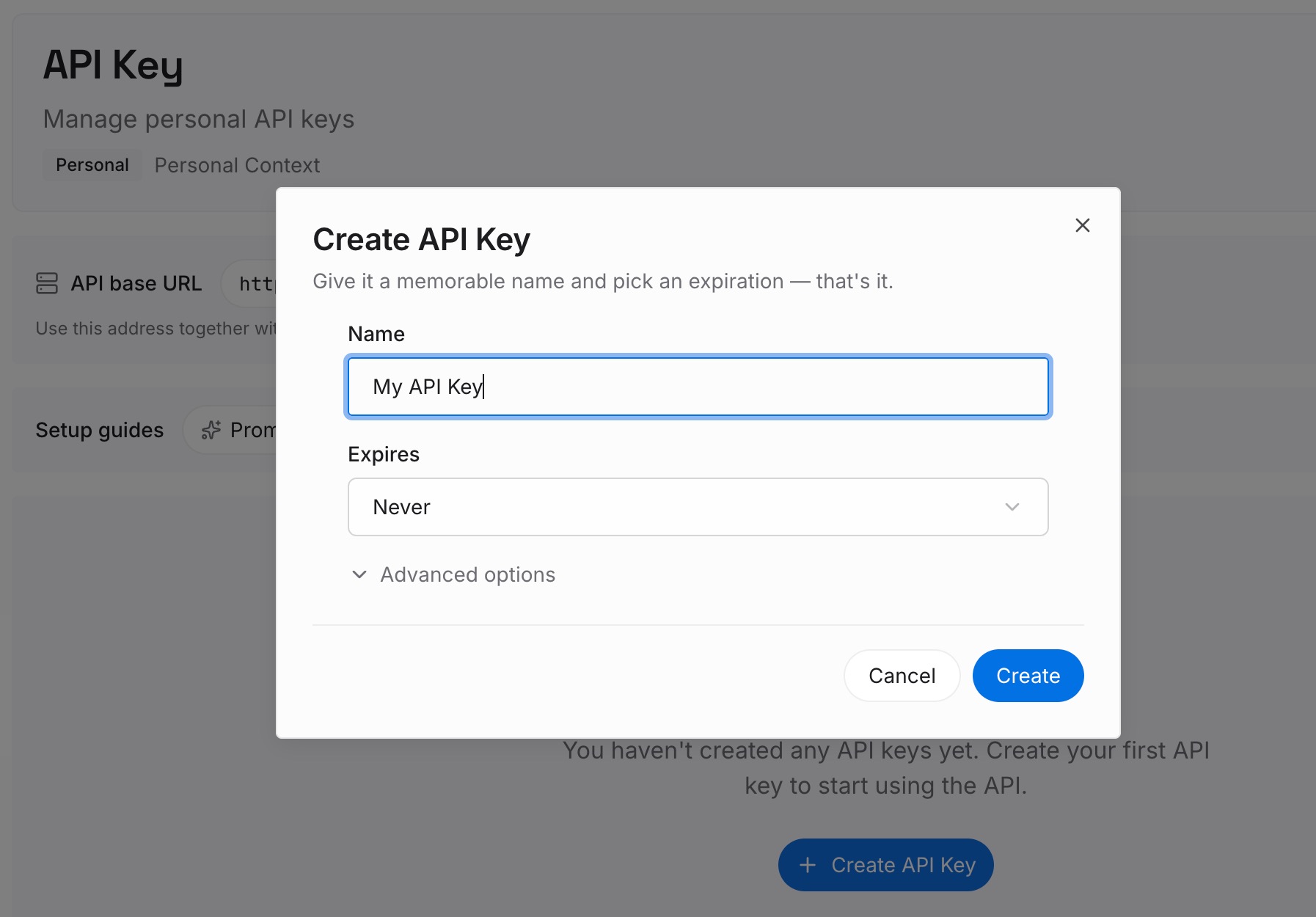
Step 1: Create an API key
Sign in and generate a key from the dashboard. Keep it somewhere private.
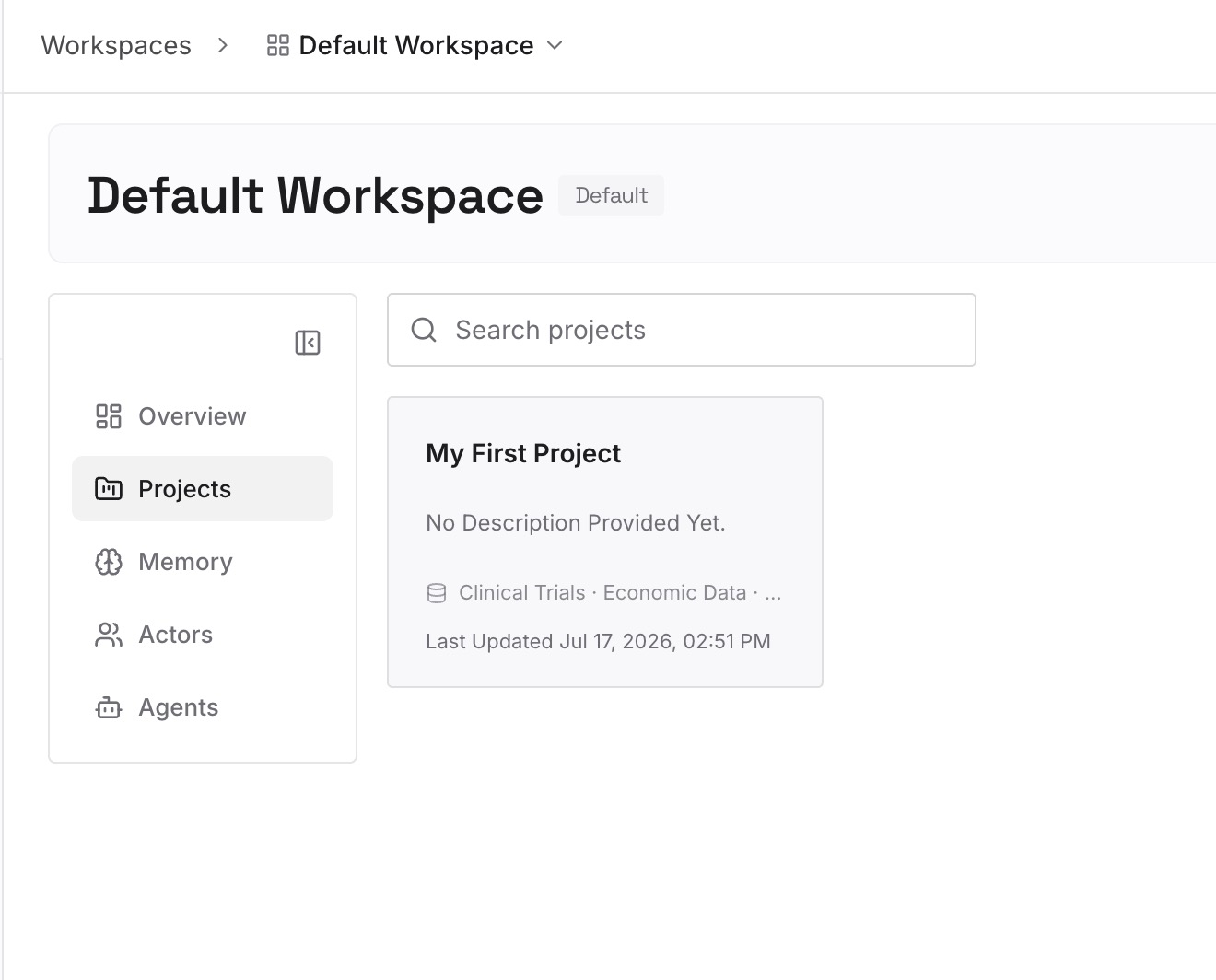
Step 2: Upload your first memories
Start with what you saved in Step 4 of the fix: your full set of preferences. One preference per entry.
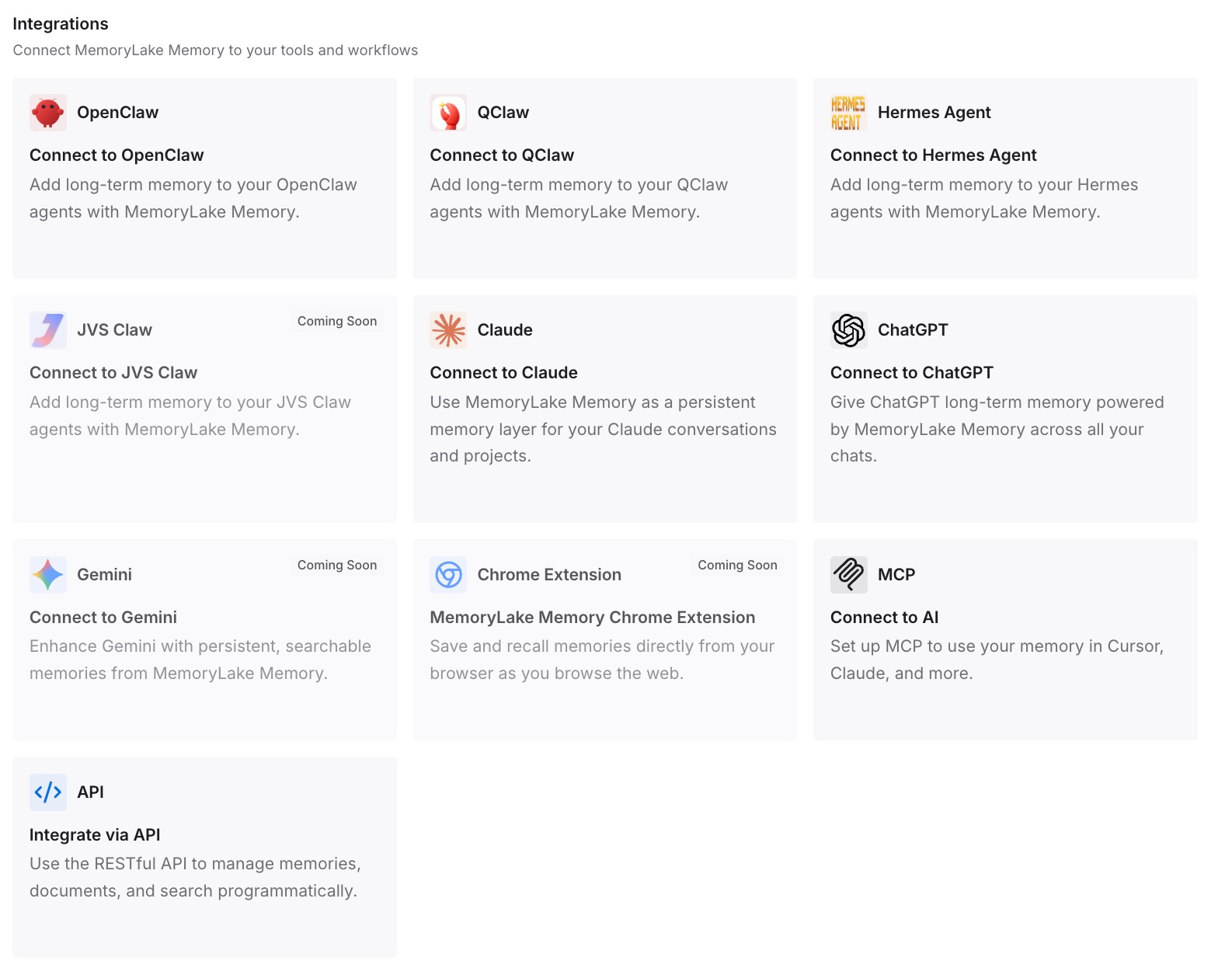
Step 3: Connect your AI & agents
Connect ChatGPT, Codex, Claude Code, and the other assistants you use, so each starts from the same preferences.
What this changes in practice
The first difference is consistency. The same preferences apply across your assistants.
The second is room. Your master copy isn't limited by a character count.
The third is easier updates. Change a preference once and you know where it lives.
Best practices for ChatGPT custom instructions
Be specific. Numbers and examples beat general requests.
Keep it short. Leave room under your plan's limit.
Separate global from project rules. Project instructions override custom instructions inside a project.
Revisit after changes. Update them when your role or needs change.
Leave out secrets. Instructions are used to improve models unless you opt out.
Test with a fresh chat. Ask a typical question and check the answer follows your rules.
Conclusion
ChatGPT custom instructions let you share what ChatGPT should consider in every response, and they apply to all your chats. Free and Go users get 1,500 characters and paid plans up to 5,000. They're different from memory, which ChatGPT builds from your conversations, and from project instructions, which apply inside one project and override your global set.
Good instructions say who you are, set the format, define your voice, explain how to handle common requests, and record decisions you've already made. The examples for writing, coding, school, work, and learning are starting points to adapt. Keeping a full master copy of your preferences in one place you control makes them easy to update and reuse.