
How a ChatGPT data export works
OpenAI describes two routes. "You can request a copy of eligible ChatGPT account data using available export or privacy-request options." One is the Privacy Portal, where you submit a data request. The other is ChatGPT's own settings, for an eligible signed-in account or workspace.
On the web, the settings route is Settings, then Data controls, then Export under Export data, then Confirm export. On iOS and Android it's in Data controls as Export data. If the app offers to open ChatGPT on the web instead, OpenAI says to "select it, sign in to the same account, and complete the web export steps above."
Then you wait for a message. "ChatGPT sends an email or SMS message when the export is ready. Exports can take up to 7 days to arrive." The message has a Download data export button, and "The download link expires 24 hours after you receive it."
OpenAI also says what you should get: "The downloaded ZIP file includes your chat history and other relevant account data."
Each step in that chain can fail. Here they are in order.
Why your ChatGPT export isn't working
The export option isn't there
One reason is the kind of account you're signed in to. OpenAI's availability list for exports from settings is short: "Available for ChatGPT Free, Go, Plus, Pro, and eligible ChatGPT Edu workspaces." It adds that exports are "Not available while you are logged out" and not available for Business, Enterprise, or ChatGPT for Healthcare workspaces.
For those managed workspaces, OpenAI's instruction is: "If you use a ChatGPT Business, Enterprise, or ChatGPT for Healthcare workspace, contact your workspace owner about organization-managed data access. Self-service export is not available in these workspaces."
Edu is conditional. "For ChatGPT Edu, data export depends on your assigned role, workspace settings, and whether data residency is enabled. If you do not see an export option, ask your workspace administrator."
If you have both a personal account and a work account, check which one is active. ChatGPT's account switcher keeps up to two accounts signed in, and OpenAI's article on it says "Only one account is active at a time." The export option belongs to the active one. Our guide to ChatGPT account switching covers what else each account keeps to itself.
The email hasn't arrived
Exports aren't instant. OpenAI says they "can take up to 7 days to arrive", and its troubleshooting steps are specific: "Check the inbox, spam, and promotions folders for the email address associated with your account. If your account uses only a phone number, check your SMS messages. If your export has not arrived after 7 days, contact OpenAI Support."
Before you start, OpenAI also asks you to "make sure you can access the email inbox or phone number associated with your account." If that address is one you no longer check, the export may be sitting there.
You requested it twice
Asking again doesn't speed things up. OpenAI's advice: "Wait for the existing request to finish before submitting another request. While it is processing, ChatGPT may show that an export has already been requested."
The link expired
The download link lasts a day. If you open the email after 24 hours, the link won't work. OpenAI's fix: "If the link has expired, request a new export through ChatGPT settings or the Privacy Portal." That restarts the wait, so plan to download soon after the message arrives.
You're signed in to a different account
OpenAI says to "Download the export while you are signed in to the same account that requested it." Its troubleshooting step for a link that won't open repeats it: "Make sure you are signed in to the same account that requested the export."
Keep this in mind if you use the account switcher or sign in with more than one email. The link is tied to the account that asked for it, not to whichever account your browser has open.
The link won't open on your phone
OpenAI has a specific note for this: "If a recent export link does not open on your phone, try opening the same link on a computer while signed in to the account that requested the export."
You can't sign in at all
If you're locked out, the settings route is closed. "If you cannot sign in to ChatGPT, request your data through the Privacy Portal." In the portal, choose Make a Privacy Request, then I have a consumer ChatGPT account, then Download my data.
Your personal workspace is gone
Moving to a company plan can close the export window. OpenAI says to request, download, and check your export before a personal workspace is merged into Business, Enterprise, Edu, or ChatGPT for Healthcare, because "After a personal workspace is removed, you may no longer be able to open an earlier export link or request another export from that workspace." Our guide to migrating your personal workspace to Business covers that move.
The chat you wanted isn't in the ZIP
An export is a copy of what's in your account when it runs. OpenAI's article says to "Open the ZIP file and check that it contains the conversations you need. An export cannot restore chats that have already been deleted."
Deleted chats are removed from your account view right away, and OpenAI says you cannot restore a deleted chat in ChatGPT or through OpenAI Support. If you're looking for one, the export won't bring it back.
What people try first
Requesting a new export every day. OpenAI asks you to wait for the existing request to finish.
Opening the link a few days later. The link expires 24 hours after you receive it.
Clicking the link while signed in to another account. The link works for the account that requested the export.
Looking for the option in a Business workspace. Self-service export isn't available there.
Expecting the export to recover deleted chats. It can't.
Assuming the ZIP is a restore file. OpenAI's article on moving conversations between accounts says an uploaded export lets ChatGPT reference the data in a new conversation, and does not "Add old conversations to your chat history."
What's in the ZIP once it arrives
OpenAI describes the contents as chat history and other relevant account data. Its article on moving conversations between accounts adds detail about the file you'll most likely want: after you extract the ZIP, you'll "Find conversations.json. Larger exports may contain numbered conversation JSON files instead."
That article also covers what you can do with the file. You can upload it to a new conversation in another personal ChatGPT account, and "ChatGPT can use the uploaded file as reference in that conversation." It's explicit that this isn't a migration, and lists what it doesn't do, including restoring your original sidebar and transferring custom instructions, memories, GPTs, or other account settings.
If the JSON file is too big to upload, OpenAI suggests uploading the numbered files separately, splitting the file into smaller ones, or uploading only the conversations you need.
Keep the files safe. OpenAI's article opens with a warning: "Downloaded data can include sensitive account information. Keep your download link and exported files secure."
If you're exporting so you can move to another assistant, our guide to migrating ChatGPT conversations to Claude shows what to do with the file next.
Exports and memory are different backups
If you're exporting to keep what ChatGPT knows about you, note that OpenAI's export article describes the ZIP in general terms and doesn't list a memory file in it. ChatGPT's memory has its own controls, and its memory article describes a memory summary, saved memories, and sources you can review in settings.
So if your goal is to keep your memory, check it directly as well as exporting. Our guide to backing up your ChatGPT memory walks through both. And if you're deciding what to turn off before or after an export, our guide to ChatGPT memory and data controls explains which setting covers what.
The Fix: Request once, download within a day, and check the contents
Step 1: Confirm the account and that export is available
Sign in to the account whose chats you want. If you use the account switcher, check the active account. If you're in a Business, Enterprise, or ChatGPT for Healthcare workspace, ask your workspace owner instead. On Edu, ask your administrator if the option isn't there. If you can't sign in, use the Privacy Portal.
Step 2: Request one export and watch for it
Request the export once, from settings or the Privacy Portal. Watch the inbox, spam, and promotions folders for the account's email address, or your SMS messages for a phone-only account. Give it up to 7 days before contacting support.
When the message arrives, download within 24 hours on a computer, signed in to the same account that requested it.
Step 3: Open the ZIP and keep a copy you control
Check that the conversations you need are there. Find conversations.json or the numbered conversation files. Store the ZIP somewhere secure, since it can include sensitive account information. If the reason you exported is a few decisions or facts buried in long chats, write those down separately while the chats are in front of you.
Setting this up in MemoryLake
An export is a snapshot of your chats on one day. It's useful for an archive, but the parts you'll actually reuse may be a handful of decisions and preferences spread across hundreds of conversations. Finding them again means searching a large JSON file.
MemoryLake is a memory layer for keeping those facts in one place you maintain, available to the assistants you connect, such as ChatGPT, Claude Code, and Codex.
You write the entries yourself, in your own words. Nothing is read out of, written to, or deleted from your ChatGPT chats, your ChatGPT memory, your data export, your Privacy Portal requests, or any vendor's store. Exports keep working the way OpenAI describes them, and you should still keep the ZIP.
Step 1: Create an API key
Sign in and generate a key from the dashboard. The key belongs to your MemoryLake workspace and is separate from your OpenAI account.
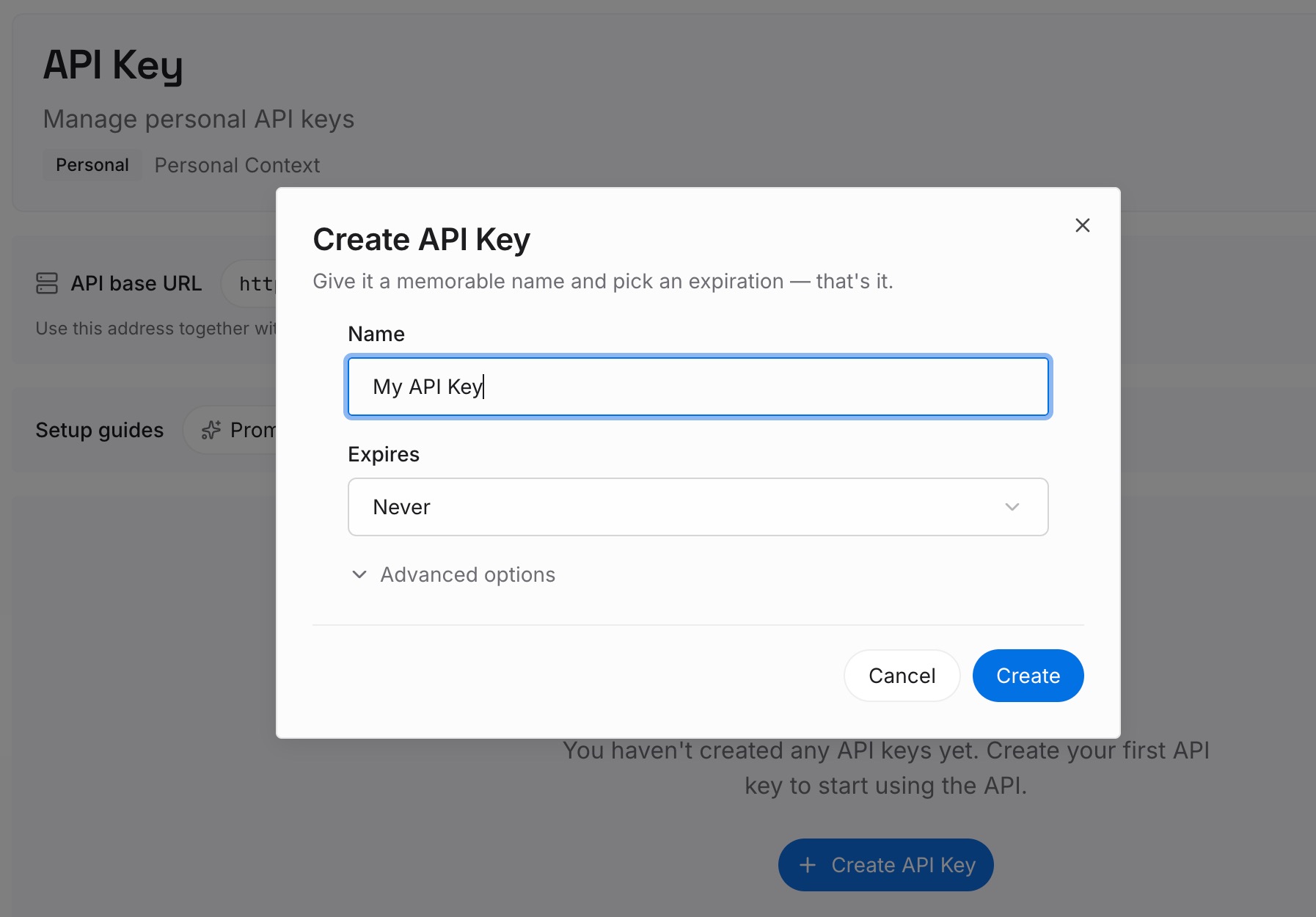
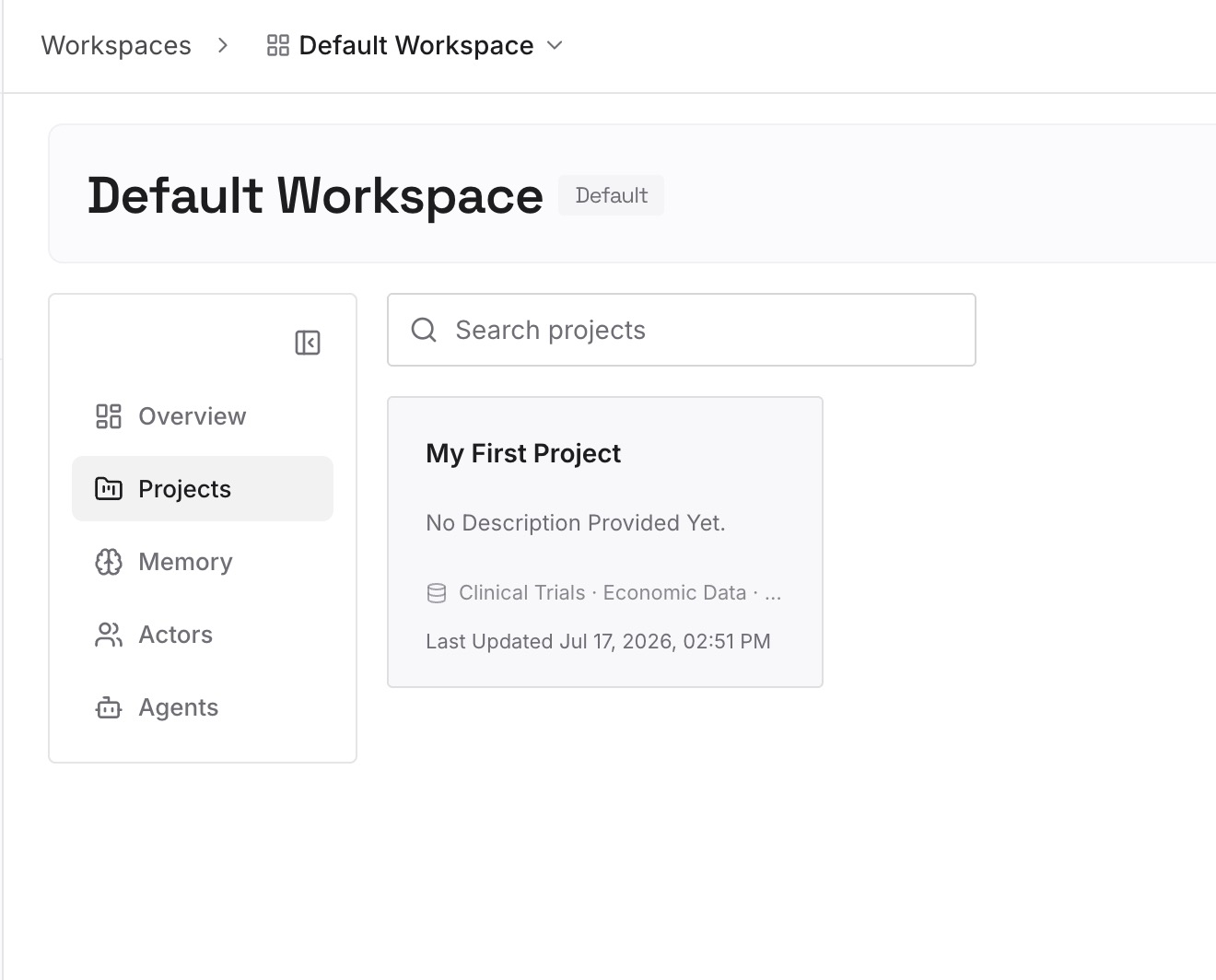
Step 2: Upload your first memories
Start with the decisions you noted in Step 3 above: what you decided, why, and when. One point per entry. You can add more as you go back through the export.
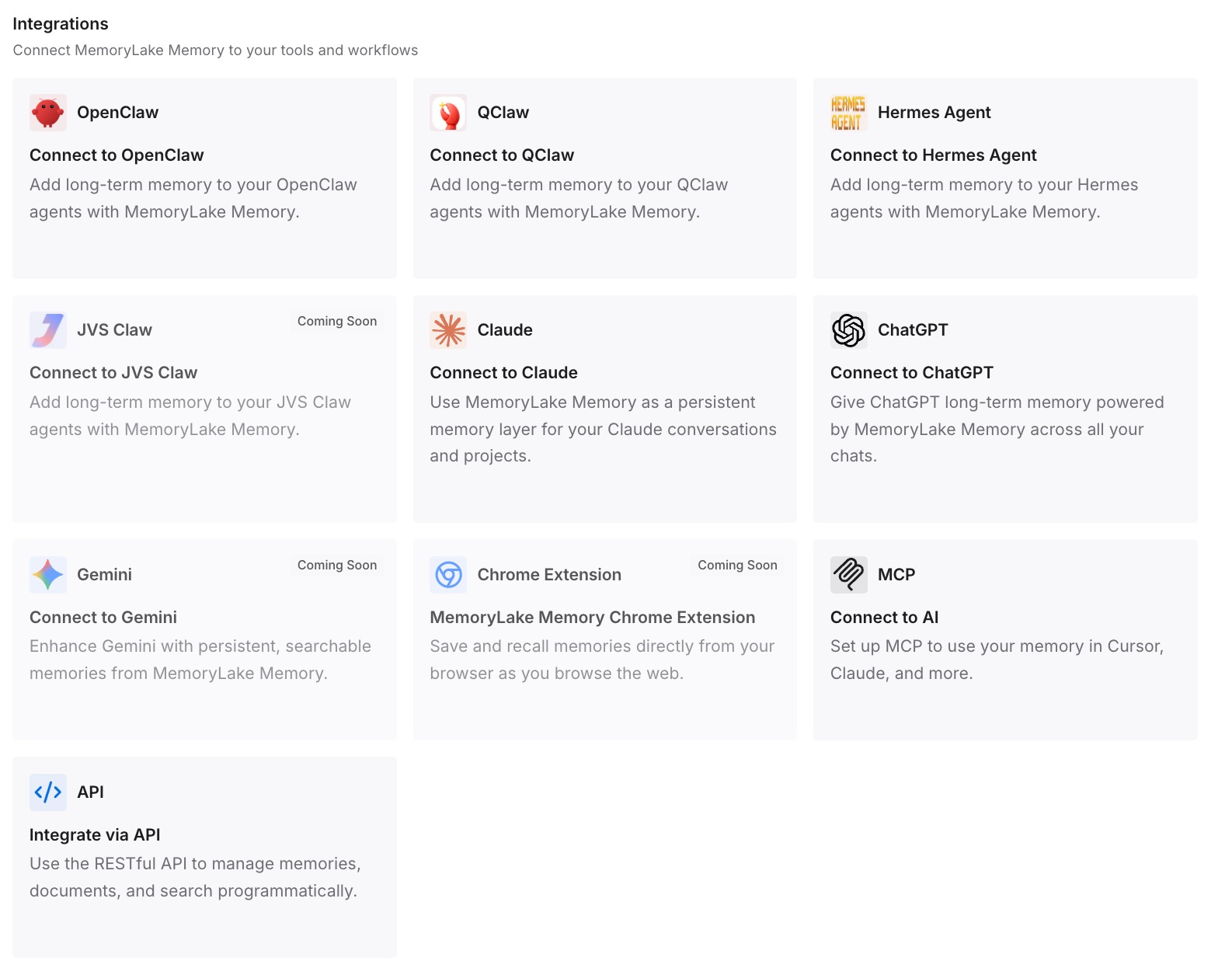
Step 3: Connect your AI & agents
Connect ChatGPT and any other assistants you use. The entries are available in each of them, without uploading the export again.
What this changes in practice
The first difference is that you don't depend on the export arriving. If the email takes a week, the decisions you wrote down are already where you need them.
The second is a smaller thing to search. A list of entries is easier to scan than a ZIP of every conversation.
The third is continuity across accounts. Switching from a personal account to a work account doesn't move chats or memory, but the entries you wrote are available in either.
Best practices for ChatGPT data exports
Check the active account before you request. The export belongs to the account that asked for it.
Request once. Wait for the existing request to finish.
Allow up to 7 days. Check spam, promotions, and SMS.
Download within 24 hours. Use a computer if the phone won't open the link.
Export before a workspace move. A removed personal workspace may no longer offer exports.
Open the ZIP right away. Confirm the conversations you need are there.
Store the file securely. It can include sensitive account information.
Don't expect it to recover deleted chats. It copies what's in the account when it runs.
Conclusion
When a ChatGPT data export isn't working, the documented causes come down to a few limits. Business, Enterprise, and ChatGPT for Healthcare workspaces don't offer self-service export. Exports can take up to 7 days to arrive, the link expires after 24 hours, and it only works for the account that requested it. If you can't sign in, the Privacy Portal is the route.
Once you have the ZIP, check it right away. It holds the chats in your account at the time of the export, not chats you already deleted, and uploading it to another account gives ChatGPT a reference file rather than your old history. Keep the file, and keep the few facts you'll reuse somewhere easier to reach.