
What Finances in ChatGPT is
Finances lets you connect financial accounts and credit report data to ChatGPT and ask questions grounded in that data. OpenAI's help article describes a dashboard of where your money is going, plus the ability to "ask ChatGPT questions grounded in their financial context".
Availability is limited: "Finances is available in the U.S. to Free, Go, Plus, and Pro users on web, iOS, and Android."
You can ask finance questions from the Finances page or in a regular ChatGPT conversation. When a question relates to your connected data, ChatGPT can use that context. You can also type /finances or @finances in the chat box.
What it connects to
There are two separate connections:
"You can connect financial accounts through Plaid and credit report data through Experian. These are separate connections; you can use either or both."
Plaid links bank, credit card, and investment accounts. After you authenticate, ChatGPT begins syncing and categorizing your data, which OpenAI says usually takes a few minutes and in rare cases several hours. Connected account data then syncs automatically, and the Finances page shows when your accounts last synced.
Experian provides your credit report and score. Connecting your bank through Plaid doesn't connect your credit, and you don't need a bank connection to use the credit feature. OpenAI notes that your score and report update monthly, and that "Credit widgets reflect your latest Experian report, not live account activity".
When you set up the Experian connection, the article is specific about where to type sensitive details: "Make sure to enter personal information and verification codes in Experian's form, not in your conversation with ChatGPT."
What it can do, and what it can't
ChatGPT can help you understand spending by category, find subscriptions and recurring bills, review upcoming payments, compare this month with recent trends, see net worth over time, review portfolio allocation, plan budgets and savings goals, and understand your credit score.
It can't act on your accounts. OpenAI's wording: "ChatGPT can help you understand, plan, and evaluate financial decisions, but it cannot take financial actions for you." The article lists what ChatGPT can't do, including moving money, paying bills, making trades, opening or closing accounts, and filing taxes.
It also isn't an adviser. The article states that ChatGPT is not a fiduciary, registered investment adviser, broker-dealer, tax preparer, or law firm, and that responses are for informational and planning purposes only.
One useful habit: ask where an answer came from. "When ChatGPT uses connected financial data, it may cite the relevant source data so you can review where the answer came from."
Why a number can look wrong
Before you save a correction to memory, it helps to know where errors can come from. OpenAI's article lists a few.
Missing or incomplete data. Some accounts connect but don't share every type of data. An institution may share balances but not full transaction history, investment holdings, or due dates. "ChatGPT can only show the financial data your institution makes available through the connection."
How transactions are counted. "A spending breakdown may look inaccurate if transfers, credit card payments, reimbursements, or duplicate pending transactions are counted as spending."
Timing. Your credit report shows the balance your lender last reported, not a live balance, so a recent payment may appear in your bank account first.
When something looks off, check the account's connection status and last sync time on the Accounts tab of the Finances page, where you can also remove an account or fix connection errors. Then ask ChatGPT which data it used. OpenAI's own caution applies: "And as always, AI can make mistakes."
What financial memories are
This is the part of Finances that persists between conversations, and it's separate from your connected account data.
The help article describes it this way: "Beyond connected accounts, you can share important context about your financial life, such as a mortgage, a savings goal, or a major purchase you're planning."
OpenAI's examples include telling ChatGPT "I'm saving up to buy a car early next year." or that your rent is split with your partner. Then: "ChatGPT can save this context to your financial memories and use it to make future finance conversations more relevant."
The purpose is continuity. "Financial memories help ChatGPT connect your accounts, goals, and shared context instead of treating every question in isolation."
A dedicated type of memory
OpenAI describes financial memories as their own category. In the privacy section: "These are saved as financial memories, a dedicated type of memory used specifically to inform financial conversations."
That's worth knowing if you already use ChatGPT's general memory. Financial memories are described as being used to inform financial conversations, and the help article points you to the Finances page and the Finances settings to manage them.
What goes into them
Financial memories cover what your connected accounts can't show. The article says you can add context even when an account isn't available through a connected source, such as a property, a private loan, a savings goal, or a planned purchase, and that "ChatGPT can save key details you share as financial memories".
Corrections can go there too. If a spending breakdown looks wrong, OpenAI says "You can ask ChatGPT to explain which transactions were included, reclassify anything that looks wrong, and remember relevant corrections for future finance conversations."
Where to review and delete them
You can view or delete financial memories at any time from the Finances page, through the more options menu. The article also says the Finances section in Settings, where you disconnect Finances, "is also where you can manage Financial memories".
What temporary chats see
If you want to ask a money question without it touching your connected data or memory, temporary chats are the documented option.
"When you use temporary chats, ChatGPT won't access your connected financial accounts, use or create memories for personalization." The article adds that temporary chats won't appear in your history, and that ChatGPT doesn't use them to create or update memories.
So a temporary chat is a clean room: no account data, no financial memories used, nothing new saved for personalization.
What disconnecting removes, and what it leaves
This part is worth reading closely, because disconnecting removes less than the word suggests.
Disconnecting Finances removes your connected data. "Disconnecting Finances removes your connected financial data from ChatGPT." OpenAI adds timing for Plaid: "When you disconnect Finances or remove a connected account, synced account data is deleted from OpenAI's systems within 30 days, and data associated with that ChatGPT connection is deleted from Plaid within 30 days in accordance with Plaid's policies."
Your conversations stay. "Disconnecting a source does not delete information already in your conversation history; you can delete those conversations separately." If you asked ChatGPT about a transaction last month, that chat still contains the answer.
Your financial memories stay. The Experian section says it directly: "Disconnecting does not remove information from past conversations or financial memories, which you can delete separately."
Other Plaid connections stay. "Disconnecting Finances in ChatGPT removes the ChatGPT connection, but it does not affect other Plaid connections you separately authorized."
Your credit file is unaffected. Disconnecting Experian stops it from sharing your score and reports with ChatGPT, and OpenAI says it deletes the underlying credit report data from its systems within 30 days. It doesn't affect your credit file or other Experian services.
So a full cleanup has up to three steps: disconnect the sources, delete financial memories, and delete the conversations you no longer want.
Training and data controls
Finances follows the settings you already have. "Your existing ChatGPT data controls apply to Finances." On training specifically: "Your conversations with Finances follow the same model training settings you choose across ChatGPT." You can change that setting in Settings, under Data controls.
What people try first
Disconnecting to erase everything. It removes connected data, not conversations or financial memories.
Looking for financial context in the wrong place. The help article points to the Finances page and its settings for financial memories.
Typing verification codes into chat. OpenAI says to enter them in Experian's form, not in the conversation.
Expecting live credit data. Credit widgets reflect your latest Experian report.
Asking ChatGPT to pay a bill. It can't move money or pay bills.
The Fix: Keep your financial context clean and deliberate
Step 1: Decide what ChatGPT should remember
Share goals and obligations you want carried forward, and correct anything it gets wrong so the correction is remembered.
Step 2: Review financial memories regularly
Open the Finances page, check what's saved, and delete what's out of date.
Step 3: Use temporary chats for one-off questions
When you don't want account data or memory involved, start a temporary chat.
Step 4: Plan a full cleanup in three parts
If you stop using Finances, disconnect sources, delete financial memories, and delete the conversations you don't want to keep.
Setting this up in MemoryLake
Financial memories help within ChatGPT's finance conversations. Some of the context behind them, such as a household budget rule, a savings goal, or how expenses are split, is also useful in other work, like planning a move or drafting a budget spreadsheet with a different assistant.
MemoryLake is a memory layer for that kind of context, such as goals, rules, and decisions you choose to write down, kept in one place you maintain and available to the assistants you connect, such as ChatGPT, Claude Code, and Codex.
You write the entries yourself, in your own words. Nothing is read out of, written to, or deleted from your Finances dashboard, your connected accounts, Plaid, Experian, your financial memories, your ChatGPT memory, your conversations, or any vendor's store. Finances and financial memories work the way OpenAI describes them.
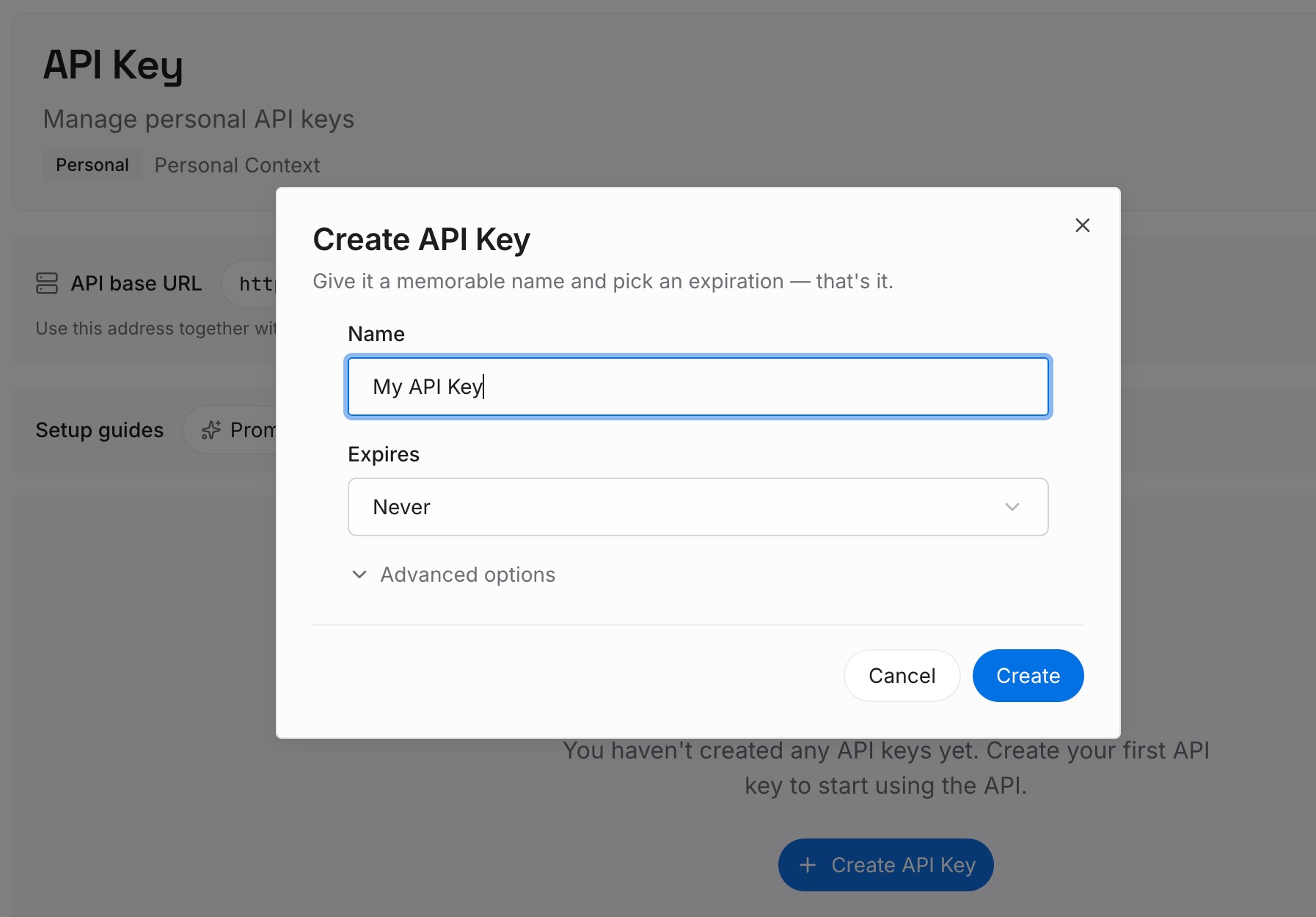
Step 1: Create an API key
Sign in and generate a key from the dashboard. Treat it like any other credential, and keep account numbers and card details out of your entries.
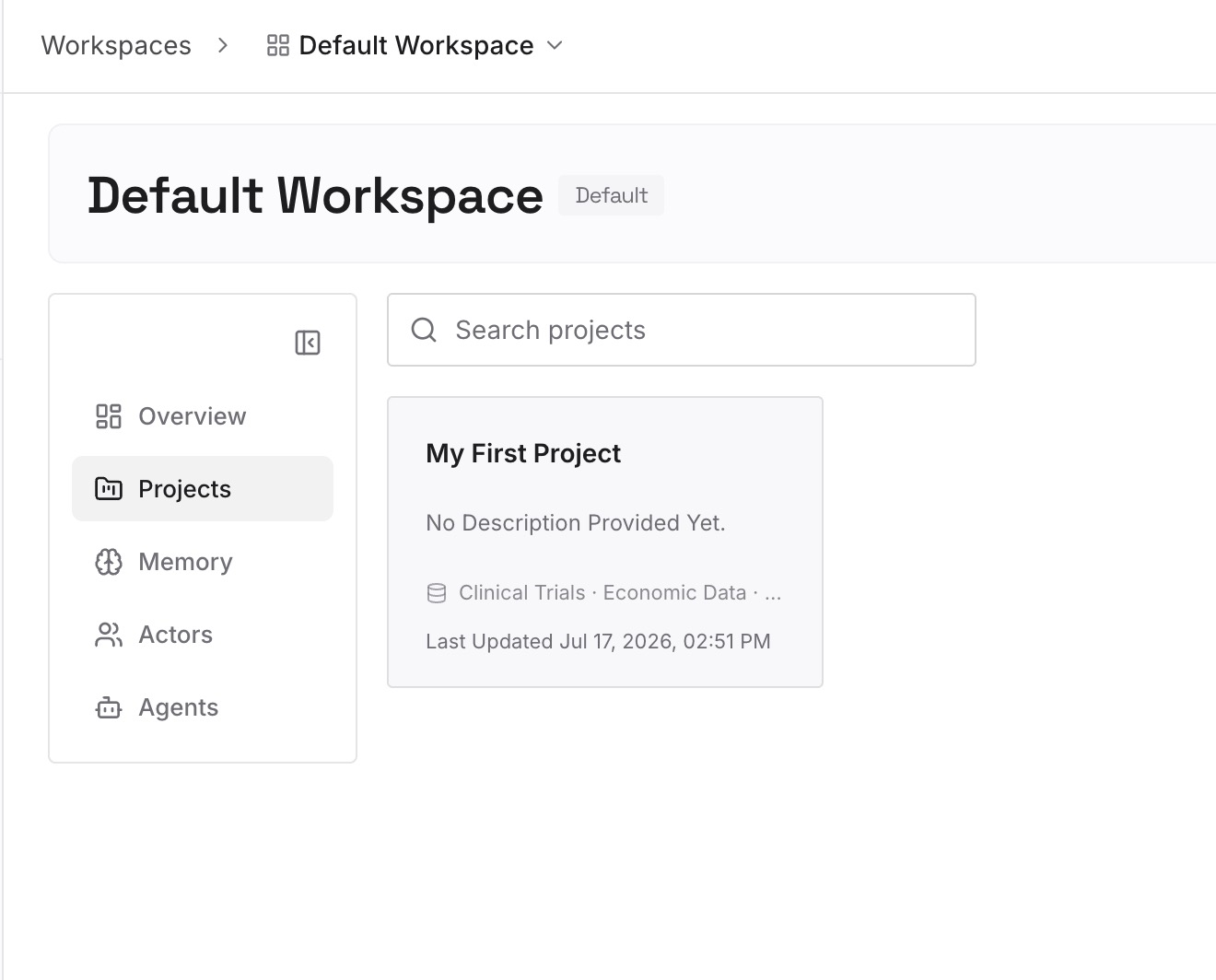
Step 2: Upload your first memories
Start with the goals from Step 1 of the fix that are useful beyond finance chats: a savings goal, a budgeting rule, or how shared costs are split. One goal or rule per entry, with no account numbers.
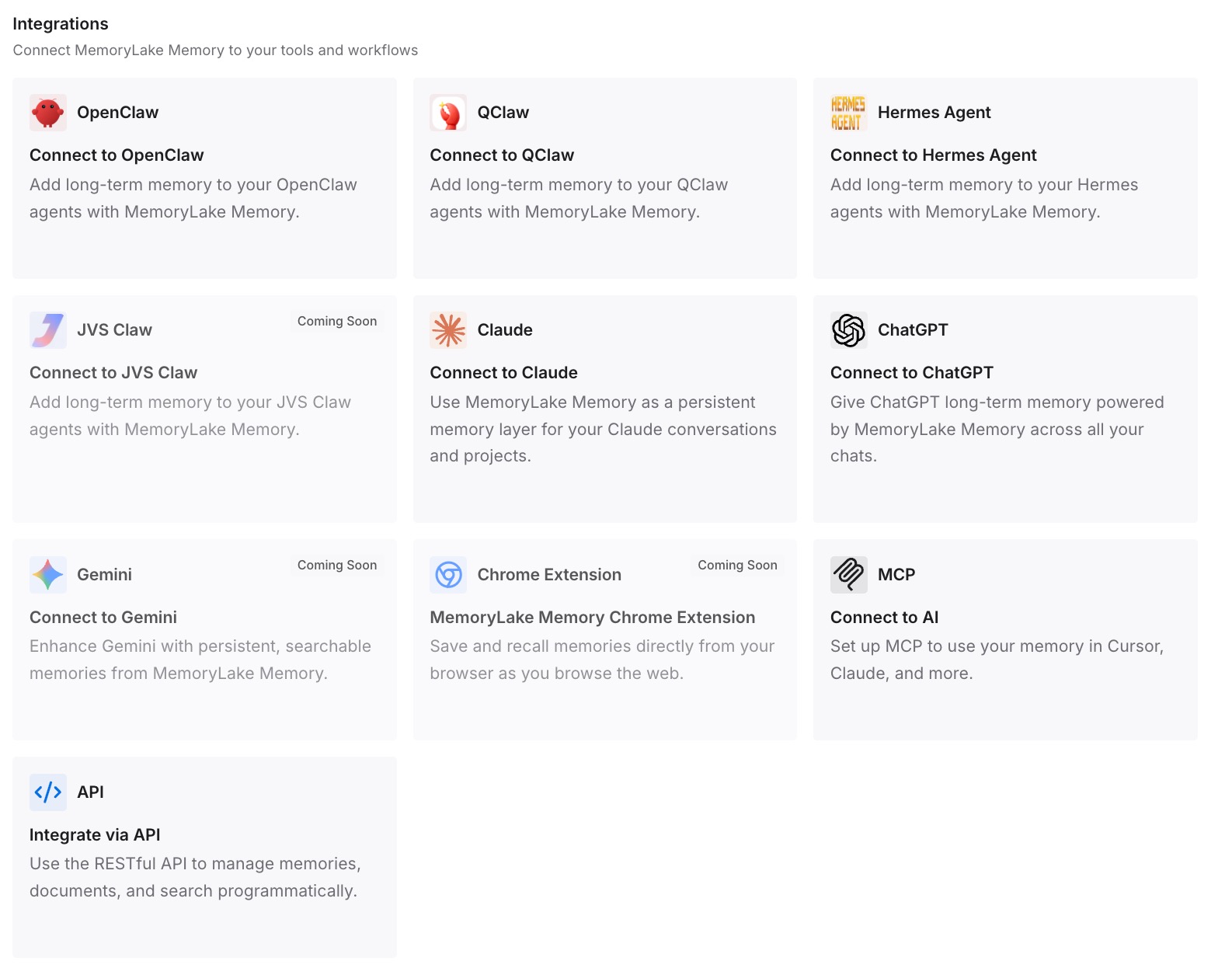
Step 3: Connect your AI & agents
Connect ChatGPT and any other assistants you use. Each can draw on the same goals and rules, while your account data stays where you connected it.
What this changes in practice
The first difference is a clear separation. Sensitive account data stays in the service built for it, and the goals you chose to share live somewhere you control.
The second is easier cleanup. You know which context lives where, so removing it doesn't depend on remembering every conversation.
The third is consistency. A goal stated once is available when you plan in another tool.
Best practices for Finances in ChatGPT
Check availability. Finances is available in the U.S. on Free, Go, Plus, and Pro.
Ask for sources. ChatGPT may cite the data behind an answer.
Correct mistakes in chat. You can ask ChatGPT to remember relevant corrections.
Review financial memories. They persist until you delete them.
Use temporary chats when you want distance. They don't access your accounts or use memory.
Know what disconnecting does. It removes connected data, not conversations or financial memories.
Keep secrets out of chat. Enter verification codes only in the secure forms.
Conclusion
Finances in ChatGPT connects bank and investment accounts through Plaid and credit data through Experian, gives you a dashboard, and lets you ask questions grounded in your own numbers. It can explain and plan, but it can't move money or act as an adviser.
Financial memories are the part that carries forward: a dedicated type of memory for goals, obligations, and corrections, which you view and delete from the Finances page. Temporary chats don't touch your accounts or memory. Disconnecting removes connected data, but conversations and financial memories stay until you delete them separately.