
Why ChatGPT forgets your glossary terms
Every session starts without your termbase
There is no channel between your terminology system and a chat window. Each conversation begins with a model that knows general language and nothing about your approved terms, so the glossary is something you carry in by hand. Do that across a localization team of six people working in four languages and the same list gets pasted dozens of times a week, in slightly different states of currency.
A glossary is not a termbase, and the difference is the whole job
A glossary is a flat list of approved source terms paired with their target equivalents. A termbase is a structured database that adds metadata to every entry: part of speech, grammatical gender, usage context, regulatory status, and approval date. That metadata is what makes terminology usable — it's how a translator knows Arbeitsbereich is masculine, that this term is the regulated wording rather than a preference, and that the entry was approved after the last legal review.
When you paste a glossary into a chat you are, at best, transmitting the flat layer. The model receives two columns and infers the rest, which is exactly where errors come from.
Terms get applied without checking whether the context fits
This is the failure practitioners report most often, and it's counterintuitive: giving the model a glossary can make some output worse. The terms aren't always correct in context, particularly when the glossary contains fairly generic words. Once the model has seen a word in the glossary, it tends to use that entry's translation wherever the word appears, regardless of whether the sense matches. A term approved for the UI label gets used inside a legal paragraph where it means something else.
A termbase's usage-context field exists to prevent precisely this. A pasted two-column list can't.
Reviewer corrections never accumulate
Your linguistic reviewer fixes the same three things every week. In a chat workflow those fixes land in a document and die there — the model that produced the error has no memory of being corrected, so it produces the same error in the next file. Meanwhile glossary quality decays in the other direction too: a termbase nobody actively reviews and maintains degrades whether or not AI is involved.
What localization teams try
Pasting the glossary into every prompt. Universal, and it works within the session. It also costs tokens on every request, hits a ceiling once your termbase runs to thousands of entries, and quietly goes stale as people keep using an older copy someone shared in a chat thread.
A custom GPT with the glossary as a knowledge file. A real improvement: the terms are there without re-pasting. It's a static snapshot, so someone has to re-upload after every terminology change, and it still transmits the flat list rather than the metadata.
Custom instructions. Fine for a handful of critical terms and tone rules. Not a place to put a termbase.
A CAT tool or TMS with termbase enforcement. This is the professional answer and it should be said clearly: computer-assisted translation tools store an approved termbase and enforce it, with QA checks that flag deviations, and that is a different level of guarantee than any prompt provides. Platforms now offer glossary support specifically designed to apply deterministic terminology constraints to LLM output rather than asking the model nicely. If your volume justifies one, use one.
Retrieval over the terminology database. Better coverage than pasting, and it scales. Retrieval returns entries that resemble the query, though — it doesn't know which entry is currently approved or why the last one was rejected, which is why retrieval alone isn't memory.
The Fix: Give ChatGPT a Persistent Terminology Memory
For the work that happens outside your TMS — drafting source copy, adapting marketing text, answering "how do we say this," briefing a freelancer, writing UI strings before they ever reach a translation pipeline — the practical fix is to stop carrying terminology in by hand and put it in a layer the model reads from.
MemoryLake is a memory layer of exactly that shape: it lives outside any single AI tool and is reachable over MCP or an API, so the same terminology memory serves whichever assistant your team is using.
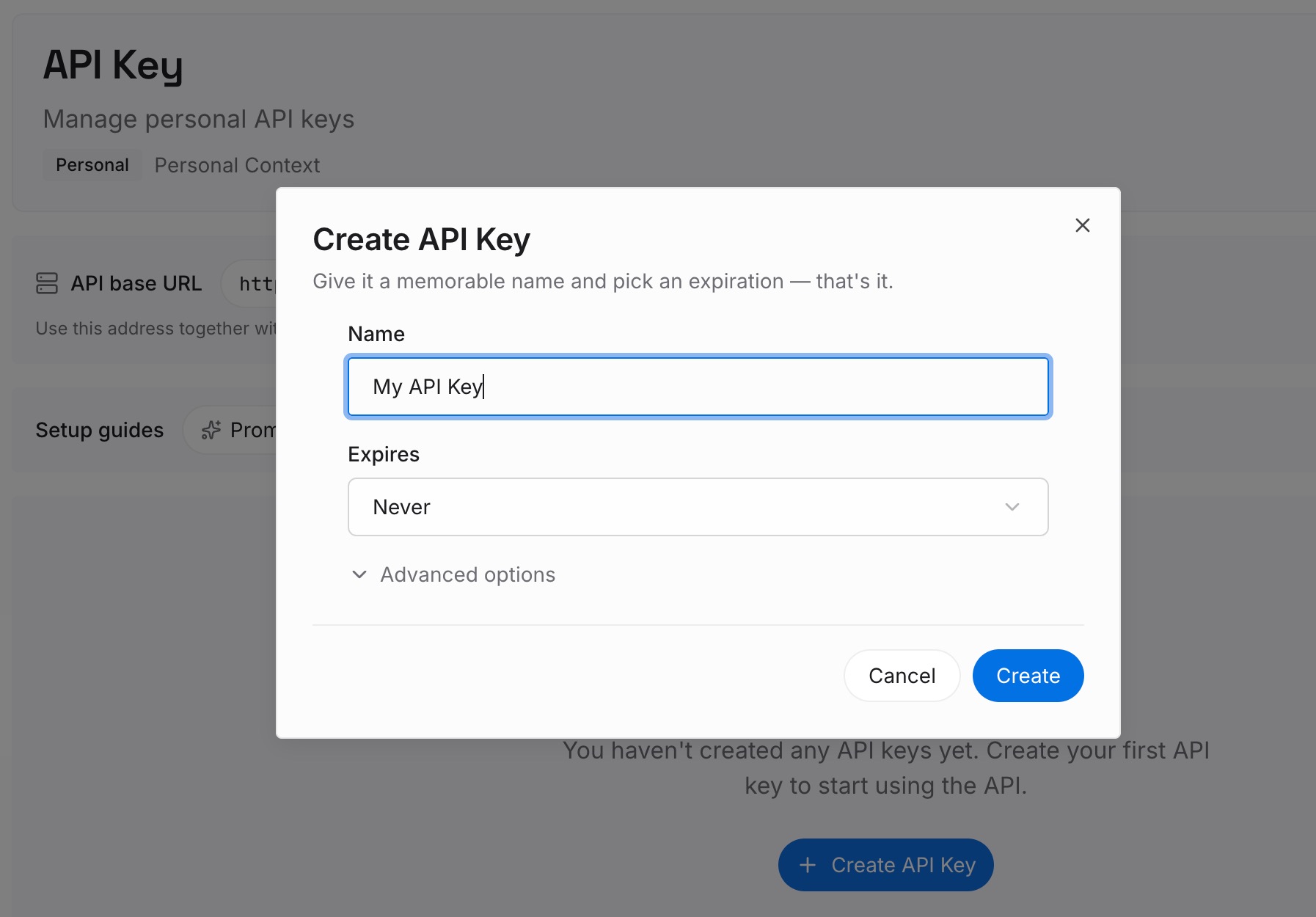
Step 1: Create an API key
Generate a key and make your first request in about 30 seconds.
Step 2: Upload your first memories
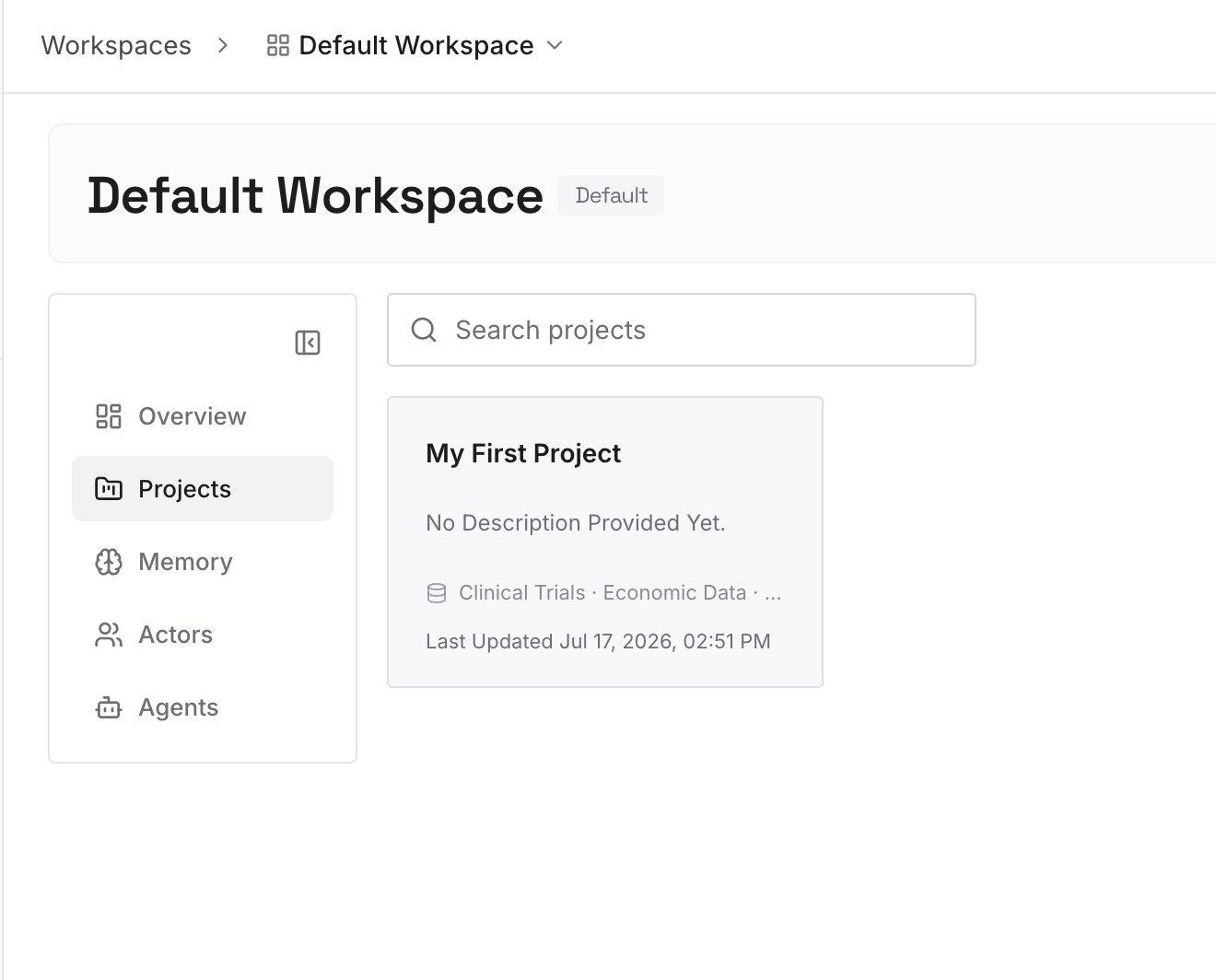
Load the terminology assets that actually govern your language: the termbase export with its metadata intact, the style guide, the do-not-translate list, brand and product naming rules, locale-specific conventions, and the reviewer decision log that records why a candidate term was rejected. Documents, images, and other files all go to the same place, so a PDF style guide or a screenshot of an approved UI string is as usable as a spreadsheet.
Step 3: Connect your AI & agents
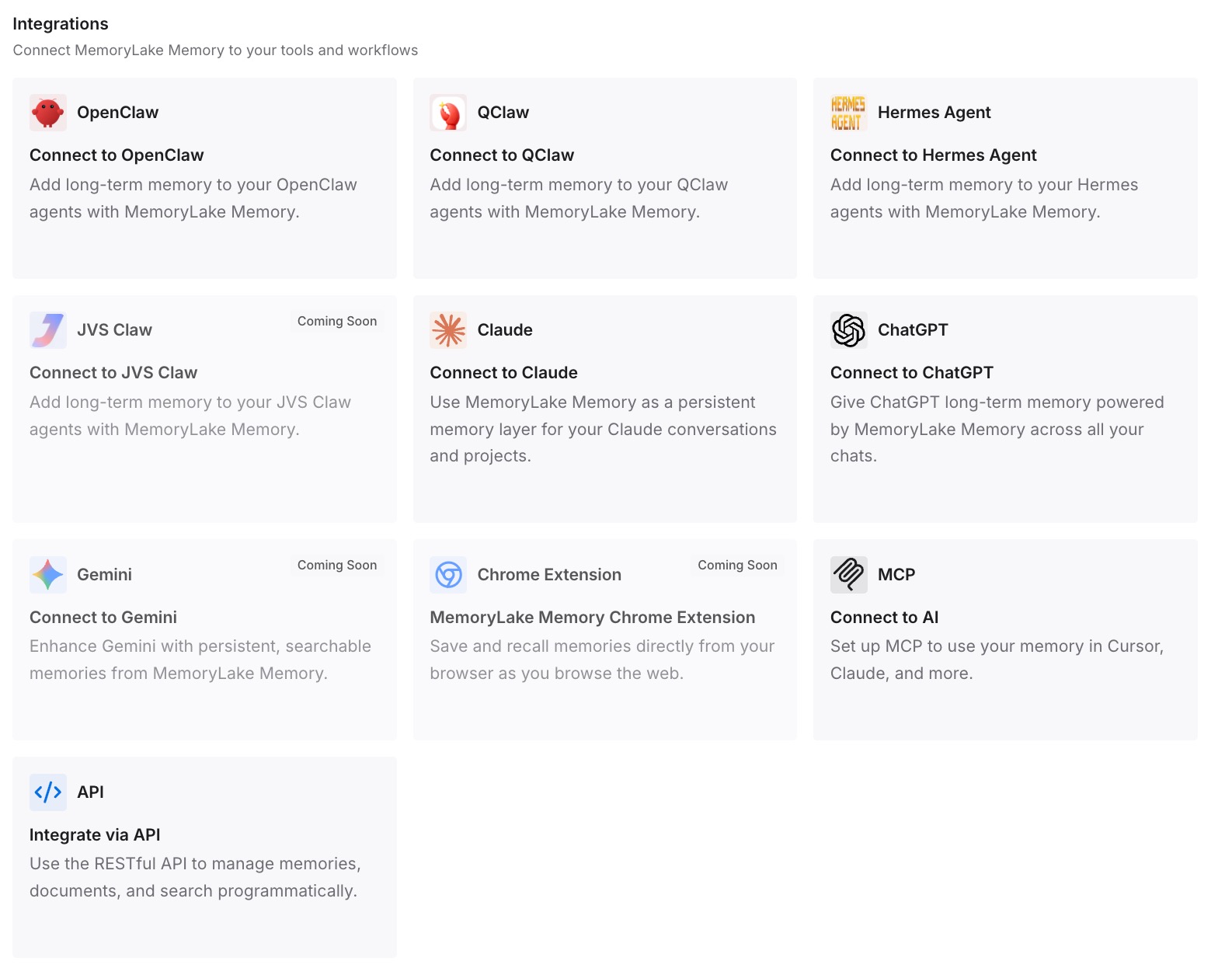
Give Claude, Codex, OpenClaw, and other agents access over MCP. For consumer ChatGPT, which has no native MCP client, retrieve the relevant terminology through the API and inject it into the drafting prompt — or have the internal tool your content team already uses do that retrieval automatically, so the writer never thinks about it.
Two boundaries worth keeping. First, a memory layer makes terminology available and consistent; it does not make it enforced. Deviation checks, linguistic review, and sign-off still belong to your QA process and your TMS, and for regulated content — medical, legal, financial, safety — the approval workflow governs, not the model. Second, keep the metadata with the term. Shipping the flat two-column list into memory reproduces the context problem you're trying to solve; the usage-context and status fields are the parts that stop a term being used where it doesn't belong.
What this changes in practice
The visible saving is the paste. A team of six drafting and adapting content across four locales is currently spending a few minutes per session re-establishing terminology, several times a day, and using whichever copy of the glossary they happen to have. Removing that removes both the time and the version drift.
The bigger effect is on the review loop. When reviewer decisions live in the same memory the drafting tool reads, a correction made once starts shaping later output instead of being re-litigated. That's the difference between a glossary that decays and one that compounds — and it's the mechanism behind most of the quality complaints about AI-assisted localization.
There's also a currency argument. The most damaging terminology error isn't an inconsistent synonym; it's using a term that was correct last quarter and has since been superseded for a regulatory reason. A single source of terminology memory, updated in one place, is what keeps that from propagating across four languages before anyone notices.
Best practices for AI-assisted terminology
Keep usage context attached to every term
If an entry can only travel as source → target, expect it to be misapplied. Carry the part of speech, the usage context, the status, and the approval date. The metadata is not bureaucracy; it's the instruction that tells a model when not to use the term.
Record rejections, not just approvals
"We do not use 'dashboard' for this surface, because it implies read-only reporting" prevents an argument and a bad translation. Approved terms tell a model what to say; rejected candidates with reasons tell it what to avoid, which is the half almost nobody stores.
Let the model draft and let the pipeline enforce
The strongest split is to use a general assistant for drafting, adaptation, and terminology questions, and to keep deterministic enforcement and QA where they belong — in your CAT tool, your TMS, and your reviewer's hands. Persistent memory improves the draft; it doesn't replace the check. The same division works for brand guidelines and writing style, where consistency matters more than fluency.
Conclusion
ChatGPT forgets your glossary terms because it never had them: no session inherits your termbase, a pasted list carries only the flat layer of what terminology actually is, and terms then get applied wherever the word appears rather than where the sense fits. Reviewer corrections vanish into documents, and the glossary decays quietly in both directions.
Custom GPTs and pasted lists patch the symptom at the cost of curation. Professional enforcement belongs in a CAT tool or TMS, and if your volume justifies one, that's the right investment. For everything that happens before and around the pipeline, the durable fix is to give terminology a home outside the chat — with its metadata, its rejections, and its review history intact — so the eleventh draft this month starts from the approved wording instead of from general-purpose language. If your team is also re-uploading the same reference files daily, that habit has a fix too.