
Why ChatGPT's memory fills up
It was never designed to be an archive
Saved memory is a small set of short statements that get loaded alongside your prompt on every request. That's the mechanism, and it explains the size. Every stored fact costs context on every message you send, forever. A memory that held a year of your working life would crowd out the thing you actually asked about.
So the cap isn't an oversight. It's the consequence of a design where memory is injected into each request rather than looked up when needed. Different architecture, different limit — but with this one, the ceiling is low by necessity.
The cap is real, and OpenAI doesn't publish a number
This is the part that frustrates people looking for a straight answer. There's no official figure for how many memories you get. The numbers circulating widely — around 1,200 to 1,400 words of stored memory total, or roughly 200 individual entries — are third-party estimates, not documented limits, and they don't agree with each other. Treat them as an order of magnitude: a page or two of text about you, not a filing cabinet.
Practically, that means you can't plan against a number. What you can rely on is the behavior: you'll be told when it's full, and it will stay full until you delete something.
Memory fills with things you didn't choose to save
Two paths write to memory. You can ask explicitly — "remember that I prefer concise answers" — and you'll see the "Memory updated" flag. ChatGPT can also decide on its own that something you mentioned in passing is worth keeping.
The second path is why most full memories are full of noise. A one-off question about a flight to Lisbon, a restaurant you asked about, a project you abandoned in March. None of it was wrong to save; none of it earns its place against a two-page budget. If you've never opened the memory list, there is a good chance a meaningful fraction of your quota is spent on things that were relevant for one afternoon.
The 2026 rebuild raised the ceiling without removing it
On June 4, 2026, OpenAI announced a rebuilt memory system, and it's a real improvement worth understanding before you go deleting things.
The visible change is a readable memory summary page showing what ChatGPT has synthesized about you, plus controls to add or update remembered details and to set which topics it should raise and when. That summary page increasingly serves as the foundation rather than the older flat list of saved entries. The system also keeps memory current as time passes — OpenAI's own example is revising "You are going to Singapore in July" into "You went to Singapore in July 2026" once the trip has ended. In OpenAI's evaluations, factual recall reached 82.8%, preference adherence 71.3%, and time-sensitive accuracy 75.1%. Those are OpenAI's internal numbers, not third-party replications.
It also came with more capacity: Plus and Pro accounts get twice as much memory, and the compute needed to serve the system to Free users was cut by roughly 5x. The rollout began in the US for Plus and Pro and has been expanding to more countries and to Free and Go users since — so as of August 2026, what you see depends on your tier and location.
Two doublings don't change the shape of the problem. A cap twice as high is still a cap you hit, later. And the mechanism that keeps memory current — synthesizing and revising — means what's stored is the system's evolving account of you rather than a transcript of what you said. That's the right trade for keeping a small memory useful. It's the wrong trade if what you needed was a durable record. Both things can be true, and the architectural reasons ChatGPT forgets even when memory is on go deeper than capacity.
What people try
Deleting individual memories. The right first move and genuinely effective. Open Settings → Personalization → Memory → Manage memories, read the list, remove the flight to Lisbon. Expect to reclaim more space than you think. Expect to be back in two months.
Clearing all memory. Fast, and a blunt instrument. You've traded a full memory for an empty one, and the preferences that took a year to accumulate go with it. Worth it once if the list has become genuinely unusable — as a habit, it's just resetting your assistant on a schedule.
Turning memory off and using custom instructions instead. Underrated. Custom instructions are stable, editable, and you control every word — no silent additions. The limits are that the block is small, it doesn't grow, and it holds preferences rather than knowledge: it can say you want terse answers, not what your client decided last quarter. Many people should be using it more and don't, but it isn't storage. Custom instructions dropping out of an assistant's behavior is its own well-known frustration.
Relying on reference-to-past-chats instead of saved memory. This is a different feature and worth knowing about — it lets the model draw on earlier conversations without those facts occupying a memory slot. It helps. It's also not a record you can read, audit, or move: you can't open a list of what it concluded from which chat, and you can't take it with you.
Keeping your own notes doc and pasting it in. The honest workaround, and the one experienced users converge on. It works because it's an external store with unlimited room that you control. Its only real flaw is that you're the retrieval system — copying, pasting, and remembering which section is relevant, re-explaining context by hand every session.
That last workaround is nearly right. What's missing is the part where something else does the retrieval.
The Fix: Give ChatGPT a Memory That Doesn't Run Out
The reason ChatGPT's memory is small is that it's carried in every request. Lift the storage out of the model and the constraint changes shape: a store you keep externally isn't a couple of pages competing with your prompt — it holds actual documents, and only the relevant part gets pulled in when it's needed.
That also fixes the thing capacity management never addresses. A store you own is readable. You can see exactly what's in it, correct a line that's wrong, and keep the source document instead of a synthesized paraphrase of it. When memory is a summary the system maintains, "what does it think it knows about me?" has a fuzzy answer; when memory is your files, it has an exact one.
MemoryLake is built for that job — one memory layer holding your documents and facts, readable from ChatGPT through the API and from MCP-capable tools like Claude and Codex directly. To be straight about the boundary: this doesn't raise ChatGPT's built-in memory cap, and nothing can. It moves the knowledge somewhere the cap doesn't apply, so that filling up stops being an event in your workflow.
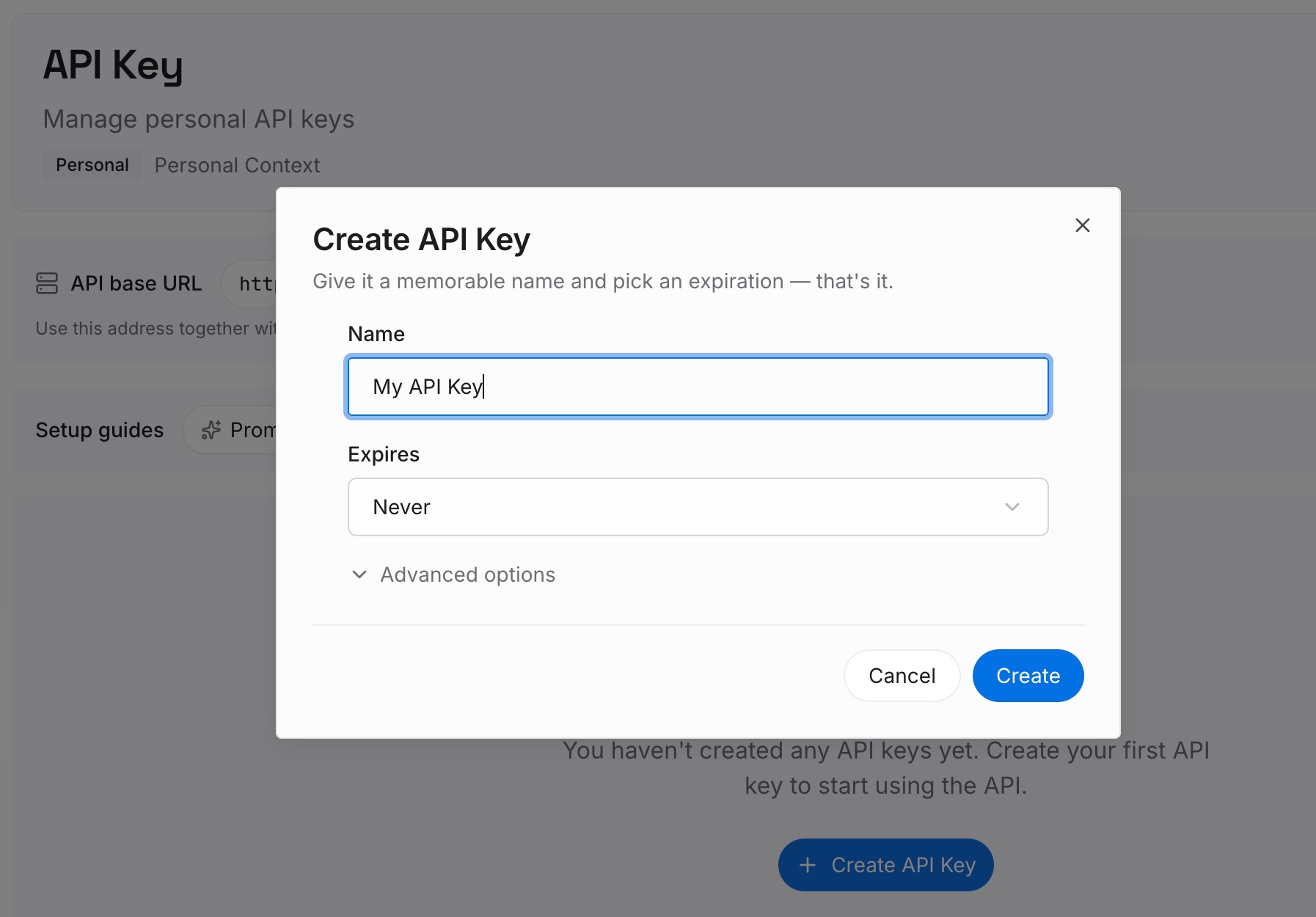
Step 1: Create an API key
Generate a key and make your first request in about 30 seconds. Keep it in your environment or a secret manager rather than pasting it into a shared config or a chat window.
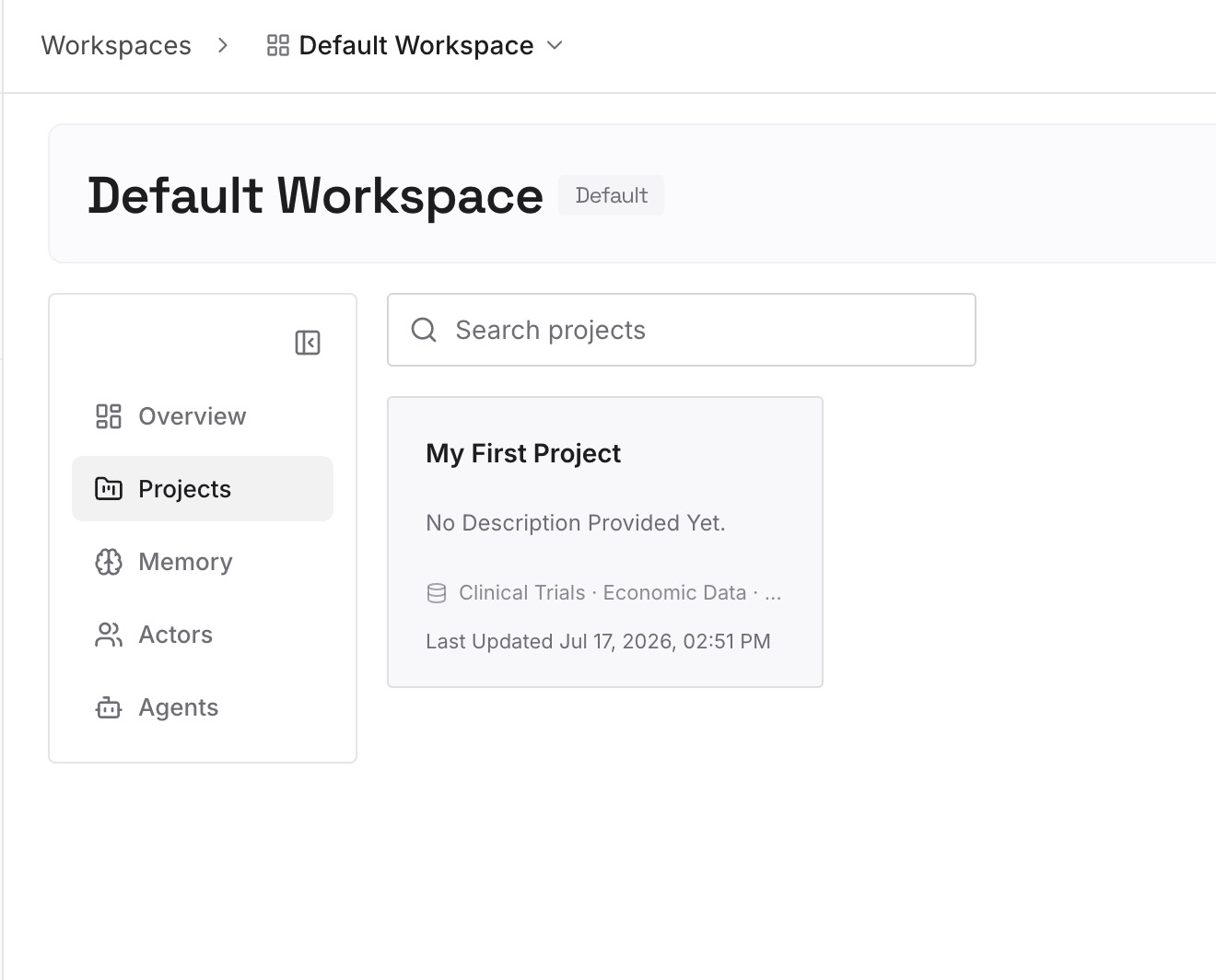
Step 2: Upload your first memories
Drop in the documents, images, and files that hold what you'd otherwise be trying to fit into memory slots — the client brief, the style guide, the decisions doc, the spec. Upload the sources rather than summaries where you can. A summary is where the detail you'd have needed goes missing, which is the same failure mode as a synthesized memory entry.
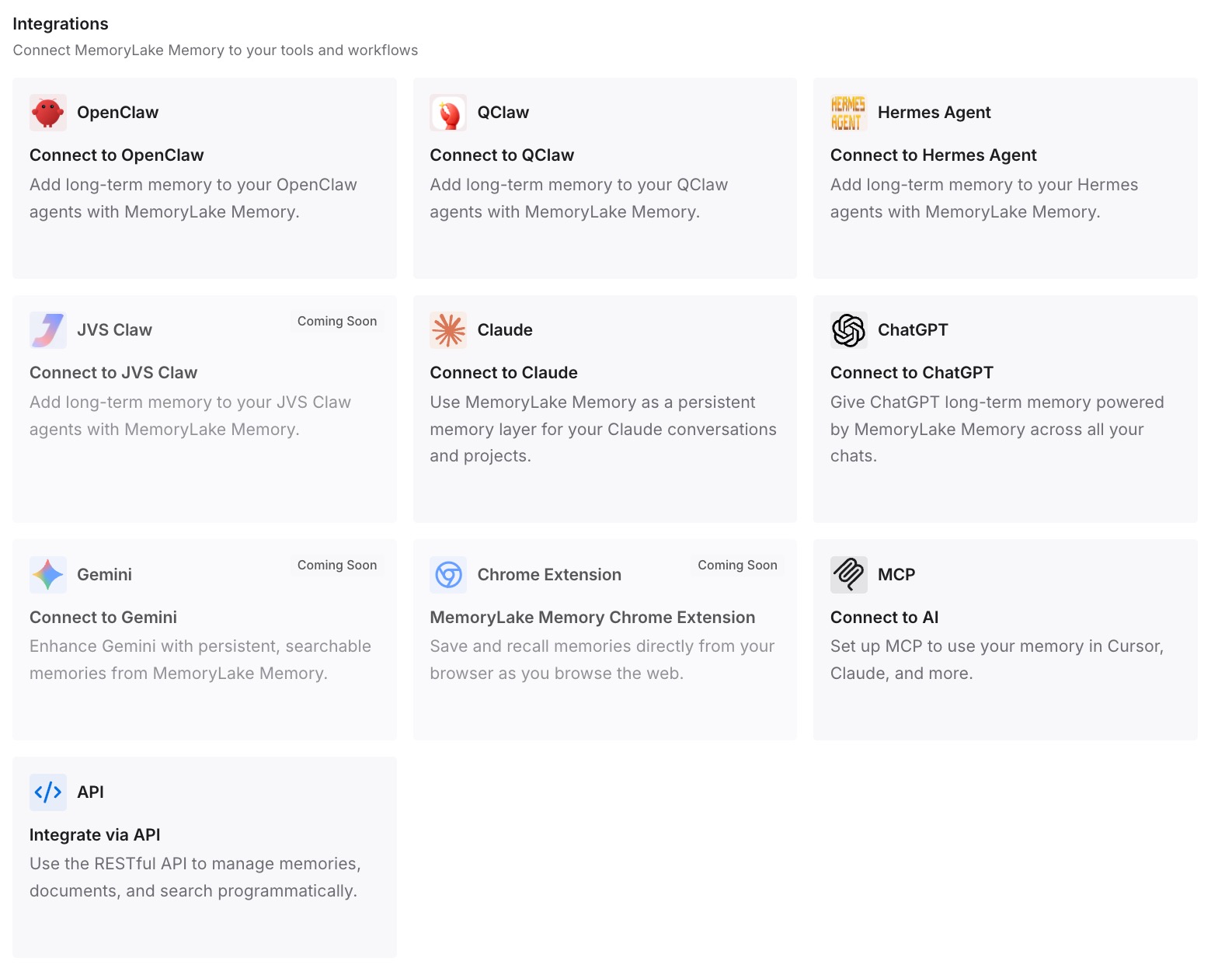
Step 3: Connect your AI & agents
Give Claude, Codex, OpenClaw, and other AI agents access to memory via MCP or the API. ChatGPT has no MCP client, so the path there is the API: retrieve the relevant memory and inject it into the prompt, a custom GPT's instructions, or whatever workflow calls the model. For tools that do speak MCP, add the server to that tool's configuration and they read the same store.
What this changes in practice
The full-memory notice stops being something you have to act on. It's still true — ChatGPT's built-in memory is still a couple of pages — but nothing you depend on lives there anymore, so it becomes a status message rather than a chore.
What you keep also changes. Instead of a two-page synthesis, you keep documents: the actual brief with the actual clause, dated. When you need something specific, the specific thing is retrievable rather than approximated from a summary that was compressed to fit.
And the knowledge stops being locked to one product. A saved-memory list doesn't travel — there's no export that hands you a file another tool can read. A store you own does travel, which matters the first time you try a different assistant and discover that a year of accumulated context is not portable.
The deletion sessions stop too. Not because the cap moved, but because you're no longer using a two-page buffer as a filing system.
Best practices for managing ChatGPT memory
Do the deletion pass anyway, once, properly
Even with an external store, spend twenty minutes in Manage memories. Read every entry. Delete the trip, the one-off, the abandoned project. Then look for the entries you don't recognize — memory records what the system concluded as well as what you stated, and anything you can't trace to something you actually said deserves a hard look before you leave it in place.
Keep the built-in memory for preferences and nothing else
The natural division: built-in memory holds how you want to be talked to — terse, no preamble, metric units, this language. The external store holds what you know. Preferences are small, stable, and genuinely belong in the tool. Knowledge is large, growing, and doesn't fit. Filing them the same way is why memory fills up.
Don't confuse "stays current" with "keeps the original"
The newer memory system's ability to update itself over time is a real improvement and you should want it. Just be clear on what it implies: the stored version of a fact can be rewritten. If the exact original wording matters — a contract term, a spec, a client's phrasing — keep the source document somewhere the source stays intact, and let the assistant's memory hold the gist.
Check before you assume a tier upgrade solves it
Plus and Pro accounts got twice the memory in the 2026 rebuild, and if you're on Free and constantly full, that's a legitimate reason to upgrade. It's not a fix for using memory as storage. Twice a small number is a small number, and the second time you fill it the options are the same as the first.
Conclusion
"Memory is full" means ChatGPT has reached its capacity for storing long-term facts about you and won't add more until you delete something. Nothing else breaks. The immediate fix is Settings → Personalization → Memory → Manage memories, and it takes five minutes.
The reason it recurs is that built-in memory is a small budget carried in every request — a couple of pages, doubled for Plus and Pro in the June 2026 rebuild, still a couple of pages. Used for preferences, it's the right size. Used as the place your working knowledge lives, it will keep filling up no matter how carefully you prune. Move the knowledge into a store you own and read from, keep the preferences where they are, and the notice stops being something you have to manage.