
Why ChatGPT memory isn't working
1. It's off — possibly not by you
Memory controls live in Settings > Personalization > Memory, and you can enable or disable memory at any time. Check there first.
Then check whether the decision was yours at all. On ChatGPT Business, memory is controlled at two levels: individual users can disable it in their settings, and workspace owners can control whether personalization and memory features are available across the entire workspace. OpenAI's Business documentation states the consequence directly: "If a workspace owner turns off Memory for the workspace, existing saved memories for members in that workspace are deleted."
So "it worked last month and now there's nothing" can be an admin action rather than a bug, and the previously saved memories are gone rather than hidden. Ask your workspace owner before you spend an afternoon debugging.
One more documented detail worth knowing if you toggled it yourself: turning memory off doesn't delete your past chats, and "if you turn memory back on later, ChatGPT may create new memories from chats that remain in your chat history, including older chats." Re-enabling doesn't restore what was deleted; it starts rebuilding from what's still there.
2. You're in a Temporary Chat
This is the fastest thing to rule out and the most commonly missed. Per the Memory FAQ: "Temporary Chats do not use existing memories or create new memories."
That's the whole behavior. Nothing you say in one becomes memory, and nothing already in memory shapes the answer. If your test for "does it remember me?" happened in a Temporary Chat, the result was predetermined.
3. There's nothing to show yet — or the summary isn't the whole picture
Two separate things get confused here, and OpenAI documents both.
First, it may genuinely be early. You may not see a memory summary yet if your account is new, you recently enabled memory, or there isn't enough chat history. It populates over time, and you can force an update: Settings > Personalization > Memory Summary, then Manage, then Refresh from the three-dot menu.
Second — and this is the one that makes people think it's broken — the summary is a view, not the whole store. The documentation says the memory summary "should capture the most important details" but "will not include everything that ChatGPT remembers based on your chats," and adds the direct test: "If you want to know if ChatGPT has remembered something, just ask in chat." Asked whether the summary includes all your memories, OpenAI answers "Not necessarily," and notes some details may be omitted "when ChatGPT determines they are less relevant or not appropriate to show in this view."
Practical consequence: an empty-looking page is weak evidence. Ask in chat instead. You can also tap the book icon under a response to see which sources personalized it — custom instructions, past chats, files, memories — while noting OpenAI's caveat that sources "may not show every factor or source that shaped a response."
4. It remembered a synthesis, not your sentence
Here's the mechanism behind the most frustrating version of this complaint: it knows about the thing and gets the thing wrong.
OpenAI describes current memory as "a continually updated synthesis of context from your past chats," and describes the improvement over the old system as automatic: "The new memory system updates memories automatically with ChatGPT keeping track of the details it determines are most important." The documented motivation is real — the previous saved-memories system "often became stale and relied on users to manually manage updates," and memories could contradict each other, with OpenAI's own example being "I'm training for a marathon" and "I sprained my ankle."
Synthesis fixes staleness and costs you exactness. A constraint with a reason compresses into a preference; a precise wording becomes an approximation of that wording. If what you need is verbatim — the exact schema, the exact clause, the exact naming rule — a system whose job is to keep a useful current picture of you is the wrong container. OpenAI's own guidance points the same way: "For explicit information or instructions, you can add it to your Custom Instructions."
5. You're looking at the wrong account or workspace
Memory is per-account, and OpenAI is unambiguous that it doesn't cross accounts. Asked whether you can share memories with other members of your workspace: "No. Memories are: Tied to each individual account. Not transferable to other users, even within the same Business workspace."
Two situations follow from that. If you accepted a Business invitation and chose not to merge your personal workspace, then your personal conversations and memories "remain separate and private from your Business workspace" — so the context you built at home is intact and simply not present at work. If you did merge, your data including memories was migrated, and merging is irreversible.
And the destructive case, stated plainly in the docs: deactivating a workspace does not delete conversations or memories, but permanently deleting one does — "All user data within the workspace, including conversations and memories, will also be permanently deleted," unrecoverable.
What people try
Repeating it until it sticks. Sometimes works, and tells you nothing about which of the five reasons applied. It also inflates the thread, which brings on a different failure — long conversations use their middles unreliably, the mechanism behind forgetting what you said earlier in the same chat.
Editing the memory summary. Underused and legitimate: you can type what you want changed into the box at the bottom of the summary, or highlight text to make a specific correction. Good for fixing a wrong conclusion about you. Not a place to store a document.
Deleting a memory and expecting it gone. This one deserves the exact quote, because most people are surprised: "To fully delete something ChatGPT may know about you, you'll need to delete every source where it appears, including past chats, archived chats, files, the memory summary, and disconnect any connected apps that may contain that information." Memory isn't one box; it's a synthesis over sources.
Moving everything into Custom Instructions. The right move for a few standing rules, and OpenAI recommends it for explicit instructions. The block is small and global, so you're picking which handful matter most across all your work — distinct from instructions that are set but don't take effect.
Reverting to the legacy saved-memories system. A documented option: Settings > Memory > the "saved memories" link below "Memory summary." You get discrete items you control, plus the staleness and contradictions OpenAI built the new system to escape. Worth knowing that even there, deleted entries may be logged for up to 30 days for safety and debugging.
Clearing memory to make room. People reach for this when it stops absorbing new things. OpenAI publishes no capacity figure — the numbers you'll find are third-party estimates — and running out of memory space is a real behavior with its own diagnosis.
The Fix: Stop Depending on Memory for Anything Load-Bearing
Read OpenAI's own framing of what the feature is for: memory "helps ChatGPT automatically remember useful context from your chats, files, and connected apps to personalize your experience, so you don't have to repeat yourself as often."
That is a personalization feature, described accurately, and it's good at that job. It is not a document store, not a system of record, not shared with your team, and not verbatim. Nearly every "memory not working" complaint is really a mismatch: someone is asking a synthesis-based personalization layer to hold a specification.
So split the two. Let memory keep the preferences — tone, formatting, the fact that you want short answers. Put the things that must arrive exactly and completely somewhere they're stored rather than summarized, and somewhere a second person or a second tool can read.
MemoryLake is a memory layer for that half — your documents, constraints, and decisions in one store, retrieved on the request that needs them, readable from ChatGPT through the API and from MCP-capable tools like Claude and Codex directly. It doesn't replace ChatGPT's memory or fix it; it removes the load it was never built to carry.
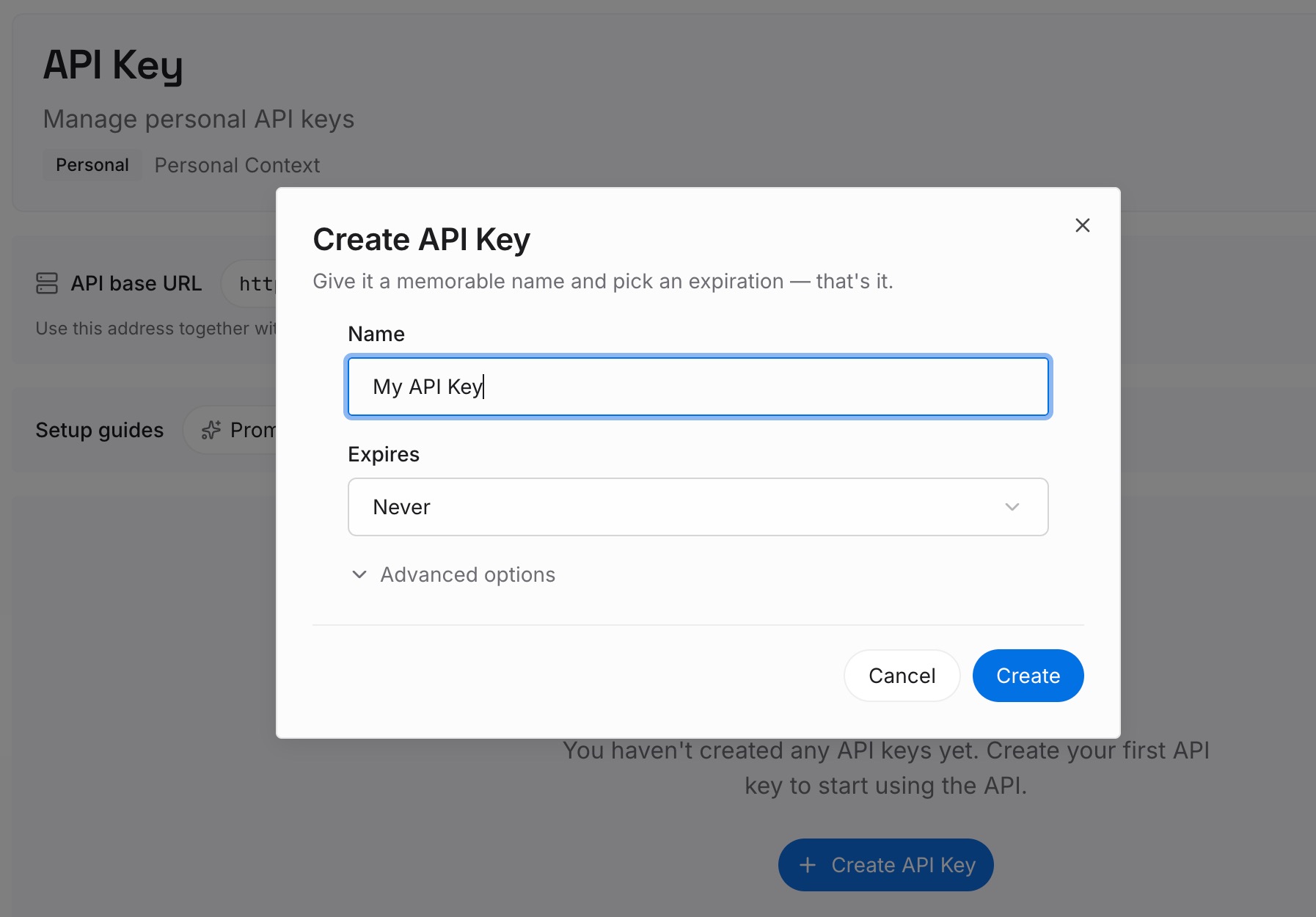
Step 1: Create an API key
Generate a key and make your first request in about 30 seconds. Keep it in your environment or a secret manager rather than pasting it into a chat window.
Step 2: Upload your first memories
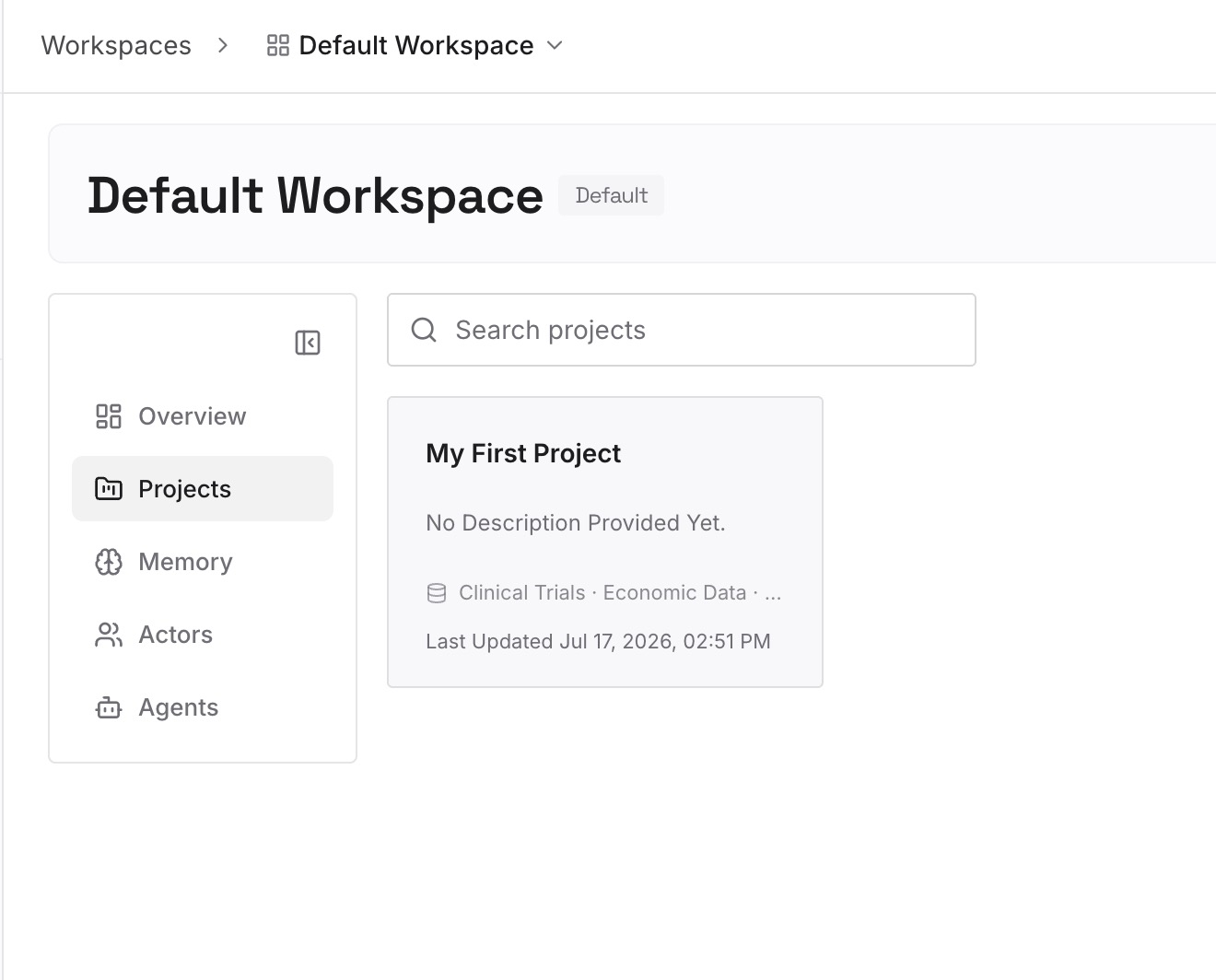
Drop in the documents, images, and files you keep hoping memory retained: the spec, the schema, the style guide, the contract terms, the decision records. Upload the sources rather than a summary of them — the whole reason you're here is that a summary lost the part you needed.
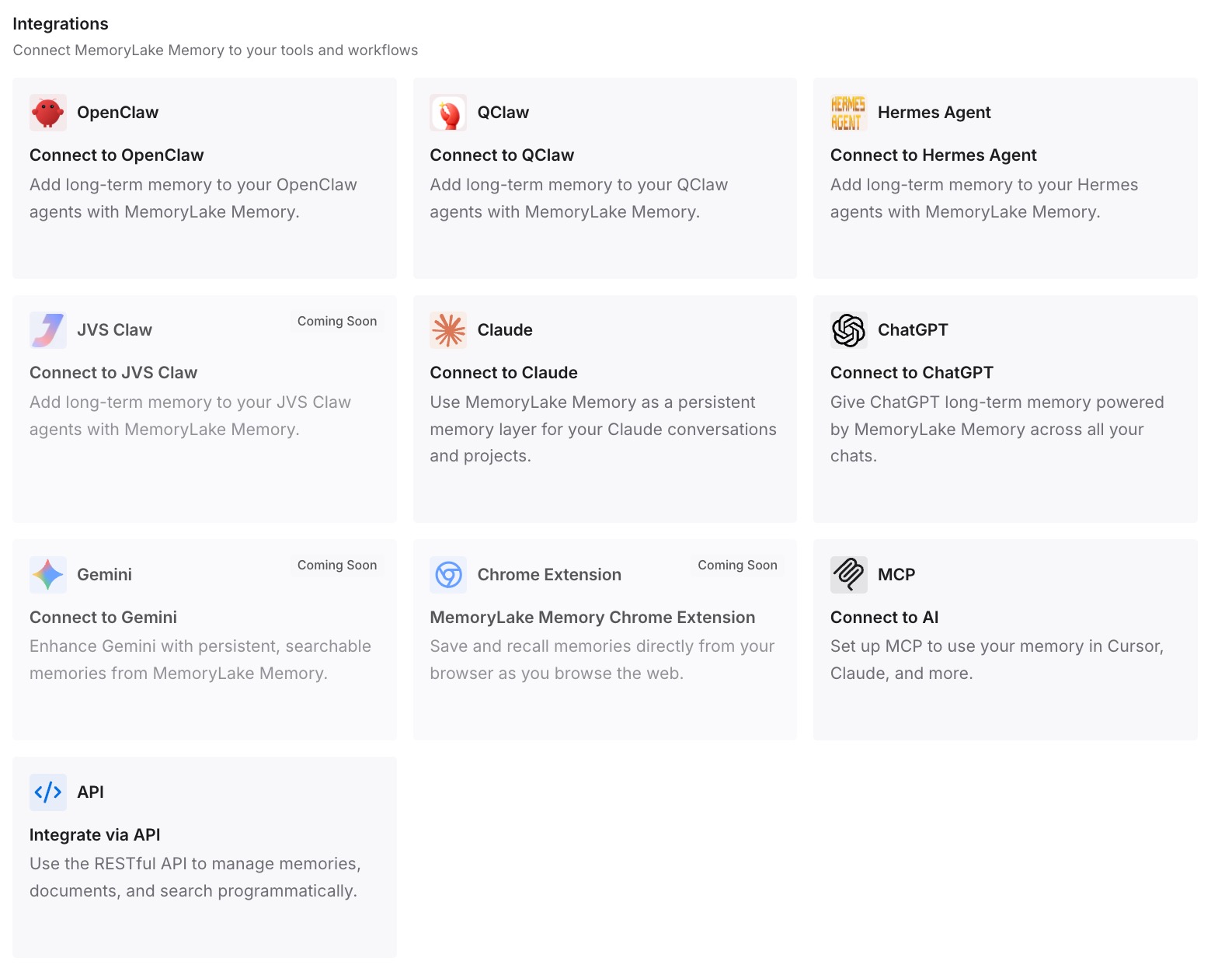
Step 3: Connect your AI & agents
Give Claude, Codex, OpenClaw, and other AI agents access to memory via MCP or the API. ChatGPT has no MCP client, so retrieve what you need through the API and inject it into the prompt, a custom GPT's instructions, or the workflow that calls the model. Tools that speak MCP read the same store directly.
What this changes in practice
The first difference is that "is it remembering?" stops being a question you have to investigate. Anything that matters arrives with the request, so a wrong answer is a wrong answer rather than a mystery about hidden state.
The second is that exact things stay exact. A retrieved document is the document. Nothing decided on your behalf that the reason behind a rule was less relevant than the rule.
The third is that it survives account boundaries. Memories are tied to one account and not transferable even inside a workspace — that's the documented behavior, and it's why the knowledge your team needs cannot live there. A shared store is readable by your colleague, your other tools, and you at work and at home, without merging anything irreversibly.
And it composes with the feature rather than fighting it. Memory keeps doing personalization, and stops being the place your requirements live — the same reason re-explaining context to every tool stops being the daily tax.
Best practices for ChatGPT memory
Diagnose in this order
Memory toggle (yours and your workspace's), then Temporary Chat, then ask in chat rather than trusting the summary page, then check which account you're in. Four checks, about a minute, and they cover most reports.
Ask, don't read
The documentation's own advice is the fastest diagnostic there is: if you want to know whether ChatGPT remembered something, ask it in a chat. The summary is a curated view and explicitly not the full picture.
Put explicit rules in Custom Instructions, not in memory
Anything you'd phrase as an instruction — always use metric units, never write marketing language — belongs in Custom Instructions, which is what OpenAI recommends for explicit information. Memory is for what it picks up, not for what you're mandating.
Assume deletion is multi-source
If something sensitive shouldn't be known, deleting one memory entry isn't enough. Past chats, archived chats, files, the summary itself, and connected apps all have to be handled, per the documentation. Better still, don't put it in a consumer chat product in the first place.
Never let a requirement exist only in memory
If a number, clause, or schema would cause real damage when paraphrased, it needs to be in a document. Memory is a synthesis by design; treating it as storage is the actual root cause of most of these complaints.
Expect nothing to be shared with your team
Per-account and not transferable, even in the same workspace. Team standards, glossaries, and decisions need a place that isn't an individual's personalization layer.
Conclusion
ChatGPT memory usually isn't broken. It's off, or your workspace owner turned it off and that deleted existing saved memories. You're in a Temporary Chat, which by design neither uses nor creates memories. It's early, or the summary page you're judging it by explicitly doesn't contain everything — ask in chat instead. It kept a continually updated synthesis rather than your exact words. Or you're in a different account or workspace from the one that learned about you, since memories are tied to an account and not transferable.
Which points at the real fix. Memory is a personalization feature and a good one; it isn't a record. Keep preferences there, and put specs, decisions, and anything that must arrive verbatim in a store that retrieves the source on the request that needs it. Then you stop auditing invisible state and start getting answers built on what you actually said.