
What ChatGPT project memory actually does
Projects have real memory, not just files
Start with what's working, because the feature is genuinely good. The documentation is direct: "Projects have built in memory, which means that it remembers all the chats and files you have created or uploaded in a project. Working in a project means that ChatGPT won't forget where you left off."
And the design intent is stated: "Project memory keeps ChatGPT focused by drawing context only from conversations within the same project, rather than from your other projects. This creates a self-contained space that's especially useful for long-running or sensitive work."
That's a feature, not a bug. If you run a client project and a personal project, you probably want the wall.
Two modes, and you choose at creation — only at creation
Per the docs: "When you create a project, you choose whether its memory is project-only or default. Existing projects stay on default memory, while project-only memory can only be set when starting a new project."
Under project-only memory, three things are true: "Your previously saved memories are not referenced during chats," chats "can reference other conversations within the same project," and chats "cannot reference conversations outside the project (such as general ChatGPT or from a different project)."
Under default memory on non-Enterprise plans, chats can reference both project and non-project conversations — unless the other project is project-only — and account memory "remains active across all chats, including chats in your projects." For Plus and Pro, ChatGPT can also reference previous chats within a project and "prioritizes the project chats and files."
The irreversibility is the part that catches people. There's no toggle to convert an existing project, and the FAQ says so twice: no global setting exists, and "A new project will need to be made in order to utilize project-only memory. You can, however, move conversations from one project to another."
Sharing flips the switch, permanently
This is the specific mechanism behind the "it got dumber when I shared it" experience. Sharing sets memory to project-only from that point onward "to maintain clear context boundaries for those in the project," and it "cannot be reverted to default memory."
Then the part people don't expect: even undoing the sharing doesn't undo the memory mode. Remove every collaborator and "project memory will continue to be project-only (limiting context to resources within the project) and cannot be changed to default for access to other non-project memories." For Business users, shared projects are set to project-only "at the time of sharing, regardless of any previous memory setting."
Note what this means as a decision: sharing a project is a one-way trade of personal context for collaboration. Reasonable — nobody wants their personal memories informing a team's shared workspace — and permanent.
Custom instructions don't cross either
The Enterprise and Edu behavior table makes this explicit, and it surprises people more than the memory rule. For chats inside projects, custom instructions are listed as "Not available (only project instructions)" — under both default and project-only memory.
So your account-level custom instructions, the ones you tuned over a year, aren't shaping answers inside a project. Project instructions are, and the docs note they "only apply inside the respective project." If your voice, formatting, and standing rules live in custom instructions, you have to restate the relevant parts per project. That's a different failure from custom instructions that are set but don't take effect — here the scope itself excludes them.
You can't see what a project remembers
Personal memory has a summary page you can read and edit. Project memory doesn't. The FAQ: "Can I see a list of my project memories? No. Project memory does not show a list of memories like personal memory."
The only lever offered is coarse: "If you want it to ignore a specific conversation, you'll need to delete that conversation or move it to a different project."
So inside a project, you can't audit what it thinks it knows, can't correct a wrong conclusion in place, and can't export any of it. You can only remove whole conversations.
And the file limits are lower than people plan for
Projects are unlimited in number, but files are capped per project and per upload: Free gets 5 files per project, Go and Plus get 25, and Edu, Pro, Business, and Enterprise get 40 — with only 10 files uploadable at once. The documented remedy when you hit it is "Remove older or unnecessary uploads, combine file data, or split work into multiple projects."
Read that last option against everything above: splitting work across projects is the recommended fix for file limits, and projects don't share memory with each other. The workaround for one wall builds another.
What people try
Recreating the project. The documented path to change memory mode, and it costs you the chat history that made the project valuable. You can move conversations in, which helps, but you're rebuilding.
Moving chats between projects. Supported — drag a chat onto a project or use Move to project — and worth knowing the side effects: a moved chat "inherits the project's instructions and file context," and in a shared project, moved chats "no longer appear outside the shared project." Chats created with a GPT can't be moved at all.
Pasting custom instructions into project instructions. The correct workaround, and now you maintain the same standing rules in N places. When you refine your style, you refine it N times, or you don't.
Re-uploading the same reference files into every project. The other correct workaround, and it burns the file cap. Twelve projects that each need the same four PDFs means those PDFs occupy a sixth of your Plus allowance everywhere.
Splitting big work into multiple projects. OpenAI's suggested fix for the file limit. It also splits your memory, since project memory doesn't reach across projects.
Using a shared project as the team knowledge hub. Genuinely the best built-in option — the docs describe a "live context hub" where ChatGPT "can draw from anything in the shared project – including chats, uploaded files and custom instructions." Just know that it's a hub with a hard boundary, and that anyone's personal context stays outside it.
The pattern: every workaround duplicates something. Files, instructions, or knowledge.
The Fix: Put Shared Knowledge Where the Walls Don't Apply
Split the problem by what the wall is protecting.
Keep the wall for anything sensitive or session-shaped. Client separation, confidential work, the conversation history of a specific effort — the isolation is doing real work here, and shared projects turning project-only automatically is the right default. Don't fight it.
Take the reusable half out of projects entirely. The style guide, the schema, the glossary, the standing constraints, the decision records — the things that should be identical in every project and currently exist as N copies of one file, or as N pastings of the same instructions. Those don't belong to any project.
The move is a store outside ChatGPT that every project, chat, and tool can retrieve from — so shared knowledge stops multiplying and stops being capped.
MemoryLake is a memory layer for that — your documents, standards, and decisions in one store, retrieved on the request that needs them, readable from ChatGPT through the API and from MCP-capable tools like Claude and Codex directly. Projects keep their walls; your reference material stops living inside them.
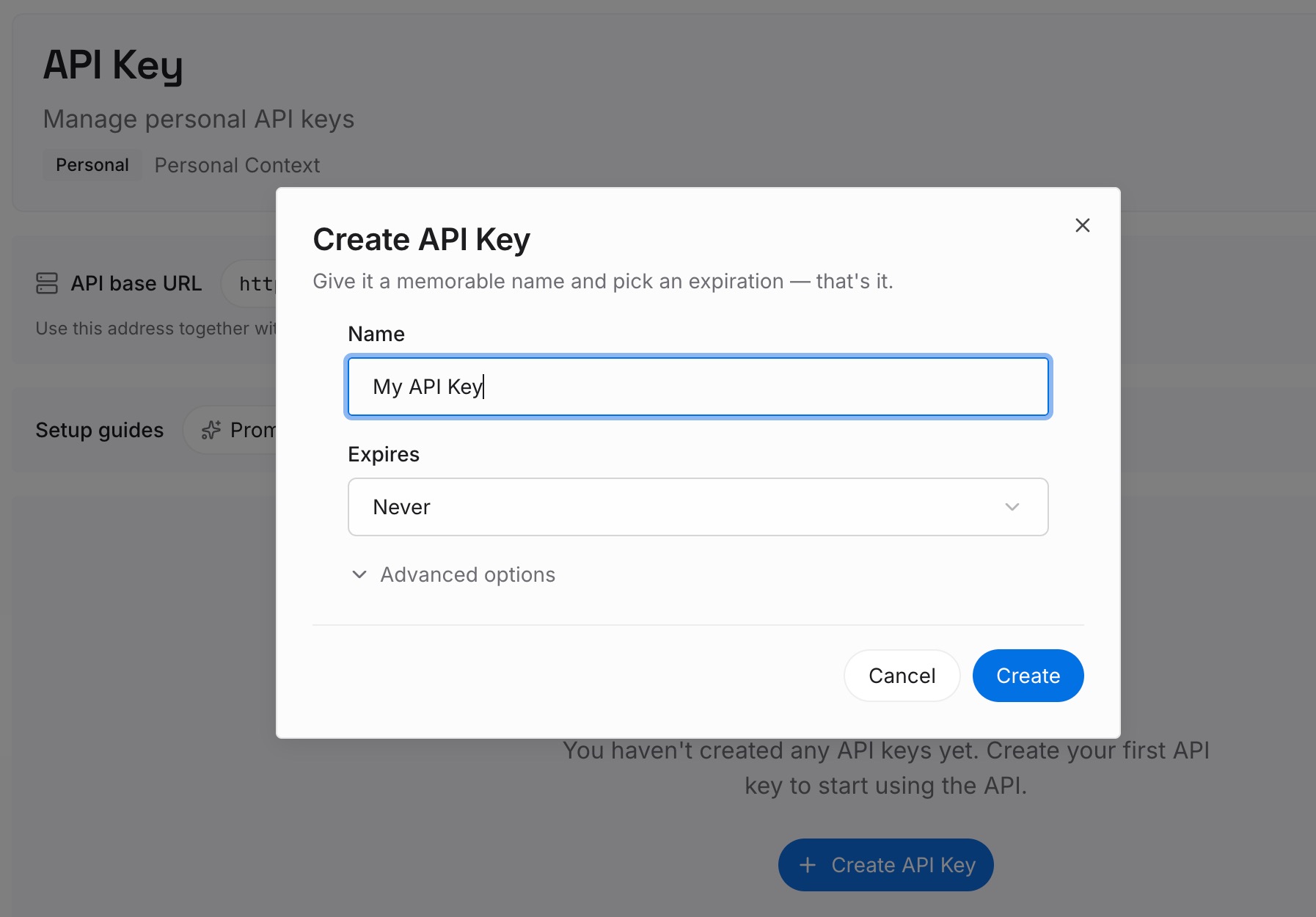
Step 1: Create an API key
Generate a key and make your first request in about 30 seconds. Keep it in your environment or a secret manager rather than pasting it into a chat window.
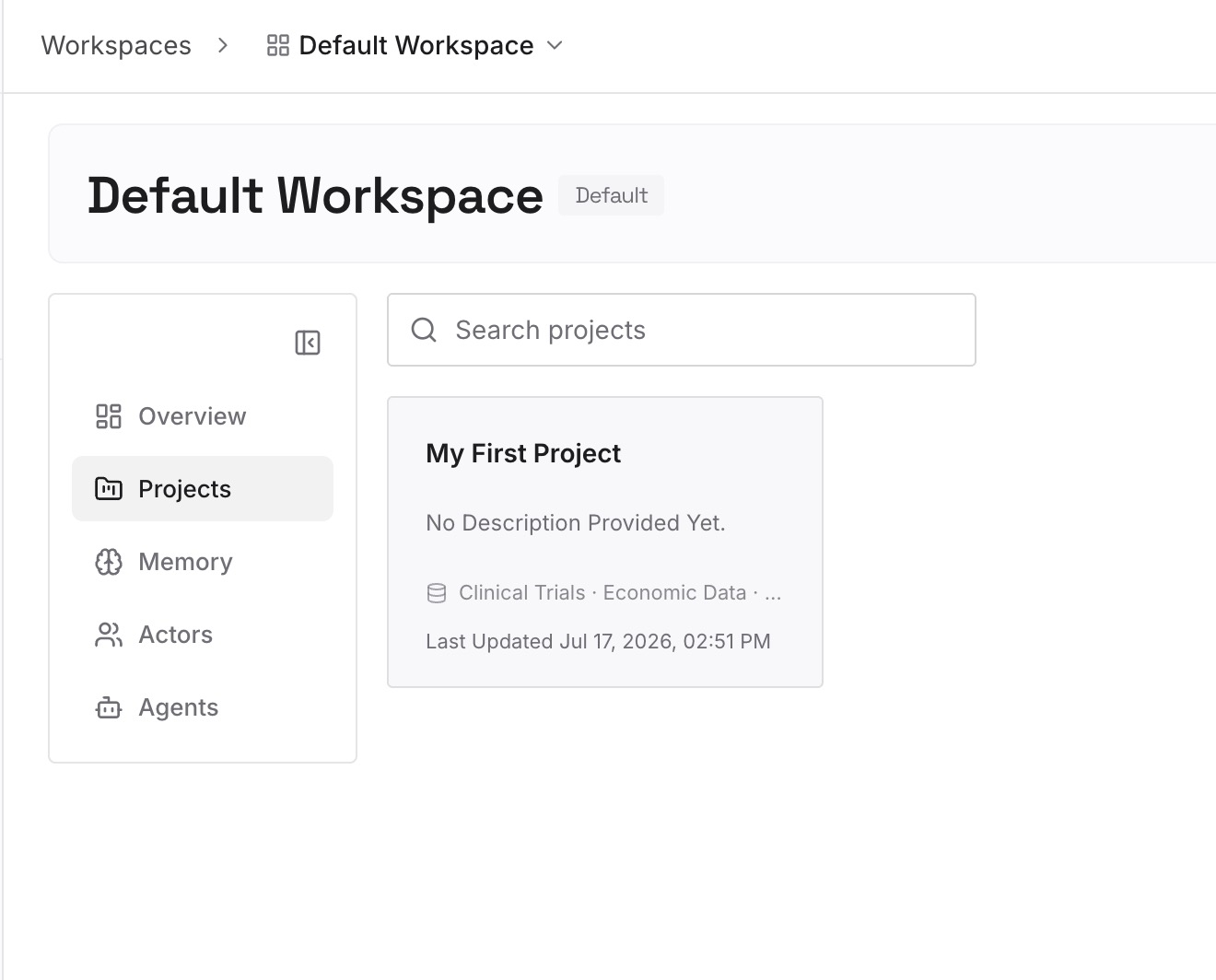
Step 2: Upload your first memories
Drop in the documents, images, and files you currently copy into every project: the style guide, the schema, the glossary, the contract templates, the decision records, the research everyone keeps re-finding. Upload the sources rather than summaries, and upload them once — that's the whole point.
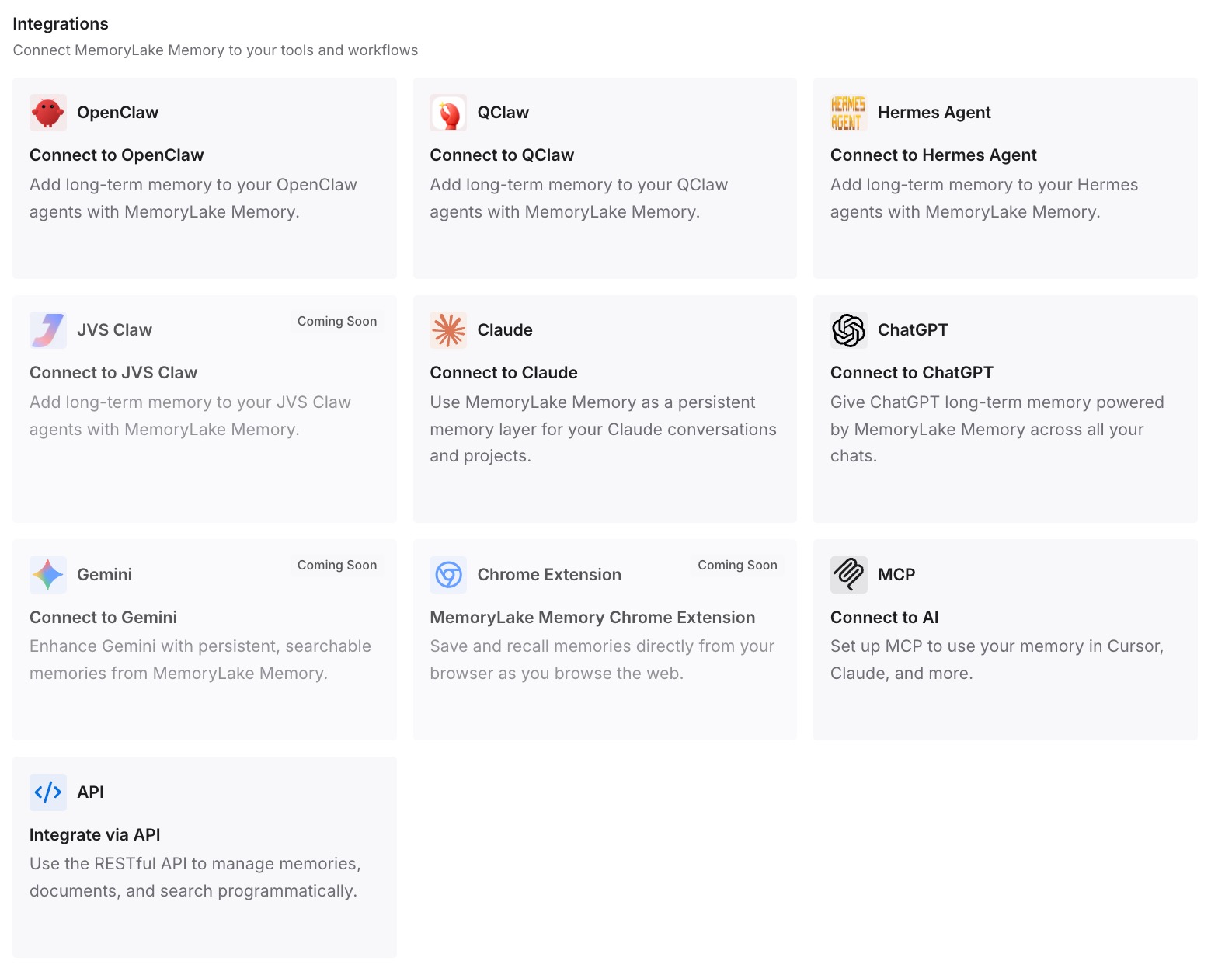
Step 3: Connect your AI & agents
Give Claude, Codex, OpenClaw, and other AI agents access to memory via MCP or the API. ChatGPT has no MCP client, so retrieve what you need through the API and inject it into the prompt, a project's instructions, or the workflow that calls the model. Tools that speak MCP read the same store directly, so the material also reaches the agent writing the code.
What this changes in practice
The first difference is that sharing a project stops costing you knowledge. You still lose personal-memory access inside it — that's documented and permanent — but the material that actually mattered is retrievable rather than trapped on the other side of the wall.
The second is that the file cap stops driving your architecture. Forty files per project is fine for project-specific material and absurd as a home for your entire reference library. With the library outside, projects hold what's genuinely theirs, and splitting work stops meaning splitting knowledge.
The third is that your standards stop drifting across projects. One copy of the style guide, updated once, read everywhere — instead of twelve project-instruction blocks that were identical in March.
And it composes with the rest of what you use. Project memory keeps doing its focused job, personal memory keeps doing personalization, and neither has to be the shared record — the same division that makes one memory across several assistants work instead of maintaining a copy per tool.
Best practices for ChatGPT projects
Decide memory mode at creation, deliberately
It's the only time you can. Project-only for client work, confidential material, or anything you might share later. Default when you want the project to benefit from what ChatGPT knows about you. Getting this wrong means rebuilding the project, not flipping a setting.
Treat sharing as irreversible
Before you invite anyone, accept that memory becomes project-only forever, including after you remove every collaborator. If you want both a personal working space and a shared one, make two projects on purpose rather than converting one.
Put your standing rules where they're re-usable, not in project instructions
Project instructions apply only inside that project, and account custom instructions don't apply inside projects at all on Enterprise and Edu. Keep the canonical version of your standards outside ChatGPT and paste or retrieve the relevant slice, so there's one source to update.
Watch the file cap before it forces a split
5 files on Free, 25 on Go and Plus, 40 on Edu, Pro, Business, and Enterprise, with 10 per upload. Reserve those slots for material specific to this project, and keep the general reference library elsewhere — otherwise the documented fix is splitting work, which fragments memory too.
Remember you can't audit project memory
There's no list, no summary page, no correction in place. If a project starts behaving on a wrong assumption, your options are deleting or moving the conversation that created it. Anything you can't afford to have silently wrong shouldn't live only in an unreadable store — a point that applies equally when personal memory appears not to work.
Don't use projects as a substitute for a document store
They're workspaces: chats, files, instructions, scoped memory. A capped, unexportable, project-scoped container is the wrong home for the four documents your whole team needs.
Conclusion
ChatGPT projects don't share memory, and that's mostly by design. Projects have built-in memory that draws context only from conversations within the same project. You pick project-only or default at creation and can never change it afterward. Sharing forces project-only permanently — even after every collaborator is removed — and shared projects have no access to any member's outside context, custom instructions, or memories. On Enterprise and Edu, account custom instructions don't apply inside projects at all. And you can't see a list of what a project remembers, so the only correction available is deleting or moving a conversation.
Keep the walls where they protect something, and move the reusable half out. The style guide, the schema, the standards, the decisions — those should live in one store your projects and your other tools can read, so sharing a project costs you a memory mode instead of costing you everything you'd assembled.