
The timeline
OpenAI's retirement article lists two dates:
- November 10, 2026. "Users are notified about the retirement." During the transition period, you can keep using Advanced or Standard voice.
- December 11, 2026. "Users will no longer be able to select Advanced or Standard voice from the model picker in Settings > Voice. Users who previously selected these models will be defaulted to Live voice."
The ChatGPT Voice article says the same thing from the settings side: "If you have either one selected, ChatGPT will switch you to Live automatically on that date."
So you don't need to do anything for voice to keep working. The change is that the choice disappears, and anyone who had chosen an older mode moves to Live.
What the three options are
You'll see the options under Settings > Voice. OpenAI's Voice article describes them this way:
- Live "is powered by GPT-Live-1.1 and GPT-Live-1.1 Quip, depending on your plan." It "is designed for natural back-and-forth conversation".
- Advanced is "The previous real-time Voice experience." OpenAI says to use it when you need supported mobile capabilities such as video or screen sharing.
- Standard is "A turn-by-turn Voice experience that transcribes your speech before generating a response."
The retirement FAQ explains the technical difference. Advanced "natively processed and generated audio, but the model had to wait for the user to stop speaking before responding, resulting in rigid back-and-forth." Standard "chained three models together: a speech-to-text model to transcribe your speech, a large language model to produce a response, and a text-to-speech model to convert it back into speech."
OpenAI is candid about the cost of that design. It says Standard's approach "resulted in slow responses and loss of information across voice and text modalities."
Live works differently. OpenAI calls GPT-Live "a full-duplex voice model, meaning it can listen and speak at the same time." It adds that GPT-Live "can also delegate complex questions or agentic tasks to our frontier text models, allowing it to keep the conversation going while handling multiple background tasks."
What happens to your voice conversations
This is the central question, and OpenAI's answer is short. "Conversations remain in your ChatGPT history and can be continued in text or voice. Voice will default to GPT-Live after December 11, 2026."
Your existing voice chats aren't removed by the retirement. If you reopen one after December 11 and start talking, the reply comes from Live.
The Voice article also explains how voice fits into a chat in general. "Voice works within a chat, so you can listen while following the response in text, type when you cannot speak, and review earlier messages without starting over."
Audio is handled separately from the transcript, and the rules differ by mode:
- Live and Advanced. "Audio clips from Live and Advanced Voice conversations, and video clips from Advanced Voice conversations, are stored with the transcript that appears in your chat history. Clips are retained for 30 days."
- Standard. "With Standard, audio is transcribed before ChatGPT generates a response. We delete the audio after transcription is complete, unless you have chosen to share audio to help train our models."
The transcript is the part that stays with the chat. If you want a copy of your conversations, OpenAI's retirement FAQ points to its export article. The export is requested from Settings > Data controls on eligible plans, and OpenAI says exports can take up to 7 days to arrive.
Deleting is a separate decision. The Voice article notes that "Deleting a chat, including associated audio or video data, cannot be undone." If you're cleaning up before the switch, our guide to whether you can recover a deleted ChatGPT chat explains what deletion removes for good.
Why custom GPT voice ends on the same day
If you talk to a custom GPT by voice, this part matters. The retirement FAQ says: "Voice with custom GPTs will continue using Advanced voice until their deprecation on December 11, 2026."
That's a second retirement on the same date. OpenAI's custom GPT FAQ says: "Custom GPTs are scheduled to retire on Dec 11, 2026." It adds that FedRAMP workspaces and affected Enterprise workspaces with a qualifying, approved deferral have a retirement date of Feb 11, 2027, and that "This later date does not apply to every workspace."
So for most accounts, custom GPTs and the voice mode they use leave together. The custom GPT FAQ says your history stays: "Your existing conversations with custom GPTs will remain accessible after retirement."
OpenAI's suggested path forward is plugins. The FAQ says "Plugins can bring reusable instructions, reference files, and connected apps together", and that if you used a GPT to keep instructions and reference files together for ongoing work, you can also start a project in ChatGPT.
What Live can use from memory
Here's the part that changes how voice feels day to day. The ChatGPT Voice article says Live "can use web search and memory, show visual results through supported widgets, and work with text and images in the same chat."
It also says "Live can also use the plugins and connected apps available to your account." Your existing app permissions and workspace restrictions still apply, and OpenAI notes that "Using Voice does not change your access to plugins or connected apps."
OpenAI's overview adds a condition to that list: Live can use these features "when those features are available for your account." What Live can draw on depends on your plan and settings, including whether memory is on.
OpenAI's article on model changes describes the same idea in general terms. When models change, "your prior conversations can carry over to newer models, including any background you've shared about your interests, preferences, or goals."
Usage limits after the switch
Live has its own limits, and they depend on your plan. OpenAI's Voice article says: "In Chat mode, Live usage is measured over a rolling 24-hour period. ChatGPT will notify you when you reach a limit."
The article's table lists, among others:
- Free. "Limited access to GPT-Live-1.1 Quip. Limits may change."
- Go. "3 hours with GPT-Live-1.1 Quip".
- Plus. "3 hours with GPT-Live-1.1".
Higher plans get more time, and some business plans continue on credits after the included hours. If you talk to ChatGPT for long stretches, check the table for your plan.
A background voice conversation also has limits. OpenAI says it "ends when you end it, force close the app, reach a usage limit, or reach the maximum session length."
Voice beyond Chat
Live isn't only for the chat tab. The Voice article describes Voice in Work on web and mobile, where you can use Live to work with connected apps and create documents, and notes: "If a task is still running when you end the call, it can continue in text." Voice in the desktop app can start tasks, check progress, and coordinate agents through one conversation, with separate pricing and limits.
Audio and training settings
Your data controls carry over too. OpenAI says audio and video clips aren't used for training unless you choose to share them, and that "If Improve the model for everyone is turned on, we may use transcripts and other files from your Voice conversations to train our models, depending on your plan and settings." If you want to review those choices before moving to Live, they're under Settings > Data Controls.
What Live can't do yet
OpenAI lists several things Live doesn't currently support. They're worth knowing before December 11, because some of them are reasons people chose Advanced or Standard.
Video and screen sharing. The Voice article says "Live does not support video or screen sharing." Those remain available "to eligible subscribers in the ChatGPT iOS and Android apps when using Advanced".
Library files. "Live cannot currently find or add files from your ChatGPT Library." OpenAI says you may still be able to attach a supported file to the chat manually, depending on your account.
Personalities. "Preset ChatGPT personalities do not currently apply to Live." You can still ask ChatGPT to change its tone, pace, or style during an individual conversation.
There's one open question about video. The retirement FAQ says: "Live video and screen-sharing will continue to be powered by Advanced voice until GPT-Live has this capability." The same article says that on December 11 you won't be able to select Advanced from Settings > Voice. OpenAI's articles don't spell out how video will work after that date if Live hasn't gained the capability by then, so watch the release notes if you rely on it.
Continuity is still on OpenAI's list
OpenAI doesn't claim Live has already matched everything people valued in the older modes. The retirement article says it is bringing learnings into GPT-Live "as we continue to improve areas like the depth and detail of responses, maintaining continuity across conversations, and better personalization."
Two of those three areas are about context. Continuity across conversations means picking up what you discussed before. Personalization means the assistant reflecting what it knows about you. OpenAI lists both as areas it's still improving.
The article also acknowledges the human side: "We recognize that some people are accustomed to Advanced or Standard voice's style or way of responding, and these model transitions can be challenging."
What people try first
Assuming voice chats will disappear. OpenAI says they remain in your history and can be continued in text or voice.
Waiting for a setting to keep Standard. The retirement article says you won't be able to select Advanced or Standard after December 11.
Expecting a custom GPT to keep its voice. Voice with custom GPTs uses Advanced until December 11, the same day custom GPTs retire on most accounts.
Relying on a preset personality in voice. Preset personalities don't currently apply to Live. Ask for the tone you want instead.
Planning on Live for screen sharing. Live doesn't support video or screen sharing.
The Fix: Prepare your voice setup before December 11
Step 1: Try Live now
Open Settings > Voice and choose Live while you can still switch back. Use it for the kind of conversation you normally have, and note anything you miss.
Step 2: Write down what you rely on
If you chose Standard or Advanced for a reason, such as a way of responding, a personality, or a file you keep referring to, write it down. Tell ChatGPT directly what you want from Live, and keep reference files you use often somewhere you can attach them.
Step 3: Export what you want to keep
Request an export from Settings > Data controls if you want a copy of your conversations, including voice transcripts. Allow up to 7 days for it to arrive.
Step 4: Move custom GPTs before they retire
If you use a custom GPT by voice, plan its replacement now. OpenAI points creators to plugins, and you can keep instructions and reference files together in a project.
Setting this up in MemoryLake
A voice mode change is a model transition. OpenAI says your prior conversations can carry over and that it's still improving continuity and personalization in Live. What isn't affected by any transition is context you wrote down yourself, outside the voice mode and outside the chat.
MemoryLake is a memory layer for keeping your preferences, projects, and decisions in one place you maintain, available to the assistants you connect, such as ChatGPT, Claude Code, and Codex.
You write the entries yourself, in your own words. Nothing is read out of, written to, or deleted from your ChatGPT voice conversations, your audio clips, your saved memories, your custom GPTs, your data exports, or any vendor's store. The retirement and the switch to Live work the way OpenAI describes them.
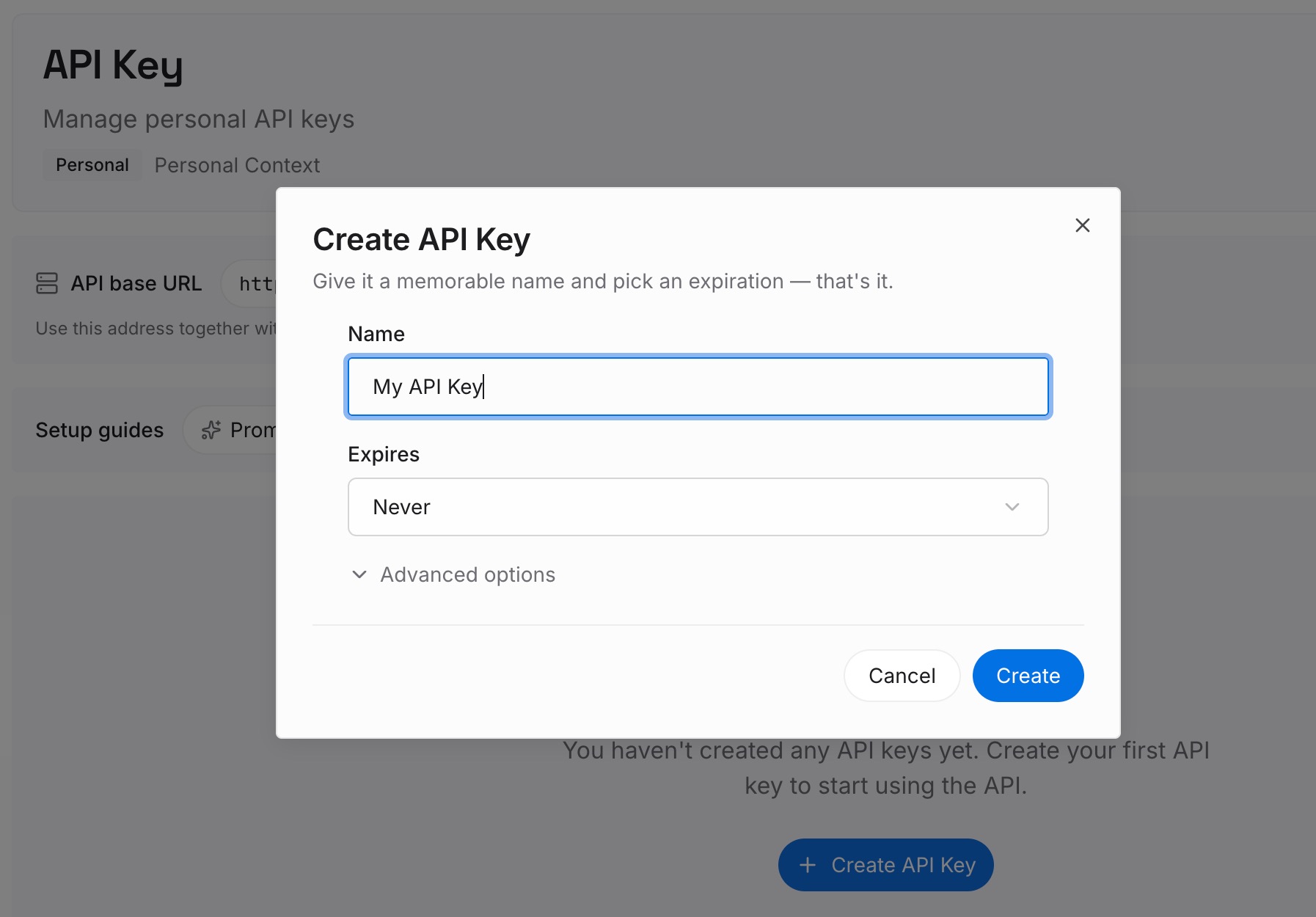
Step 1: Create an API key
Sign in and generate a key from the dashboard. The key belongs to your MemoryLake workspace and is separate from your OpenAI account.
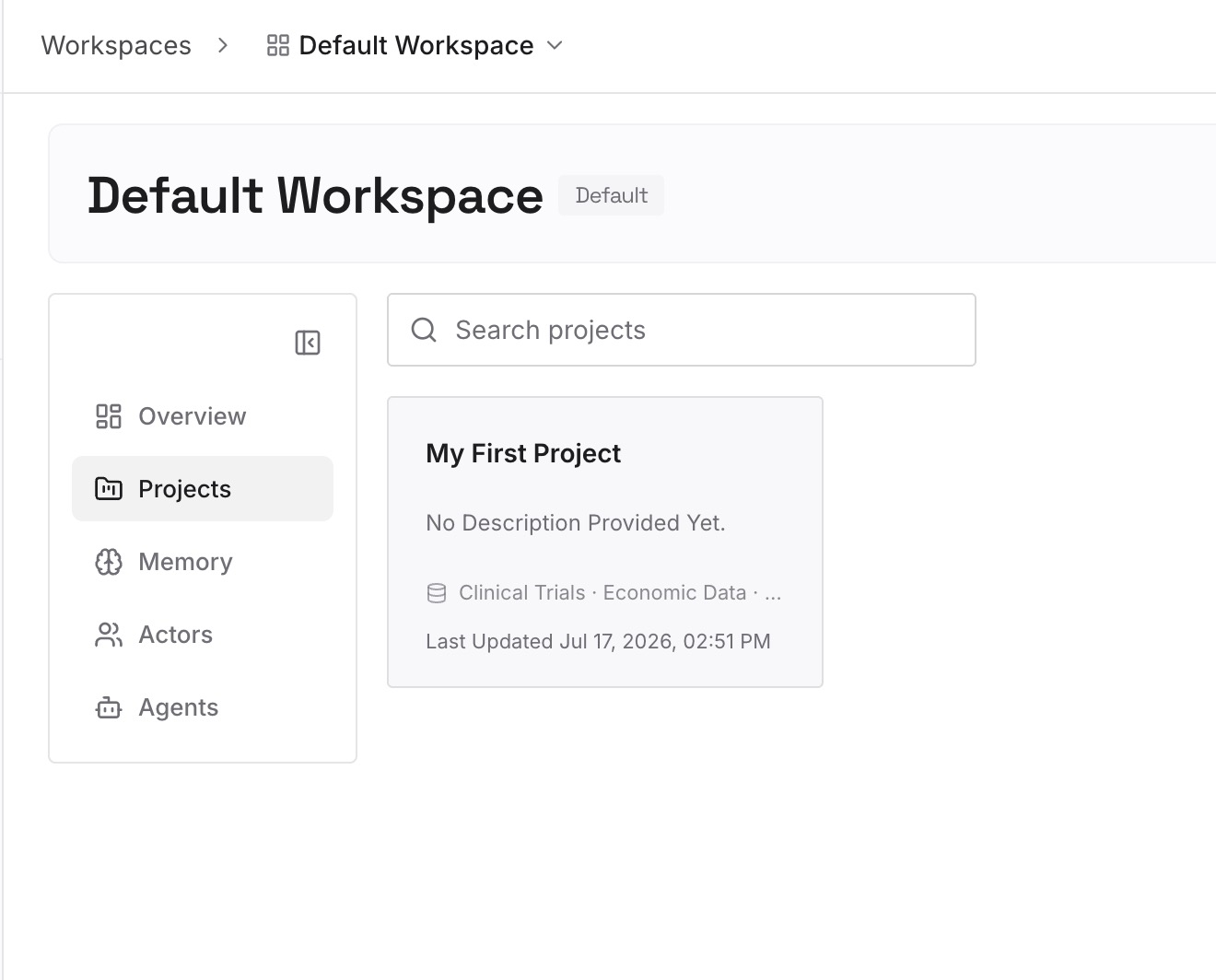
Step 2: Upload your first memories
Start with what you wrote down in Step 2 of the fix: how you like answers delivered, the projects you talk through by voice, and the decisions you've made in those conversations. One item per entry, so you can update one without rewriting the rest.
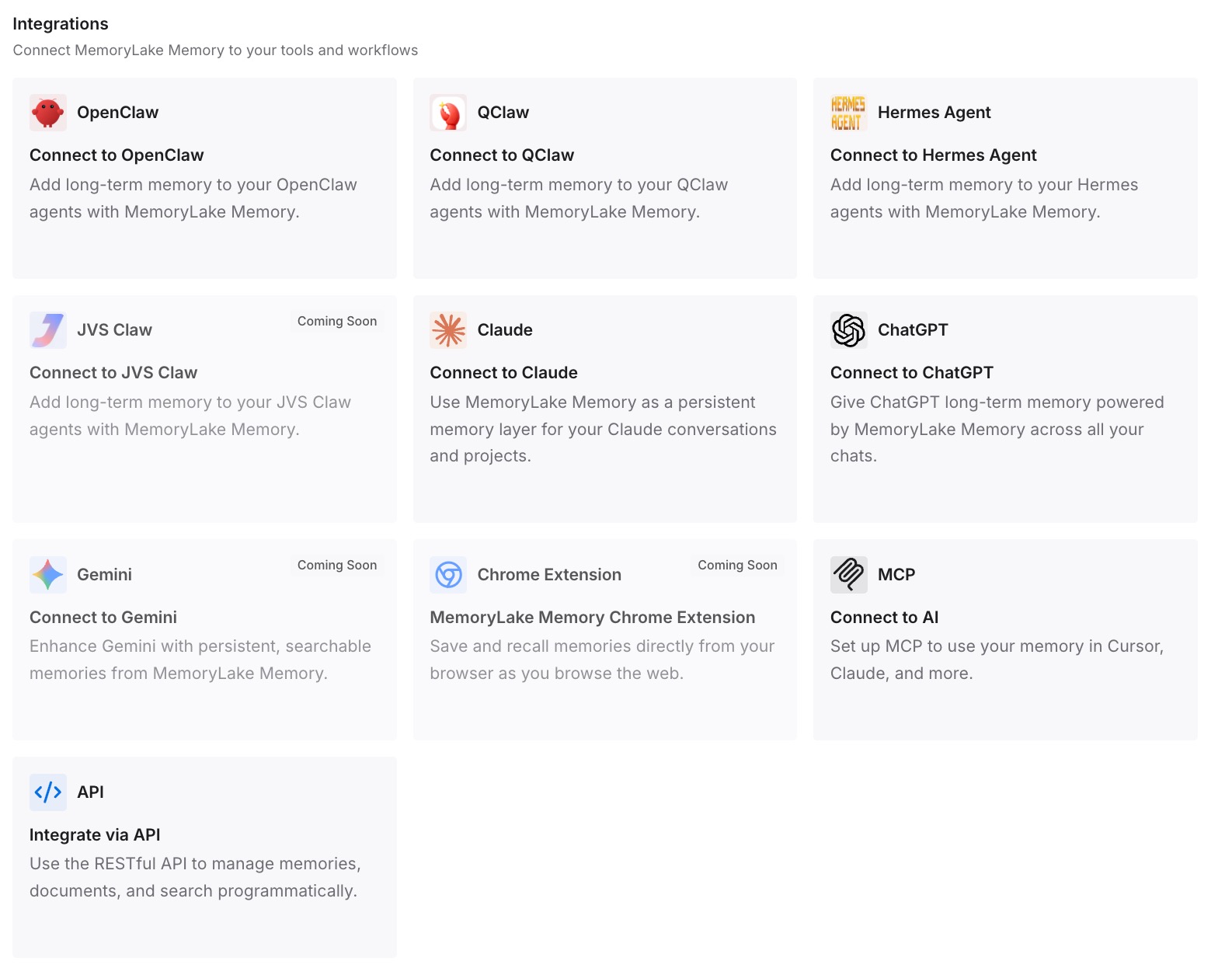
Step 3: Connect your AI & agents
Connect ChatGPT and any other assistants you use. The same entries are there whichever voice model or app you're using.
What this changes in practice
The first difference is a steadier handover. When the voice model changes, the context you rely on is already written down.
The second is less re-explaining. You don't have to repeat your preferences to a new voice model one conversation at a time.
The third is independence from a single mode. If a feature you used is retired, the context behind it isn't tied to that feature.
Best practices for the voice retirement
Switch to Live before the deadline. You'll find out what you miss while you can still switch back.
Keep your voice chats. They stay in your history, and you can continue them in text or voice.
Export if you want a copy. Exports can take up to 7 days.
Check your custom GPTs. Most retire on December 11, along with their voice.
Ask for the tone you want. Preset personalities don't currently apply to Live.
Keep Advanced for video while it lasts. Live doesn't support video or screen sharing.
Watch the release notes. OpenAI hasn't spelled out how video works after December 11 if Live doesn't support it by then.
Conclusion
OpenAI is retiring Standard and Advanced voice on December 11, 2026. After that date, you can't select them in Settings > Voice, and anyone who had chosen one is moved to Live. Your voice conversations stay in your ChatGPT history and can be continued in text or voice, and voice in custom GPTs ends the same day that custom GPTs retire on most accounts.
Live can use web search, memory, plugins, and connected apps. It doesn't currently support video, screen sharing, Library files, or preset personalities, and OpenAI lists continuity across conversations and personalization as areas it's still improving. Try Live now, write down what you rely on, export what you want to keep, and plan your custom GPT replacements before the date.