
How Claude Tag memory is organized today
Channel notes
"Claude keeps memory by channel. Each channel, public or private, has its own notes, and channel memory isn't organized by person." Channel notes hold "its conventions, who owns what, and decisions made there", and Claude reads them while working in that channel.
Memory builds up three ways, according to Anthropic. You tell Claude to remember something. Claude saves facts on its own, such as decisions the channel made. And Claude can read past sessions when you ask it to, though "it can't full-text search across them, so name a timeframe or topic."
Workspace notes
The second kind is wider. "From a public channel Claude can also save workspace notes, which it reads in every channel in the workspace." These are meant for organization-wide conventions. Anthropic's example: "A convention Claude saved as a workspace note while working in #data-eng is available when you ask in #analytics. A note it kept for #data-eng itself stays in #data-eng's channel notes."
Claude decides which kind of note something becomes. In a public channel it saves to "That channel's notes, or the workspace notes for something that applies across the workspace".
Private channels and group DMs
Private channels read more than they write. A private channel reads "That channel's notes, plus the workspace notes (read-only)" and saves to "That channel's notes only". Group DMs are self-contained: Claude reads and saves only that group DM's notes, and "It doesn't read or add to the workspace notes."
One-to-one DMs
Your direct messages with Claude have their own notes, but they're stored with the workspace. "Claude keeps notes for each one-to-one direct-message conversation, stored with the workspace rather than with your Claude account." Anthropic adds: "Those notes are deleted when an Owner disconnects the workspace, not when you disconnect your own Claude account in Slack."
What changed in September
The per-channel model is recent. Claude Code's release notes for version 2.1.268, published September 10, 2026, record the change: "Changed memory in public channels: each channel now keeps its own notes, and Claude no longer recalls notes it saved in other public channels; workspace notes stay shared".
Before that, explanations of Claude Tag described public-channel memory as shared across the workspace. If your team set up Claude Tag in the summer and learned how memory works then, the model in your head may be the old one.
A second change followed on October 9. Version 2.1.296 "Added creating, editing and deleting workspace and channel memory files on the Activity page's Memory tab for members with the Claude Tag Admin permission". Anthropic's audit and settings pages still describe editing and deleting as Owner actions, so check which roles in your organization can actually do it.
Why Claude Tag's memory can surprise you
A note from one public channel can show up everywhere. Workspace notes are read "in every channel in the workspace, private channels included." If Claude decides something said in #general applies across the workspace, a private team channel will read it too.
Making a channel private doesn't pull its workspace notes back. "If a channel switches between public and private, its channel notes stay with the channel". But "Workspace notes Claude saved from the channel while it was public stay in the workspace notes." Anthropic says that if those shouldn't stay shared, an Owner has to delete them.
Passing details usually aren't kept. The troubleshooting page puts it plainly: "Channel memory is a small, curated note, not a transcript, and Claude decides what's worth saving, so passing details usually aren't kept." There's also a size constraint: "the per-channel memory budget is limited, and long entries crowd out everything else."
Instructions outrank memory. Channel instructions set on the channel's Configure page and custom instructions set by admins both rank above memory. Anthropic's customization table says custom instructions are read in every session at a scope and "Outranks channel memory." A remembered preference that conflicts with an instruction loses.
Forgetting removes an entry from use, not from storage. When an Owner deletes an entry, or someone tells Claude to forget it, "The entry is removed from what Claude reads and from the memory files view. Earlier versions of the scope's memory remain stored with the scope until the scope's data is deleted".
Memory isn't in your exports. "During the beta, Claude Tag session transcripts and memory aren't included in your organization's data exports", and your organization's custom retention setting "doesn't apply to Claude Tag transcripts or memory."
What people try instead
Assuming public-channel memory is pooled. That was the earlier model. Each channel now keeps its own notes, and only workspace notes are shared.
Assuming a private channel is sealed. It can't write workspace notes, but it reads them.
Assuming Claude remembers everything said in the channel. It keeps a curated note, and you have to ask explicitly for anything that must stick.
Putting long playbooks into memory. Anthropic recommends a repository for those, since long entries crowd out everything else.
Assuming forget means erase. Earlier versions stay with the scope until the scope's data is deleted.
The Fix: Ask what Claude remembers, correct it in the channel, then move standing rules to the right place
Step 1: Ask Claude what it remembers in each channel
In each channel where Claude Tag works, ask it directly. Anthropic's suggested prompt is @Claude what do you remember about this channel?. Read the answer with two questions in mind: is each entry still true, and should it apply here only or across the workspace?
Then look at the workspace level. An Owner can open the Activity page in Claude Tag admin settings, where the Memory tab lists "Each scope's memory files, where you can read what Claude has saved for that workspace or channel." Read the workspace notes in particular, since they reach every channel. For a wider audit of what your assistants remember, see our guide to auditing what your AI remembers.
Step 2: Correct or remove entries, and have Claude record the fix
Correct entries in the channel, by naming them. Anthropic's prompt library explains why naming matters: when you name the specific entry, "Claude doesn't have to guess what's stale the way it does with 'clean up your memory'". The library's own example of a correction is @Claude that's outdated — forget the entry about the old project name.
After a correction, make it stick. Anthropic suggests asking Claude to "Update your memory for this channel so this doesn't happen again", which turns a one-time fix into a standing one.
For workspace notes that shouldn't be shared, especially ones saved before a channel went private, ask an Owner to delete them from the memory files. And keep memory from going stale: "Entries written weeks ago can describe a repository, owner, or convention that no longer exists." Anthropic suggests a weekly routine that asks Claude to review its memory.
Step 3: Move standing rules to instructions or a repository, and keep memory for facts
Memory is the right place for facts a channel learns over time. It's not the best place for rules. Anthropic's documentation offers three better homes:
- Channel instructions on the Configure page, for "standing guidance Claude reads in every new session in the channel". They outrank memory.
- Workspace or organization instructions in admin settings, for rules across many channels.
- A repository, for playbooks. "For longer playbooks, put them in a repository Claude can read." A granted repository's
CLAUDE.mdand rules files load when Claude clones it, in the same format as Claude Code; our guide to how Claude Code loads instruction files covers that format.
Anthropic's skills repository page draws the line in a table. A skills repo is for how to call an API or a runbook any team would reuse. Channel memory is for "This channel's preferred output format", "A one-off decision this channel made", and "Who owns what in this team".
Some things should be in neither. Anthropic's good habits page warns that instructions "steer Claude but don't restrict Claude from deciding on its own", and that a requirement belongs in "a repository rule rather than a memory note or a skill."
Setting this up in MemoryLake
Claude Tag's memory is built for one place: a Slack workspace, organized by channel. Your team's decisions also live in tickets, documents, and the other assistants people use. MemoryLake is a memory layer for keeping the decisions that matter beyond one channel in a list you maintain, available to Claude and your other assistants.
You write the entries yourself, in your own words. Nothing is read out of, written to, or deleted from Claude Tag's channel notes, workspace notes, session transcripts, or any vendor's store. Slack conversations often include colleagues' and customers' information, so check your organization's policy before copying anything out of a channel.
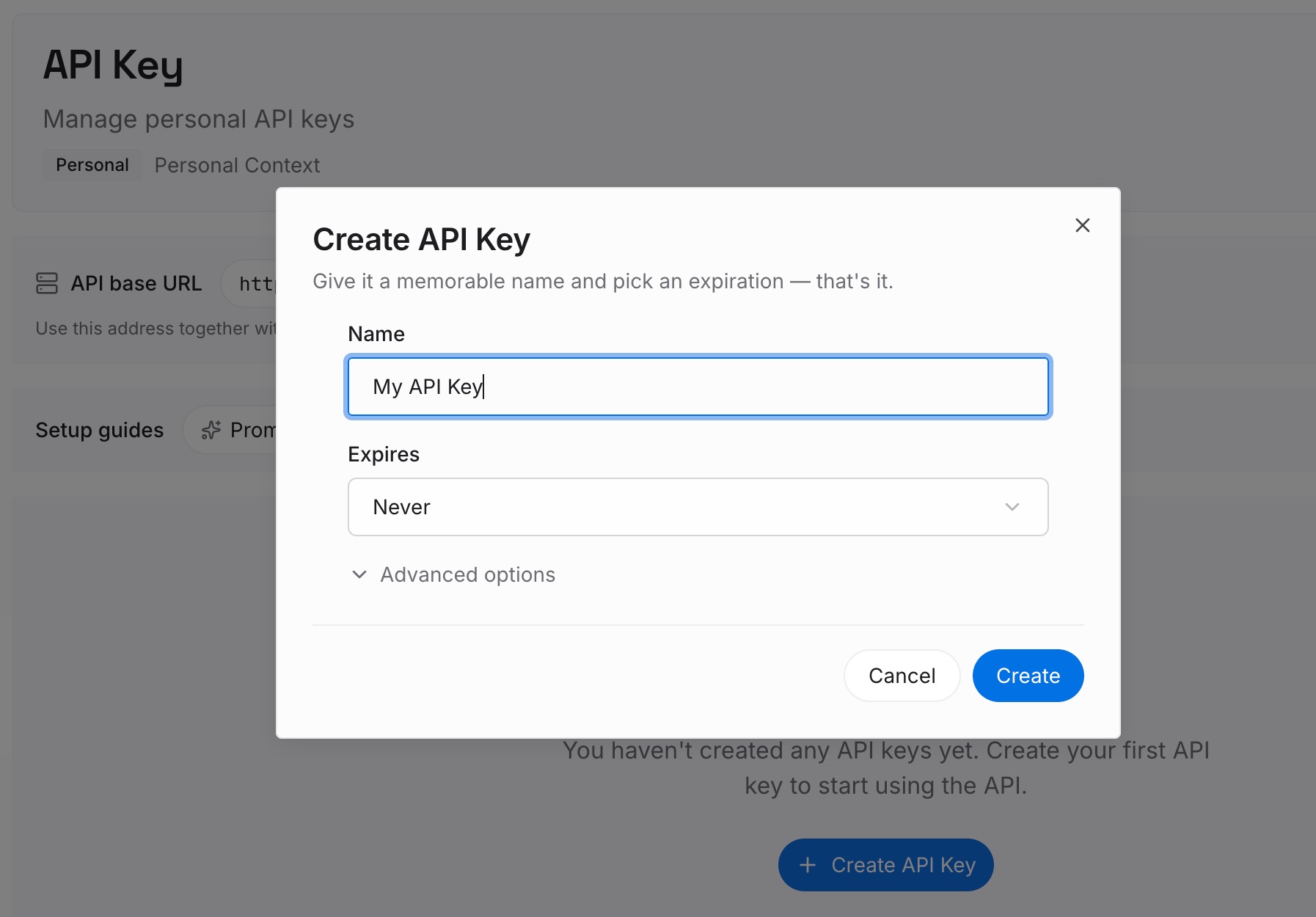
Step 1: Create an API key
Sign in and generate a key from the dashboard. The key belongs to your MemoryLake workspace and is separate from your Claude organization and your Slack workspace.
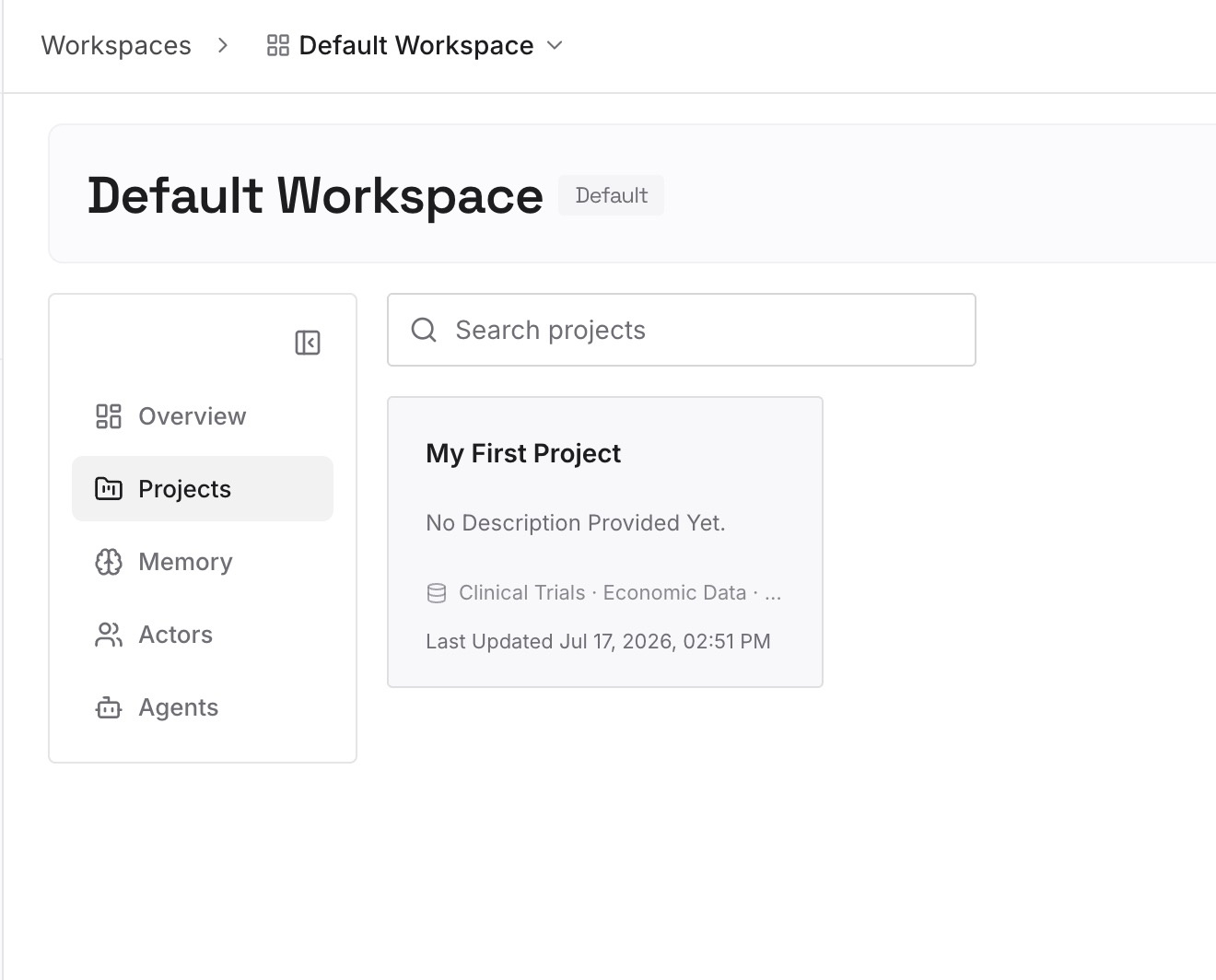
Step 2: Upload your first memories
Start with the decisions you confirmed in Step 1 of the fix, especially the ones you'd want outside Slack. One decision per entry, dated, with the reason and the channel it came from.
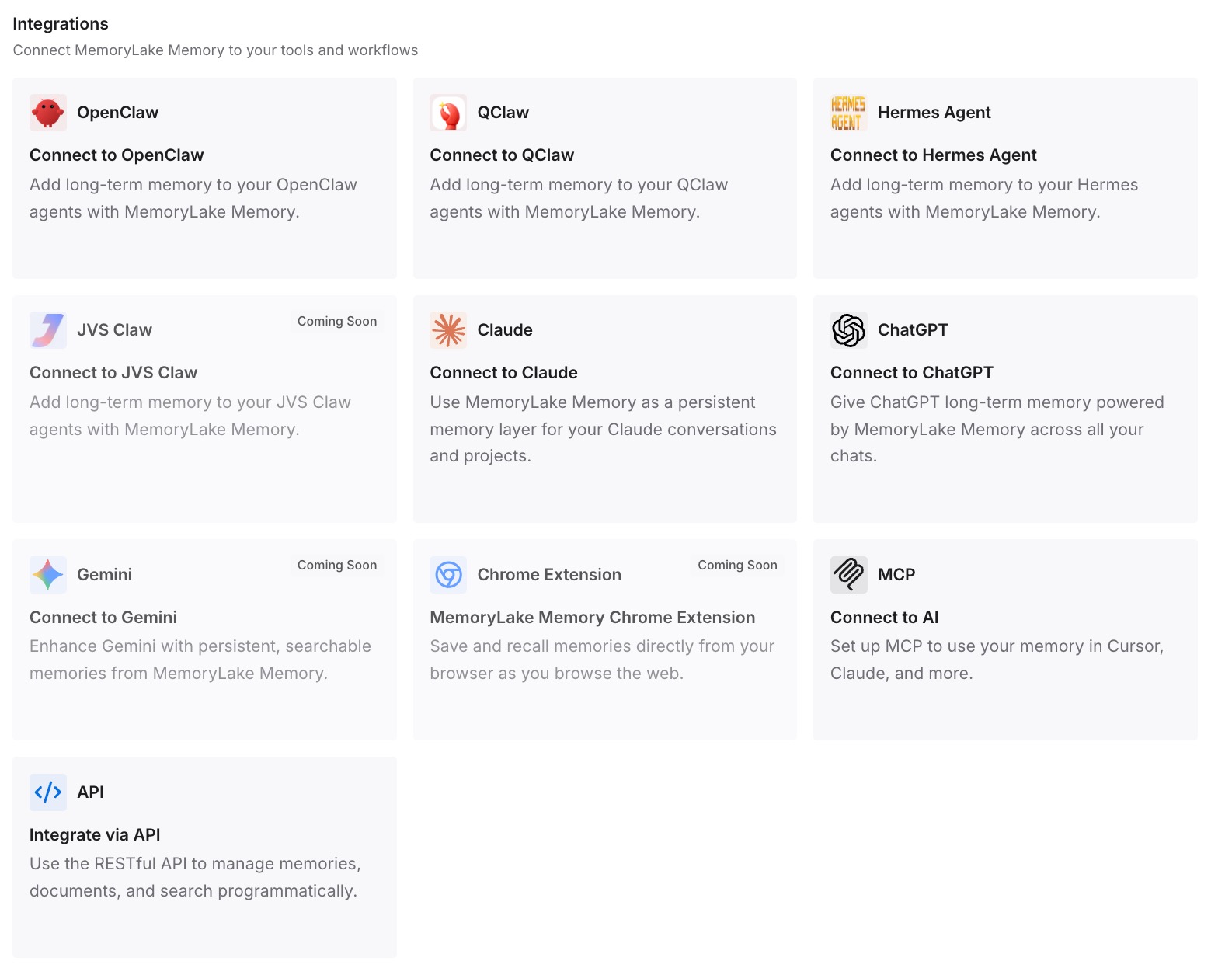
Step 3: Connect your AI & agents
Connect Claude and the other assistants your team uses. The same decisions are then available in a Claude chat, a coding agent, or another tool, not only in the channel where they were made.
What this changes in practice
The first difference is that memory becomes something you review instead of something you discover. A short check per channel shows what Claude is working from.
The second is fewer cross-channel surprises. When you know workspace notes reach private channels, you can decide what belongs there. For a general approach to team memory, see our guide to setting up a shared AI memory for your team.
The third is a cleaner split of jobs. Instructions hold rules, repositories hold playbooks, memory holds what each channel has learned, and your own list holds decisions that must survive outside Slack. Anthropic uses the same split elsewhere, as our look at Claude Managed Agents' two memory stores shows.
The fourth is better traceability. Knowing where a fact came from makes it easier to correct, which is the case our explainer on memory provenance makes in general. Anthropic's own engineers have written about running a months-long session in an internal version of Claude Tag, covered in our look at Anthropic's CI rebuild.
Best practices for Claude Tag memory
Ask before you assume. Asking Claude what it remembers about the channel is the fastest check.
Read the workspace notes. They reach every channel, including private ones.
Ask Claude to remember things explicitly. Passing details usually aren't kept.
Keep entries short. The per-channel memory budget is limited.
Put rules in instructions. They outrank memory.
Put playbooks in a repository. Memory isn't built for long documents.
Review weekly. Stale entries describe owners and repositories that have changed.
Conclusion
Claude Tag keeps memory by channel. Since September 10, 2026, each public channel has its own notes, and only workspace notes, saved from public channels, are shared across the workspace. Private channels read those notes but can't add to them. Group DMs and one-to-one DMs keep separate notes, and DM notes are stored with the workspace.
Memory is a curated note with a limited budget. Instructions outrank it, forgetting removes an entry from use but not from stored history, and during the beta it isn't included in data exports.
Check each channel, correct entries by name, and move standing rules to instructions and playbooks to a repository. Keep the decisions that matter outside Slack in a place you maintain yourself.