
Why Claude accounts get disabled
Anthropic's article lists the reasons it may ban an account:
- "Repeated violations of our Usage Policy"
- "Account creation from an unsupported location"
- "Terms of Service violations"
The article doesn't publish the details of how automatic reviews work. What it does say is that a human team can look again: "Our Safeguards team can further investigate why your account was disabled."
One more policy is worth knowing if you use Claude through other tools. Anthropic's login article says the preferred way to use third-party software, tools, or services, including open-source projects, "is through API key authentication through Claude Console or a supported cloud provider." It adds that use of third-party tools that misrepresent their identity to Anthropic's servers or route third-party traffic against subscription limits "is prohibited and such use may be enforced against."
If you've connected a subscription to an unofficial client, keep that in mind when you write your appeal.
How to appeal
The appeal starts inside the account that was disabled. Anthropic's steps:
- Go to claude.ai.
- Log in with the banned account.
- Fill out the appeal form.
The form isn't public. Anthropic says: "Important: You must be logged in to access the appeal form."
Expect a wait. The article currently opens with a note: "Our response times are currently longer than normal due to our recent launch and an increase in email volume. We will reply to your appeal/email as soon as we can and we ask for your patience in the meantime."
When you write the appeal, be specific. Say what you use Claude for, which plan you're on, which apps or tools you sign in with, and anything that changed recently, such as travel, a new device, or a new integration.
What you can still do while you wait
This part is easy to miss. A disabled account isn't locked away from you completely. Anthropic says: "If your Free, Pro, Max, or Ultra account has been banned for violating our Usage Policy, you can still log in at claude.ai to export your data or delete your account."
The options appear in one place. "The options available to your account are shown on the same screen as the appeal form after you log in."
Two details set expectations:
- Deletion is always available. "All banned users can delete their own account."
- Export may be limited. "Self-serve data exports are available to all banned users, but the data you're able to access and export may be restricted depending upon the Usage Policy violation associated with your account."
So export first, before you decide anything else. If the appeal succeeds, the export was a precaution. If it doesn't, you have a copy.
What an export includes
Anthropic's export article describes what you get. "Data exports include conversation data and the user data for your account, along with any voice recordings you've shared with Anthropic."
And what you don't: "They don't include the original files you uploaded." The article also says exports "don't yet include your saved Personal Finance dashboard."
The process:
- Go to Settings > Privacy on the web or in Claude Desktop.
- Select the option to export data.
- Wait for the email with a download link.
A few rules apply. "It's not possible to run an export from Claude for iOS or Android." The email goes "to the address associated with your account", and "You must be signed in to your account to download your data using this link."
Download it right away. "The download link will expire 24 hours after it's created, and it may work only once, so download the file right away."
What the export can't do
An export is a copy for your records. It isn't a way to move into a new account. Anthropic's export article says: "Exported data can't be imported into another personal Claude account, and we don't support migrating data between personal accounts."
That matters if you're thinking about starting over with a new account. Whatever you had in the disabled one, including projects, instructions, and Claude's memory, won't transfer into it from the export file. You'd add it back by hand.
If you think the ban was a mistake, the appeal is the documented route.
Deleting the account
If you decide not to appeal, or the appeal fails, you can delete the account yourself. Anthropic's deletion article is clear about what that means: "Deleting your account is permanent. You'll lose access to your conversations, projects, and other saved data, and you can't recover the account afterward."
It also says "If you want to keep your data, export it on web or desktop before you delete." Do the export first, confirm the file opens, then delete.
If you're on a paid plan, Anthropic's deletion steps ask you to cancel the subscription and wait until the current period ends before deleting. If you use Personal Finance, the article says to unlink your banks before your paid plan ends.
When it's your organization that's on hold
There's a second situation that looks similar on the screen. Your own account is fine, but an organization you belong to has been paused. Anthropic's appeals article covers it: "If your own account is in good standing but an organization you belong to has been paused because of unusual activity, this will be noted when you log in to your Claude account."
The screen shows which organizations are affected. "The restricted account screen lists each organization that's on hold." Selecting Request a review on the affected organization asks Anthropic's Safeguards team to take another look.
This is a different route from a personal appeal. If you're a member, tell your organization's owner or admin, since the review concerns the organization, not you.
The Claude Code error about a disabled organization
If you saw a message about a disabled organization in Claude Code, it may not be about your claude.ai account at all. Anthropic's Claude Code error reference explains one common case: "Claude Code is using a stale ANTHROPIC_API_KEY from a disabled Console organization. When you have a saved subscription login, the key overrides it."
In that case, your Pro, Max, or Ultra subscription can be working fine. The error reference notes: "If you export a key in your shell profile or load one from .env, Claude Code uses it instead of /login, even with a working Pro, Max, or Ultra subscription."
The fix it gives:
- Unset
ANTHROPIC_API_KEYin the current shell and remove it from your shell profile, then relaunch Claude Code. - If you have no saved login to fall back to, unset the key and run
/login, or replace the key with one from an active Console organization. - Run
/statusafterward to confirm the active credential is your subscription.
If no environment variable is set and the error continues, the reference says to contact support or sign in with a different account. If you keep separate accounts for work and personal use, our guide to using multiple accounts in Claude Code explains how to keep their credentials apart.
A sign-in that simply ran out is different again. Our guide to Claude Code's login expired message covers that case.
What people try first
Contacting support before logging in. The appeal form is only available after you log in with the banned account.
Waiting to export until the appeal is decided. Export is available while you wait, and it's the copy you'll want either way.
Opening a new account and importing the export. Anthropic says exports can't be imported into another personal account.
Treating an organization hold as a personal ban. If your account is in good standing, the review request goes through the affected organization.
Assuming a Claude Code organization error means a ban. It can mean a stale API key from a disabled Console organization is overriding your subscription.
The Fix: Protect your work while the review runs
Step 1: Log in and read the screen
Log in at claude.ai with the affected account. The restricted screen shows the appeal form and the options available to you, including export and deletion.
Step 2: Export your data
Request the export from Settings > Privacy on the web or in Claude Desktop, and download the file within 24 hours. Check that it opens.
Step 3: Submit a specific appeal
Explain how you use Claude, what plan you're on, which tools you sign in with, and anything that changed recently.
Step 4: Write down what the export won't give back
List the project instructions, preferences, and decisions you rely on. The export is a record, not something you can load into another account.
Setting this up in MemoryLake
A disabled account shows how much of your working context sits in one place. Conversations, project instructions, and memory all live in the account, and an export can't put them into another one.
MemoryLake is a memory layer for keeping the context you rely on, such as preferences, project details, and decisions, in one place you maintain, available to the assistants you connect, such as ChatGPT, Claude Code, and Codex.
You write the entries yourself, in your own words. Nothing is read out of, written to, or deleted from your Claude account, your chats, your projects, your Claude memory, your data exports, or any vendor's store. Appeals, exports, and account reviews work the way Anthropic describes them.
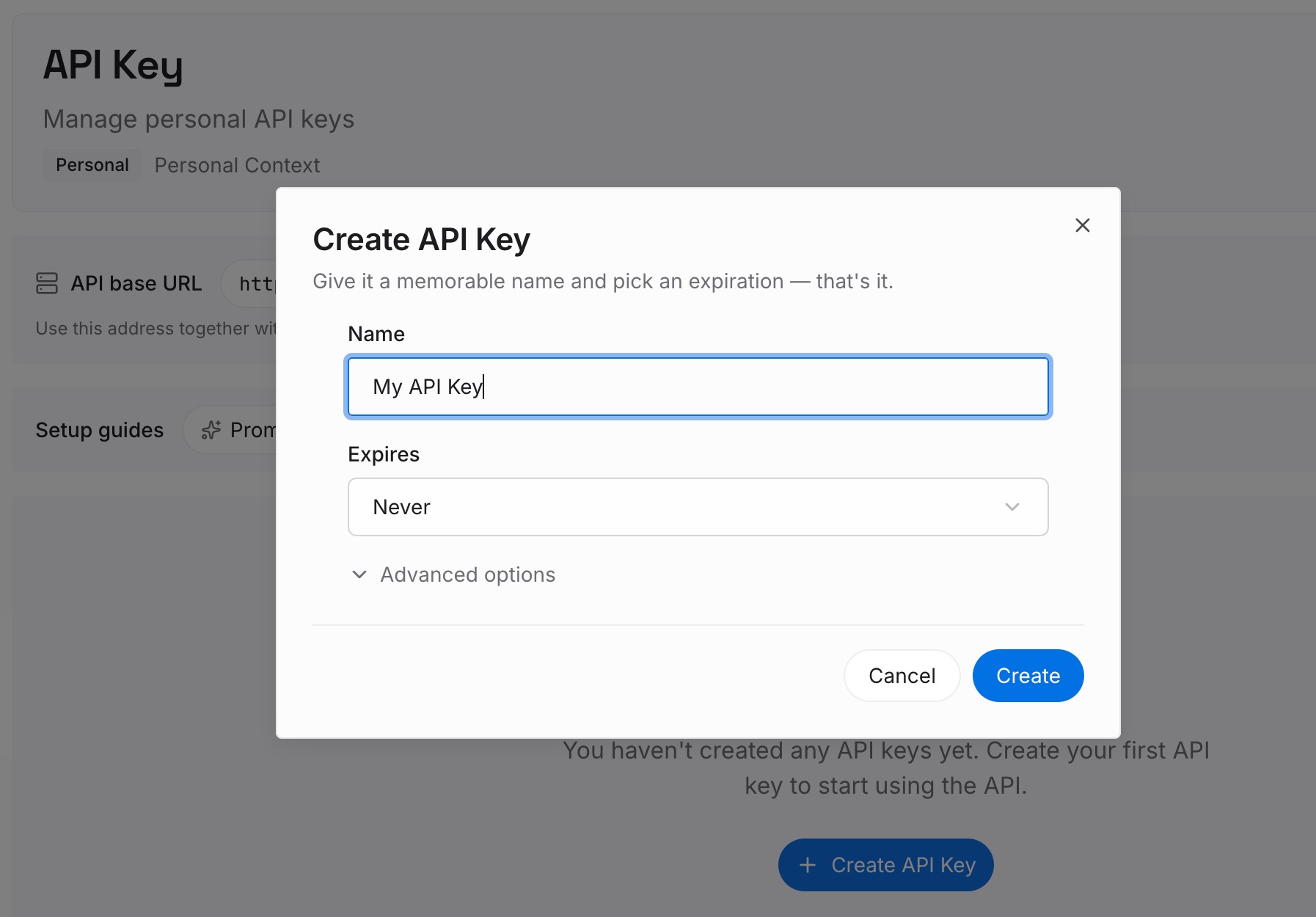
Step 1: Create an API key
Sign in and generate a key from the dashboard. The key belongs to your MemoryLake workspace and is separate from your Claude account.
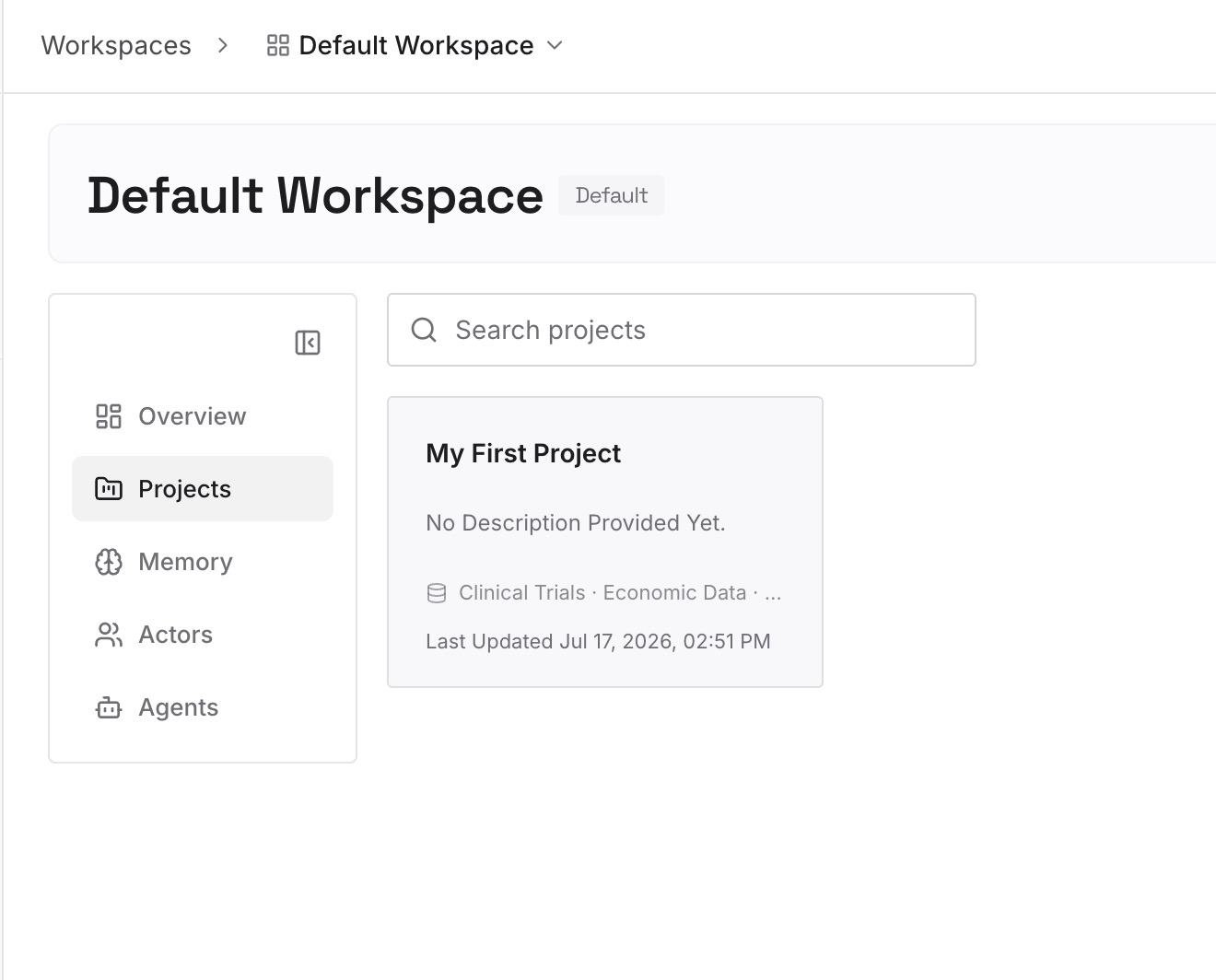
Step 2: Upload your first memories
Start with the list you wrote in Step 4 of the fix: your preferences, project instructions, and the decisions behind your ongoing work. One item per entry.
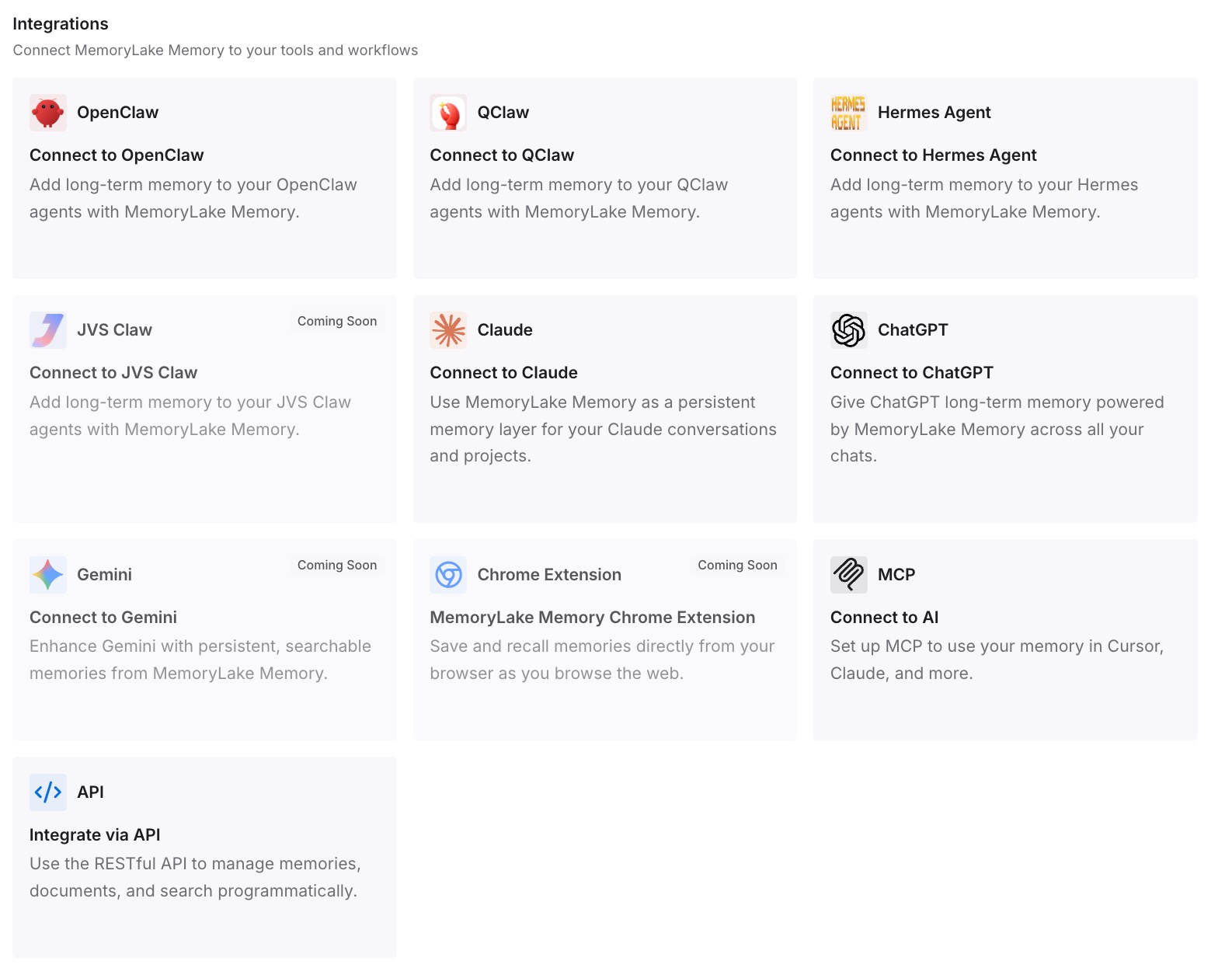
Step 3: Connect your AI & agents
Connect Claude Code and any other assistants you use. The same entries are available while your account is under review.
What this changes in practice
The first difference is a calmer review. If your account is disabled, the context you depend on is still written down.
The second is a faster restart. Whether the account comes back or you move on, you add context from your notes.
The third is less riding on one account. The context you rely on isn't held in a single login.
Best practices if your Claude account is disabled
Log in first. The appeal form and your options are only shown to the logged-in account.
Export before anything else. It's available while you wait and may be restricted in some cases.
Download within 24 hours. The link expires and may work only once.
Write a specific appeal. Plans, tools, and recent changes help the review.
Check whether it's you or the organization. An organization hold has its own review request.
Check your API key in Claude Code. A stale key can produce an organization error while your subscription works.
Use API keys for third-party tools. Anthropic prefers API key authentication for third-party software.
Conclusion
If your Claude account has been disabled after an automatic review, the documented route back is an appeal you submit after logging in with that account. While you wait, you can log in to export your data or delete the account, though exports may be restricted depending on the violation. Exports include your conversations but not uploaded files, and they can't be imported into another personal account.
If your account is fine but an organization is on hold, use the review request on that organization instead. And if Claude Code says an organization has been disabled, check for a stale API key before assuming anything else. Export first, write down what you rely on, and keep that context somewhere that doesn't depend on one account.