
What a memory store is
A collection of text documents, mounted as a directory
The definition, verbatim: "A memory store is a workspace-scoped collection of text documents optimized for Claude."
And the mechanism, which is the part worth appreciating: "When you attach a store to a session, it is mounted as a directory inside the session's sandbox. The agent reads and writes it with the same file tools it uses for the rest of the filesystem, and a note describing each mount is automatically added to the system prompt, telling the agent where to look."
No new tool for the model to learn. No retrieval API to call. The agent already knows how to read and write files, so memory becomes part of the filesystem it's already operating in — and the system prompt gets a pointer so it knows the directory exists. That's a notably low-friction way to expose persistence to a model.
One setup requirement that will silently break things if you miss it: "The agent toolset is required for these interactions; make sure to enable it during agent creation."
What the store is meant to carry, per the docs: "user preferences, project conventions, prior mistakes, and domain context."
Immutable versions, and an actual audit trail
This is the part of the design I'd single out: "Every change to a memory creates an immutable memory version, giving you an audit trail and point-in-time recovery for everything the agent writes."
Consider what that solves. When an autonomous agent maintains its own memory, the failure mode everyone worries about is the agent writing something wrong and then confidently building on it. Immutable versioning means that's diagnosable and reversible — you can see when an entry changed and roll back to the state before it. Very few memory systems, ours included, treat write history as a first-class artifact. It's a good call and it's the kind of thing that only looks important after the first bad write.
Each memory is path-addressed and directly editable
"Each memory in a store is addressed by a path and can be read and edited directly through the API or the Claude Console, allowing for tuning, importing, and exporting."
Path-addressed means you can reason about organization — a stable layout rather than an opaque blob. And direct read/edit through the API or Console means the store isn't write-only from the outside: you can seed it, correct it, and get the contents back out. Import and export are named explicitly, which is worth noting because portability is often the first thing to go missing in a memory feature.
The description field is part of the interface
Creating a store takes a name and a description, and the description isn't just for your dashboard: "The description is passed to the agent, telling it what the store contains."
So the description is prompt surface. "Per-user preferences and project context" — the docs' own example — tells the agent when to look in there. A vague description makes a well-populated store harder for the agent to use well. Treat that field as instructions, not as a label.
On self-hosted sandboxes it's a synced copy, not a live mount
The distinction that will cost you an afternoon if you don't know it. In the managed case the store is mounted. On self-hosted sandboxes: "that directory is not a live mount. Instead, the SDK's environment worker downloads each attached store into your sandbox before the agent's tools run and keeps that copy in sync with the store."
The self-hosted documentation describes the same boundary from the data-flow side: "The agent's skills and the contents of any memory stores attached to the session are stored by Anthropic and copied into your sandbox for the session; changes the agent makes to memory files sync back to the store." It also notes, for completeness on where compute happens, that "Tool inputs and outputs still flow to Anthropic's control plane (where Claude runs) so the model can see results and determine what to do next."
Practical read: on self-hosted infrastructure, the agent is working against a synced local copy. That's the right design for a sandbox you control, and it means "download before tools run, sync back after writes" is the model to hold in your head rather than "live shared directory."
The beta headers will catch you once
Not a design flaw, just a detail that produces a confusing error. Managed Agents requests use the managed-agents-2026-04-01 beta header, "except memory store endpoints, which use agent-memory-2026-07-22 instead." The SDKs set the right one for you.
If you set headers by hand, note the explicit warning: "Don't combine agent-memory-2026-07-22 with managed-agents-2026-04-01 on a memory store request: sending both returns a 400 error." Replace rather than add. And attaching a store to a session is a session endpoint, so that call still uses managed-agents-2026-04-01.
There's also a pagination note worth reading before you build a sync job: as of July 22, 2026 the older header adopts the same list behavior on GET /v1/memory_stores/{memory_store_id}/memories, and "Page cursors from requests made without the header aren't valid with it, so restart from the first page."
Where memory stores stop
Nothing here is a criticism — these are stated scope decisions, and knowing them is how you decide what to build on top.
Workspace-scoped. The definition says so: a memory store is a workspace-scoped collection. Your architecture inherits that boundary, so cross-workspace knowledge needs a plan.
Optimized for Claude. Also from the definition. The store is text documents shaped for how Claude reads them, living in Anthropic's platform. That's exactly what you want if Claude is your agent runtime — and it means a second runtime doesn't read the same store.
Agent-facing by design. The store is mounted into a session for an agent to use. It's not positioned as a shared knowledge layer for the assistants and editors your team also uses day to day.
Beta. The headers say so. Behavior and endpoints are still moving, as the July 22 pagination note demonstrates.
What people will do with this
Use it as intended, for agent working memory. The obvious and correct move if you're building on Managed Agents. Prior mistakes and project conventions are exactly the documented use.
Try to make one store the company knowledge base. Tempting, and it collides with workspace scoping plus the fact that only Claude agents read it. Your editors and other assistants won't.
Skip the description field. Fast, and it removes the pointer the agent uses to decide the store is relevant.
Let the agent write freely and never look. Immutable versioning makes this recoverable rather than fatal, which is the point of the feature — but recovery still requires someone to notice.
Hand-roll headers and lose an hour to a 400. Avoidable by using the SDK, which sets them automatically.
Assume self-hosted behaves like managed. The sync-copy distinction is documented precisely because it doesn't.
The Fix: Decide What Belongs in the Platform Store and What Belongs Outside
The useful framing isn't "which memory system wins." It's that agent working memory and organizational knowledge are different things with different lifetimes, and they're best kept separately.
Put agent working memory in the store. Prior mistakes, conventions the agent should apply while operating, per-user preferences for that workspace. Path-organize it, write a real description, and use the version history when a write looks wrong.
Keep the durable knowledge portable. The decisions, the constraints, the rejected approaches, the domain vocabulary — the material that stays true across runtimes, outlives any one agent, and is equally useful to the humans and editors on your team. That's the layer that shouldn't be scoped to one workspace on one platform.
That's what MemoryLake is: a memory layer your assistants and agents read from over MCP or an API, holding the knowledge that isn't specific to a single agent runtime. Setup is three steps.
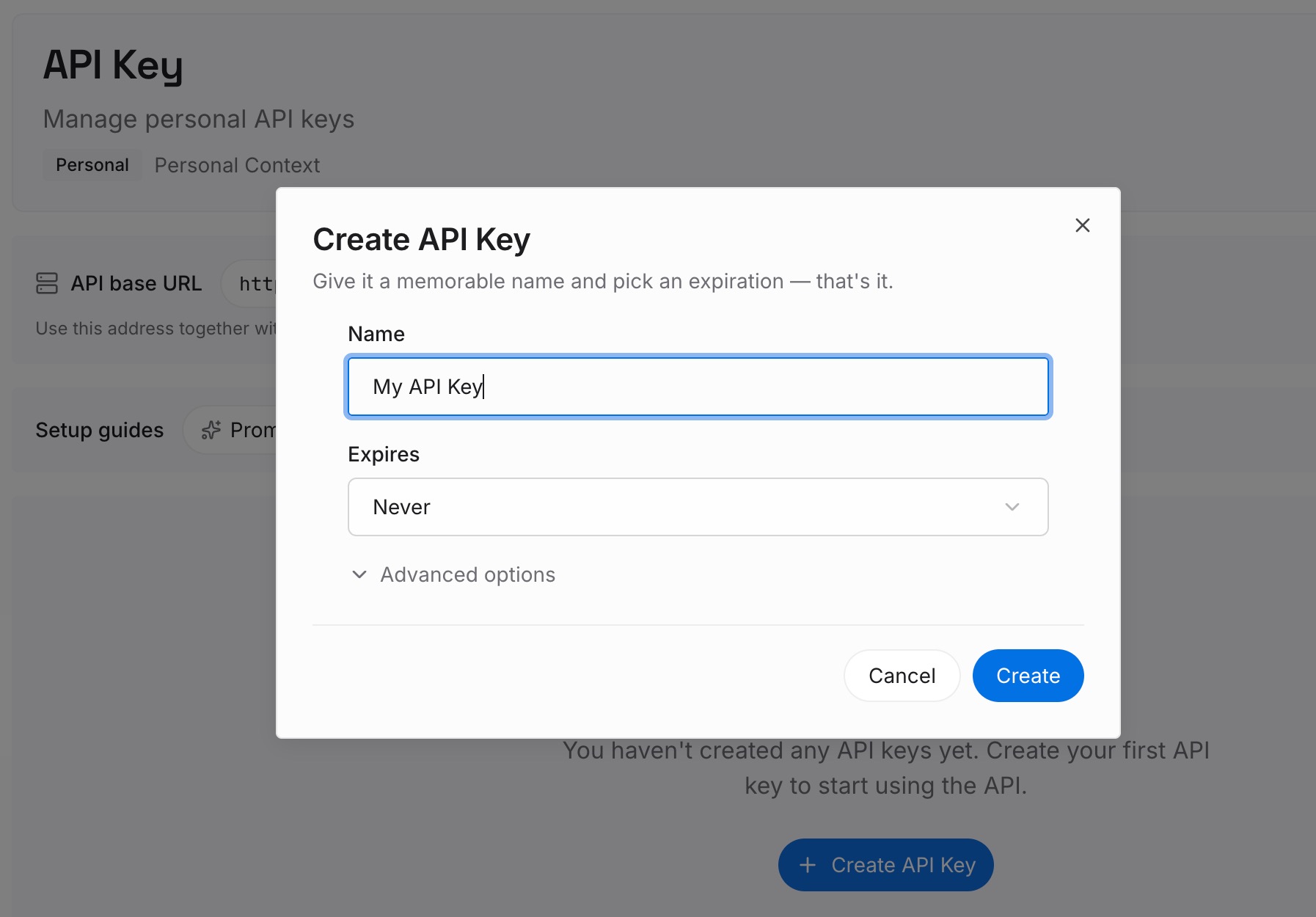
Step 1: Create an API key
Sign in to MemoryLake and create an API key. One credential across the tools you connect.
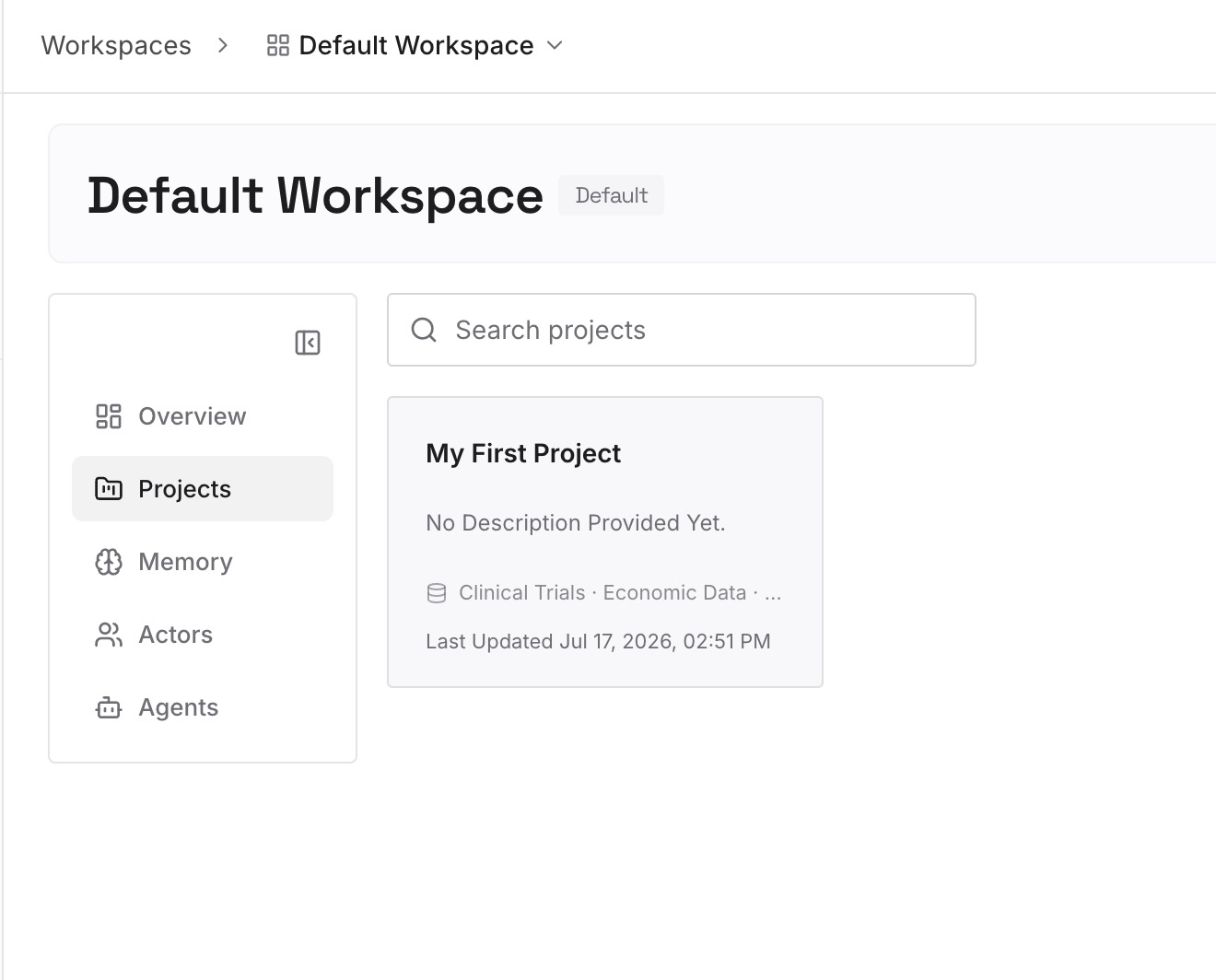
Step 2: Upload your first memories
Short entries, one claim each. What belongs in a portable layer rather than an agent's working store:
Decisions and the constraint behind them. The reasoning that makes a convention correct, so it survives a change of agent framework.
Approaches already ruled out. Expensive to rediscover, and useful to every agent and every engineer, not just the one that learned it.
Domain knowledge. Vocabulary and rules of your field. Not workspace-specific, not runtime-specific.
Corrections you've made more than once. Whether the agent or a person made the mistake, the entry is the same.
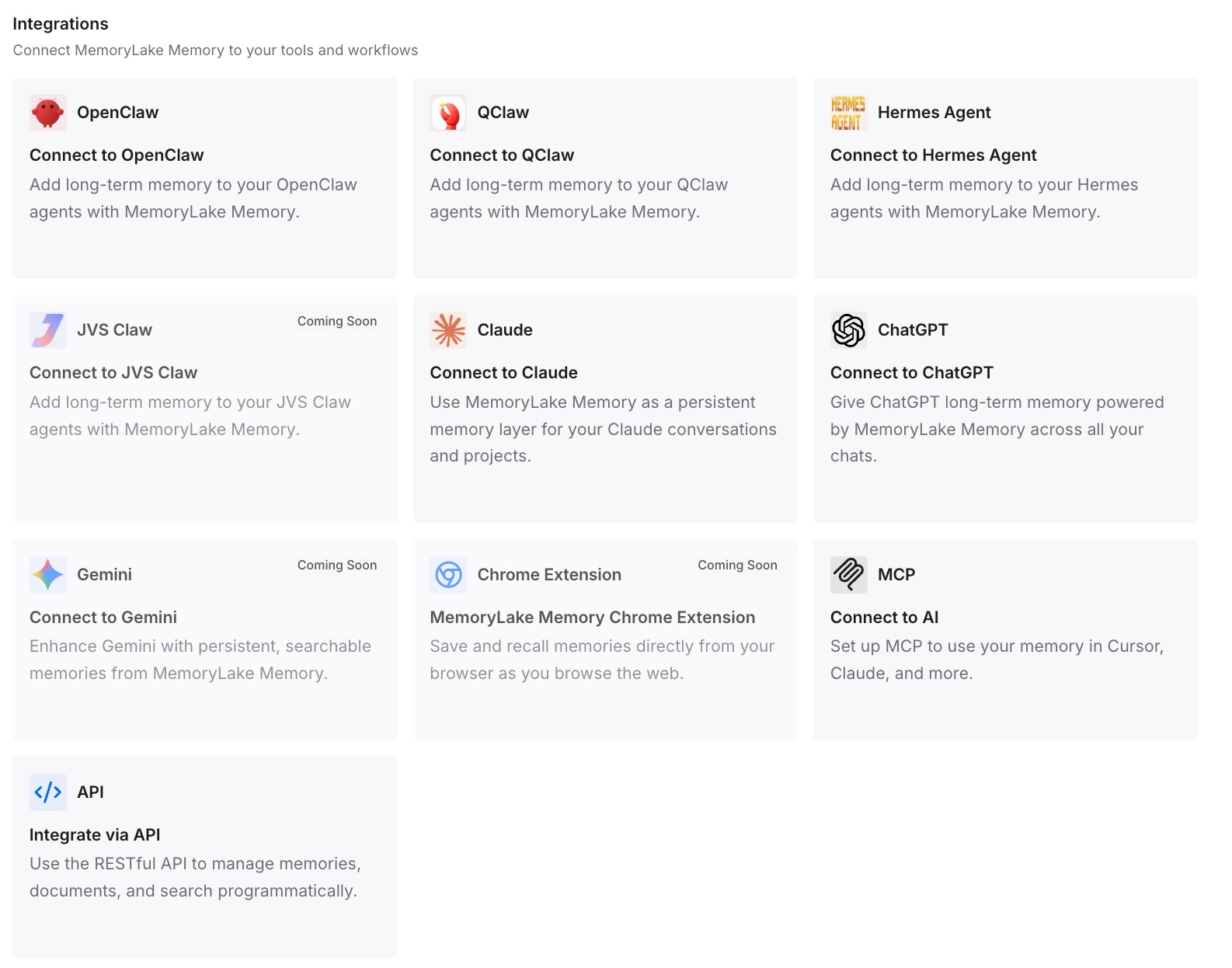
Step 3: Connect your AI & agents
Connect the tools you use. MemoryLake is reachable over MCP and over an API, so MCP-native agents — Claude Code, Codex, and OpenClaw among them — connect by pointing at the MCP server, while other assistants read the same memory through the API.
Three honest limits. MemoryLake does not plug into Anthropic's memory stores — it isn't an integration with that feature, it can't read or write a memory store, and if you're building on Managed Agents you should use the platform store for agent working memory as documented. It holds only what you or your agents write into it. And it isn't a compliance or retention system.
What this changes in practice
Agents on Managed Agents stop starting cold. The documented problem — a session ending and taking its state with it — has a first-party answer now, and it's a good one.
Bad agent writes become recoverable. Immutable versions with point-in-time recovery is a meaningful safety property for autonomous systems, and it deserves to be copied more widely.
Memory becomes a filesystem concern. Exposing memory as a mounted directory the agent reads with normal file tools removes a whole category of tool-use failure. Architecturally that's the most interesting idea in the release.
Self-hosted deployments need a mental model. Download-before-tools, sync-back-after-writes. Not a live mount.
Scope decisions get explicit. Workspace-scoped and Claude-optimized are clear boundaries, which is better than ambiguous ones. Knowing them tells you what to keep elsewhere — the general shape in what persistent memory means.
Best practices for agent memory stores
Enable the agent toolset at agent creation. Required for the agent to interact with the store. Easy to miss, confusing to debug.
Write the store description as if the agent will read it — because it will. Say what's inside and when it's relevant.
Use paths deliberately. Memories are path-addressed. A stable layout is worth designing on day one.
Let the SDK set beta headers. And if you must set them manually, replace rather than combine — both on a memory store request returns a 400.
Seed and correct through the API or Console. Direct read and edit is supported, including import and export. A store doesn't have to start empty or stay wrong.
Review version history after unattended runs. The audit trail exists so you can use it.
Restart pagination after the header change. Cursors from requests made without the newer header aren't valid with it.
Keep runtime-independent knowledge out of the runtime. Anything equally true for your editor, your assistant, and your next agent framework belongs in a layer none of them owns — the reasoning behind MCP and stateless agent memory.
Conclusion
Memory stores are a well-built primitive. Mounting memory as a directory the agent reads with ordinary file tools sidesteps a lot of tool-use complexity; adding a system-prompt note about the mount is a small touch that makes it usable; and immutable versioning with point-in-time recovery is the kind of feature that turns autonomous writes from a risk into an auditable process. If you're building on Claude Managed Agents, use it, enable the agent toolset, write real descriptions, and remember that self-hosted sandboxes get a synced copy rather than a live mount.
The boundaries are also stated plainly: workspace-scoped, optimized for Claude, in beta. That's not a shortcoming, it's a scope — and it tells you what to hold somewhere else. Agent working memory belongs to the agent's platform. The decisions, constraints, and rejected approaches that stay true regardless of which runtime you're on next quarter belong in a layer that isn't tied to any of them.