
What installing an artifact as an app does
Anthropic's release notes describe the feature: "You can now install an artifact that Claude makes for you as an app on your Mac or Windows computer."
The help article continues: "It gets its own window and icon, opens like any other app, and can even interact with the operating system the way any other app might."
You build an app the same way you build any artifact, by describing it in a chat. Anthropic's examples include a Pomodoro timer in the menu bar and a Windows app that renames photos by date.
To install one, open the artifact in the main Claude Desktop window, open its title menu or right-click it, select Install as app, and confirm with Install. The option also appears under Share. Claude asks you to confirm installation whichever path you take.
On macOS, installed apps go in a Claude Apps folder inside the Applications folder in your home folder. On Windows, they're in a Claude Apps folder in the Start menu, with a desktop shortcut.
Who can use it
The help article says installing artifacts as apps "is rolling out in beta on Free, Pro, Max, Ultra, Team, and Enterprise plans." You need Claude for Mac or Claude for Windows, version 6.28899.0 or later.
Organization plans have their own defaults. On Team plans, the feature is on, but the highest permission tier, full access to the computer, is off until an admin enables it. On Enterprise plans, the whole feature is off until an owner turns it on in Organization settings > Artifacts.
If you don't see the option, Anthropic says to update Claude Desktop, and on Team or Enterprise plans to ask an owner whether it's on.
The app is still the artifact
This is the key to where your data lives. The help article says: "It's still the same artifact: when you or another editor changes it, the app changes too."
It adds a requirement that follows from that: "To open an app, you need to be online and signed in to Claude Desktop."
So the installed app is tied to the artifact in your Claude account. When you edit the artifact in a chat, the installed app updates. When another editor changes it, yours does too.
The same is true of what the app can do. Anthropic says an app "can use Claude and your connectors the same way the artifact does."
Where an artifact stores data
Whether your reading list survives from one day to the next depends on artifact storage. Anthropic's artifacts article says: "Artifacts can store data between sessions, so you can build things like journals, trackers, and collaborative tools."
Storage is available on Pro, Max, Ultra, Team, and Enterprise plans, on Claude on the web and Claude Desktop.
There are limits. By default, an artifact can store up to 100 MB of data and 25,000 documents, which Anthropic describes as saved records, whichever it reaches first. Artifacts can also include a control for uploading files, with each file up to 20 MB and up to 1 GB in total per artifact.
Older artifacts work differently. Anthropic notes that in legacy artifacts, storage works only after you publish, while new artifacts don't need to be published to store data.
Personal storage and shared storage
This is the part that answers the question about your friend. Storage comes in two kinds, and Anthropic defines both.
Personal storage. "Everyone keeps their own private data. In a journal artifact, your entries stay visible only to you."
Shared storage. "Everyone sees and works with the same data. In a game leaderboard, everyone sees the same scores."
The first time you use an artifact with shared storage, Claude shows a confirmation explaining that your data will be visible to others using it.
Who chooses? Anthropic's warning is direct: "Whoever builds an artifact decides which data uses personal storage and which uses shared." It continues: "Before entering anything sensitive, check whether the artifact uses shared storage."
The sharing article adds the same caution from the other side: "Some artifacts save information that everyone who opens them can see, like items in a shared tracker."
So if your reading tracker uses personal storage, your friend would start with their own list. If it uses shared storage, they'd see your twenty books. The installed app looks the same either way, so check which kind it uses, or ask Claude to build it the way you want.
Connectors and what each person sees
Apps that read from other tools follow the artifact rules for connectors. Anthropic's artifacts article says artifacts "can connect to the apps you've connected to Claude", such as Asana, Google Calendar, and Slack.
When someone else opens a shared artifact, it uses their connections, not yours. The article says: "Everyone connects their own apps, even when using a shared or published artifact." The exception is live sharing, which shows results from the connection of the editor who shared it.
The sharing article explains what happens when a viewer can't reach a data source: "that part of the artifact shows an error instead of your data."
Permissions on your computer
What makes an installed app different from an artifact in a browser is access to your operating system. An app has to ask before using any of these:
- Notifications while you use other apps
- Keyboard shortcuts while you use other apps
- Floating over other windows
- A menu bar item on macOS or a system tray icon on Windows
- Full access to this computer, which lets it run programs and read, change, or delete your files without asking each time
Each permission covers one version of the app. After any update, including your own edits, Claude asks again.
Full access deserves care. The help article says an app with full access "can run any program and read, change, or delete your files", and adds: "Anthropic doesn't review apps before you install them."
You can change or take back a permission from the app's menu or from File > Apps in Claude Desktop. Anthropic notes that turning off full access "doesn't undo changes the app already made."
Uninstalling, deleting, and losing access
Uninstalling removes the app from your computer but not the artifact. The help article says: "Uninstalling removes the permissions you allowed, it doesn't delete the artifact."
If the artifact is deleted, taken down, or no longer shared with you, Claude usually offers to uninstall the app when you open it. If you lose access, Anthropic says the programs the app started stop too, which can take up to about 20 minutes.
Deleting data takes a different action. For published chat artifacts, Anthropic's sharing article says unpublishing "permanently deletes any personal and shared storage data the artifact used", and that you can't publish the same artifact again afterward.
Current limits
Anthropic lists the limits at launch:
- Apps aren't available on Linux, web, or mobile.
- Artifacts made from a template, such as Docs, Slides, or Sheets, can't be installed, and neither can legacy artifacts or live artifacts from Claude Cowork.
- Apps aren't available to organizations with HIPAA-ready configurations.
- In organizations with zero data retention for Claude Code, Anthropic says installed apps "aren't covered by zero data retention."
Building an app and any requests it makes to Claude count toward your plan's usage limits.
For admins, Anthropic's guide notes what's recorded: opening an app and access checks are logged as artifact views in the Compliance API, while installs, permission answers, and what an app does on the computer aren't logged.
What people try first
Treating the app as a local file. It's the artifact in your account, and it needs you online and signed in.
Sharing a tracker without checking storage. Shared storage shows your entries to everyone using it.
Uninstalling to remove data. Uninstalling keeps the artifact.
Granting full access by default. Allow only what the app needs.
Expecting it on the web or phone. Apps run on Claude for Mac and Windows.
The Fix: Know what each app stores
Step 1: Check which storage the app uses
Ask Claude whether the artifact uses personal or shared storage before entering anything sensitive.
Step 2: Grant the smallest permission
Allow only the permissions the app needs, and review them after each update.
Step 3: Share only what others should see
Share an app with shared storage only when everyone should see the same data.
Step 4: Write down what each app is for
Record what each app does, where its data lives, and who can open it.
Setting this up in MemoryLake
An installed app keeps its records in the artifact. The context around it, such as why you built it, which version you trust, and what its storage is for, is useful in your next chat about it and in other tools.
MemoryLake is a memory layer for that kind of context, kept in one place you maintain and available to the assistants you connect, such as ChatGPT, Claude Code, and Codex.
You write the entries yourself, in your own words. Nothing is read out of, written to, or deleted from your artifacts, your installed apps, artifact storage, your Claude chats, or any vendor's store. Installed apps work the way Anthropic describes them.
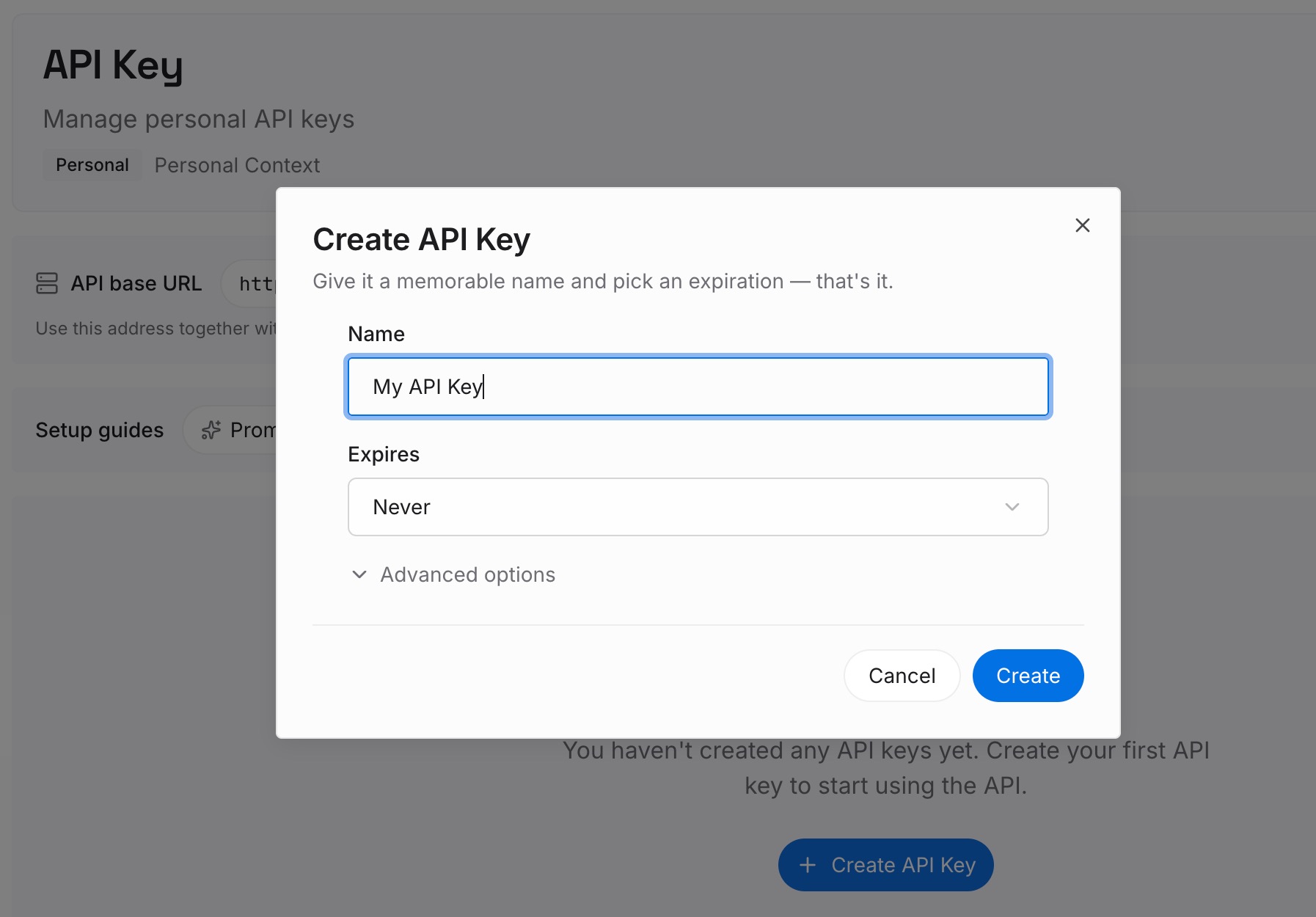
Step 1: Create an API key
Sign in and generate a key from the dashboard. Keep it somewhere private.
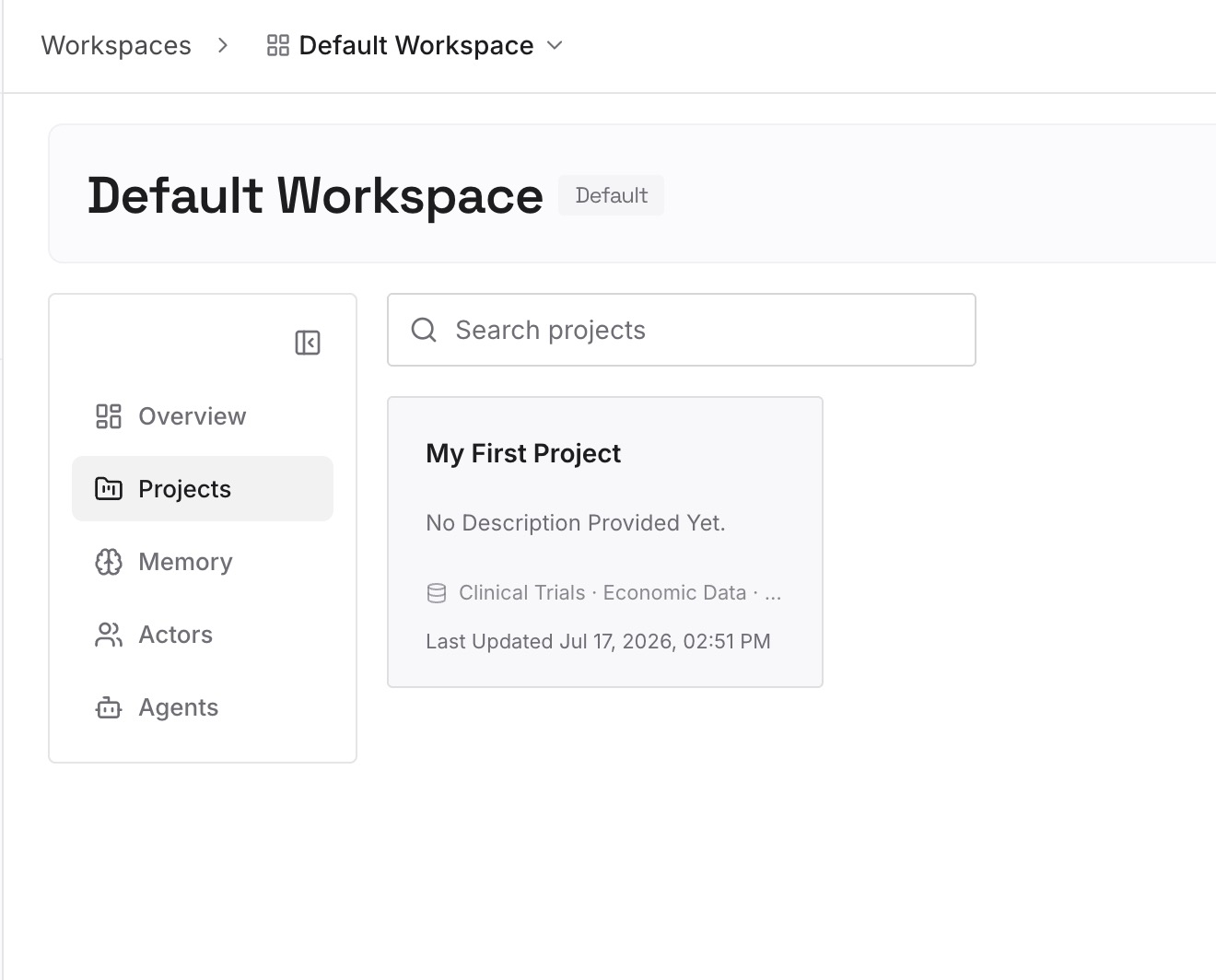
Step 2: Upload your first memories
Start with what you wrote in Step 4 of the fix: what each app is for and where its data lives. One app per entry.
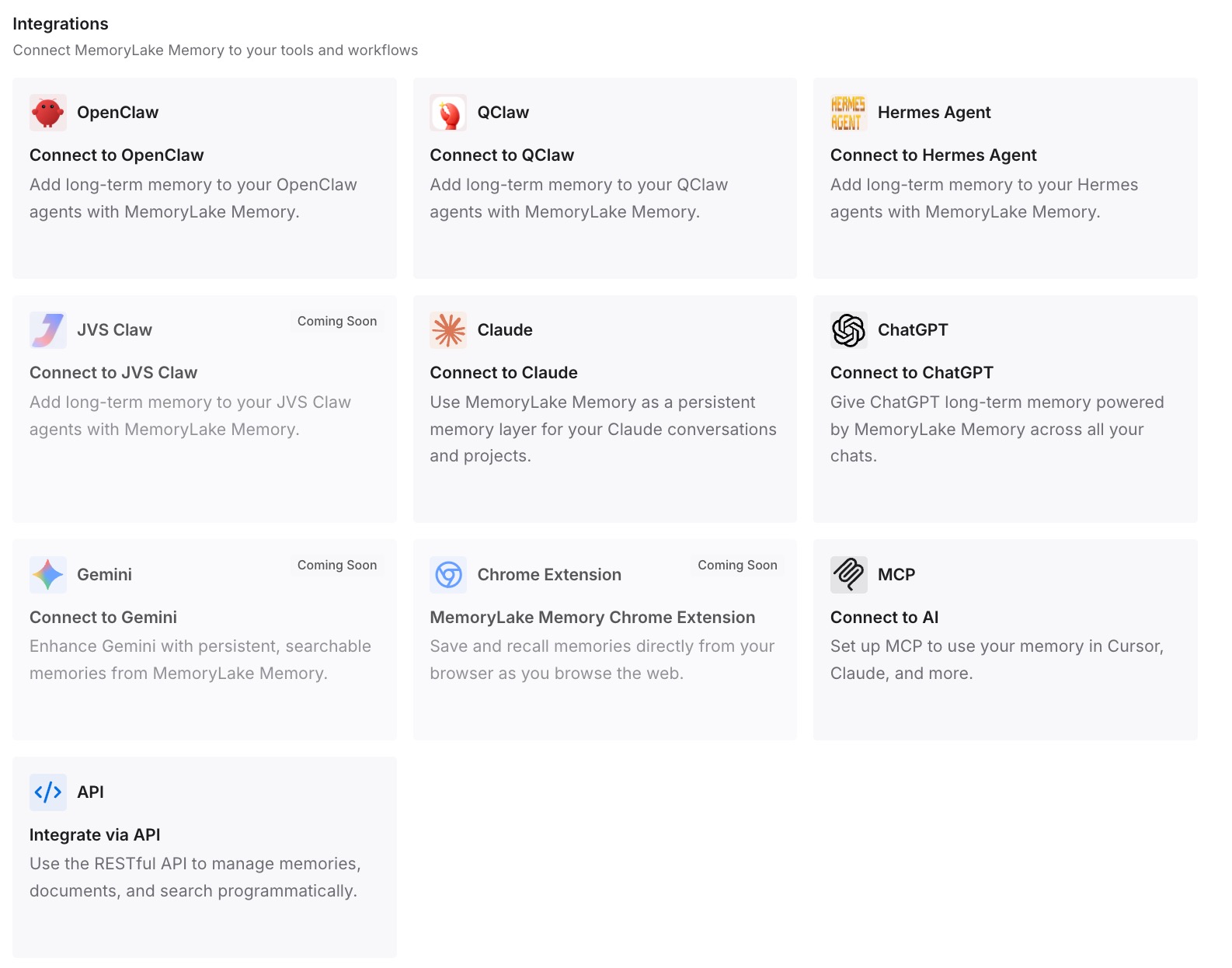
Step 3: Connect your AI & agents
Connect Claude Code, ChatGPT, Codex, and the other assistants you use, so each one knows what your apps are for.
What this changes in practice
The first difference is clarity. You know which apps hold private data and which share it.
The second is safer edits. When you change an app, the reasons behind it are already written down.
The third is portability. The same notes are available when you rebuild a tool somewhere else.
Best practices for Claude artifacts as desktop apps
Check storage first. Personal and shared storage look the same in the app.
Keep permissions narrow. Full access can read, change, or delete your files.
Review after updates. Permissions are asked again for each new version.
Trust the author. Anthropic doesn't review apps before you install them.
Know what uninstalling does. It removes permissions, not the artifact.
Stay signed in. Apps need you online and signed in to Claude Desktop.
Conclusion
Installing an artifact as an app gives it its own window and icon on Mac or Windows, along with optional access to your operating system. The app is still the same artifact: it changes when the artifact changes, needs you online and signed in, and uses Claude and your connectors the way the artifact does.
Its data is artifact storage, which the builder sets as personal or shared. Personal storage keeps each person's data private; shared storage shows the same data to everyone. Uninstalling removes permissions but not the artifact. Checking storage before sharing, keeping permissions narrow, and writing down what each app is for keep your installed apps predictable.