
What the advisor tool is
Anthropic's documentation describes it in one sentence: "The advisor tool lets Claude consult a second, typically stronger model at key moments during a task, such as before committing to an approach, when stuck on a recurring error, or before declaring a task complete."
Three details define how it works:
- It's a second model. You keep your main model for the routine work and add an advisor for decisions.
- It runs on Anthropic's side. The documentation says: "The advisor runs server-side on Anthropic's infrastructure as a server tool, available to both subscription and API-billed accounts."
- Claude decides when to use it. "You choose which model acts as the advisor, and Claude decides when to call it."
The tool is labeled experimental. It needs the Anthropic API, Claude Platform on AWS, or Claude Models on Google Cloud (Anthropic managed), and it isn't available through Amazon Bedrock, Google Cloud's Agent Platform, or Microsoft Foundry.
The documentation says the advisor fits "long, multi-step tasks where most turns are routine but plan quality determines the outcome." Its examples are large refactors, debugging sessions where an error keeps recurring, and tasks you want checked before Claude declares them done.
What the advisor sees from your session
This is the part that decides how useful a consultation can be.
The documentation is explicit: "The advisor receives the full conversation, including every tool call and result, and returns guidance that Claude applies before continuing." Later it repeats the point: "The advisor always receives the full conversation, and Claude controls the timing."
So the advisor's view is the session's transcript. It sees what you asked, what Claude read, what commands returned, and what Claude concluded so far. The documentation doesn't describe any separate briefing.
That has a practical consequence. The documentation describes the advisor's input as the conversation. A constraint that never came up in the session, such as a decision your team made last month or a reason a module must not change, isn't part of what the documentation says the advisor receives. If it matters to the decision, it needs to be in the conversation.
Claude also treats the guidance with judgment. The documentation says: "Claude generally follows the advisor's guidance, but adapts when its own evidence contradicts a specific claim". If a recommended step fails, or the files contradict the advice, Claude surfaces the conflict instead of following the advice blindly.
How to turn the advisor on
The documentation lists three ways, and they differ in how long the choice lasts.
The /advisor command. Run it with no argument to pick from a list, or pass a model, such as /advisor opus. The documentation says your selection "is saved to advisorModel in your user settings and persists across sessions", with a few exceptions it lists in the settings reference.
The advisorModel setting. Set it in your settings file to configure a default without opening a session.
The --advisor flag. Launch with claude --advisor opus to set the advisor for one session without changing your saved setting.
After the session starts, Claude Code shows a notification that the advisor tool is on and may use more tokens.
Which pairings work
The advisor has to be at least as capable as your main model. The documentation says Claude Code ranks models for the advisor role, and "an advisor must rank at or above your session's main model."
The documentation's table of accepted pairings includes these examples:
- Sonnet 5.5 as the main model accepts Fable, Opus 5 or later, or Sonnet 5.5 as the advisor.
- Opus 5 or Opus 5.5 as the main model accepts Fable or Opus 5 or later.
- Fable 5.2 as the main model accepts only Fable 5.2.
You set the advisor with an alias, fable, opus, or sonnet, or a full model ID. The documentation notes that aliases "resolve to Claude Code's built-in default version for each model family, which advances with new Claude Code releases."
It also lists common pairings and when they fit. A Sonnet main model with an Opus advisor handles routine work on Sonnet and escalates planning, ambiguous failures, and completion checks to Opus. An Opus main model with an Opus advisor gives a second review for high-stakes tasks.
Subagents follow the same rules. The documentation says: "Subagents inherit the configured advisor and apply the same pairing check against their own model."
When Claude calls the advisor
You don't schedule consultations. The documentation says Claude "tends to consult before committing to an approach, when an error keeps recurring, and before declaring a task done, but the timing is model-driven rather than rule-based."
You can still influence it. You can ask for a consultation in your prompt, and the documentation's example is to tell Claude to consult the advisor before it continues. On frequency, it adds: "There is no setting to cap or force advisor calls; if you want Claude to consult more or less often during a task, say so in your instructions."
During a session, a consultation shows as an Advising line with the advisor model's name. When it returns, the line shows one of three results:
- Reviewed: the advisor reviewed the conversation. Press
Ctrl+Oto read its guidance. - Declined: the advisor declined to advise on the request. Press
Ctrl+Ofor any reason it gave. - Unavailable: the call failed, and the line shows an error code.
Why every call rereads the whole transcript
The advisor's view of the session is fresh each time. The documentation's section on prompt caching explains it.
On your main model, the effect is small: "Enabling or disabling the advisor mid-session does not invalidate your main model's prompt cache." And the guidance itself becomes part of the record: "the advisor's returned guidance is cached as part of the transcript on later turns."
On the advisor's side, nothing carries over: "The advisor model's own read of the conversation is not cached. Each advisor call processes the full transcript anew, with no reuse between calls."
Two consequences follow:
- Long sessions make each consultation larger. The advisor reads the whole conversation every time, so a late call in a long session processes more than an early one.
- Nothing is reused between calls on the advisor's side. What links one call to the next is the transcript, which includes the guidance it returned before.
This is also why turning the advisor on is different from switching models. The documentation contrasts the two directly: unlike switching models, toggling /advisor keeps the cached prefix intact. We covered what a model switch does to a session's cache and context in our guide to switching models mid-session in Claude Code.
What it costs
The advisor reads the conversation, so each call uses tokens at the advisor model's rates on top of your main model's usage. On API billing, you pay the advisor model's input and output rates. On subscription plans, advisor usage counts toward your plan's usage limits, with a separate rule for a Fable advisor on plans where Fable bills to usage credits.
The documentation's argument for the design is that Claude calls the advisor "at decision points rather than on every turn", so a faster main model with a stronger advisor typically costs less than running the stronger model throughout. Advisor usage appears in the session totals shown by /usage.
When Claude Code quietly drops the advisor
This is the behavior from the opening example, and the documentation describes several cases.
The API refuses the pairing. "If the API refuses the pairing of an advisor that Claude Code attached, Claude Code resends that request without the advisor. The conversation continues without one, so you see no error and get no advisor calls." If you then pick a different advisor with /advisor, the documentation says it takes effect after /clear or /compact and in new sessions.
The advisor ranks below the main model. Claude Code doesn't attach it to the main model's requests. The /advisor output and a notification show this.
The saved advisor doesn't support your current main model. The documentation says: "Claude Code still saves an advisor that your current main model doesn't support. That advisor activates after you switch to a compatible main model with /model." It adds a catch: "If the API already refused the saved advisor in the current conversation, it stays off until /clear or /compact, even after you switch models."
A model isn't recognized. "If the main model or the advisor is a model Claude Code does not recognize, the advisor is not attached."
Your organization restricts models. Claude Code doesn't invoke a saved advisor that your organization's availableModels allowlist excludes.
Feature flags are off. Outside Claude Platform on AWS and Claude Models on Google Cloud (Anthropic managed), the advisor needs a feature flag fetched from Anthropic. A session with a variable that turns fetching off, such as DISABLE_TELEMETRY, doesn't have it.
The pattern is the same in each case: the session keeps working, just without consultations. If you rely on the advisor, check for Advising lines during long tasks, and run /advisor to see what's set.
How the advisor compares with other options
The documentation compares four ways to bring in a stronger model:
- Advisor tool: at decision points mid-task, when Claude calls it.
opusplan: during plan mode, then Sonnet for execution.- Subagents with a model set: for an entire delegated subtask.
/model: from the next request onward, when you switch.
The advisor is the only one where the stronger model reviews the whole conversation at moments Claude chooses. The others either hand over part of the work or change the model for everything that follows.
How to turn it off
Run /advisor off, or choose No advisor in the picker. To disable the tool entirely, set CLAUDE_CODE_DISABLE_ADVISOR_TOOL=1. The documentation says the /advisor command then becomes unavailable and any configured advisorModel is ignored.
What people try first
Expecting an error when the advisor stops working. Claude Code resends without it and shows no error.
Assuming the advisor knows your project history. It receives the conversation.
Changing the advisor mid-conversation after a refusal. The new choice takes effect after /clear or /compact.
Picking an advisor weaker than the main model. It must rank at or above the main model.
Expecting a setting to force consultations. There isn't one. Ask in your instructions.
The Fix: Give the advisor what it needs to see
Step 1: Check the pairing
Run /advisor and confirm the advisor ranks at or above your main model.
Step 2: Watch for Advising lines
In long tasks, check that consultations still appear, and read the guidance with Ctrl+O.
Step 3: Put key constraints in the conversation
Before a big decision, state the constraints that matter, so they're part of what the advisor reads.
Step 4: Keep the constraints written down
Record the decisions and limits that should shape every review, so you can bring them into any session.
Setting this up in MemoryLake
The advisor reviews what the conversation contains. The decisions that should shape its review, such as why a dependency can't be upgraded, which approach failed last quarter, or which module is being replaced, are project context that can live outside a single session.
MemoryLake is a memory layer for that kind of project context, such as decisions, constraints, and the reasons behind them, kept in one place you maintain and available to the assistants you connect, such as ChatGPT, Claude Code, and Codex.
You write the entries yourself, in your own words. Nothing is read out of, written to, or deleted from your Claude Code sessions, your transcripts, your settings files, the advisor's guidance, or any vendor's store. The advisor tool works the way Anthropic describes it.
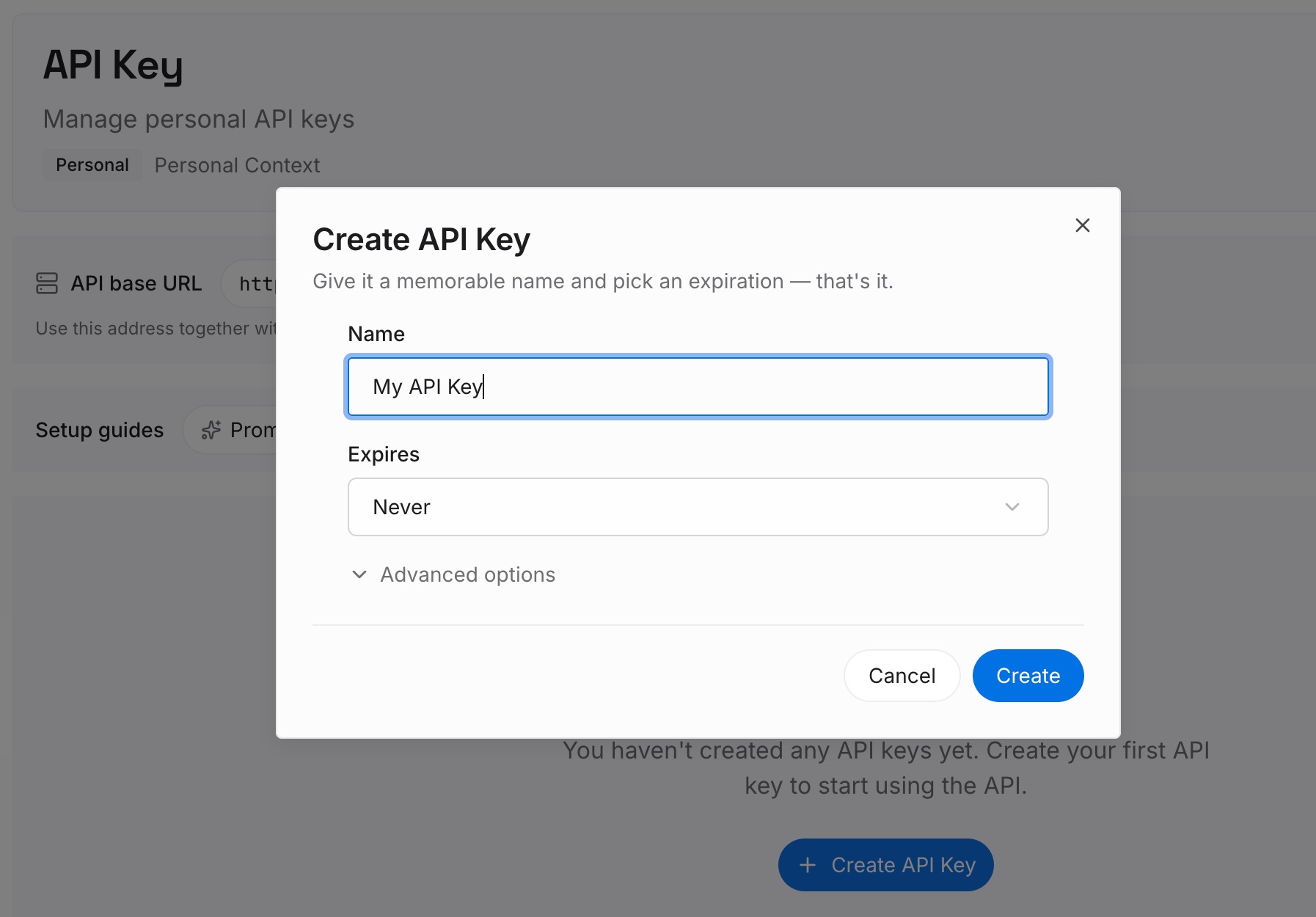
Step 1: Create an API key
Sign in and generate a key from the dashboard. Store it outside your repositories, like any other credential.
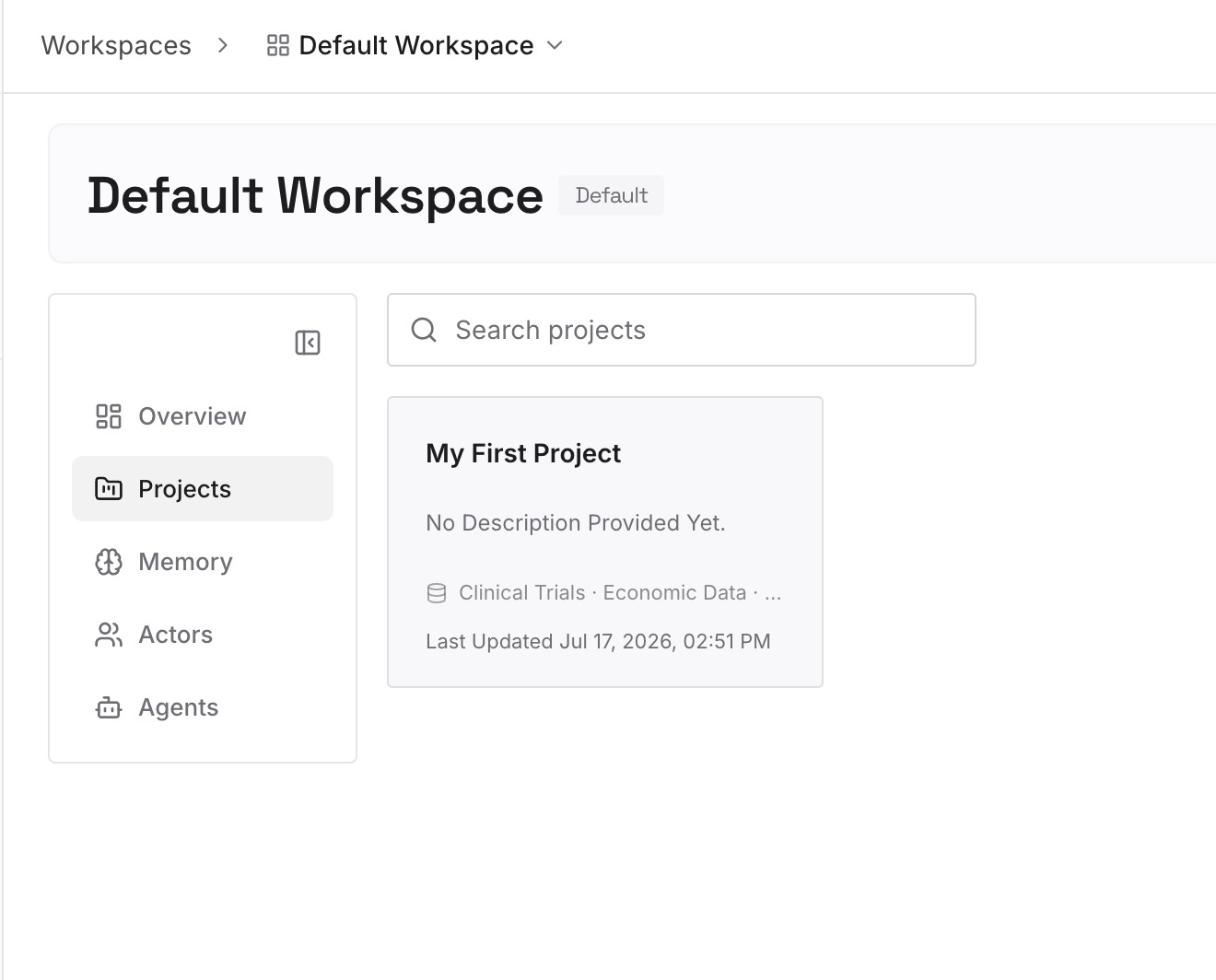
Step 2: Upload your first memories
Start with what you wrote in Step 4 of the fix: the constraints every review should respect. One decision per entry.
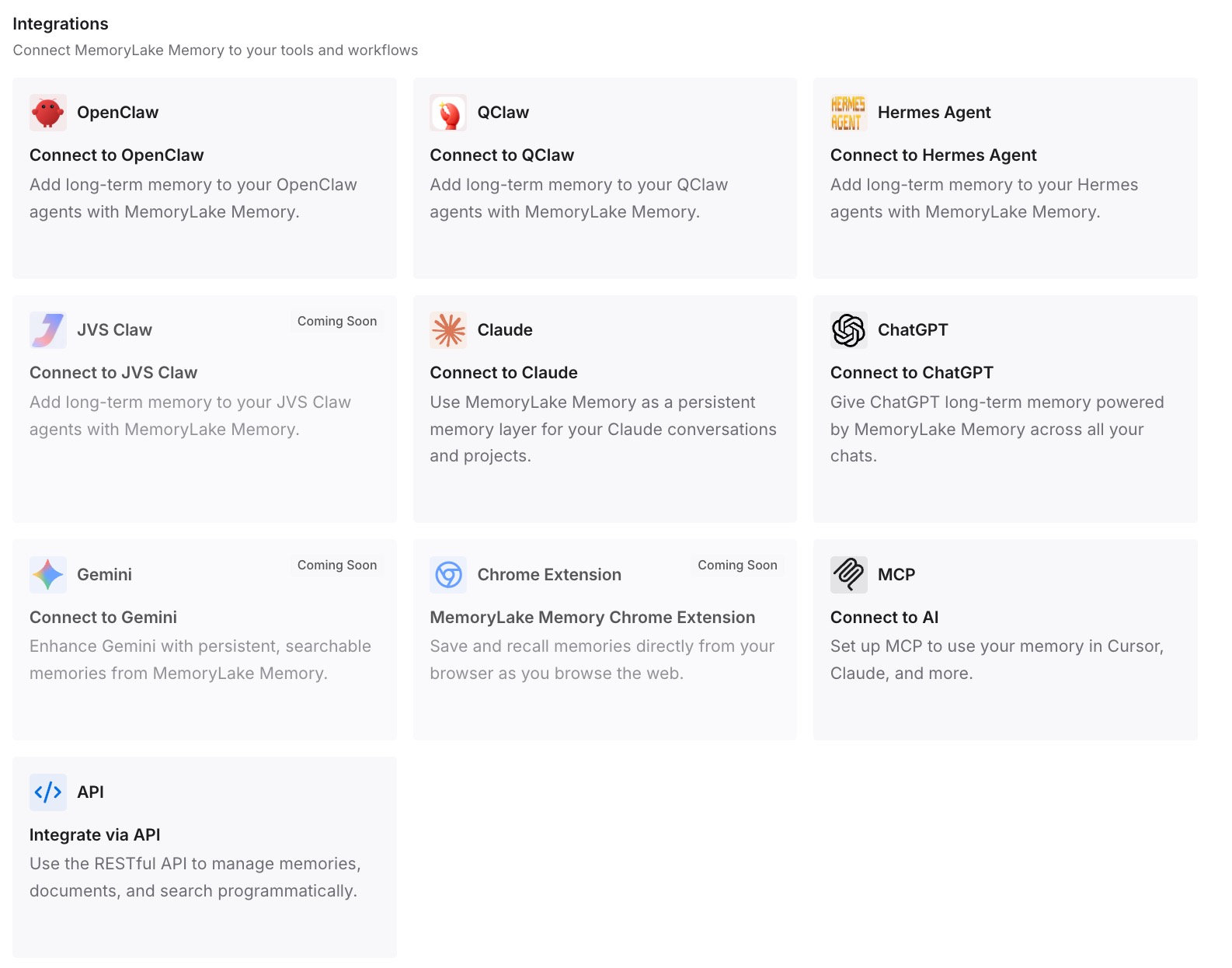
Step 3: Connect your AI & agents
Connect Claude Code, Codex, and the other assistants you use. The same constraints can come into any session before a big decision.
What this changes in practice
The first difference is better-informed reviews. The constraints that matter are in the conversation the advisor reads.
The second is consistency across sessions. Each new session can start with the same decisions.
The third is consistency across tools. The same context is available in Claude Code and in other assistants.
Best practices for the advisor tool
Use it for long, decision-heavy tasks. Short tasks gain little.
Pair a fast main model with a stronger advisor. That's the combination the documentation describes as typically cheaper than running the stronger model throughout.
Check the pairing after model changes. An advisor must rank at or above the main model.
Watch for silence. No Advising line can mean the advisor was dropped.
Use /clear or /compact after changing advisors. A refused advisor stays off until then.
State constraints before big decisions. The advisor reads the conversation.
Ask for consultations in your prompt. There's no setting to force them.
Conclusion
The advisor tool lets Claude consult a stronger model at key moments: before committing to an approach, when an error keeps recurring, or before declaring a task done. The advisor receives the full conversation each time, and its own read isn't cached, so every call processes the whole transcript again. Turning it on or off doesn't invalidate your main model's prompt cache, and its guidance becomes part of the transcript.
Claude Code stops using the advisor in several cases, and when the API refuses a pairing, it does so without an error. Check your pairing, watch for Advising lines, and put the constraints that matter into the conversation, so the advisor's review is based on what you actually need it to know.