
What background tasks are
Claude Code can run a shell command without making you wait for it. The reference describes it: "When Claude Code runs a command in the background, it runs the command asynchronously and immediately returns a background task ID. Claude Code can respond to new prompts while the command continues executing in the background."
The usual candidates are things that take a while or never finish on their own. Anthropic lists build tools, package managers, test runners, development servers, and long-running processes.
Background work in a session isn't only shell commands. Subagents can also run in the background, and the /tasks view lists them alongside shells. Anthropic's overview of parallel work draws a line between the two: a background bash command "runs one shell command without blocking the conversation. It doesn't spawn an agent."
How a command ends up in the background
There are three ways:
- Ask for it. Prompt Claude Code to run a command in the background.
- Press Ctrl+B. It moves a regular Bash tool call to the background. "Tmux users must press
Ctrl+Btwice due to tmux's prefix key." - Let it time out. "When a command reaches its timeout before it finishes, Claude Code automatically moves it to the background instead of stopping it, unless the command starts with
sleep."
Each background task gets an ID, and its output goes to a file. "Output is written to a file and Claude can retrieve it using the Read tool". That's how Claude can check on a test run it started earlier in the session.
What /tasks shows
/tasks is the view for background work in your current session. The commands reference describes it as: "View and manage background work in the current session, including subagents that have finished." It's also available as /bashes.
From the overview of parallel work: "For anything running in the background of the current session, /tasks lists each item and lets you check on, attach to, or stop it. The list also includes subagents that have finished."
Two details are easy to miss:
- It runs immediately. Claude Code runs some commands without interrupting a response, and
/tasksis one of them. - It covers the current session. It isn't a list of every background process on your machine, and it isn't a list of other sessions.
A recent change makes finished subagents easier to get back to. Claude Code v2.1.319, released November 6, added a row to /tasks that lists finished subagents, "so you can reopen one and message it even after it leaves the list or you restart".
The task list you toggle with Ctrl+T is a different thing. It's Claude's to-do checklist for a plan, not the background-task view. We covered it in our guide to why the Claude Code task list is empty.
What happens when you exit
The rule is short: "Background tasks are automatically cleaned up when Claude Code exits."
On macOS and Linux, cleanup reaches further than the shell. "When you stop a background task from /tasks or Claude Code stops it at exit, processes that detached from the task's shell, such as ones started under setsid or timeout, stop too".
So on macOS and Linux, a dev server started as a background task stops when the session ends, even if it was started in a way that would normally outlive the shell.
Exiting with subagents or workflows running. If you try to exit while some kinds of background work are running, such as subagents or workflows, Claude Code warns you. The agent view documentation says a dialog "warns that the work stops", and offers a choice to move the session to the background and exit instead. That option isn't shown when agent view is turned off.
Other ways background tasks stop
Exiting isn't the only end. The reference lists several more.
Too much output. "Background tasks are automatically terminated if output exceeds 5GB, with a note in stderr explaining why".
Memory pressure during idle time. "On macOS and Linux, Claude Code stops your running background tasks when the operating system reports critical memory pressure, provided the session has been idle for at least 30 minutes and no turn or subagent is running".
All of these have to hold: the system is under critical memory pressure, and the session has been idle for at least 30 minutes with nothing running. The debug log records why tasks were stopped, or why a pressure event left them running. To turn this behavior off, set CLAUDE_CODE_DISABLE_BG_SHELL_PRESSURE_REAP to 1. The environment variable reference notes that Windows has no memory-pressure signal.
Time limits in unattended sessions. "Background commands in a local session you work in from a terminal, the desktop app, or the VS Code extension have no time limit." In a session that runs unattended, such as a -p run or a cloud session, Claude Code stops a background command at its time limit.
The subagent that started it ends. "A background command that a foreground subagent started ends when that subagent's run ends, whether it finished, failed, or was interrupted".
That last one catches people who delegate setup work. If a subagent started your dev server in the background, the server's life is tied to that subagent's run.
How to keep background work running
If you want work to keep going after you leave, the documented route is to background the session, not to exit it.
The reference says: "If you background the session instead of exiting it, your background tasks keep running in the background session."
There are a few ways to do that:
/background, or/bg. "Detach the current session to run as a background agent and free this terminal." You can pass one more instruction, and you monitor the session withclaude agents.- The exit dialog. When Claude Code warns that background work will stop, choose to move the session to the background and exit.
- Start in the background. Passing
--bgwhen you start Claude Code starts a session that goes straight to the background.
Backgrounded sessions show up in agent view, along with their state and whether they need your input. We covered what those sessions start with and share in our guide to what Claude Code's agent view is.
One caution for dynamic workflows. When you background a session with a workflow running, any of its subagents still running "start over and spend their tokens again" when Claude relaunches the workflow. The dialog tells you how many, and you can choose to stay until they finish.
Turning background tasks off
If you'd rather nothing ran in the background, there's a switch. "To turn off background commands, set the CLAUDE_CODE_DISABLE_BACKGROUND_TASKS environment variable to 1."
It has wider effects than the name suggests. "With it set, you also lose the Ctrl+B shortcut and other background features, such as running skills in the background." The environment variable reference adds that Claude Code then also stops automatically moving subagents, long MCP tool calls, and timed-out shell commands to the background.
Starting in bare mode has the same effect. And with background commands off, a command that hits its timeout stops instead of moving to the background.
What a background task doesn't keep
A background task produces output: logs, test results, a running server. Claude Code writes that output to a file, and Claude can read it during the session.
What the task doesn't produce is a summary of what the result meant. If a test run found a flaky test, or a build failed for a reason you then fixed, that conclusion lives in the conversation. The task is cleaned up at exit, and the reasoning is only as durable as the session it happened in.
That's fine for a dev server. It matters more for long runs whose results decide what to do next.
What people try first
Closing the terminal and expecting the server to keep running. Background tasks are cleaned up when Claude Code exits.
Looking for another session's tasks in /tasks. It shows background work in the current session.
Starting a process under setsid to outlive the session. On macOS and Linux, detached processes stop too when Claude Code stops the task.
Leaving a heavy machine idle. Under critical memory pressure, tasks can stop after 30 minutes of idle time.
Delegating a server start to a subagent. A foreground subagent's background command ends when the subagent's run ends.
The Fix: Keep background work alive when you need it
Step 1: Decide whether the work should outlive the session
Dev servers for a quick check can end with the session. Long test runs and builds you'll come back to shouldn't.
Step 2: Background the session instead of exiting
Use /background or choose to move to the background in the exit dialog, and check on it later with claude agents.
Step 3: Check /tasks before you leave
See what's still running, including finished subagents you may want to reopen.
Step 4: Write down what the results meant
Record the conclusions from long runs, such as which tests are flaky and why a build failed, outside the session.
Setting this up in MemoryLake
Background tasks are built to be temporary, and Claude Code cleans them up on exit. The conclusions you reach from their output, such as which test is flaky or which dependency broke the build, are what the next session needs.
MemoryLake is a memory layer for that kind of project context, such as decisions, findings, and constraints, kept in one place you maintain and available to the assistants you connect, such as ChatGPT, Claude Code, and Codex.
You write the entries yourself, in your own words. Nothing is read out of, written to, or deleted from your background tasks, their output files, your sessions, your session transcripts, your ~/.claude folder, or any vendor's store. Background tasks, /tasks, and cleanup work the way Anthropic describes them.
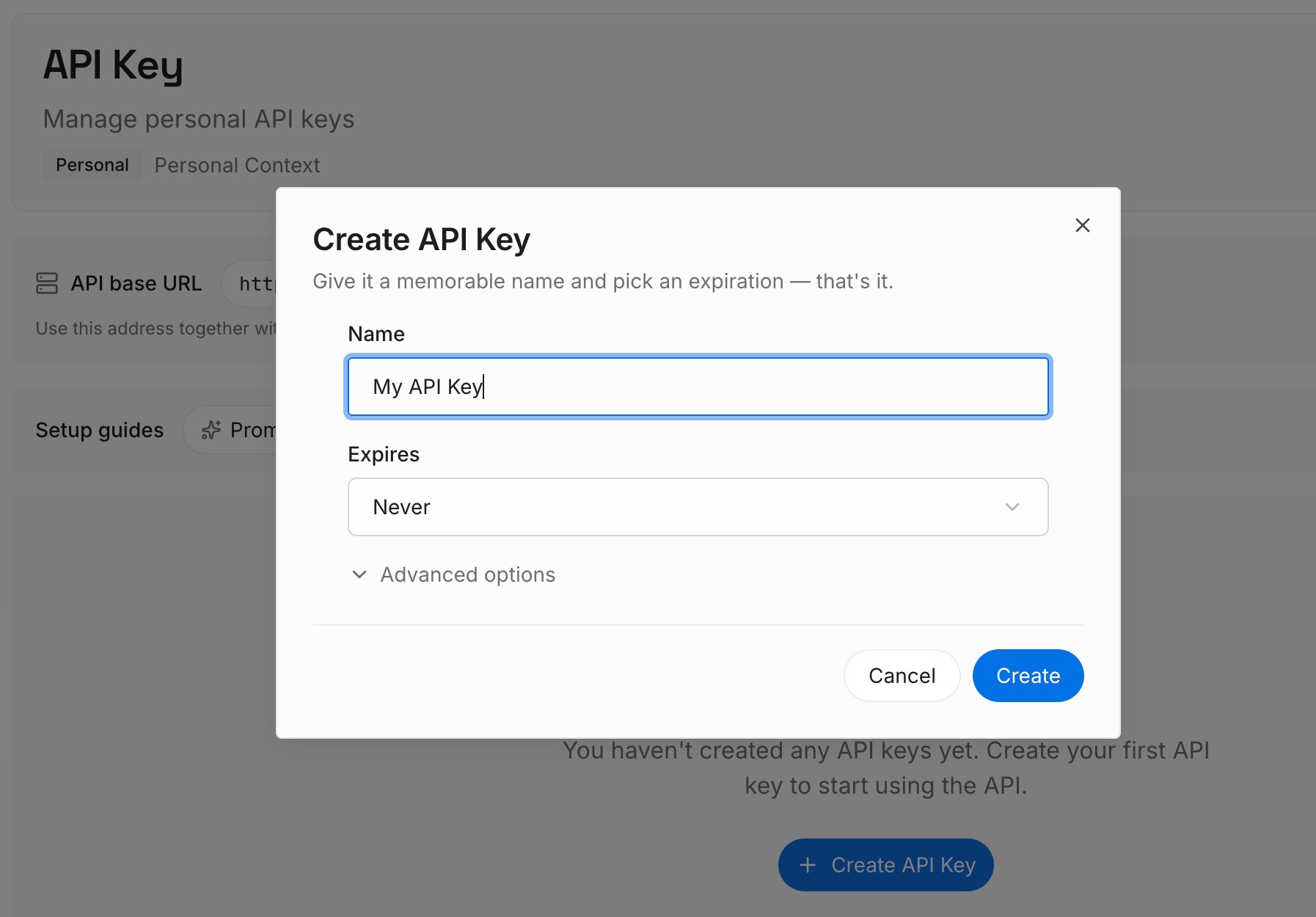
Step 1: Create an API key
Sign in and generate a key from the dashboard. Store it outside your repositories, like any other credential.
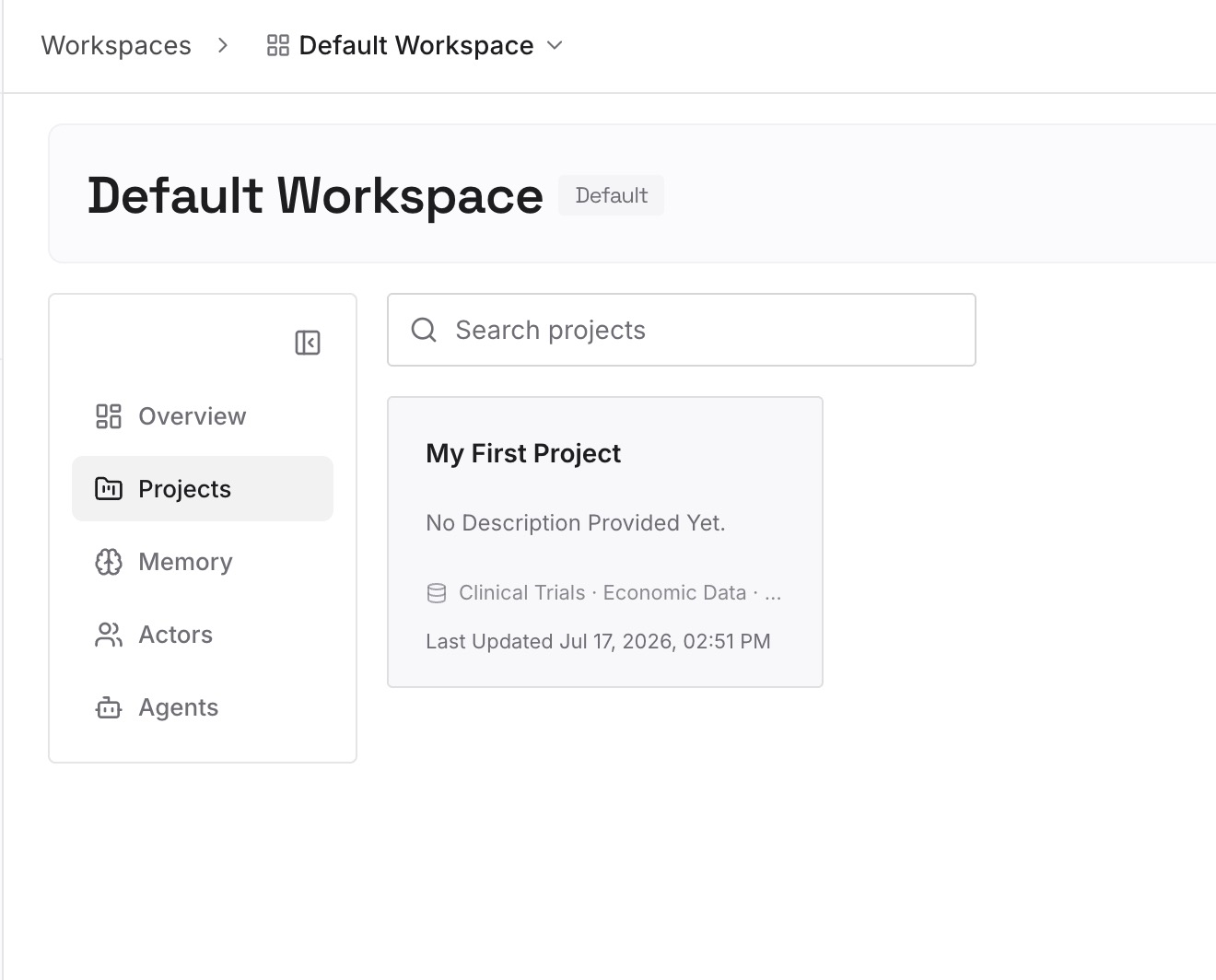
Step 2: Upload your first memories
Start with what you wrote in Step 4 of the fix: what long runs showed, which failures are known, and what you decided because of them. One finding per entry.
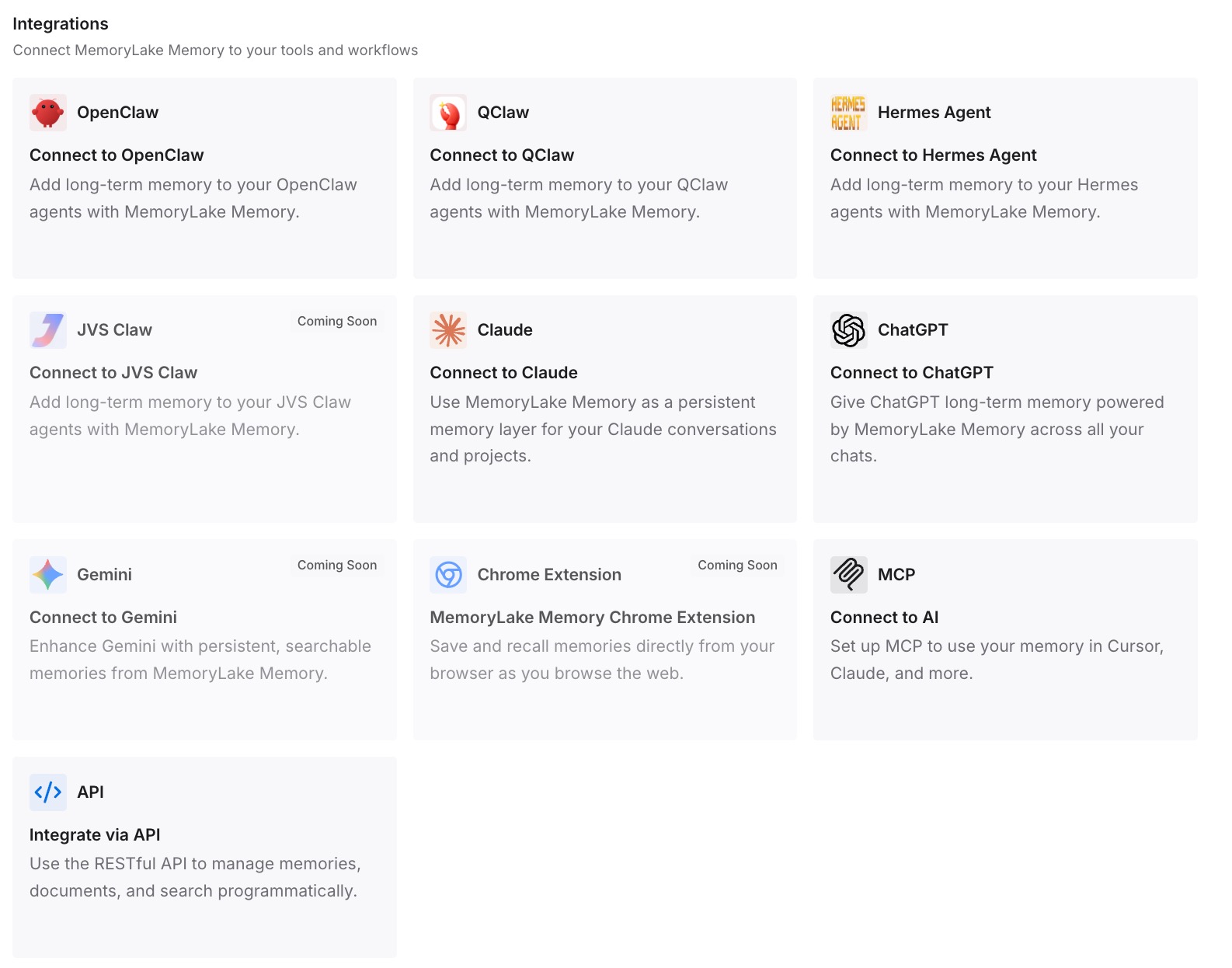
Step 3: Connect your AI & agents
Connect Claude Code and any other assistants you use. A new session, after the old one's tasks were cleaned up, can draw on the same findings.
What this changes in practice
The first difference is that closing a session doesn't close the investigation. The findings from yesterday's background runs are still written down.
The second is less re-running. When you know a test is flaky, you don't need to rediscover it in every session.
The third is continuity across tools. Codex or another assistant working on the same repository can use the same findings.
Best practices for Claude Code background tasks
Know the exit rule. Background tasks are cleaned up when Claude Code exits.
Background the session to keep work running. Use /background instead of exiting.
Use /tasks for the current session. It lists background work, including finished subagents.
Watch memory on long idle stretches. Tasks can stop under critical memory pressure after 30 idle minutes.
Keep servers out of subagents. A foreground subagent's background commands end with its run.
Turn background tasks off deliberately. The setting also removes Ctrl+B and other background features.
Write down what results meant. The task output is temporary, and the conclusions shouldn't be.
Conclusion
Claude Code background tasks let shell commands and subagents run while you keep working, and /tasks lists background work in the current session, including subagents that have finished. When Claude Code exits, background tasks are cleaned up, and on macOS and Linux that includes processes that detached from the task's shell.
Tasks can also stop when output exceeds 5GB, when the system reports critical memory pressure after 30 idle minutes, in unattended sessions at their time limit, or when the foreground subagent that started them ends. To keep work running, background the session instead of exiting, and keep the conclusions from long runs somewhere the next session can read.