
What /clear does
/clear ends the conversation you're in and starts a new one with an empty context window. In Claude Code's terms, it starts a new session. The previous session isn't deleted. Anthropic's session documentation says "Claude Code saves the previous session; resume it with /resume".
The command has two aliases, /reset and /new, and takes an optional name. The command reference explains what the name does: "Pass a name to label the previous conversation in the /resume picker."
The same reference points to the alternative when you don't want a fresh start: "To free up context while continuing the same conversation, use /compact instead."
What survives /clear
Your project instructions and memory
Claude Code has two memory systems: CLAUDE.md files you write, and auto memory that Claude writes as it works. Anthropic's memory documentation says "Both are loaded at the start of every conversation." A conversation that starts after /clear is a new conversation, so both load again.
That's what "keeping project memory" means in practice. The conventions in your project-root CLAUDE.md, your rules, and what Claude has saved to auto memory are all back in context for the new conversation. If your repository uses AGENTS.md instead of CLAUDE.md, the same applies to it.
The conversation you cleared
The old conversation is still on your machine. Anthropic's interactive mode documentation says "The previous session's conversation is preserved and can be resumed." There are two ways back:
/resumeopens the session picker, where the previous conversation appears, under the name you gave it if you passed one to/clear.- The rewind menu, if you're still in the same Claude Code process. Anthropic's checkpointing documentation says the menu shows an extra entry at the top, labeled with the previous session's ID, that resumes the conversation that was active before
/clearran. "The entry is available until you exit Claude Code or resume a different session."
Our guide to finding and resuming Claude Code session history covers where those transcripts live.
Your session name, in one case
Names follow a specific rule. Anthropic's session documentation says "With no argument, the new session keeps a name you set with --name or /rename, but not an AI-generated session title." If you pass a name, as in /clear release-prep, that name goes to the session you're leaving, and the new one starts unnamed.
Your prompt history
The prompts you typed before clearing are still in reach. Anthropic's interactive mode documentation describes how prompt recall behaves: "Running /clear starts a new session: recall then lists the new session's prompts first, with earlier sessions' prompts after them." If you want to reuse the prompt that kicked off the previous task, press the up arrow and step back to it.
That's a convenience, not context. A recalled prompt sits in your input box until you send it again.
What doesn't carry over
The conversation itself
Everything that existed only in the conversation is out of the new context: what you explained, the files Claude read, the approaches you tried, and the decisions you reached but didn't write down. The new conversation starts from your project files and memory, not from the old discussion.
That's the point of the command. Anthropic's context window guide explains why it helps: "Old conversation crowds out the files you need next and costs tokens on every message."
Session counters
Anthropic's cost documentation says the session's cost totals reset when /clear starts a new session. Before v2.1.211, they kept accumulating across /clear for the life of the Claude Code process.
Startup hooks run again
If you use hooks, /clear counts as a session start. Anthropic's hooks reference lists clear as one of the sources a SessionStart hook can match, alongside startup, resume, compact, and fork. A hook that adds context at startup can add it again after a clear. The same reference notes one edge case: "If you run /clear or switch to another conversation while background hooks are still running, nothing they return applies to the session."
/clear, /compact, or a new session
These three are easy to confuse because all of them make room. They keep very different things.
/compact keeps the conversation as a summary
/compact stays in the same conversation and replaces its history with a summary. Anthropic's command reference describes it as a way to "Free up context by summarizing the conversation so far." After it runs, Claude Code re-injects your project-root CLAUDE.md, unscoped rules, and auto memory from disk, and re-reads up to five recently modified files.
Choose /compact when you're continuing the same task and want Claude to keep the thread. You can steer it with focus instructions, such as /compact keep the API changes and the test commands. Our guide to aiming auto-compact at what you need kept goes further into shaping the summary.
/clear keeps the project, not the conversation
Choose /clear when the next task is unrelated. Anthropic's best practices put it plainly: "/clear between unrelated tasks. It costs nothing, and it means the next task doesn't keep paying for the previous one's history."
The cost note matters for long sessions. Anthropic points out that on a long session, /compact "is itself a big request, since it reads the whole conversation to summarize it". /clear doesn't summarize anything; the next conversation starts with what loads at startup.
Exiting and starting claude again
Starting a fresh claude session also gives you an empty conversation with your project memory. The practical difference is the way back. After /clear, the rewind menu can return you to the previous conversation in the same process; after you exit, you'd find it with /resume or claude --resume. If you're returning to an old session after a long break, our guide to Claude Code's warning before resuming an old session explains what that costs.
Other commands that look similar
/rewind rolls code and conversation back to an earlier checkpoint, or summarizes part of the conversation; our guide to rewinding a Claude Code session covers which edits come back. /branch creates a branch of the current conversation so you can try a different direction without losing the original.
When /clear is the right move
Anthropic's best practices name two situations.
Between unrelated tasks. The guide says "/clear between tasks is still worth doing, because a focused context gets you better answers and costs less."
When corrections aren't working. The guide's advice is direct: "If you've corrected the same thing twice and it's still wrong, a third correction mostly adds to a conversation that already contains two failed attempts for Claude to keep re-reading." Its recommendation is "/clear plus one new prompt that folds in what you learned works better almost every time."
The second case is the riskier one. The correction you gave twice is exactly the thing the new conversation needs, and it's gone unless you wrote it down.
What people try first
Avoiding /clear because it might wipe the project. It doesn't. CLAUDE.md and auto memory load again in the new conversation.
Running /compact before every new task. It keeps a summary of work you no longer need and reads the whole conversation to make it. For unrelated work, /clear is lighter.
Clearing in the middle of a task. Anything decided only in the conversation is out of context afterward. Compact instead, or save the decisions first.
Assuming the cleared conversation is deleted. It's saved. Use /resume or the rewind menu's previous-session entry.
Correcting the same mistake a third time. Anthropic recommends clearing and writing one better prompt instead.
The Fix: Save what the next task needs, then clear
Step 1: Before you clear, write down what should outlast the conversation
Look for anything you'd have to explain again: a convention you corrected, a constraint you discovered, a decision and its reason. Put conventions in the project-root CLAUDE.md. For other points, ask Claude to remember them; Anthropic's memory documentation says Claude saves those to auto memory, which loads at the start of every conversation. Our guide to why Claude Code forgets your corrections covers where each kind of correction belongs.
Step 2: Clear with a name
Run /clear with a short name for the work you're leaving, such as /clear oauth-migration. Anthropic's best practices suggest exactly this, so you can come back to it later. Then start the new task with one clear prompt that includes anything it needs from before.
Step 3: Go back if you need to
If you cleared too early, open the rewind menu while you're still in the same process and choose the previous-session entry, or use /resume and pick the named session. For long sessions that approach the context limit instead, our guide to the 1M context message in Claude Code explains what compaction keeps.
Setting this up in MemoryLake
/clear works because your project's memory survives it. The weak spot is the decision you reached in the conversation and didn't write down. Inside one repository, CLAUDE.md and auto memory can hold it once you write it down. When the same decisions matter in another repository, on another machine, or in another tool, they need a home that isn't tied to one project.
MemoryLake is a memory layer for keeping that kind of context in one list you maintain, available to Claude Code and the other assistants you connect, such as ChatGPT and Codex.
You write the entries yourself, in your own words. Nothing is read out of, written to, or deleted from your Claude Code sessions, your CLAUDE.md files, your auto memory, or any vendor's store. /clear keeps working the way Anthropic describes it.
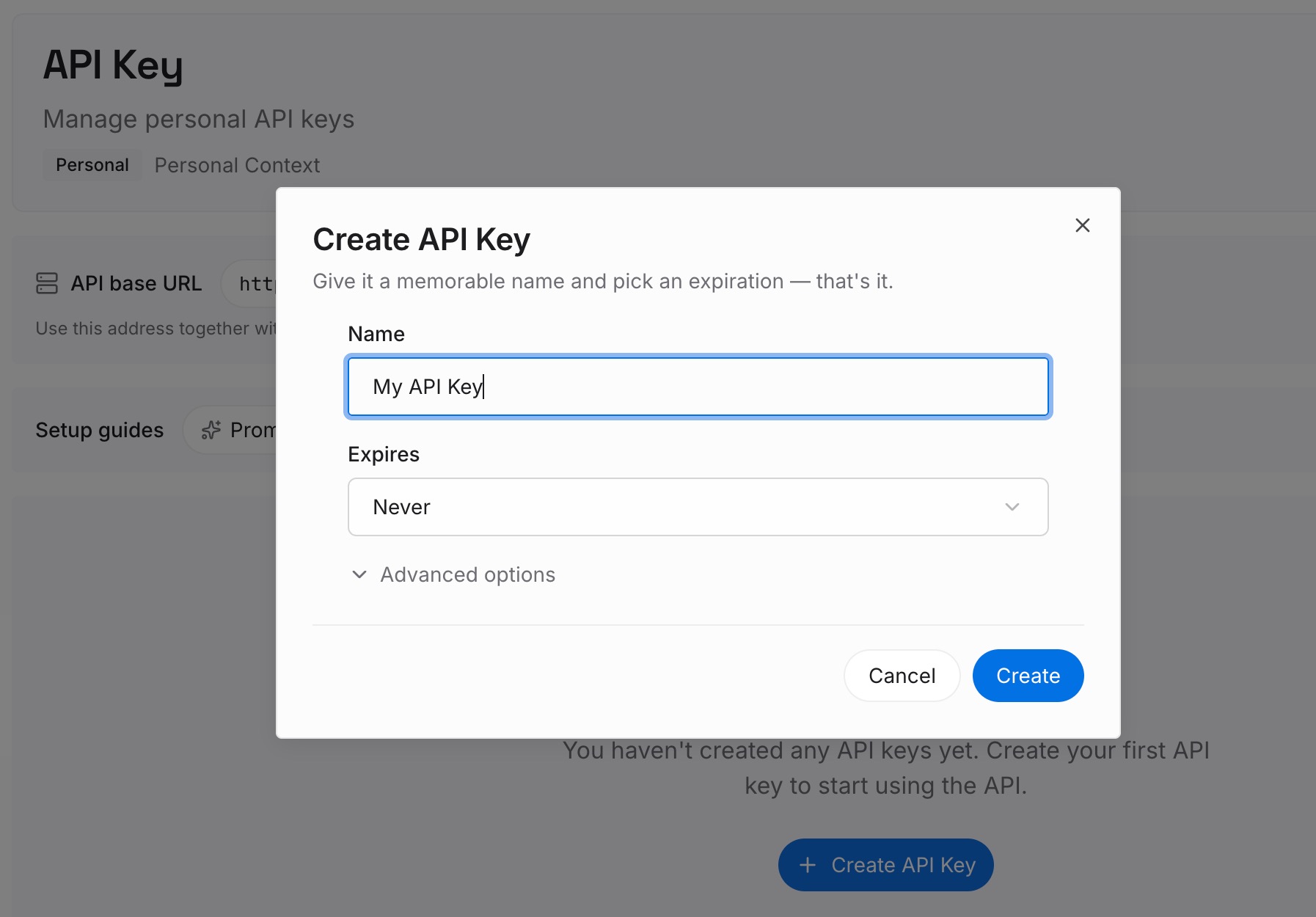
Step 1: Create an API key
Sign in and generate a key from the dashboard. The key belongs to your MemoryLake workspace and is separate from your Claude account.
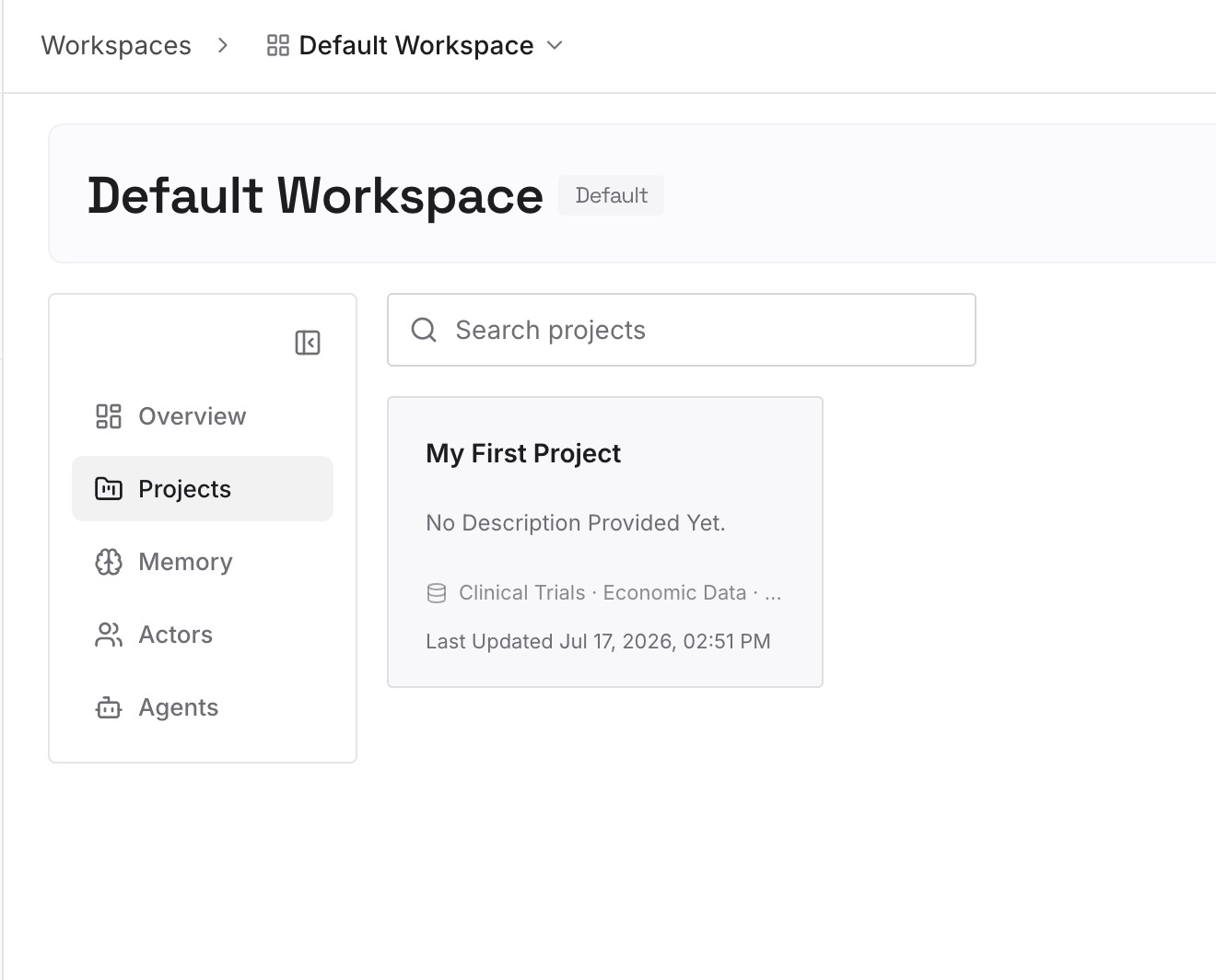
Step 2: Upload your first memories
Start with what you wrote down in Step 1 of the fix that applies beyond one repository: preferences, decisions, and constraints you'd otherwise repeat. One point per entry, dated.
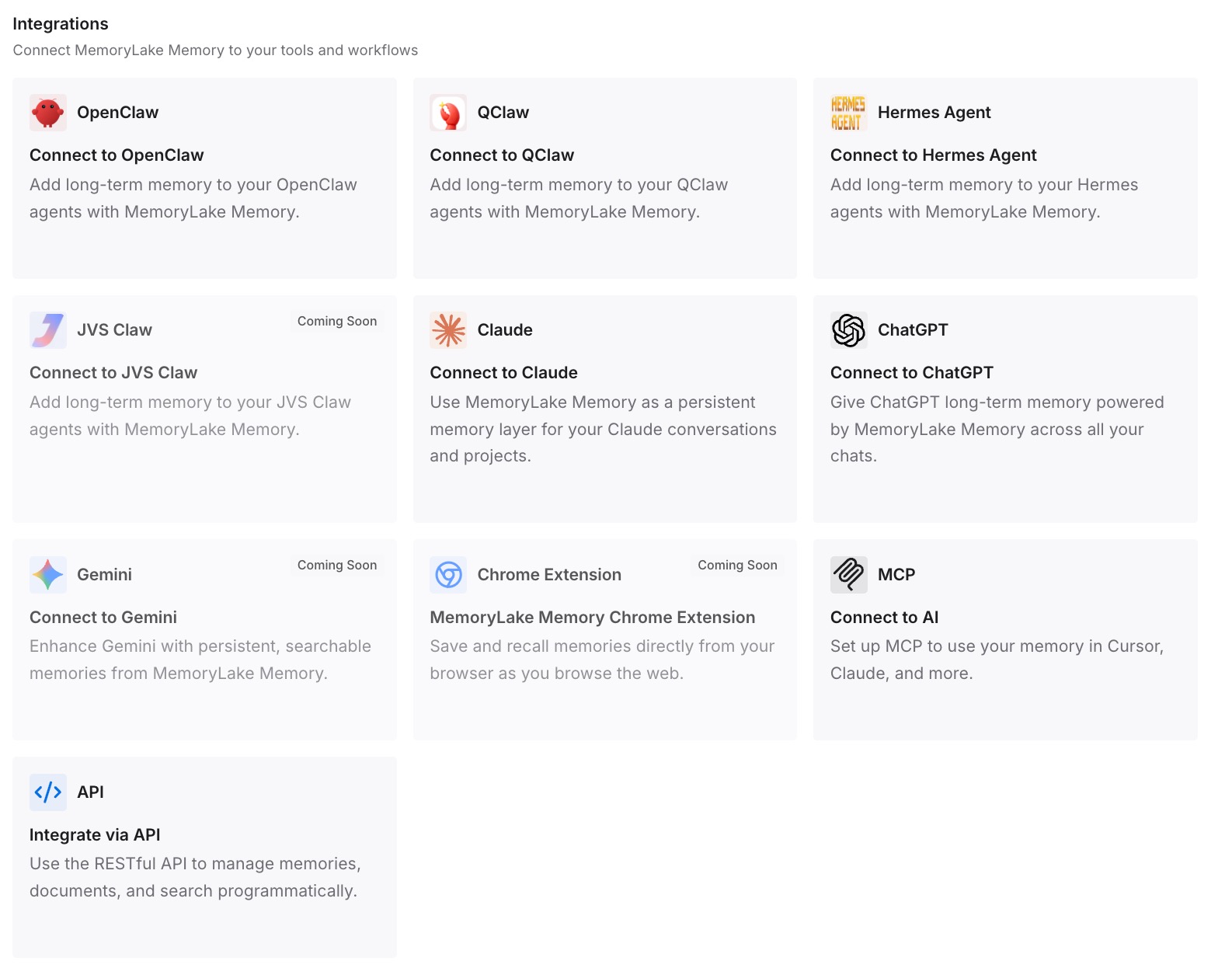
Step 3: Connect your AI & agents
Connect Claude Code and the other assistants you use. After a /clear, a new session, or a switch to another tool, the same decisions are available.
What this changes in practice
The first difference is that /clear stops feeling risky. You know it empties the conversation and keeps your project instructions and memory.
The second is that you choose the right command. /clear for unrelated work, /compact for continuing the same task, /rewind to undo.
The third is that nothing important lives only in the conversation. Decisions are written down before you clear, so the next task starts with them.
Best practices for /clear in Claude Code
Clear between unrelated tasks. A focused context gives better answers and costs less.
Compact, don't clear, mid-task. /compact keeps a summary of the current work.
Save decisions before clearing. Put them in CLAUDE.md or ask Claude to remember them.
Name the session you're leaving. Use /clear <name> so you can find it in /resume.
Clear after two failed corrections. Then write one prompt that includes what you learned.
Use the rewind menu to undo a clear. It works until you exit or resume another session.
Check your SessionStart hooks. They run again after /clear.
Conclusion
/clear starts a new conversation with an empty context window while keeping your project memory. CLAUDE.md and auto memory load again, the cleared conversation is saved and can be resumed, and a name you set with --name or /rename carries over. What doesn't carry over is anything that existed only in the conversation.
Use /clear between unrelated tasks and after repeated failed corrections, use /compact to keep going on the same task, and write down the decisions you'd hate to repeat before you clear.