
What Code Mode is
Anthropic's documentation describes the difference in two sentences. "Without Code Mode, Claude asks for tool calls such as Bash, Read, or Edit directly and reads each result before it decides what to do next. With Code Mode, Claude writes a piece of JavaScript that makes the tool calls, and Claude Code runs that code in your session."
The feature comes with a clear warning: "Code Mode is experimental and off by default. It may change or be removed in any release."
The documentation suggests trying it on tasks that take many related tool calls:
- A change that repeats across many files.
- A search whose results need filtering before Claude reads them.
- Several independent commands that can run at the same time.
Early write-ups, such as developersdigest's walkthrough, explain how to switch it on. The parts that matter for longer work are what Claude reads back, and what happens to the session afterward.
What Claude reads back from the code it runs
This is the part of Code Mode that changes what ends up in Claude's context.
In normal operation, each tool call's result comes back to Claude before the next decision. In Code Mode, the documentation says: "One piece of code can run commands in parallel, use one result in the next call, and return the part of the output that Claude needs to read."
The documentation's example is a request to raise a retry limit. Claude writes code that searches for the function, edits the first matching file, runs the related tests, and returns the file's path and the test output. In that example, the search output is used inside the code to pick the file, rather than coming back to Claude on its own.
Three things follow from that design:
- Claude chooses what it reads. The last line of the code decides what comes back. Intermediate results can stay inside the script.
- Filtering happens before reading. A search with hundreds of matches can be narrowed in code before any of it reaches the conversation.
- The record is in two places. You see the tool calls in the conversation, and the code itself is in the transcript.
The documentation describes what you see: "In the conversation, you see the tool calls, such as the edit's diff, and not the code." To read the code, press Ctrl+O to open the transcript viewer, where each piece of code appears as a collapsed Code row. We covered what that viewer shows and how its views differ in our guide to Claude Code's transcript view.
The practical consequence is that what Claude knows after a step depends on what the code returned. If a later question needs a detail the code filtered out, Claude may need to look again.
How to turn Code Mode on
The setup is short, but each step has a detail worth knowing.
Check your version. Code Mode needs Claude Code v2.1.323 or later, on either release channel. An older version starts without Code Mode.
Set the environment variable. Code Mode is controlled by CLAUDE_CODE_EXPERIMENTAL_CODE_MODE. Set it to 1 in your shell to try it, or in the env block of your user settings file to turn it on for every new session.
There's a safety detail here. The documentation says Claude Code ignores this variable in a project's settings files, "so a repository you clone can't turn on Code Mode for you." Only your shell and your user settings count.
Confirm once. Before your first Code Mode session, Claude Code asks you to confirm. After you select the option to turn it on, Claude Code restarts and shows a line near the top of the session saying Code Mode is on and that the session can be resumed only with Code Mode on.
Try a task with many tool calls. The documentation's sample prompt asks Claude to read every Markdown file in a project and list links to local files that don't exist.
Why a Code Mode session only resumes with Code Mode on
This is the detail behind the opening example.
The documentation includes a warning: "To resume a Code Mode session later, keep CLAUDE_CODE_EXPERIMENTAL_CODE_MODE set to 1 when you run claude --continue or claude --resume. With Code Mode off, Claude Code refuses to resume the session."
It works the other way too: "Sessions that you started without Code Mode resume without Code Mode, even with the variable set."
So the mode is fixed when the session starts. That has a few consequences for longer work:
- Set the variable where you'll always have it. If you set it only in one shell, a new terminal won't have it. Your user settings file is the more reliable place.
- Turning it off affects old sessions. If you remove the variable, your Code Mode sessions can't be resumed until you set it again.
- You can't convert a session. A session started without Code Mode stays that way.
The limitations list adds more about where a Code Mode session can go. You can resume it only in the terminal. You can't move it to the Desktop app or turn it into a background session, and /fork can't start a background copy.
How to turn it off, and how organizations block it
To turn Code Mode off, remove the variable from your shell and your user settings, then start a new session. You can also set it to 0. The documentation says: "With a 0 in one place, Code Mode stays off even if you set 1 in the other."
Administrators can block it for everyone by setting the variable to 0 in managed settings. The documentation describes what users experience: "Users who are in a Code Mode session stay in it until they exit or restart Claude Code. After that, your users start without Code Mode and can't resume their Code Mode sessions while the 0 is in place."
The reverse isn't available: "You can't turn on Code Mode for your users from managed settings."
If your organization blocks Code Mode after you've used it, sessions you started in Code Mode become unavailable to resume until the block is lifted.
How permissions apply to code
Code doesn't bypass your rules. The documentation says that when Claude runs code, each tool call in it goes through your deny and ask permission rules and your PreToolUse hooks under the tool's usual name, such as Bash.
What changes is how the mode you're in reviews the work:
- In auto mode, the classifier reviews each piece of code before it runs, not each tool call. The documentation adds a caution: "It doesn't see values computed at run time, such as a path taken from search output, so keep rules or hooks for calls you must control."
- In other permission modes, the code starts without a review, and you're prompted for each tool call that would prompt you in that mode.
The documentation also warns about command matching. A git push in a folder named app can reach your hook as a combined command that changes directory first, so a PreToolUse hook that allows or blocks shell commands should check each part of a command. To inspect the code itself, you can write a PreToolUse hook that matches REPL, the tool that runs the code, and read the JavaScript from tool_input.code.
Which hooks can block it
Hooks can also stop work in Code Mode, and the documentation lists two cases.
A PreToolUse hook that fails. If Claude reports a refused tool call, the error text tells you why. The documentation describes two messages: the hook failed, meaning it couldn't start, was killed, or exited with certain codes, and the hook did not finish, meaning it timed out. In both cases, the call is refused even when onFailure is unset. To let calls go ahead when a hook fails or times out, the documentation says to set onFailure to continue on it.
A UserPromptSubmit hook that sees code output. When code can run in the background, the documentation says command, http, and mcp_tool hooks on that event also run on code output. If one of them blocks, Claude reports the hook's block reason where you expected output. The fix is to let the hook pass when source in its input is poll_event.
This second case matters if you use UserPromptSubmit hooks to add context or to filter what reaches Claude. In Code Mode, the same hook can see more than your prompts. We covered which hooks can add context for Claude and how their output behaves across sessions in our guide to Claude Code hooks.
One more note on add-ons. The documentation's troubleshooting table lists an installed mod that checks tool calls as a reason Code Mode won't start. Claude Code's v2.1.327 changelog says Code Mode no longer refuses to start when an installed mod hooks tool calls, and that an administrator can still keep it off in managed settings. If you see the older message, check your version.
Long-running code
Code that runs a long build or test either keeps Claude waiting or runs in the background.
- Waiting: Claude answers after the code finishes, and the code stops after ten minutes, including time you spend at permission prompts.
- Background: you can keep talking to Claude, and the code can run for up to two hours.
For background code, the documentation says to start your session in auto or bypassPermissions mode.
What Code Mode can't do yet
The requirements and limitations are specific, and they decide whether Code Mode fits your setup.
- Surface: an interactive
claudesession in a terminal. The documentation says it doesn't work with-p, the Agent SDK, the VS Code panel, the Desktop app, or cloud sessions. - Account and provider: a Claude subscription or Console account. It doesn't work through a gateway or through platforms such as Amazon Bedrock, Claude Platform on AWS, Google Cloud's Agent Platform, or Microsoft Foundry.
- Organization settings: not available with the HIPAA configuration or zero data retention.
- Models: Claude Opus 5.5, Sonnet 5.5, Haiku 5.5, or Fable 5.2.
- Features: you can't use Remote Control, Claude in Chrome, or computer use.
- Agent teams: supported from v2.1.326, with teammates running in Code Mode in the default in-process display mode.
If Code Mode doesn't start, Claude Code shows a line saying it isn't available, with the reason, and /status shows it too.
What people try first
Resuming from a terminal without the variable. Claude Code refuses to resume a Code Mode session with Code Mode off.
Turning it on in a project's settings. Claude Code ignores the variable there.
Expecting Claude to remember everything the code touched. Claude reads what the code returns.
Assuming a failed hook lets calls through. In Code Mode, a hook that fails or times out refuses the call unless you set onFailure to continue.
The Fix: Make Code Mode sessions easy to continue
Step 1: Set the variable in your user settings
Put CLAUDE_CODE_EXPERIMENTAL_CODE_MODE in the env block of ~/.claude/settings.json so every terminal resumes the same way.
Step 2: Review your hooks
Check PreToolUse hooks for timeouts and failure handling, and let UserPromptSubmit hooks pass on poll_event.
Step 3: Ask for the output you'll need later
When a step matters, ask Claude to return the details you'll want to refer to, not just a summary.
Step 4: Write down what the task decided
Record the conclusions of a long Code Mode session somewhere that doesn't depend on resuming it.
Setting this up in MemoryLake
A Code Mode session holds what Claude learned while it worked, but only if you can open it again with the same setup. The conclusions of that work, such as which files own a behavior, why a refactor stopped where it did, or which tests guard a change, are project context that shouldn't depend on one session's settings.
MemoryLake is a memory layer for that kind of project context, such as decisions, conventions, and the reasons behind them, kept in one place you maintain and available to the assistants you connect, such as ChatGPT, Claude Code, and Codex.
You write the entries yourself, in your own words. Nothing is read out of, written to, or deleted from your Claude Code sessions, your transcripts, your settings files, your hooks, your CLAUDE.md files, or any vendor's store. Code Mode works the way Anthropic describes it.
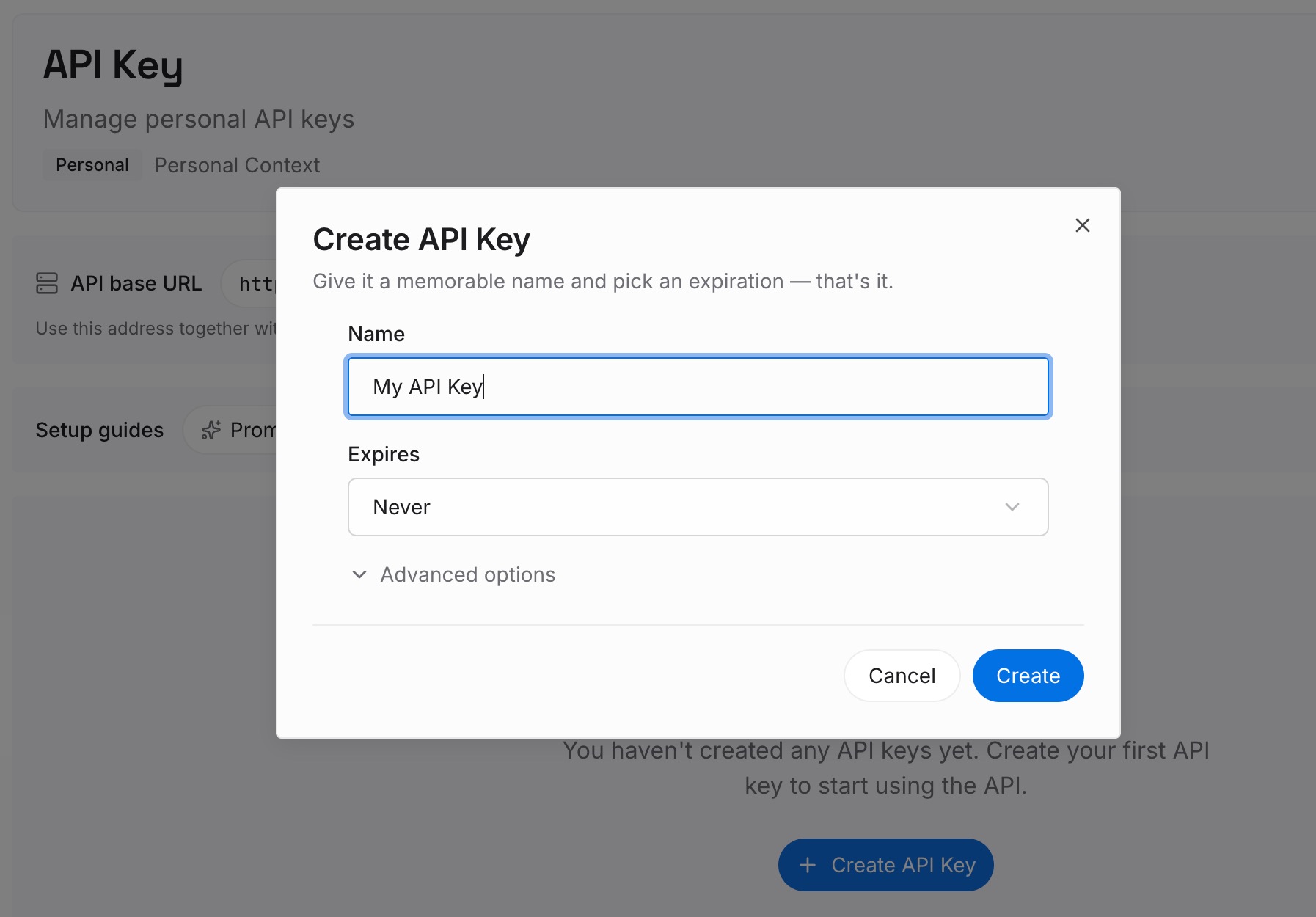
Step 1: Create an API key
Sign in and generate a key from the dashboard. Store it outside your repositories, like any other credential.
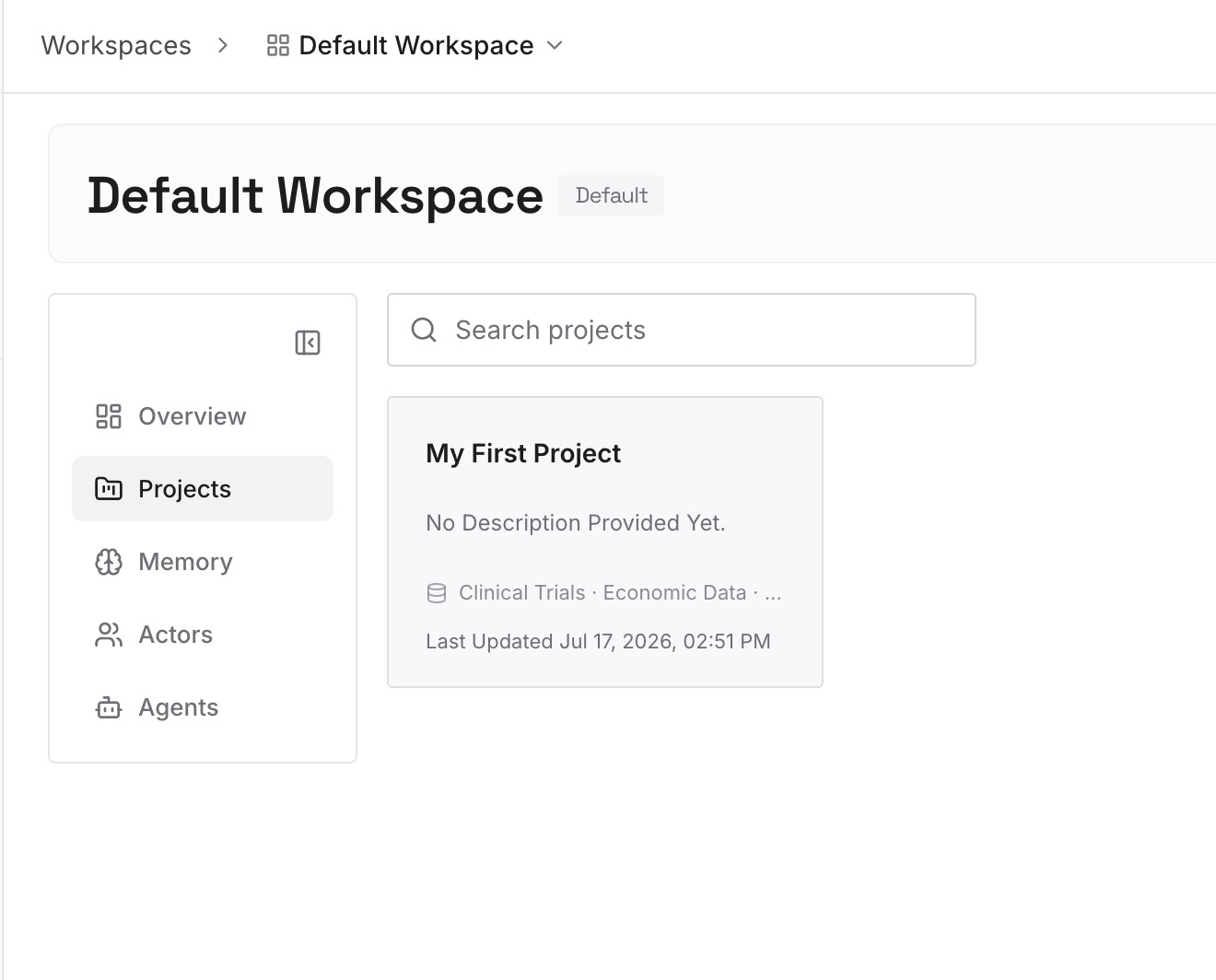
Step 2: Upload your first memories
Start with what you wrote in Step 4 of the fix: the conclusions a later session should start from. One decision per entry.
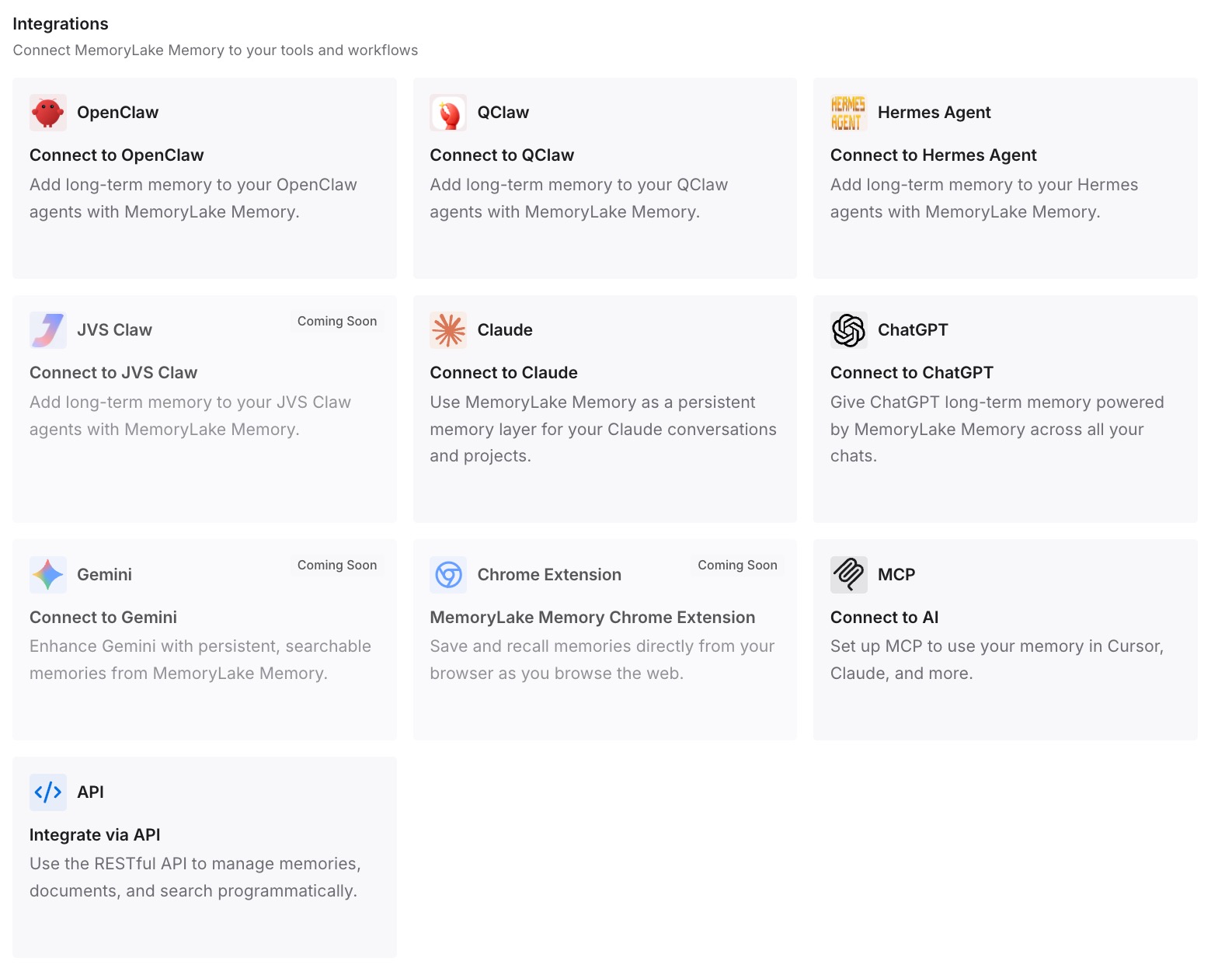
Step 3: Connect your AI & agents
Connect Claude Code, Codex, and the other assistants you use. A new session, in Code Mode or not, can draw on the same decisions.
What this changes in practice
The first difference is less dependence on resuming. If a session can't be opened, the conclusions are still available.
The second is a cleaner context. Claude reads what the code returns, and the decisions you need come from a short entry instead of a long history.
Best practices for Code Mode
Use it for many related tool calls. Repeated edits, filtered searches, and parallel commands fit best.
Keep the variable in user settings. It makes resuming predictable.
Read the code with Ctrl+O. The conversation shows the tool calls, not the code.
Keep rules for calls you must control. In auto mode, the classifier reviews code, not run-time values.
Check hook failure behavior. Failed or slow PreToolUse hooks refuse calls.
Write down conclusions. Don't rely on resuming one session to recover them.
Conclusion
Code Mode lets Claude write JavaScript that makes several tool calls in one step, and Claude reads only the part of the output the code returns. It's experimental, off by default, and limited to interactive terminal sessions on recent models, with a v2.1.323 minimum version.
The mode is fixed when a session starts. A Code Mode session resumes only with the variable set, a session started without it stays that way, and an organization-wide block makes earlier Code Mode sessions unavailable to resume. Permission rules and PreToolUse hooks still apply to each call, and a hook that fails or times out refuses the call. Keep the variable in user settings, review your hooks, and write down what a long session concluded.