
/doctor and claude doctor are different commands
There are two commands with almost the same name:
claude doctor, run in your terminal, is diagnostics only. Anthropic says: "For read-only installation diagnostics without starting a session, runclaude doctorin your terminal instead."/doctor, run inside a session, is the full checkup. The command reference describes it as a run that "diagnoses installation, settings, extension, andCLAUDE.mdproblems and proposes fixes that Claude applies after you confirm."
The Claude Code changelog marks when the in-session version changed: "/doctor is now a full setup checkup that can diagnose and fix issues; /checkup is its alias". So /checkup and /doctor run the same thing.
What the checkup looks at
Anthropic's skills documentation lists five areas.
Installation health. Duplicate or leftover installs, PATH problems, unparseable settings files, and whether a newer version is available on your release channel.
Extensions. The checkup compares "unused skills, MCP servers, and plugins" with "their context cost", and looks for slow hooks.
CLAUDE.md files. Local CLAUDE.md files that duplicate checked-in ones, checked-in content Claude could derive from the codebase, and the always-loaded guidance that remains, which Claude offers to migrate into skills and nested CLAUDE.md files that load on demand.
Permissions. An offer to make auto mode your default permission mode, and to pre-approve read-only commands that you often deny.
Usage. On Pro, Max, Ultra, Team, and Enterprise plans, the changes /usage recommends to lower your plan usage, measured over the last seven days. Anthropic says "Claude proposes the changes it can make itself and reports the rest as advice, such as a command for you to run." The usage check needs Claude Code v2.1.305 or later, and the checkup leaves it out while Remote Control is connected.
What the checkup proposes for your CLAUDE.md
The CLAUDE.md part of the checkup matters because checked-in CLAUDE.md guidance is always loaded.
Anthropic's memory documentation explains what it trims and what it keeps. The checkup "proposes trims for a checked-in CLAUDE.md: it cuts content Claude can derive from the codebase, such as directory layouts, dependency lists, and architecture overviews, and keeps pitfalls, rationale, and conventions that differ from tool defaults."
That split is the useful part. A directory tree or a list of dependencies is something Claude can read from the repository whenever it needs to. A note about why a migration has to run first, or a convention your team follows that a tool wouldn't assume, can't be derived from the code. The checkup treats the first kind as cost and the second as value.
Why size matters
Anthropic's guidance for CLAUDE.md is direct: "target under 200 lines per CLAUDE.md file. Longer files consume more context and reduce adherence."
A few related limits from the same documentation:
- Warnings. "If one of your instruction files is over the recommended length, you see a warning at startup and when you run
/status." - Combined size. You also see a warning when files that are each within that length add up past a combined limit at session start.
- Hard ceiling. "Claude Code skips a file over 4 MiB."
- Imports don't help with size. Splitting into
@pathimports "helps organization but doesn't reduce context, since imported files load with the CLAUDE.md importing them."
If the problem is a nested CLAUDE.md that Claude seems to ignore partway through, that's a separate per-file limit. Our guide to why Claude ignores the end of a subdirectory CLAUDE.md covers it.
Where the trimmed guidance goes
The checkup doesn't just delete. For always-loaded guidance that matters only some of the time, it offers to move it into skills and nested CLAUDE.md files "that load on demand". Path-scoped rules are the other documented option: they load "only when Claude works with matching files."
What prompt-audit flags
The checkup reviews your setup. prompt-audit reviews your writing. Anthropic says: "To audit your instructions rather than your setup, run /doctor prompt-audit at the Claude Code prompt."
Its memory documentation describes what it looks for: "Claude looks for problems such as instructions written for older models, references to files or commands that don't exist, and files that contradict each other."
Each of those is a real failure mode:
- Instructions written for older models. The changelog entry that introduced it describes the audit as checking for "prompting patterns written for older models".
- Stale references. A file path that moved or a script that was renamed can send Claude looking for something that isn't there.
- Contradictions. Anthropic notes that "if two instructions contradict each other, Claude may pick one arbitrarily."
A later release changed the report's order: "stale paths, stale commands and contradicting instruction files now lead the report, and thinking keywords that Claude Code documents are kept".
What it covers
"By default, the audit covers your CLAUDE.md, CLAUDE.local.md, and AGENTS.md files, plus the rules, skills, commands, subagents, and output styles under .claude/ and ~/.claude/."
To audit one file or folder, pass its path. Anthropic's example is /doctor prompt-audit .claude/skills/deploy.
What it changes
Nothing, until you ask. "You get a report of findings with proposed edits, and nothing in your files changes until you ask Claude to apply them."
Requirements
The audit "runs through the bundled /claude-api skill." It's unavailable if that skill is turned off in skillOverrides or with disableBundledSkills, and it requires Claude Code v2.1.283 or later.
How /skill-doctor shows what each skill costs
Skills have a context cost of their own. Anthropic's skills documentation says: "Every skill in the skill listing adds to your context on every turn, whether or not Claude ever uses it."
/skill-doctor is the report for that. Anthropic says it shows "what each of your skills costs and how often it gets used, so you can decide which ones to turn off."
What the report includes:
- Skills in your session other than bundled and enterprise skills.
- A flag on skills "that have never been invoked", with where to turn them off.
- Plugins you haven't used recently.
Anthropic's advice on where to start: "Of the skills it tells you where to turn off, start with the ones that have the highest context cost."
In an interactive session, the report opens in the /plugin manager's Stats tab. With -p, Claude Code prints it as text. It requires v2.1.252 or later and feature-flag fetching. Over Remote Control from your phone or browser, it isn't available. Run it in the terminal on the machine where the session is running.
Which one to run
- Something feels broken or slow to start:
claude doctorin your terminal, for read-only install diagnostics. - Sessions fill up fast or instructions are ignored:
/doctorfor the full checkup, including CLAUDE.md trims. - Instructions might be outdated or contradictory:
/doctor prompt-audit, for a report on what you've written. - You've installed a lot of skills:
/skill-doctor, for each skill's context cost and use.
What to keep when you trim
The checkup's own rule is the best guide: cut what Claude can derive from the codebase, keep "pitfalls, rationale, and conventions that differ from tool defaults."
The parts it keeps are the ones the code can't tell Claude: the reason a test is flaky, the order two scripts have to run in, the convention a reviewer always asks for. Those are also the parts that matter outside one repository's CLAUDE.md, for example when you start a new project with similar rules or work in another tool.
If Claude itself saves notes, those live in auto memory, which has its own index and limits. Our guide to what Claude Code's auto memory is explains how that differs from CLAUDE.md.
What people try first
Running claude doctor and stopping there. It only checks the install. The CLAUDE.md and extension checks are in /doctor.
Splitting CLAUDE.md into imports to save context. Imported files load with the file that imports them.
Deleting rationale to get under 200 lines. The checkup keeps rationale and pitfalls for a reason.
Accepting every proposed edit at once. Review each one, since nothing changes until you ask.
Keeping every skill installed. Each listed skill adds to your context on every turn.
The Fix: Clean up what Claude loads every session
Step 1: Run the checkup
Type /doctor in a session and read the findings for each area before approving anything.
Step 2: Audit what you've written
Run /doctor prompt-audit and fix stale paths, stale commands, and contradictions first.
Step 3: Turn off skills you don't use
Run /skill-doctor and start with unused skills that have the highest context cost.
Step 4: Save the rationale you keep
Copy the pitfalls, reasons, and conventions you keep into a place you can reuse beyond this repository.
Setting this up in MemoryLake
The checkup is good at separating what Claude can read from the code from what only you know. The second group, such as pitfalls, reasons, and team conventions, is worth keeping where you can use it in more than one project and more than one tool.
MemoryLake is a memory layer for that kind of project knowledge, such as conventions, decisions, and the reasons behind them, kept in one place you maintain and available to the assistants you connect, such as ChatGPT, Claude Code, and Codex.
You write the entries yourself, in your own words. Nothing is read out of, written to, or deleted from your CLAUDE.md files, your rules, your skills, your auto memory, your ~/.claude folder, or any vendor's store. The checkup and prompt-audit work the way Anthropic describes them, and you still decide which of their edits to apply.
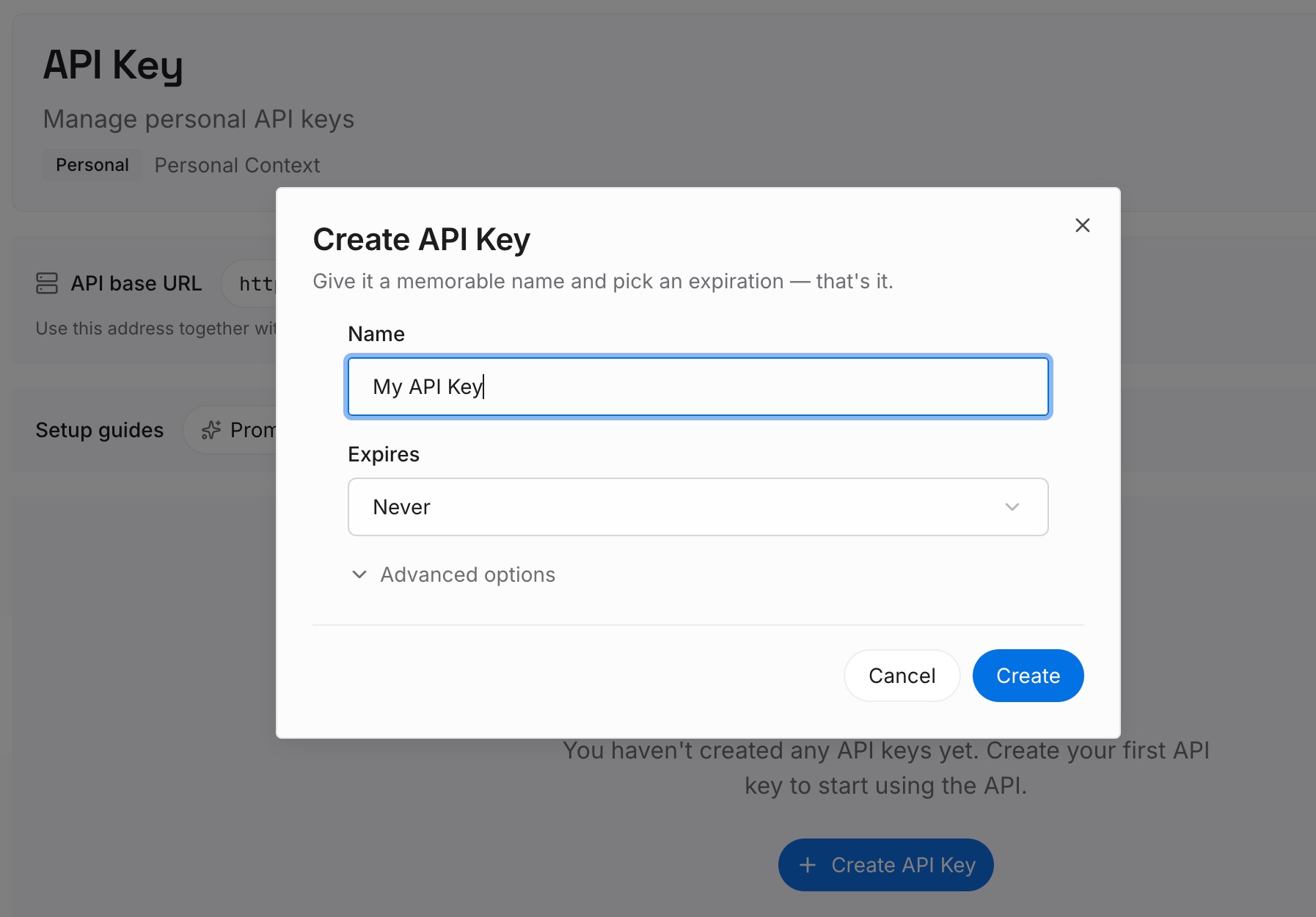
Step 1: Create an API key
Sign in and generate a key from the dashboard. Store it outside your repositories, like any other credential.
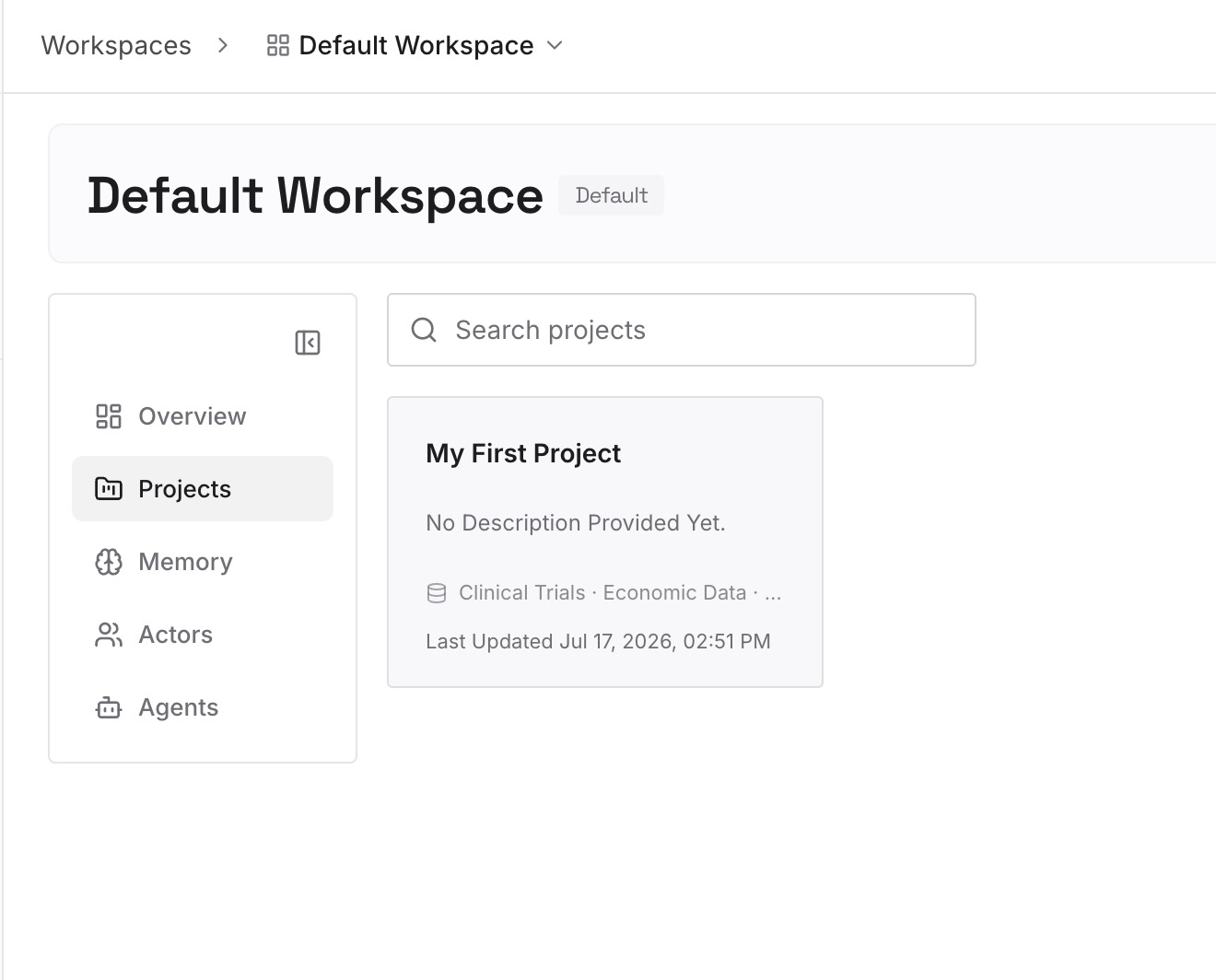
Step 2: Upload your first memories
Start with what you saved in Step 4 of the fix: the pitfalls, reasons, and conventions the checkup told you to keep. One item per entry.
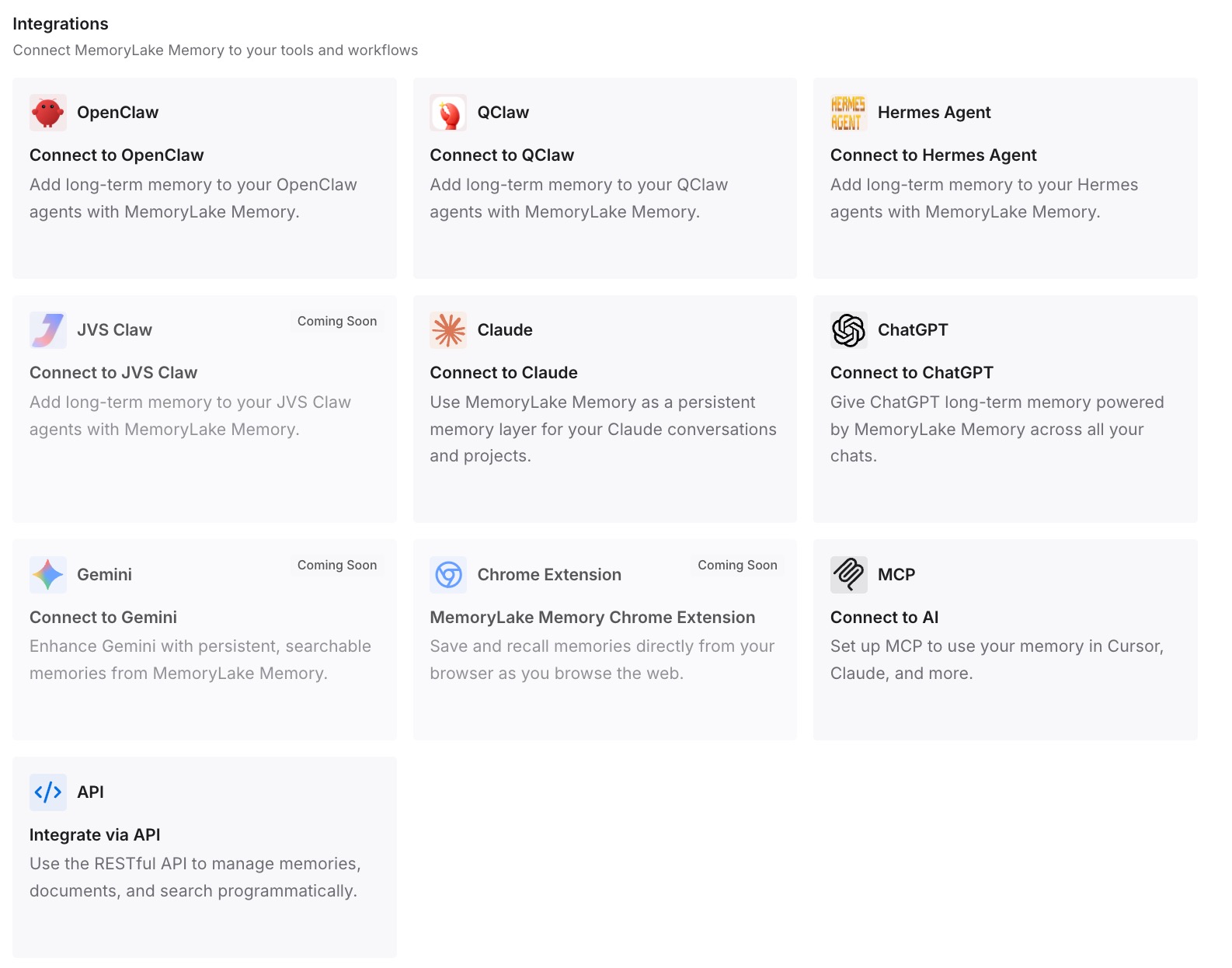
Step 3: Connect your AI & agents
Connect Claude Code and any other assistants you use. The same entries are available in every project and tool you connect.
What this changes in practice
The first difference is a leaner CLAUDE.md you don't worry about. The reasons you trimmed out of always-loaded context are still written down.
The second is reuse across projects. Conventions you follow everywhere don't have to be copied into each repository.
The third is the same knowledge in other tools. Codex or ChatGPT can draw on the entries too.
Best practices for /doctor in Claude Code
Use /doctor, not only claude doctor. The CLAUDE.md and extension checks happen in the session.
Keep CLAUDE.md under 200 lines. Longer files consume more context and reduce adherence.
Keep rationale, cut what's derivable. That's the checkup's own rule.
Run prompt-audit after model changes. It looks for instructions written for older models.
Fix contradictions first. Claude may pick one of two conflicting instructions arbitrarily.
Prune skills by cost. Start with unused skills that cost the most context.
Review before applying. Nothing changes until you ask.
Conclusion
/doctor in Claude Code is a full setup checkup: it looks at installation health, extensions, CLAUDE.md files, permissions, and usage, and proposes fixes it applies only after you confirm. For CLAUDE.md, it cuts content Claude can derive from the codebase and keeps pitfalls, rationale, and conventions. claude doctor in your terminal is the read-only install check.
/doctor prompt-audit reviews your instruction files for outdated guidance, stale references, and contradictions, and /skill-doctor shows what each skill costs in context and how often it's used. Use them together to keep what loads every session lean, and keep the reasoning you decided to keep somewhere you can reuse.