
Where you start Claude decides what loads
The first decision is the simplest and has the biggest effect. The documentation says: "Where you launch claude determines which files Claude can read and edit without an additional permission grant, which CLAUDE.md files load into context at startup, and which project settings apply."
It compares the two choices:
- Starting from the repository root. Claude can access every file. At launch, it loads only the root CLAUDE.md, and subdirectory files load on demand.
- Starting from a subdirectory. Claude can access that subtree until you grant more. At launch, it loads that directory's CLAUDE.md plus every ancestor's.
The documentation suggests starting from the root when tasks span multiple packages, and from a subdirectory when work is scoped to one package.
One detail is easy to miss: "Project settings in .claude/settings.json aren't inherited from parent directories the way CLAUDE.md files are." Instructions cascade from parent directories. Settings don't.
Layer CLAUDE.md files by directory
The documentation describes why one root file stops working: it "tends to either grow to cover every subsystem's conventions, costing context on instructions unrelated to the current task, or stay too generic to be useful."
Its recommendation is two levels:
- A root CLAUDE.md for instructions that apply everywhere, such as coding standards and commit conventions.
- A CLAUDE.md per package or subsystem for conventions specific to that area's stack.
The documentation's example shows the effect. When you start Claude from the API package, it loads that package's CLAUDE.md and the root one, "with no instructions from packages/web/ in context."
To check which files actually loaded, run /context all and look at the list under Memory files.
The documentation also gives three ways to keep these files current:
- Review CLAUDE.md edits in pull requests, like any other documentation.
- Revisit after major model releases. Instructions that worked around an older model's limitation can become overhead once a newer model handles the case.
- Add a Stop hook that proposes updates. A Stop hook receives the path to the session transcript, so a script can propose CLAUDE.md changes while the gap is fresh.
Subdirectory files that load on demand have their own size behavior, which differs from the root file. We covered it in our guide to the subdirectory CLAUDE.md limit in Claude Code.
Per-directory CLAUDE.md or path-scoped rules
Claude Code has a second way to target instructions to part of the tree: rule files under .claude/rules/ with a paths: glob. The documentation compares the two.
A per-directory CLAUDE.md lives inside the directory with its code. It loads at launch when you start from that directory, or on demand. It suits teams where directory owners maintain their own conventions.
A path-scoped rule lives in the central .claude/ folder at the repository root. It loads when Claude works with a file matching its glob. It suits teams that want all conventions in one place, or a rule that applies to many scattered paths.
We covered how rules files work in our guide to what Claude Code rules are.
Keep other packages' instructions out
When you start from the root, each subdirectory's CLAUDE.md can load on demand as Claude touches files there. The claudeMdExcludes setting skips specific files by path or glob "so they never load."
The documentation suggests it for directories you never work in, such as other teams' packages, legacy code, or vendored subtrees. A few details decide whether it works the way you expect:
- It's static. "The exclusion list is static, not a per-task switch." To focus on a different package each day, start Claude from that package instead of editing exclusions.
- Patterns match absolute paths. Start relative-style patterns with
**/to match anywhere in the tree. - It covers rules too. Excluding a package's folder skips every CLAUDE.md and rules file under it, while the root CLAUDE.md and packages you work in load normally.
- Scopes merge. You can set it at user, project, local, or managed scope, and arrays merge across scopes, so a team default and personal additions combine.
- Managed files still load. If your organization deploys a managed CLAUDE.md, a pattern that matches it doesn't skip it.
For exclusions that only apply to you, the documentation suggests .claude/settings.local.json. If you create that file by hand, add it to your gitignore yourself.
Stop Claude reading code it doesn't need
Instructions are only part of what fills context. The documentation says: "File reads are another cost that grows with the codebase."
Gitignored paths. Claude's content searches respect .gitignore by default, so paths like node_modules/, dist/, and build/ stay out of search results.
Checked-in generated or vendored code. For paths that are committed, add Read deny rules in permissions.deny. Put them in .claude/settings.json for everyone in the repository, in .claude/settings.local.json for yourself, or in managed settings to enforce them everywhere.
The documentation is clear about the limit: "Deny rules don't cover subprocesses that open files themselves."
Language-server lookups. Code intelligence plugins connect Claude to a language server, so it can jump to definitions and find references "instead of scanning the tree." The documentation says this pairs well with exclusions and deny rules: those keep irrelevant content out, and code intelligence keeps Claude from reading through what remains.
Check out only what you need, and add directories carefully
For worktrees, the worktree.sparsePaths setting uses git sparse-checkout to write only the listed directories plus root-level files. Include .claude in the list if you want the root's settings and rules available inside the worktree.
When you start from one package and need access to a sibling, how you grant access changes what loads. The documentation's table:
- The
additionalDirectoriessetting: never loads CLAUDE.md, rules, or skills. - The
--add-dirflag or/add-dircommand: loads skills, and loads CLAUDE.md and rules only when theCLAUDE_CODE_ADDITIONAL_DIRECTORIES_CLAUDE_MDenvironment variable is set.
So adding a sibling package gives Claude file access, but not necessarily that package's conventions. If the sibling's rules matter for the task, use --add-dir with the environment variable.
Add skills per directory
Skills suit reference material that should load only when relevant. The documentation says any subdirectory can define skills under its own .claude/skills/, committed with that area's code. Its example: an API testing skill in the API package and a component patterns skill in the web package. When Claude works on a file in one package, it loads that package's skill.
There's a catch with many skills. Claude picks a skill by reading every discovered skill's name and description, and "only the chosen skill's full content loads into context." When there are many, the documentation says some skills can lose their descriptions entirely. Its advice: "Keep descriptions short and lead with words a request would contain".
Which skills are in scope depends on where you start:
- From a subdirectory: that directory's skills, every parent up to the root, and user and enterprise skills.
- From the root: root skills plus skills from every subdirectory Claude touches, "which can accumulate into the hundreds".
For skills many directories share, such as PR conventions or a deploy checklist, the documentation suggests the root's .claude/skills/.
When layering stops scaling
The documentation is candid that per-directory files don't solve everything: "Conventions drift, files go stale, and no one owns the root."
Its recommendation is to move conventions and reference content out of always-loaded CLAUDE.md into mechanisms that load on demand:
- Skills for reference material that loads when relevant.
- Plugins, versioned bundles of skills, hooks, and commands that a platform team owns and can install for everyone through managed settings. Plugin skills use a namespace, so they don't collide with per-directory skills.
- MCP servers, if your organization already runs a code search or retrieval index over the repository.
Once conventions live in plugins, a teammate in an unfamiliar part of the tree may not know which one applies. The documentation suggests a SessionStart hook that maps the launch directory to the right plugin and prints a recommendation, since Claude Code adds the hook's output to Claude's context before the first prompt.
Changes that span packages
For a change that touches several packages, such as a shared type and every call site, the documentation gives two techniques. Hand Claude the whole change in one session, so the decisions behind each edit stay consistent. And plan first: in plan mode, Claude writes the plan to a file, and "Claude Code re-injects the plan file after each compaction, so the plan survives where conversation history may not".
What people try first
Putting everything in the root CLAUDE.md. It costs context on unrelated instructions.
Editing claudeMdExcludes per task. It's static. Start from the package instead.
Expecting deny rules to block every read. Subprocesses that open files themselves aren't covered.
Adding a sibling with additionalDirectories and expecting its CLAUDE.md. That setting never loads CLAUDE.md or skills.
Writing long skill descriptions. With many skills, descriptions can be cut.
The Fix: Load the right instructions for the code you're in
Step 1: Choose where to start
Start from a package for focused work, and from the root for cross-package tasks.
Step 2: Split CLAUDE.md by directory
Keep repository-wide rules at the root and stack-specific conventions in each package, then check with /context all.
Step 3: Exclude and deny what you never need
Use claudeMdExcludes for other teams' instructions and Read deny rules for generated or vendored code.
Step 4: Record why each convention exists
Instruction files say what to do. The decisions behind them, and which ones are being retired, need a home of their own.
Setting this up in MemoryLake
In a large codebase, conventions spread across many files and owners. The decisions behind them, such as why the API uses a query builder or why a legacy service is frozen, are what new teammates and new sessions keep asking about.
MemoryLake is a memory layer for that kind of project context, such as architectural decisions, package ownership, and the reasons behind conventions, kept in one place you maintain and available to the assistants you connect, such as ChatGPT, Claude Code, and Codex.
You write the entries yourself, in your own words. Nothing is read out of, written to, or deleted from your CLAUDE.md files, your rules or skills, your settings files, your sessions, or any vendor's store. CLAUDE.md loading, exclusions, and skills work the way Anthropic describes them.
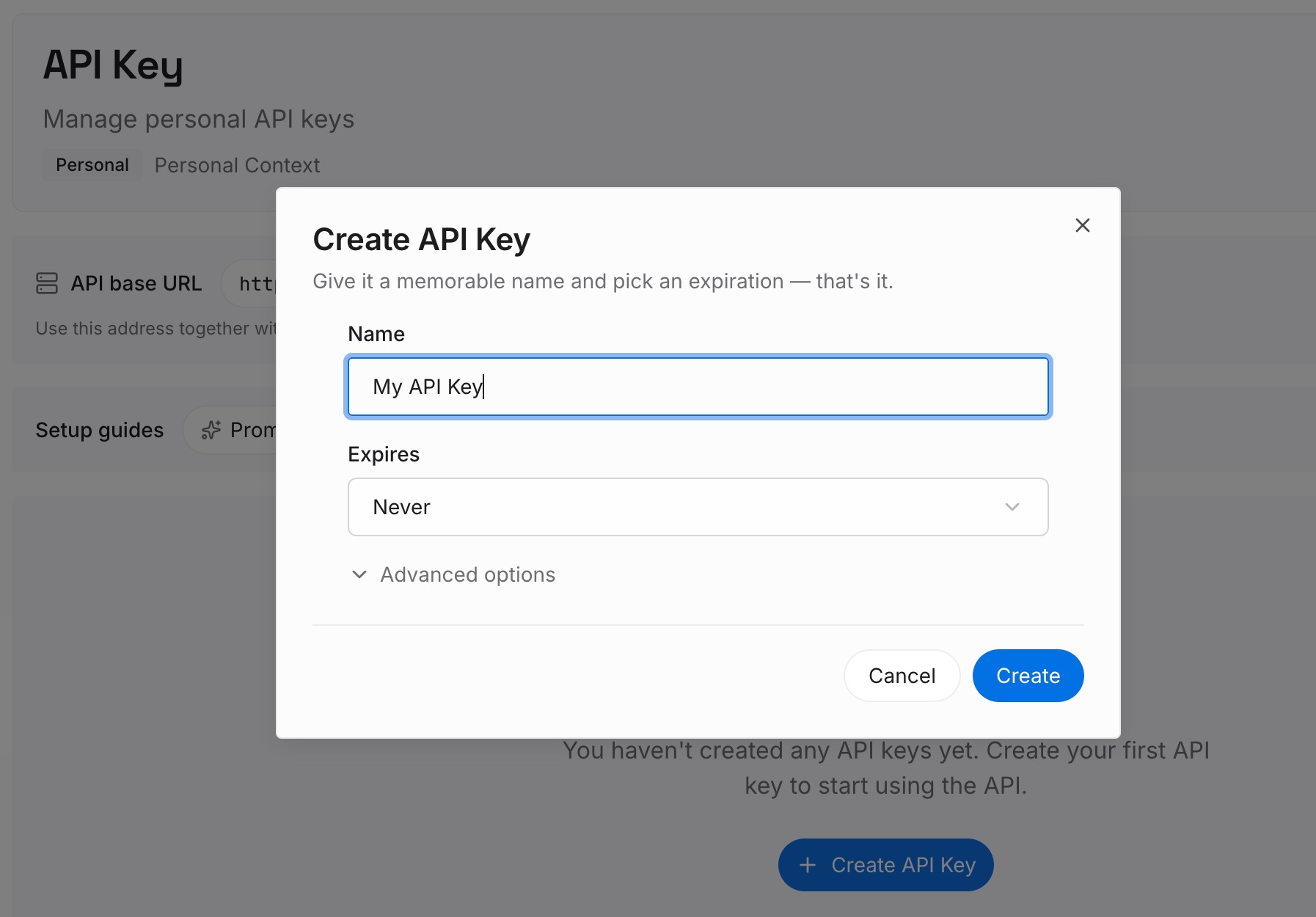
Step 1: Create an API key
Sign in and generate a key from the dashboard. Store it outside your repositories, like any other credential.
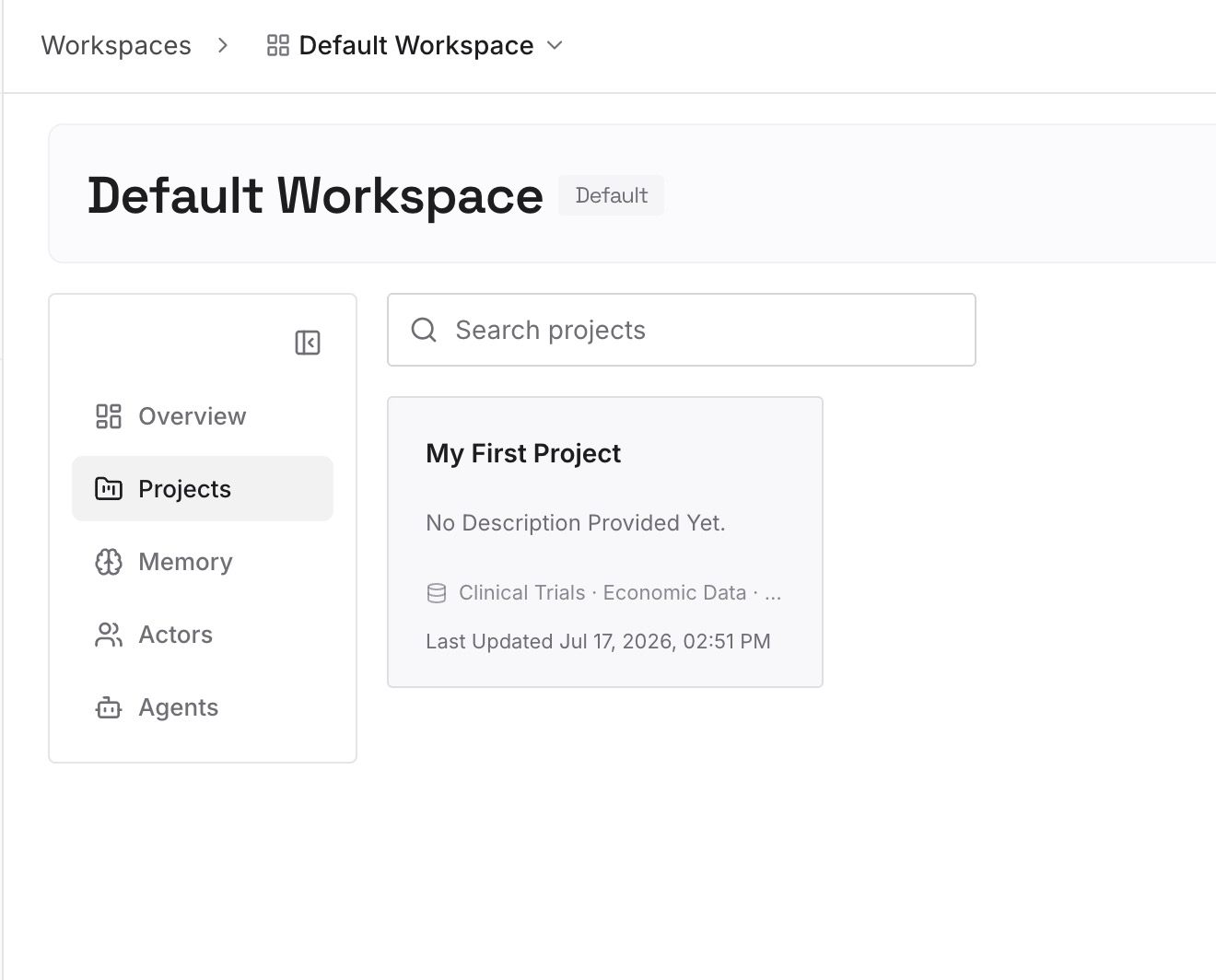
Step 2: Upload your first memories
Start with what you wrote in Step 4 of the fix: the decisions behind your conventions, grouped by package. One decision per entry, with its owner.
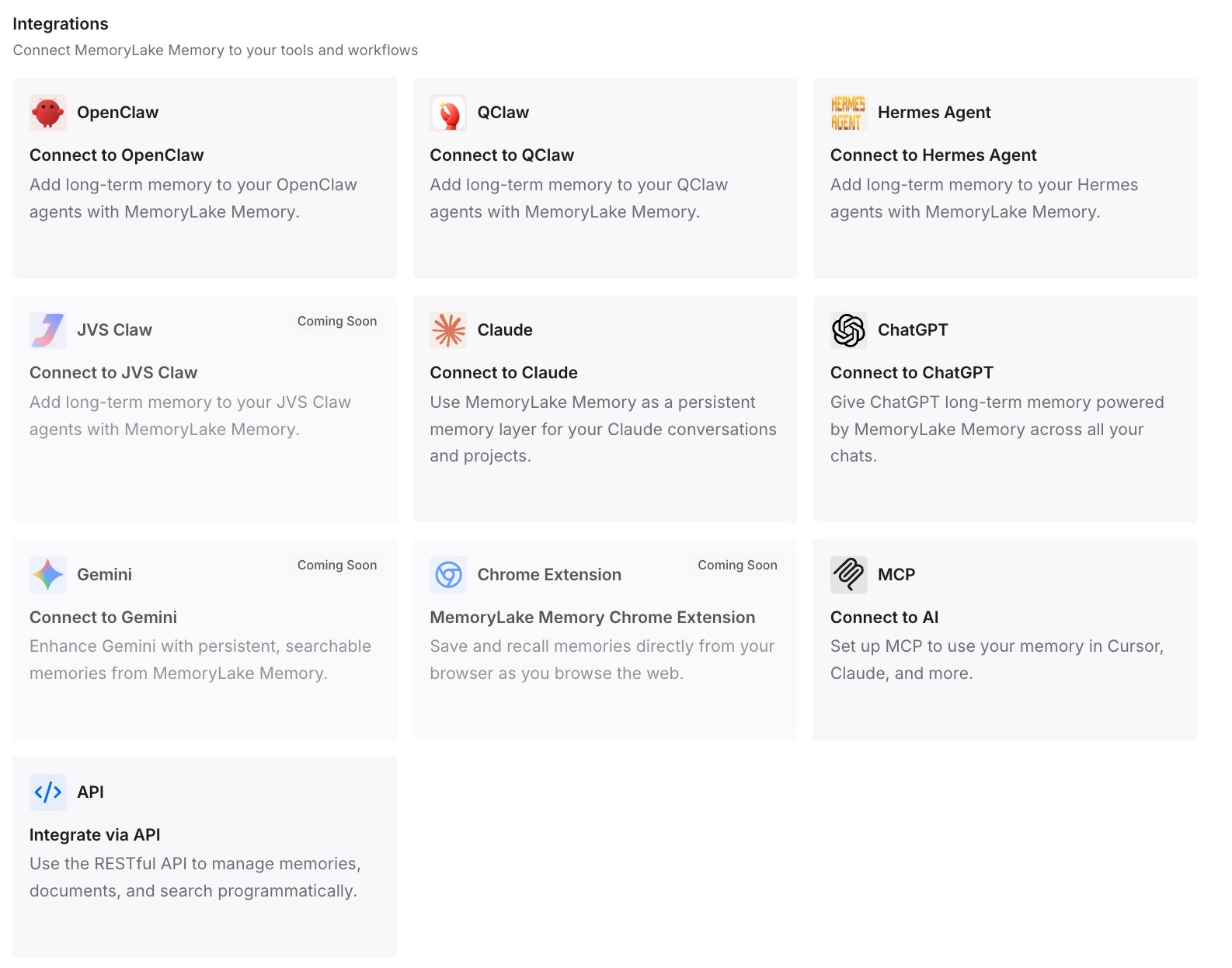
Step 3: Connect your AI & agents
Connect Claude Code, Codex, and the other assistants you use. Each can draw on the same decisions, whichever package a session starts in.
What this changes in practice
The first difference is smaller instruction files. CLAUDE.md can stay about what to do, with the reasoning kept elsewhere.
The second is easier onboarding. A new teammate can read why a package works the way it does.
The third is consistency across tools. Codex working in the same repository can use the same decisions.
Best practices for Claude Code in a large codebase
Start where the work is. It decides which CLAUDE.md files load.
Layer instructions by directory. Root for everywhere, packages for their own stack.
Check what loaded. Use /context all.
Exclude what you never touch. claudeMdExcludes is static, so set it once.
Deny reads of generated code. And remember subprocesses aren't covered.
Keep skill descriptions short. Lead with the words a request would contain.
Move growing conventions to skills or plugins. Load them on demand.
Conclusion
Claude Code loads CLAUDE.md files based on where you start it: the root file only from the root, or a package's file plus every ancestor's from a subdirectory, with other files loading on demand. Anthropic's guide for large codebases recommends layering instructions by directory, excluding files you never work in with claudeMdExcludes, blocking reads of generated code, and scoping skills to the packages they serve.
When per-directory files stop scaling, the guide suggests moving conventions into skills, plugins, or MCP servers that load on demand. Keep the decisions behind those conventions somewhere you maintain, so they don't drift with the files.