
What /loop does
Anthropic's scheduling documentation introduces the feature this way: "Session-scoped scheduled tasks let Claude re-run a prompt automatically on an interval within a Claude Code session."
It lists typical uses: "poll a deployment, babysit a PR, check back on a long-running build, or remind yourself to do something later in the session."
/loop is the quickest way to set one up. The documentation calls it a bundled skill and says: "Both the interval and the prompt are optional, and what you provide determines how the loop behaves."
Because the loop runs inside your session, it works with that session's setup. In Anthropic's comparison table, a /loop task inherits its MCP servers and its permission behavior from the session, has access to local files, and needs your machine on and the session open.
Three ways to start a loop
What you type decides which kind of loop you get.
An interval and a prompt. /loop 5m check the deploy runs your prompt on a fixed schedule.
A prompt only. /loop check the deploy runs your prompt at an interval Claude chooses each time.
Nothing, or an interval only. A bare /loop runs a built-in maintenance prompt, or your own loop.md if one exists.
You can also pass a skill as the prompt, such as /loop 20m /review-pr 1234, to re-run that skill on each iteration. There's a limit: a scheduled run only executes skills Claude is allowed to invoke on its own. Built-in commands such as /clear or /model reach Claude as plain text instead.
How intervals work
With a fixed interval, Claude turns it into a cron expression, schedules the job, and confirms the cadence and job ID. The interval can come first, as in 30m, or at the end, as in every 2 hours. Supported units are seconds, minutes, hours, and days.
Cron has one-minute granularity, so seconds are rounded up to the nearest minute. Intervals that don't fit a clean cron step, such as 7m or 90m, are rounded, and Claude tells you what it picked.
Without an interval, Claude sets the pace itself. The documentation explains: "After each iteration it picks a delay between one minute and one hour based on what it observed: short waits while a build is finishing or a PR is active, longer waits when nothing is pending." It prints the chosen delay and the reason at the end of each iteration.
Timing isn't exact. To avoid many sessions calling the API at once, Claude Code shifts each task's run time. Recurring tasks run late by up to half the gap to the next run, capped at 30 minutes, except tasks that run every five minutes. The documentation notes that /loop 5m creates exactly that five-minute schedule.
A scheduled prompt also waits its turn. The documentation says it "fires between your turns, not while Claude is mid-response."
The built-in prompt and loop.md
A bare /loop doesn't do nothing. Claude uses a built-in maintenance prompt, working through these in order:
- continue any unfinished work from the conversation
- tend to the current branch's pull request: review comments, failed CI runs, merge conflicts
- run cleanup passes such as bug hunts or simplification when nothing else is pending
Each run still goes through your session's permission checks before it pushes or deletes anything.
You can replace that prompt with your own. A loop.md file holds standing instructions for bare /loop. Claude checks two places and uses the first it finds: .claude/loop.md in the project, then ~/.claude/loop.md for your user account. The project file wins when both exist.
The documentation says to write it "as if you were typing the /loop prompt directly." Three details matter:
- It's one default prompt, "not a list of separate scheduled tasks".
- Claude Code ignores it whenever you type a prompt after
/loop. - "Edits to
loop.mdtake effect on the next iteration," so you can refine it while a loop runs.
Keep it short. The documentation says content beyond 25,000 bytes is truncated.
How to stop a loop
How you stop a loop depends on how it was started.
A self-paced loop, where Claude chooses the interval, stops when you press Esc on an empty prompt while it's waiting. You can also use Ctrl+C while Claude is idle. A Pending wakeup cancelled notice confirms it. Claude can also end a self-paced loop on its own once the task is complete.
A fixed-interval loop doesn't respond to those keys. The documentation is explicit: "Esc and Ctrl+C don't stop it". Ask Claude to cancel it instead, for example by saying cancel the deploy check loop.
You can also ask what's running. Each scheduled task has an 8-character ID, and a session can hold up to 50 at once.
One-time reminders and checking your tasks
Not everything needs to repeat. For a single reminder, the documentation suggests describing it in plain language instead of using /loop, for example asking Claude to remind you at 3pm to push the release branch. Claude schedules "a single-fire task that deletes itself after running."
One-shot tasks have their own timing quirk. A task scheduled for the hour or the half hour "runs up to 90 seconds early." If the exact minute matters, the documentation suggests scheduling off the hour, such as 9:03 instead of 9:00.
To see what's scheduled, ask Claude what scheduled tasks you have. Behind the scenes it uses three tools: CronCreate to schedule, CronList to list tasks with their next run times, and CronDelete to cancel one by ID.
The seven-day limit
Loops don't run forever. The documentation says: "Recurring tasks automatically expire 7 days after creation. The task fires one final time, then deletes itself."
It gives the reason: "This bounds how long a forgotten loop can run." For anything longer, Anthropic points to cloud scheduled tasks or Desktop scheduled tasks.
What happens when the session ends
This part explains the missing loop in the example.
The documentation's first limitation is: "Tasks only fire while Claude Code is running and idle. Closing the terminal or letting the session exit stops them firing." Sending the session to the background is different: it carries /loop tasks over to a background session that keeps running.
Missed runs aren't made up. If a run comes due while Claude is busy, "it fires once when Claude becomes idle, not once per missed interval."
When you resume with claude --resume or claude --continue, Claude Code restores tasks that were scheduled with a fixed schedule, except recurring tasks that have expired and one-shot tasks whose time has passed. But one kind doesn't come back. The documentation says: "A self-paced /loop isn't restored either. To restart a loop that didn't come back, run /loop again."
A restored task also skips what it missed. Its next run is the first one due after you resume.
That's what happened the next morning in the example. A new session doesn't load yesterday's loop, and a self-paced loop isn't restored even when you resume.
How /loop compares with /goal and other schedules
/loop repeats on time. /goal keeps working toward a condition. The documentation points to /goal for "Keeping the session working turn after turn toward a condition rather than on an interval". We covered how /goal decides it's done in our guide to Claude Code's /goal.
For scheduling outside a session, Claude Code has two other options:
- Cloud scheduled tasks run in the cloud without your machine, starting from a fresh clone.
- Desktop scheduled tasks run on your machine without an open session.
Anthropic's own summary: "Use /loop for quick polling during a session." We looked at what each kind of scheduled run starts with in our guide to whether Claude Code routines carry anything between runs.
What people try first
Running /loop overnight. It needs the session open and the machine on, and it expires after seven days.
Pressing Esc to stop a fixed-interval loop. Ask Claude to cancel it instead.
Expecting a self-paced loop after resuming. It isn't restored. Run /loop again.
Writing several tasks in loop.md. It's one default prompt. Use /loop with a prompt for others.
Expecting missed runs to catch up. A busy session fires once, not once per missed interval.
The Fix: Use /loop for what it's built for
Step 1: Pick fixed or self-paced
Give an interval when timing matters. Leave it out when you want Claude to slow down once things go quiet.
Step 2: Put standing instructions in loop.md
Write the checks you repeat often in .claude/loop.md, so a bare /loop runs them.
Step 3: Move long-running work to a durable schedule
Use cloud or Desktop scheduled tasks for anything that has to outlast the session.
Step 4: Write down what each loop found
Record the fixes, failures, and decisions from a loop before the session ends.
Setting this up in MemoryLake
A loop's work lives in the session that ran it. When the session ends, or the loop expires, the useful part, such as which check kept failing or why a fix was needed, is only in that transcript.
MemoryLake is a memory layer for that kind of context, kept in one place you maintain and available to the assistants you connect, such as ChatGPT, Claude Code, and Codex.
You write the entries yourself, in your own words. Nothing is read out of, written to, or deleted from your Claude Code sessions, your scheduled tasks, your loop.md, your CLAUDE.md files, or any vendor's store. /loop works the way Anthropic describes it.
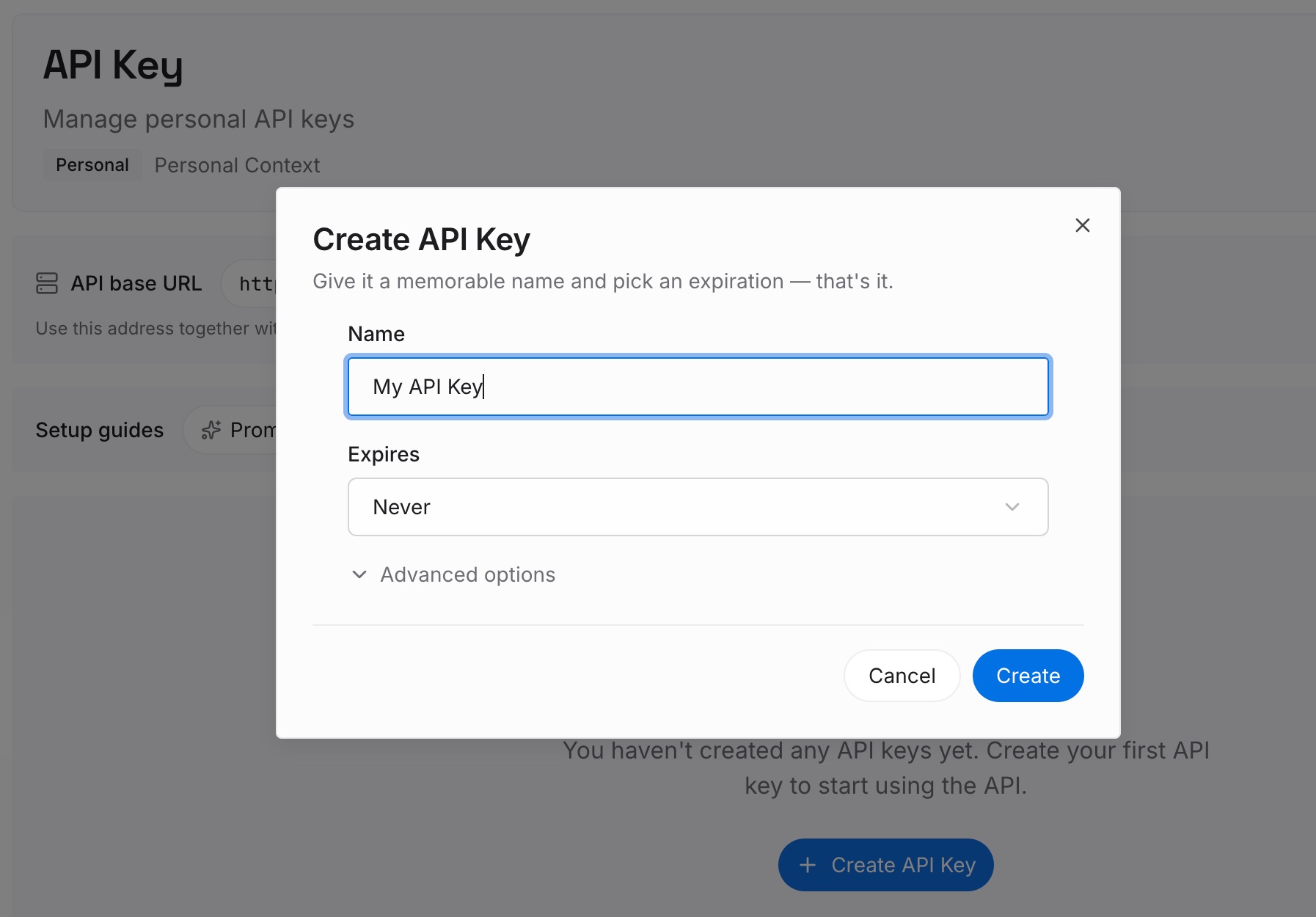
Step 1: Create an API key
Sign in and generate a key from the dashboard. Store it outside your repositories, like any other credential.
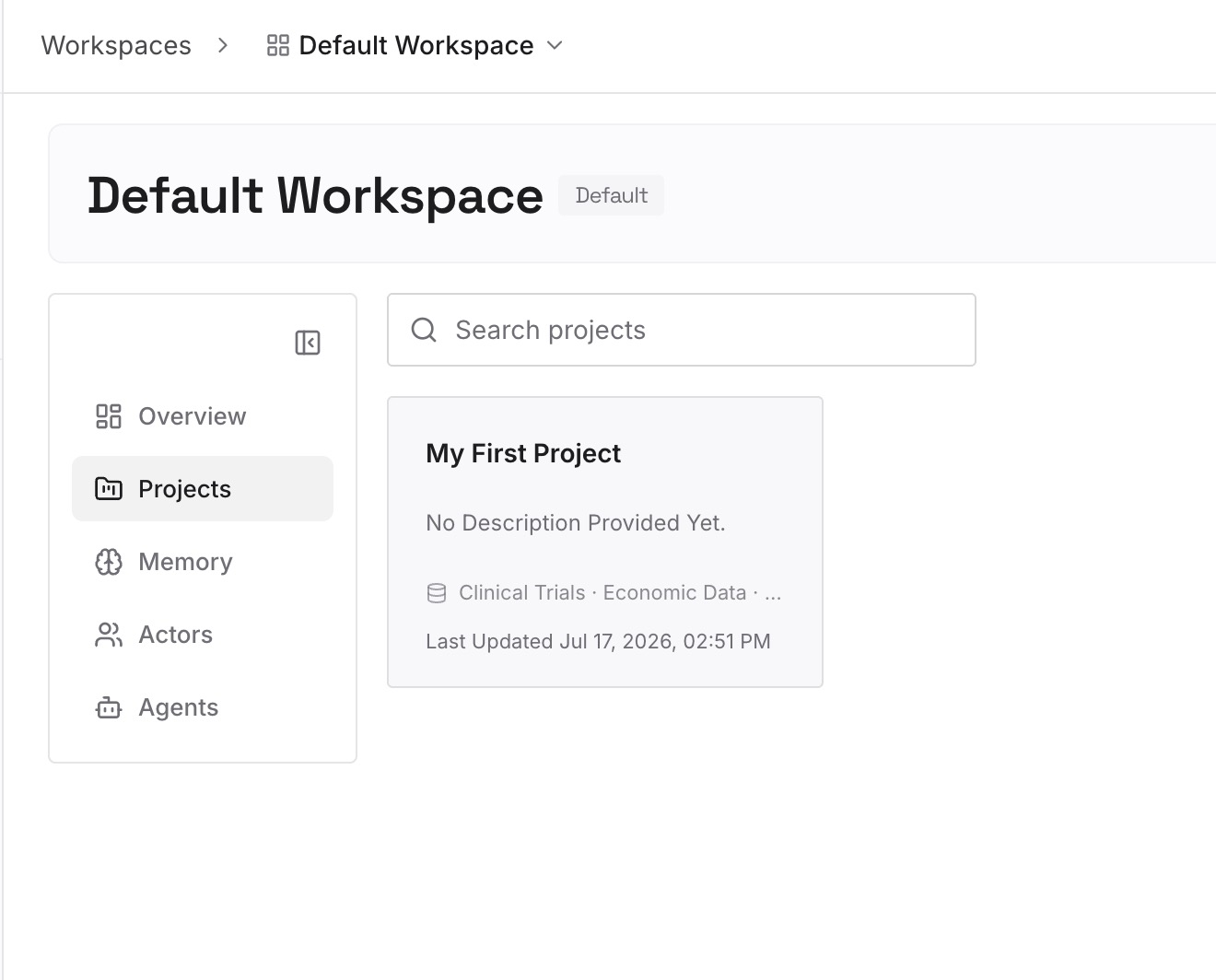
Step 2: Upload your first memories
Start with what you wrote in Step 4 of the fix: what each loop found and decided. One finding per entry.
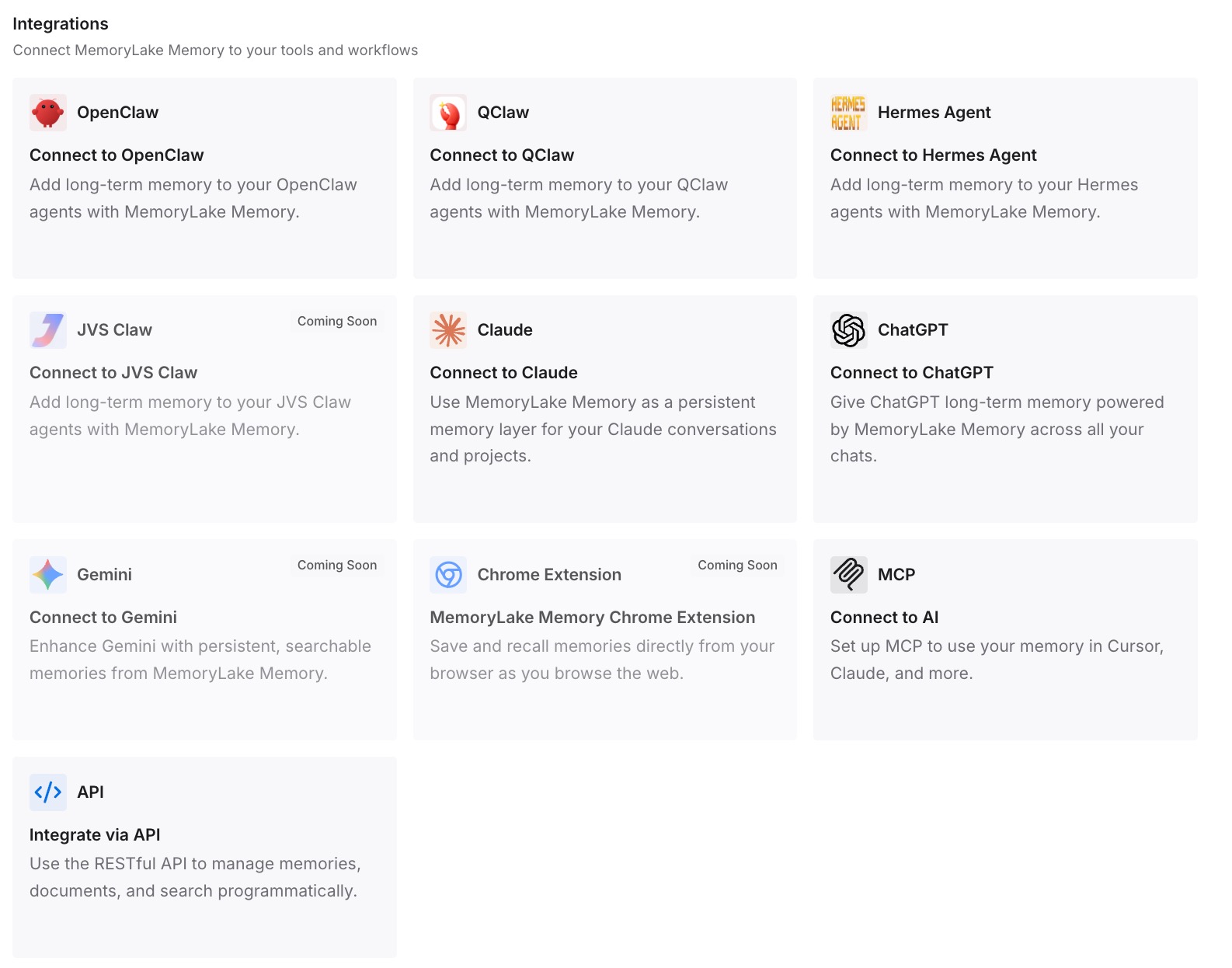
Step 3: Connect your AI & agents
Connect Claude Code, Codex, and the other assistants you use, so the next session starts with what the last loop learned.
What this changes in practice
The first difference is continuity. A finding from yesterday's loop is there today.
The second is fewer repeated fixes. Knowing why a check failed last time can shorten the next investigation.
The third is portability. The same notes are available in other tools and on other machines.
Best practices for /loop in Claude Code
Use it for polling. It's built for checks during a session.
Keep loop.md concise. Content beyond 25,000 bytes is truncated.
Know how to stop each kind. Esc works for self-paced loops, not fixed ones.
Restart after resuming. Self-paced loops don't come back on their own.
Expect some delay. Recurring runs can start late by design.
Plan for the seven-day limit. Recreate a loop or move it to a durable schedule.
Conclusion
/loop re-runs a prompt inside a Claude Code session, on a fixed interval or at a pace Claude chooses. A bare /loop runs a built-in maintenance prompt or your loop.md, which applies from the next iteration when you edit it. Fixed-interval loops stop when you ask Claude to cancel them, and self-paced loops stop with Esc.
Loops depend on the session. They stop firing when the session exits, don't catch up on missed runs, and expire after seven days. Resuming restores fixed schedules but not self-paced loops. For longer or unattended work, cloud and Desktop scheduled tasks are the durable options, and writing down what a loop found keeps it after the session ends.