
How Claude Code looks up a session ID
Sessions are stored per project. Anthropic's sessions documentation says Claude Code keeps transcripts "as JSONL at ~/.claude/projects/<project>/<session-id>.jsonl, where <project> is your working directory path with non-alphanumeric characters replaced by -."
When you resume by ID, Claude Code searches in a fixed order:
- The current project directory and its git worktrees
- Every other project on this machine
Anthropic adds a condition to the second step: "The cross-project search resolves the ID only when exactly one other project holds a transcript with messages for it, so a hand-copied duplicate makes Claude Code report not-found rather than resume an arbitrary copy."
Version matters here. The error reference notes: "Before v2.1.223, the lookup stopped at the current project directory and its git worktrees, so resume from the directory the session last worked in." On an older version, running the command from a different folder is enough to produce the error.
Cause 1: The ID is wrong
The simplest cause is a mistyped or wrong ID. For sessions you started interactively, the ID shows in Claude Code. For non-interactive runs, Anthropic says "the ID is the session_id field of the --output-format json output".
Two details make IDs easy to get wrong:
- Display names aren't IDs. Sessions you don't name get a default display name, such as a folder name with a short suffix. Anthropic says: "The default isn't a resume handle. If you pass it to
claude --resumeor/resume, Claude Code doesn't find the session." - Generated titles work, but only as names. "Only the generated title works as a resume handle". Resuming by name resolves across the current repository and its worktrees, not every project on the machine.
Cause 2: The transcript was deleted after 30 days
This cause is easy to miss because the cleanup is silent. The error reference lists it plainly: "Claude Code removes transcripts after the retention period, 30 days by default, following the retention sweep rules".
The setting that controls it is cleanupPeriodDays. Anthropic's settings reference describes what it does: Claude Code keeps "session transcripts and other application data" for that many days, and "The sweep deletes transcripts without showing a message". Its default is 30, and the minimum is 1.
So a session you last touched more than a month ago may simply be gone. There's no message when it happens, so this error can be the first sign.
Two related points:
- Desktop and Cowork sessions are handled differently. By default, Claude Code keeps transcripts of sessions you started or most recently continued in Claude Desktop or Cowork past this period, and a separate setting,
desktopSessionCleanupPeriodDays, can give them an age limit. - You can keep transcripts longer. Setting
0fails validation, so Anthropic suggests "a large value such as3650for long retention."
Raising the value only protects transcripts that still exist. Once the sweep has deleted one, the change doesn't bring it back.
Cause 3: The session ran on another machine
Transcripts don't sync. The error reference says: "Claude Code stores transcripts locally, so resume the session on the machine where it ran".
If you started a session on a work laptop and try to resume it on a desktop, there's nothing to find. The fix is to resume it where it ran. If you regularly move work between machines, our guide to finding, resuming, and deleting Claude Code session history covers where history lives on each one.
Cause 4: Two copies carry the same ID
If you copied a project folder under ~/.claude/projects, two transcripts can end up with the same ID. Anthropic says that in this case "Claude Code reports this message rather than resume one copy arbitrarily".
The fix is to remove or rename the duplicate copy so only one transcript holds that ID, then resume again.
Sessions that never appear in the picker
Some sessions are left out of the session picker by design, which can look like they're missing:
-pand Agent SDK sessions. "Claude Code leaves sessions created withclaude -por the Agent SDK out of the session picker and out ofclaude --continue." You can still resume one by passing its session ID./loopsessions. Sessions whose first prompt was a/loopcommand don't appear in the picker, andclaude --continueskips them too.- Running background sessions.
claude --continueopens a finished background session, but not one still running. In that case Claude Code exits and tells you the session is running in the background, with its ID.
For -p and SDK runs, the error reference's advice is to "re-check the ID against the session_id your original run printed".
How to search every project on this machine
For an interactive session, the session picker can look further than the current folder. Anthropic's sessions documentation explains what it shows by default: sessions from the current worktree, including background sessions, and sessions that added the current directory with /add-dir.
To widen it:
- "Use
Ctrl+Wto widen to all worktrees of the repository orCtrl+Ato widen to every project on this machine."
So the documented fix for the error, for an interactive session, is to "open the session picker with claude --resume and press Ctrl+A to widen it to every project on this machine, then select the session".
When you pick a session from an unrelated project, Claude Code doesn't move it. It "copies a cd and resume command to your clipboard instead." If that project's directory no longer exists, it resumes the session in your current directory.
Similar messages that mean something else
A few nearby errors look similar but have different causes.
Failed to resume the conversation. This means Claude Code found the session but "couldn't read or process the saved transcript". It exits rather than continue in a partially loaded state, and the message includes a retry command. Anthropic's steps: retry with the session ID; on a version before v2.1.285, update and resume again, since "Those versions fail the resume when the saved transcript contains an entry they can't read"; and if it still fails, start a new session.
The saved conversation is no longer on disk. This one is for background sessions. It appears when a session "ended while the background service was off, and transcript cleanup has since removed its saved conversation, for example after the machine was off for weeks." Claude Code refuses rather than re-run the session's original prompt. You can delete the row with claude rm, or run the original prompt again as a fresh conversation with claude respawn.
The session has no saved transcript. This appears when you attach to a session you moved to the background that "stopped before it ran a turn of its own." If it was backgrounded from another conversation, Anthropic notes that conversation is still intact.
What a transcript holds, and what it doesn't
When resume works, you get the conversation back. A transcript includes "messages, tool calls, and tool results," according to Anthropic's directory reference. That's why losing one hurts: it's the full working record of a session. For a closer look at what's in it, see our guide to what transcript view shows in Claude Code.
But a transcript is a file on one machine, with a 30-day default lifetime. The parts of a session that matter beyond that session, such as the decision you reached, the approach you rejected, or the cause of a bug you tracked down, are only safe if they're written somewhere else too.
What people try first
Pasting the display name. The default display name isn't a resume handle.
Running the command from a different folder on an old version. Before v2.1.223, the lookup didn't search other projects.
Looking for a month-old session. Transcripts are removed after 30 days by default, without a message.
Resuming on a different machine. Transcripts are stored locally.
Copying the project folder as a backup. Duplicate IDs make Claude Code report not-found.
The Fix: Find the session or recover what mattered
Step 1: Check the ID
Use the ID Claude Code showed, or the session_id from a -p run's JSON output, not the display name.
Step 2: Widen the picker
Run claude --resume and press Ctrl+A to search every project on this machine.
Step 3: Check the machine and the age
Resume on the machine where the session ran. If it's older than your cleanupPeriodDays, assume the transcript is gone.
Step 4: Raise retention if you need older sessions
Set cleanupPeriodDays to a larger number in your settings to keep future transcripts longer.
Step 5: Write down what you can't afford to lose
After an important session, record the decisions and findings outside the transcript.
Setting this up in MemoryLake
A transcript is the full record of a session, kept on one machine for 30 days by default. The few things from it you'll need next month, such as a decision, a root cause, or a convention you agreed on, are worth writing down somewhere that doesn't age out.
MemoryLake is a memory layer for that kind of project context, such as decisions, findings, and conventions, kept in one place you maintain and available to the assistants you connect, such as ChatGPT, Claude Code, and Codex.
You write the entries yourself, in your own words. Nothing is read out of, written to, or deleted from your session transcripts, your ~/.claude folder, your session picker, your CLAUDE.md files, your auto memory, or any vendor's store. Resume, retention, and cleanup work the way Anthropic describes them.
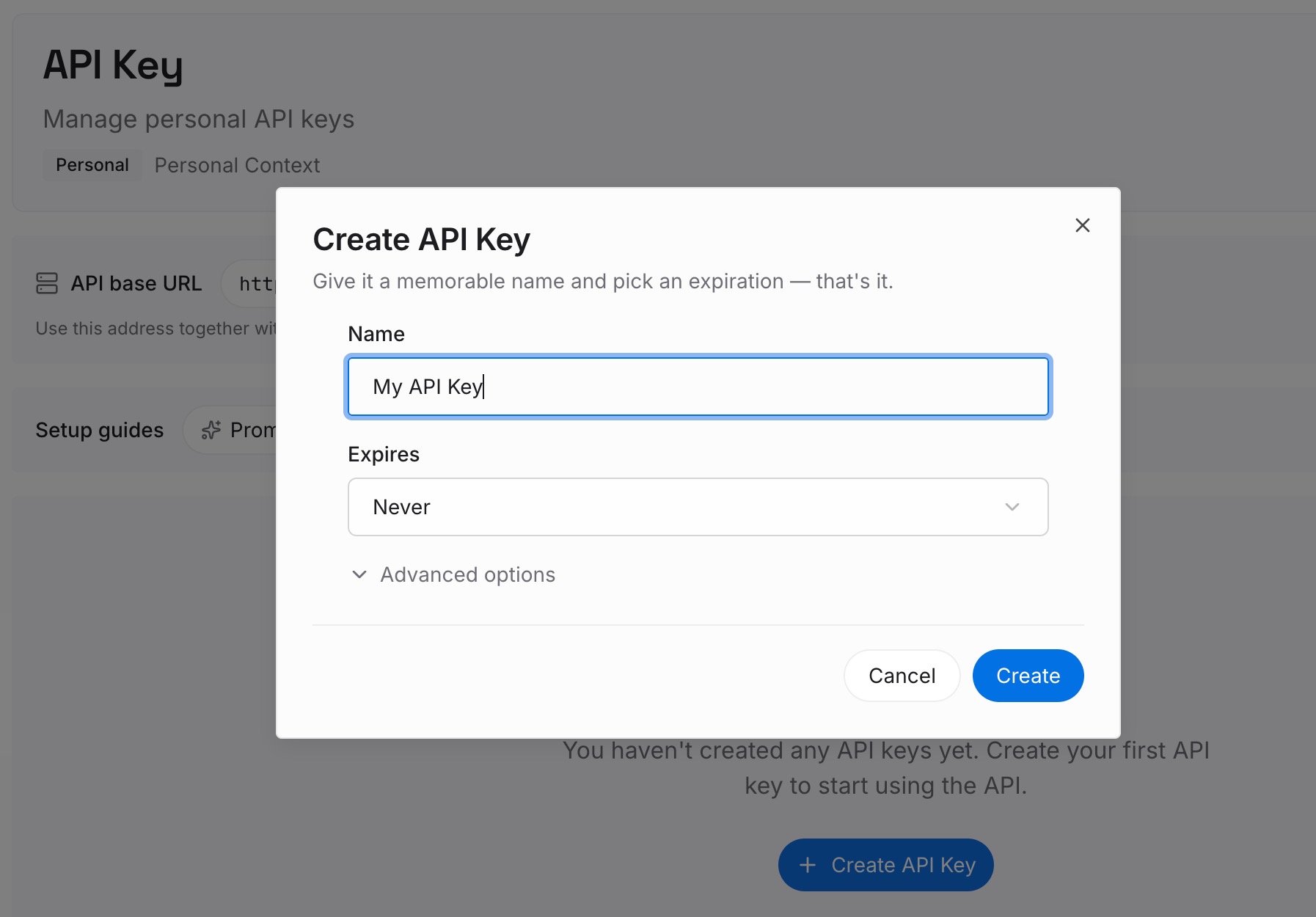
Step 1: Create an API key
Sign in and generate a key from the dashboard. Store it outside your repositories, like any other credential.
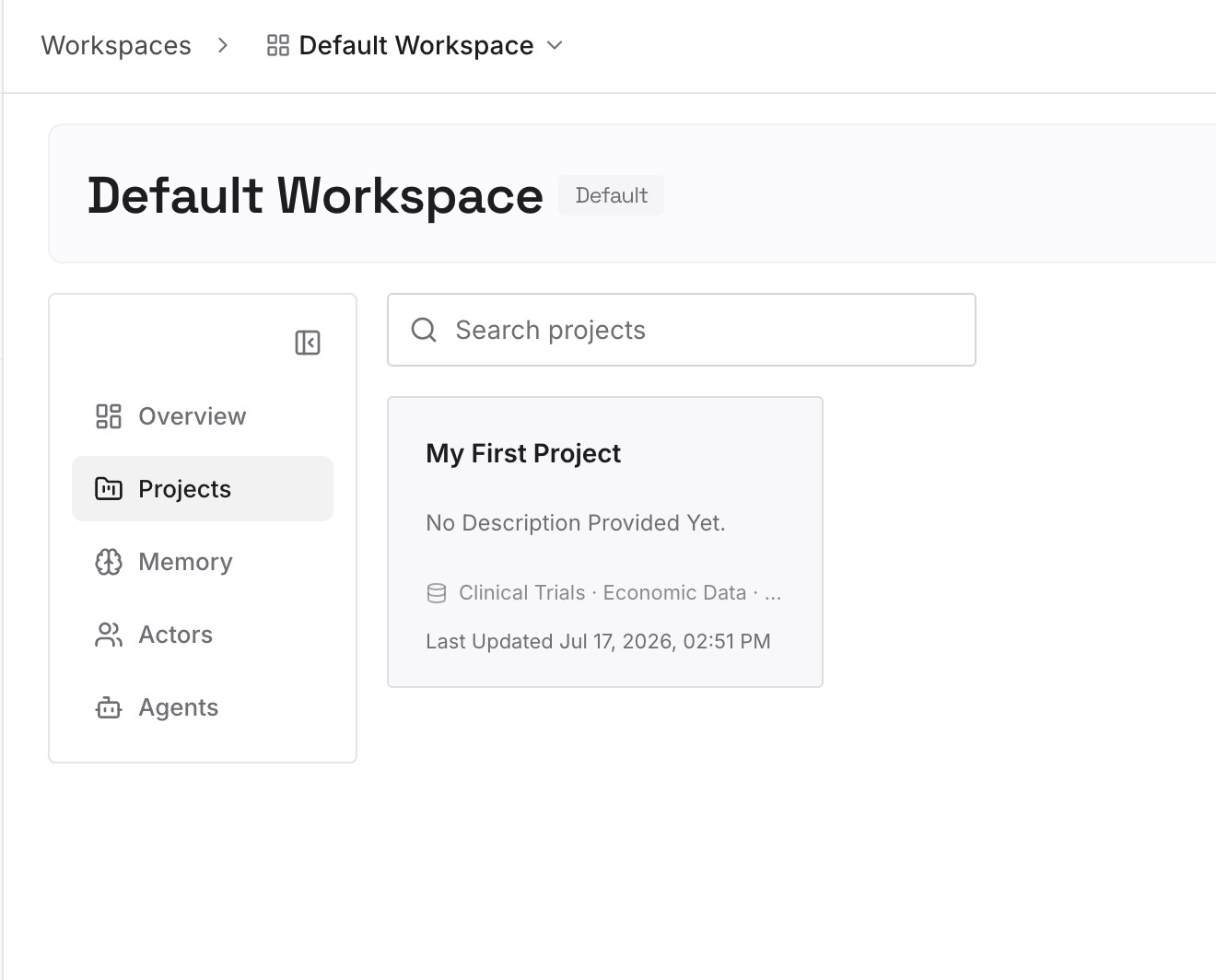
Step 2: Upload your first memories
Start with what you wrote in Step 5 of the fix: the decisions, root causes, and conventions from sessions that mattered. One item per entry.
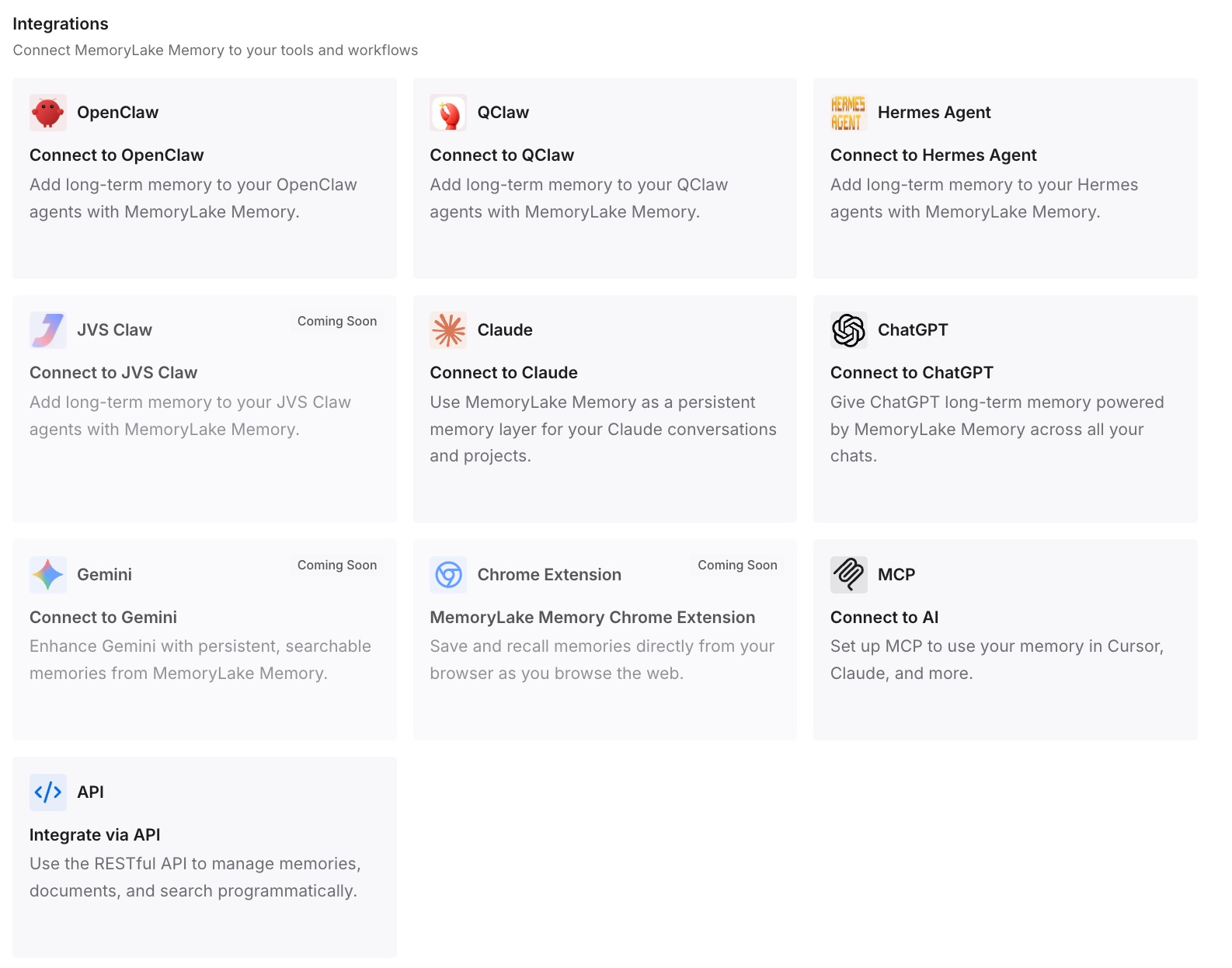
Step 3: Connect your AI & agents
Connect Claude Code and any other assistants you use. A new session, on any machine, can draw on the same entries.
What this changes in practice
The first difference is less riding on a resume. If a transcript is gone, the conclusions aren't.
The second is the same context on every machine. Entries aren't tied to the folder where a session ran.
The third is no retention race. What you wrote doesn't depend on cleanupPeriodDays.
Best practices for resuming Claude Code sessions
Name important sessions. Use claude -n or /rename, and resume by name.
Keep the real session ID. Display names don't work as resume handles.
Use Ctrl+A in the picker. It searches every project on the machine.
Know your retention. Transcripts are removed after 30 days by default.
Don't duplicate project folders. Two copies with one ID make resume report not-found.
Update before retrying a failed resume. Older versions fail on entries they can't read.
Write down the outcome. The transcript isn't the only record you should have.
Conclusion
Claude Code shows the no-conversation-found error when you pass a session ID to claude --resume and no saved transcript matches it. It searches the current project first, then every other project on the machine, on v2.1.223 and later. The documented causes are a mistyped ID, a transcript deleted after the 30-day default retention, a session that ran on another machine, and duplicate copies carrying the same ID.
To recover, check the ID, open the picker with claude --resume and press Ctrl+A, and resume on the machine where the session ran. If the transcript aged out, it's gone, so raise cleanupPeriodDays for the future and keep the decisions from important sessions written down outside the transcript.