
How plan mode uses a file
Anthropic describes plan mode in one line: it "tells Claude to research and propose changes without making them." Claude reads files, runs commands to explore, and writes a plan, but doesn't edit your source until you approve it.
The plan is written to disk before Claude asks for approval. Anthropic's hooks reference says so directly: "Claude writes the plan to a file on disk before calling the tool". When a hook inspects that approval step, Claude Code passes it two fields: plan, the plan's Markdown, "Injected from the plan file on disk", and planFilePath, the path to the file.
So the file is the source of truth. What you see in the conversation is the plan as Claude presented it; what's on disk is the plan Claude Code reads back later.
Where the file is and what it's called
The default location is ~/.claude/plans/. Anthropic's .claude directory guide lists that folder as holding "Plan files written during plan mode". If you set CLAUDE_CONFIG_DIR to move Claude Code's home directory, the plans folder moves with it.
The names follow your prompt. A Claude Code release note says: "Plan files are now named after your prompt (e.g. fix-auth-race-snug-otter.md) instead of purely random words". So a plan for fixing an auth race gets a name that starts with those words, followed by random words, as in Anthropic's example.
Every project's plans go to the same default folder. If you work on several repositories, ~/.claude/plans/ holds plans from all of them side by side.
How to open and edit a plan
You don't have to find the file by hand to change it.
- In the terminal: when the plan is ready, "Press
Ctrl+Gto open the proposed plan in your default text editor and edit it directly before Claude proceeds." - In VS Code: the extension opens the plan as a full Markdown document where you can add inline comments. Typing
/planwhile already in plan mode shows the current plan, and/plan openopens the plan file in the editor. - In the approval menu: choose to keep planning and tell Claude what to change.
Because the file is what Claude Code reads back, editing it changes the plan Claude works from.
What happens to the plan after compaction
Long planning sessions fill the context window, and compaction summarizes the conversation to make room. Plans are handled differently from the rest. Anthropic's table of what survives compaction lists "The plan Claude wrote in plan mode" with the result "Re-injected from disk".
That means the plan isn't squeezed into the summary along with everything else. Claude Code reads the file again and puts it back in context. Two practical points follow:
- Your edits to the file count. Whatever is on disk when compaction runs is what comes back.
- The discussion around the plan doesn't get the same treatment. The reasons you gave for rejecting an approach, the tradeoffs you talked through, are part of the conversation, and they're summarized with it. If a reason matters, put it in the plan file.
Our guide to the /context command shows how to see what's filling the window before compaction happens.
What happens after /clear
/clear starts a fresh conversation, and plans follow. A release note describes a fix to exactly this: "Fixed plan files persisting across /clear commands, now ensuring a fresh plan file is used after clearing a conversation".
So after /clear, Claude Code starts a new plan file for the new conversation. The release note doesn't describe deleting the old file; it means the new conversation doesn't pick up the old plan. If you clear and want to keep working from the plan, open it first, or ask Claude to read the old file by path.
The clear-context option on approval
There's one clear that's designed to keep the plan. The showClearContextOnPlanAccept setting adds a first option to the approval menu that "approves the plan, clears the conversation context, and starts implementing from the plan alone." It's off by default. Anthropic's reason for offering it: "Planning can use a lot of context".
That option is the clean way to drop a long exploration and keep only its result.
What happens with /fork, resume, and cloud sessions
Forks get their own plan file. A release note fixed "forked conversations (/fork) sharing the same plan file, which caused plan edits in one fork to overwrite the other". Each fork now plans separately.
Resume restores plan mode. Several fixes concern this, including one for "plan mode not being restored when resuming a session from the claude --resume session picker or with /resume". If a resumed session seems to have left plan mode, check that you're on a recent version.
Cloud sessions keep the file through restarts. Release notes describe fixes for remote sessions losing track of the plan file after a container restart, and for a plan written in plan mode being lost when a cloud session's container restarted before the plan was presented.
How long plan files last
Plan files aren't permanent. Anthropic's list of application data that Claude Code deletes on a schedule includes plans/, along with transcripts and other session files. The rule: "Claude Code deletes the files in the paths below once they're older than cleanupPeriodDays". The default is 30 days.
Anthropic's table of what you lose by deleting application data yourself puts ~/.claude/plans/ among the folders with "Nothing user-facing". In other words, Claude Code treats a plan in the default folder as working material for a session, not as a record.
If you want a plan as a record, it needs to live somewhere else.
How to keep plans in your repo with plansDirectory
The plansDirectory setting moves plan files. "Choose where Claude Code stores the plan files it writes in plan mode. Claude Code resolves the path relative to the project root." Anthropic's example value is ./plans.
Put it in your project's .claude/settings.json, and plans for that project land in a plans/ folder in the repository. The setting can go in any settings file, so you can also set it for yourself only in local settings.
Two cases send plans back to the default folder:
- A path outside the project root, such as
../plans. - A backslash on macOS, Linux, and WSL. Anthropic suggests writing
docs/plansinstead of a Windows-style path; the forward slash works on Windows too.
The automatic cleanup list names the plans/ folder under ~/.claude/; a plans folder inside your repository isn't on that list. Plan mode can also still write there: Anthropic's list of protected paths makes an exception for "The current session's own plan files" in ~/.claude/plans/ or in the plansDirectory you set.
Commit them or ignore them
Once plans are in the repository, decide whether they're shared. Committed plans give reviewers the reasoning behind a change. Ignored plans stay local and aren't on the cleanup list. Either way, they're now files you control. For how Factory handles the same question, see our guide to moving Factory spec plans out of the home directory.
What people try first
Looking for the plan in the project folder. By default it's in ~/.claude/plans/, not the repository.
Expecting /clear to keep the plan. It starts a fresh plan file. Open or save the old one first.
Assuming plans last forever. Files in the default folder are cleaned up with cleanupPeriodDays, 30 days by default.
Setting plansDirectory to a parent folder. Paths outside the project root fall back to the default.
Treating the plan as project memory. A plan belongs to one session. Rules that should apply every time belong in CLAUDE.md or rules files; our guide to Claude Code rules explains the difference.
The Fix: Keep the plan where you can find it
Step 1: Set plansDirectory for the project
Add plansDirectory with a path inside the project, such as ./plans, to the project's settings. New plans for that project land in the repository instead of the home folder.
Step 2: Put the reasons in the plan file
Before you approve, open the plan with Ctrl+G or /plan open and add the decisions and rejected approaches that matter. The file is what comes back after compaction.
Step 3: Move lasting decisions out of the plan
When the work is done, take the decisions that should outlive it, such as a convention you settled or an approach you ruled out, and write them into CLAUDE.md or your own notes. If the implementation went wrong, our guide to /rewind in Claude Code covers undoing the edits.
Setting this up in MemoryLake
A plan file holds the reasoning for one change. Some of that reasoning keeps mattering: why you chose one library, which approach broke last time. Those facts go when a plan in the default folder is cleaned up, and they're not in the next session's plan at all.
MemoryLake is a memory layer for keeping those decisions in one place you maintain, available to the assistants you connect, such as ChatGPT, Claude Code, and Codex.
You write the entries yourself, in your own words. Nothing is read out of, written to, or deleted from your plan files, your Claude Code sessions, your CLAUDE.md files, your auto memory, or any vendor's store. Plan mode and plansDirectory keep working the way Anthropic describes them.
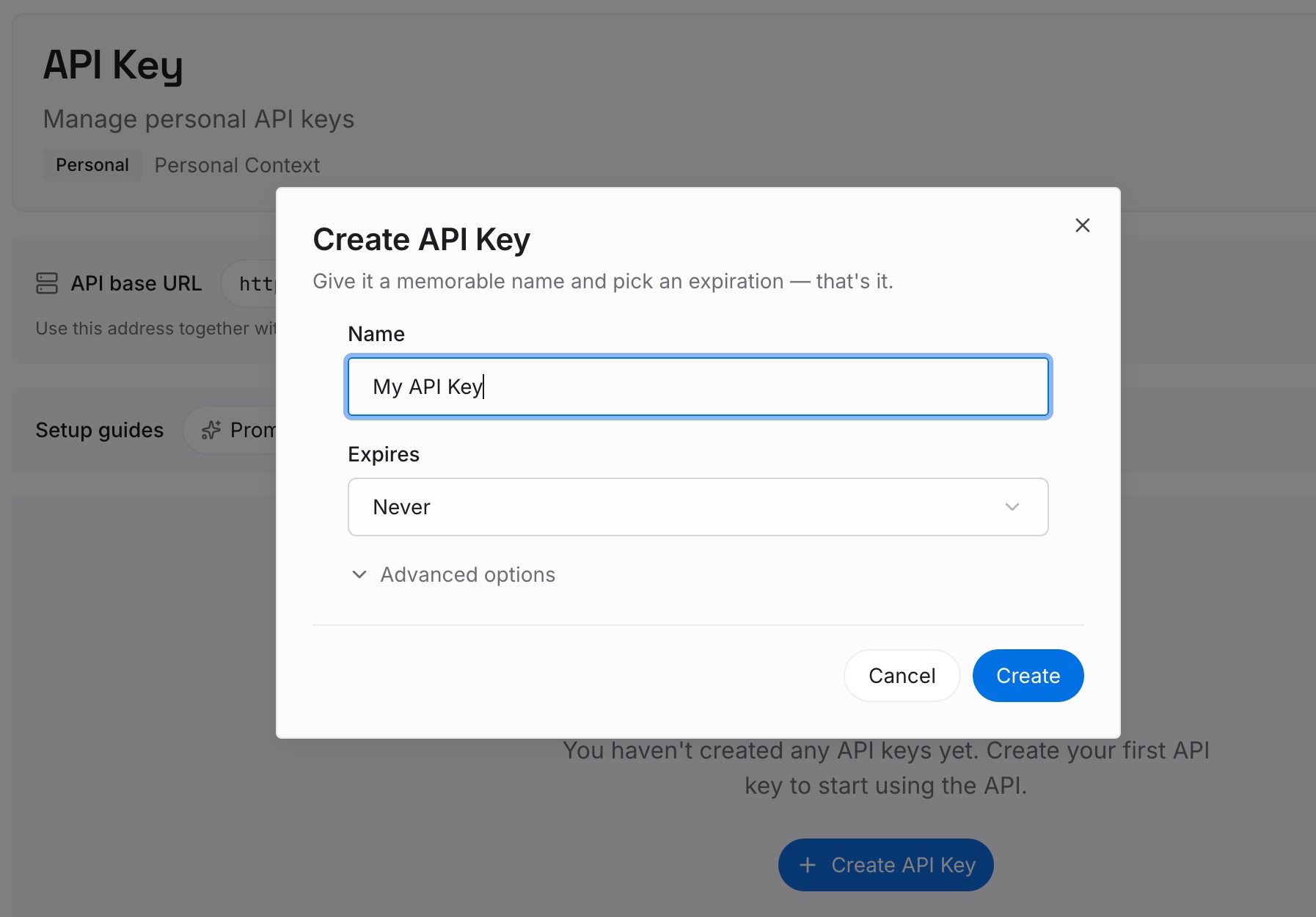
Step 1: Create an API key
Sign in and generate a key from the dashboard. The key belongs to your MemoryLake workspace and is separate from your Claude account.
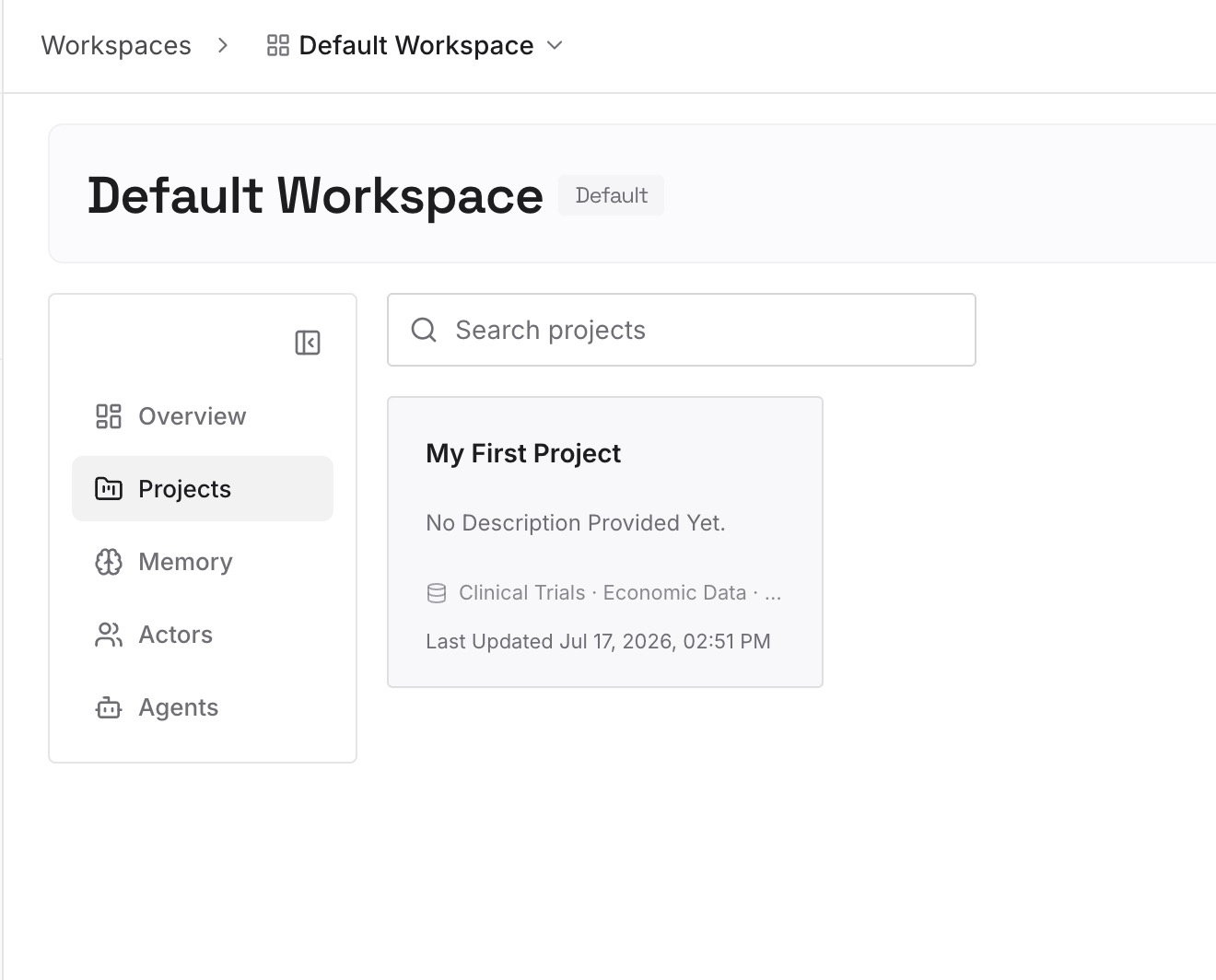
Step 2: Upload your first memories
Start with the decisions from Step 3 of the fix: choices you made and approaches you ruled out, each with a line on why. One point per entry.
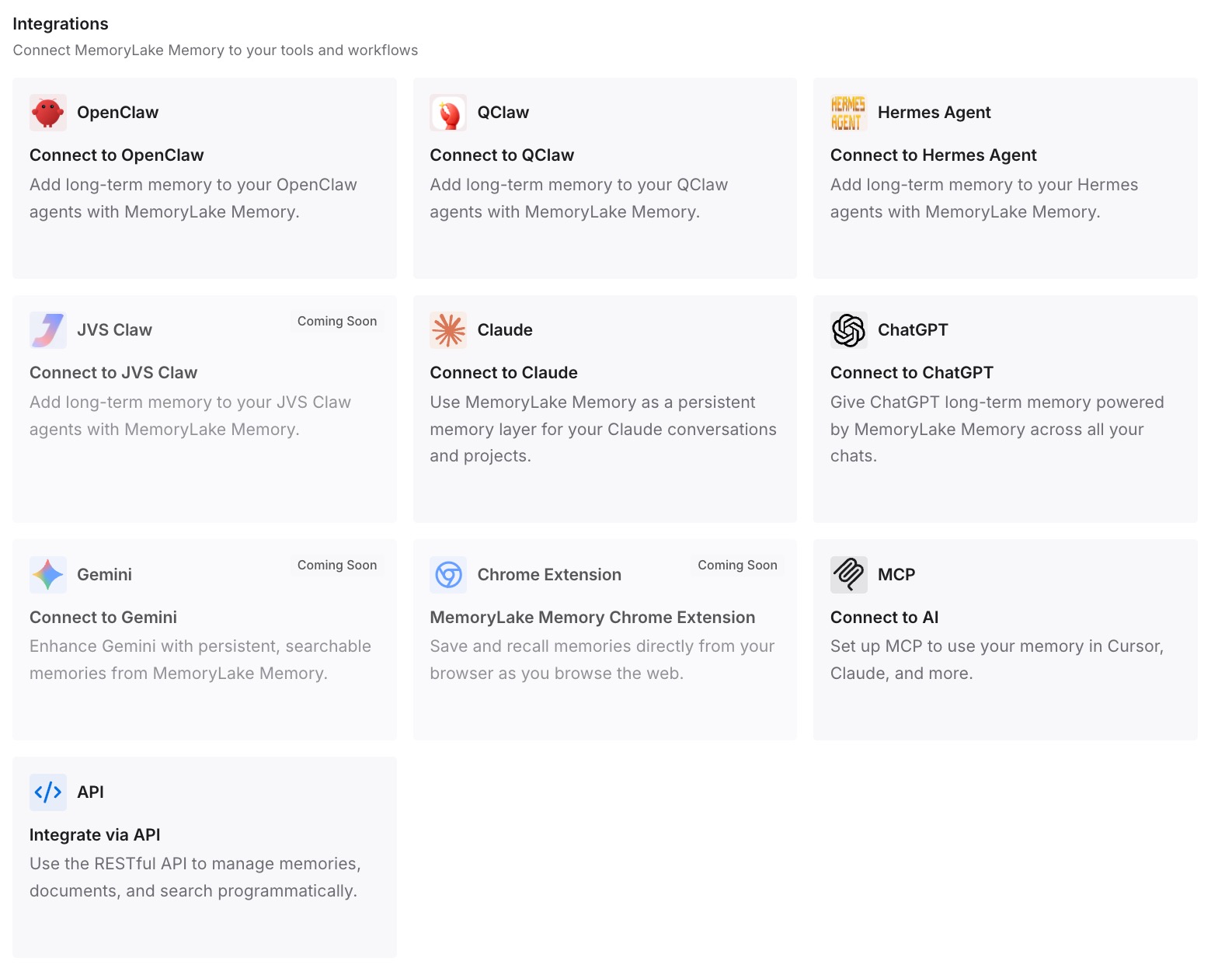
Step 3: Connect your AI & agents
Connect Claude Code and any other assistants you use. The next plan starts with the decisions from the last one available.
What this changes in practice
The first difference is plans you can find. They're in the repository, named after the prompt, and not on the cleanup list.
The second is plans that survive the session. Compaction re-reads the file, and the reasons you added to it come back with it.
The third is fewer repeated arguments. The approach you ruled out last month is written down, so the next plan doesn't propose it again. If you plan with a different model, our guide to switching models mid-session covers what that does to the conversation.
Best practices for Claude Code plan files
Know the default folder. Plans go to ~/.claude/plans/ unless you set plansDirectory.
Set plansDirectory inside the project. Paths outside the root fall back to the default.
Use forward slashes. A backslash sends plans back to the default on macOS and Linux.
Edit the file, not just the chat. The file is what returns after compaction.
Save the plan before /clear. The next conversation gets a fresh plan file.
Mind the 30-day cleanup. It applies to the default plans folder.
Move lasting decisions into CLAUDE.md. A plan belongs to one session.
Conclusion
Claude Code writes every plan to a file before asking for approval, by default in ~/.claude/plans/, named after your prompt. The file is re-injected from disk after compaction, a fresh file is used after /clear, each fork gets its own, and the default folder is cleaned up after 30 days.
To keep plans, set plansDirectory to a folder inside your project. Edit the file to change the plan, put the reasons in it, and move decisions that should outlast the session somewhere they'll be found again.