
Why Claude Code says Prompt is too long
Every request Claude Code sends carries more than your messages. Anthropic's /context breakdown lists the parts: "system prompt, tools, memory files, and messages". Add attached files and pasted text, and the total can exceed what the model accepts.
The forms of the message
The errors reference lists several versions, and each points somewhere different.
The interactive form. In a session, you see Context limit reached · /compact or /clear to continue. Anthropic notes that "The line names only /clear when DISABLE_COMPACT is set." In -p output and in the transcript, the text stays Prompt is too long.
With auto-compact off. If you turned auto-compact off in your user settings, the line says so and ends with auto-compact is off · /config to turn it on.
After a failed compaction. "When automatic compaction ran on this turn and failed on an underlying error, such as an unavailable model or an authentication failure, the message names that error after a separator". The text then reads Prompt is too long · automatic compaction failed: followed by the cause. Anthropic's advice: "Resolve the named error first; /compact fails on the same error until you do."
A single exchange. When the conversation is one prompt and one reply, there's nothing earlier to summarize. Anthropic says "A single-exchange conversation has no earlier turns to summarize", and the message explains what fills the request instead: the conversation's own content, or the system prompt, tool definitions, and attachments.
On Bedrock and gateways
The same condition can arrive in other words. Anthropic notes that "Amazon Bedrock reports this condition as Input is too long for requested model., which Claude Code handles the same way." A Claude apps gateway can report it as capability_rejected: prompt_too_long, and Claude Code treats that token as the same error.
Older versions didn't recognize those forms. The documentation says that before v2.1.217, "Claude Code didn't recognize the Bedrock wording, so auto-compact never triggered on it and /compact failed with the same error." If you see this error on Bedrock or behind a gateway, updating Claude Code is the first check.
Why auto-compact didn't stop it
Anthropic says "Auto-compact is on by default and normally prevents this error." When you see the error anyway, the documentation points to a few causes:
- Auto-compact is off. "If you turned it off in
/configor withDISABLE_AUTO_COMPACT, turn it back on. If you keep it off, run/compactyourself before the window fills." - Compaction itself failed. The message names the reason.
- One prompt is too big. A huge paste or attachment in a short conversation leaves nothing to compact.
- The window size is wrong. "If the error appears near 200K tokens on a model that accepts more, one cause is a model ID that Claude Code doesn't recognize." Claude Code then assumes a 200K window, and the documentation links to how to give it the real one.
- You stopped it mid-compaction. "If the error appeared right after you stopped Claude while it was compacting the conversation, your conversation is unchanged and still large enough to need compacting. Run
/compactand send your message again."
/compact or /clear: what each does to your session
/compact keeps a summary
/compact summarizes earlier turns so the conversation fits. Anthropic's context window guide says: "When a long session compacts, Claude Code summarizes the conversation history to fit the context window."
When automatic compaction runs on this error, the documentation says "it normally summarizes your oldest exchanges and keeps the newest." There's a last-resort mode too: "When it can't summarize any whole exchange, Claude Code keeps your newest prompt word for word and summarizes everything before it."
/clear starts over
/clear gives you a fresh conversation. Anthropic's interactive-mode guide says it "starts a new session" and that "The previous session's conversation is preserved and can be resumed." The new session begins without that history in context. Anthropic recommends it when compaction isn't possible: "Run /clear to start fresh." Our guide to /clear in Claude Code covers what survives it.
If /compact answers Not enough messages to compact., the documentation says the conversation is a single exchange. In that case, run /clear and resend with less pasted text or smaller attachments.
What compaction keeps
This is the part that decides whether you lose work. Anthropic's context window guide has a table of what happens to each kind of content after compaction. A few rows matter most:
- Project-root
CLAUDE.mdand unscoped rules: "Re-injected from disk". - Auto memory: "Re-injected from disk".
- The plan Claude wrote in plan mode: "Re-injected from disk". Our guide to the Claude Code plan file explains where it's saved.
- Files Claude read or edited: "Claude Code re-reads up to five, most recently modified first".
- Rules with
paths:frontmatter and nestedCLAUDE.mdfiles: reloaded on demand. - Context that hooks added earlier: "Summarized with the rest of the conversation".
The pattern underneath the table is useful. Instructions and memory stored as files come back from disk, and recently edited files are re-read. Anything that existed only in the conversation, such as a decision you explained in chat, survives only as far as the summary carries it. Anthropic adds a warning about scoped rules: "If a rule must persist across compaction, drop the paths: frontmatter or move it to the project-root CLAUDE.md."
Our guide to subdirectory CLAUDE.md limits covers the files that load on demand.
Making room so it doesn't come back
The errors reference lists what to cut:
- See what fills the window. "Run
/contextto see a breakdown of what is consuming the window: system prompt, tools, memory files, and messages". - Turn off MCP servers you don't use. Disabling them removes "their tool definitions from context".
- Trim memory files. "Trim large
CLAUDE.mdmemory files, or move instructions into path-scoped rules that load only when relevant". - Keep auto-compact on. Or run
/compactyourself before the window fills.
Two habits help too. Large pastes and files are the fastest way to fill a window, so point Claude to a file instead of pasting it when you can. And delegated work can keep the main conversation smaller; our guide to Claude Code subagents explains what a subagent starts with and what it sends back. If the session keeps re-reading the same parts of a large codebase, our guide to stopping Claude Code from re-reading your codebase covers ways to give it that context once.
What people try first
Sending the message again. The request is still too large. Compact, clear, or make it smaller first.
Running /clear straight away. It works, but the new conversation doesn't carry the old one's history. If the conversation has more than one exchange, try /compact first.
Running /compact after a failed compaction. If the message names an underlying error, Anthropic says /compact fails on the same error until you resolve it.
Turning auto-compact off to avoid summaries. Then the error comes back whenever the window fills, unless you compact by hand.
Trusting the summary with rules. Rules that exist only in the conversation are summarized with everything else. Put them in a file.
The Fix: Read the message, compact if you can, and keep the rules on disk
Step 1: Read which form of the error you have
If it names an underlying error, fix that first. If it says the conversation is a single exchange, /compact has nothing to work with. If it says auto-compact is off, turn it back on in /config or plan to compact by hand. Run /context to see what's taking the space.
Step 2: Compact, or clear and resend smaller
For a conversation with earlier turns, run /compact and send your message again. For a single exchange, run /clear and resend with less pasted text, smaller attachments, or fewer MCP servers enabled. If you need to go back to an earlier point instead, our guide to /rewind shows how to rewind a session.
Step 3: Move what must survive into files
Before the next long stretch, put the rules and decisions the session depends on in the project-root CLAUDE.md or auto memory, which compaction re-injects from disk. Keep path-scoped rules for guidance that only matters near certain files.
Setting this up in MemoryLake
Compaction brings back what's on disk and summarizes the rest. The decisions you explain in conversation, and the reasons behind them, are the part most exposed when a session hits its limit.
MemoryLake is a memory layer for keeping those decisions in one place you maintain, available to the assistants you connect, such as ChatGPT, Claude Code, and Codex.
You write the entries yourself, in your own words. Nothing is read out of, written to, or deleted from your Claude Code sessions, your transcripts, your CLAUDE.md files, your auto memory, or any vendor's store. /compact, /clear, and auto-compact keep working the way Anthropic describes them.
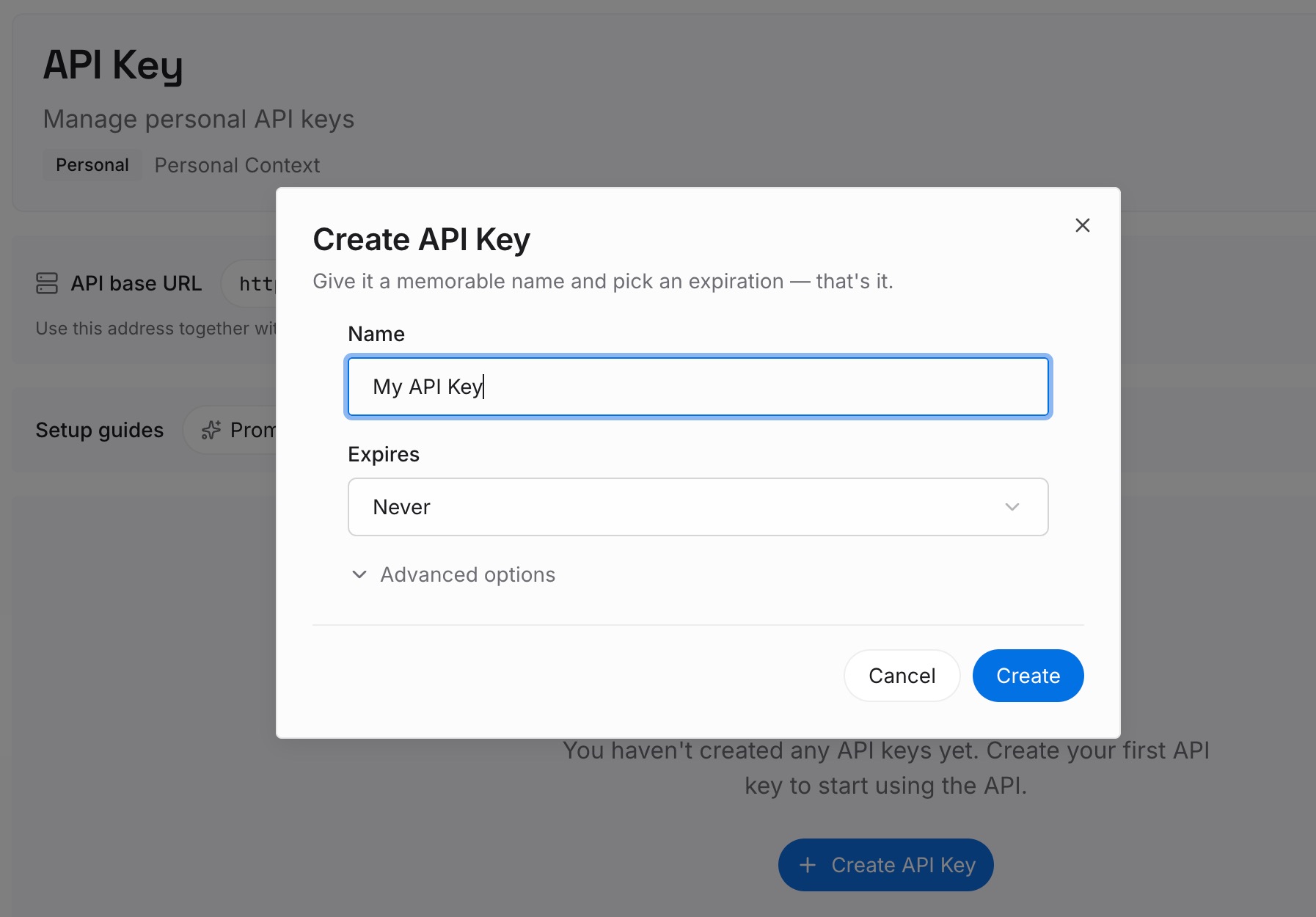
Step 1: Create an API key
Sign in and generate a key from the dashboard. The key belongs to your MemoryLake workspace and is separate from your Claude account.
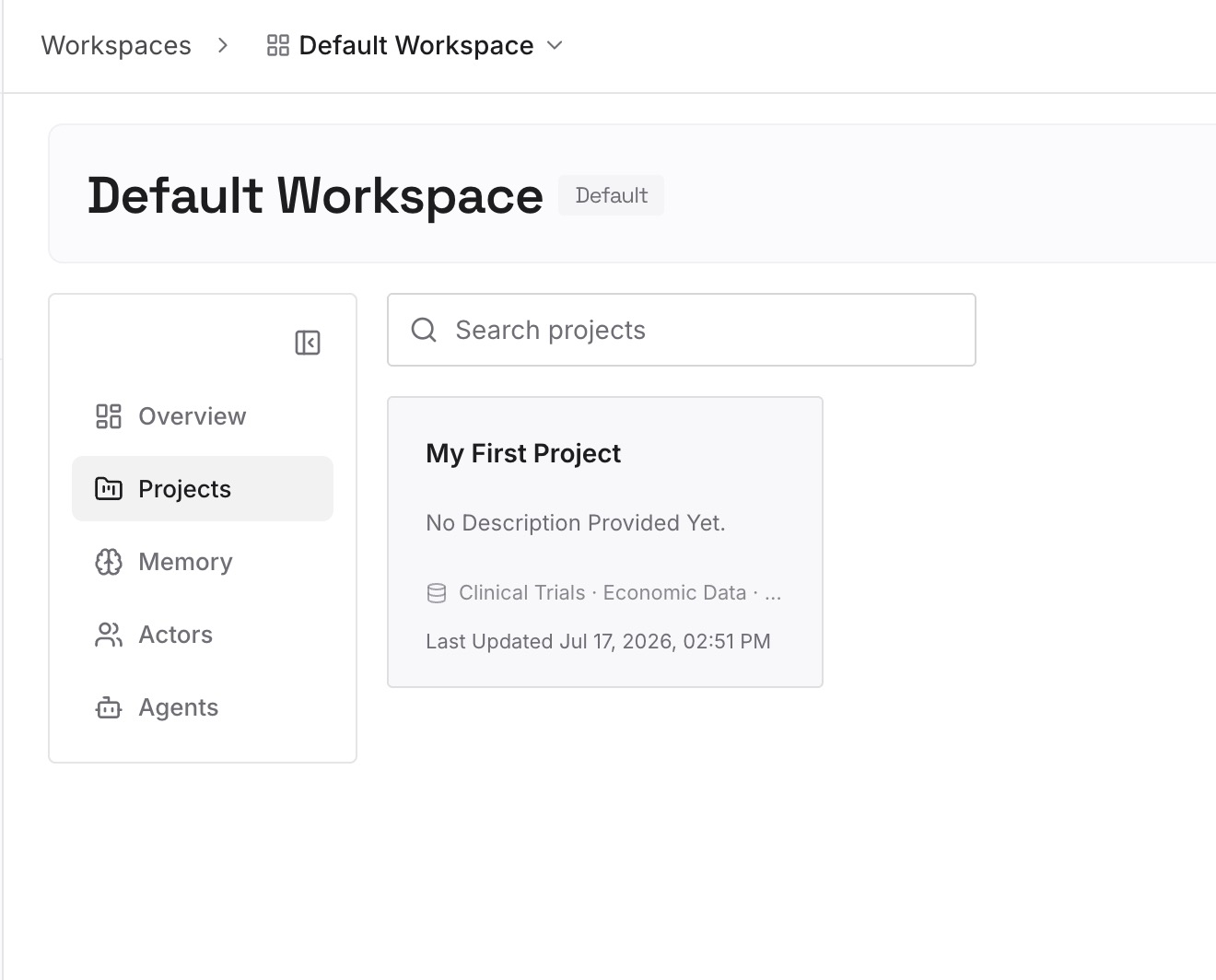
Step 2: Upload your first memories
Start with the decisions from Step 3 of the fix that are too long or too personal for CLAUDE.md: why an approach was chosen, what was ruled out, what's next. One point per entry, dated.
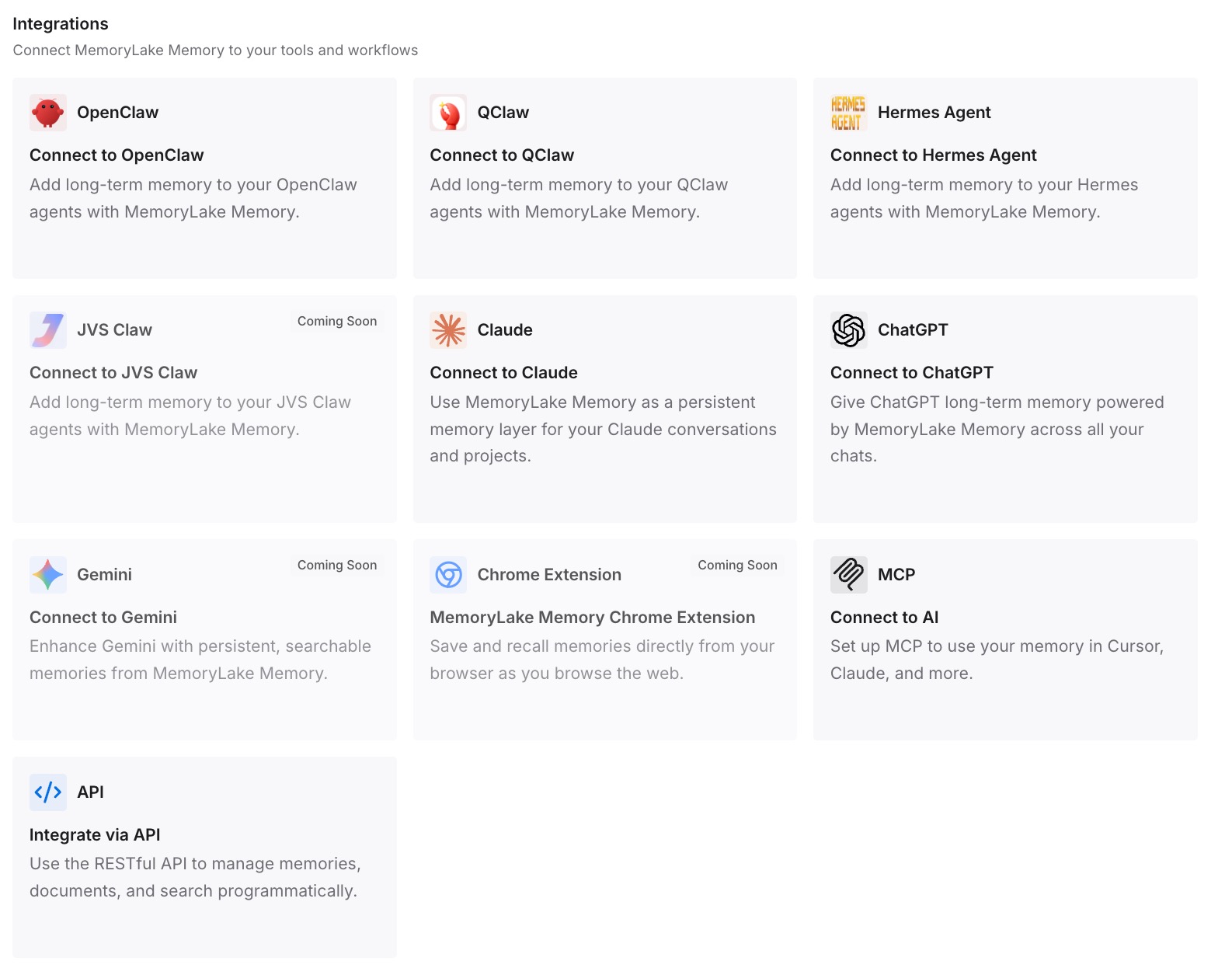
Step 3: Connect your AI & agents
Connect Claude Code and any other assistants you use. The same entries are available after /compact, after /clear, or in a different tool.
What this changes in practice
The first difference is a calmer choice at the limit. When the decisions are written down, /clear is less of a loss, and /compact has less to carry.
The second is a smaller window. Facts you look up when needed don't have to sit in every request.
The third is continuity across tools. The same decisions are available in Claude Code and in Codex or ChatGPT.
Best practices for Claude Code's context limit
Keep auto-compact on. Anthropic says it normally prevents the error.
Read the full message. It tells you whether compaction failed, was off, or had nothing to compact.
Use /context before cutting. See what fills the window first.
Disable unused MCP servers. Their tool definitions take space.
Keep rules in files. Project-root CLAUDE.md and auto memory come back after compaction.
Paste less, reference more. Large pastes fill the window fastest.
Update Claude Code. Several forms of this error were fixed in recent versions.
Conclusion
Claude Code says Prompt is too long, or Context limit reached in a session, when the conversation plus attached files exceeds the model's context window. Auto-compact normally prevents it. When it doesn't, the message tells you why: compaction failed on another error, auto-compact is off, or the conversation is a single exchange with nothing to summarize.
/compact keeps a summary and re-injects your project-root CLAUDE.md, auto memory, and plan from disk. /clear starts over. Fix the named cause, compact when you can, and keep the rules and decisions you can't afford to lose in files rather than in the conversation.