
Why a rewind returns less than you expect
Checkpointing has a precise trigger. Anthropic writes: "As you work with Claude, checkpointing automatically captures the state of your code before each prompt you send that starts a turn," and the mechanism is per-prompt — "Every prompt you send that starts a turn creates a new checkpoint."
The phrase doing the work is "that starts a turn." If you type something while Claude is mid-task, the documentation is explicit about what happens: "When a message you queue while Claude works reaches Claude within the running turn, it joins that turn instead of starting a new one. The message appears in the conversation, but Claude Code doesn't create a checkpoint for it, and the rewind menu doesn't list it." Anthropic also gives the recovery move — "To remove such a message, or undo the edits Claude made after it, rewind to the prompt that started the turn. That rewinds the whole turn, including the work Claude did before your message arrived."
The scope of tracking is equally specific. "Checkpointing does not track files modified by Bash commands," Anthropic writes, and follows with the boundary: "Only direct file edits made through Claude's file editing tools are tracked." A file a script moved is outside the snapshot.
Subagents split by how they run. Anthropic notes that a subagent "makes edits with Claude's file editing tools, but Claude Code usually doesn't capture those edits in your session's checkpoints," and separates the cases: a skill forked into the foreground "edits your working tree during your own turn, so rewinding restores its edits as usual," while for "Any other subagent: rewinding doesn't restore the edits. Use git to revert them."
Work done in parallel is outside the frame too: "Checkpointing only tracks files that have been edited within the current session. Manual changes you make to files outside of Claude Code and edits from other concurrent sessions are normally not captured, unless they happen to modify the same files as the current session." If two terminals were open, only one of them was keeping the snapshots you are about to restore.
And there is a category that does warn you, quietly. Anthropic states that "Checkpointing doesn't rewind symlinked or hard-linked files," that Claude Code "skips any tracked path that is a symlink or hard link and shows a Restored the code, but skipped N files warning," and that "The skipped files keep their current contents." Dotfile managers and some package managers put files in exactly this category.
Finally, the timing detail. Snapshots do not live forever: "Claude Code keeps file snapshots for the 100 most recent checkpoints in a session," and separately, "Claude Code deletes a session's file snapshots in the retention sweep, by default about 30 days after the session last saved one." The consequence is named: "Rewinding to a checkpoint whose snapshots are gone can fail with No files were restored." The documented lever is a setting — "To keep snapshots longer, set cleanupPeriodDays."
What people try instead
Asking Claude to undo its last change. Works often enough to be a habit, and it is a re-edit rather than a restore. You get a new state that resembles the old one, which is not the same as the old one.
Reaching for /clear when a session goes wrong. This clears the conversation, and it is not a rollback of your files. Anthropic does document a bridge back: if you ran /clear earlier in the same Claude Code process, "the rewind menu shows an additional entry at the top of the list labeled /resume <session-id> (previous session)," which requires a recent version.
Rewinding when what you actually want is more context space. Two different needs share one menu. The summarize options compress the conversation; the restore options change state. Anthropic separates them cleanly: "Summarizing doesn't change files on disk, and the original messages stay in the session transcript, so Claude can still reference the details." Choosing what survives compression is its own exercise, and we worked through it in aiming auto-compact at what you need kept.
Treating the session transcript as the record. Transcripts are excellent for tracing what happened and poor as a place to look things up later, a distinction we drew in indexed session logs versus memory.
Using checkpoints as version control. Anthropic addresses this directly: "Checkpoints are designed for quick, session-level recovery. For permanent version history and collaboration, continue using version control, such as Git, for commits, branches, and long-term history."
Rewinding to explore an alternative approach. There is a dedicated mechanism for that, and the documentation points at it: to branch off and try a different approach while preserving the original session intact, use /branch. Rewinding to explore means overwriting the thing you might want back.
The Fix: Read the menu as two operations, and know which edits are in scope
Everything gets easier once you stop thinking of /rewind as one button.
Step 1: Open the menu and notice which options are offered
Anthropic gives two ways in: "Run /rewind, or press Esc twice when the prompt input is empty, to open the rewind menu." There is a caveat worth knowing before you jab at it — if the input has text, a double Esc clears it instead, though the cleared text is saved to your input history.
The menu lists each prompt you sent, and offers up to six actions: "Restore code and conversation: revert both code and conversation to that point", "Restore conversation: rewind to that message while keeping current code", "Restore code: revert file changes while keeping the conversation", "Summarize from here", "Summarize up to here", and "Never mind".
Which options you see is itself information. Anthropic explains: "The two code restore options appear only when the selected checkpoint has tracked file changes to revert. If no file edits were captured after that point, the menu offers only Restore conversation, the summarize options, and Never mind." So if the code options are absent at a point where you are certain Claude changed files, that is your signal that the changes came from somewhere outside the tracked set — a Bash command, a background subagent, another session.
One convenience to expect: "After restoring the conversation or choosing Summarize from here, the original prompt from the selected message is restored into the input field so you can re-send or edit it."
Step 2: Check the four out-of-scope categories before you rely on the restore
Run through the list, in the order most likely to bite:
Did anything happen through a Bash command? Those file modifications, in Anthropic's words, "cannot be undone through rewind."
Did a background subagent do the work? For any subagent other than a foreground forked skill, "rewinding doesn't restore the edits. Use git to revert them."
Was a second session open on the same repo? Edits from other concurrent sessions are "normally not captured, unless they happen to modify the same files."
Are any of the paths symlinked or hard-linked? Those get skipped with a warning that names a count rather than filenames. To see which ones, Anthropic documents a diagnostic: "turn on debug logging with /debug before you restore: the debug log at ~/.claude/debug/<session-id>.txt names each skipped path."
Step 3: Write down the conclusion before you rewind away the evidence
A rewind is most often the end of an attempt that taught you something — this library does not do what the docs imply, this schema change breaks that job, this approach was abandoned for a reason. Restore code and conversation removes the transcript that contained the finding along with the code.
Take thirty seconds first. One sentence about what did not work and why is worth more than the branch you are discarding, and it is the thing you will otherwise rediscover next month. The same reasoning applies to the commands and invocations you worked out along the way, which is the gap described in when Claude Code forgets your command history.
Setting this up in MemoryLake
A checkpoint is built for session-level recovery on a roughly month-long horizon. The conclusions you reach inside a session need somewhere with a longer one. MemoryLake is a store you write those conclusions into on purpose, outside any single session's snapshots, and readable from every assistant you connect. You write the entries yourself, in your own words. Nothing is read out of, written to, or deleted from Anthropic's systems or any other vendor's store — your checkpoints, transcripts, and local files stay entirely under their own controls.
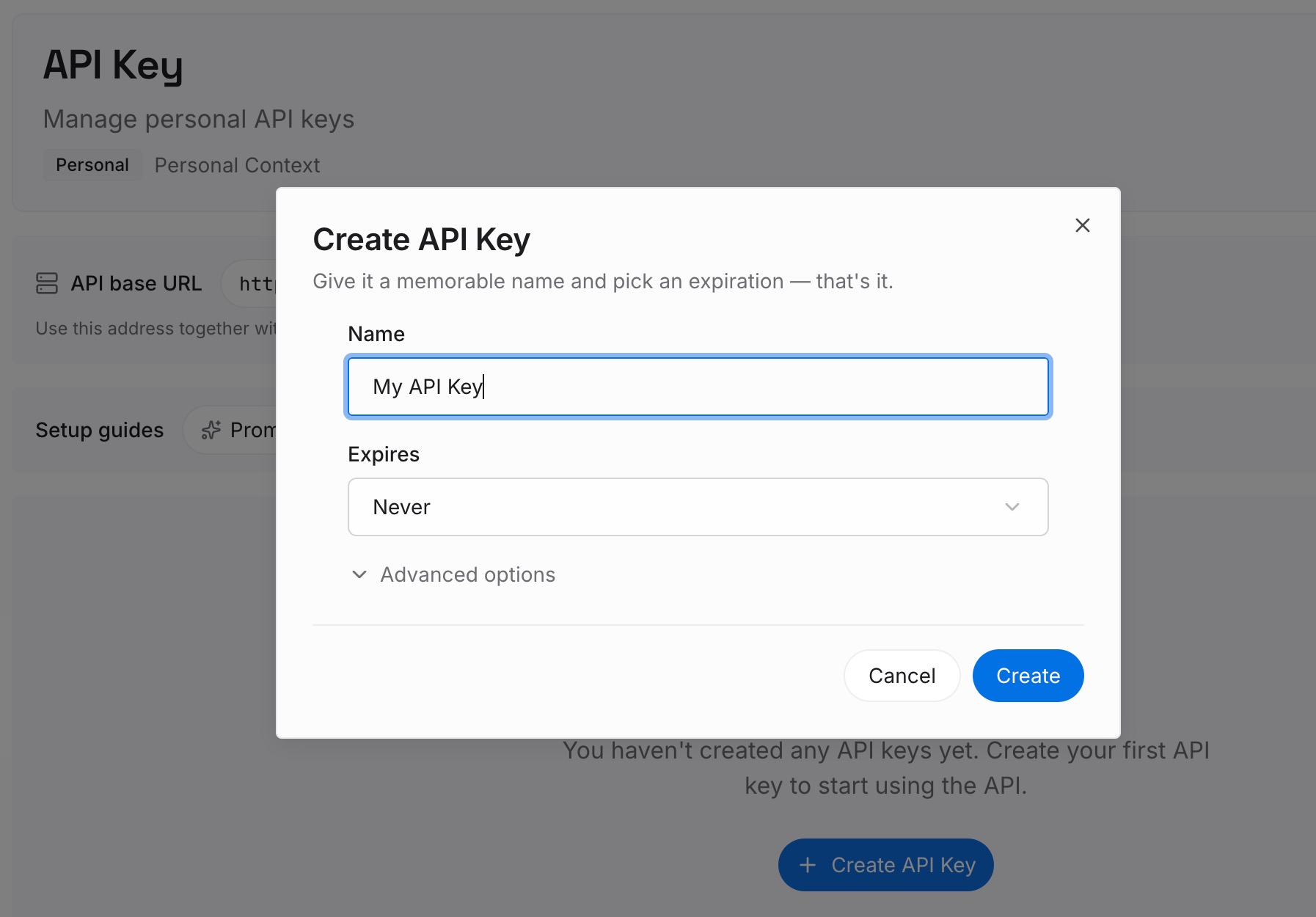
Step 1: Create an API key
Generate a key from the dashboard. It is what lets a terminal session, an editor, and a chat assistant reach the same set of facts without each of them re-learning them from a transcript.
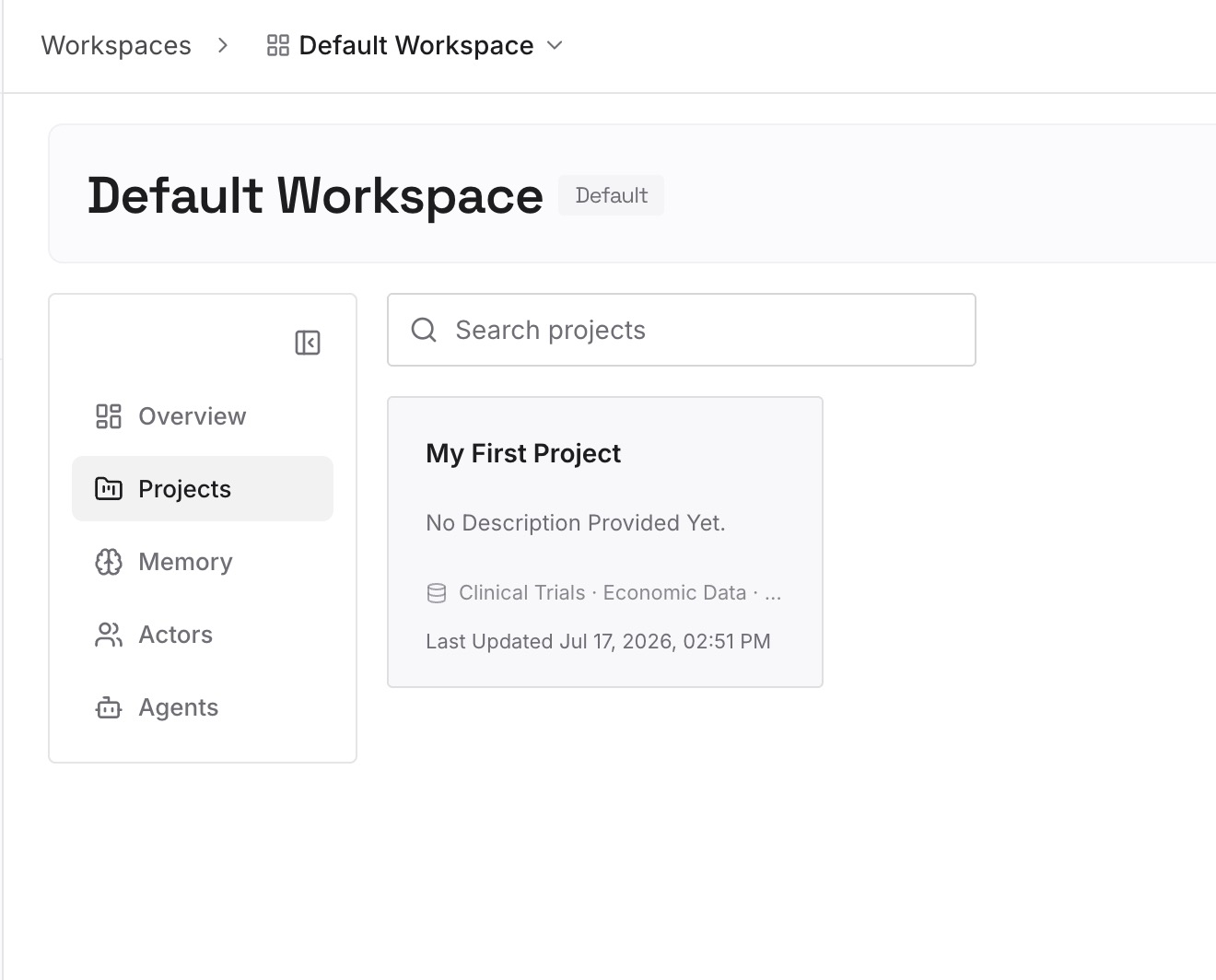
Step 2: Upload your first memories
Start with the results of abandoned attempts: the approach you rewound away from, the reason it failed, the constraint that emerged. Add the operational details a rewind erases too — the invocation that finally worked, the flag that mattered, the order the steps had to run in.
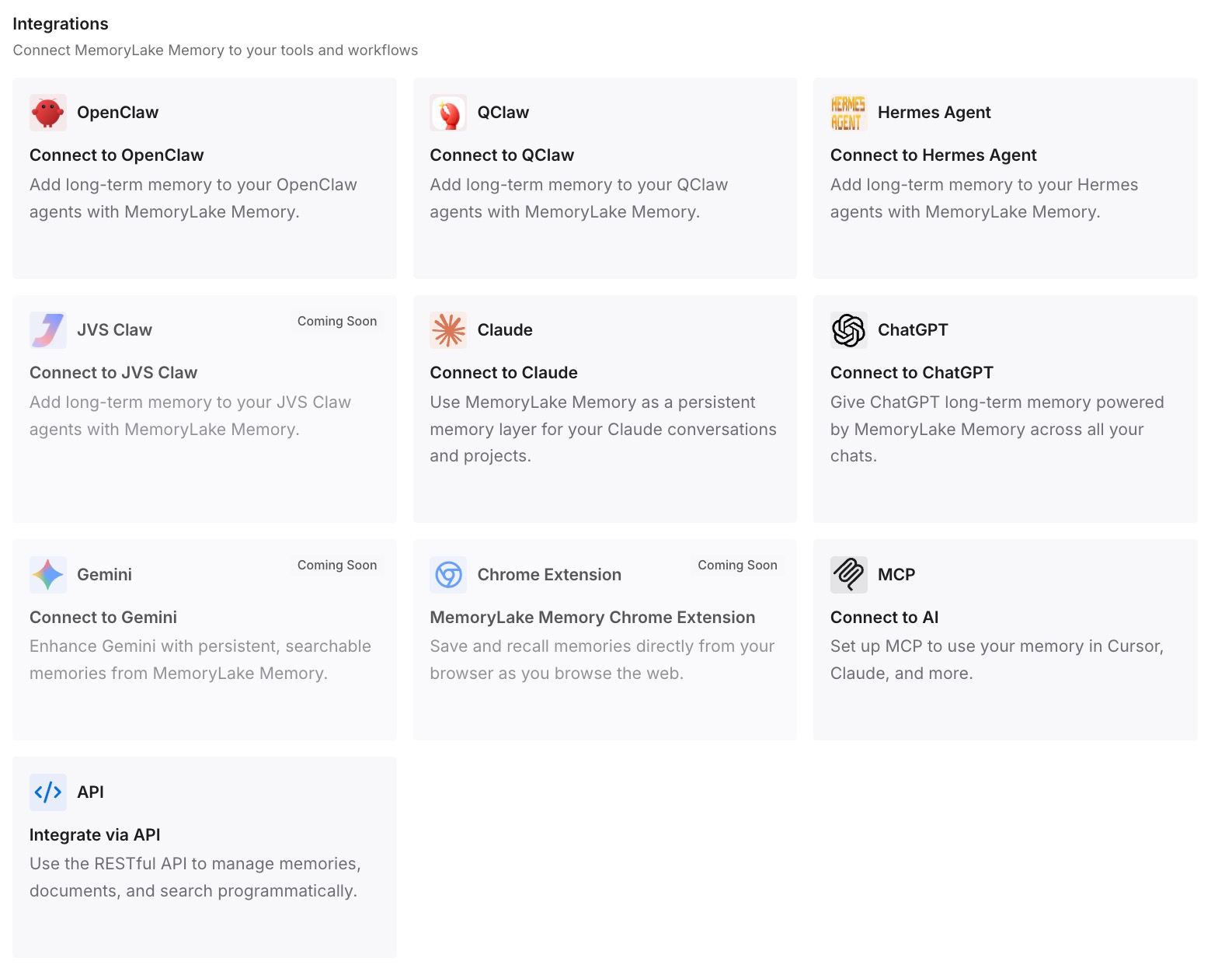
Step 3: Connect your AI & agents
Point your tools at the layer so those facts load at the start of a session rather than being reconstructed from the last thing in the scrollback. Then test it properly: ask a different assistant to tell you back why you abandoned the approach. If it answers, the finding outlived the session that produced it.
What this changes in practice
The first change is that a partial restore stops being confusing. When files you expected to revert are still there, the four out-of-scope categories explain it, and the greyed-out code options in the menu often told you in advance.
The second is that you separate "go back" from "make room." Restore changes state; summarize compresses conversation and leaves files alone, with the original messages still in the transcript. Once that split is clear, you stop using one when you needed the other. It is the same split that shows up in every agent with a compaction step, which is why deciding what survives compaction is a recurring exercise rather than a one-off.
The third is that the roughly 30-day retention sweep becomes something you plan around instead of discover. An old session you meant to rewind eventually cannot be, and cleanupPeriodDays is the documented answer if you need longer.
The fourth is that abandoned work starts producing something. If every rewind leaves behind one written sentence, the failures compound into knowledge instead of vanishing with the snapshot.
Best practices for rewinding a Claude Code session
Send your corrections as their own turn. A message that joins a running turn gets no checkpoint and is not listed in the rewind menu. Waiting for the turn to finish buys you a restore point.
Commit before you let an agent loose. Checkpoints are session-level recovery; Git is the permanent history, by Anthropic's own recommendation.
Prefer Restore code when you want to keep the reasoning. Reverting files while keeping the conversation lets you try again with everything you learned still on screen.
Turn on debug logging before a restore you care about. It is the documented way to find out which symlinked or hard-linked paths were skipped, rather than reading a count.
Assume nothing about parallel sessions. Only the session that made an edit holds the snapshot for it.
Write the finding down before Restore code and conversation. That option is the only one that removes both the state and the record of why you changed it. The habit of keeping the reusable parts somewhere permanent is covered in making Claude Code remember your command history.
Conclusion
/rewind does what Anthropic says it does: it restores the code, the conversation, or both, to the state before a prompt you choose from the list. The menu itself is well designed, including the detail that code restore options only appear when there are tracked file changes to revert.
What makes rewinding feel unreliable is the set of changes outside its scope, and Anthropic publishes that set in full: files modified by Bash commands, edits from most subagents, manual and concurrent-session changes, symlinked and hard-linked paths, and messages that joined a turn already in progress. Every one of those is documented, and none of them announces itself at the time.
Add the retention detail — snapshots for the 100 most recent checkpoints, swept by default about 30 days after a session last saved one, with cleanupPeriodDays available if you need longer — and you have the real shape of the feature: excellent short-range recovery, deliberately not a version history.
Use Git for permanence, /branch for exploring alternatives, the summarize options for context pressure, and /rewind for what it was built for. Then write down what each abandoned attempt taught you, because that is the one thing no snapshot was ever holding.