
What the scratchpad is
Anthropic's documentation defines it: "The scratchpad is a per-session directory that Claude Code gives Claude for temporary files: intermediate results, helper scripts, and drafts that don't belong in your project."
Two details make it convenient. Claude uses it in place of the general temp folder, and the documentation says Claude "can create, edit, and read files in it without a permission prompt". So when Claude needs to try something out, it can do that without asking you each time and without adding files to your repository.
When Claude says it saved something to the scratchpad, that's literal: the file is in this directory.
Because it's per session, each Claude Code session has its own scratchpad. A file in one session's scratchpad isn't in the next session's.
Where it lives
The scratchpad sits outside both your project and Claude Code's configuration folder. "The scratchpad lives under Claude Code's temp directory rather than ~/.claude."
The documented paths:
- macOS:
/private/tmp/claude-<uid>/<project>/<session-id>/scratchpad/ - Linux:
/tmp/claude-<uid>/<project>/<session-id>/scratchpad/, or the same shape under$TMPDIRwhen your system sets one - Windows:
%TEMP%\claude\<project>\<session-id>\scratchpad\
The <project> part is your working directory path with every character other than letters and digits replaced by a hyphen, such as -Users-you-my-project. On Windows it's a 16-character hash of that string. In a Desktop app session, it can be the string itself.
The simplest way to find the current one is in the documentation too: "To get the exact path, ask Claude."
Two settings change the picture:
CLAUDE_CODE_TMPDIR. If you set it, the whole tree moves under that directory instead.- Hooks. "Hooks receive the current session's path as
scratchpad_dir." That's useful if you want a hook to copy something out of the scratchpad at the end of a session.
Which sessions have one
Not every session gets a scratchpad. The documentation lists three conditions that all have to hold:
- You're signed in with a claude.ai account, not an API key.
- The session uses the Anthropic API, not Amazon Bedrock, Google Cloud's Agent Platform, or Microsoft Foundry.
- The
enableArtifactsetting isn't set tofalse.
If any of those doesn't apply, the session has no scratchpad, and Claude works without one. The hook field reflects this: scratchpad_dir is absent when the session has no scratchpad or the temp directory is unavailable.
How long its files last
This is the part that explains the missing helper script. The documentation is direct: "Scratchpad files last as long as the session's transcript: the retention sweep deletes the directory when it deletes the transcript, and claude purge doesn't touch the temp directory."
The retention sweep runs on your transcripts' age. Claude Code deletes files in the swept paths once they're older than the cleanupPeriodDays setting. The default is 30 days, and the minimum is 1. When a transcript goes, its scratchpad goes with it.
There's a second way to lose it, independent of Claude Code: "Because the directory sits under the system temp location, your operating system can also clear it, such as on restart."
So a scratchpad file can disappear when:
- the session's transcript reaches the retention limit and is swept, or
- your operating system clears its temp location, which can happen on restart.
The second doesn't depend on Claude Code's retention setting at all. A file you saw yesterday may be gone after a reboot.
What claude purge does and doesn't remove
claude purge deletes the state Claude Code holds for one project: transcripts and auto memory under projects/, per-session tasks, debug, and file-history entries, matching lines in your prompt history, and the project's entry in ~/.claude.json.
It doesn't touch the scratchpad. The documentation explains why: pasted images and "each session's scratchpad are stored under Claude Code's temp directory rather than ~/.claude, so the purge doesn't remove them".
That leads to a detail worth knowing if you purge a project for privacy reasons: "a purged session's scratchpad stays until you delete it or your operating system clears the temp directory".
If you want everything removed, delete the project's scratchpad folders yourself after purging, using the paths above.
What stays writable when writes are restricted
Some teams turn on permissions.blockWritesOutsideWorkingDirectories, which makes Claude's file-editing tools refuse paths outside your working directories. The scratchpad is one of the exceptions. Anthropic's settings reference lists plan files, the scratchpad, a background session's tmp directory, and the auto memory .md files as Claude Code's own files that stay writable.
So Claude can keep using the scratchpad for drafts even when the block stops its file tools from writing to other places outside the project. Plan files are another of those exceptions, and we covered where they're saved in our guide to where Claude Code saves plan files.
What changed in 2.1.325
The November 13 release changed Claude's instructions so it keeps files you'll want out of the scratchpad. The change is to what Claude is told: something you'll reuse, such as a script, a report, or a dataset, is meant to go somewhere other than a folder that can be cleared.
It's an instruction, not a guarantee. The documentation's own advice still applies: "To keep something Claude wrote there, ask Claude to move it into your project."
Other details worth knowing
Desktop sessions follow a different retention rule. The retention sweep doesn't apply the usual age limit to every transcript. Anthropic's documentation says Claude Code keeps the transcript of a session you started or most recently continued in Claude Desktop or Cowork at any age, unless you set desktopSessionCleanupPeriodDays. Since scratchpad files last as long as the session's transcript, for those sessions, the operating system clearing its temp location is the thing to watch for.
Pasted images live nearby. Images you paste or attach in a project's sessions are also stored under Claude Code's temp directory rather than ~/.claude. The retention sweep deletes them once they're older than cleanupPeriodDays.
Claude names the full path. One changelog entry fixed Claude referring to scratchpad files by a bare filename or a relative path, so when Claude tells you where it saved something, the path should be complete. That's the path to copy from.
Artifacts can recover from a cleared scratchpad. Another changelog entry fixed Artifact updates failing after a session resumes on another machine or its scratchpad is cleared. In that case, the page's last published version is restored. Published work survives; working drafts in the scratchpad don't have that protection.
You can shorten retention. If you'd rather temporary files not linger, lowering cleanupPeriodDays makes the sweep remove old transcripts, and their scratchpads, sooner. Anthropic suggests lowering it as one way to reduce how long sensitive values stay on disk.
What the scratchpad is good for
The scratchpad is the right place for work that should disappear:
- Intermediate results, such as a filtered copy of a log file.
- Throwaway scripts used once to check something.
- Drafts you'll rewrite before they go anywhere.
It's the wrong place for anything you'll want next week: reusable scripts, reports you'll share, data you processed carefully, or notes about what a script revealed. Those belong in your project, or somewhere you keep them on purpose.
A quick test before you end a session: if you'd be annoyed to lose a file Claude created, it shouldn't stay in the scratchpad. Ask Claude to list what it saved there during the session, and move anything that passes the test while the paths are still easy to find.
What people try first
Looking in the project folder. The scratchpad is outside it.
Looking in ~/.claude. It's under Claude Code's temp directory instead.
Running claude purge to clear everything. It doesn't remove scratchpads.
Expecting files to last as long as the project. They last as long as the session's transcript, or less if the OS clears temp files.
Looking for a scratchpad in an API-key session. Sessions need a claude.ai sign-in and the Anthropic API.
The Fix: Keep what matters out of the scratchpad
Step 1: Ask where Claude saved it
If Claude mentions the scratchpad, ask for the full path while the session is still open.
Step 2: Move anything reusable into the project
Ask Claude to move scripts, reports, or data you'll want again into your project, as Anthropic recommends.
Step 3: Copy at the end of a session with a hook
If you often want scratchpad output, a hook can use scratchpad_dir to copy files to a folder you keep.
Step 4: Write down what the work showed
A script's output is temporary. Record what it told you, such as which records were malformed, somewhere that lasts.
Setting this up in MemoryLake
The scratchpad is built to be cleared. The conclusions from the work done there, such as what a one-off analysis found or why a helper script was needed, are what the next session needs.
MemoryLake is a memory layer for that kind of project context, such as findings, decisions, and the reasons behind them, kept in one place you maintain and available to the assistants you connect, such as ChatGPT, Claude Code, and Codex.
You write the entries yourself, in your own words. Nothing is read out of, written to, or deleted from your scratchpad, Claude Code's temp directory, your transcripts, your ~/.claude folder, your project files, or any vendor's store. The scratchpad and its cleanup work the way Anthropic describes them.
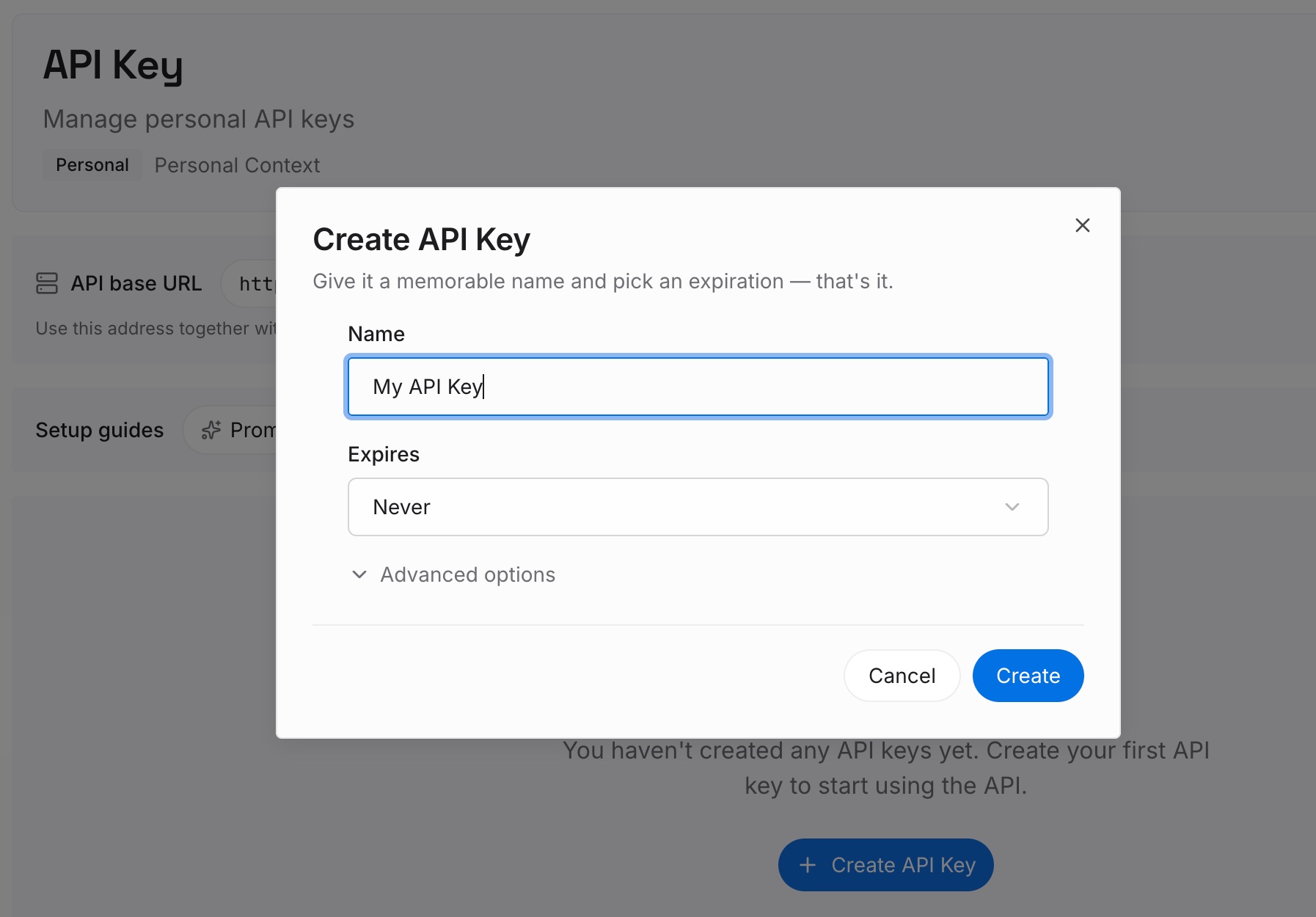
Step 1: Create an API key
Sign in and generate a key from the dashboard. Store it outside your repositories, like any other credential.
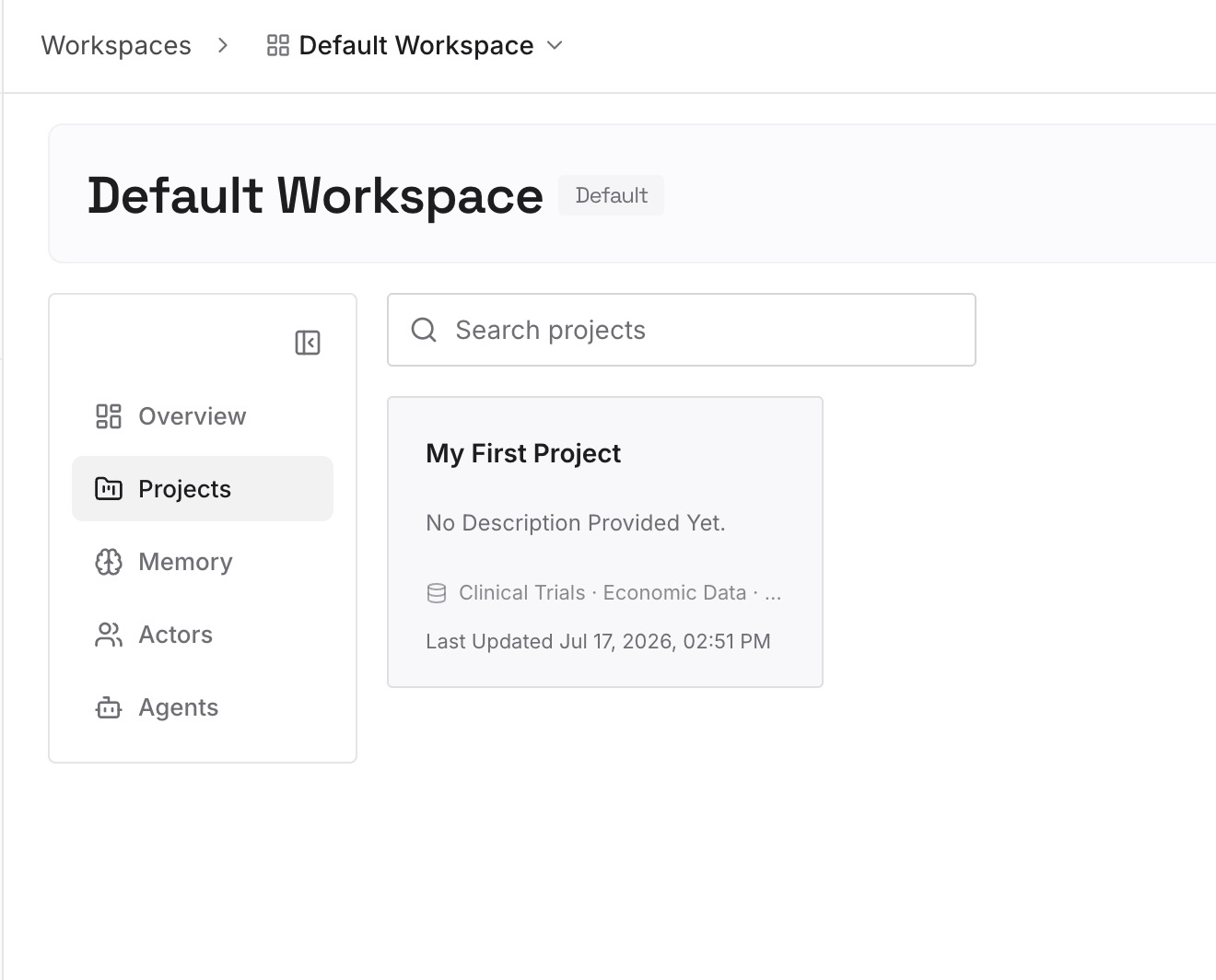
Step 2: Upload your first memories
Start with what you wrote in Step 4 of the fix: what recent analyses showed, which data problems you found, and what you decided because of them. One finding per entry.
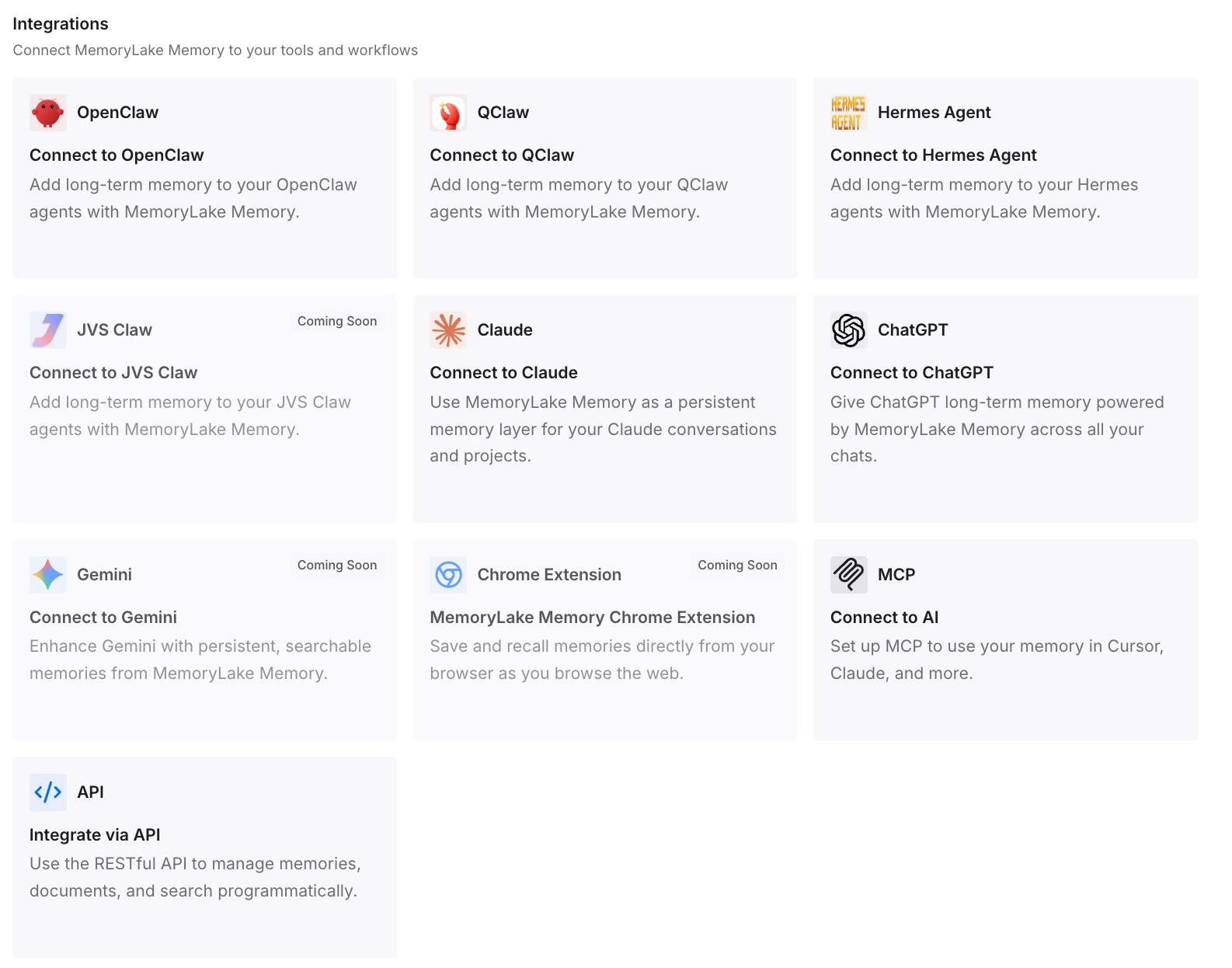
Step 3: Connect your AI & agents
Connect Claude Code and the other assistants you use. A new session, after the old scratchpad is gone, can draw on the same findings.
What this changes in practice
The first difference is that cleanup stops costing you anything important. The scratchpad can be cleared, and the findings are already written down.
The second is less repeated work. You don't rerun an analysis to rediscover what it showed.
The third is continuity across tools. Codex or another assistant on the same project can use the same findings.
Best practices for the Claude Code scratchpad
Treat it as temporary. Files last as long as the session's transcript at most.
Expect restarts to clear it. It sits under the system temp location.
Move keepers into the project. Ask Claude to do it while the session is open.
Don't rely on purge for privacy. Delete scratchpad folders yourself after claude purge.
Use scratchpad_dir in hooks. It gives you the current session's path.
Check your sign-in. Sessions on an API key or third-party providers don't get a scratchpad.
Record conclusions separately. The output is temporary; what it meant shouldn't be.
Conclusion
The Claude Code scratchpad is a per-session folder for temporary files, under Claude Code's temp directory rather than ~/.claude or your project. Claude can write there without asking, and only sessions signed in with a claude.ai account on the Anthropic API have one.
Its files last as long as the session's transcript, which the retention sweep removes after cleanupPeriodDays, and your operating system can clear them sooner, such as on restart. claude purge doesn't remove scratchpads. Since 2.1.325, Claude is instructed to keep files you'll want elsewhere, and Anthropic's advice is the same: move anything worth keeping into your project.