
What settings.local.json is
Claude Code reads settings from several files. Anthropic's settings documentation describes the project local one as .claude/settings.local.json, for "You, in this one project only." Its intended use is personal overrides for one project and testing before you share.
You don't have to create it. The documentation says Claude Code writes .claude/settings.local.json "the first time you give a standing approval on a permission prompt". The permissions documentation spells out what that means for shell commands. When you pick the option that stops Claude Code from asking again and the approval saves permanently, "such as for a Bash command or a WebFetch domain, Claude Code saves the rule to .claude/settings.local.json at the root of the git repository".
Two details from the same page matter here. Bash approvals last "Permanently per repository and command". And the rule applies "to future sessions anywhere in that repository, including sessions started in subdirectories and in worktrees." An approval you gave once keeps working, and keeps sitting in the file, until someone removes it.
Why the secret ends up in the file
Apiiro's report walks through the sequence. "Ask Claude Code to check a database or call an API, and the command it proposes carries the secret from your config file. It asks before running it." The secret has to be in the command, because the command can't work without it.
Then comes the approval. When you choose the don't-ask-again option, Apiiro writes, "it runs the command and adds a permission rule to .claude/settings.local.json in the project folder, so it won't ask again. The rule is the command string itself".
A permission rule is meant to describe what Claude Code may run. When the approved command has a password, token, or connection string typed into it, the rule stores that value in plain text.
Apiiro says this is the tool's behavior, not a quirk of one model: "This is Claude Code's own behavior, not the model's: it happens with Anthropic's latest models too, and we reproduced it with Opus 5.5 and Fable 5.1."
Why Claude Code's own protection doesn't always hold
Claude Code does try to keep the file out of git. The settings documentation says that "The first time Claude Code writes the file in a git repository that doesn't already ignore it, it adds **/.claude/settings.local.json to your global git excludes file, so the file stays out of your commits in every repository."
The key word is global. That exclude lives in your git configuration on your machine, not in the repository. Apiiro describes the gap: "That covers the common case. It doesn't cover a folder that becomes a repo later, a clone on another machine, or a file someone already committed." And: "The rule never goes into the repo's own .gitignore, so nothing travels with the project to protect it."
There's also a documented exception for files you made yourself. The settings table says Claude Code "keeps it out of git when it creates the file; if you create it by hand, add it to .gitignore yourself".
Once the file is tracked, Claude Code changes how it treats it, but keeps writing to it. The permissions documentation says: "When the file is tracked in git, or .claude is a symlink, Claude Code treats it as repository-supplied instead and holds its rules until you trust the folder." Apiiro adds that the user isn't told this, "and the next approval is appended to the tracked file."
Apiiro also traced who committed the file: "In 539 of the 1,105 repos with a real secret that we traced, a commit co-authored by Claude changed the file." Its explanation is that Claude Code's commit instructions name files like .env and credentials.json, but "Its own settings file is not on that list."
What Apiiro found
The numbers come from read-only GitHub code and commit search on default branches, run November 1 to 3, 2026. Apiiro says it didn't test any credential: "No credential was used or tested, and no host was contacted."
The main counts:
- The file itself. "Out of 104,185 public copies of this file on GitHub, 1,122 hold a real secret."
- Distinct secrets in current copies. "Together they hold 1,379 distinct secrets: 636 provider keys and 743 passwords or tokens for public hosts."
- Database access. Apiiro counted 379 database passwords and 122 Supabase service-role keys, plus 103 Supabase account tokens.
- Server logins. "43 SSH credentials for public servers, some of them a root password in an sshpass command."
- Organizations. "63 organizations hold a real secret in a public allowlist." Apiiro says most secrets belong to individual developers.
Two findings explain why deleting the file today isn't enough. First, the files tend to sit for a long time: "In the median repo with a real secret, the file was first committed 217 days before that." Second, history keeps them: "Earlier versions of the file hold 734 real secrets, in 509 repos, that appear in no current copy, usually because the file was deleted."
Bigger files hold more. Apiiro writes: "One in ten files over 8 KB holds a real secret, against fewer than one in 500 under 500 bytes."
Why secret scanners miss many of them
You might expect a secret scanner to catch this. Apiiro ran gitleaks and TruffleHog over every file. "Of the 1,122 files with a real secret, gitleaks flagged 564 and TruffleHog 643; 215 were flagged by neither."
The reason is the shape of the secret. Scanners look for known key formats. A password typed after PGPASSWORD=, sshpass -p, or mysql -p looks like an ordinary word in an ordinary command line. Apiiro's summary: "The gap is passwords inside commands."
It isn't only one file
This is the part of the research that matters beyond permissions. Apiiro writes: "The same password-in-a-command pattern appears wherever an agent records what it ran: transcripts, memory files, handoff notes, and a scanner tuned to key formats misses it in all of them."
Its table of other files includes:
- Shared
.claude/settings.json. All 76,011 public copies checked, 298 files with a real secret. Teams commit this file on purpose. - Agent chat transcripts saved in repos. 2,523 checked, 120 files in 87 repos.
- Agent memory files (MEMORY.md and similar). 1,200 checked, 9 repos.
- Handoff and deploy notes. 2,095 checked, 33 files. Apiiro adds: "A third of the handoff notes with a secret were written by the agent itself."
The memory-file count is small, but the pattern is the same. Anything an agent writes down about what it did can carry whatever was in the command. If you keep project context in files an agent maintains, those files deserve the same care as the settings file.
By default, Claude Code stores session transcripts in your home directory, under ~/.claude/projects. Our guide to finding Claude Code session history covers where they live and how long they're kept. Apiiro's transcript count covers exports from several tools that people saved into repositories.
On your machine, too
Most copies never reach GitHub, and Apiiro argues that doesn't make them safe. "The allowlist is plain JSON at the same path in every project, and most of the secrets in it sit next to the host they open." It also notes the file can leave without git, "in a published npm package, a Docker image built with a copy command, a zip archive or a synced folder."
If you work across several checkouts of one repository, the file sits at one place. The documentation says that in a worktree, Claude Code "uses the file at the main checkout's root." Our guide to whether Claude Code worktrees share memory explains what else is shared across worktrees.
What Anthropic has said
Apiiro says it shared the research with Anthropic before publication. In an update dated November 8, Apiiro reports that Anthropic's head of Claude Code responded on Hacker News on November 7.
According to Apiiro's update, he wrote that the team is "looking into what we can do to prevent this," and named approaches it plans to prototype, "making sure auto mode catches this, building in basic secret scanning". Apiiro also reports that, in his view, the exposed copies were created manually and checked in, and that he recommended auto mode over permission rules and the secret scanning that GitHub and other hosts offer.
As of the Claude Code releases published through November 10, 2026, the release notes don't describe a change to how approvals are saved. Treat this as an open issue and check the changelog before relying on any fix.
What people try first
Deleting the file and committing the deletion. It removes the current copy. It doesn't remove history, forks, or clones, which is where Apiiro found 734 secrets that appear in no current copy.
Assuming the global exclude protects every machine. It protects the machine where Claude Code wrote it. A new clone, a CI runner, or a folder that became a repo later doesn't have it.
Relying on a secret scanner alone. Both scanners Apiiro tested missed a large share of files, because passwords inside commands don't look like keys.
Approving the same long command again and again. Each standing approval adds a literal rule, and Apiiro found larger files far more likely to hold a secret.
The Fix: Check, rotate, then clean up
Step 1: Find every copy
Search your GitHub organization for .claude/settings.local.json and .claude/settings.json. Then check each repo's git history for the file, even if it's gone today. On your own machine, find every copy and read its allow list. Inside Claude Code, /permissions lists your rules and the settings file each one comes from.
Step 2: Rotate before you delete
Apiiro's order is "rotate first, clean up second." Any credential that has ever been in the file, in any commit, should be treated as exposed. Removing the file doesn't clear history, forks, or clones.
Step 3: Untrack the file and protect the repo
If the file is tracked, Apiiro recommends untracking it with git rm --cached .claude/settings.local.json and adding it to the repo's own .gitignore. That way the protection travels with the project, not just with your machine.
Step 4: Change how you approve
Delete every rule that contains a secret, even in files that were never committed. Then stop typing secrets into commands. Reference them by variable name, so the rule records the name and not the value. Approve patterns rather than literal commands: the documentation's example Bash(npm run *) matches npm run build and npm run test --watch. Be careful with how broad a pattern is, because the documentation notes that everything before the first * is what limits the rule.
Step 5: Treat agent files as sensitive
Add .claude/, saved transcripts, handoff notes, and agent memory files to your pre-commit and CI secret scanning, including history. Make sure the scanner checks for passwords inside commands, not just key formats.
Setting this up in MemoryLake
Apiiro's finding comes down to one habit: an agent writes down what it did, and whatever you typed into the command goes with it. Settings files, transcripts, and memory files all record work. In each of them, whatever was in the command can end up recorded along with the work.
MemoryLake is a memory layer for the project context you want an assistant to have, such as which database a service uses, where staging lives, and which commands the team runs, available to assistants you connect, such as ChatGPT, Claude Code, and Codex.
You write the entries yourself, in your own words. Nothing is read out of, written to, or deleted from your .claude folder, your settings files, your session transcripts, your auto memory, your repositories, or any vendor's store. Claude Code's permission rules work the way Anthropic describes them, and you still need to clean up the settings file as described above.
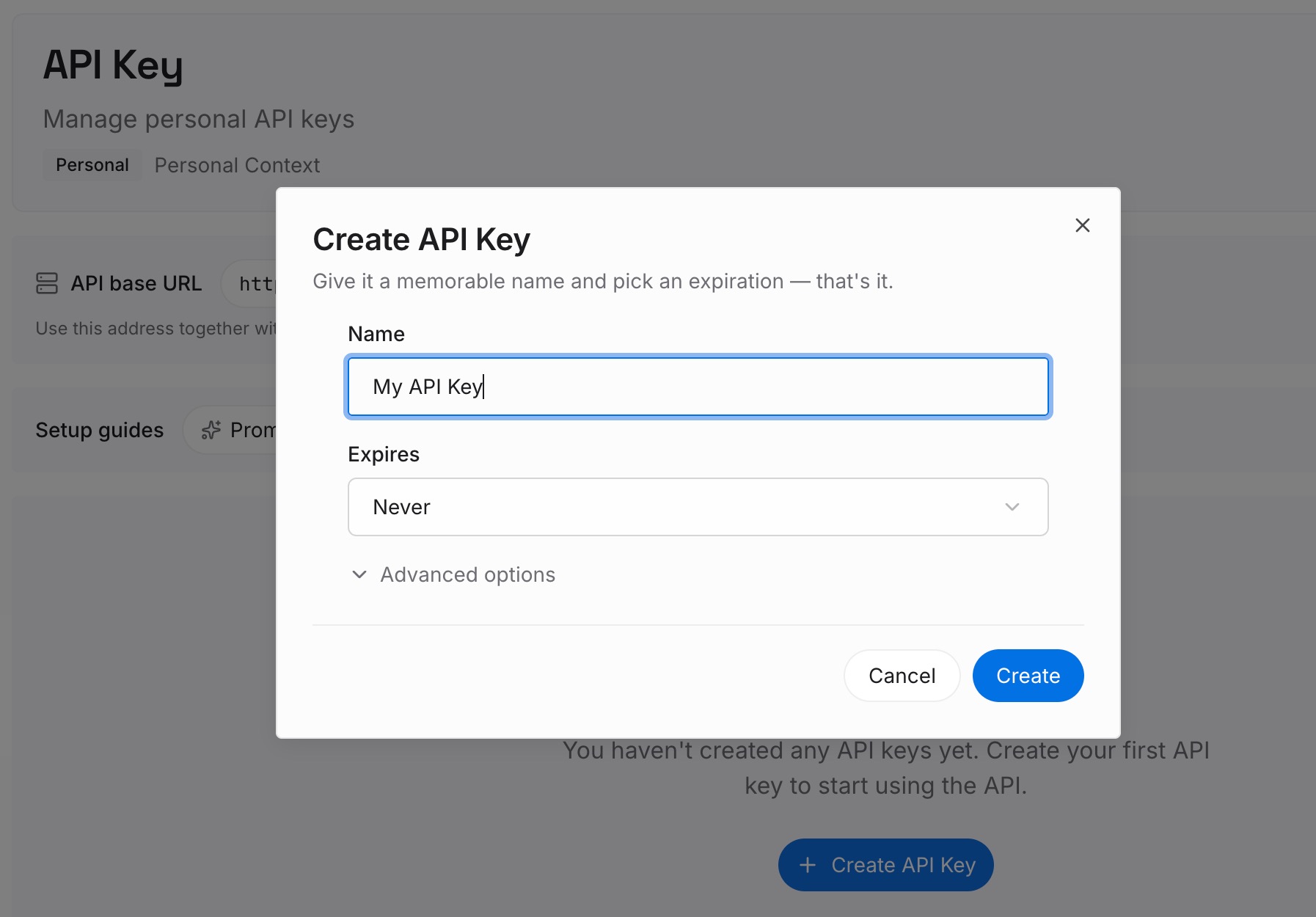
Step 1: Create an API key
Sign in and generate a key from the dashboard. Store it the way you'd store any other credential, outside your repositories.
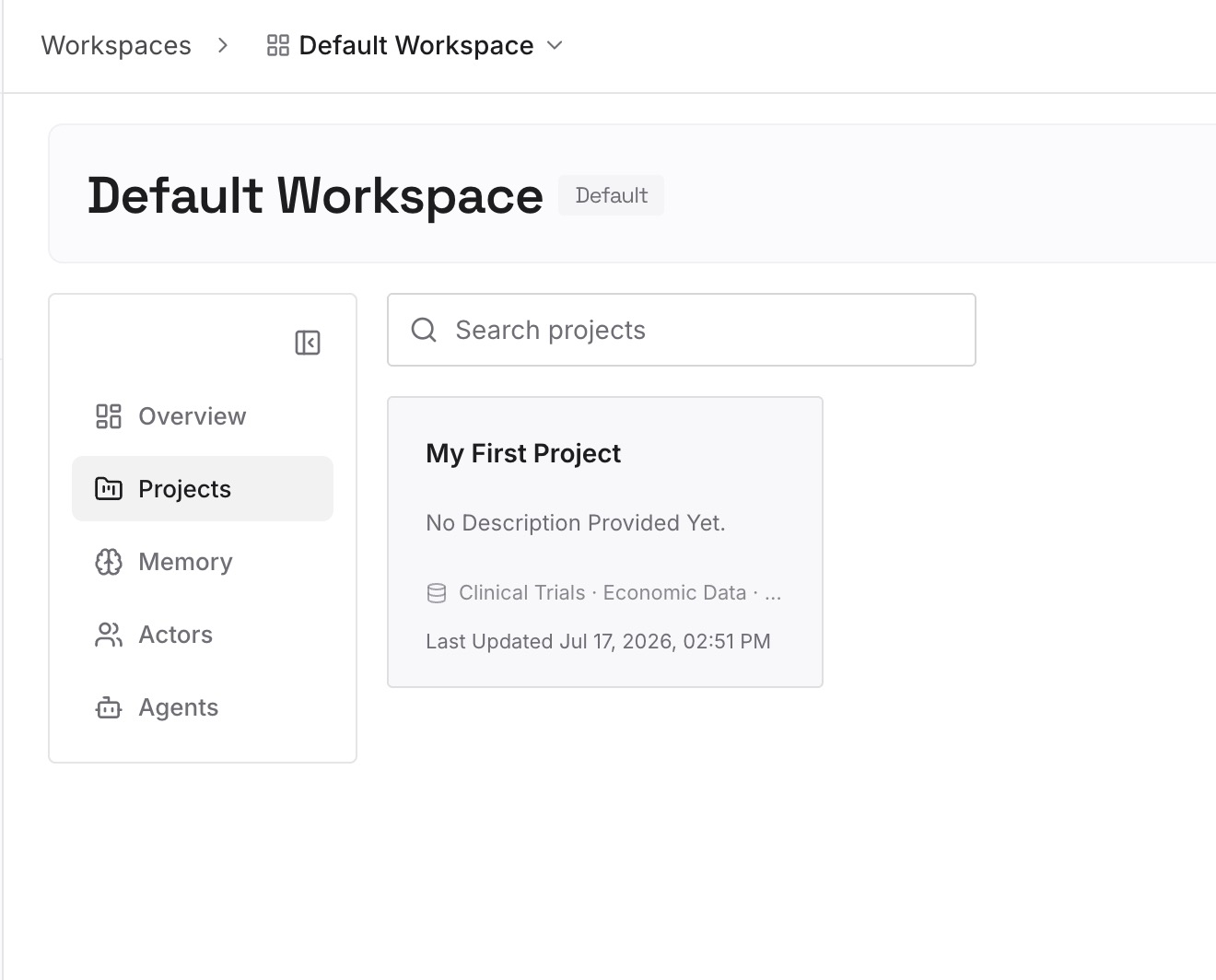
Step 2: Upload your first memories
Write the context, not the credentials: the name of the environment variable a script expects, the host a service runs on, the steps your team follows to rotate a key. One fact per entry, and never a password or token.
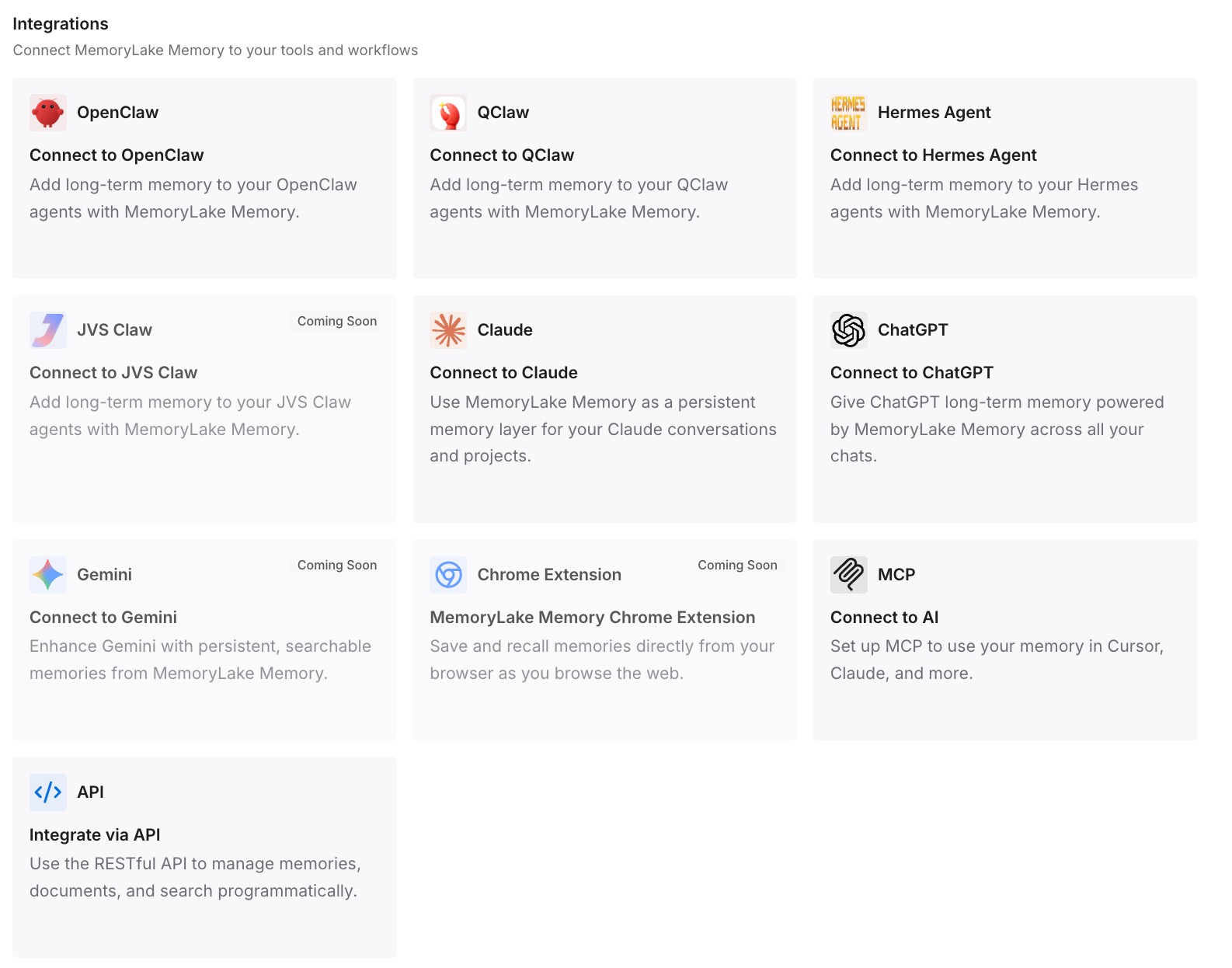
Step 3: Connect your AI & agents
Connect Claude Code and any other assistants you use. They can draw on the same written context, while the secrets stay in your secrets manager.
What this changes in practice
The first difference is a clear line between context and credentials. Project knowledge lives in entries you wrote, and the values that open systems live somewhere built for them.
The second is fewer reasons to paste secrets into a session. When the assistant already knows which variable holds the connection string, the command can reference the variable.
Best practices for Claude Code permissions
Read the command before approving it. Especially when it connects to a database or a server.
Approve patterns, not literal commands. A rule like Bash(npm run *) doesn't carry arguments you typed once.
Keep secrets in variables. The rule then records the variable name.
Add the file to the repo's own .gitignore. Don't rely on a global exclude that only your machine has.
Review the allow list regularly. /permissions shows every rule and where it comes from.
Scan agent files and history. Settings, transcripts, handoff notes, and memory files can all carry commands.
Rotate on any doubt. History and forks keep what you delete.
Conclusion
When you pick the option to stop Claude Code from asking about a shell command, Claude Code saves that command as an allow rule in .claude/settings.local.json. If the command contained a password or token, the rule contains it too. Claude Code adds the file to your global git excludes when it creates it, but that protection doesn't travel with the repository, and Apiiro found 1,122 public copies of the file holding a real secret, with 2,539 distinct secrets across all the agent files it checked.
Check your repos and history for the file, rotate anything it ever held, untrack it and add it to the repo's .gitignore, and change how you approve commands. Then treat every file an agent writes, including memory files, as something that can carry a secret.