
When a skill fits better than CLAUDE.md
Anthropic's skills page gives a clear rule: "Create a skill when you keep pasting the same instructions, checklist, or multi-step procedure into chat, or when a section of CLAUDE.md has grown into a procedure rather than a fact."
The reason is cost. The page says: "Unlike CLAUDE.md content, a skill's body loads only when it's used, so long reference material costs almost nothing until you need it."
So facts that apply to every session stay in CLAUDE.md: the stack, the commands, the conventions. Procedures and reference material that only matter sometimes become skills.
Custom commands are part of this now. The page says: "Custom commands have been merged into skills." Files in .claude/commands/ keep working.
We collected examples of what belongs in CLAUDE.md itself in our guide to CLAUDE.md examples.
Where skills load from
Anthropic's page lists the locations. The ones you'll use most:
- Personal:
~/.claude/skills/<skill-name>/SKILL.md, which loads in "All your projects on this machine, but not Cowork or cloud sessions". - Project:
.claude/skills/<skill-name>/SKILL.mdin a repository, for sessions in that repository. Commit it so your team gets it. - Nested: a
.claude/skills/folder inside a subdirectory, for sessions started in or below it. - Plugin: skills inside a plugin, available wherever the plugin is enabled.
The folder name matters. The page says: "The directory name, or the frontmatter name when you set one, becomes the command you type".
The parts of a SKILL.md file
Every skill has two parts. Anthropic's page says a SKILL.md has "YAML frontmatter between --- markers that tells Claude when to use the skill, and markdown content with the instructions Claude follows when the skill runs."
The frontmatter must come first: "Claude Code reads the frontmatter only when the opening --- is the file's first line."
Only one field is recommended: "All fields are optional. Only description is recommended so Claude knows when to use the skill."
Spelling matters too. The page says Claude Code "ignores a field it doesn't recognize without reporting an error", so a typo in a field name just does nothing.
Example 1: A reference skill
This holds conventions Claude should apply when relevant. Save it as .claude/skills/api-conventions/SKILL.md. Frontmatter:
name: api-conventionsdescription: API conventions for this repo. Use when adding or changing HTTP endpoints.
Body, with our example lines to adapt:
- Name routes with plural nouns, such as /invoices and /customers.
- Return errors as an object with code and message fields.
- Validate request bodies before calling any service.
- Add a test for each new status code an endpoint can return.
Anthropic calls this kind of skill reference content: "Conventions, patterns, style guides, domain knowledge." It runs inline with your conversation.
By default, both you and Claude can invoke it. Anthropic's table says the description is in context, and the "full skill loads when invoked". So Claude sees the description in every session and reads the body only when you're working on an endpoint.
Example 2: A manual task skill
This is for a procedure with side effects that should only run when you say so. Save it as .claude/skills/release-notes/SKILL.md. Frontmatter:
name: release-notesdescription: Draft release notes from merged changes since the last tag.disable-model-invocation: true
Body:
- List the changes merged since the last release tag.
- Group them under Added, Changed, and Fixed.
- Write one line per change in plain language.
- Save the draft to docs/releases/ and stop. Don't publish anything.
The key line is the third frontmatter field. Anthropic's page says that with it, "Claude can't invoke the skill on its own", and recommends it for "workflows with side effects or that you want to control timing".
It also changes context cost. With that field set, the page's table says the description isn't in context at all. You run it by typing /release-notes at the start of a message.
Example 3: Background knowledge only Claude uses
Some knowledge isn't an action. Save this as .claude/skills/legacy-billing-context/SKILL.md. Frontmatter:
name: legacy-billing-contextdescription: How the legacy billing system works. Use when code touches billing or invoices.user-invocable: false
Body:
- Legacy billing runs as a nightly batch, not in real time.
- Invoice totals are stored in cents as integers.
- The billing tables are read-only for application code. Changes go through the billing service.
Anthropic's page describes this case almost exactly: a legacy-system-context skill that "explains how an old system works." It says user-invocable: false is for "background knowledge that isn't actionable as a command", and that Claude Code hides the skill from the / menu.
Example 4: A skill scoped to certain files
This applies only when Claude works on matching files. Save it as .claude/skills/migrations/SKILL.md. Frontmatter:
name: migrationsdescription: Rules for database migrations.paths: db/migrations/**
Body:
- Every migration must be reversible.
- Never edit a migration that has already been merged. Add a new one.
- Name files with a timestamp and a short description.
Anthropic's reference describes paths as "Glob patterns for the files that activate this skill." Patterns are relative to Claude's current working directory and use the same format as path-specific rules.
There's a catch in the troubleshooting section: the skill "doesn't activate for files outside" the directory the patterns are relative to, such as a sibling worktree added with /add-dir.
Example 5: A skill that runs in a subagent
Research tasks can flood your main conversation. Save this as .claude/skills/dependency-audit/SKILL.md. Frontmatter:
name: dependency-auditdescription: Review dependencies for outdated or unused packages.context: forkdisable-model-invocation: true
Body:
- List direct dependencies and when each was last updated.
- Flag packages not imported anywhere in the code.
- Return a short table and recommendations. Don't change any files.
Anthropic's page says context: fork makes the skill "run in a forked subagent context." You can choose which subagent with the agent field. By default a forked skill runs in the background, and the background field set to false makes the turn wait for its result.
What happens after a skill loads
Knowing the lifecycle explains most reports that Claude stopped following a skill.
It stays in the conversation. Anthropic's page says the rendered content "enters the conversation as a single message and stays there across later turns."
It isn't re-read. The page says: "Claude Code does not re-read the skill file on later turns, so write guidance that should apply throughout a task as standing instructions rather than one-time steps."
Compaction trims it. After the conversation is summarized, Claude Code re-attaches recent skills "keeping the first 5,000 tokens of each", within a shared budget. The troubleshooting advice is to "put the most important instructions near the top of SKILL.md."
Rules that must always hold need a hook. For a rule Claude skips, the page says to "move the rule into a hook" in a settings file, which runs whether or not Claude follows the skill.
Keep files short too. The page's tip: "Keep SKILL.md under 500 lines. Move detailed reference material to separate files."
How to check your skills
Ask Claude. The troubleshooting steps include verifying that the skill appears when you ask: What skills are available?
Check the description. The first step for a skill that doesn't trigger is to "Check the description includes keywords users would naturally say".
Watch the length. The combined description and when_to_use text "is truncated at 1,536 characters in the skill listing". With many skills, Claude Code may also drop some descriptions to fit the listing's budget, starting with the skills you use least.
Check the YAML. If the frontmatter doesn't parse, the page says Claude Code "loads the skill body with empty metadata," so the slash command works but Claude can't match your description.
If a skill doesn't show up at all, our guide to Claude skills not showing in Claude Code walks through the common causes.
What people try first
Moving everything out of CLAUDE.md. Facts every session needs stay there.
Leaving out the description. It's how Claude decides when to use the skill.
Letting Claude run side-effect skills. Add disable-model-invocation: true.
Putting key rules at the bottom. After compaction, only the start may survive.
Expecting personal skills in cloud sessions. Personal skills don't load in Cowork or cloud sessions.
The Fix: Turn long CLAUDE.md sections into skills
Step 1: Find procedures and reference blocks
Mark CLAUDE.md sections that are checklists, procedures, or background reference.
Step 2: Choose who invokes each
Use the default for reference, disable-model-invocation: true for actions, and user-invocable: false for background knowledge.
Step 3: Write clear descriptions
Lead with the key use case and the words you'd naturally say.
Step 4: Write down why each rule exists
Note the reasoning behind the conventions, so the skill explains as well as instructs.
Setting this up in MemoryLake
Skills tell Claude Code how to do things in one repository or on one machine. The knowledge behind them, such as why your migrations must be reversible or how the old billing system came to work the way it does, is useful in other tools and projects too.
MemoryLake is a memory layer for that kind of context, kept in one place you maintain and available to the assistants you connect, such as ChatGPT, Claude Code, and Codex.
You write the entries yourself, in your own words. Nothing is read out of, written to, or deleted from your skills, your CLAUDE.md files, your Claude Code sessions, your auto memory, or any vendor's store. Skills work the way Anthropic describes them.
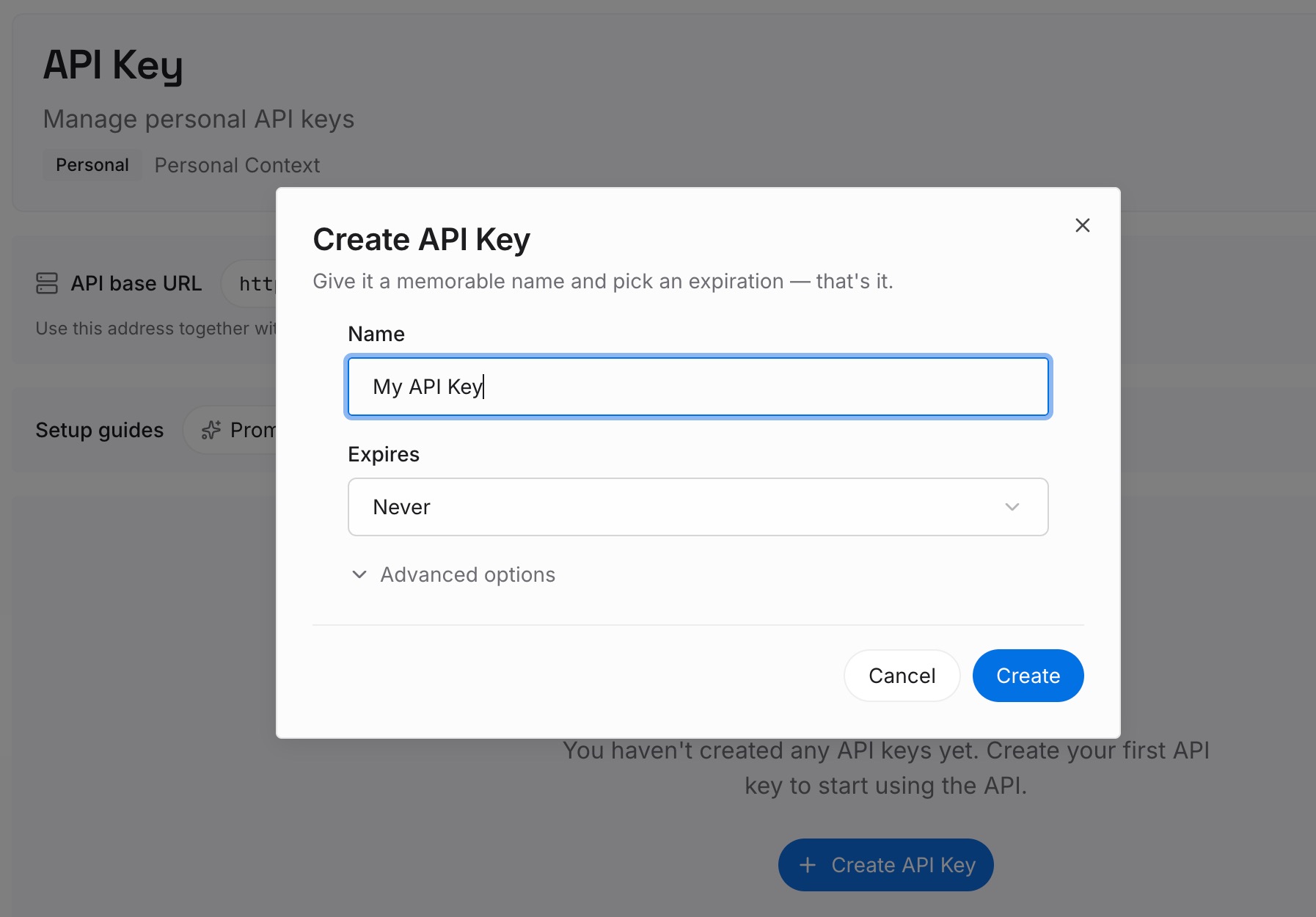
Step 1: Create an API key
Sign in and generate a key from the dashboard. Store it outside your repositories and skill folders.
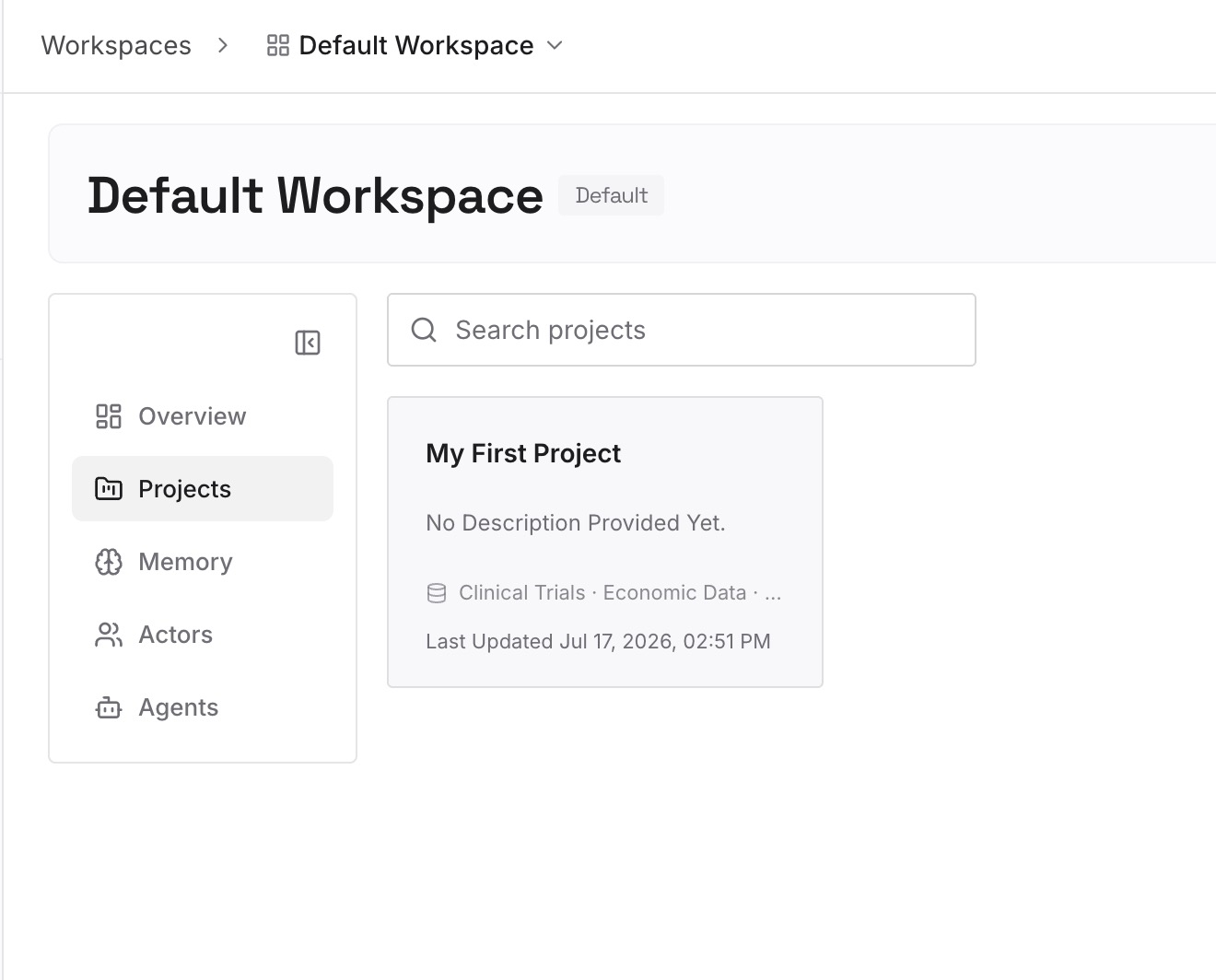
Step 2: Upload your first memories
Start with what you wrote in Step 4 of the fix: the reasons behind your conventions. One decision per entry.
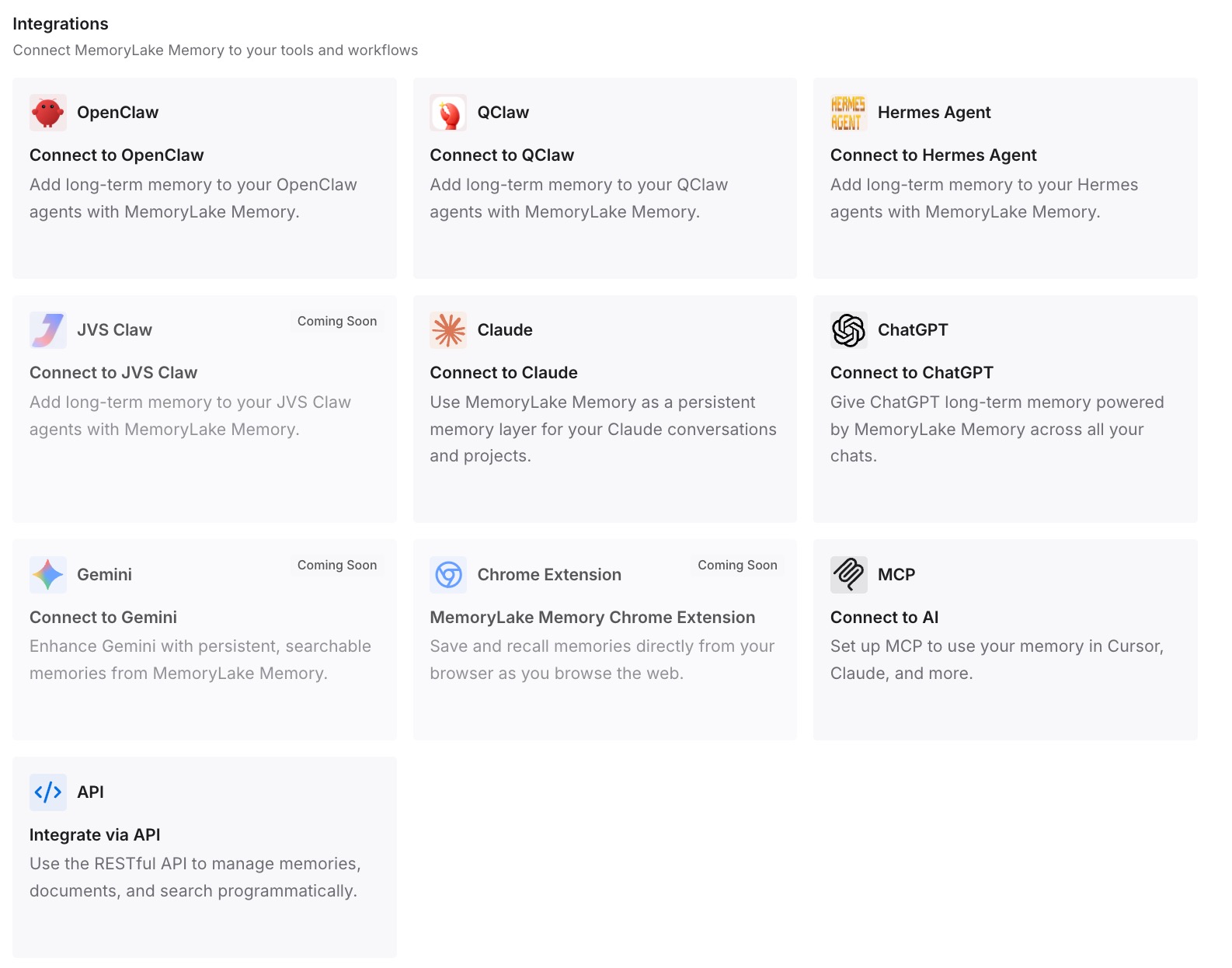
Step 3: Connect your AI & agents
Connect Claude Code, Codex, ChatGPT, and the other assistants you use, so the same reasoning is there in each.
What this changes in practice
The first difference is shorter skills. They hold instructions, and the reasoning lives in your notes.
The second is reach. The same knowledge works in tools that don't read SKILL.md files.
The third is easier review. A teammate can see why a convention exists before changing it.
Best practices for Claude Code skills
Keep facts in CLAUDE.md. Move procedures and reference to skills.
Always write a description. Put the key use case first.
Control invocation. Use the two invocation fields deliberately.
Put important rules at the top. Compaction keeps the start.
Keep SKILL.md under 500 lines. Move detail to supporting files.
Use hooks for must-follow rules. Skills rely on Claude's judgment.
Conclusion
A skill fits when a CLAUDE.md section has become a procedure or reference rather than a fact, because its body loads only when used. Skills live in personal, project, nested, or plugin folders, and each SKILL.md has frontmatter that must start on the first line, with description as the one recommended field. Five patterns cover most needs: reference conventions, a manual task with disable-model-invocation: true, background knowledge with user-invocable: false, a file-scoped skill with paths, and a forked subagent skill with context: fork.
Once loaded, a skill stays in the conversation and isn't re-read, and compaction may keep only the start, so put the most important instructions first and use hooks for rules that must always hold. Writing down why each convention exists keeps that knowledge useful beyond one repository.