
What the status line is
The documentation describes it in one sentence: "The status line is a customizable bar at the bottom of Claude Code that runs any shell script you configure. It receives JSON session data on stdin and displays whatever your script prints".
It lists the reasons people use it:
- To "monitor context window usage as you work".
- To "track session costs".
- To tell sessions apart when you "Work across multiple sessions".
- To keep the git branch and status visible.
Two details are worth knowing before you build one. First, it costs nothing in model usage: "The status line runs locally and does not consume API tokens." Second, it sits alongside the built-in footer rather than replacing it, though the documentation notes that with a custom status line, Claude Code stops showing some footer hints.
How to set one up
There are two routes.
Let Claude write it. The documentation says: "The /statusline command accepts natural language instructions describing what you want displayed. Claude Code generates a script file in ~/.claude/ and updates your settings automatically". You describe what you want, such as the model name and a context bar, and approve the file edits.
Write it yourself. Add a statusLine field to your user settings in ~/.claude/settings.json or to project settings. Set its type to command and point the command at a script or an inline shell command.
Three optional fields shape the output:
- padding adds horizontal spacing.
- refreshInterval re-runs the command on a timer, covered below.
- hideVimModeIndicator hides the built-in vim mode text when your script shows it.
To remove the status line, the documentation says you can run /statusline and ask it to remove or clear the status line, or delete the field from your settings.
Which session fields your script receives
Every time it runs, your script gets one JSON object on stdin. The documentation's table is long, and the fields fall into a few groups.
Model and effort. model.id and model.display_name, plus effort.level and thinking.enabled.
Where you are. workspace.current_dir, workspace.project_dir (the directory where Claude Code was launched), added directories, the repository identity from the origin remote, and worktree details when you're in one.
Session identity. session_id, described as "Unique session identifier", and session_name, which uses the custom name you set or the AI-generated session title. There's also prompt_id for the prompt being processed and transcript_path, the "Path to conversation transcript file".
Context. The context_window object, covered in the next section.
Cost and time. cost.total_cost_usd, which the documentation describes as an estimate computed client-side that "May differ from your actual bill", plus total duration and lines added and removed.
Limits. Fields for rate-limit windows and when they reset, and a prompt cache object with whether the cache is warm.
Pull requests. The open PR number, URL, and review state for the current branch.
Some fields are absent until they apply. The documentation's troubleshooting section says: "Fields may be null before the first API response completes, so handle null values in your script with fallbacks".
How to show context window usage
Monitoring context is the first use the documentation lists, and the page explains exactly what it contains.
It describes "the live context window from the most recent API response." It includes the maximum window size, combined input and output totals, a per-category breakdown, and two pre-calculated fields: used_percentage and remaining_percentage.
The key rule is what counts. The documentation says: "The used_percentage field is calculated from input tokens only: input_tokens + cache_creation_input_tokens + cache_read_input_tokens. It does not include output_tokens."
If you calculate the figure yourself from the breakdown, the documentation says to "use the same input-only formula to match used_percentage." Its recommendation for most scripts is simpler: "Use used_percentage for the simplest accurate context state."
There's one field to treat carefully: exceeds_200k_tokens. The documentation says it reflects whether the latest response's combined count exceeds 200k and that "This is a fixed threshold regardless of actual context window size." It isn't a warning that your window is nearly full.
Why it differs from /context
The status line and /context measure slightly different moments. The status line uses the last API response. /context adds an estimate for messages added since then. So right after you paste a large file or Claude reads several files, /context can show more than the status line until the next response arrives.
Compaction resets part of the data. The documentation says the current_usage object "is null before the first API call in a session, and again immediately after /compact until the next API call repopulates it." A blank or dashed context segment right after compaction is expected, and a fallback in your script keeps it readable.
When the status line updates
Updates are driven by events, not by a clock. The documentation says the script runs once when a session starts or resumes, and again when:
- "A new assistant message arrives".
- "
/compactfinishes". - "The permission mode changes".
- "Vim mode toggles".
- You change the command in your settings.
- A refresh interval elapses, if you set one.
- A rate-limit window or a warm prompt cache in the last data reaches its reset or expiry time.
Updates are batched: "Claude Code debounces updates at 300ms, so rapid changes batch together and your script runs once after the changes stop." And if a new update triggers while your script is still running, Claude Code cancels the in-flight script.
Why it can go quiet while background agents run
This is the behavior from the opening example. Because updates follow events in the main session, a long wait in that session means few or no updates, even while work is happening elsewhere.
The documentation names the case directly: "The event-driven triggers can go quiet when the main session is idle, for example while a coordinator waits on background subagents." Its fix: set refreshInterval "to also re-run the command on a fixed timer." The minimum is one second.
The documentation also mentions this setting for segments that change outside the session, such as a clock, or "when background subagents change git state while the main session" is idle. If your status line shows git status during multi-agent work, a refresh interval keeps it current.
A refresh interval re-runs your script. It doesn't create new context data. The context fields still come from the most recent API response in the main session.
What can make it disappear
The troubleshooting section lists several causes of a blank status line:
- The folder isn't trusted. "Until you accept the workspace trust dialog, the status line stays blank." The status line runs a shell command, so it follows the same trust rule as hooks.
- The script fails. "Scripts that exit with non-zero codes or produce no output cause the status line to go blank".
- Hooks are disabled. If
disableAllHooksis true outside managed settings, only a managed status line runs. - Your organization restricts hooks. With
allowManagedHooksOnlyset in managed settings, "your custom status line disappears without warning".
To see what's happening, the documentation suggests running claude --debug, which logs your script's stderr and its exit code on the first run in a session.
Speed matters too. "Slow scripts block the status line from updating until they complete." For commands such as git status, the documentation suggests caching the result.
We covered how Codex calculates its own context-left figure, including why it starts at the top in a new chat, in our guide to context left in Codex.
What people try first
Comparing the status line to /context. They measure different moments. /context can read higher until the next response.
Expecting updates during long background work. Event triggers go quiet when the main session is idle. Set a refresh interval.
Treating exceeds_200k_tokens as a full-window warning. It's a fixed threshold.
Adding output tokens to the context figure. used_percentage counts input tokens only.
Debugging a blank line in an untrusted folder. Accept the trust dialog first.
The Fix: Make the status line tell you when to save context
Step 1: Show used_percentage
It's the documented field for the simplest accurate context state.
Step 2: Add fallbacks for null values
Fields can be empty before the first response and after /compact.
Step 3: Set a refresh interval for agent work
Keep segments current while the main session waits.
Step 4: Save decisions before the window fills
When the figure climbs, write down the decisions and facts from the session that you'll need again.
Setting this up in MemoryLake
The status line tells you how full the context window is. It doesn't keep anything. When the session compacts or ends, the decisions made in it are only as durable as the summary or the transcript. The context that matters across sessions, such as what you decided, which approach failed, and which constraints apply, is better kept as notes you wrote.
MemoryLake is a memory layer for that kind of project context, such as decisions, constraints, and lessons from past sessions, kept in one place you maintain and available to the assistants you connect, such as ChatGPT, Claude Code, and Codex.
You write the entries yourself, in your own words. Nothing is read out of, written to, or deleted from your Claude Code sessions, your transcripts, your status line scripts, your settings files, or any vendor's store. The status line works the way Anthropic describes it.
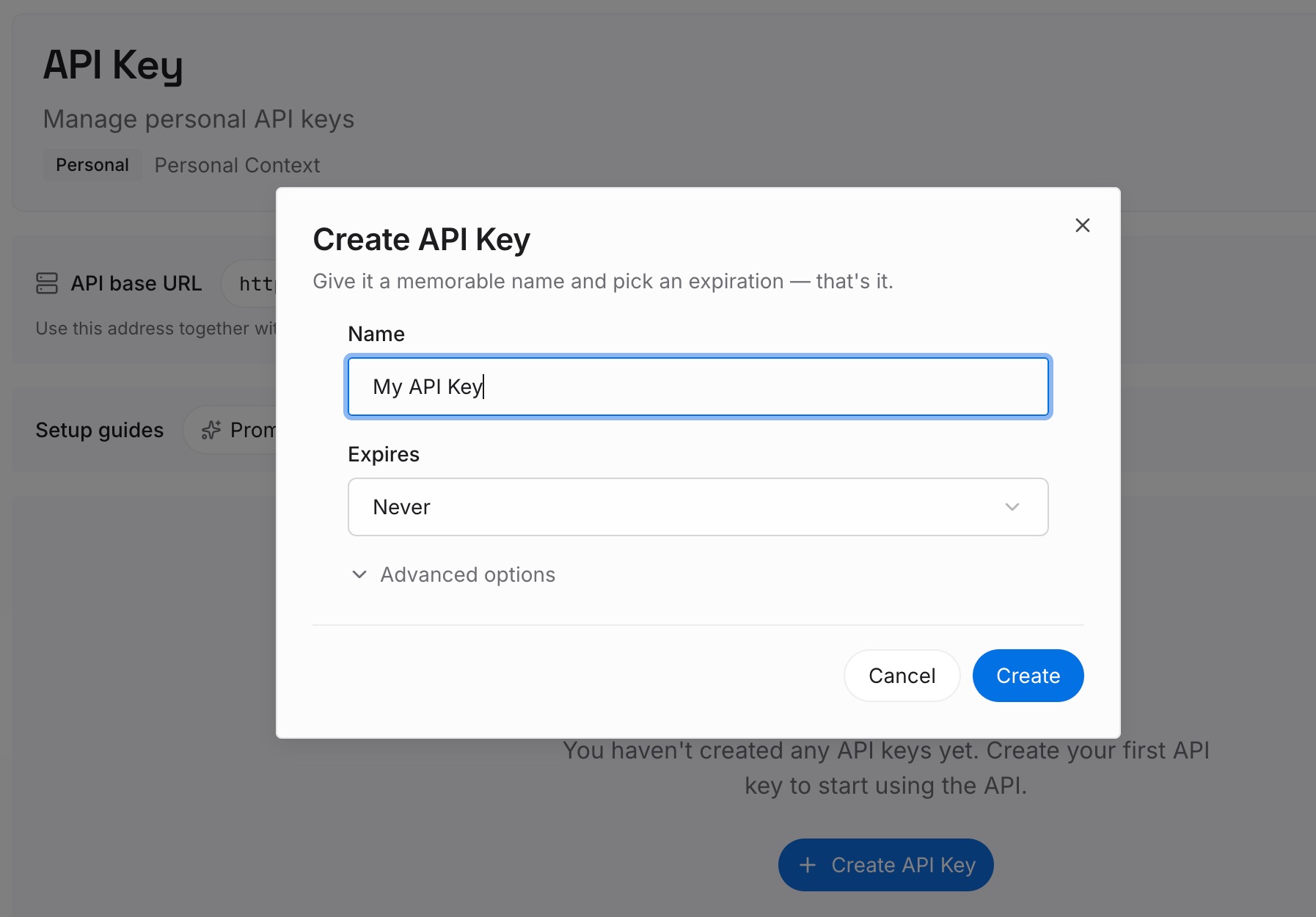
Step 1: Create an API key
Sign in and generate a key from the dashboard. Store it outside your repositories, like any other credential.
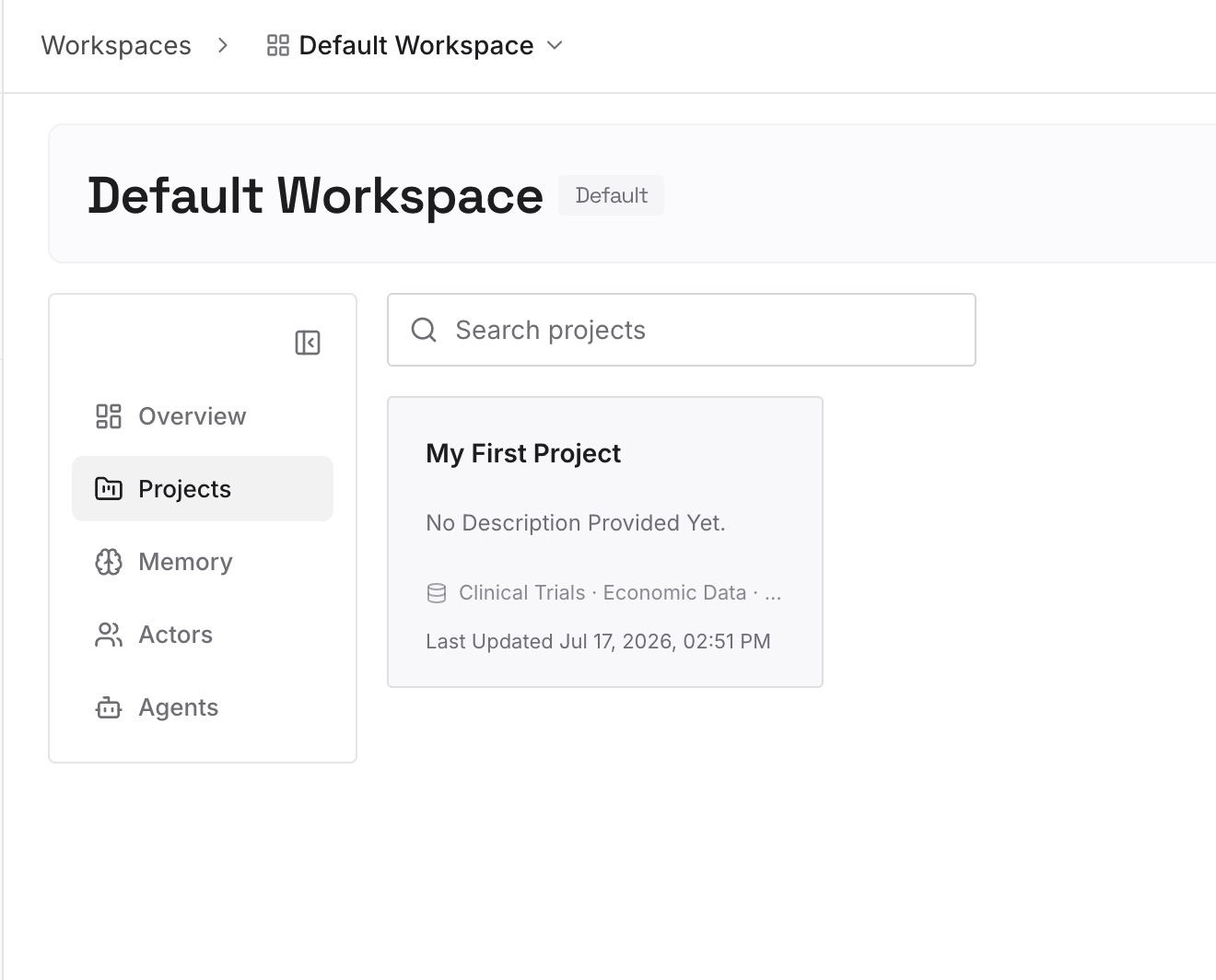
Step 2: Upload your first memories
Start with what you wrote in Step 4 of the fix: the decisions and facts worth keeping from a long session. One topic per entry.
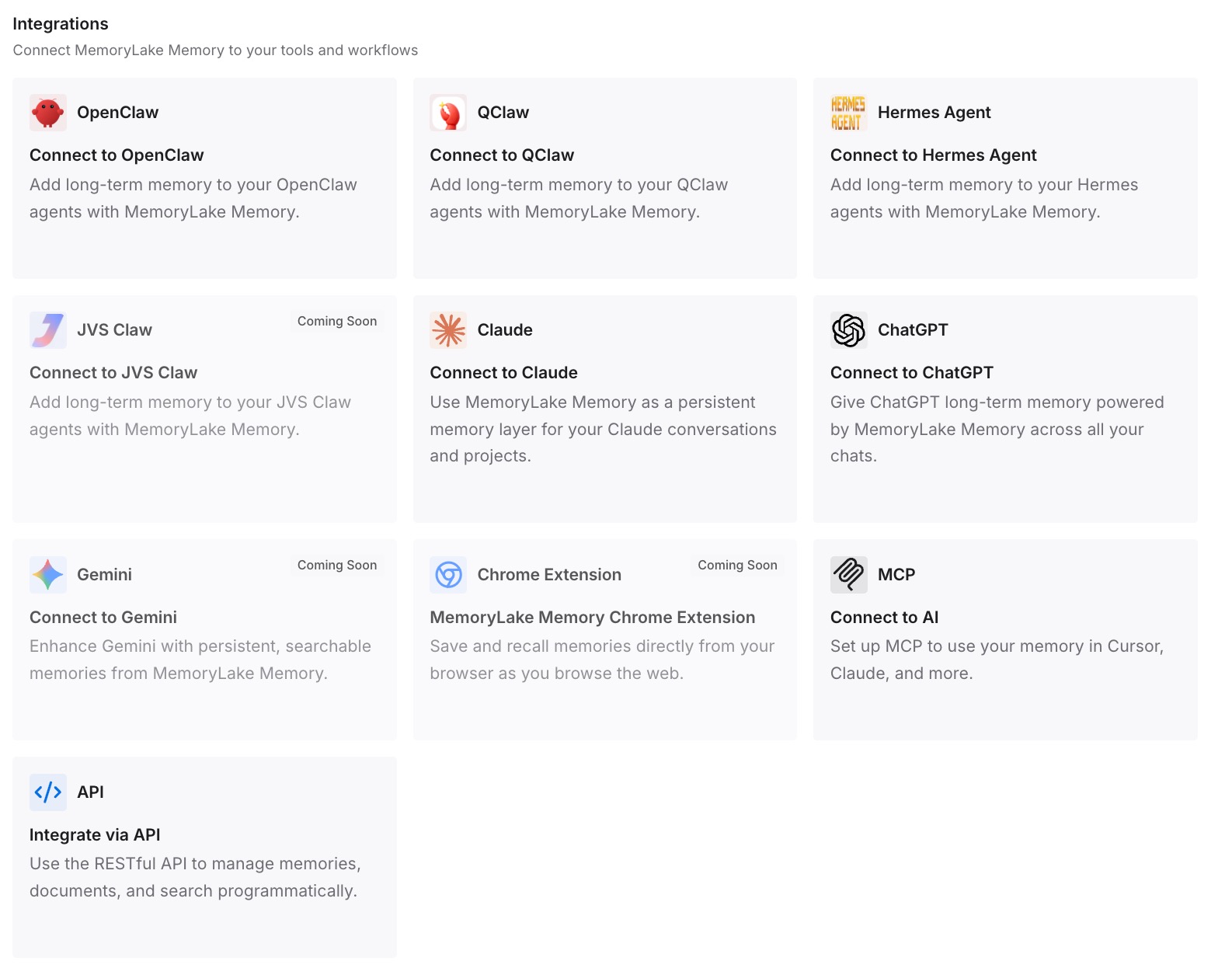
Step 3: Connect your AI & agents
Connect Claude Code, Codex, and the other assistants you use. A new session can start from the same notes.
What this changes in practice
The first difference is timing. The status line becomes a signal to save context, not just a gauge.
The second is smoother compaction. What you need is already written down before the summary replaces the detail.
The third is consistency across tools. The same notes are available in Claude Code and in other assistants.
Best practices for the Claude Code status line
Start with /statusline. Describe what you want and let Claude Code write the script.
Use used_percentage. It counts input tokens only, by design.
Handle nulls. Expect empty values before the first response and after compaction.
Add refreshInterval for long agent work. Event triggers can go quiet.
Keep scripts fast. Cache slow commands such as git status.
Show the session name. It helps when you run several sessions.
Check trust and hook settings if it's blank. Both can hide it.
Conclusion
The Claude Code status line runs a shell script you configure, passes it JSON session data on stdin, and shows what the script prints, without using API tokens. The data includes the model, workspace, session ID and name, transcript path, cost estimates, rate limits, and a context_window object whose used_percentage counts input tokens only.
It updates on events such as new assistant messages and /compact, with a 300ms debounce. Those triggers can go quiet while the main session waits on background subagents, so a refreshInterval keeps it current. It reports the last API response, which is why /context can read higher. Use it as a signal to save what matters before the window fills.