
What the task list is
Anthropic describes it as "Claude's to-do checklist: items Claude created to plan multi-step work, with indicators showing what's pending, in progress, or complete."
It's easy to confuse with another view. The documentation separates them: the task list is "separate from the background-task view. To see running shells and subagents, use /tasks instead." The /tasks command lists background work in the current session, including subagents that have finished. The task list is Claude's plan.
Claude writes the list using a set of tools. By default those are the four Task tools: TaskCreate, TaskGet, TaskList, and TaskUpdate. An older tool, TodoWrite, is "Disabled by default in favor of" the four Task tools. You can switch back to it with CLAUDE_CODE_ENABLE_TASKS=0, but only in sessions that have task-tracking tools at all.
Why the list is empty on newer models
The tools are left out of newer models on purpose. Anthropic's tools reference explains: "On every other model, Claude Code leaves the tools out unless you opt in."
The reason is in the next sentence: "On newer models, Claude keeps track of multi-step work without a written checklist, and the tools' definitions and reminders take up context. Without the tools, Claude adds nothing to the task list while it works."
So when you run a newer model, Claude still plans multi-step work. It just doesn't write the plan into the checklist, because it doesn't have the tools to do it. The list stays empty.
Two other cases fall into the same rule:
- Unrecognized models. "The same applies to a model ID Claude Code doesn't recognize, such as a custom model name served through an LLM gateway."
- Version. "The default set described here applies in Claude Code v2.1.268 and later." If the list disappeared after an update, compare your version with that line.
There's one exception in the other direction. "In background sessions and in cloud sessions, Claude Code provides the same tools on every model, listed or not."
How to turn the task list back on
If you want the checklist on a newer model, Anthropic lists several ways to opt in:
- An environment variable. Export
CLAUDE_CODE_ENABLE_TODO_TOOLS=1before you start Claude Code. "Claude Code then provides the same tools on every model and every provider". This requires Claude Code v2.1.233 or later. - The allowed-tools flag. Name one of the tools in
--allowedTools, for exampleTaskCreate. - The tools flag. List the tools in
--tools. Anthropic notes that this flag "restricts the session's built-in tools to the ones it names", so include the other built-in tools you use too. - The Agent SDK. The
allowedToolsandtoolsoptions work the same way as the two flags.
Before you turn them on, weigh Anthropic's reason for turning them off. The tools' definitions and reminders take up context, and newer models track multi-step work without them. If you want the checklist mostly to watch progress, that's a fair trade. If you're tight on context, leaving it off may suit the session better.
What Ctrl+T shows
In a session that has the tools, the task list is a toggle. Anthropic's interactive mode reference covers how it behaves:
- "Press
Ctrl+Tto toggle the task list view. The display shows up to five tasks at a time." - "When Claude hasn't created any checklist items yet, the toggle has no visible effect because there's nothing to display".
- To see every task or clear the list, ask Claude directly, for example to show all tasks or to clear all tasks.
That second point is the usual source of confusion. On a newer model without the tools, Ctrl+T has nothing to show, so pressing it does nothing.
The view also remembers how you left it. "If you leave the list expanded, Claude Code restores the expanded view the next time you launch into a session that still has tasks, such as with --resume or --continue. When the task list is empty, Claude Code starts it collapsed".
Ctrl+T is the task list, not the transcript. For the full record of what happened in a session, Claude Code has a separate transcript view, covered in our guide to what transcript view shows in Claude Code.
How tasks survive compaction
Long sessions get compacted: Claude Code summarizes earlier parts of the conversation to free context. The task list is one of the things that doesn't depend on that summary. Anthropic says: "Tasks persist across context compactions, helping Claude stay organized on larger projects".
The list is also kept outside the conversation. Anthropic's directory reference lists a tasks/ folder under ~/.claude/ holding "Task lists written by the task tools, one directory per list".
Coming back works the same way. When you resume a session that still has tasks with --resume or --continue, Claude Code restores the list view the way you left it.
How to share one list across sessions
By default, each session's list is its own. To use the same list in more than one session, set an ID. Anthropic's example: CLAUDE_CODE_TASK_LIST_ID=my-project claude.
The environment variable reference describes what it does: "Share a task list across sessions. Set the same ID in multiple Claude Code instances to coordinate on a shared task list, in sessions that have the Task tools."
The ID maps to "a named directory in ~/.claude/tasks/". Any session started with the same ID reads and updates the same list.
Keep the model rule in mind. A session on a newer model without the tools can't read or update the shared list. Each session that should take part needs the tools, either by default or through one of the opt-ins above.
Subagents and agent teams
Task tools follow your session. "A subagent has the task-tracking tools only when your session has them, whatever model the subagent runs."
Agent teams use the task list to coordinate. Anthropic's agent teams documentation says: "In agent teams, teammates share a task list, claim work, and communicate directly with each other." It describes how that list works:
- "Tasks have three states: pending, in progress, and completed."
- "A task can also depend on other tasks and shows as blocked in the task list until they're completed."
- "Teammates don't self-claim a blocked task, but you or the lead can still assign it."
Without the tools, teams fall back to messages: "Agents without the Task tools coordinate through messages instead of the shared task list."
A team's list has its own folder, ~/.claude/tasks/{team-name}/, and the documentation notes: "This directory stays on disk after the session ends."
The rules for split-pane teammates are more detailed. A split-pane teammate is a separate Claude Code process, and if you exported CLAUDE_CODE_ENABLE_TODO_TOOLS in your shell, Anthropic says the teammate doesn't get it automatically. Its suggested fix is to pass the setting through --settings when you start your session.
Where task lists live, and when they're deleted
Task lists are files on your machine, and they follow Claude Code's cleanup rules.
Automatic cleanup. The tasks/ folder is in the list of paths Claude Code deletes once they're older than cleanupPeriodDays. "The default is 30 days and the minimum is 1".
Deleting it yourself. In Anthropic's table of what you lose when you delete paths under ~/.claude, the entry for ~/.claude/tasks/ reads: "Your task lists, including any still in use".
Purging a project. claude purge deletes the state Claude Code holds for one project, including "Per-session tasks/, debug/, and file-history/ entries". It prints the plan and asks for confirmation first.
You may also see a todos/ folder. Anthropic lists it among "Legacy directories from older versions. No longer written."
What a checklist doesn't hold
The task list tracks steps and their status. That's its job. Anthropic's documentation describes items Claude created to plan multi-step work, and it doesn't describe them as a place for the reasoning behind the plan, such as why one step comes before another or which approach you already ruled out.
Those parts of a project tend to outlast any single list. A list can be cleared, can age out after the retention period, or can simply be finished. If the reasons matter for the next session, they need to be written somewhere meant for them.
What people try first
Pressing Ctrl+T on a newer model. Without the task tools, there's nothing to display.
Reinstalling Claude Code. Since v2.1.268, an empty list on a newer model is the documented default.
Opening /tasks to find the checklist. That command shows background work, not the plan.
Setting a shared list ID on a session without the tools. The session can't use the list until it has the tools.
Relying on the list for the why. It holds steps and status, not the reasoning behind them.
The Fix: Get the checklist you expect
Step 1: Check which model the session uses
If it's not Opus 4.7, Sonnet 4.6, Haiku 4.5, or earlier, the task tools are off by default.
Step 2: Opt in if you want the list
Export CLAUDE_CODE_ENABLE_TODO_TOOLS=1 before starting Claude Code, or name a Task tool in --allowedTools.
Step 3: Share a list on purpose
Set CLAUDE_CODE_TASK_LIST_ID to the same value in each session that should work from one list.
Step 4: Write down the reasoning
Keep the decisions behind the plan, such as order, constraints, and rejected approaches, outside the checklist.
Setting this up in MemoryLake
A task list is a good record of what's left to do. The decisions behind it, such as why a migration runs before a backfill, are context the next session needs whether or not it has a checklist.
MemoryLake is a memory layer for that kind of project context, such as decisions, constraints, and conventions, kept in one place you maintain and available to the assistants you connect, such as ChatGPT, Claude Code, and Codex.
You write the entries yourself, in your own words. Nothing is read out of, written to, or deleted from your task lists, your ~/.claude folder, your session transcripts, your CLAUDE.md files, your auto memory, or any vendor's store. Task tools, compaction, and cleanup work the way Anthropic describes them.
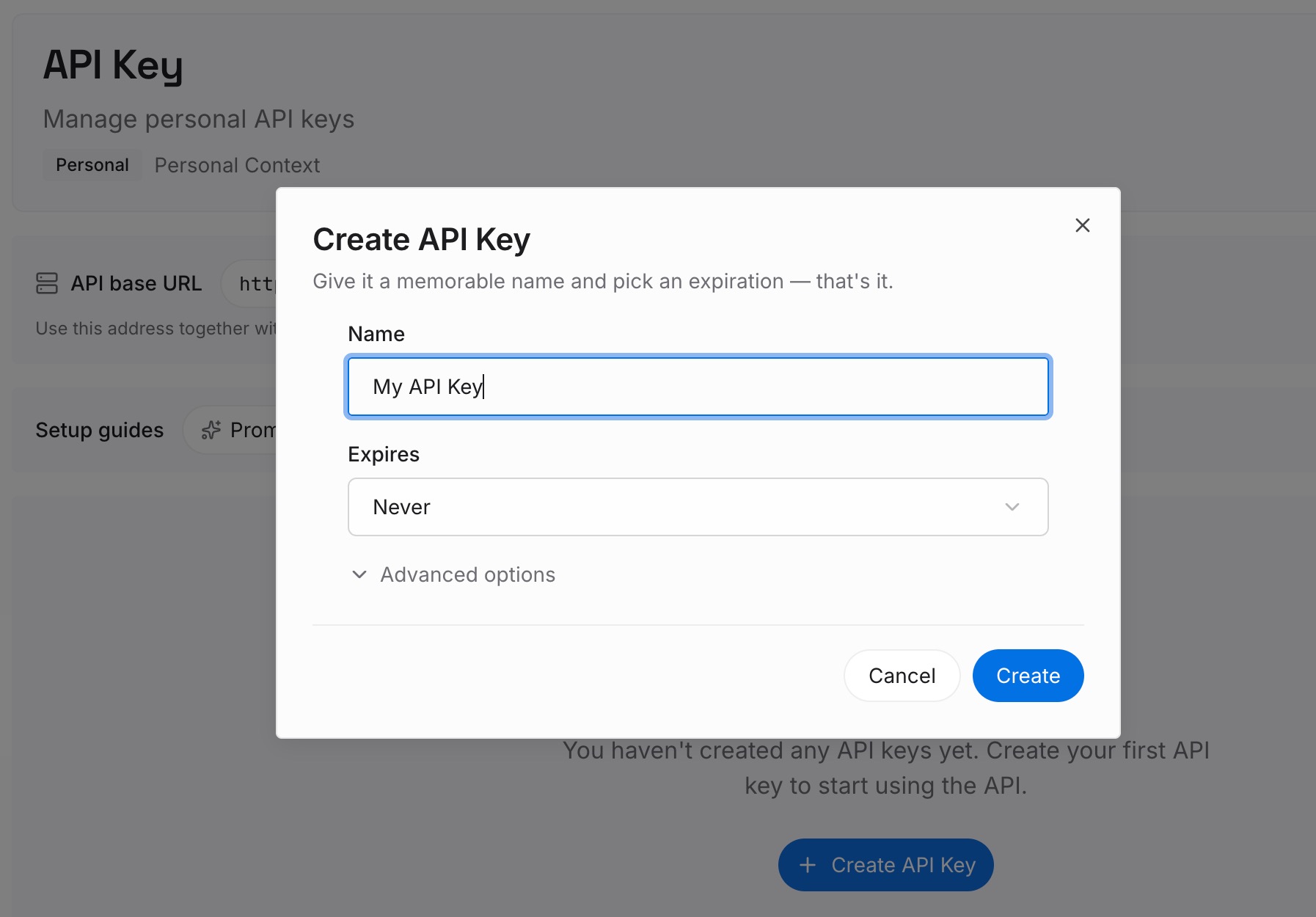
Step 1: Create an API key
Sign in and generate a key from the dashboard. Store it outside your repositories, like any other credential.
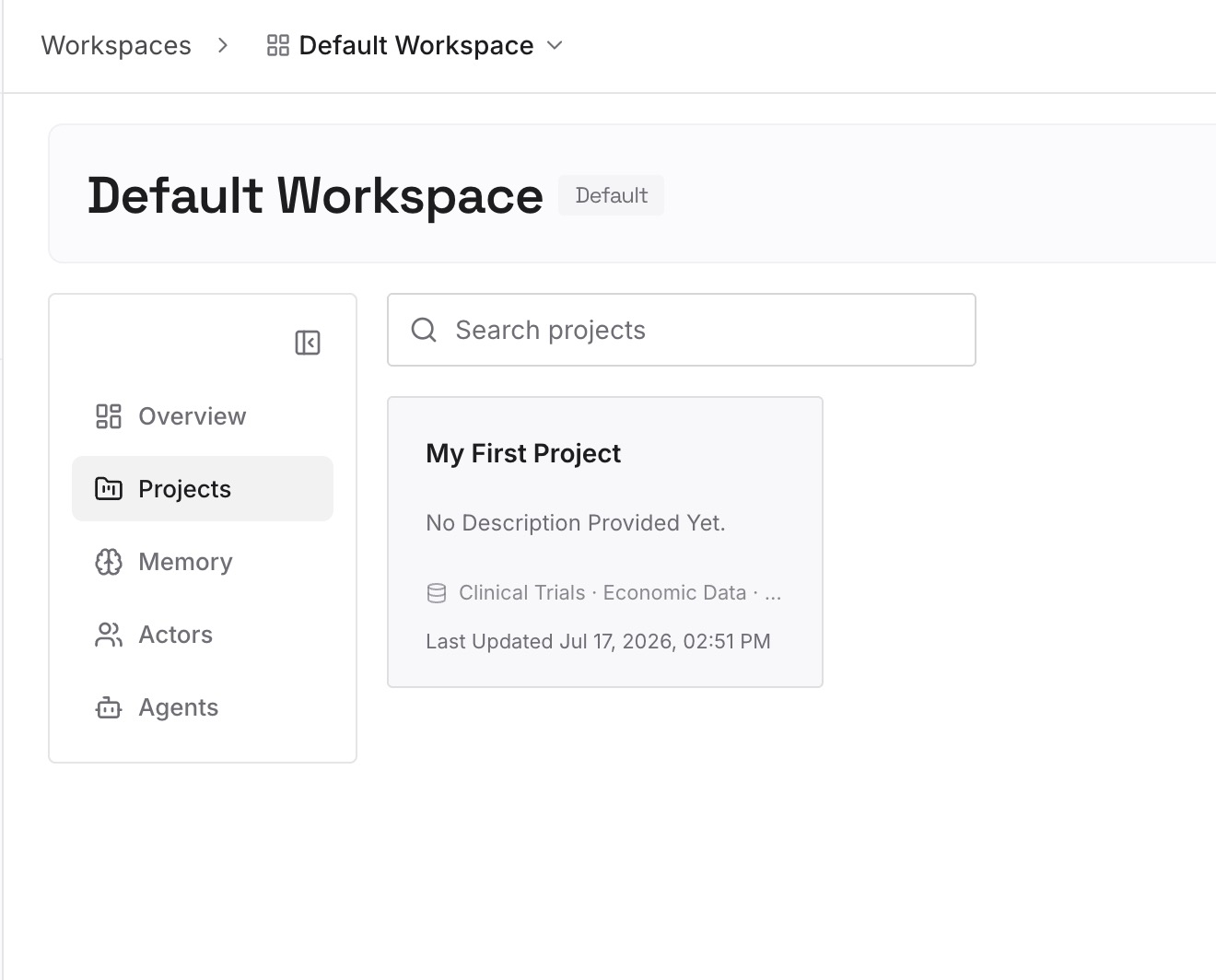
Step 2: Upload your first memories
Start with what you wrote in Step 4 of the fix: the order of the work and why, the constraints, and the approaches you've ruled out. One decision per entry.
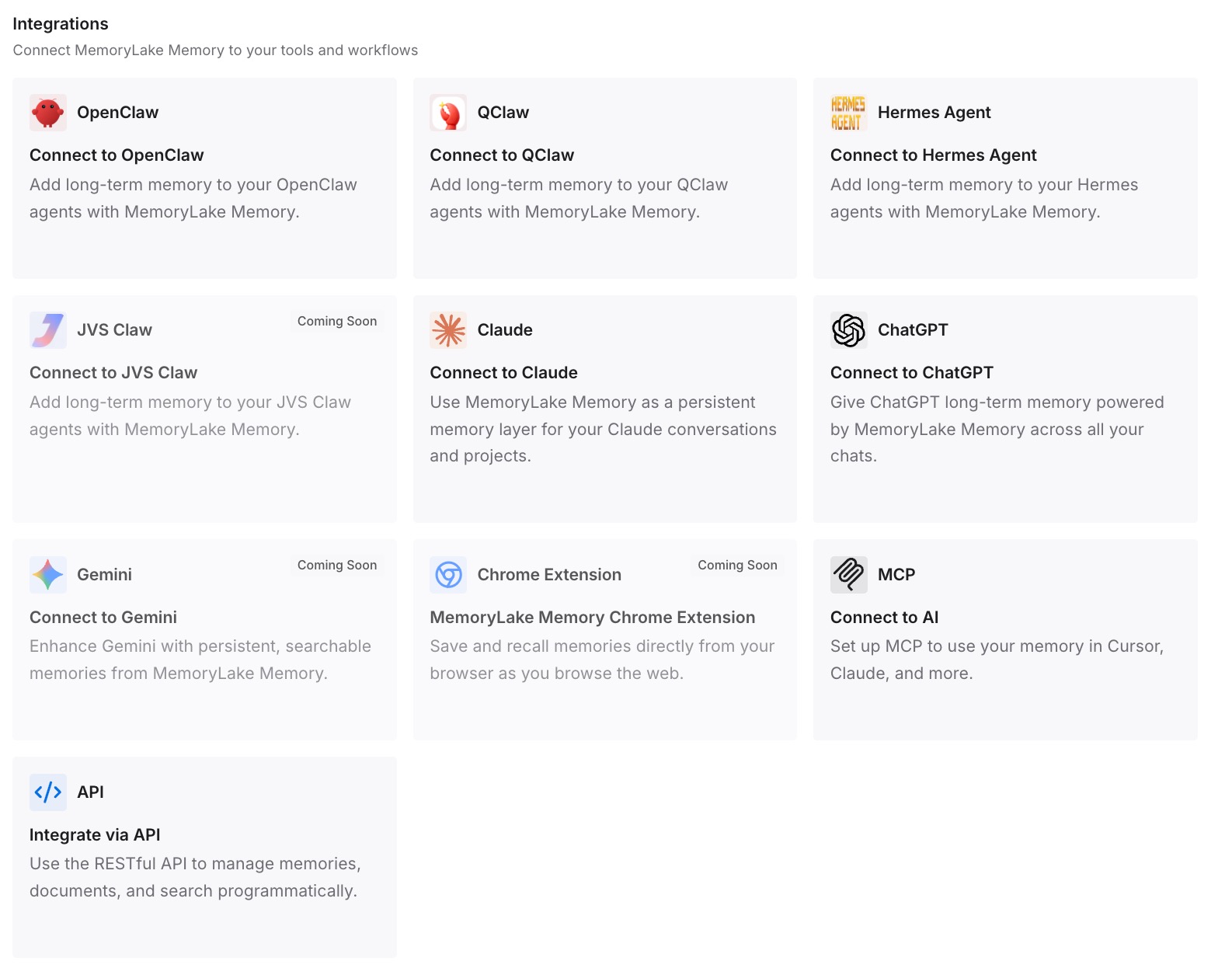
Step 3: Connect your AI & agents
Connect Claude Code and any other assistants you use. A new session, with or without a task list, can draw on the same decisions.
What this changes in practice
The first difference is a plan that survives its checklist. When the list is finished or cleared, the reasoning is still written down.
The second is less dependence on model defaults. Whether the session has task tools or not, the context is the same.
The third is continuity across tools. Codex or another assistant working on the same repository can use the same entries.
Best practices for the Claude Code task list
Know the default. Task tools are on by default only for Opus 4.7, Sonnet 4.6, Haiku 4.5, and earlier.
Opt in deliberately. The tools cost context, and newer models track work without them.
Use Ctrl+T for the plan and /tasks for background work. They're separate views.
Share lists with an ID. Every participating session needs the task tools.
Remember retention. Task lists are swept after cleanupPeriodDays, 30 days by default.
Check split-pane teammates. An exported variable doesn't pass to them automatically.
Keep the why elsewhere. The list holds steps, not reasons.
Conclusion
If the Claude Code task list is empty, check whether the session's model has the task-tracking tools. Since v2.1.268, they're on by default only for Opus 4.7, Sonnet 4.6, Haiku 4.5, and earlier models. Anthropic says newer models track multi-step work without a written checklist, and the tools take up context. Background and cloud sessions get them on every model.
If you want the list back, set CLAUDE_CODE_ENABLE_TODO_TOOLS=1 or name a Task tool in --allowedTools. Tasks persist across compaction, sessions can share a list through CLAUDE_CODE_TASK_LIST_ID, and task lists are deleted with other data after cleanupPeriodDays. Keep the reasoning behind the plan somewhere the next session can read.