
What ultrareview is
Anthropic's documentation describes it in two sentences: "Ultrareview is a deep code review that runs as a cloud session on Anthropic's infrastructure. When you run /code-review ultra, Claude Code launches a fleet of reviewer agents in a cloud sandbox to find bugs in your branch or pull request."
Compared with a local /code-review, the documentation lists three differences:
- Higher signal. "every reported finding is independently reproduced and verified, so the results focus on real bugs rather than style suggestions".
- Broader coverage. A larger fleet of reviewer agents explores the change in parallel.
- No local resource use. The review runs in a cloud sandbox, so your terminal stays free.
It never starts by itself. The documentation says: "The command runs only when you invoke it with /code-review ultra; Claude doesn't start an ultrareview on its own."
Ultrareview needs a claude.ai account, because it runs as a cloud session. It isn't available through Amazon Bedrock, Google Cloud's Agent Platform, or Microsoft Foundry, or for organizations with Zero Data Retention or the HIPAA configuration. The documentation says that in those cases, "/code-review ultra runs a local review in your session instead."
What it reviews
Without arguments, the documentation says, "ultrareview reviews the diff between your current branch and the default branch, including uncommitted and staged changes."
You can point it at other targets:
- A different base.
/code-review ultra developreviews your branch againstdevelop. A commit ID or tag works too. - A pull request.
/code-review ultra 1234, or a pasted PR URL for the repository in your current directory. - A plain-language note. You can describe what you're working on, such as checking your auth changes.
That last option is useful context for the review. The documentation says: "Claude keeps your text as a note, shown in the launch dialog, and relates the findings to it when they arrive." The note is for that run. It doesn't change the scope, which is still your current branch.
What it uploads from your machine
This depends on the target.
For a pull request, the documentation is clear: "When you review a pull request, Claude Code uploads nothing from your machine." The PR is cloned in the cloud.
For a branch, Claude Code "bundles the repository state and uploads it to a cloud sandbox under the rules for uploading a local repository to a cloud session". Those rules are in the documentation for Claude Code in the cloud, and they decide what leaves your machine:
- Uncommitted credential files on macOS, Linux, and WSL. "Claude Code leaves uncommitted changes to files named like credentials or keys out of the upload." The documentation names
.envfiles, Terraform*.tfvarsfiles, and key files such asid_rsaand*.pem. A notice lists the files left on your machine. - Native Windows. "uncommitted changes to tracked files upload as they are, whatever the file's name." The documentation says to stash or revert an edit you don't want in the cloud before you start.
- Untracked files. "Untracked files are not included; run
git addon files you want the cloud session to see".
There are also size limits. The cloud documentation says bundled repositories must be under 100 MB, with fallbacks for larger ones. For ultrareview specifically, a branch review can include up to 500 changed files and 8,000 changed lines by default, and the documentation notes that the exact values can change. If a repository is too large to bundle, Claude Code suggests opening a draft PR and reviewing that instead.
Before launching, Claude Code shows a confirmation dialog with the review scope, your remaining free runs, and the estimated cost. For a branch review, the scope includes the file and line count. Checking that dialog is the moment to confirm what's going to the cloud.
Where the findings come back
The review runs in the background. The documentation says: "A review typically takes 5 to 15 minutes." You can keep working in your session, and /tasks lists running and completed reviews.
When it finishes, "Claude Code shows the verified findings as a notification in your session. Each finding includes the file location and an explanation of the issue so you can ask Claude to fix it directly."
So the findings arrive in the session that started the review. For a branch review, the documentation says Claude Code shows the findings in your session only. For a pull request, you can also choose to post them.
We covered how the Claude Code team thinks about verification, including what gets recorded for the next run, in our guide to how the Claude Code team verifies Claude's work.
How posting to a pull request works
For a pull request on github.com, Claude can post the finished findings as a single comment from your GitHub account. The documentation says the comment "isn't a review or an approval", and it ends with a note that it was generated by Claude Code.
Posting is opt-in for each run. Not posting is the default. In an interactive session, you choose to run and post in the launch dialog.
The posting itself happens on Anthropic's side. "Claude Code doesn't post from your machine. It sends the review's session ID to the Anthropic API, which posts the review's stored findings as the comment through the GitHub account you've connected to Claude."
And here is the detail from the opening example. In an interactive session, Claude Code starts the post when the findings arrive, so the session has to be open then. The documentation says: "Claude Code keeps the posting choice only in that session. If the session ends before the review finishes, Claude Code posts nothing, even if you resume the conversation later."
The posting choice lives in the session, so closing it before the findings arrive means nothing is posted. When the post does run, Claude tells you whether it posted, found it was already posted, or failed. On failure, the findings stay in your terminal so you can post them by hand.
What happens when you stop a review or switch accounts
The documentation covers several situations:
- You stop a review. "If you stop a review, Claude Code archives the cloud session and doesn't return partial findings."
- The cloud session is stopped or archived on claude.ai. Claude tells you the review was stopped.
- The session was deleted, or you signed in elsewhere. "If the review's cloud session was deleted, or you've signed in to a different Claude account or organization since launching it, Claude tells you the session wasn't found."
- You switched accounts mid-review. "If you switched accounts, the review may still finish under the account that started it. If the review is still running, sign back in as that account and resume the conversation with
claude --resumeto re-attach it."
A stopped review still counts. The documentation says that a review you stop early or that fails to complete still uses a free run. Pro, Max, and Ultra plans include three free runs as a one-time allotment per account, and after that, reviews bill as usage credits.
Running ultrareview from scripts
For CI or scripts, the documentation points to the claude ultrareview subcommand. It launches the same review, waits until it finishes, and prints the findings.
Two cautions from the documentation apply:
-pdoesn't wait. Running the slash command throughclaude -plaunches the cloud review and exits without the findings, so use the subcommand instead.- Exiting early loses the findings locally. "If the subcommand exits before the findings arrive, they never reach your terminal. The review may still be running in the cloud." Running the subcommand again starts a new review rather than resuming that one.
The subcommand asks whether to trust the folder. The documentation's advice: "Trust it only if you trust its code, because git and Claude Code can then run programs named in its git configuration and project settings." In a CI job, a --trust-workspace flag trusts the folder for that run.
Ultrareview versus /code-review
The documentation compares the two:
/code-reviewruns locally in your session, in seconds to a few minutes, and counts toward normal usage. It's for quick feedback while iterating, and it can review a working diff, a pull request, a branch, or a path./code-review ultraruns in a cloud sandbox with a multi-agent fleet and independent verification, in roughly 5 to 15 minutes, using free runs and then usage credits. It's for confidence before merging a substantial change.
What people try first
Closing the session after choosing to post. The posting choice is kept only in that session.
Expecting partial results from a stopped review. Claude Code doesn't return partial findings.
Running it through claude -p in CI. Use the claude ultrareview subcommand.
Leaving new files untracked. Untracked files aren't included in a branch review.
Assuming uncommitted secrets never upload. On native Windows, uncommitted changes to tracked files upload whatever their names.
The Fix: Keep the review, the session, and the record together
Step 1: Check the launch dialog
Confirm the scope and file count before the upload starts.
Step 2: Prepare the working tree
Stage files you want reviewed, and stash edits you don't want in the cloud, especially on Windows.
Step 3: Keep the session open if you're posting
Leave it running until the findings arrive and the post completes.
Step 4: Record what you decided about each finding
Write down which findings you fixed, which you accepted as risks, and why.
Setting this up in MemoryLake
Ultrareview's findings arrive in one session and, if you post them, in one PR comment. What you decide about them, such as why a finding was accepted, which pattern caused a class of bugs, or which area needs a closer look next time, is project context that the next review and your other tools don't get from that comment.
MemoryLake is a memory layer for that kind of project context, such as decisions, known risks, and the reasons behind them, kept in one place you maintain and available to the assistants you connect, such as ChatGPT, Claude Code, and Codex.
You write the entries yourself, in your own words. Nothing is read out of, written to, or deleted from your Claude Code sessions, your cloud sessions, your review findings, your pull request comments, your repositories, or any vendor's store. Ultrareview works the way Anthropic describes it.
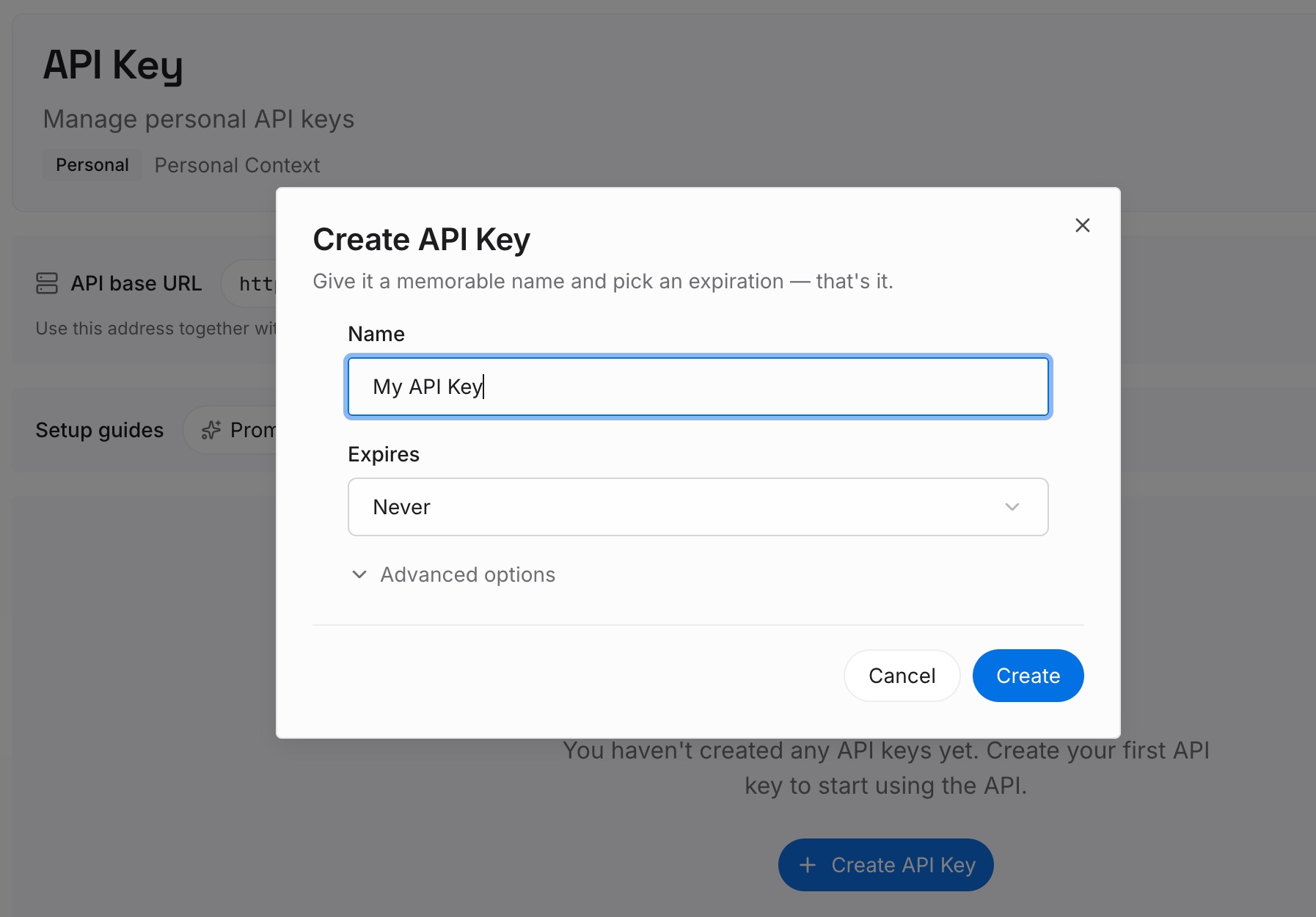
Step 1: Create an API key
Sign in and generate a key from the dashboard. Store it outside your repositories, like any other credential.
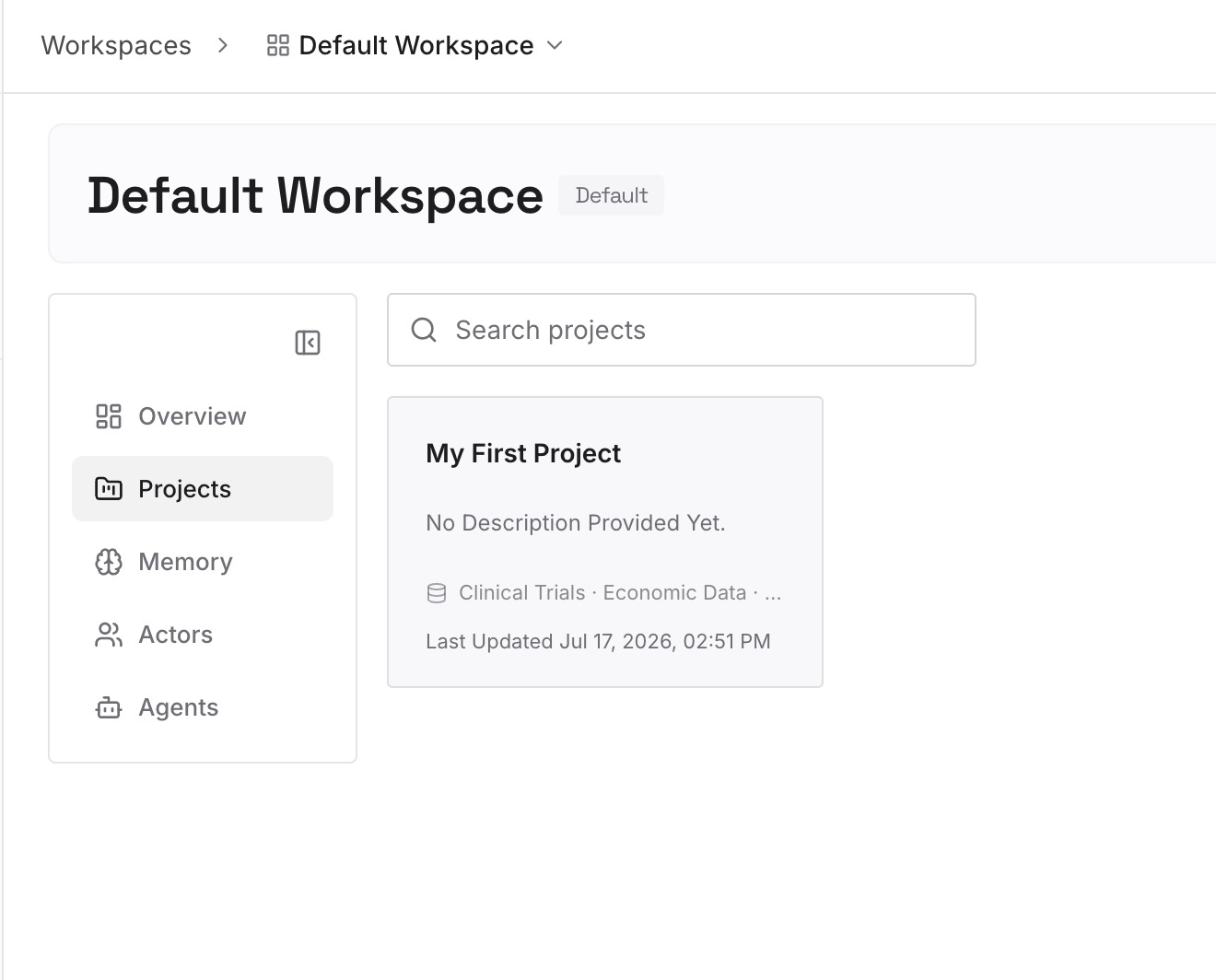
Step 2: Upload your first memories
Start with what you wrote in Step 4 of the fix: your decisions about each finding. One decision per entry, with the PR or branch.
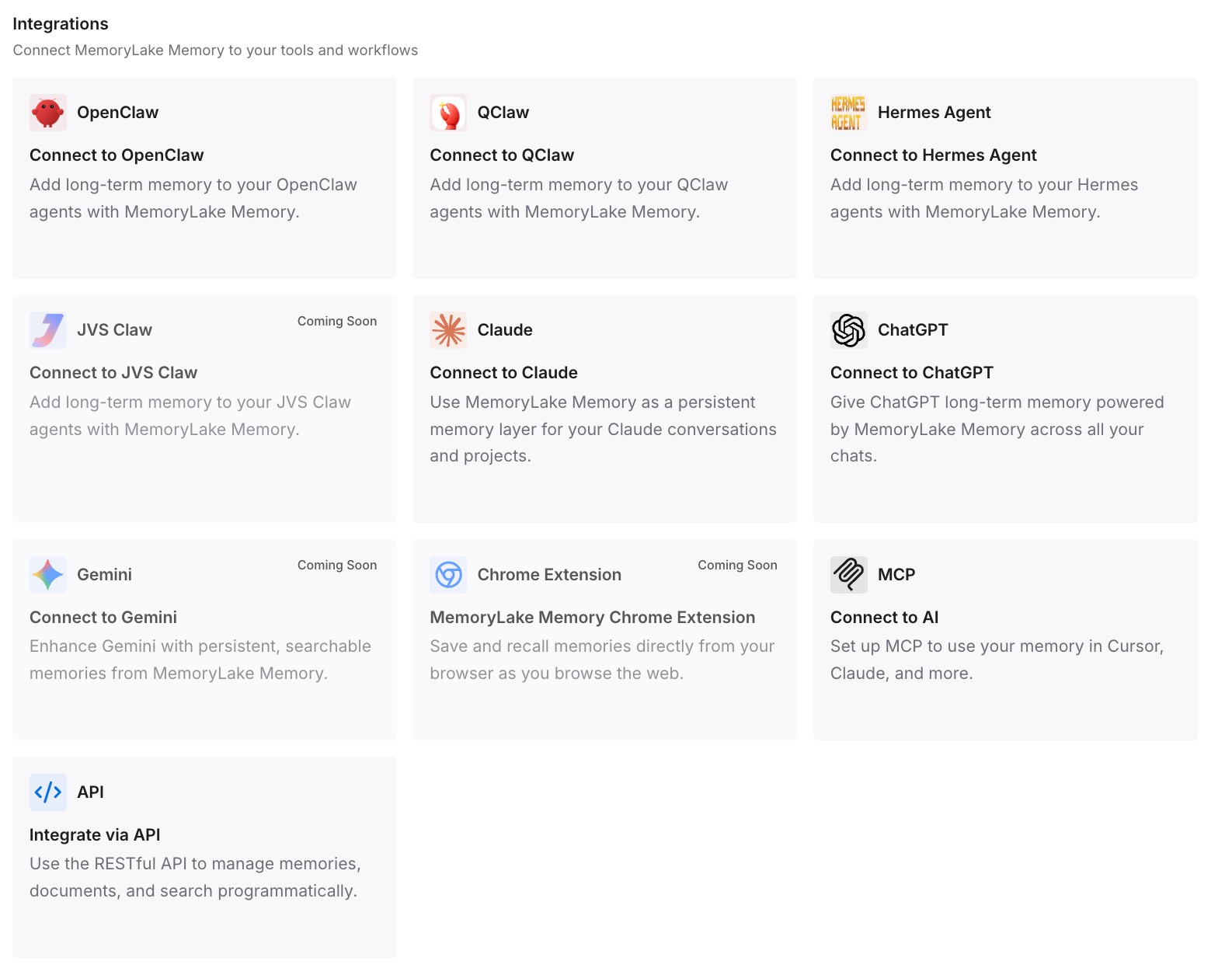
Step 3: Connect your AI & agents
Connect Claude Code, Codex, and the other assistants you use. The next review or fix can start from the same decisions.
What this changes in practice
The first difference is continuity between reviews. Accepted risks don't get rediscovered as surprises.
The second is a record that outlasts the session. Decisions don't depend on a PR comment or a terminal.
The third is consistency across tools. The same decisions are available in Claude Code and in other assistants.
Best practices for ultrareview
Use it before merging substantial changes. Use /code-review for quick feedback.
Review a PR when you don't want to upload local files. Claude Code uploads nothing from your machine for a PR review.
Stage what you want reviewed. Untracked files aren't included.
Watch for credential files on Windows. Uncommitted changes upload as they are.
Keep the session open while posting. The choice doesn't survive a closed session.
Use the subcommand in CI. -p exits without findings.
Add a note for focus. Claude relates the findings to it.
Conclusion
Ultrareview runs a fleet of reviewer agents in a cloud sandbox on Anthropic's infrastructure, and every reported finding is independently reproduced and verified. For a branch, Claude Code uploads a bundle of your repository state under the cloud upload rules, which leave out uncommitted credential files on macOS, Linux, and WSL and include no untracked files. For a pull request, it uploads nothing from your machine.
The findings come back as a notification in the session that started the review. If you chose to post them to a pull request, keep that session open, because the posting choice is kept only there. A stopped review returns no partial findings and still uses a free run. Keep the session in mind while the review runs, and record what you decide about the findings somewhere that outlasts it.