
What the Google Workspace connectors actually do
Gmail
The documented capabilities: search and read emails "using natural language queries," draft emails "with proper formatting and context," and "Send, reply to, and forward emails from Gmail." Claude can also access email metadata "including attachment metadata (not attachment content)," manage labels and threads, and list saved drafts.
The safety default is explicit and applies to the write actions: "By default, Claude asks for your approval before each of these actions. On Team and Enterprise plans, owners decide whether members can allow these actions to run without asking each time." Anthropic also flags what you'll see at sign-in: "During authentication, Google's OAuth screen mentions email sending permissions."
Google Drive
Search and retrieve Google Docs; "Share, move, and trash files in Google Drive" — again with approval required by default; look up file metadata and preview without searching first; "Read Sheets, Slides, PDFs, images, and MS Office files"; "Upload any file type, with optional auto-convert to Google formats"; create folders; view file permissions; list recent changes; and "Save Claude-generated files directly to your Drive," which "requires code execution and file creation to be enabled."
Two constraints that matter in practice. Documents added to a conversation "must fit within the conversation's context window." And on extraction: "Claude extracts text content only from Google Drive files. Images embedded in documents are not processed." If your architecture decisions live in diagrams, the connector reads the words around them, not the diagram.
One scoping rule that surprises teams: "The Google Drive connector is only available when adding to Files in private projects. This option will be disabled for shared projects." There's an upside on the freshness front, though — "Google Docs added to chats and projects sync directly from Google Drive, so you're always working with the latest version."
Who has it, and who has to switch it on
Per the documentation: "Google Workspace connectors (Gmail, Google Calendar, and Google Drive) are available for all users on Claude and Claude Desktop." On managed plans there's a gate: "For Team and Enterprise plans, an Owner or Primary Owner must enable these connectors at the organization level before individual users can authenticate."
Also worth knowing before you evaluate: Claude "mirrors your existing permissions—you cannot access information you don't already have access to in Google Workspace," data is encrypted at rest and in transit, and "We do not train our models on your Gmail, Drive, or Calendar connector data."
The documented current limitations are short and honest: attachment content isn't directly accessible through Gmail, some advanced Gmail filters may not be supported, complex queries may require multiple API calls, Google's API rate limits apply, and "Performance may vary for large mailboxes."
What the connector doesn't carry between conversations
Now the part that isn't in the release notes, because it isn't a bug — it's the shape of the feature.
Retrieval is scoped to the question, by design
"Claude automatically detects which tools it needs and uses them to respond," and retrieves the minimum information needed. So when you ask about the vendor thread, Claude fetches the vendor thread. Excellent behavior: least privilege, minimum data movement, and citations back to the source — "Claude's response includes citations indicating which emails, calendar events, or documents were used as sources."
But the retrieval is triggered by the question and sized to the question. Tomorrow's question triggers a fresh retrieval. Nothing has been learned in between.
The retrieved data lives with the chat, not with you
This is the sentence that defines the boundary, and it's stated plainly in the privacy section: "This data is retained with its associated chat, so you can delete any retrieved data by deleting the chat."
That's a genuinely good privacy property — one deletion, one place. Read it from the continuity direction and it also tells you where the retrieved context ends: at that conversation's edge. Delete the chat and the retrieved material goes with it. The same boundary exists in other assistants; the ChatGPT version of it is covered in why ChatGPT connectors don't remember your decisions.
Your conclusions were never in Gmail or Drive to begin with
The deepest version of the gap has nothing to do with any vendor's implementation. A connector can retrieve anything that exists in the connected system. The problem is what doesn't exist there.
You read the thread and concluded the vendor can't hit the deadline, so the launch moves. That conclusion isn't an email. You skimmed six documents and decided two were obsolete. That judgment isn't a file. You worked out why the pricing approach in the Q2 doc was abandoned. The reason isn't written down anywhere — it was in the conversation.
Perfect access to your Drive is perfect access to the artifacts. The reasoning that produced them was never stored, which is why the next conversation starts from the documents again rather than from where you got to.
What people will try
Asking Claude to re-read the thread each time. Works, costs a retrieval and your patience, and produces a fresh summary rather than the conclusion you already reached.
Emailing yourself notes so the connector can find them. Genuinely clever, and it turns your inbox into a database with no schema. Retrieval by keyword against your own past emails degrades fast.
Writing decisions into a Google Doc. The right instinct and the wrong container — better than nothing, because Drive-synced docs stay current, but you're still relying on a search finding the right paragraph.
Turning off the approval prompts to move faster. Available on Team and Enterprise plans at the owner's discretion. It speeds up actions; it doesn't add continuity, and it removes a check worth keeping.
Keeping one long-running chat so nothing gets lost. Postpones the problem, and the documents still have to fit within that conversation's context window.
Assuming a connector is memory. The most expensive assumption, because it's invisible until a decision quietly gets re-made the wrong way.
The Fix: Let the Connector Do Access, and Keep the Decisions Somewhere Else
The connectors are worth using. Nothing here argues otherwise — the right move is to stop asking them for something they don't claim to provide.
Use the connectors for what they're excellent at. Live retrieval, drafting against real context, acting on your behalf with approval, and file operations you'd otherwise do by hand. Keep approvals on unless you have a specific reason not to.
Add Drive docs where they sync. Documents added from Drive stay current, which beats a stale upload. Remember the private-projects rule and the text-only extraction.
Then capture the layer that isn't in Gmail or Drive. After a session where you reached a conclusion, write the conclusion down — outside the chat that produced it.
That's what MemoryLake is for: a memory layer holding the decisions and reasoning your assistants can read on the next conversation, independent of any single chat or account. Setup is three steps.
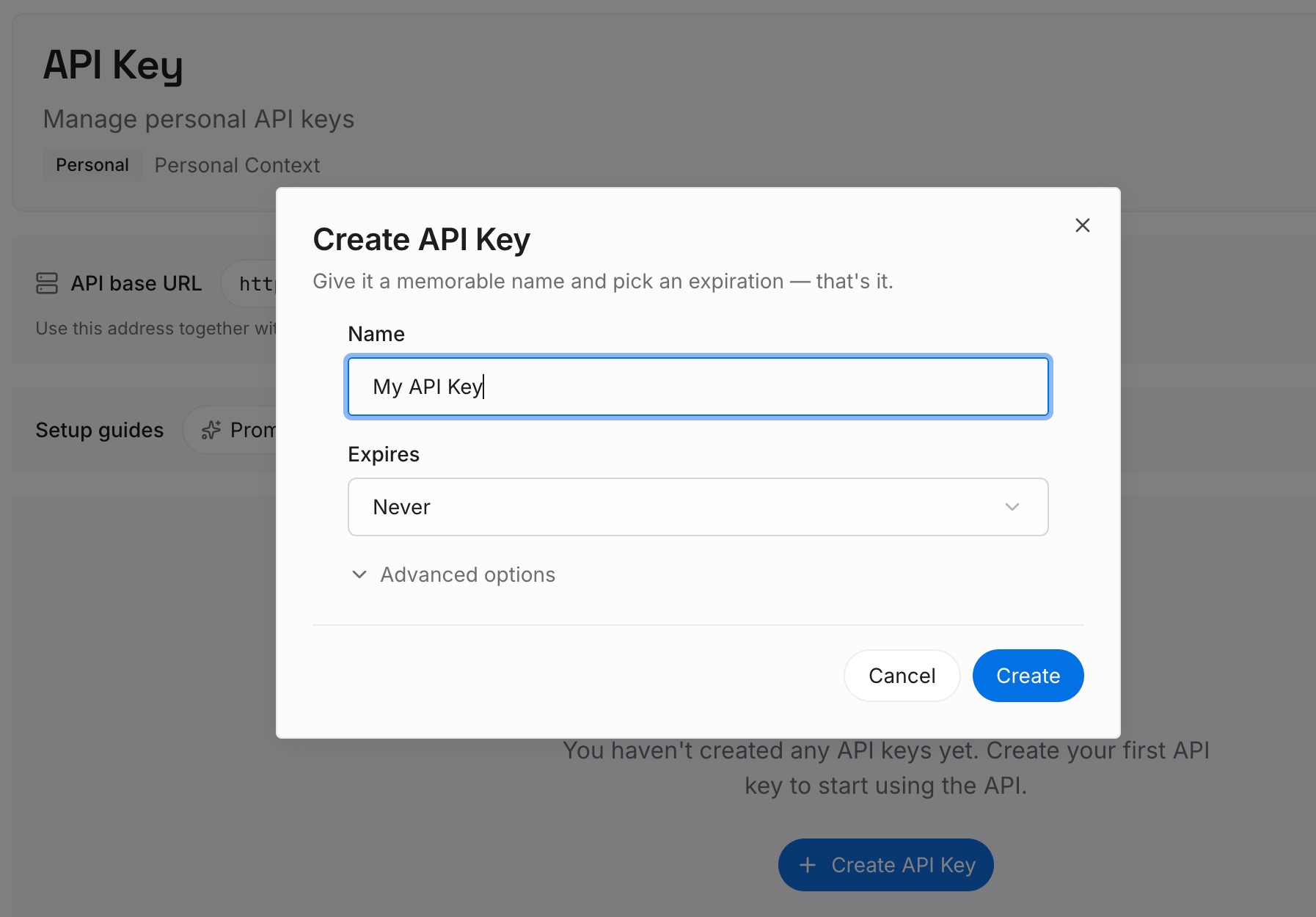
Step 1: Create an API key
Sign in to MemoryLake and create an API key. One credential across the tools you connect.
Step 2: Upload your first memories
Write the outputs of your thinking, not copies of your files. The files are already in Drive and the connector can fetch them; what nothing can fetch is:
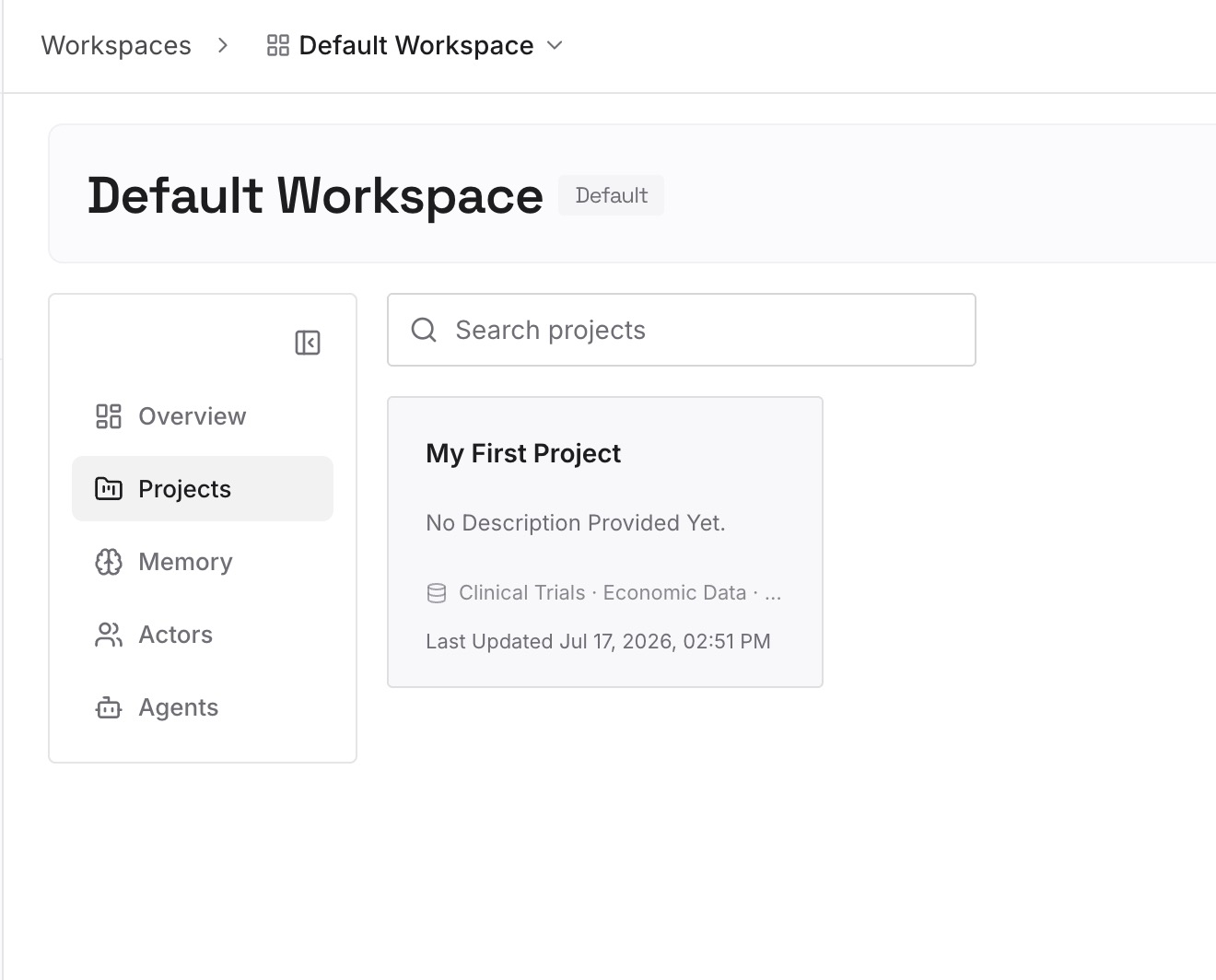
The decision, and the constraint that forced it. "Launch moves to November because the vendor confirmed a six-week lead time" — one line that replaces re-reading a thread.
Which documents are dead. A judgment that lives nowhere in Drive, and the reason your searches keep surfacing superseded material.
What you rejected and why. The most expensive category to rediscover, and the one that isn't in any artifact by definition.
The people-shaped facts. Who owns which decision, who needs to approve what, which thread is authoritative when two conflict.
Keep entries to one claim each. A session that produced a real decision usually yields two to five entries.
Step 3: Connect your AI & agents
Connect the tools you use. MemoryLake is reachable over MCP and over an API, so MCP-native agents — Claude Code, Codex, and OpenClaw among them — connect by pointing at the MCP server, while other assistants read the same memory through the API. The connector then handles what's in your accounts and the memory layer handles what you concluded about it.
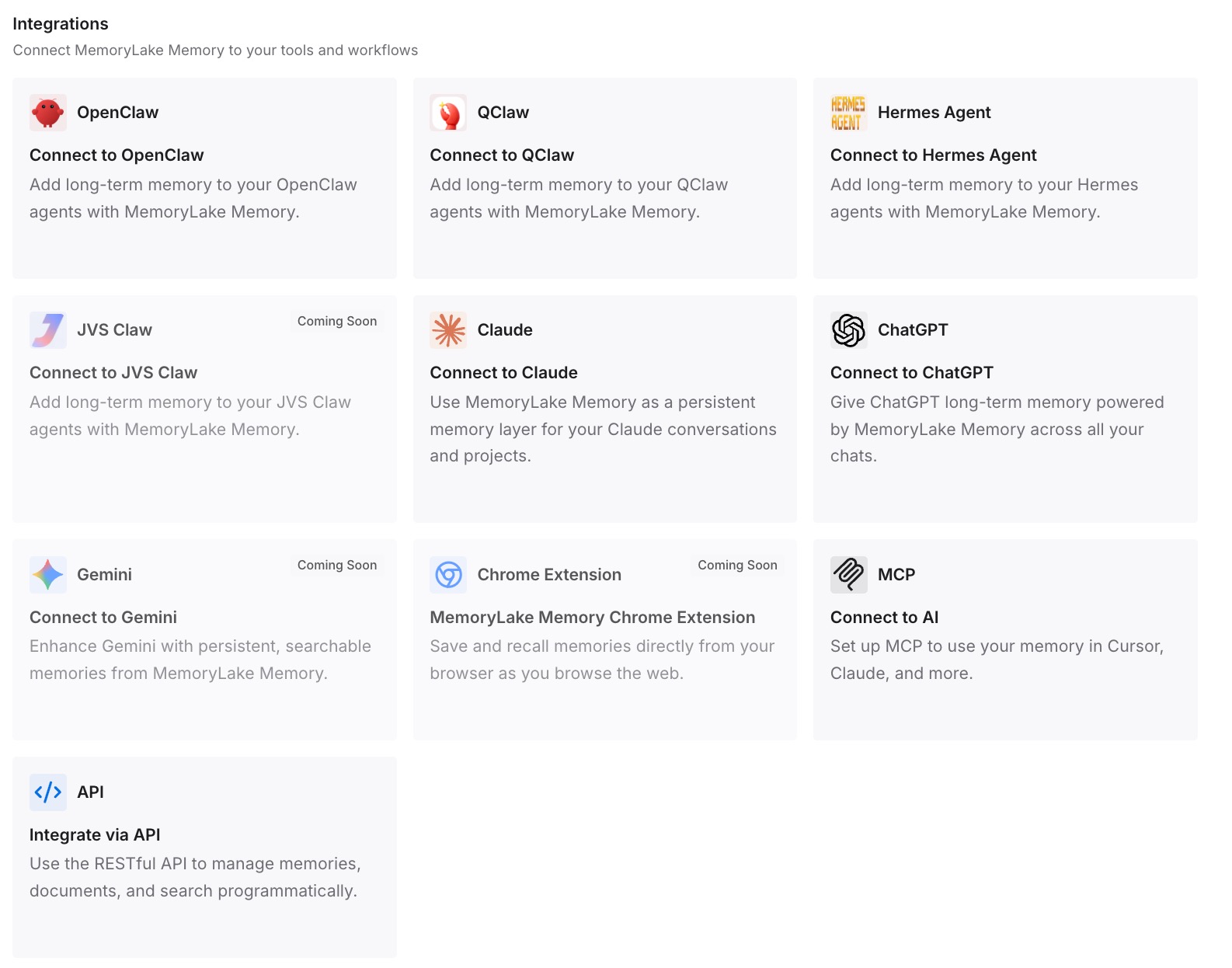
Three honest limits, and the first is important. MemoryLake does not read your Gmail or Drive. It isn't a connector, it can't retrieve your email, and it doesn't replace the Google Workspace connectors — use those for access. It holds only what you or your agents write into it, so Step 2 is manual. And it isn't a compliance or retention system.
What this changes in practice
Deleting a chat stops costing you anything but the chat. Retrieved connector data is retained with its conversation, which makes deletion clean and complete. When the conclusions live elsewhere, good hygiene has no downside.
Re-reading gets replaced by recall. The next conversation opens with the decision already stated, and the connector fetches only what's genuinely new.
Approval prompts stop feeling like friction. They're per-action safety, not a continuity mechanism. Once continuity comes from somewhere else, there's no reason to trade the check away for speed.
Shared projects stop being a dead end. The Drive connector is disabled for shared projects; a memory layer isn't scoped to a project at all, so the team-visible knowledge has somewhere to live.
Your context stops being Claude-shaped. What you concluded is equally useful in Cursor or Codex — the shape covered in one memory across ChatGPT, Claude, and Gemini.
Best practices for using Claude's connectors well
Keep approvals on for send, share, move, and trash. The default is per-action approval for a reason. Turn it off deliberately, if at all.
Check the org gate before evaluating. On Team and Enterprise plans an Owner or Primary Owner must enable connectors before anyone can authenticate. "It doesn't work" is often "it isn't enabled yet."
Don't rely on it for attachment contents. Documented as metadata only. Attachments still need to be opened.
Assume diagrams are invisible. Text extraction only; images embedded in documents aren't processed. If a decision lives in a diagram, write the decision in words.
Use citations as your audit trail. Responses cite which emails, events, and documents were used, with links where available. Check them before acting on a summary.
Write the decision at the end of the session. Two minutes while it's fresh, versus twenty minutes of reconstruction next week.
Expect variance on large mailboxes. Anthropic says so directly. Narrow queries beat broad ones.
Don't treat access as understanding. The most useful habit of all — a tool that can read everything you have still doesn't know what you decided. That's the general case in why RAG isn't memory.
Conclusion
The August 18 update is a straightforwardly good one. Claude can now send, reply to, and forward mail, manage and create Drive files, save its own output to your Drive, and act with per-action approval by default — available for all users on Claude and Claude Desktop, with an organization-level switch on Team and Enterprise plans. The privacy posture around it is specific and documented: minimum information retrieved, permissions mirrored, no model training on connector data, and retrieved data retained with its chat so deleting the chat deletes it.
What none of that provides is continuity, and it was never meant to. Retrieval is scoped to the question you asked, retained with the conversation you asked it in, and limited to what actually exists in Gmail and Drive — which excludes every conclusion you reached while reading them. So use the connectors for access and put the decisions somewhere that isn't a chat. Then a conversation about your inbox starts from what you already worked out, instead of from your inbox.