
What Anthropic shipped on October 21
The blog post describes where Duet lives: "It’s available as a standalone app on iOS and Android, and on claude.ai." The help center adds the access terms: "Claude Duet is available as a research preview to users on the Pro and Max plans in the US, through a waitlist." It "uses your Claude account settings and your Pro or Max plan usage limits", and "It isn't available on Team or Enterprise plans yet, and we plan to bring it to those plans later."
Anthropic is clear that this is early. "Access opens in waves, and features can change during the research preview." The blog post adds that it "still might misread a thread or miscalibrate what’s urgent."
The way you work with it is different from a chat. "Your main thread stays in one place, so Claude Duet picks up where you left off. You can also start separate channels for different topics, and they share the same memory." Tasks get their own place: "The Tasks tab shows what Claude Duet is working on and highlights tasks that need your input." Finished files land in the Make tab.
It also runs when you're away. The blog post says "Claude Duet has a virtual machine with its own browser, so it doesn’t require your laptop or phone to be on." And it checks your accounts on a schedule rather than constantly: "Claude Duet checks your connected accounts every few hours, because checking nonstop would use up your plan’s limits much faster."
What comes with you from your Claude account
The headline promise is in both sources. The blog post: "Claude Duet carries over your memory, skills, and connected apps from your Claude account, so setting it up requires minimal work." The help center: "Claude Duet runs on your Claude account, so the memory, skills, and connectors you've set up in Claude are there from your first message."
That's three kinds of context:
- Memory. What Claude has saved about you from your chats: your role, the people you work with, your preferences, ongoing work.
- Skills. The custom skills you've set up in Claude.
- Connectors. The apps you've already connected, such as Gmail, Google Calendar, Slack, or HubSpot. The help center says "You can manage access in your Claude settings."
The practical effect is that Duet knows who your manager is and how you like replies written before you tell it anything. That's the point. If you imported memory from another assistant, our guide to confirming what arrives after a Claude memory import shows how to check it before Duet relies on it. It also means anything stale or wrong in your memory arrives on day one, along with everything that's right.
Which past chats Duet can search
Memory and chat search are two different things in Claude. Memory is the set of topics Claude has saved. Chat search is Claude looking through your old conversations when it needs a detail. Duet uses both, and the help center draws the search boundary precisely:
"Claude Duet can search your past chats to pick up context from earlier work, so you don't have to repeat yourself. It searches your Claude Duet chats and your chats in Claude outside of projects."
So the chats inside your Claude projects are outside what Duet searches. If the decision you need lives in a project conversation, it's outside the range of Duet's search. This matches how chat search already works in the main app, where Anthropic lists two boundaries: "All chats outside of projects" and "Individual project conversations (searches are limited to within each specific project)." Duet works in the first of those. Our guide to searching past Claude chats in projects covers the in-project side.
Two more details from the same section:
- Deleted chats. "When you delete a chat, it's removed from search."
- The switch. "This uses the same Search and reference chats setting as Claude. To stop Claude Duet from searching your past chats, turn off Search and reference chats in Settings > Memory." The memory article says the same from the other direction: "This setting also controls whether Claude Duet, a research preview for Pro and Max plans, can search your past chats."
That setting covers both. Turning it off for Duet turns it off for your regular chats too.
What Duet can see, and what it can change
The limitations section of the help article has one line that sets the scope for your Claude account itself: "It can't see all of your projects or the files on your computer, and it can read your work in Claude but can't change it."
Read that as three boundaries:
- Projects. Duet works with some of your Claude work but, in Anthropic's words, not all of your projects. The article doesn't list which ones it can see, so treat a project as out of reach unless Duet shows you it can open it.
- Your computer. Duet runs on its own machine in the cloud. Files that exist only on your laptop are outside its view.
- Read, not write. Duet can read your work in Claude, and by Anthropic's description it leaves that work as it is.
There's one important exception to the read-only line, and it's memory.
Duet also writes to your memory
The memory article describes one memory shared across chat and Claude Cowork, then adds a sentence about Duet: "Claude Duet, a research preview for Pro and Max plans, also uses and adds to your memory, so what Claude knows about you is there from your first message."
So Duet reads your memory, and it saves new things to it. Those new memories are in the same place your chats and cloud Cowork tasks read from. So something Duet picks up while triaging your inbox on Tuesday can shape a chat you start on Wednesday.
Cowork tasks already work this way, and our guide to controlling whether a Cowork scheduled task uses your memory covers that side. That can be useful. Say Duet learns that a client prefers calls to email, and the next chat where you draft something for that client already knows it. But it changes where your memory comes from. Until now, memory came from conversations you were part of. With Duet, some of it comes from work it does while you're away, across apps you connected, between check-ins.
You can see the result. In the memory article's words, "Everything Claude remembers is listed under Topics." Select a topic to read it, edit it, or delete it. And "Fix something in one topic and the change applies to every conversation from then on."
What stays after you disconnect an app or delete a chat
Two lines in Anthropic's documentation describe what lasts.
The first is about connectors. "You start every connection yourself, and you can disconnect any app at any time. Disconnecting an app stops Claude Duet from accessing it from that point on, but memory of past information from earlier conversations is kept."
Disconnecting stops new reads. What Duet already learned from that app and saved stays in memory. If you connected a mailbox for a week and then disconnected it, the memories formed during that week are still there until you remove them.
The second is about chats, from the memory article's data retention section: "When a conversation expires or is deleted, related memory entries generated from it won’t be removed, but you can delete individual memories at any time."
Put that next to the Duet line about deleted chats. Deleting a chat removes it from Duet's search. The memories that chat produced are a separate thing, and they stay until you delete them yourself.
The memory controls in Settings > Memory cover the rest. Pausing is described this way: "Claude keeps its existing memory, including sensitive topics if you have it turned on, but won't use memory or make new memories." Resetting "Permanently deletes all memories including project memories." Duet runs on your account settings, so these are the controls that apply to the memory it uses.
Where project memory fits
Projects in Claude keep their own memory. The memory article says "Each project has its own memory. While working in a project, Claude uses the project's memory alongside your memory from chats outside of projects, but not memory from other projects."
It also says some of that can flow outward: "New memory is saved to the project, and if you have memory turned on, Claude can reference it in chats outside of projects too." If you want a project kept apart, Anthropic's guidance is to turn off Use account memory under Memory on the project's page.
The Duet article doesn't describe how project memory reaches Duet. What it does say is that Duet's chat search stops at project boundaries and that it can't see all of your projects. If a project holds work you'd rather keep away from an agent that runs in the background, the project's own memory setting is the control Anthropic documents. Our look at the redesigned Claude Projects covers how project memory is changing.
What people try first
Assuming Duet starts empty. It starts with your memory, skills, and connectors. Check what's in memory before you give it a week of your inbox.
Expecting Duet to find a decision from a project chat. It searches Duet chats and chats outside projects.
Disconnecting an app to make Duet forget it. Disconnecting stops future access. Memory from earlier is kept until you delete it.
Deleting a chat to remove what Claude learned from it. The chat leaves search. Related memory entries stay.
Turning off chat search for Duet only. It's one setting for Duet and your regular chats.
The Fix: Check your memory before Duet starts, decide what it can search, then review what it adds
Step 1: Read your memory before your first Duet message
Open Settings > Memory and read the topics. Delete anything out of date, such as an old job, a finished project, or a preference you've changed. Edit what's half right. Everything left there is something Duet will act on from the start.
Step 2: Decide what Duet should be able to search and see
If you don't want Duet searching your past chats, turn off Search and reference chats, knowing it applies to your regular chats too. For work you want kept apart, put it in a project and set that project's memory not to use account memory. Connect only the apps you want Duet to watch, and note the date you connect each one.
Step 3: Review what Duet adds, and clean up after disconnecting
After the first week, go back to Settings > Memory and look for topics you don't recognize from your own chats. Some of them may come from Duet's work. Keep what's useful and delete the rest. When you disconnect an app, remove the memories that came from it if you don't want them used again.
Setting this up in MemoryLake
Duet adds a writer to your Claude memory, one that works while you're away and across apps you've connected. The memory it builds is useful, and it's also harder to keep track of: entries arrive from background work, survive a disconnected app or a deleted chat, and sit in one account that a chat, a Cowork task, and Duet all read.
MemoryLake is a memory layer for keeping the context you've decided on in one list you maintain, available to ChatGPT and the other assistants you connect, such as Claude Code and Codex.
You write the entries yourself, in your own words. Nothing is read out of, written to, or deleted from your Claude memory, your Claude Duet chats, your connected apps, or any vendor's store. Leave out anything you wouldn't want an assistant to act on, and follow your organization's policy for work content.
Step 1: Create an API key
Sign in and generate a key from the dashboard. The key belongs to your MemoryLake workspace and is separate from your Claude account.
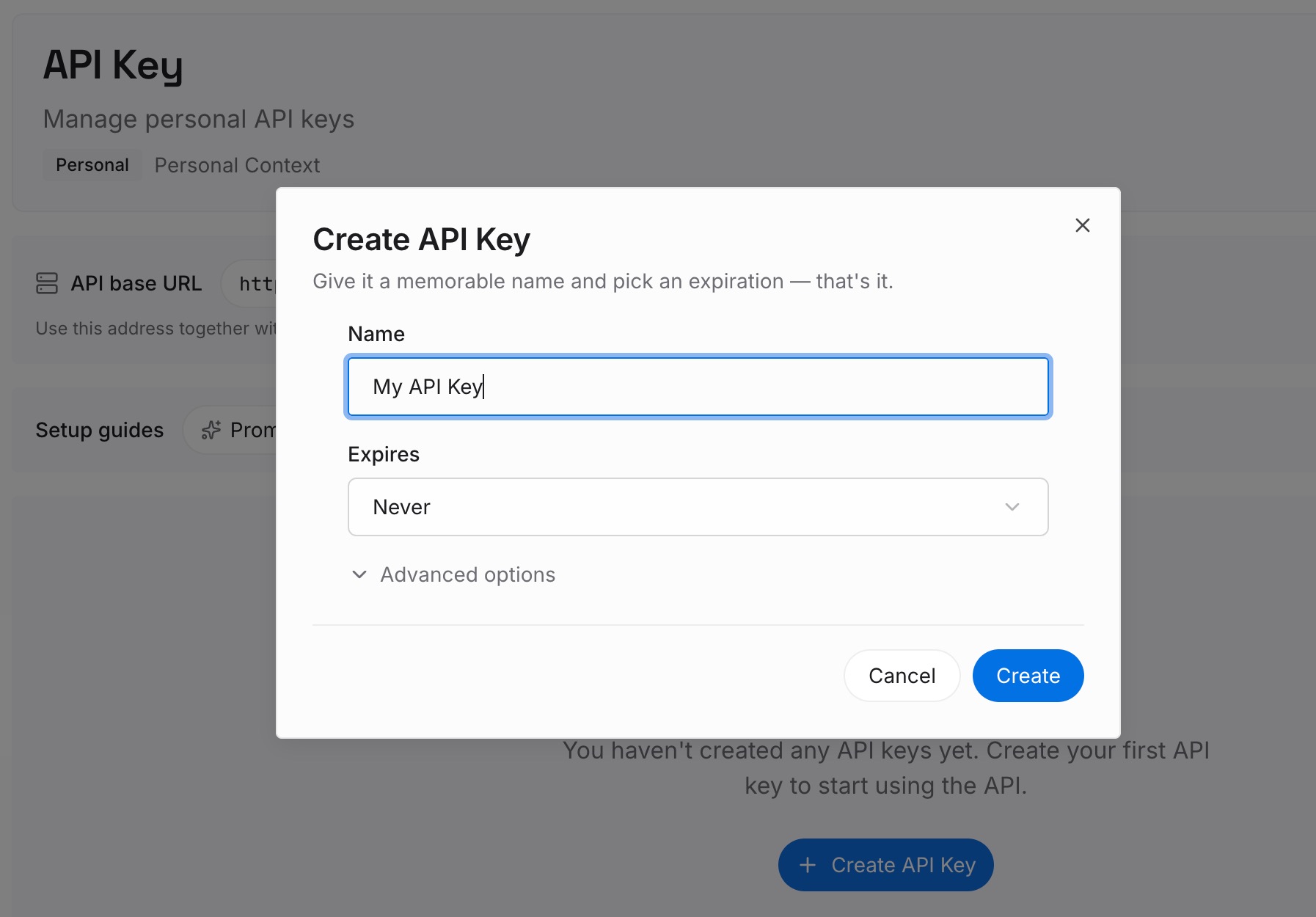
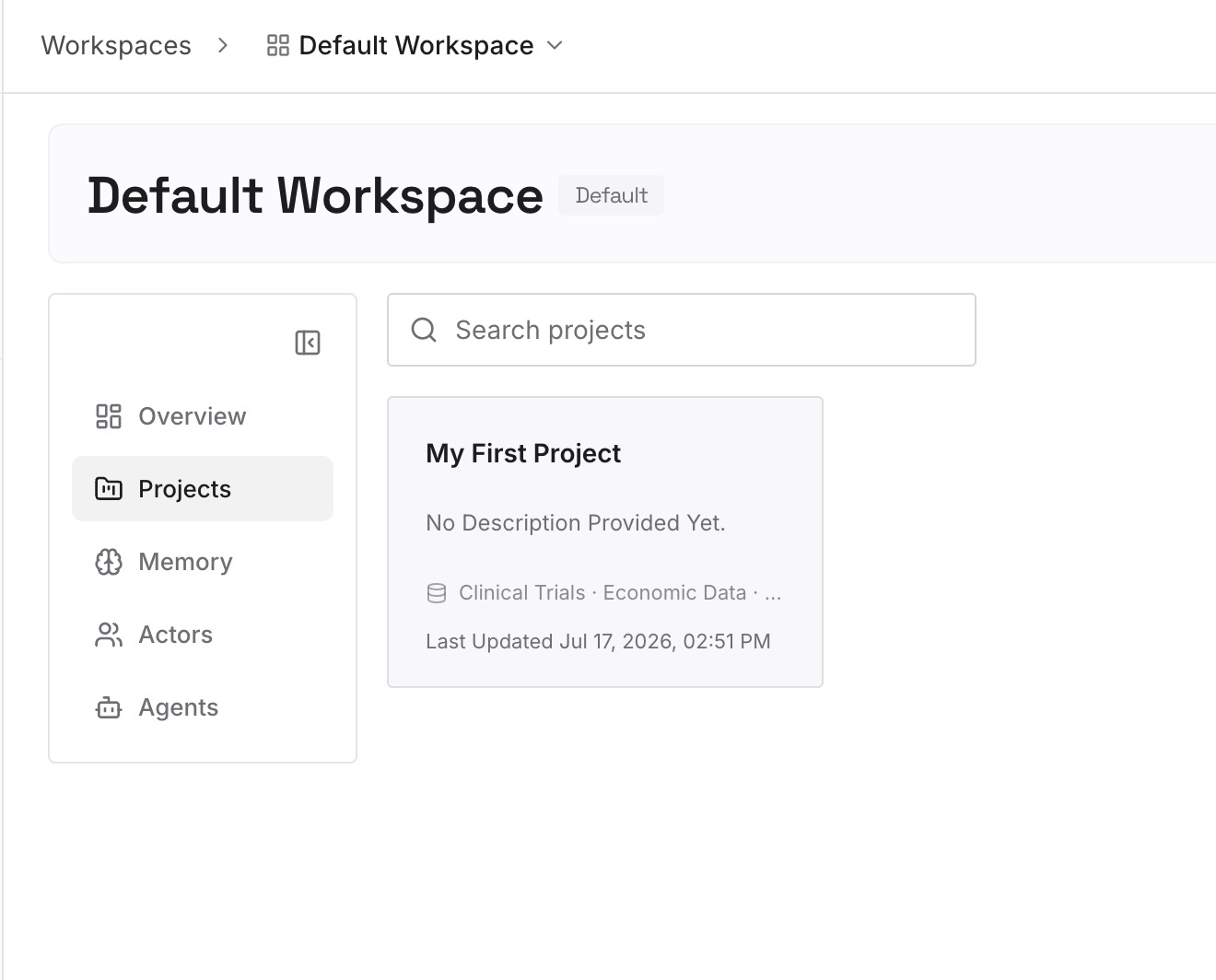
Step 2: Upload your first memories
Start with what you confirmed in Step 1 of the fix: the facts about your work you checked and kept. One point per entry, dated, in your own words.
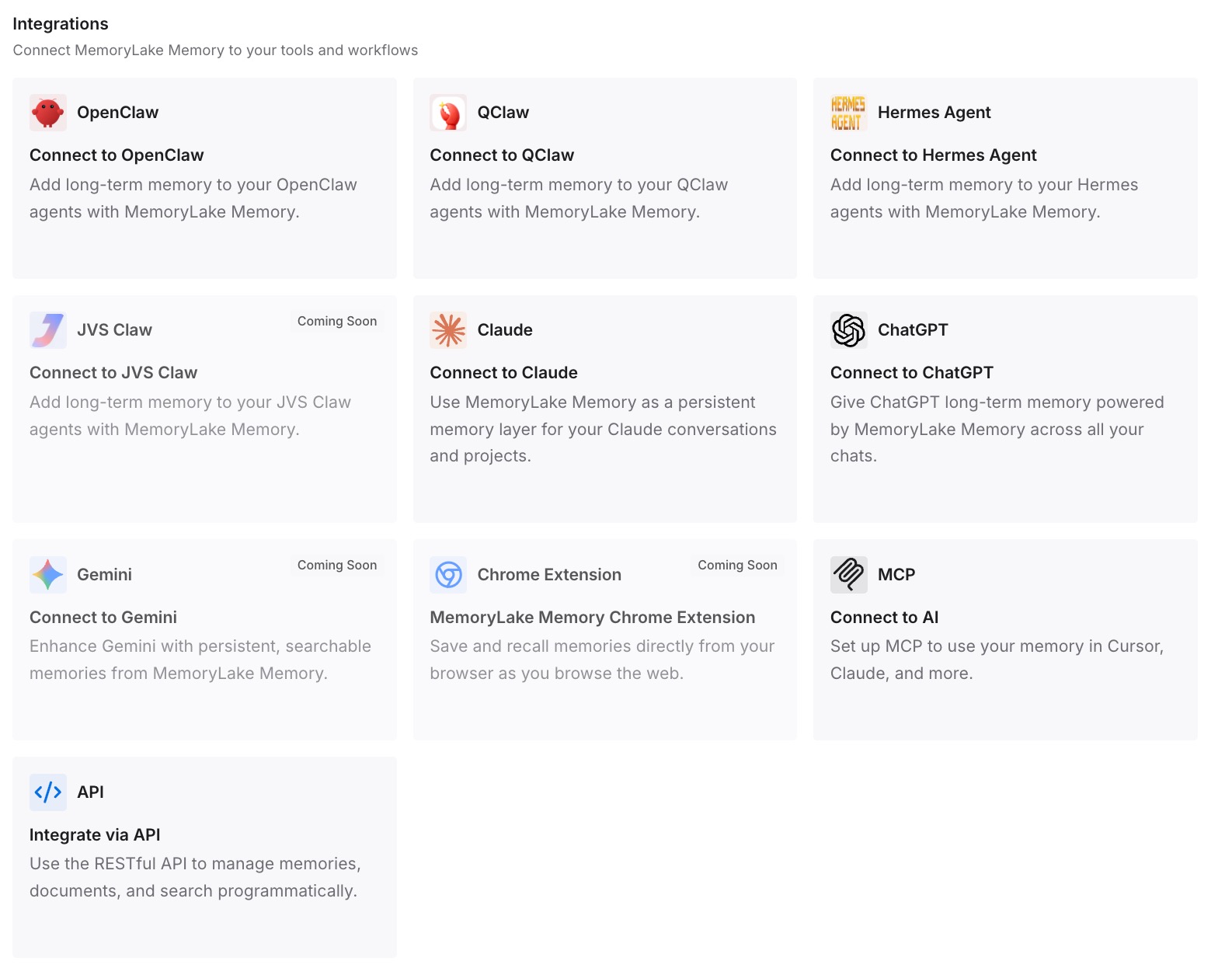
Step 3: Connect your AI & agents
Connect ChatGPT and the other assistants you use. The context you wrote down is available to each of them, and it changes only when you change it.
What this changes in practice
The first difference is that you know what Duet starts with. Memory, skills, and connectors come from your account, and you've read the memory before it acts on it.
The second is that you know where its search stops. Duet chats and chats outside projects are in range. Project chats are outside its search.
The third is that cleanup becomes a habit instead of a surprise. Disconnecting an app or deleting a chat stops new reads, and you remove the memories that came from them yourself.
Best practices for using Claude Duet with your memory
Read Settings > Memory before you start. Duet acts on what's there.
Keep sensitive work in a project with its own memory. Turn off account memory for that project.
Know that chat search is one setting. It covers Duet and your regular chats.
Connect apps deliberately. Note when you connect each one.
Review memory after the first week. Look for topics you don't recognize.
Delete memories when you disconnect an app. Disconnecting stops future access only.
Check sources in Duet's summaries. Anthropic says "When it gives you a number or a summary, it tells you which email, file, or spreadsheet it came from."
Conclusion
Claude Duet brings your Claude memory, skills, and connectors into a proactive agent that works in the background. Anthropic's help center sets the boundaries: it searches Duet chats and chats outside projects, it can't see all of your projects or your computer's files, and it reads your work in Claude without changing it.
Memory is where it writes. Duet uses and adds to the same memory your chats use, and what it saves stays after you disconnect an app or delete a chat until you remove it. Read your memory before Duet starts, decide what it can search, and review what it adds.