
What changes on November 16
Anthropic's announcement describes the new experience as one Claude across web, desktop, and mobile. The admin guide puts it this way: "Every conversation starts as a chat, and when a task needs to run code or work with files, Claude continues the same conversation in an isolated cloud sandbox managed by Anthropic, then returns the finished work for review."
The announcement also lists what comes along: "Chats, projects, connectors, skills, and plugins carry over to the new unified experience." For scheduled work and past sessions, the admin guide adds: "Scheduled tasks and session history will continue working after the change. You don't need to update or recreate anything."
Who it applies to
The setting is called Chat and Cowork unified in Organization settings, under Capabilities. If an owner has never touched it, owners see a notice that it will be enabled automatically on November 16, along with options to enable it now or keep it disabled. Anthropic is clear that an earlier choice is respected: "If the setting was already turned on or off, that choice stays."
It also needs two other capabilities to be on: chat, and cloud code execution and file creation. The guide notes that if either is off, there's no notice and the experience turns on only once both are.
Who it doesn't apply to yet
Some organizations stay on the current setup. The admin guide names organizations that use zero data retention, the HIPAA-ready configuration, or customer-managed encryption keys, and says "These organizations keep using chat and Cowork as they do today". If your company is in one of those groups, the memory changes below don't reach you yet.
One date detail is worth knowing. Claude Desktop's changelog gives November 10 for desktop deployments that run on third-party platforms. That entry covers how those desktop installs are configured. For Enterprise organizations on claude.ai, the admin guide's date is November 16.
What happens to your memory
This is the change that affects what Claude knows about you, and it comes in two parts.
Your memory moves to a new system
The admin guide's data retention section says: "After moving to the new experience, the memory will be moved to a new memory system and the old memory may be deleted 14 days later, or sooner if it's past the data retention period."
Read that as a migration with a window. Your memory is moved into the new system when your organization switches, and the old memory has a limited life after that. If you want a record of what Claude knew about you before the move, the window to check is those 14 days, or less if your organization's retention period is shorter.
Anthropic's memory documentation explains what you can do in either system. You can review everything Claude remembers in Settings, under Your Claude, where memories are listed as topics you can read, edit, or delete. It also says "All memory data is included in data exports." Our guide to making Claude forget something walks through where each kind of memory lives.
Retention starts applying to memory
The second part is new for organizations with a custom retention period. Anthropic's memory documentation says: "If your organization has set a custom data retention period that covers chats, it also applies to your memory, except project memory, while the new unified Claude experience is on for your organization."
The next sentences spell out what that means: "A memory entry that hasn't been updated for longer than that period is deleted, and parts of an entry can be removed while the rest stays. This includes entries saved before the period was set, and it still applies while your memory is paused."
In practice, a fact Claude learned about you a long time ago and hasn't touched since can age out. Pausing memory doesn't hold it in place. Project memory follows the project instead: the admin guide says project memory is deleted when the project is deleted, including under the project retention period.
There's also an ordering detail for organizations that haven't seen the new memory yet. The memory documentation says the new memory experience comes to organizations with a chat retention period "only when the new unified Claude experience is on." So for those companies, November 16 is also the day the newer memory arrives.
Memory still belongs to each member
None of this changes who controls memory. "On Team and Enterprise plans, owners control whether memory is available, and it's off for each member until they turn it on." Owners can turn memory off for the whole organization, which Anthropic warns permanently deletes everyone's memory, but they can't read it: "Owners can't view or edit a user's individual memories."
Deleting a chat still works the way it did. "When a conversation is deleted, including under a retention period, memory entries generated from it aren't removed, but you can delete individual memories while memory is on."
What happens to your local Cowork projects
If you made a Cowork project from a folder on your computer, it moves too. Anthropic's projects article says Claude Desktop moves these projects into your Claude account, and on Team and Enterprise plans that happens once the unified setting is on for you.
What moves:
- The project's name, description, and instructions.
- "A copy of the project's memory, if memory is on for your account."
What stays on your computer:
- "The project's folders and files. Nothing is uploaded or deleted."
- "Earlier sessions on this computer, which stay listed under the project in Claude Desktop."
One more line explains a common surprise: "After the move, the original local project no longer appears in your projects list." The project is in your account under the same name. And a limit to keep in mind if you also use Claude Code: "Projects are only available in Cowork, not in Claude Code."
For how memory and threads work inside the newer projects, see our guide to project thread memory.
What retention covers, and what it doesn't
The admin guide is unusually specific about where your organization's retention setting stops. These items are not deleted with a conversation under custom data retention:
- "Cowork cloud sessions a member starts directly, including in a project. These are kept until the member deletes them."
- Scheduled tasks and their runs, which keep running after the conversation that created them is deleted.
- "Cowork history stored on a member's computer."
- "Memory of members who have left your organization."
- "Transcripts and memory kept by Claude Code (including Claude Code on the web), Claude Tag, and other products outside chat and Cowork."
The Cowork article for Team and Enterprise plans fills in the local part: "For local sessions, Cowork stores conversation history on users' computers." It adds that admins cannot centrally manage or delete it, and that "Deletion endpoints for local sessions aren't available yet."
Conversations in the new experience behave differently. "When a conversation is deleted, whether by a member, by deleting its project, or under your retention period, the cloud sessions Claude started in it are deleted too, including their transcripts."
So after the switch, the context Claude has about your work sits in several places with different rules: conversations and their cloud sessions under the retention period, account memory under the same period, project memory tied to projects, local Cowork history on your machine, and Claude Code's own transcripts and memory. Our guide to keeping AI context when someone leaves covers what happens to each of these when a member leaves.
Memory in local and cloud sessions
The unified experience runs agentic work in the cloud, and that matters for memory. Anthropic's memory documentation says: "Memory across Cowork and chat only works when Cowork runs in the cloud. It isn't available in Cowork sessions that run locally on your computer."
In the unified experience, agentic work runs in a cloud sandbox, which is where Anthropic says memory carries between chat and Cowork. Our guide to Cowork scheduled tasks and memory explains how scheduled runs use it.
Incognito chats keep their own rules. On Team and Enterprise plans they stay out of memory but follow your organization's retention and export settings; our guide to Claude's incognito chats has the details.
What people try first
Assuming everything moves, including the old memory. Your memory is moved to a new system, and the old memory "may be deleted 14 days later". If you want to compare the two, do it inside that window.
Treating paused memory as frozen. Anthropic says the retention period "still applies while your memory is paused." An entry that ages past the period can be removed either way.
Looking for a moved local project under its old entry. The original listing disappears after the move. Look in your account for a project with the same name, and check that its folder is still on your computer.
Expecting retention to clean up local history. Local Cowork history and Claude Code's transcripts and memory are listed among the things custom retention doesn't cover. Local Cowork history stays on members' computers.
Waiting for November 16 to decide. Owners can enable the experience early or keep it disabled. A choice made before November 16 stays.
The Fix: Get ready before your organization switches
Step 1: Check what Claude remembers about you now
Open Settings, then Your Claude, and review your memory topics. Edit anything outdated and delete anything that shouldn't be there. If you want a record of the current state, export your data before the switch.
Step 2: Find the context that isn't in a conversation
List the places your work context sits outside chat: local Cowork projects, local Cowork history, Claude Code memory and transcripts, and any project memory you rely on. Note which ones your organization's retention period covers and which it doesn't.
Step 3: Write down the facts you can't afford to lose
Memory entries can age out under a retention period, and project memory goes when the project does. For the decisions, conventions, and project facts you'd hate to rebuild, keep a short written list you maintain yourself, dated and in plain language.
Setting this up in MemoryLake
The unified experience brings chat and Cowork together, but your organization's context still ends up spread across systems with different retention rules. The facts you rely on most, like decisions, conventions, and who owns what, are the ones that shouldn't depend on when an entry was last updated.
MemoryLake is a memory layer for keeping that list in one place you maintain, available to the assistants you connect, such as ChatGPT, Claude Code, and Codex.
You write the entries yourself, in your own words. Nothing is read out of, written to, or deleted from your Claude account, its memory, its projects, its Cowork sessions, or any vendor's store. Your organization's retention settings keep working the way Anthropic describes them.
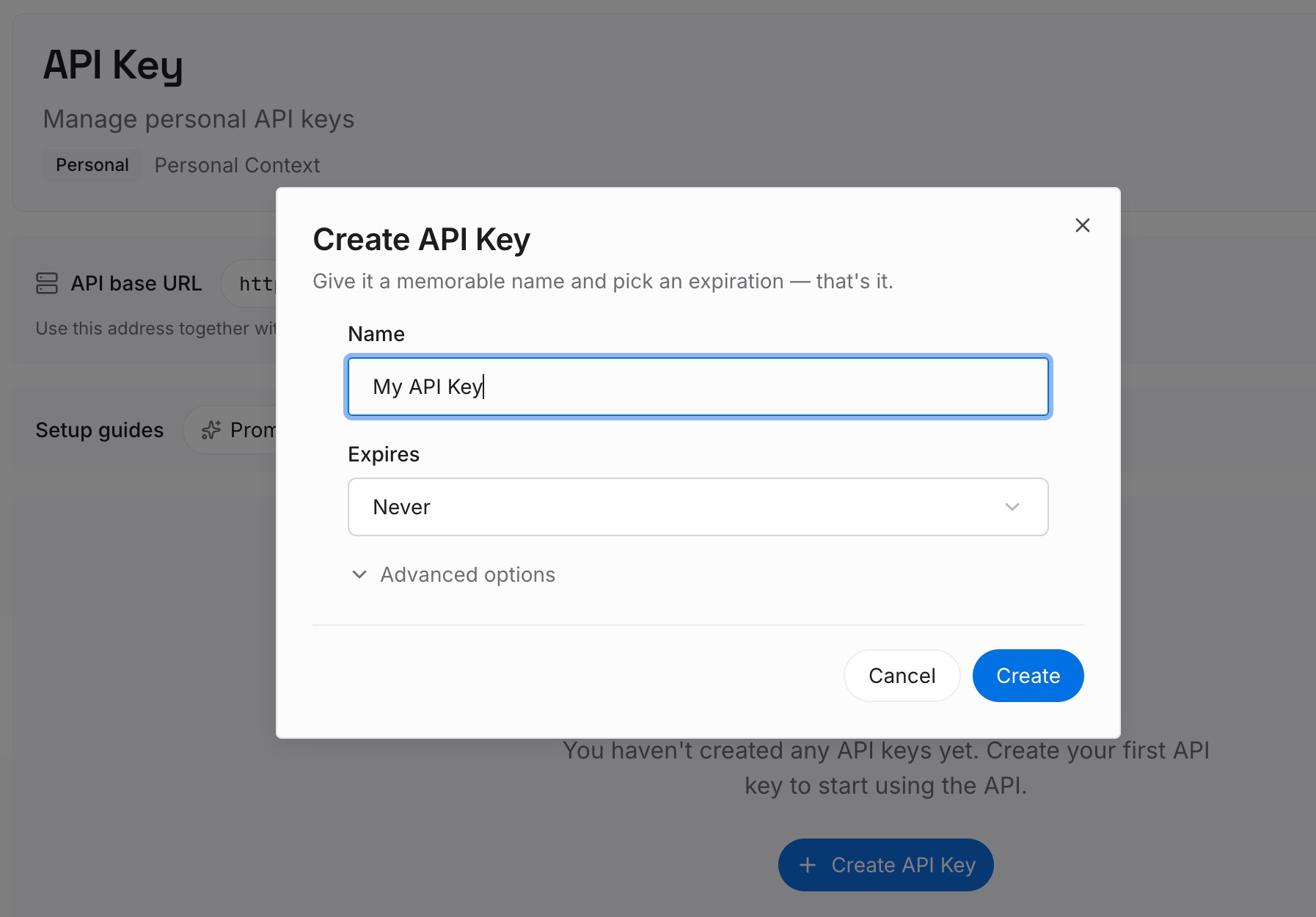
Step 1: Create an API key
Sign in and generate a key from the dashboard. The key belongs to your MemoryLake workspace and is separate from your Claude Enterprise account.
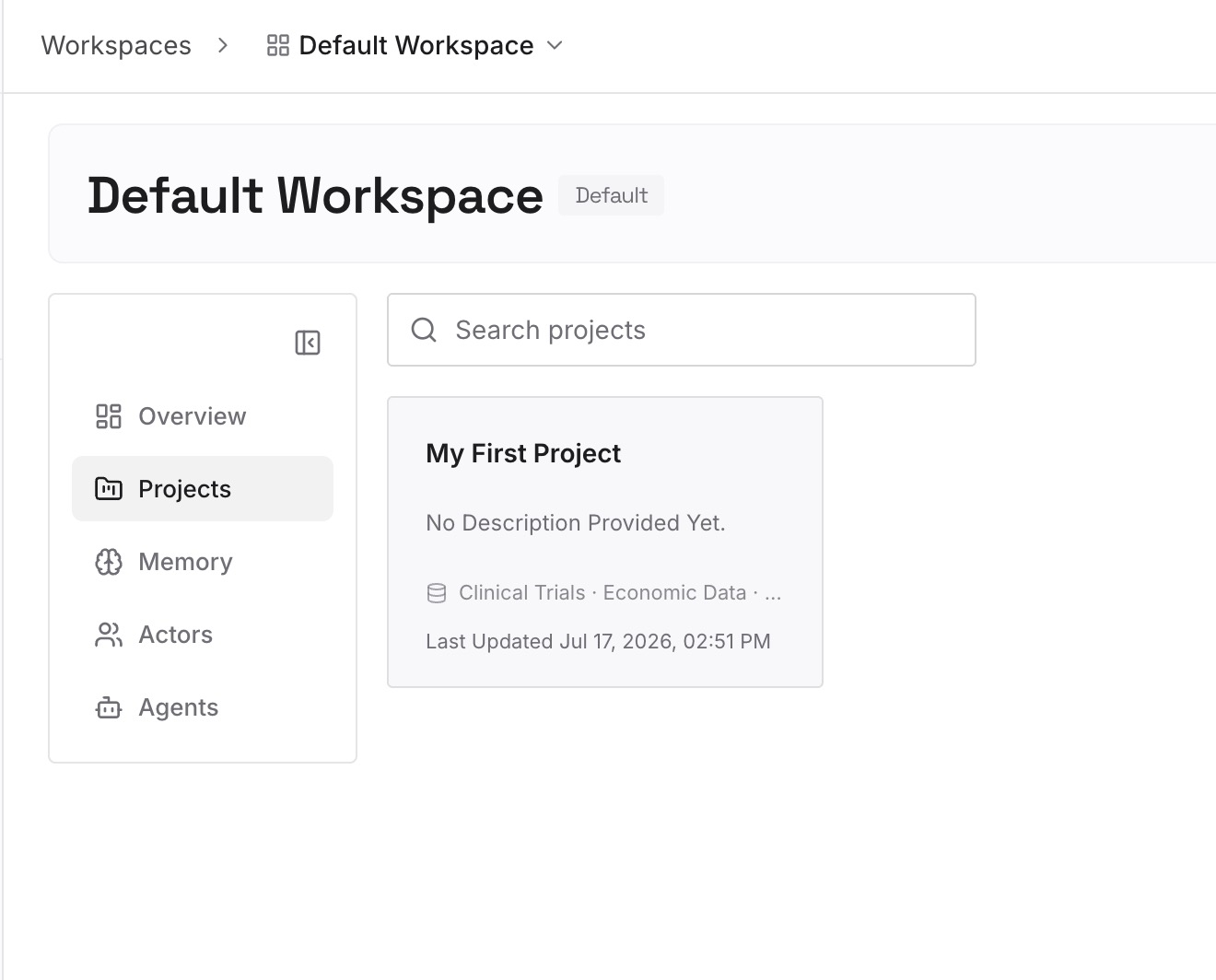
Step 2: Upload your first memories
Start with the list from Step 3 of the fix: decisions with their dates, team conventions, and project facts. One point per entry, and keep company material only where your organization's policy allows it.
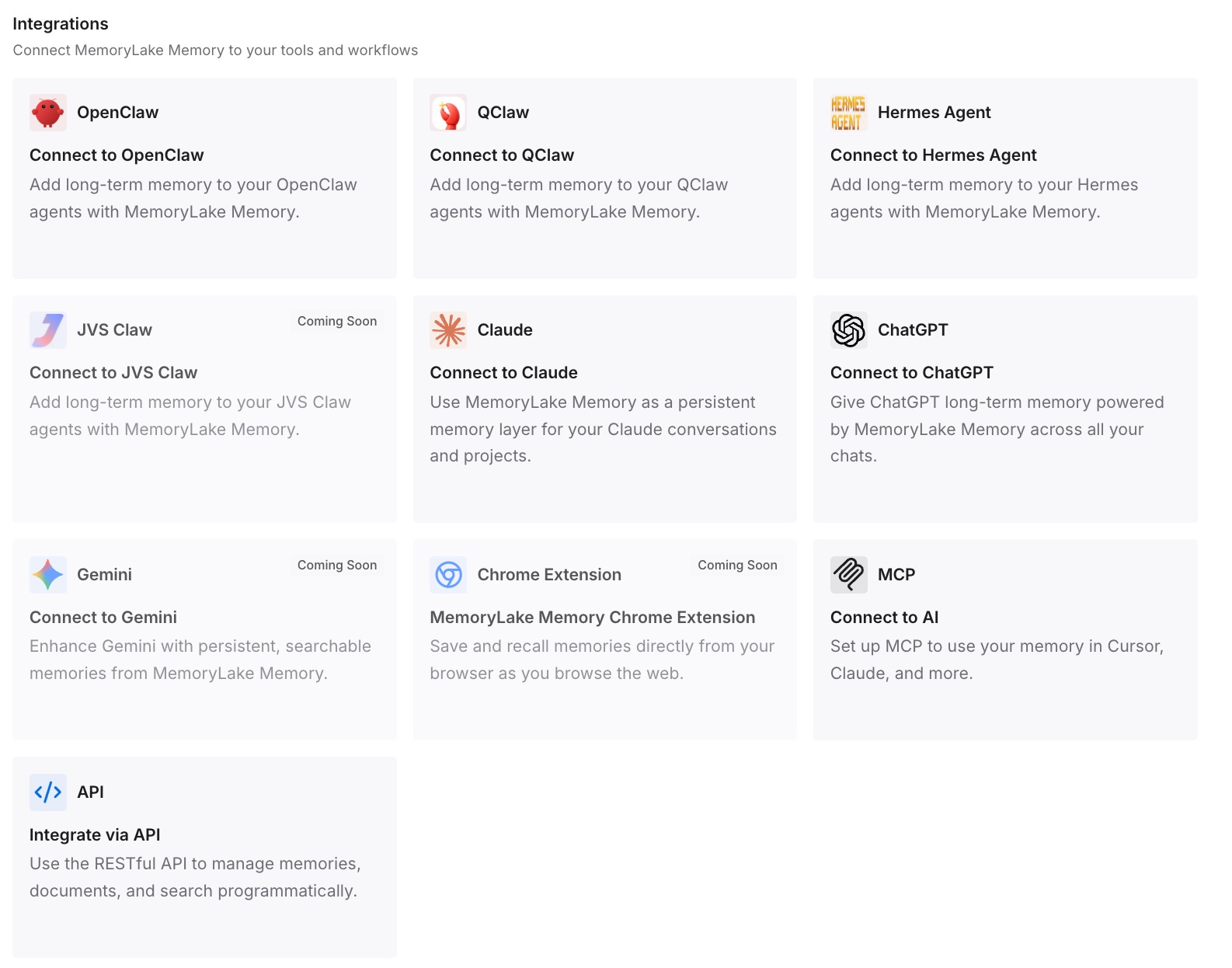
Step 3: Connect your AI & agents
Connect the assistants you use, with your admin's approval where your organization requires it. The same entries are available in each of them.
What this changes in practice
The first difference is fewer surprises on November 16. You know what moves, what stays on your computer, and which window applies to your old memory.
The second is a clearer view of retention. You can tell which parts of your context your organization's policy cleans up and which ones it leaves to members.
The third is a durable copy of the facts that matter most. When an old memory entry ages out, the decision behind it is still written down where you can find it.
Best practices for the switch
Check the date with your admin. An owner may enable it early or keep it off.
Review memory before the move. Settings, then Your Claude.
Export if you want a before-and-after record. Memory is included in data exports.
Don't rely on paused memory to keep old entries. Retention still applies.
Look for moved local projects by name. The old entry disappears; the folder stays.
Know what retention doesn't cover. Local Cowork history, and Claude Code's transcripts and memory.
Keep critical decisions written down. In a list you control, dated and in your own words.
Conclusion
Claude Enterprise's unified experience turns on by default on November 16, 2026, for organizations that haven't chosen otherwise. Chats, projects, connectors, skills, and plugins carry over, and scheduled tasks and session history keep working.
Memory takes more reading. It moves to a new system, the old memory may be deleted after 14 days, and a custom chat retention period starts applying to memory entries that haven't been updated. Local Cowork projects move into your account, while their files and earlier sessions stay on your computer. Review what Claude remembers before the switch, and keep the facts you depend on in a list you maintain.