
What Anthropic launched on November 9
Two models shipped together, Claude Fable 5.2 and Claude Mythos 5.2, built on the same underlying model. Mythos 5.2 is available through verification programs. Fable 5.2 is the one you select from the model picker on paid plans.
The announcement says Fable 5.2 "is available today on all platforms," including the major cloud providers. In the Claude apps, you select it from the model picker on the web, in Claude Desktop, and in Claude Mobile. Anthropic's plan article adds that Fable models also work in Claude Cowork, Claude Code, Claude Design, Claude for Microsoft 365, and Claude Tag.
The same announcement introduced the launch offer. Plans and seats that include Fable models get one to three Fable resets, depending on how long they've subscribed. Pro plans and standard Team seats get a week in which Fable counts against their regular weekly limits, up to half of those limits, plus one reset.
None of this changes your default model. The launch offers article is direct about it: "Your default model doesn't change." To use Fable 5.2, you pick it.
What a Fable limit reset gives back
A reset is not more usage. It's usage you already spent, returned. Anthropic's article on limit resets puts the principle in one line: "A reset doesn't raise your limits. It restores usage so you can keep working within your existing limits."
What gets restored depends on which limit you're looking at.
Your weekly limit. A Fable reset gives back the weekly usage you've spent on Fable models, and only that. The launch offers article says: "Usage you've spent on other Claude models stays where it is." If you spent most of your week on Fable and some on other models, a reset returns the Fable part. The rest still counts.
Your five-hour limit. If your account has one, a Fable reset refills the whole five-hour window, including usage spent on other models. This is the one place a Fable reset helps with non-Fable usage.
Your reset day. A reset doesn't move your schedule. The limit reset article says: "Your weekly limits still reset on their usual day and time."
A few more rules:
- You don't have to be at a limit to use a reset. The article says: "You don't have to wait until you hit a limit."
- It's permanent. "Once you use a reset, you can't undo it."
- It disappears if your plan changes. If you cancel or downgrade before using a reset, it's no longer available.
- It doesn't refund extra usage you've paid for or change your usage credit balance.
Who gets one, two, or three resets
The offer covers Pro, Max, and Ultra plans, standard and premium seats on Team plans, and premium seats on legacy seat-based Enterprise plans. It doesn't cover the Free plan, standard seats on legacy seat-based Enterprise plans, self-serve Enterprise plans, usage-based Enterprise plans, or HIPAA-ready Enterprise plans.
On Max and Ultra plans, premium Team seats, and premium seats on legacy seat-based Enterprise plans, the number of resets depends on how long you've been a paying subscriber:
- Less than six months: one reset.
- Six to 12 months: two resets.
- More than 12 months: three resets.
Subscription length is measured from your first paid bill, or your first app store bill if you subscribed that way. If you canceled and came back, the clock still starts at that first bill.
On Team and Enterprise plans, the count uses the organization's first paid bill, so every premium seat in an organization gets the same number of resets. So a premium Team seat and a personal Max plan can end up with different counts.
There's also a cutoff. Resets go only to accounts with paid billing in place before 10:00 am PT on November 9, 2026. For Team and Enterprise seats, the organization's billing had to be in place by then, and the seat holder had to have joined before then. If your subscription started before the cutoff but was still in a free trial, the resets arrive once it converts to paid.
These resets expire on March 8, 2027. The expiry date appears next to your resets in Settings > Usage.
The included week on Pro and standard Team seats
Pro plans and standard Team seats normally run Fable models on usage credits. Fable isn't part of their weekly limits at all. The launch offer changes that for one week.
From November 9 through 11:59 pm PT on November 16, 2026, all Fable models count against the plan's regular weekly limits, up to half of them, at no extra cost. That's the same arrangement Max plans have all the time. These plans also get one Fable reset, which expires at the end of the same week.
Two details matter for planning:
- Fable burns through limits faster. The article warns: "Fable models use your usage limits faster than other Claude models." A week of included Fable can end well before the week does.
- Nothing carries over. When the week ends, Fable goes back to usage credits. Any part of the included allowance you didn't use is gone, and an unused reset expires with it.
The offer covers Fable 5.2, Fable 5.1, and Fable 5.
How to use a reset
- Go to Settings > Usage in Claude on the web, Claude Desktop, or Claude Mobile.
- Under Limit resets, select Reset for free.
- Confirm.
Your Fable usage is restored right away. The same button also appears on the message you see when you reach a limit.
What your Fable conversation does once that usage is spent
This is the part that affects work in progress. A reset gives you back usage once. When that usage is spent again, your Fable conversation doesn't simply keep going on the same terms.
Anthropic's plan article describes the choice for plans that include Fable: "When you reach your Fable limit, you can keep using Fable models with usage credits, or switch to another model to stay within your plan's usage limits."
On Pro and standard Team seats, Fable runs on usage credits again once the included week ends. The offers article says that after the included allowance is used, or once the week is over, Fable usage is billed to usage credits if you have them turned on.
So in practice, a long Fable conversation reaches one of three points:
- You keep going on Fable with usage credits. Same model, same conversation, different billing.
- You switch to another Claude model. The conversation continues, but a different model reads it.
- You stop and come back later. Your weekly limit resets on its usual day.
The help articles don't describe how a conversation's earlier messages are handled when you change models partway through. What the fallback article does show is that the model can change inside a conversation: after a fallback, the picker stays on Opus for the rest of that conversation, and you can switch back. That's worth treating like any model change mid-task: the new model reads the conversation as it stands. If the important decisions were made far back in a long chat, they're only as reliable as the conversation still holding them. Our guide to switching between AI models without losing context covers the general version of that problem.
Why a reply might still come from Opus
Even with Fable usage left, you might see a reply labeled with an Opus model. That isn't a usage issue. It's a safety fallback, and it existed before Fable 5.2.
Anthropic's article on model switching explains that Fable models run automated checks on every request, with broad safeguards in offensive cybersecurity, dual-use biology, and a narrow set of frontier AI development tasks. When a request is blocked, it may fall back to Opus. The article says: "When your request falls back, Claude re-runs your blocked Fable request on an Opus model in the same conversation."
Two details are easy to miss.
The switch sticks. "After the switch, the model picker stays on Opus for the rest of the conversation." You can switch back to Fable from the model picker. If the original request is still in the conversation, the same check may trigger again, and Anthropic notes: "Editing your previous message before retrying often helps."
The check reads more than your message. This line connects fallbacks to memory: "The checks also review everything the model reads, not just your latest message—including memory, content from connectors, web search results, and files, so a block can be triggered by content you didn't type."
So a fallback can come from a file or from memory, not only from what you asked. Automatic switching is on by default the first time you select a Fable model. You can turn it off with the setting labeled Switch models when a message is flagged, under Settings > Capabilities, or under Config > MODEL & OUTPUT in Claude Code. With it off, a blocked request pauses the conversation instead.
Anthropic says early testing showed fewer blocks with Fable 5.2 than with Fable 5.1. Our guide to how Claude Fable 5.1 binds thinking blocks to one conversation covers the developer side of the same safeguards.
What changed in Claude Code
Claude Code 2.1.321 shipped on launch day with Fable 5.2 support, and Anthropic's plan article says Fable 5.2 in Claude Code requires that version or later.
The release notes include three changes worth knowing if you work in the terminal:
- Saved model picks move. If you had Fable 5.1 saved as your model, it moves to
fable, which now points to Fable 5.2. That happens at once on Pro and Max plans, and on Team and Enterprise plans once your organization allows it. You can go back with/model claude-fable-5-1. - The model picker changed. Older models now sit under a More models row instead of being renumbered.
- A billing note was fixed. On Enterprise seats whose plan includes Fable, a note saying the model draws from usage credits no longer shows by mistake after switching to Fable.
On Enterprise plans, Fable 5.2 stays off until an admin enables it. Seven days after launch, it's added to roles that already have a Fable model enabled, and defaults set to Fable move to Fable 5.2, unless an admin opts out. Our guide to switching models mid-session in Claude Code explains what a session keeps when the model changes.
The Fix: Spend a reset without losing the thread
Step 1: Check what you have and when it expires
Open Settings > Usage. Note how many Fable resets you have, their expiry date, and where your weekly and five-hour limits stand. On Pro or a standard Team seat, note that the included week ends on November 16.
Step 2: Write a checkpoint before you run low
Before your Fable usage runs out, ask for, or write yourself, a short summary in the conversation: the goal, what's done, the decisions made, and the next step. If you end up switching models or starting over after your limit resets, that summary gives the next model a starting point.
Step 3: Decide how to continue, then use the reset on purpose
Pick one of the three paths: usage credits, another model, or waiting for your weekly reset. If you switch models, start from the checkpoint. Because a reset gives back what you've already spent on Fable, use it when most of that usage is gone and you still have Fable work to do, not right after it refills.
Setting this up in MemoryLake
A Fable reset gives you more time on one model. It doesn't change where your project's context lives: in the conversation, read by whichever model is selected. When usage runs out, the model changes, or a fallback switches you to Opus, the decisions behind your work are only as available as that conversation is.
MemoryLake is a memory layer for keeping those decisions in one place you maintain, available to the assistants you connect, such as ChatGPT, Claude Code, and Codex.
You write the entries yourself, in your own words. Nothing is read out of, written to, or deleted from your Claude conversations, your Claude memory, your projects, your Claude Code sessions, your usage settings, or any vendor's store. Fable resets, fallbacks, and usage limits work the way Anthropic describes them.
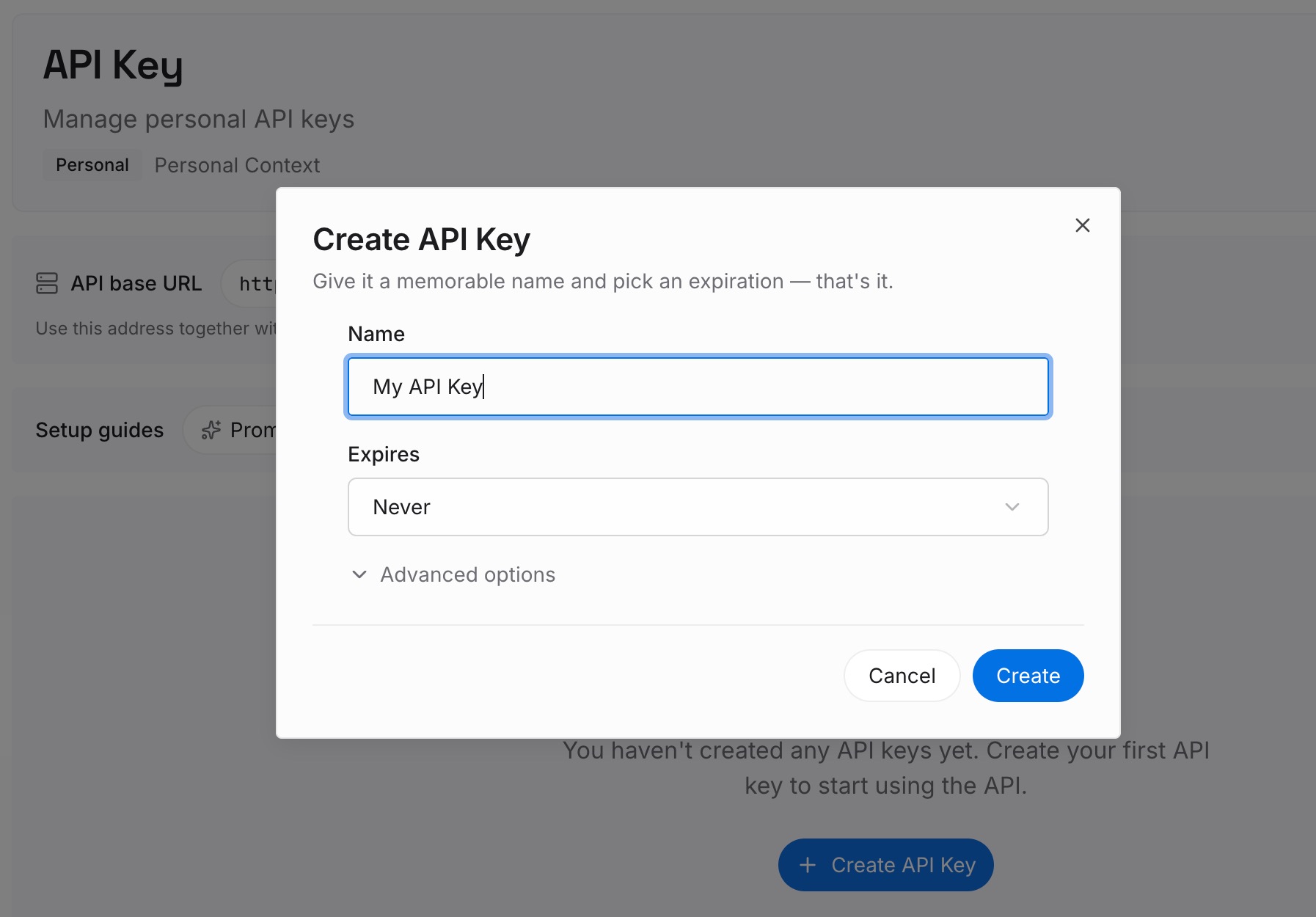
Step 1: Create an API key
Sign in and generate a key from the dashboard. The key belongs to your MemoryLake workspace and is separate from your Anthropic account.
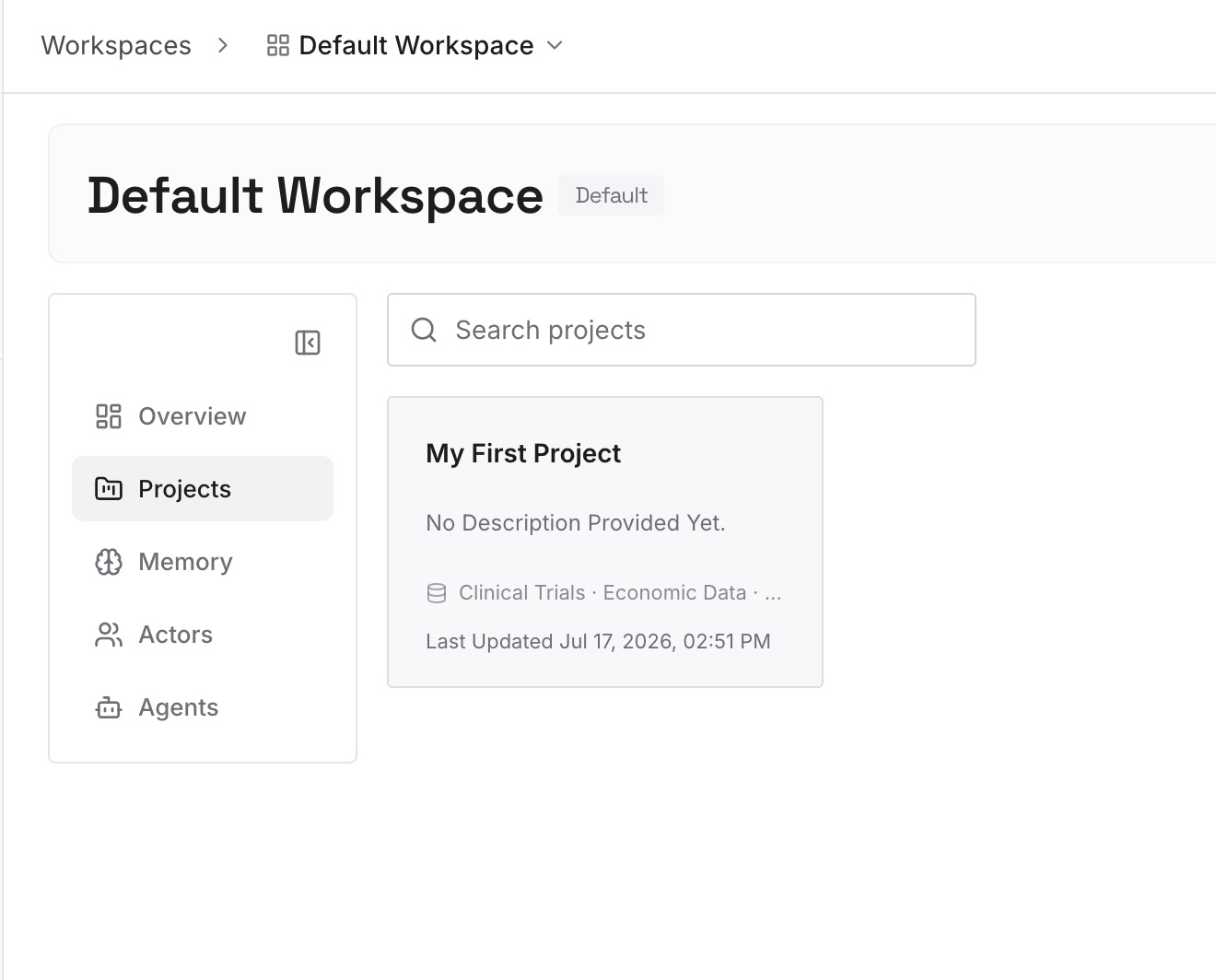
Step 2: Upload your first memories
Start with the checkpoint from Step 2 of the fix: the goal, the decisions, and the constraints. One decision per entry, so you can update one without rewriting the rest.
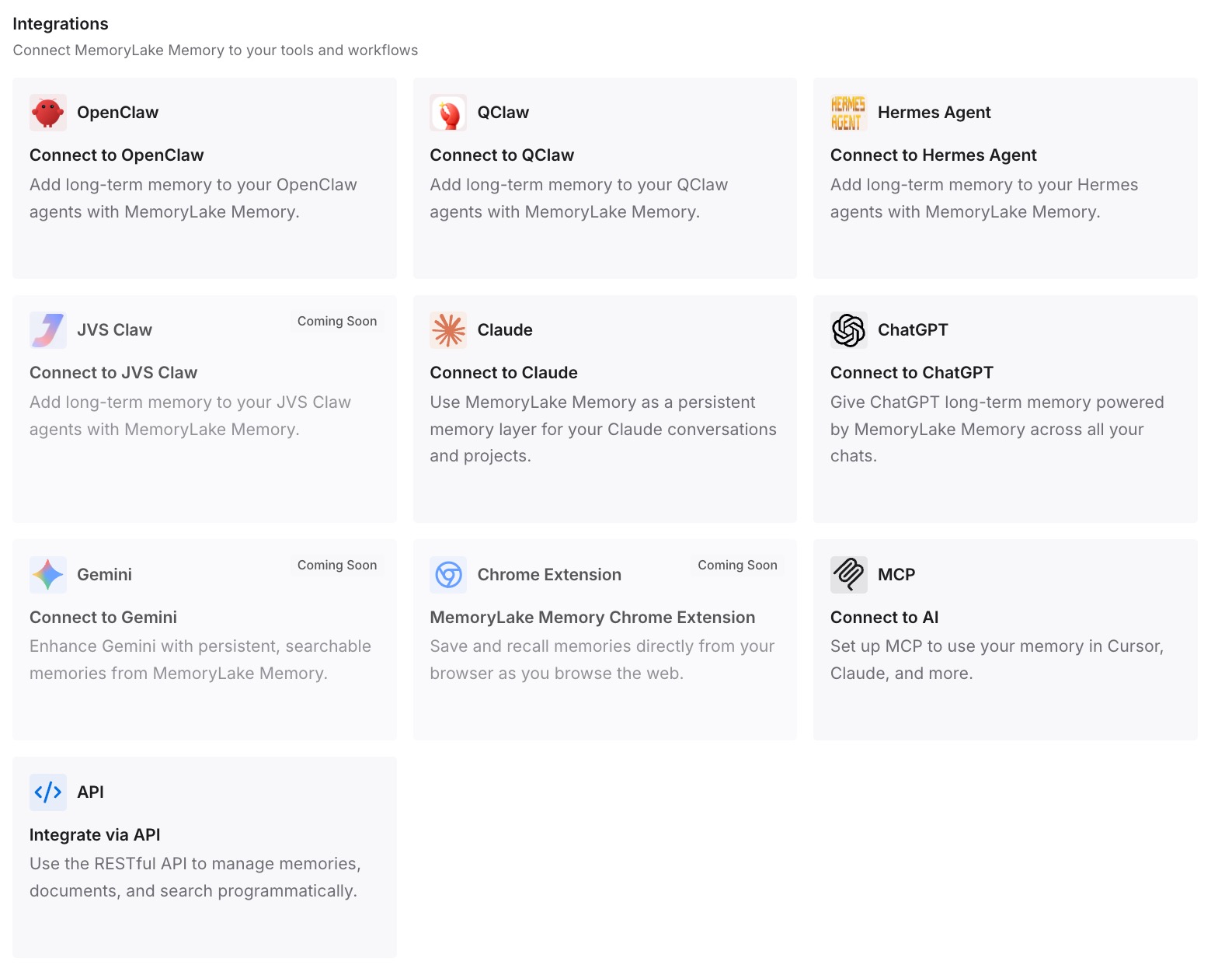
Step 3: Connect your AI & agents
Connect Claude Code and any other assistants you use. The same entries are available whichever model is selected, and in a new conversation if you start one.
What this changes in practice
The first difference is a calmer end to the Fable week: the decisions don't depend on one long conversation.
The second is a cleaner switch. A new model or conversation starts from what you wrote down, not a long scroll.
The third is less repetition. Constraints are written once, not restated after every switch.
Best practices for the Fable 5.2 launch offer
Treat a reset as restored usage, not a bigger limit. Your limits stay the same.
Note the expiry dates. March 8, 2027 for subscription-length resets. November 16, 2026 for the Pro and standard Team week and its reset.
Use a reset deliberately. It can't be undone, and you don't need to wait for a limit.
Write a checkpoint before you switch. Give the next model a clear starting point.
Know the fallback setting. Switch models when a message is flagged decides whether a blocked request moves to Opus or pauses.
Conclusion
The Claude Fable 5.2 launch offer gives eligible subscribers extra Fable usage for a limited time. A Fable limit reset restores the weekly usage spent on Fable models and refills a five-hour window if you have one. It doesn't raise your limits. Max, Ultra, and premium seats get one to three resets based on subscription length, which expire on March 8, 2027. Pro and standard Team seats get a week of included Fable, up to half of their weekly limits, plus one reset, both ending November 16.
When that usage is spent, your Fable conversation continues on usage credits, on another model, or after your weekly reset. A short checkpoint keeps the work steady either way.