
What CLAUDE.md is
Anthropic's memory documentation describes CLAUDE.md files as "markdown files that give Claude persistent instructions for a project, your personal workflow, or your entire organization."
It explains why they matter: "Each Claude Code session begins with a fresh context window." CLAUDE.md is one of the two things that carry knowledge across sessions. The other is auto memory, which Claude writes itself.
The documentation is clear about what CLAUDE.md isn't: "Claude treats CLAUDE.md files and auto memory as context. They aren't enforced configuration." To block an action regardless of what Claude decides, it points to a PreToolUse hook instead.
When to add to it
Anthropic gives a simple test. It says to treat CLAUDE.md "as the place you write down what you'd otherwise re-explain", and lists when to add to it:
- "Claude makes the same mistake a second time"
- "A code review catches something Claude should have known about this codebase"
- "You type the same correction or clarification into chat that you typed last session"
- "A new teammate would need the same context to be productive"
The opening example meets the third test three times over.
The documentation also sets a boundary. Keep CLAUDE.md to facts Claude should hold in every session, such as build commands, conventions, and project layout. A multi-step procedure, or something that only matters for one part of the codebase, belongs in a skill or a path-scoped rule.
Where the files live and how they load
CLAUDE.md files can live in several places, each with its own scope:
- Managed policy: an organization-wide file managed by IT, at a system location.
- User instructions:
~/.claude/CLAUDE.md, your personal preferences for all projects. - Project instructions:
./CLAUDE.mdor./.claude/CLAUDE.md, shared with your team through version control. - Local instructions:
./CLAUDE.local.md, your personal project-specific preferences, which you add to.gitignore.
Claude Code loads CLAUDE.md and CLAUDE.local.md from your working directory and every directory above it. The documentation says: "All discovered files are concatenated into context rather than overriding each other." Content is ordered from the filesystem root down, so instructions closer to where you launched Claude are read last. Within each directory, CLAUDE.local.md comes after CLAUDE.md.
Files in subdirectories below your working directory load on demand, when Claude reads, writes, or edits a file in that subdirectory.
Example 1: Your user-level file
This goes in ~/.claude/CLAUDE.md and applies to every project. Keep it to how you personally like to work.
- Explain your plan in two or three lines before making changes across more than one file.
- Prefer small commits with a one-line summary.
- Don't reformat code you aren't otherwise changing.
- When a task is ambiguous, state your assumption and continue.
- After editing code, run the narrowest test that covers the change.
Nothing here names a project. Anything specific to one repository belongs in that repository's file.
Example 2: A project root file
This goes in ./CLAUDE.md at the repository root and covers what everyone on the team should know.
- This is a TypeScript monorepo using pnpm workspaces. Use pnpm, not npm or yarn.
- Run tests for one package with
pnpm --filter <package> test. - API handlers live in
src/api/handlers/. - The client in
src/generated/is generated. Don't edit it by hand; runpnpm codegen. - Use 2-space indentation.
- Run
pnpm lintbefore committing.
This is the file that fixes the opening example. Each line is concrete enough to check, which follows Anthropic's advice to write instructions "that are concrete enough to verify". Its own examples include using 2-space indentation instead of a vague request to format code properly.
If you're starting from nothing, the documentation suggests /init, which analyzes your codebase and creates a starting CLAUDE.md. Anthropic says to refine it from there "with instructions Claude wouldn't discover on its own."
Example 3: A personal local file
This goes in ./CLAUDE.local.md and holds your own preferences for this project. Anthropic suggests uses like your sandbox URLs and preferred test data.
- My local API runs on port 4000, not the default.
- Use the seed account in
scripts/seed-dev.tsfor manual testing. - I'm working on the billing service this month; assume questions are about it unless I say otherwise.
Add the file to .gitignore so it isn't committed. One catch from the documentation: a gitignored CLAUDE.local.md "only exists in the worktree where you created it." If you use several worktrees, it suggests importing a file from your home directory instead.
Example 4: A subdirectory file
This goes in a subdirectory, such as packages/web/CLAUDE.md, for rules that only apply there.
- Components use the design tokens in
src/theme/. Don't hard-code colors or spacing. - Every new component gets a story file next to it.
- Text shown to users goes through the translation helper, never as a raw string.
- Run the visual tests with
pnpm --filter web test:visualafter changing a component.
Because it's in a subdirectory, it loads when Claude works with a file in that folder, not at launch. Keep it short: Anthropic documents a per-file size limit for files that load on demand. We explained that limit in our guide to the subdirectory CLAUDE.md cutoff.
Example 5: A path-scoped rule
Rules live in .claude/rules/, one topic per file. A rule with a paths field in its frontmatter only loads when Claude works with files that match. For example, a file named .claude/rules/api.md whose paths field lists src/api/**/*.ts could say:
- Every endpoint validates input with the shared schema helpers.
- Return errors in the standard error envelope.
- Add an integration test for each new route.
Anthropic notes that rules without a paths field load at launch with the same priority as .claude/CLAUDE.md. Path-scoped rules are the documented way to keep guidance for one part of the codebase out of every session.
Imports and long files
CLAUDE.md files can pull in other files with @path/to/import syntax. Relative paths resolve from the file containing the import, and imports can nest up to four hops deep.
Imports help organization, but Anthropic is clear they don't save space: imported files "load together with the CLAUDE.md that imports them."
Size matters. The documentation says to "target under 200 lines per CLAUDE.md file", and explains: "Longer files consume more context and reduce adherence."
One more useful detail: block-level HTML comments in CLAUDE.md are stripped before the content reaches Claude, so you can leave notes for human maintainers without spending context on them.
CLAUDE.md and AGENTS.md
If your repository also serves other coding agents, AGENTS.md is part of the picture. By default, Anthropic says Claude reads AGENTS.md "only when you have no CLAUDE.md in your working directory or above it."
To keep one shared file, the documentation suggests a CLAUDE.md next to it that imports it with @AGENTS.md, followed by any Claude-specific instructions. Claude reads the imported file first, then the rest.
If you'd rather Claude read both files, the documentation describes a Project instructions setting in /config with a value that reads CLAUDE.md and AGENTS.md together, each directory's CLAUDE.md first. Codex reads AGENTS.md on its own terms; we covered that side in our guide to AGENTS.md examples for Codex.
What to leave out
Things Claude can work out from the code. Anthropic's /doctor checkup proposes cutting content Claude can derive, such as directory layouts, dependency lists, and architecture overviews.
Multi-step procedures. Put them in a skill, which loads when needed.
Rules for one part of the codebase. Use a subdirectory file or a path-scoped rule.
Anything that must always happen. If it has to run before every commit, the documentation says to write it as a hook.
Contradictions. Anthropic warns: "if two instructions contradict each other, Claude may pick one arbitrarily."
How to check what loaded
Run /context all in a session and look under Memory files. Anthropic says that if a file "is missing there, Claude can't see it."
A subdirectory CLAUDE.md won't appear there at launch, because it loads on demand. When it does load, a line with its path appears in the terminal.
/memory lists your CLAUDE.md files and opens them for editing. And /doctor prompt-audit checks your instruction files for outdated or conflicting content, then proposes edits without changing anything until you ask.
What people try first
One giant file. Over 200 lines, adherence can drop. Split by scope.
Using imports to save space. Imported files still load in full.
Personal settings in the shared file. Put them in CLAUDE.local.md.
Rules that must never be broken. Use a hook, not an instruction.
Assuming it loaded. Check Memory files with /context all.
The Fix: Build your CLAUDE.md in layers
Step 1: Write a short user file
Put your personal working habits in ~/.claude/CLAUDE.md.
Step 2: Add a project root file
Cover the package manager, test commands, generated files, and conventions.
Step 3: Scope the rest
Use subdirectory files and path-scoped rules for guidance that only applies in one place.
Step 4: Record why each rule exists
Write down the incident or decision behind each rule, separately from the file.
Setting this up in MemoryLake
CLAUDE.md tells Claude Code what to do in one repository. The reasons behind your rules, such as the incident that led to the migrations rule, are context you'll want in other repositories and other tools.
MemoryLake is a memory layer for that kind of context, kept in one place you maintain and available to the assistants you connect, such as ChatGPT, Claude Code, and Codex.
You write the entries yourself, in your own words. Nothing is read out of, written to, or deleted from your CLAUDE.md files, your rules, your auto memory, your repositories, or any vendor's store. CLAUDE.md works the way Anthropic describes it.
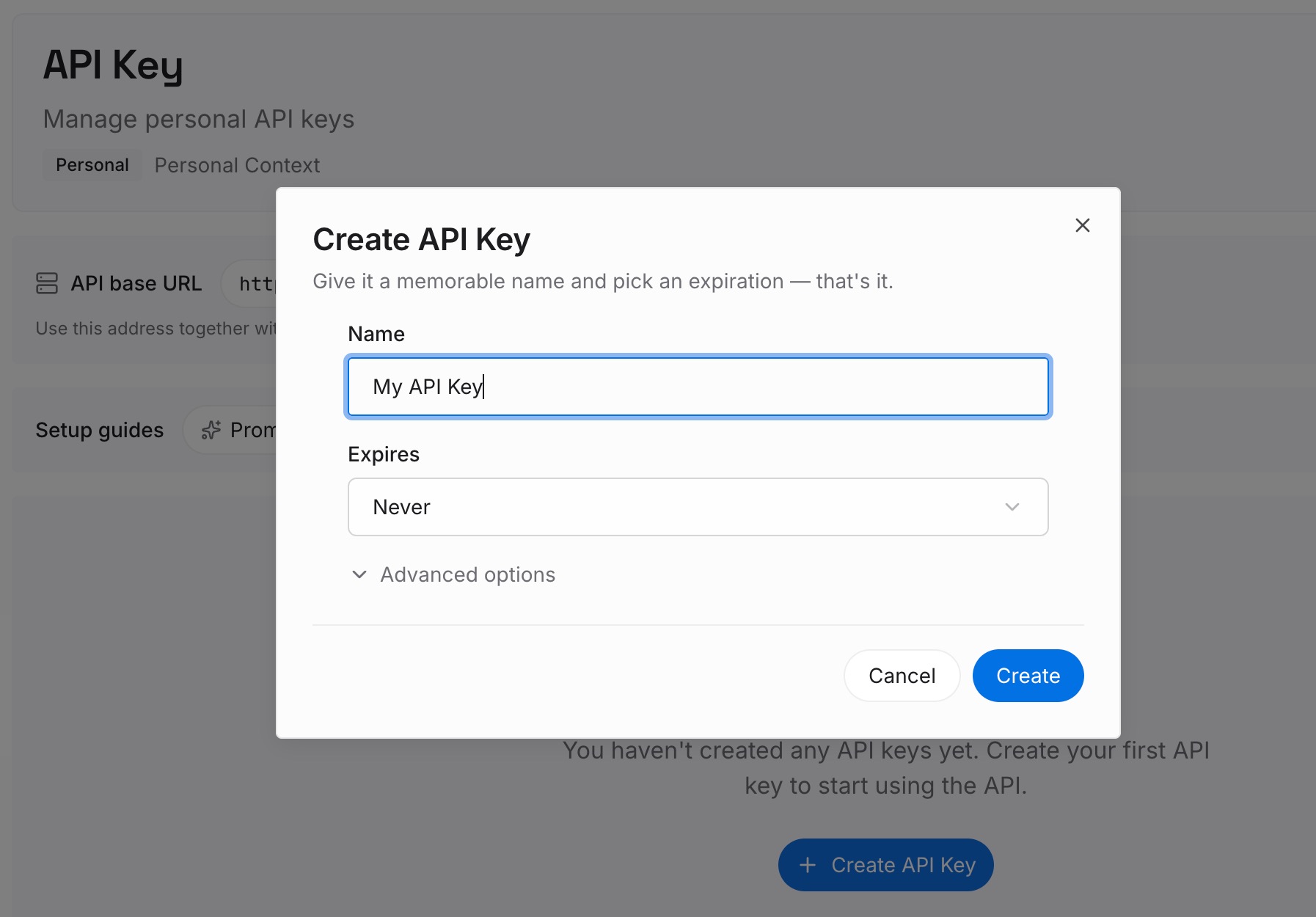
Step 1: Create an API key
Sign in and generate a key from the dashboard. Store it outside your repositories, like any other credential.
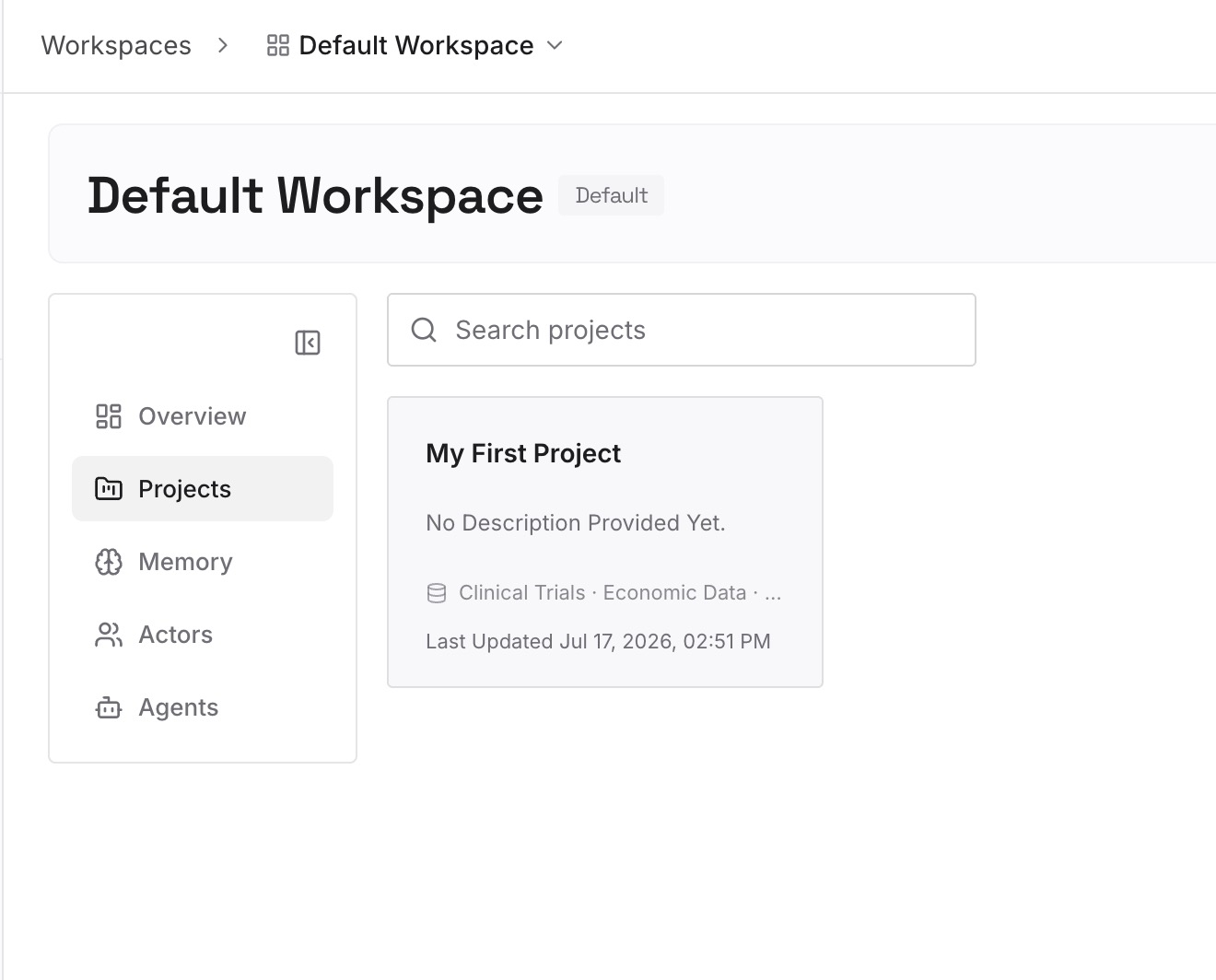
Step 2: Upload your first memories
Start with what you wrote in Step 4 of the fix: the reason behind each rule. One rule per entry.
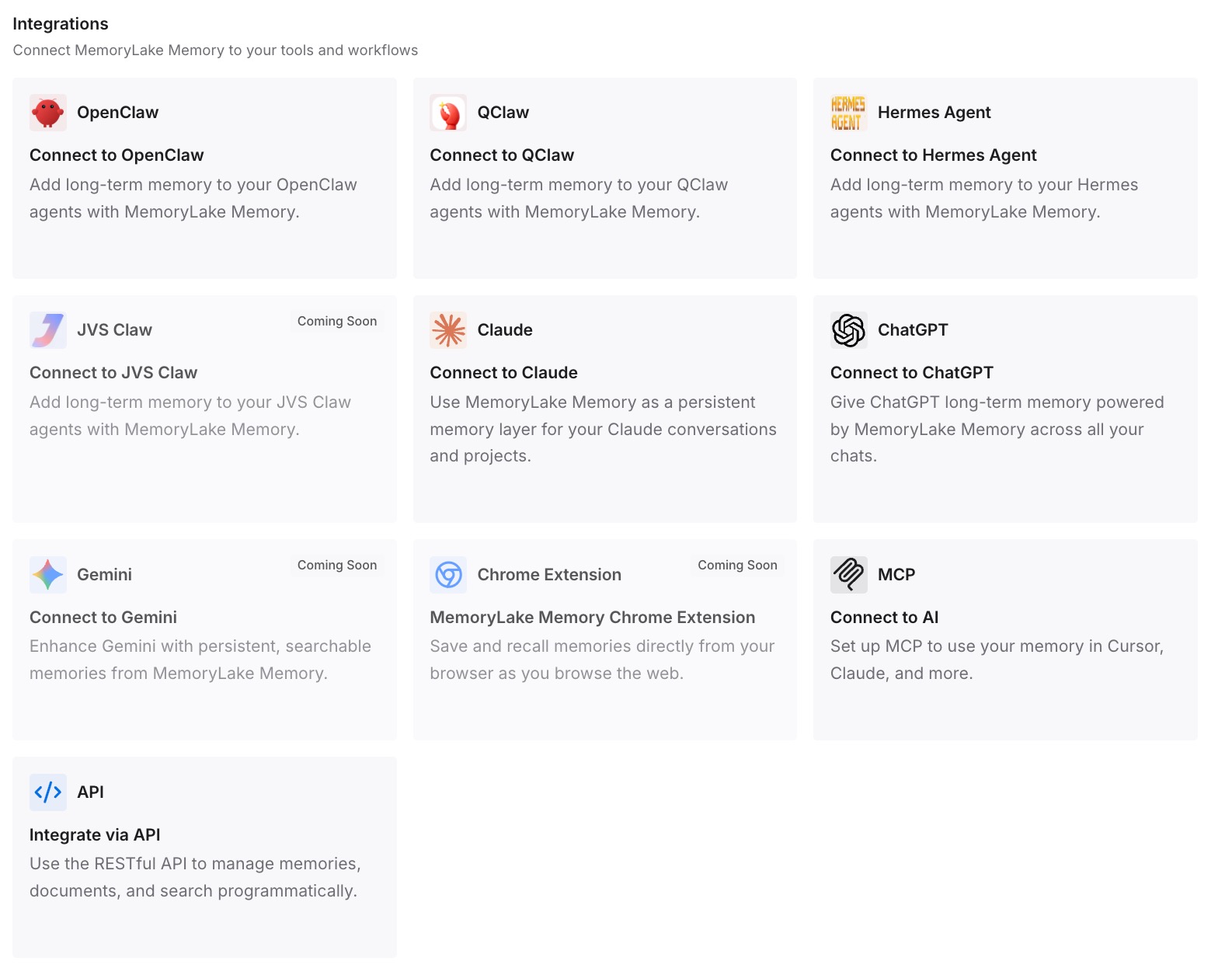
Step 3: Connect your AI & agents
Connect Claude Code, Codex, ChatGPT, and the other assistants you use, so each can explain a rule as well as follow it.
What this changes in practice
The first difference is shorter files. The reasoning lives elsewhere, so CLAUDE.md stays under its recommended size.
The second is safer edits. Whoever changes a rule can see why it was added.
The third is reuse. The same decisions are ready when you set up the next repository.
Best practices for CLAUDE.md
Be concrete. Write instructions you could verify.
Stay under 200 lines. Longer files reduce adherence.
Layer by scope. User, project, local, subdirectory, and rules each have a job.
Use hooks for musts. CLAUDE.md is context, not enforcement.
Check Memory files. Confirm what loaded with /context all.
Audit regularly. /doctor prompt-audit finds outdated or conflicting lines.
Conclusion
CLAUDE.md files give Claude Code persistent instructions across sessions. They live at the user, project, local, and organization levels, load from your working directory and every directory above it, and are concatenated from the root down, with subdirectory files loading on demand. Claude treats them as context rather than enforced configuration.
Good files are short and layered: personal habits at the user level, team conventions at the project root, personal details in CLAUDE.local.md, and rules for one area in a subdirectory file or path-scoped rule. Keep each file under 200 lines, use hooks for anything that must always happen, check what loaded, and write down why each rule exists.