
What actually changed on August 25
Four things, and only one of them is the headline.
One memory across chat and Cowork
Cowork previously had no memory of its own. Now, per the announcement, "Cowork now has memory, and it's the same one you use in chat," and "When Cowork runs a task in the cloud, what Claude remembers from your chats is there, and vice versa."
The practical version Anthropic gives: "Ask Cowork to draft an update for your manager, and it already knows who that is and how she likes updates written."
Memory is written during the conversation, not after it
This is the mechanism change, and it is easy to skim past. "Claude now adds topics to memory as you chat, instead of summarizing conversations after they end."
That replaces an end-of-conversation summarization step with continuous topic writes. Mention that a deadline moved, and the next conversation has it. It also means the thing being stored is a topic file rather than a conversation digest — which is what makes the next item possible.
Everything is readable and editable, topic by topic
"Everything Claude remembers is in a list of files under Topics in Memory settings, where you can read, edit, or delete each one." Anthropic's argument for why short files matter is worth quoting because it is the actual benefit: "The files are short, and a fix pays off everywhere: correct your company's old name in one file and every conversation from then on gets it right."
You can also edit from inside a chat — "Tell Claude what you'd like it to remember, change, or forget" — though the help center notes the update "applies to your next conversation," not the current one. This is a refinement of the per-entry model introduced earlier in the year, covered in Claude's new memory entries.
Sensitive topics became a decision you make
By default Claude "does not store topics related to personal or sensitive subject matter, like your health, race, ethnicity, religious beliefs, politics, gender identity, and other similar areas." You can turn that on in Settings > Memory, and the framing is a real one: "if those are the topics you're tired of re-explaining, you can turn them on."
Two properties matter. It is forward-only — "Claude saves sensitive topics going forward. Anything from before you turned it on isn't saved retroactively." And it is reversible with cleanup: "If you decline the notice, or turn the setting off later, Claude removes any sensitive items already saved to memory."
What "everywhere" covers, and where it stops
None of what follows is hidden. All of it is in Anthropic's documentation, and reading the help center next to the blog post is the whole exercise.
Cowork memory is cloud-only. The clearest boundary, stated twice in the help center: "Memory across Cowork and chat only works when Cowork runs in the cloud. It isn't available in Cowork sessions that run locally on your computer." If your Cowork work happens locally, the unification described in the announcement does not reach it.
Projects are walled off from each other. "Each project has its own separate memory space and dedicated project summary, so the context within each of your projects is focused, relevant, and separate from other projects or non-project chats." That is a feature if you keep separate clients or workstreams in separate projects. It also means memory built inside a project does not travel to a sibling project. Chat search follows the same walls — it covers "All chats outside of projects" and "Individual project conversations (searches are limited to within each specific project)."
Some categories are never stored, even on request. "Some information is never saved to memory, even if you ask. This includes government ID numbers, criminal history, financial account numbers, and immigration status."
Memory outlives the conversation that produced it. "When a conversation expires or is deleted, related memory entries aren't removed, but members can delete individual memories at any time." Deleting a chat is not deleting what Claude learned from it.
On Team and Enterprise plans, the switch is not yours alone. "Memory and sensitive topics are two separate controls for your organization, and both are off by default." Owners enable it at the org level; individuals then manage their own. Notably, "Owners can't view or edit a user's individual memories" — and the reverse-direction consequence is the sharpest line in the document: "When an owner turns memory off for the organization, all existing memory entries for all users are deleted immediately." Anthropic flags it as permanent.
Some organizations can't have it at all. "Memory isn't available to organizations with HIPAA, public-sector, or custom data retention agreements."
It is one vendor's memory. This is scope, not a shortcoming — Claude's memory is built for Claude's surfaces. It is not read by Claude Code, which maintains its own separate mechanism, nor by the API, nor by any other assistant you use. The cross-vendor version is a different problem, described in what persistent memory actually means.
The deadline most of the coverage missed
Anthropic migrated users off the older memory system: "We have introduced an improved experience for memory and migrated users off the legacy experience."
There is a documented recovery path if the migration dropped something, and it has an expiry date. From the help center: "If you think Claude has forgotten something in that migration: Navigate to Settings > Memory and until September 9, 2026, you will see the option to export your legacy memory. Once you have exported your legacy memory, paste it back into Claude, highlighting the portion that may have been forgotten."
There is also a fast way to tell which system you are on, and it is just a menu path. The help center states that its legacy sections "only apply to people who have the legacy memory experience and see Memory in Settings > Capabilities. If you see Settings > Memory, you're using the new memory experience."
So: Settings > Capabilities means legacy, and the export is relevant to you. Settings > Memory means you are already migrated — and the export may still be there to check.
Separately, Anthropic now documents memory portability as a feature in its own right: "You can now transfer your memory between Claude and other AI services." It is labelled "experimental and still in active development," so treat it as a copy mechanism rather than a sync.
The Fix: Keep the Reasoning Somewhere a Settings Toggle Can't Delete
Two facts from Anthropic's own documentation sit uncomfortably next to each other. Memory is now genuinely good — continuous, editable, spanning two surfaces. And a single org-level toggle deletes all of it for everyone, immediately and permanently.
That is not a criticism of the design. Vendor memory is scoped to the vendor by definition, and an org-wide off switch that leaves data behind would be a worse product. It just means the durable half of your context — the decisions, the constraints, the reasons — is worth keeping somewhere that answers to you rather than to a plan tier, a project boundary, or whether Cowork happened to run in the cloud.
That is what MemoryLake holds: a memory layer your tools query, independent of any one assistant's settings page. Setup is three steps.
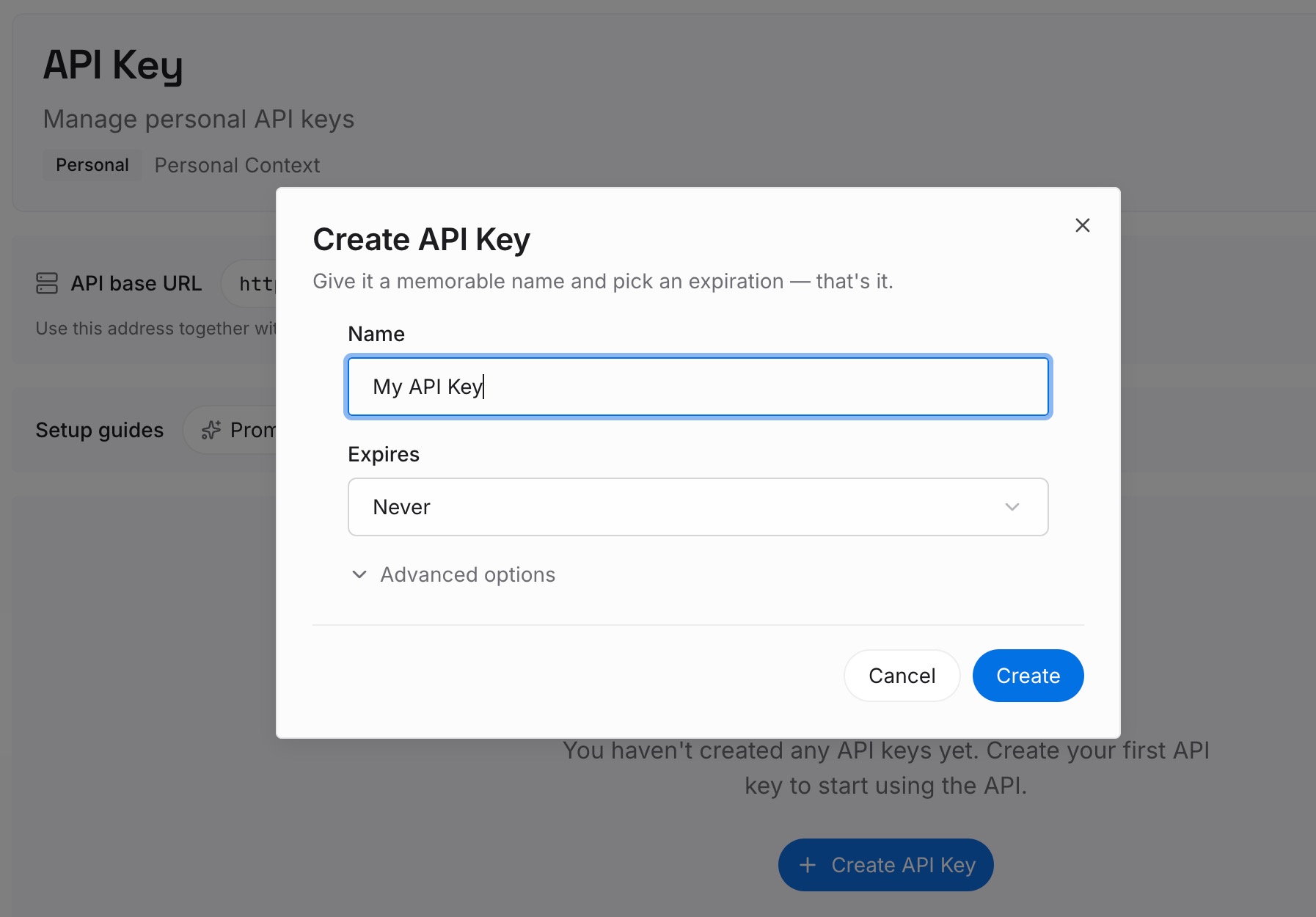
Step 1: Create an API key
Sign in and create an API key. One credential across every tool you connect.
Step 2: Upload your first memories
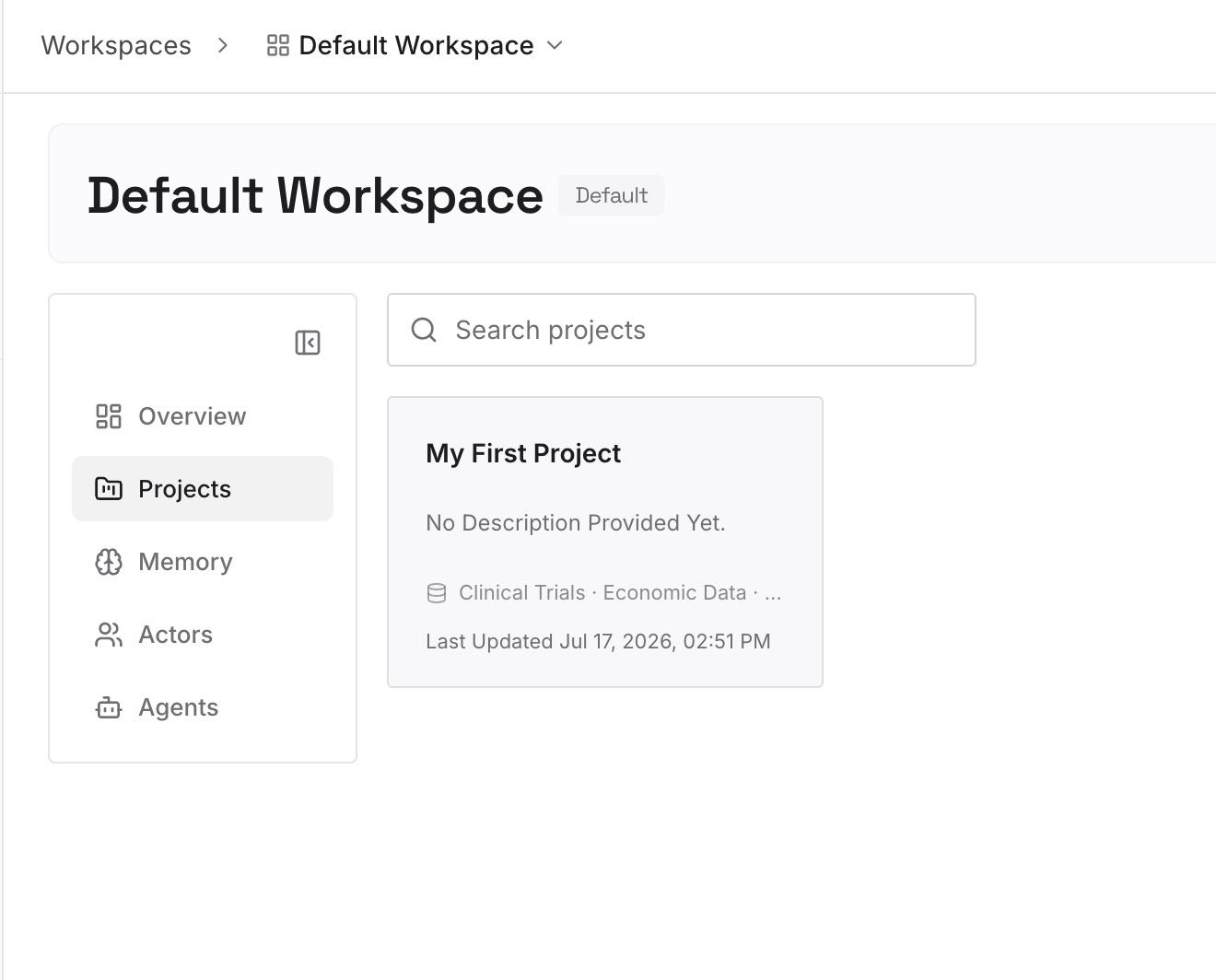
Short entries, one claim each. If you are reading your Topics list this week anyway, that is the moment to do it. What is worth copying out:
Decisions with the reason attached. "We bill annually because monthly churn was 4x." A topic file records the fact; only the reason stops the alternative being re-proposed.
Constraints that apply across projects. Anything true of your work generally, not of one project — the walls between projects mean Claude will not carry it sideways for you.
Anything you would hate to re-derive. Vocabulary, metric definitions, who signs off on what.
What you exported from legacy memory. If the export gives you a block of text, it is not much use pasted into one chat. Split it into claims.
Step 3: Connect your AI & agents
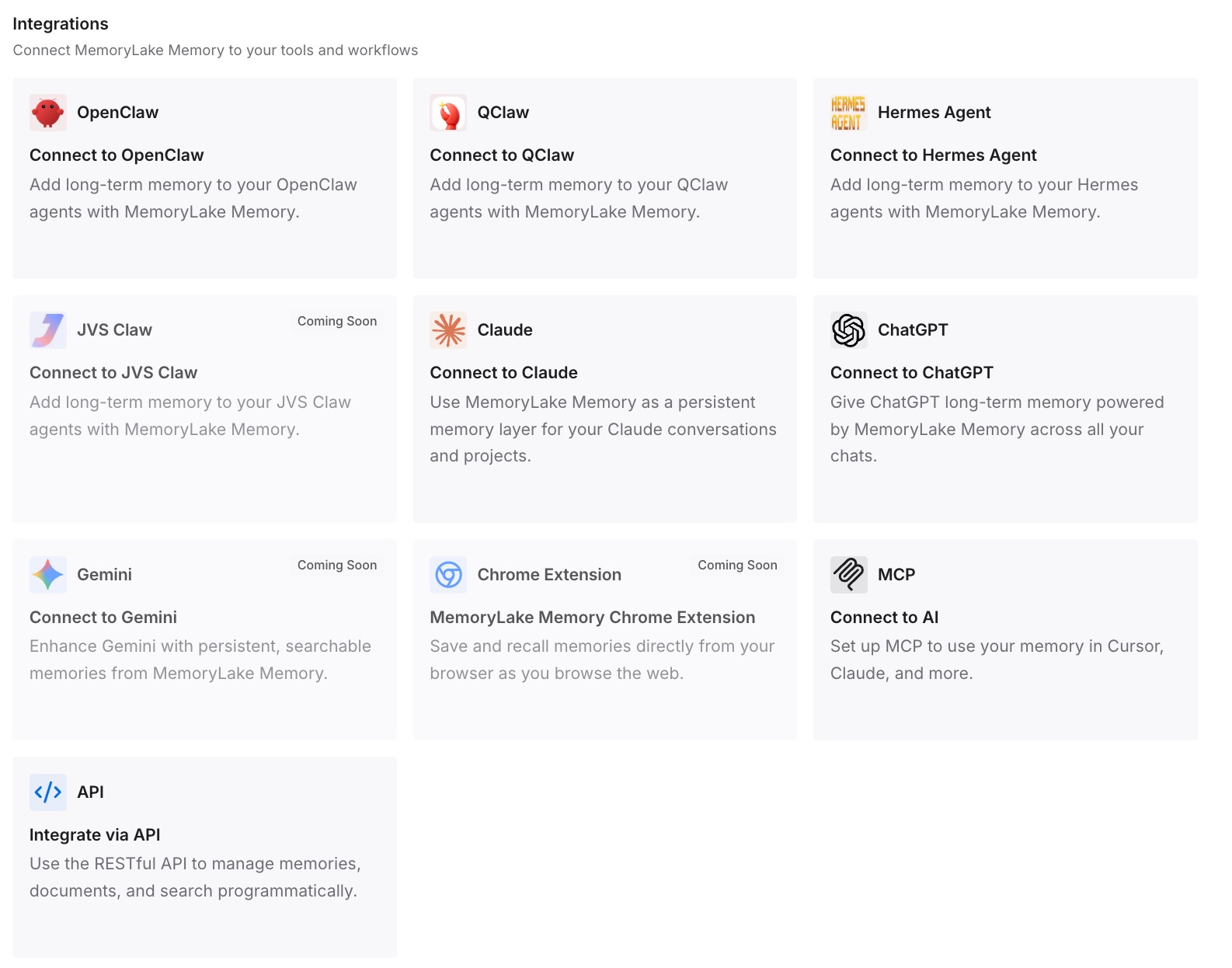
MemoryLake is reachable over MCP and over an API, so MCP-native agents — Claude Code, Codex, and OpenClaw among them — connect by pointing at the MCP server, while other assistants read the same memory through the API. The point is that the answer to "what did we decide about pricing" does not change depending on which surface you asked.
Three honest limits. MemoryLake cannot read, write, export, or delete Claude's memory — Topics live in Anthropic's product, and the only tools for them are the ones in Settings > Memory. It holds only what you or your agents put into it, so Step 2 is manual. And it does nothing about vendor-side retention: if you need something deleted from Claude, delete it in Claude. Anthropic's own note that memory "is included in standard conversation history exports" and subject to org retention policies applies regardless of what else you run.
What this changes in practice
Cowork stops needing a briefing. In the cloud. Locally, it still does.
A correction is a one-file edit. Fix a topic once and, in Anthropic's words, "every conversation from then on gets it right."
Project walls become a filing decision. Separate projects mean separate memory. That is either isolation you wanted or a wall you did not know you built.
Deleting a chat stops feeling like cleanup. The memory generated from it stays until you delete the memory.
Team rollouts need a conversation about the off switch. Turning org memory off deletes every user's entries immediately.
The sensitive-topics setting is a real choice, not a default to ignore. Forward-only, reversible, with cleanup on the way out.
Best practices for Claude's new memory
Check your menu path first. Settings > Capabilities means legacy; Settings > Memory means migrated.
Do the legacy export before September 9, 2026. It costs a minute and the option disappears.
Read your Topics list once, properly. It is the only complete view, and it is short.
Decide about sensitive topics deliberately. A gluten allergy that improves every recipe suggestion is a reasonable trade; a health history you would rather not have stored is not.
Use projects as walls on purpose. If two workstreams should never bleed together, separate projects do that. If they should share, they need to be one project.
Prefer pause over reset. Pause keeps existing memory and stops new writes. Reset "permanently deletes all memories including project memories" and cannot be undone.
Don't rely on it for what must be exact. Memory is context, not configuration — the general shape covered in how to extend Claude's memory beyond the built-in.
Keep decisions and reasons outside any one vendor's store. Especially the ones a teammate will need after you have moved on.
Conclusion
The August 25 change is real and useful. Memory is now written continuously rather than summarized after the fact, it is a list of short files you can read and edit, it reaches Cowork, and sensitive-topic storage is an explicit opt-in with retroactive cleanup on the way out. If you have been re-introducing yourself to Claude, that stops.
The boundaries are equally real and equally documented. Cowork memory works in the cloud and not locally. Projects are separate memory spaces, and so are chat searches. Certain categories are never stored. Memory survives the deletion of the chat that created it. On Team and Enterprise, an owner controls availability, cannot see individual entries, and can delete everyone's memory with one toggle. And none of it crosses to Claude Code, the API, or another vendor's assistant.
The one item with a clock on it: if you were on legacy memory, the export lives in Settings > Memory until September 9, 2026. Check your menu path, take the export if it is there, read your Topics list, and move the decisions you would not want to re-derive somewhere a settings change cannot reach.